POS Software Startup Pitch Deck Ppt Template
Try Before you Buy Download Free Sample Product
Audience
Editable
of Time
POS solution in a restaurant lets the owners track every transaction through the system, also improves customer experience and satisfaction. Effective restaurant management entails several operational challenges, and restaurants use an integrated restaurant management software system to overcome them for smooth and efficient operation. Here is a professionally designed pitch deck on POS Software Startup that showcases issues faced by the owners using old technology or poor management style and intelligent solutions to them. At first, companies can use such slides to address the significant operational bottlenecks of restaurants along with next-gen systems for handling problems effectively. One can even acknowledge how to present overview and founding members slides, which assist the company in informing potential investors about its business, vision, and mission and critical founding members. Companies can use slides such as essential features offered, how it works, whats more for restaurants, market opportunity, business strategy, pricing packages, why to invest with us, and future milestones to grab the investors attention. Finally, through investment ask an exit strategy slides, organizations can inform their investors about the amount of funding they are seeking and their business exit strategy. Download 100 percent editable ppt for startup pitch deck and get access to it now.
People who downloaded this PowerPoint presentation also viewed the following :
Content of this Powerpoint Presentation
Slide 1: This slide introduces POS Software Startup Pitch Deck. State Your Company Name and begin.
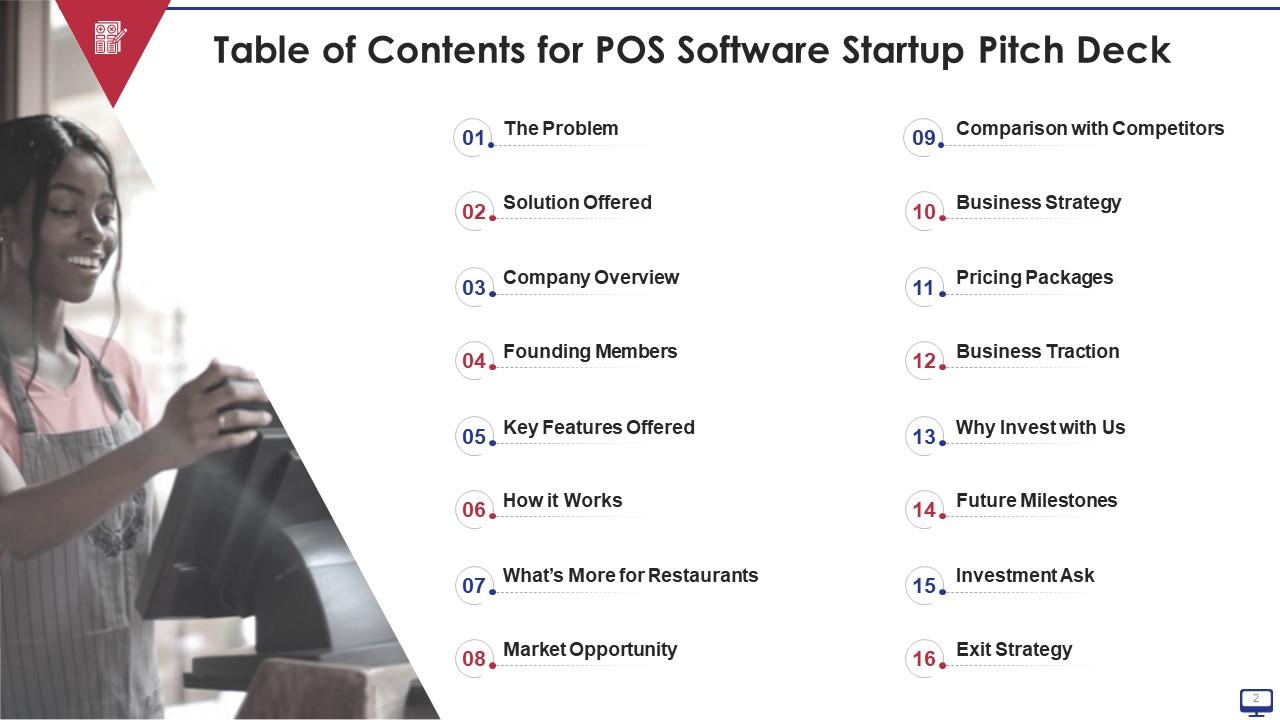
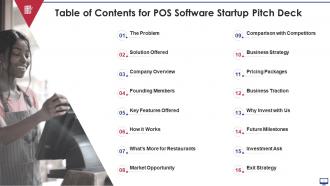
Slide 2: This slide presents table of contents.
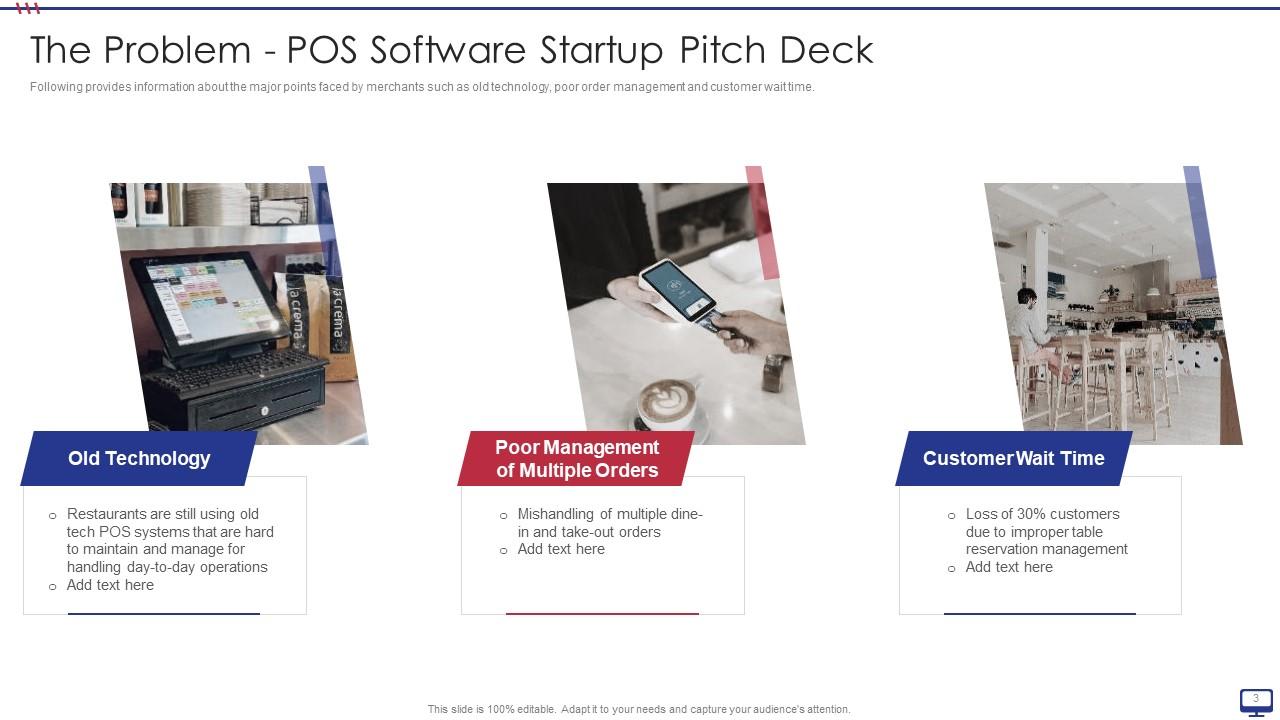
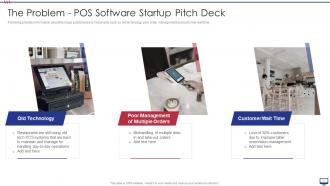
Slide 3: This slide exhibits major points faced by merchants such as old technology, poor order management and customer wait time.
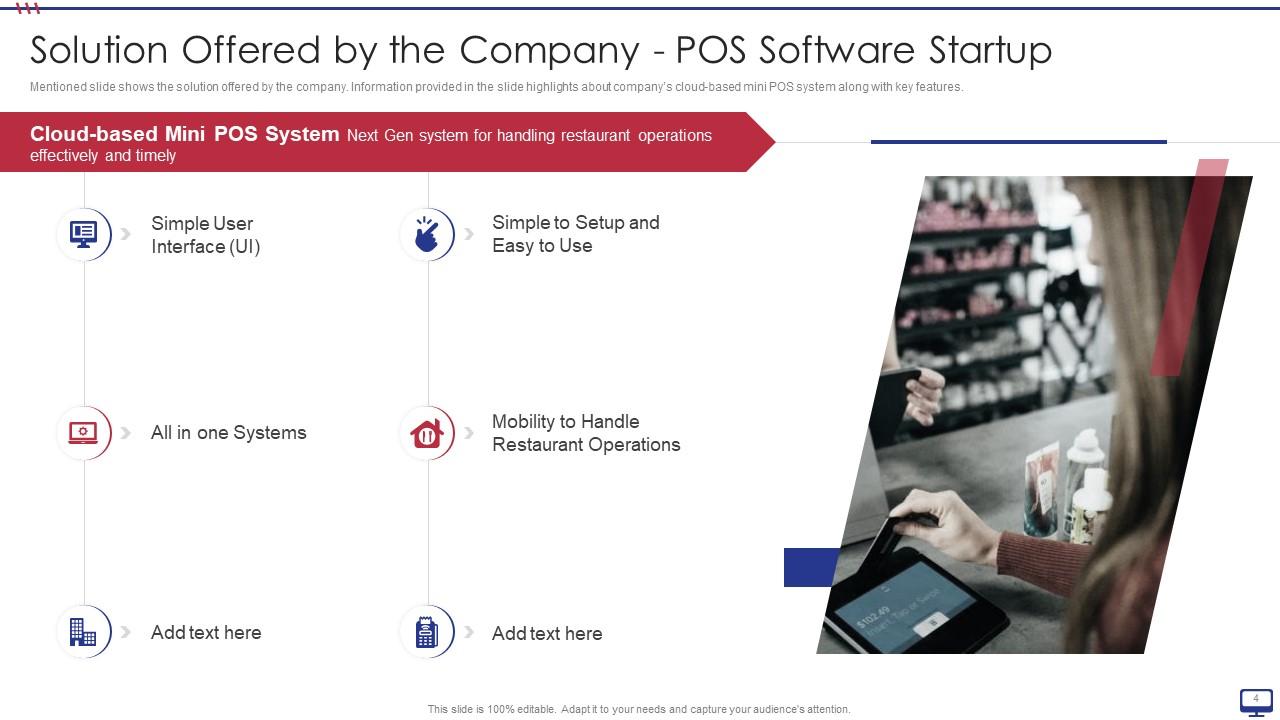
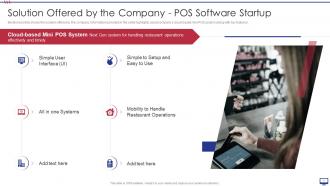
Slide 4: This slide shows solution offered by the company.
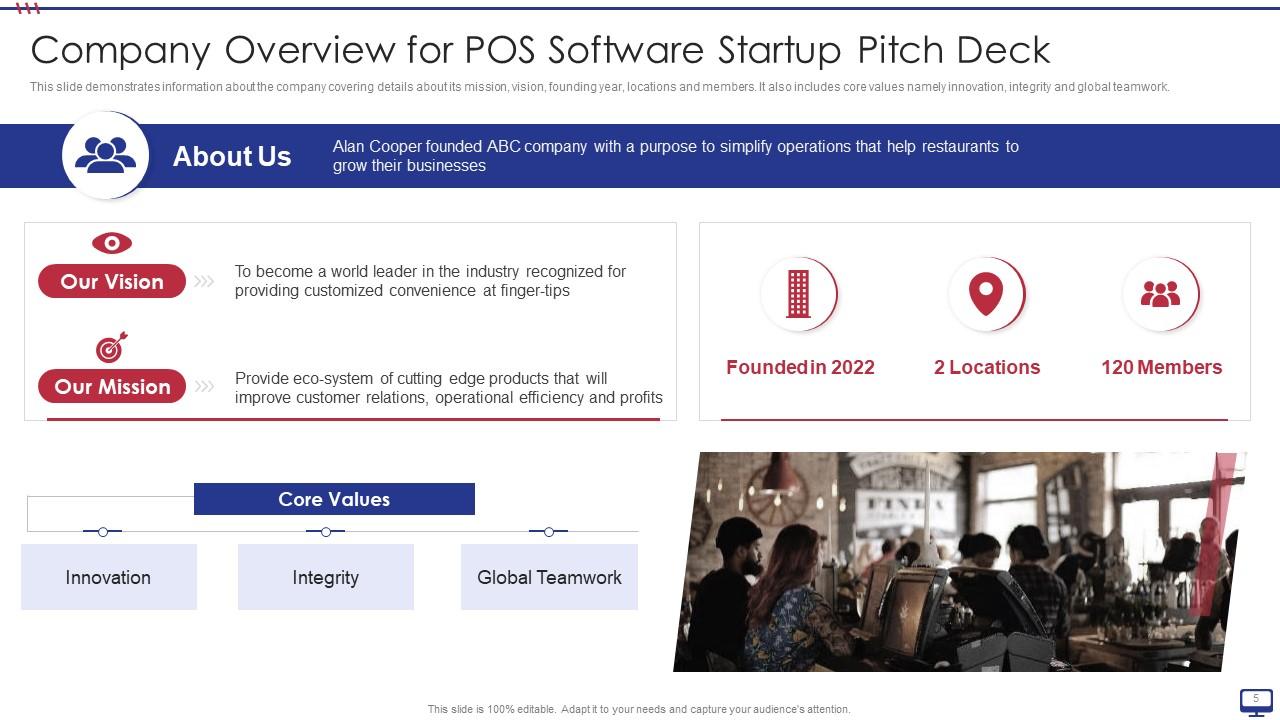
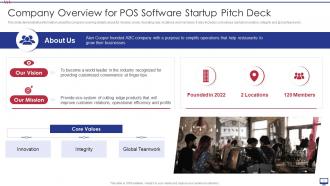
Slide 5: This slide depicts company details like mission, vision, founding year, locations and members.
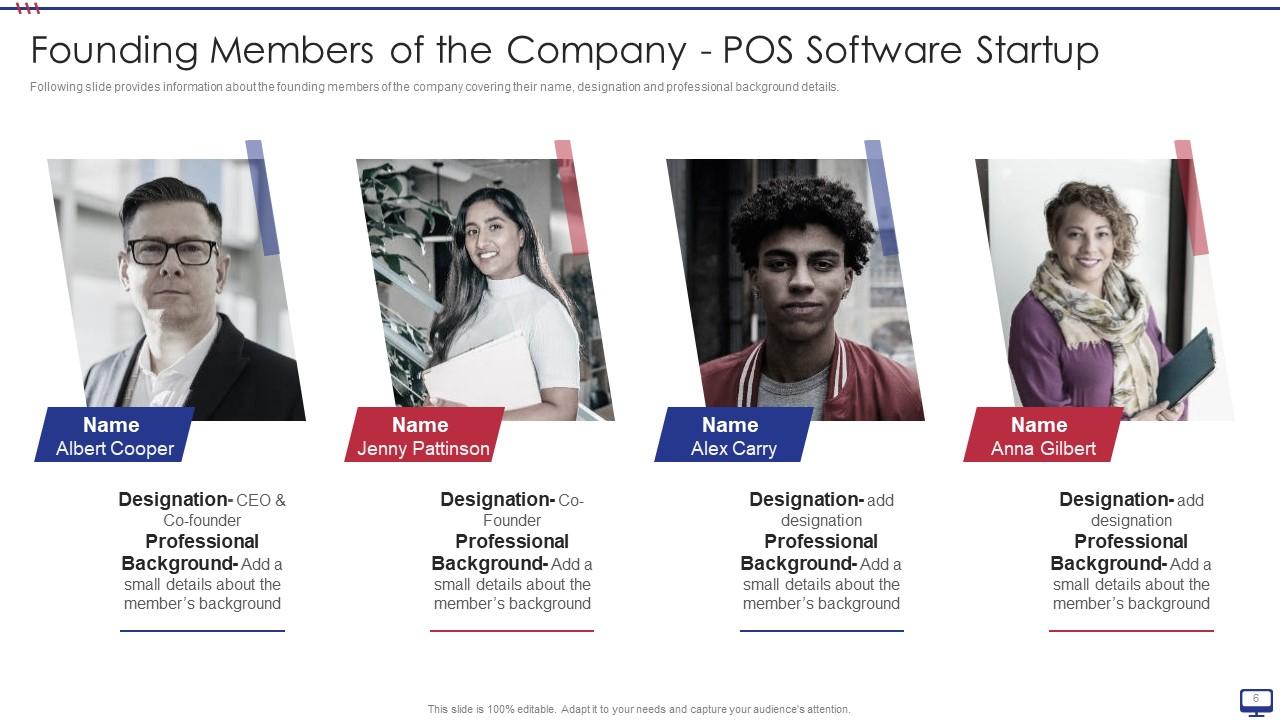
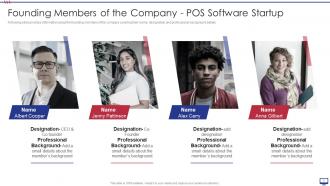
Slide 6: This slide illustrates founding members of the company covering their name, designation and professional background details.
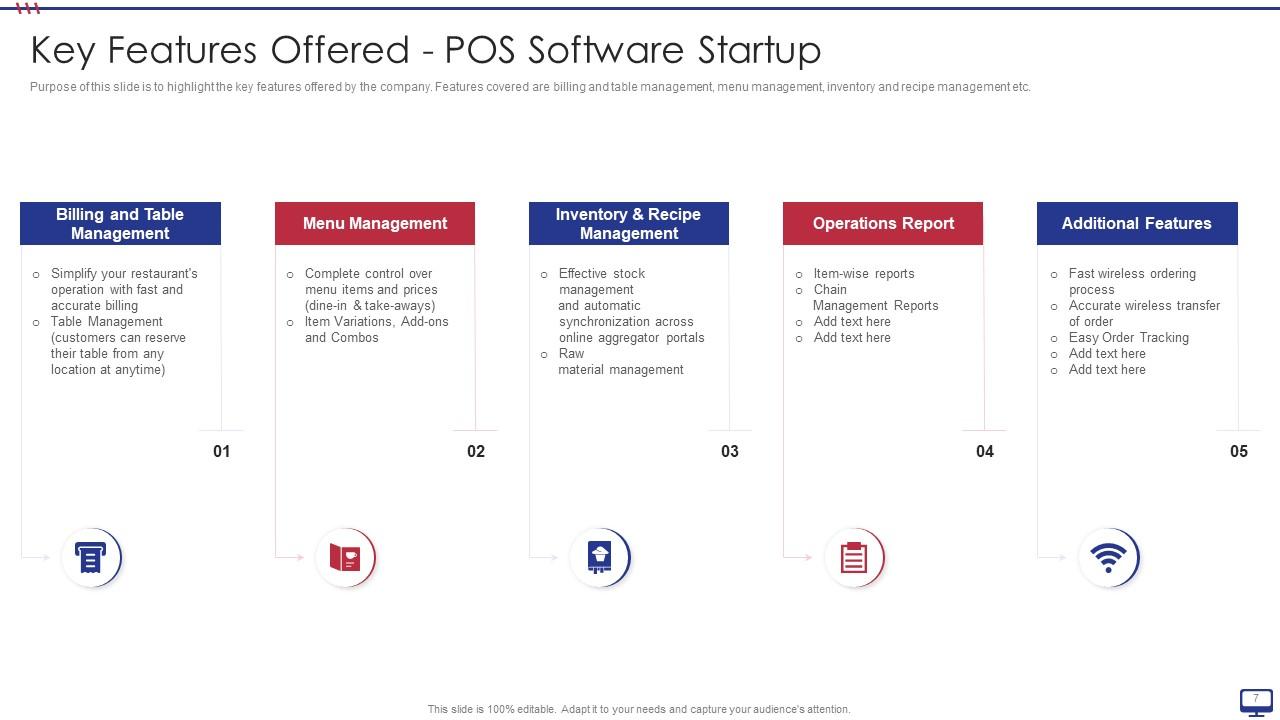
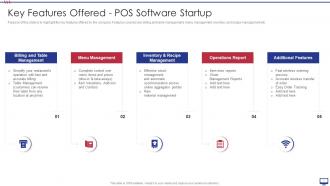
Slide 7: This slide displays key features offered by the company.
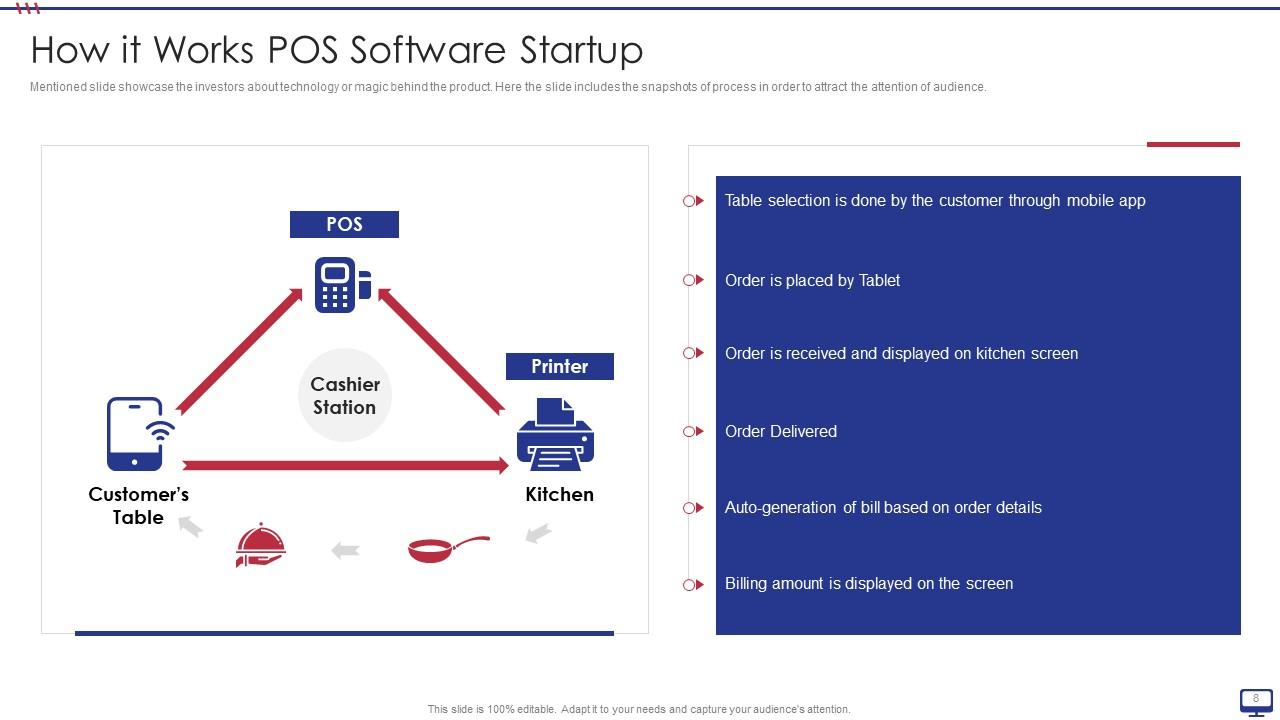
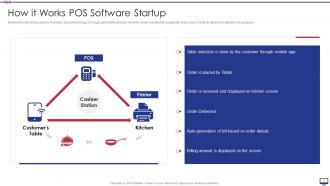
Slide 8: This slide explains investors about technology or magic behind the product.
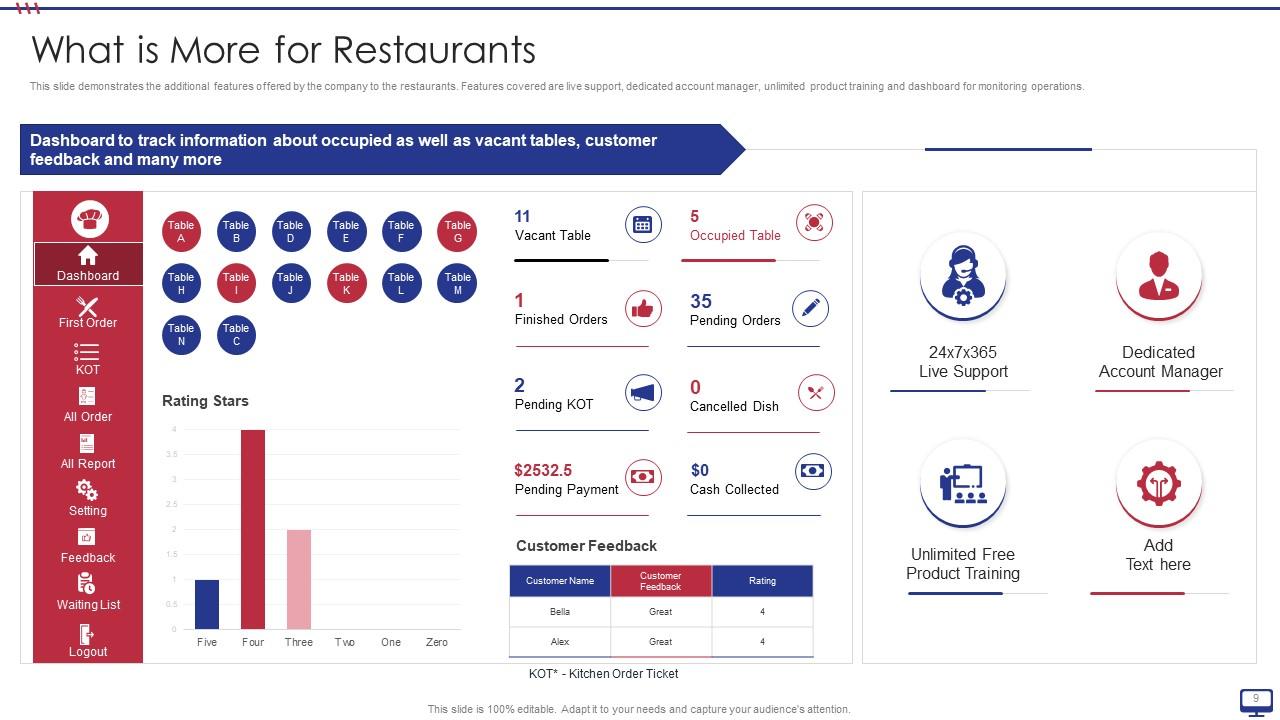
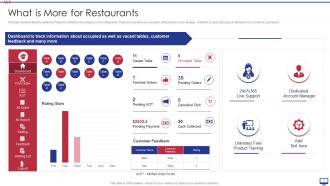
Slide 9: This slide presents additional features offered by the company to the restaurants.
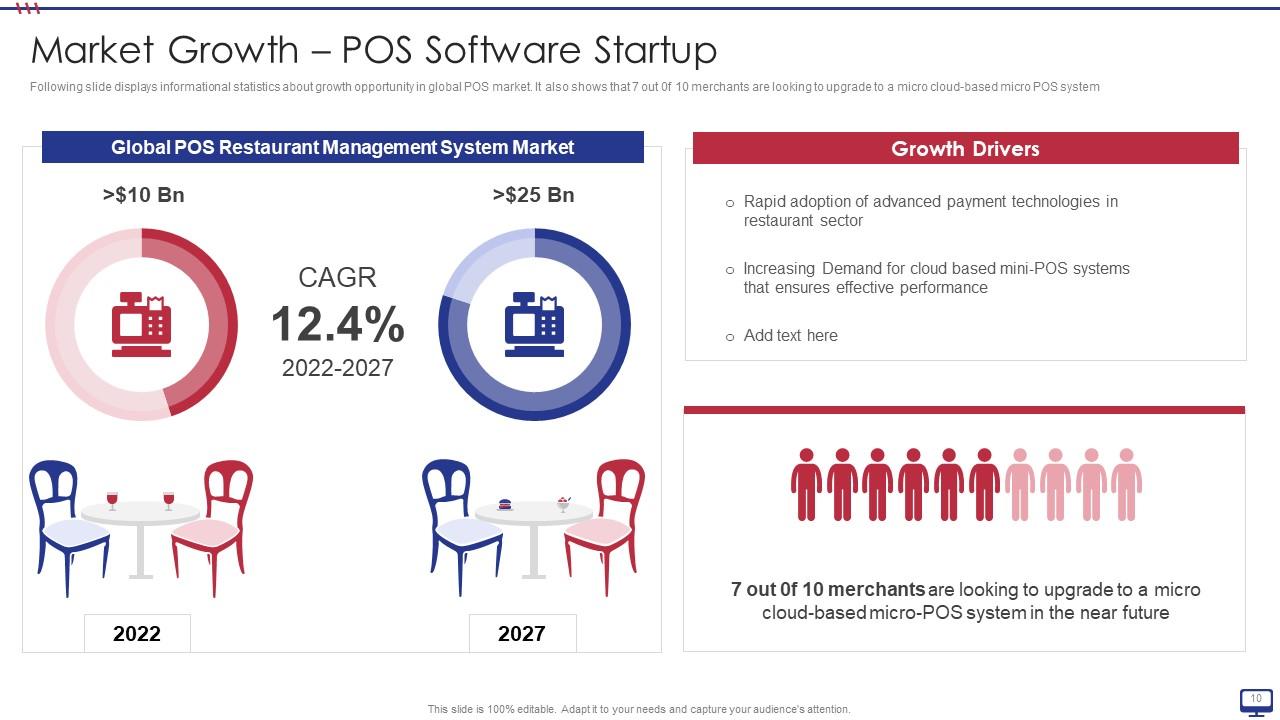
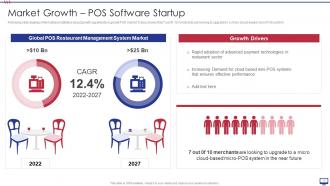
Slide 10: This slide exhibits informational statistics about growth opportunity in global POS market.
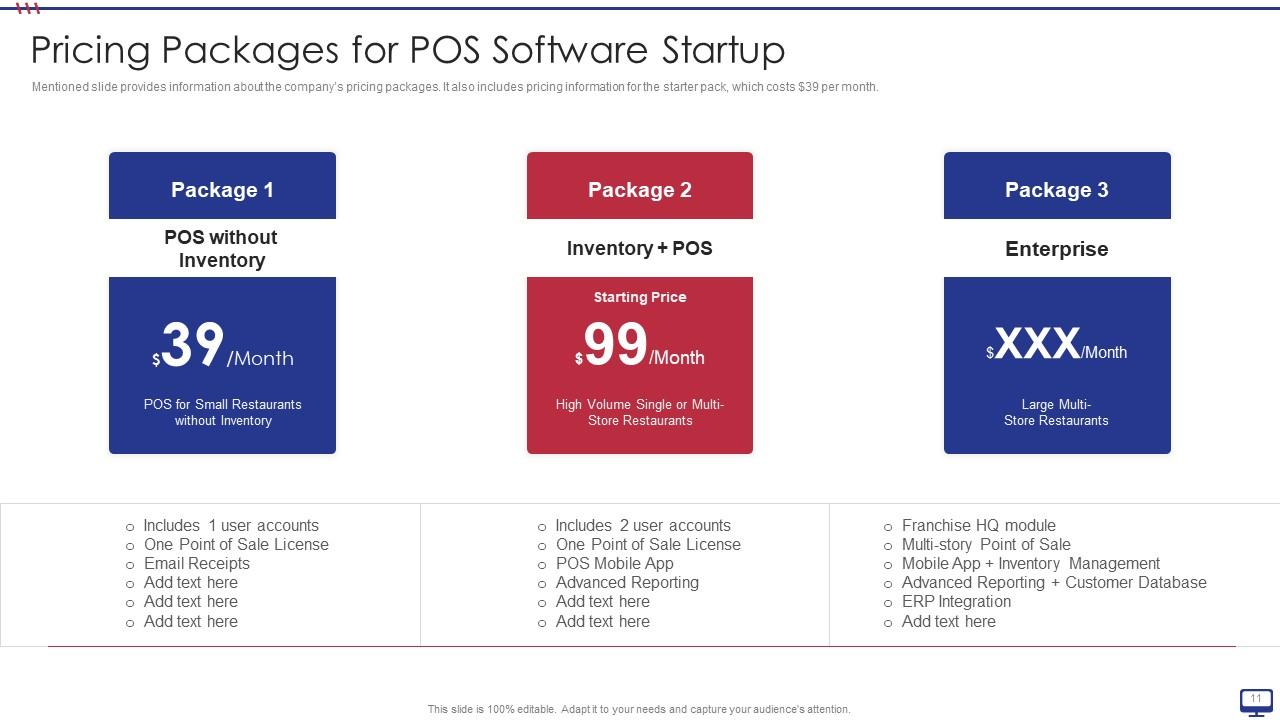
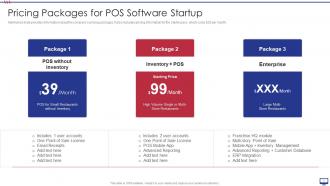
Slide 11: This slide shows company’s pricing packages.
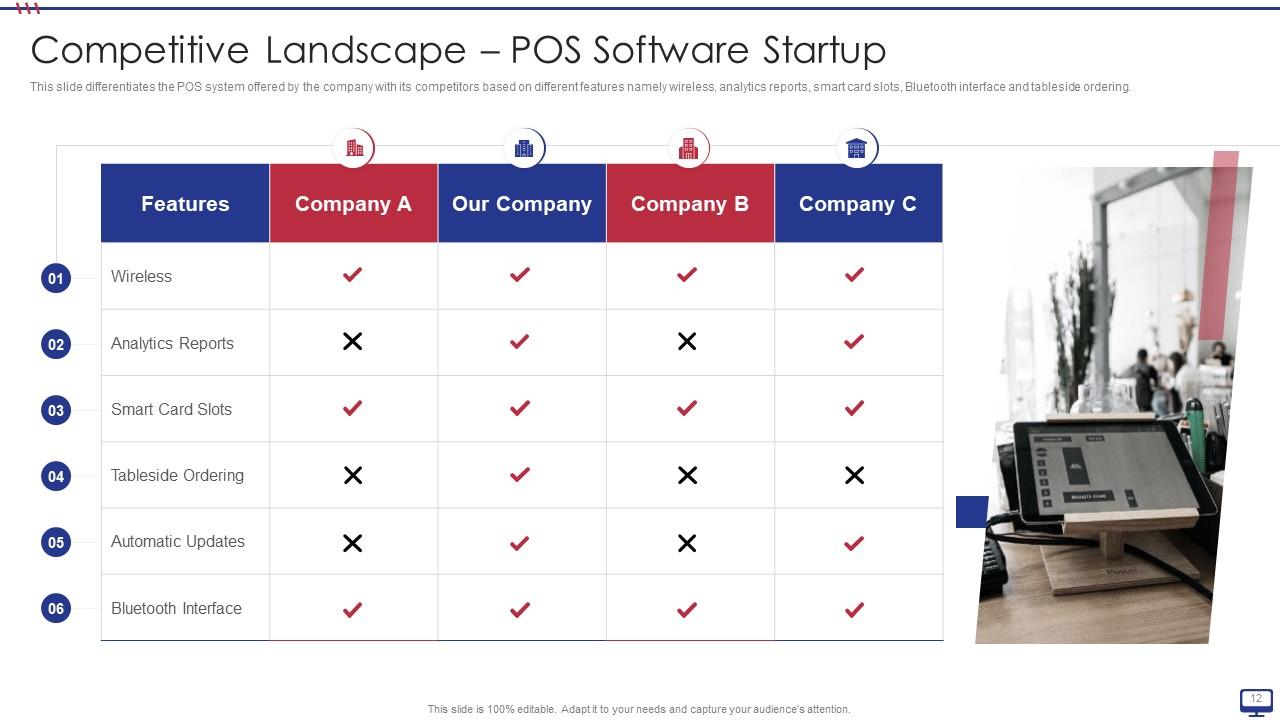
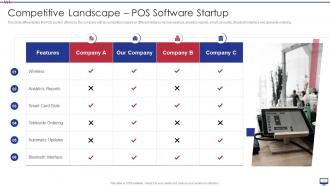
Slide 12: This slide differentiates the POS system offered by the company with its competitors based on different features.
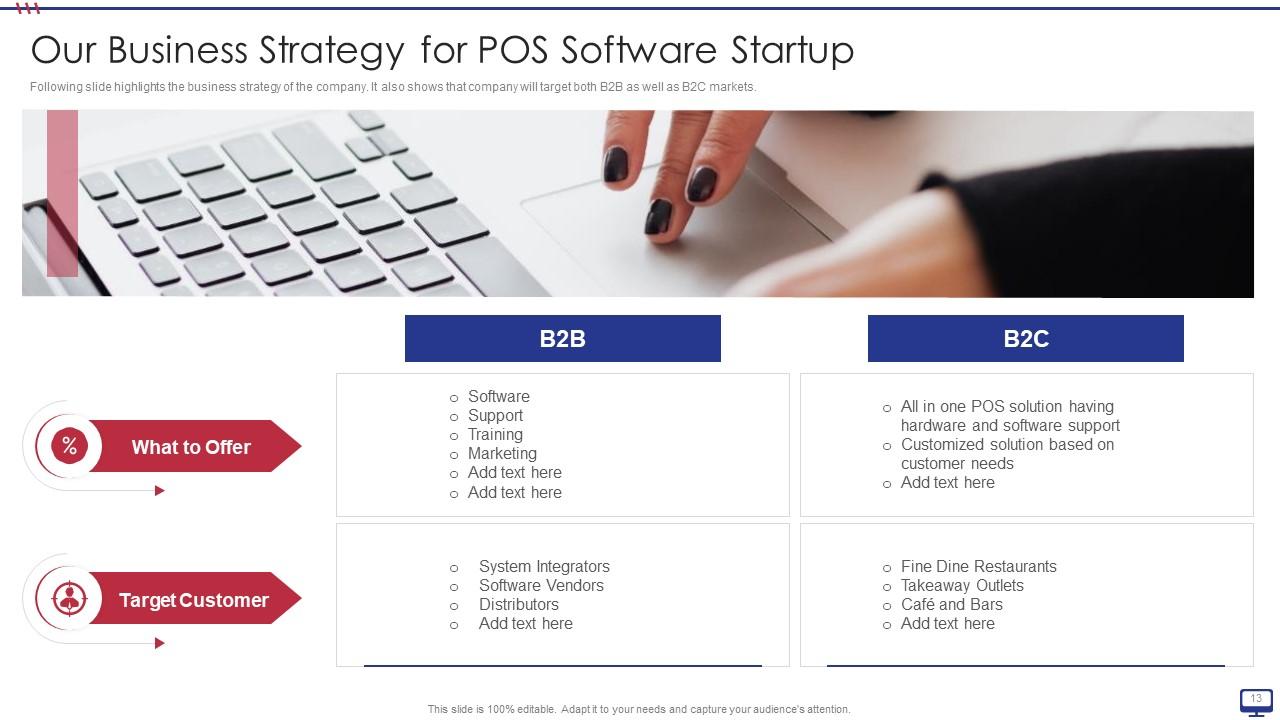
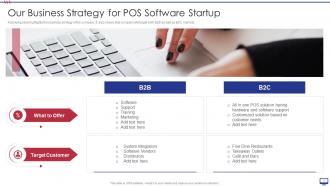
Slide 13: This slide highlights business strategy of the company.
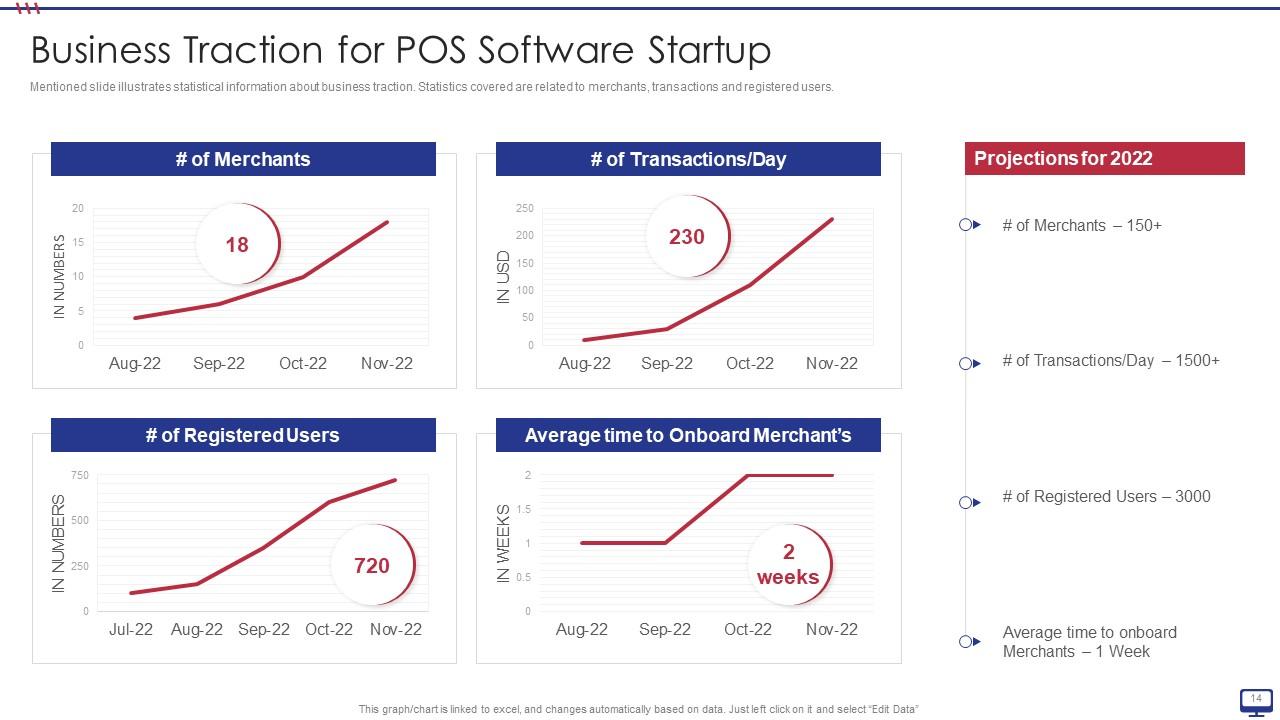
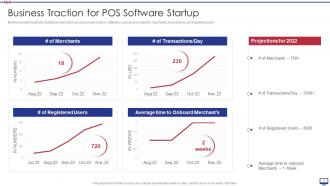
Slide 14: This slide depicts statistical information about business traction.
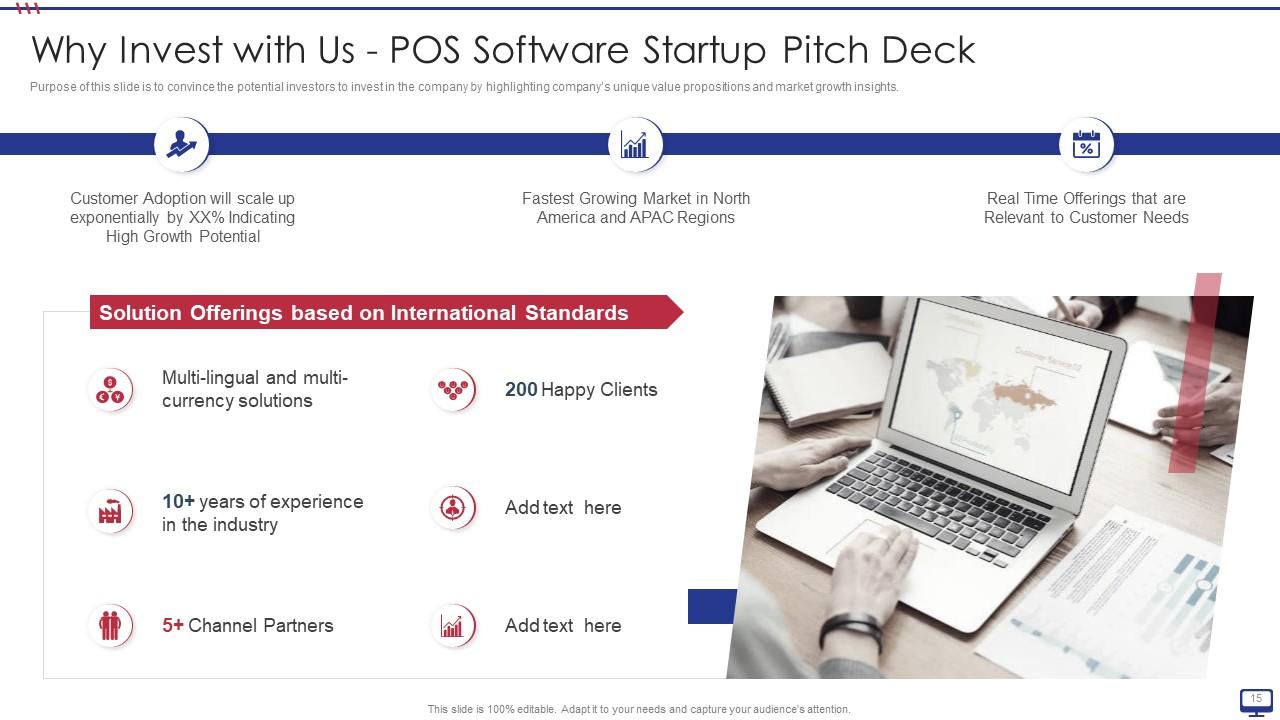
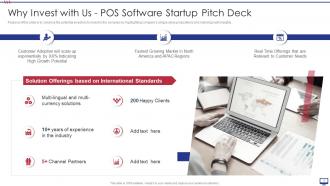
Slide 15: This slide displays how to convince potential investors to invest in the company.
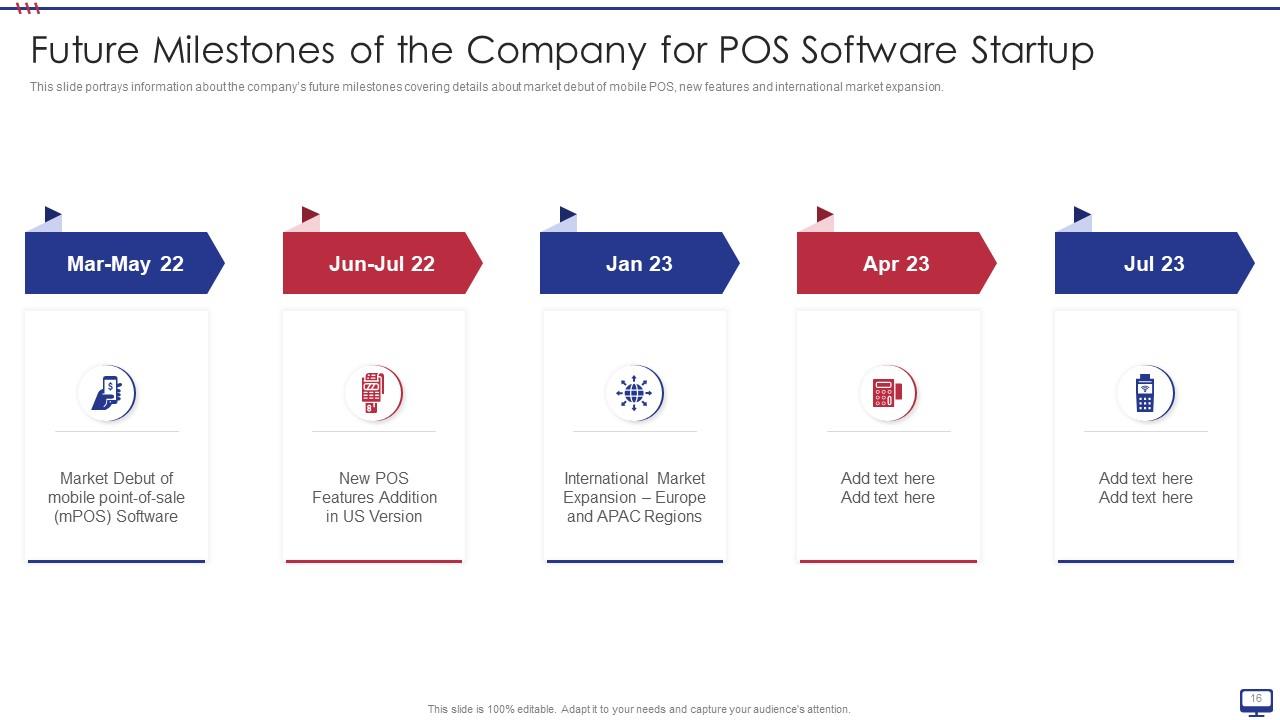
Slide 16: This slide presents company’s future milestones covering details about market debut of mobile POS, etc.
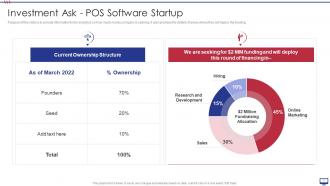
Slide 17: This slide exhibits investors on how much money company is seeking.
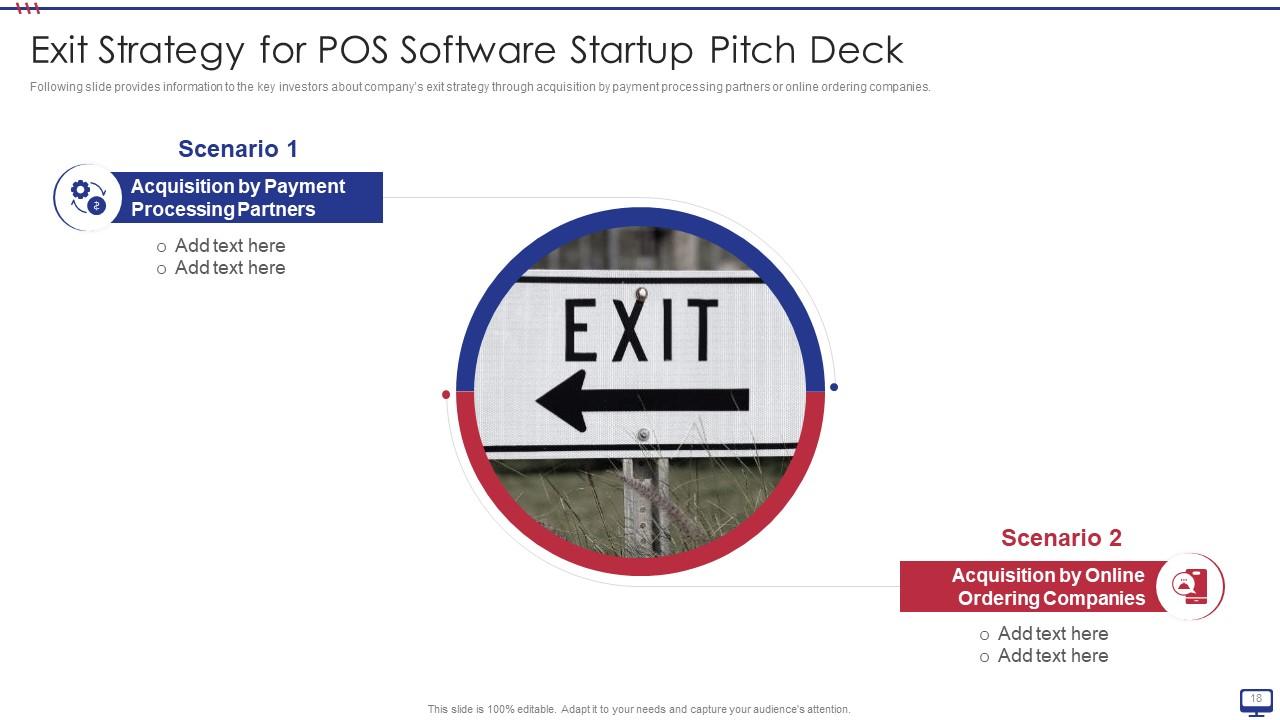
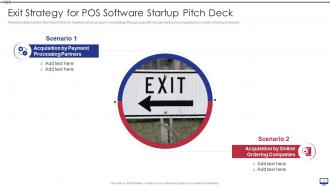
Slide 18: This slide shows key investors about company’s exit strategy.
Slide 19: This slide displays Icons for POS Software Startup Pitch Deck.
Slide 20: This slide is titled as Additional Slides for moving forward.
Slide 21: This is an Idea Generation slide to state a new idea or highlight information, specifications etc.
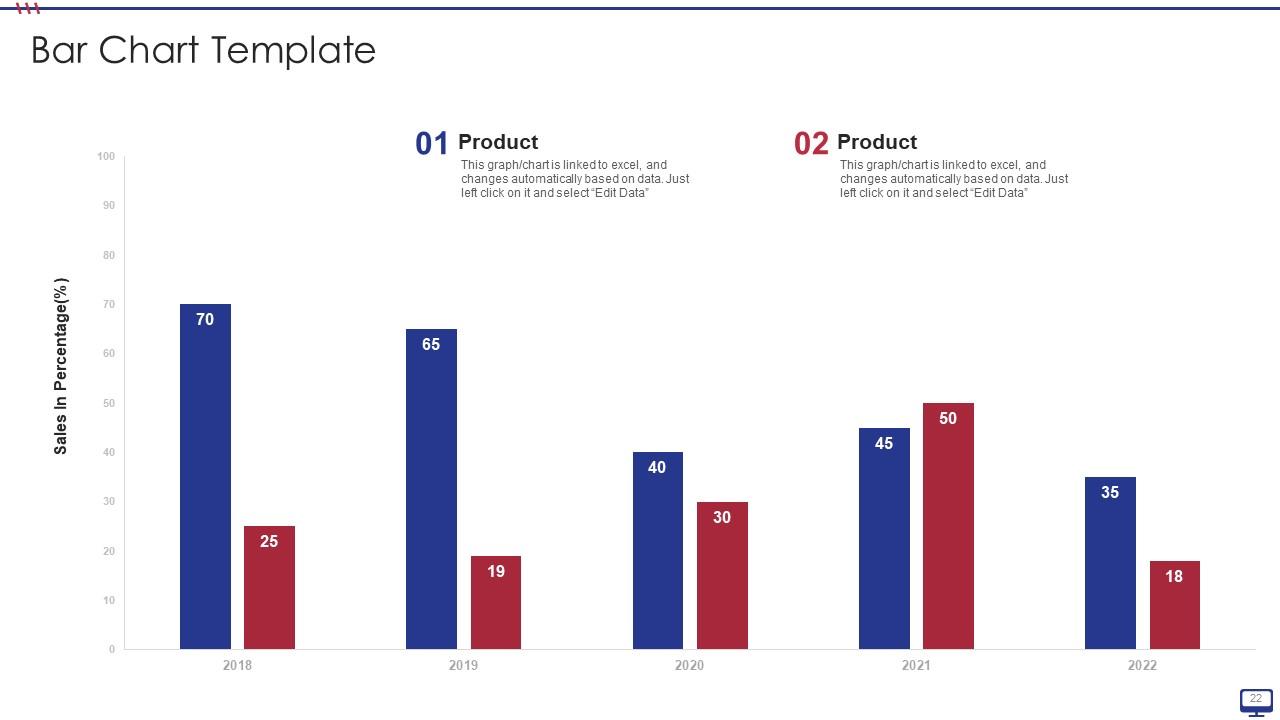
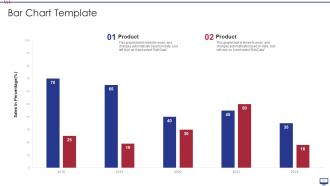
Slide 22: This slide presents Bar chart with two products comparison.
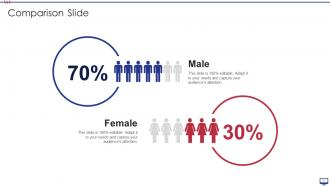
Slide 23: This is a Comparison slide to state comparison between commodities, entities etc.
Slide 24: This slide shows Post It Notes. Post your important notes here.
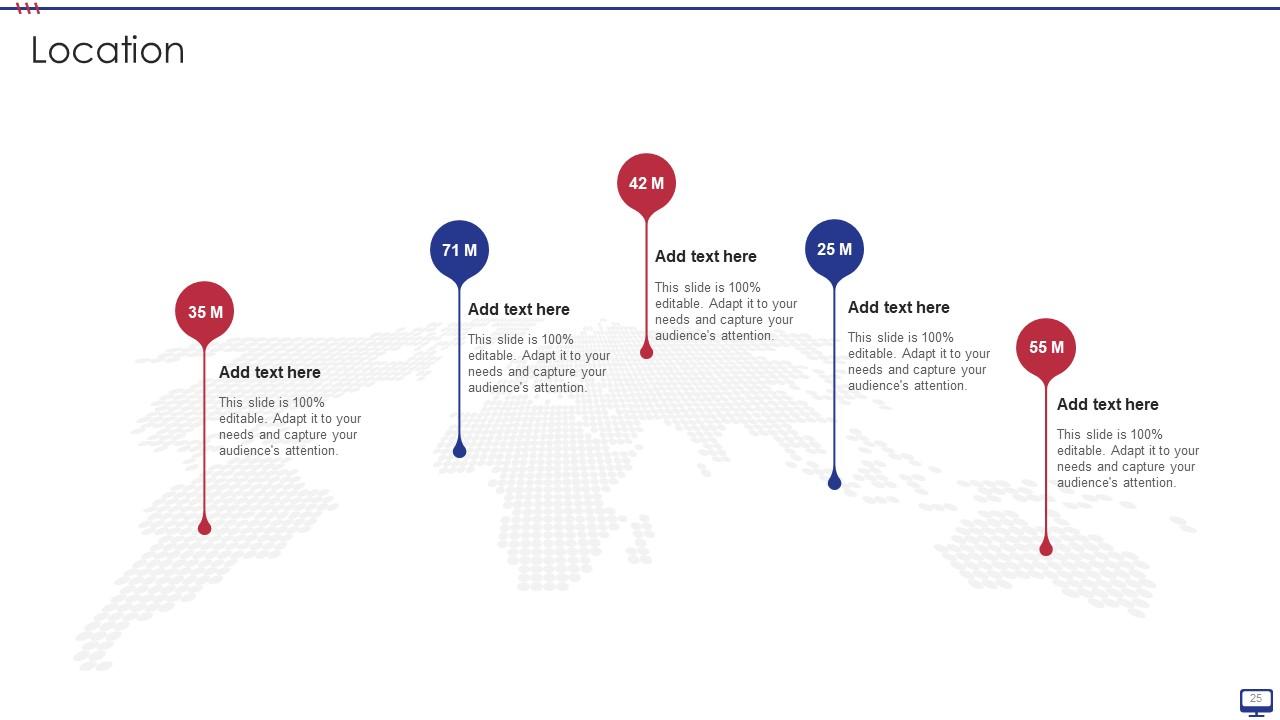
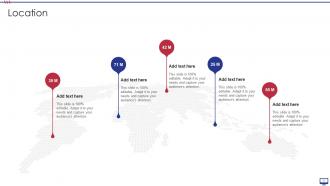
Slide 25: This is a Location slide with maps to show data related with different locations.
Slide 26: This is Our Target slide. State your targets here.
Slide 27: This slide contains Puzzle with related icons and text.
Slide 28: This is a Thank You slide with address, contact numbers and email address.
POS Software Startup Pitch Deck Ppt Template with all 33 slides:
Use our POS Software Startup Pitch Deck Ppt Template to effectively help you save your valuable time. They are readymade to fit into any presentation structure.
FAQs for POS Software Startup Pitch
Real-time inventory tracking is your biggest priority – nothing worse than selling stuff you don't actually have. Payment processing needs to handle cards, Apple Pay, whatever people throw at you. Good reporting helps too, so you can see what's actually moving. Make sure it connects with your accounting software and online store if you have one. Your staff will mutiny if the interface sucks, trust me on that one. Cloud access is clutch for checking sales when you're not there. Oh, and decent customer support matters more than you think. Write down your non-negotiables first, then start playing with demos.
So cloud POS runs on remote servers - you just access everything through the internet. Traditional systems get installed right on your computers. The cloud version handles updates automatically and you can check your data from anywhere, which is honestly amazing when you're not stuck at the store. On-premise gives you way more control though, plus it works fine if your internet sucks. But then you're dealing with backups and IT stuff yourself, ugh. For a new business? I'd probably go cloud unless you've got some crazy security needs.
Okay so first thing - end-to-end encryption is absolutely non-negotiable for card data. PCI DSS compliance too, and honestly if they don't have that certification just move on. Multi-factor authentication is a must, plus you want role-based permissions so random people can't access sensitive stuff. Oh and make sure they actually keep up with security updates - I've seen too many companies get lazy about patches. Secure cloud storage with proper backups is pretty standard now. But seriously, just ask them straight up for their security docs before you sign anything. Don't take their word for it.
So basically your POS talks to other software through APIs and connectors - sounds techy but it's actually pretty straightforward. Most connect to QuickBooks, inventory systems, your CRM, e-commerce stuff. Everything syncs automatically or on a schedule you set. Honestly the best part is once it's running, sales data just flows into your accounting, inventory updates everywhere at once, customer info stays synced. I'd say check what your current POS can connect to first. Then hook up whatever you use most - probably accounting? That alone will save you tons of manual data entry.
Your POS system tracks inventory automatically every time someone buys something. Stock levels update instantly, so no more guessing what you have left. Most systems will ping you when you're running low on stuff - super handy when things get crazy busy. You can see what's flying off the shelves vs. what nobody wants (honestly, some products just sit there forever). The best part? You'll have real data to help you reorder the right amounts. No more telling customers you're out of something they really wanted.
So your POS system basically captures every sale and turns it into useful customer info automatically. No manual data entry - thank god because who has time for that? You'll see patterns like how often people visit, what they buy, how much they spend. Then you can target your big spenders with special deals or reach out to customers who haven't shown up in a while. The cool part is it happens instantly, so when your regulars walk in, you know right away and can give them the VIP treatment they deserve.
So you're looking at around $50-300 monthly for the software itself, plus you might need new hardware like tablets or card readers. Processing fees will hit you at about 2.6-3.5% per transaction too. Those monthly costs do sneak up on you though - I've seen people get carried away with add-ons they don't really need yet. Most places break even within 6-12 months because checkout goes way faster and you actually know what inventory you have. My advice? Start basic and add features later. No point paying for bells and whistles when you're just getting started.
Honestly, POS interface design can make or break your team's speed. I've watched cashiers waste forever clicking through like 5 screens just to apply one discount - total mess. Cluttered layouts mean your staff spends more time hunting for buttons than helping customers. You want something clean with shortcuts they can actually customize. Short sentences work. But also let your employees test-drive the system before you commit to anything, since they're stuck using it all day. Oh, and navigation needs to be dead simple - no one has time to figure out confusing menus during rush hours.
Most POS companies give you solid training when you switch over. Live demos, video tutorials, step-by-step guides - they cover basic transactions, inventory stuff, all of it. On-site training is where it's at though, gets your team up to speed way faster. Phone support and online help centers are pretty standard. Oh, and user communities are actually useful for random questions that pop up later. Definitely ask about their timeline upfront and make sure they don't just disappear after launch week.
Honestly, POS software is a game-changer for tracking what customers actually want. Real-time data shows you everything - payment trends, hot products, busy hours. When shopping habits shift, you'll spot it fast instead of guessing. The analytics help you stock smarter and dump the dead weight. Modern systems track customers whether they browse online then buy in-store or whatever combo they prefer. I check those reports weekly instead of monthly - way better for catching changes early. Trust me, waiting a whole month to review data feels prehistoric once you get used to weekly insights.
Mobile POS is honestly a game changer - your team can take payments anywhere instead of making customers wait in those awful lines at a fixed register. Way cheaper to set up too, which is nice since money's always tight. For restaurants especially, servers love being able to handle everything tableside. Faster service, happier customers, better tips. I'd probably test it at just one spot first though - see how it meshes with what you're already doing before rolling it out everywhere. Oh, and the pop-up potential is huge if you ever want to do events or seasonal stuff.
Honestly, it's pretty amazing what POS systems track now. Every sale gets logged automatically and turned into reports you can actually understand. You'll see which products sell best, when your busy times are, how staff are doing - stuff you'd never spot just eyeballing things. Some even guess what inventory you'll need next, which blows my mind. Real-time data on customer habits, profit margins, the works. Way better than just winging it with hunches. Oh, and don't get overwhelmed - pick your top 3 metrics first or you'll drown in numbers.
Honestly, data migration is probably your biggest nightmare - you can't afford to lose all that transaction history. Staff training takes forever too, and nobody wants confused cashiers on opening day. Integration headaches are the worst though, especially when your POS needs to play nice with inventory systems and accounting software. Downtime kills your revenue obviously. Your team's gonna be slow while they figure out new workflows. I'd definitely switch during a quiet period if possible. Make sure your vendor walks through the whole data transfer thing beforehand - don't just wing it.
So basically, you want a POS that gets your industry instead of fighting against it. Restaurants need table management and kitchen tickets - that whole workflow thing. Retail stores are all about inventory and scanning barcodes, plus loyalty programs. Salons? They're scheduling appointments and tracking how long services take (because who wants to guess if that hair color is done yet lol). Healthcare places need insurance stuff built in. Honestly, don't try to make a generic system work - you'll just hate yourself later. Find one that already speaks your business language.
Honestly, AI and machine learning are game-changers right now - predictive inventory stuff and personalized recommendations for customers. Cloud systems make everything way more flexible too. Mobile POS is huge since you can literally process payments anywhere now. Contactless exploded during COVID (obviously) and biometric security is starting to pop up more. Oh, and IoT connects your system to everything - smart shelves, kitchen displays, whatever. My advice? Don't chase every flashy feature. Focus on things that actually work together well or you'll end up with a mess.
-
“I required a slide for a board meeting and was so satisfied with the final result !! So much went into designing the slide and the communication was amazing! Can’t wait to have my next slide!”
-
The quality of PowerPoint templates I found here is unique and unbeatable. Keep up the good work and continue providing us with the best slides!