Post it ppt slides model
Try Before you Buy Download Free Sample Product
Audience
Editable
of Time
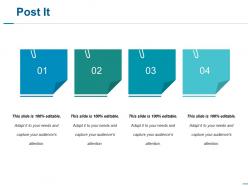
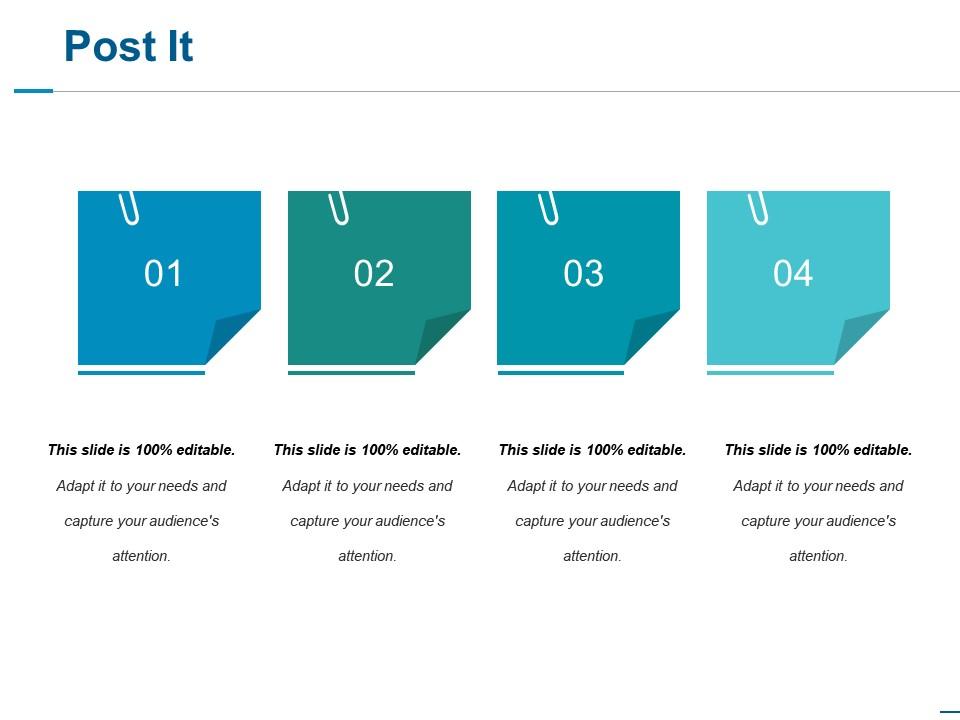
Use our Post It PPT Slides Model to present the salient features of your project plan efficiently. Be it the corporate boardroom, school classroom, or even your PC screen, this feature PowerPoint layout is ideal for your presentation needs. This professionally designed PPT theme has four sections tastefully placed in the classic post-it shape. These sections instinctively draw the viewer’s attention to their contents. Bring light to your project idea and expertly organize it with this effective PowerPoint template. Introduce the newest business policy, describe your latest project, or present your research data with this PowerPoint layout. This information-graphing PowerPoint template is ideal for your presentation needs. All the design aspects of this keynote PPT slide are fully customizable for the user’s specific requirements. There is enough space provided within the post-it icons as well as in the heading area for comfortable data entry. All levels of editing can be accomplished within the PowerPoint application very comfortably.
People who downloaded this PowerPoint presentation also viewed the following :
Post it ppt slides model with all 5 slides:
Generate generosity with our Post It Ppt Slides Model. Ensure funds continue to flow.
FAQs for Post it
Honestly, it's a game changer for keeping meetings on track - no more of those painful tangents that go nowhere. Everyone can actually contribute instead of just whoever talks the loudest running the show. Moving stuff around physically keeps people way more engaged than death-by-PowerPoint. You'll spot connections and patterns you'd totally miss otherwise when everything's visual like that. Oh, and grouping related ideas becomes super easy. I mean, I used to hate brainstorming sessions but this actually makes them productive. Try it next time you're doing project planning or whatever - you won't go back.
So basically everyone gets sticky notes to jot down ideas first - no talking allowed. Then you all slap them up on the wall at once. Game changer honestly, because your quieter teammates actually speak up when they're not fighting for a word in. After that you can sort similar ideas into little clusters and talk about the bigger themes instead of Bob going on about his weird blockchain thing again lol. The visual grouping thing works really well too. Oh and try different colored notes for different stuff - makes it way easier to see patterns.
Honestly, color-coding saved my life on this! Use different colored Post-its for each category and cluster them together. Trust me, I learned this after one absolute disaster of a brainstorming session where nobody could follow anything. Make a "parking lot" area for random ideas that pop up. Someone needs to be your designated note keeper while you're presenting - otherwise it gets chaotic fast. Oh, and remove the dead notes immediately! Your audience will thank you. Quick tip: do a test run of your layout beforehand. Short prep prevents total mayhem.
Oh definitely! Miro and Mural work great for this - basically you're making digital sticky notes instead of real ones. Start with your main message in the middle, then add supporting points around it. What's cool is you can still move everything around based on how your audience responds, just like with physical notes. I actually find dragging them around weirdly satisfying lol. Your participants can jump in and add their own notes too, which is pretty neat. Screen sharing with any whiteboard app works if you don't have those fancier tools. Same flexible structure, just digital.
Oh man, you're gonna lose your mind watching people obsess over Post-it colors - they'll waste like 20 minutes just arranging them by shade. Set strict time limits or you'll never finish. Take photos of everything because those things WILL fall off the wall at the worst possible moment. Don't cheap out on the Post-its either, the dollar store ones are basically decorative. Make sure you've got decent lighting so people can actually read stuff, and honestly? Assign someone to type up insights as you go. Trust me on the backup thing - I learned that one the hard way.
Yeah the Post-it thing is actually pretty smart! Visual people can see all the colorful notes spread out, kinesthetic learners get to move stuff around and group things. Auditory folks are covered during the discussion part when everyone talks through their ideas. I love how people can jump in at different speeds too - some dive right in with notes, others hang back and listen first. Oh and try giving each type of learner a specific job, makes everyone feel more included. Short sentences mixed with longer ones work better anyway.
Honestly, the visual thing is a game-changer. When you use Post-its, each one becomes like a mini scene and you can actually *see* your story happening. I swear it hits different than just staring at bullet points on a screen. You'll catch weird gaps or places where you're repeating yourself way easier this way. Moving those little squares around somehow makes your brain work differently - like you can step back and go "wait, does this actually flow?" Try using different colors for different themes too, that helped me tons last time I did a big presentation.
Honestly, just take photos of your Post-it layouts and drop them into whatever you're using - Miro, PowerPoint, doesn't really matter. There's also this app called Post-it Plus that scans your notes directly, which is pretty neat. I do the reverse thing too sometimes - start in Figma or something digital, then print stuff out to mark up with actual sticky notes during meetings. The photo trick works way better than you'd think though. Last week I snapped a messy brainstorm session and threw it right into our project board. Bridges that whole physical-to-digital thing without losing the vibe.
So Post-it notes are perfect for messy, connected topics where everything links together somehow. Brainstorming sessions, project planning, that kind of thing. You can physically move stuff around and watch patterns just appear - honestly it's pretty satisfying. Works great when your audience needs to jump in and reorganize things with you. I always forget how useful they are until I'm knee-deep in some complicated process map. Perfect for anything with categories, timelines, or those annoying cause-and-effect chains. Give it a try next time you're dealing with something that feels all tangled up.
Post-it notes are honestly a game changer for presentations! Hand them out during key moments and ask people to write down thoughts or questions. Then have them stick the notes on a wall or board. People actually love the hands-on aspect - way better than just sitting there listening. You can group similar responses together as you go, which gets real discussions started. I usually ask something like "What's your biggest challenge with this?" Works every time. Oh, and it's weird how much more engaged people get when they're physically doing something, even if it's just writing on a tiny piece of paper.
So I'd probably start with dot voting - super simple, just give everyone like 3-5 dots and have them stick 'em on their favorites. Then you'll see what bubbles up naturally. Another thing that works is the impact/effort grid where you plot stuff based on whether it's high impact vs. how hard it'll be to actually do. Sometimes I just group similar ideas first though, helps you spot patterns before diving into rankings. Oh, and the whole "must have vs nice to have" thing is clutch too. Really depends on your group and how much time you've got to burn on this.
Post-it notes get people moving and touching stuff instead of just sitting there staring. There's honestly something weirdly satisfying about peeling one off and slapping it on the wall - like productive fidgeting. When you can physically grab ideas and move them around, people actually participate instead of zoning out. Your brain works differently when your hands are busy. Plus everyone becomes part of the process rather than watching you do all the work. Definitely give everyone their own stack next time - way better than being the only one scribbling everything down.
Dude, there's so much you can do with Post-its beyond the basic setup! Color-code them by priority or theme. Use big ones for main ideas, small ones for details. People get way more into it when you arrange them as flowcharts or timelines - honestly beats boring slides any day. During Q&A, have your audience write their own and stick them up. The whole moving around thing keeps everyone awake, which is half the battle. Oh, and you could even make shapes that match your topic if you're feeling creative. Just try one new thing next time and watch how differently people react.
Try the Post-it note trick - works like a charm. Right after your presentation, give everyone 3-5 minutes to scribble down thoughts on sticky notes. Three simple categories: what worked, what didn't, and any lingering questions. People are brutally honest when they can write anonymously instead of speaking up. Have them stick the notes on a wall by category, or just collect them yourself. Way better than those awkward "any feedback?" moments where everyone just nods politely. You'll actually get stuff you can work with instead of generic "good job" comments.
Don't cram novels onto each Post-it - people can't read tiny text from across the room. One key point per note, big writing. The other thing that kills presentations? Random shuffling through notes because you forgot the order. So awkward to watch. Practice your flow beforehand so you're not hunting for the next point. Oh, and tape those suckers down properly. I've literally seen someone's entire presentation slide down the wall mid-sentence. Gravity's undefeated. Keep transitions smooth and have backups ready.
-
Use of icon with content is very relateable, informative and appealing.
-
The Designed Graphic are very professional and classic.