Modelo de apresentação de declaração de problema com ponto de interrogação Idéias de PPT

Rating:
90%
Problem statement presentation template with question mark ppt ideas
Slide 1 of 6
Favourites Favourites

Try Before you Buy Download Free Sample Product

Audience Impress Your
Audience
Editable 100%
Editable
Time Save Hours
of Time
The Biggest Sale is ending soon in
0
0
:
0
0
:
0
0
Rating:
90%

Recursos destes slides de apresentação do PowerPoint:

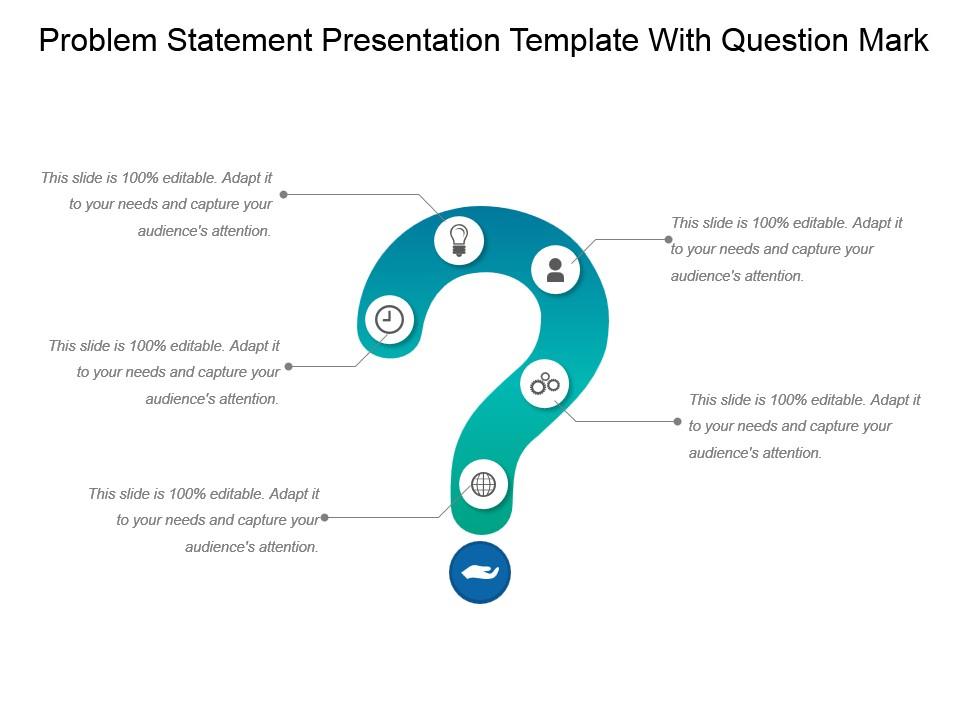
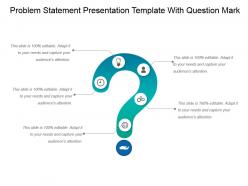
Apresentando um modelo de apresentação de declaração de problema com idéias de PPT de ponto de interrogação. Este layout é compatível com slides do Google. Fácil de colocar no logotipo, marca ou nome da empresa; acomodar palavras para apoiar os pontos-chave. As imagens não ficam borradas, mesmo quando são projetadas em uma tela grande. O modelo PPT pode ser utilizado por equipes de vendas e marketing e gerentes de negócios. Slide que pode ser baixado instantaneamente e oferece suporte a formatos como JPEG e PDF. Ajuste cores, texto e fontes de acordo com seus requisitos de negócios.

People who downloaded this PowerPoint presentation also viewed the following :

FAQs for Problem statement presentation template with question

Think of it as your roadmap for actually explaining what's broken. You know how presentations can spiral into total confusion? This template stops that. It makes you spell out the real problem, who's getting screwed over, and why anyone should care. Without one, you're just throwing symptoms at people instead of diagnosing the actual issue. Your audience will zone out fast if they can't follow where you're going. Honestly, I've sat through way too many meetings where nobody could even figure out what we were supposedly fixing. Start with nailing down your problem statement - then the rest of your presentation writes itself.

Honestly, you gotta nail that problem statement right at the start. It's like giving everyone a map - they'll actually follow where you're going instead of getting lost. Your audience needs to know what you're solving upfront, otherwise they're just sitting there wondering why you're telling them all this random stuff. I learned this the hard way after bombing a few presentations, lol. Once people get the "why" behind everything, each point you make suddenly clicks. They'll stay way more engaged too. Trust me, just clearly state what specific problem you're tackling and watch how differently people react to the rest of your presentation.

Okay so for your problem statement template, start with a one-sentence summary at the top - stakeholders need to get it immediately. Then describe what's happening now, the specific gap you found, and who gets screwed over by it. The "what happens if we ignore this" part is honestly where most teams drop the ball, but that's your golden ticket for buy-in. Don't forget scope too - spell out what you're fixing AND what you're not touching. Oh, and throw in some data that proves this isn't just you complaining into the void.

Start with the pain they actually feel - not some boring setup. You want that "OMG yes, this is my exact problem!" moment right upfront. Build context after you've hooked them. I swear, most problem statements just bury the good stuff under tons of background nobody cares about. Put your best evidence first and use examples they'll instantly recognize. Oh, and always end with what's at risk if nothing changes. Think about how you'd vent about a frustrating issue to someone - that's your structure right there.

Honestly, your problem statement is what keeps everything from falling apart. It answers the "why should I care" question right upfront, then everything else - your research, analysis, solutions - just flows from there naturally. I've seen so many presentations that just wander around aimlessly because they skipped this step. Plus it stops you from cramming in every cool thing you found during research (we've all been there). Pro tip: bring it back up during transitions. Keeps everyone on the same page and reminds them why they're listening.

Ugh, the worst thing you can do is be super vague about what's actually wrong. I've watched teams waste weeks chasing random solutions without even nailing down the real issue first - it's painful to watch. Don't assume you know the root cause right away either. Focus on one problem at a time instead of trying to fix everything. Skip the corporate buzzwords that'll confuse people. Oh, and here's the thing - if you catch yourself writing "because" or "due to," you're probably already jumping into solution mode. Just start with "The problem is..." and keep it simple.

Honestly, visuals make such a huge difference for problem statements. Charts showing stuff like declining engagement or rising costs hit way harder than just saying "things are bad." Before/after mockups work great too - people get it instantly. Even basic flowcharts can show broken processes better than paragraphs of explanation. Pick the parts of your problem that would work better shown than described, then go with whatever's simplest. Don't just throw in random graphics though. They've gotta actually support what you're saying or they'll just distract people from your main point.

You've gotta know your audience - it changes everything about how you present the problem. Executives? Hit them with business impact and dollar signs. Developers want the technical nitty-gritty and implementation headaches. I can't tell you how many brilliant solutions I've watched die because someone pitched a technical problem to business people using jargon they didn't care about. Match your language and details to what actually matters to them. Like, what's gonna make them sit up and think "yeah, we need to fix this NOW"? That's your angle right there.

Look, you've gotta write for your audience. Executives? Keep it high-level, focus on business impact. Technical folks can handle the nitty-gritty details and jargon. I've watched too many problem statements crash because someone went full academic-speak on regular people. Big mistake. Your tone matters just as much - be formal with senior leadership, but loosen up for cross-team stuff. Here's what I do: read it out loud. Does it sound like how your audience actually talks? If not, fix it.

Okay so here's what works: "Emergency room wait times at City Hospital average 4 hours, causing 30% of patients to leave without treatment, resulting in $2M annual revenue loss." See how specific that gets? For tech stuff, try "Our mobile app crashes occur in 15% of user sessions on Android devices, leading to 40% user churn within 24 hours." None of that wishy-washy "we have issues" garbage. Third-grade reading scores at Lincoln Elementary dropped 25% over two years - now 60% of students are below grade level. The key is quantifying everything and showing real impact. Don't propose solutions yet though. Start with your metrics and work backwards from there.

Honestly, get other people to look at your problem statement before you submit it. You'll miss stuff that's obvious to them - like when you're being way too technical or leaving out context. I always think I'm being clear until someone asks "wait, what does this part even mean?" Fresh eyes catch when you've rambled too much about background instead of getting to the actual problem. Have at least two colleagues review it. They'll tell you if it makes sense to someone who isn't living in your head 24/7. Trust me, you can't see your own blind spots.

So problem definition is like the detective work - you're figuring out what's actually going on through research and digging around. Problem statement comes after. That's when you write it up formally for documents or proposals to share with stakeholders. Definition = the messy analytical part (honestly this phase drags on way too long sometimes). Statement = how you package those findings to communicate clearly with others. You've gotta nail the definition work first though. If you skip that step, your statement won't hit right. The research makes all the difference.

Try interactive tools like Miro or Figma - they're great for building problem statements that actually change when you get new info. Dynamic dashboards work too, pulling live data so your problem statement stays current. Honestly, even something basic like a Notion database can be pretty powerful for this. The goal is making it feel dynamic instead of just sitting there collecting dust. When stakeholders can jump in and tweak variables, they'll see how the whole problem shifts. I'd start with whatever tool you already use and just add some interactive bits to it.

Watch for the "glazed eyes test" - seriously, it's super telling when people look confused or checked out. If your audience can restate the problem later in their own words, you're golden. Look for engagement stuff too: are they asking questions, nodding, actually discussing it afterward? But here's what really matters - do stakeholders start putting resources toward fixing this problem? That's the real test. Oh, and people should be able to explain why it matters and what happens if nothing gets done. If they can't do that, you probably need to go back to the drawing board.

Honestly, the trick is writing it like a mini movie trailer. Start with the painful reality your user faces right now - make stakeholders actually *feel* the problem, not just get it intellectually. Show what happens if nothing changes, then tease the transformation your solution brings. I usually write these as day-in-the-life stories first (sounds cheesy but it works). Set up that clear before/after scenario with a relatable character. The whole point is making people care about solving this thing viscerally. Think emotional impact over dry facts.

Ratings and Reviews

90% of 100
Review Form
Write a review
Most Relevant Reviews
  1. 80%

    by Columbus Vasquez

    Great quality product.
  2. 100%

    by Devin Daniels

    Wonderful templates design to use in business meetings.

2 Item(s)

per page: