Descripción del producto Slide Pitch Deck Ppt Template
Try Before you Buy Download Free Sample Product
Audience
Editable
of Time
Nuestra descripción del producto Slide Pitch Deck Ppt Template está diseñada por temas para proporcionar un atractivo telón de fondo a cualquier tema. Úselos para parecer un profesional de la presentación.
Características de estas diapositivas de presentación de PowerPoint:
Implemente esta plantilla titulada Product Description Slide Pitch Deck Ppt Template en su organización para ayudar a atraer inversores. Esta plataforma completa se puede utilizar para presentar sus productos, servicios, equipo o proyecto y celebrar reuniones de debate de expertos. Lo ayudará a proporcionar demostraciones de sus productos y también explicará sus funcionalidades clave, que se pueden compartir en línea a través de Google Slides. Este es un mazo completo detallado y que se explica por sí mismo con varias señales visuales para hacer que su presentación sea más impresionante. También consta de veintisiete diapositivas que ofrecen un desglose del tema de manera nítida, lo que aumenta la comprensión. La característica más importante de esta presentación de pitch deck es que viene en un formato editable, lo que te ayuda a agregar toques personales. Esto ayuda a entregar una presentación única cada vez en varios formatos y diseños.
People who downloaded this PowerPoint presentation also viewed the following :
Contenido de esta presentación de Powerpoint
Diapositiva 1 : Esta diapositiva muestra el título, es decir, 'Descripción del producto Diapositiva Pitch Deck' y el nombre de su empresa.
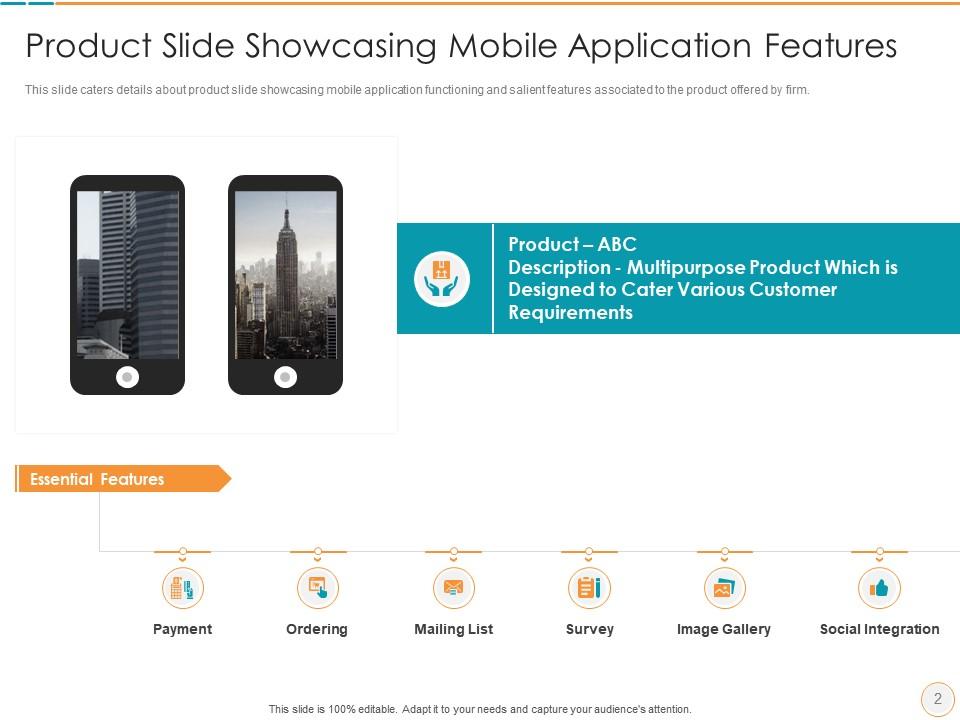
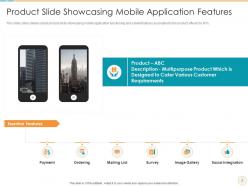
Diapositiva 2 : esta diapositiva muestra la diapositiva del producto que muestra el funcionamiento de la aplicación móvil y las características destacadas asociadas al producto.
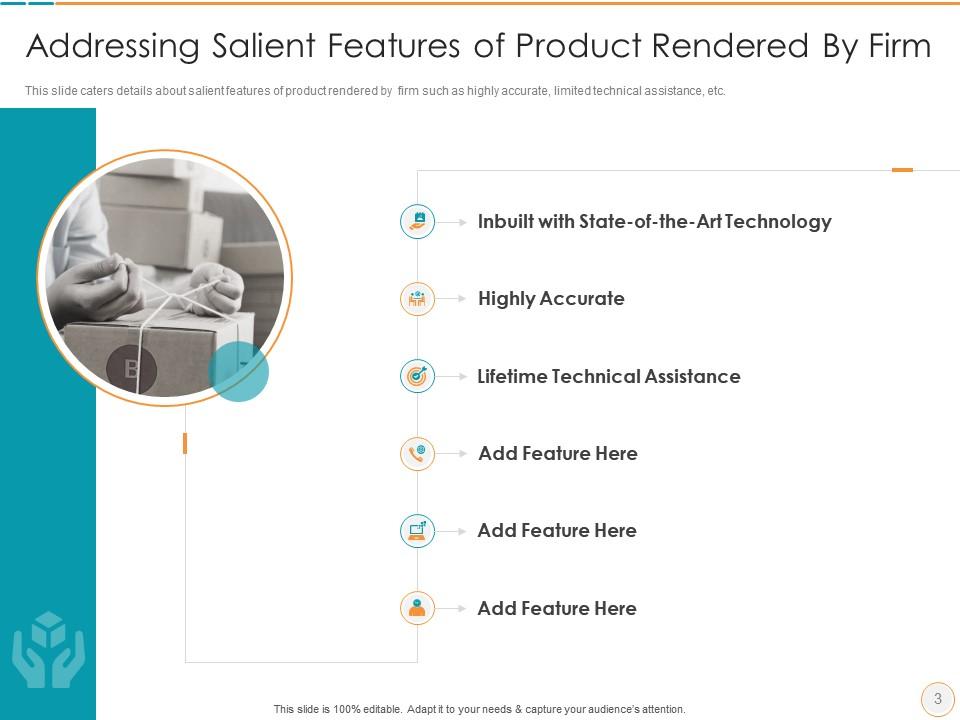
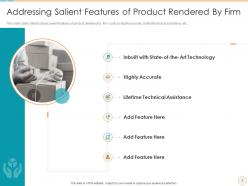
Diapositiva 3 : esta diapositiva presenta las características más destacadas del producto proporcionado por la empresa, como asistencia técnica limitada y de alta precisión, etc.
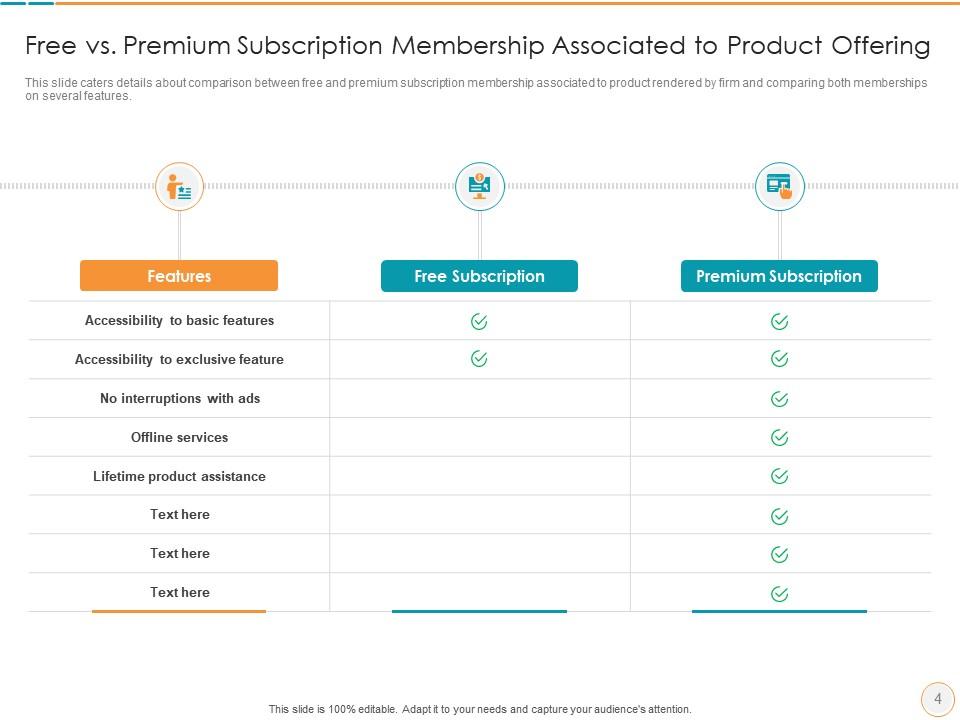
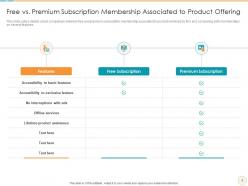
Diapositiva 4 : Esta diapositiva muestra una comparación entre la membresía de suscripción gratuita y premium asociada al producto ofrecido por la empresa.
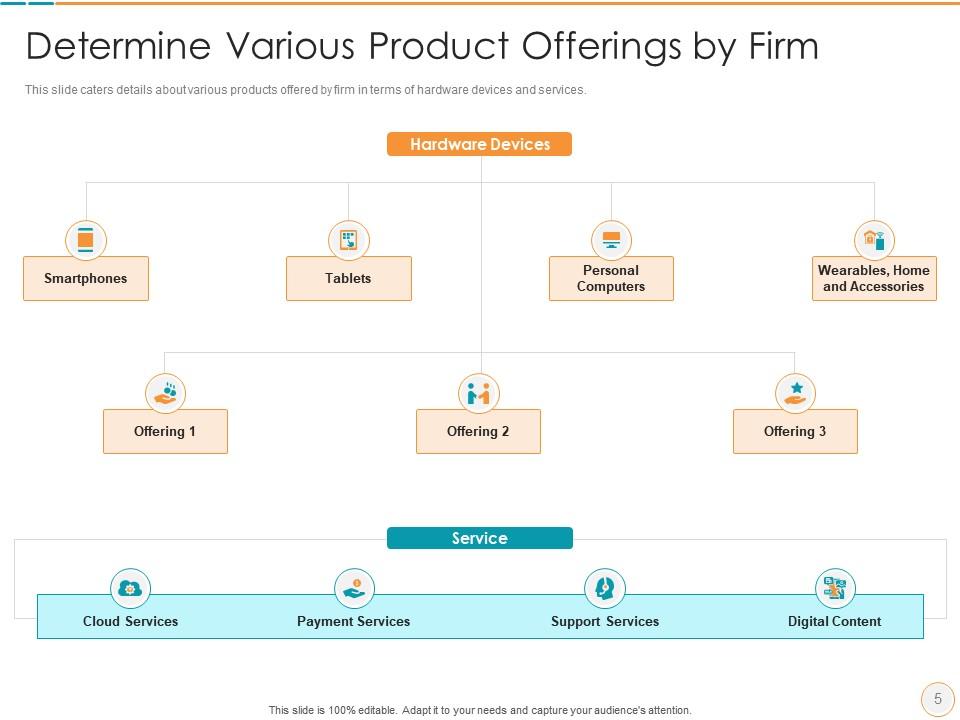
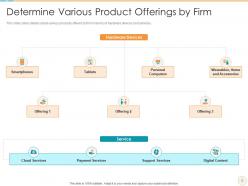
Diapositiva 5 : Esta diapositiva muestra varios productos ofrecidos por la empresa en términos de dispositivos y servicios de hardware.
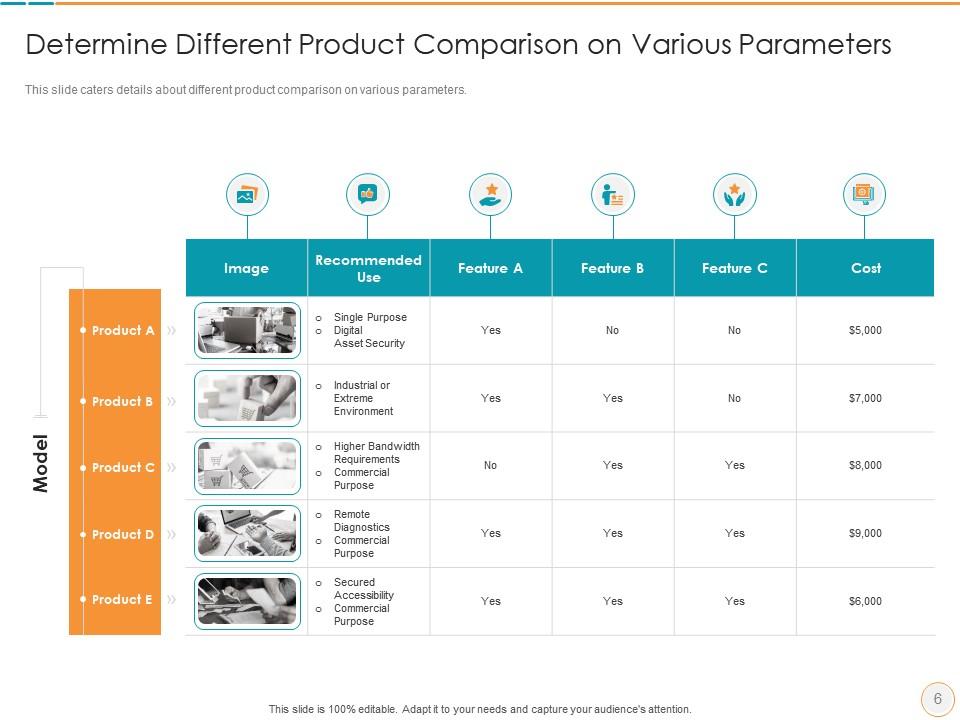
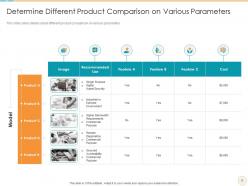
Diapositiva 6 : Esta diapositiva explica la comparación de diferentes productos en varios parámetros.
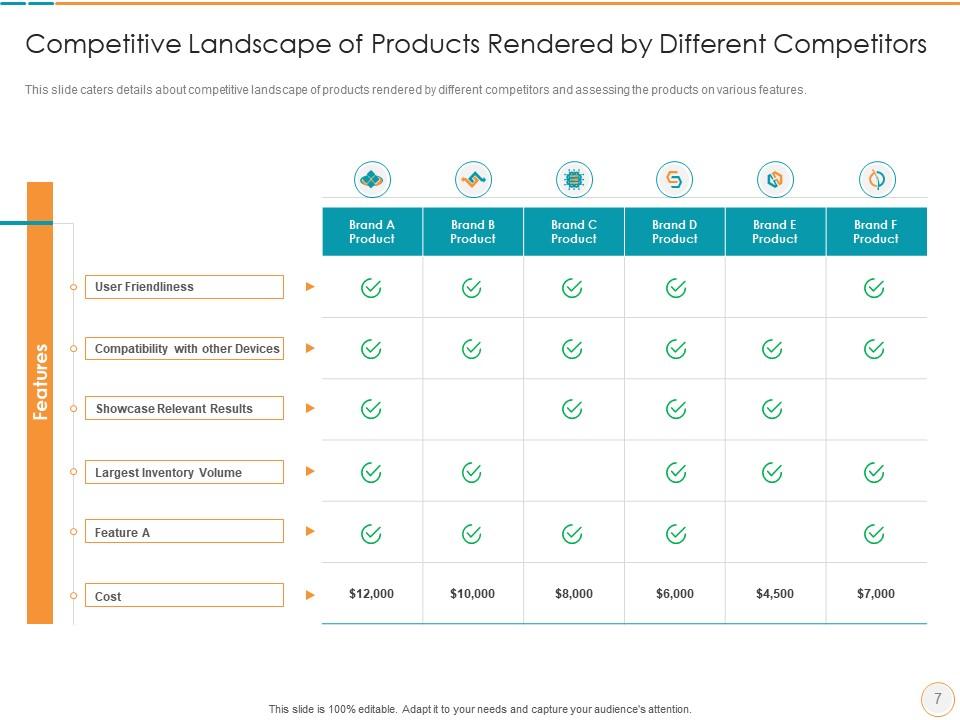
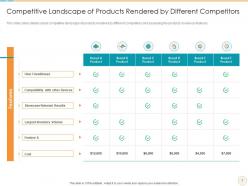
Diapositiva 7 : esta diapositiva muestra el panorama competitivo de los productos presentados por diferentes competidores y evalúa los productos en varias características.
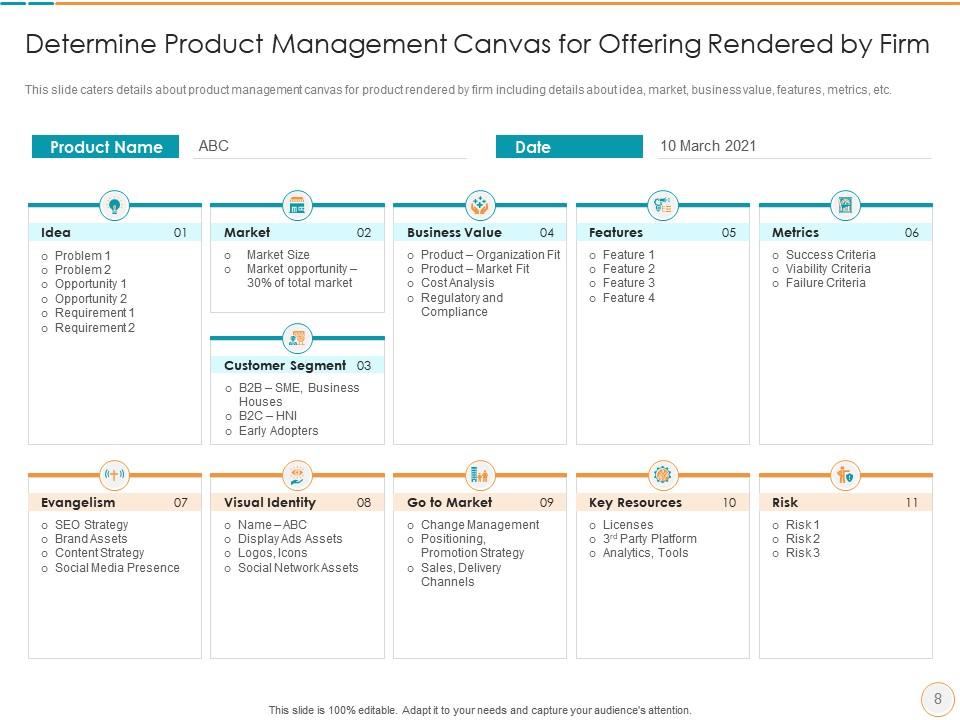
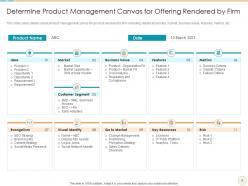
Diapositiva 8 : esta diapositiva muestra el lienzo de gestión de productos para el producto presentado por la empresa, incluidos detalles como la idea, el mercado, etc.
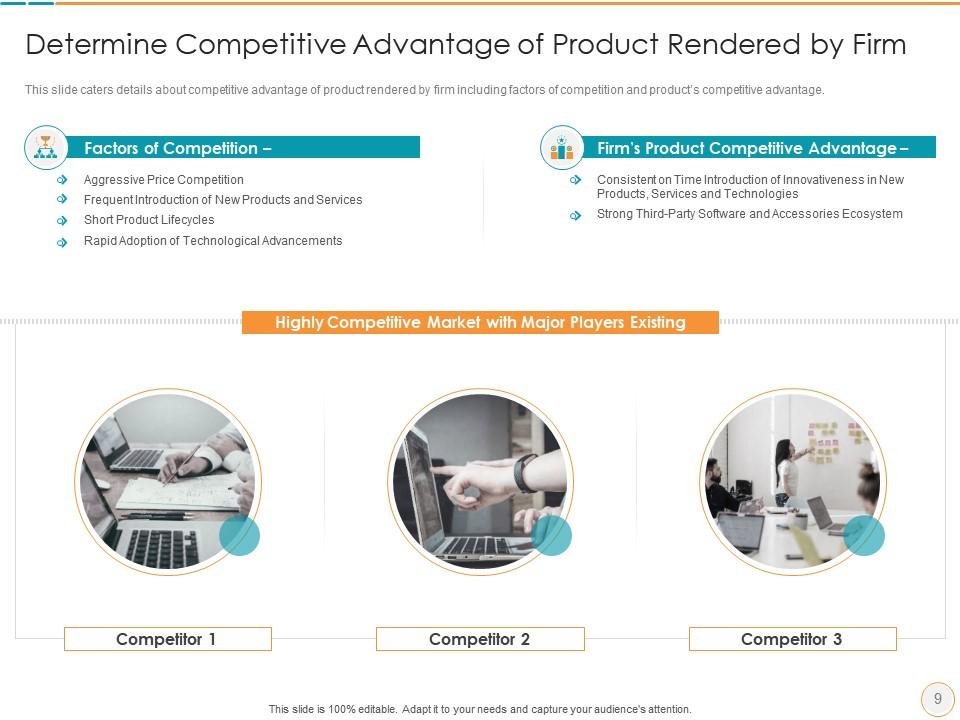
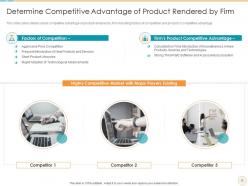
Diapositiva 9 : Esta diapositiva presenta la ventaja competitiva del producto ofrecido por la empresa, incluidos los factores de competencia y la ventaja competitiva del producto.
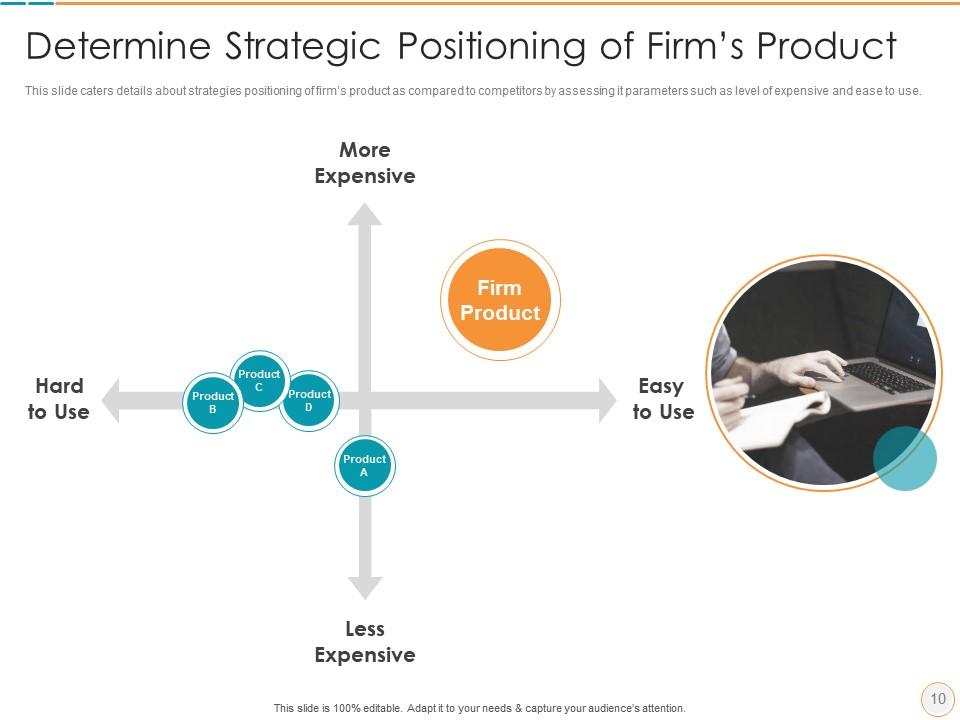
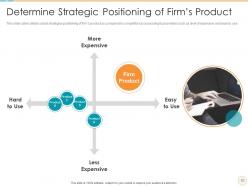
Diapositiva 10 : esta diapositiva muestra las estrategias de posicionamiento del producto de la empresa en comparación con los competidores.
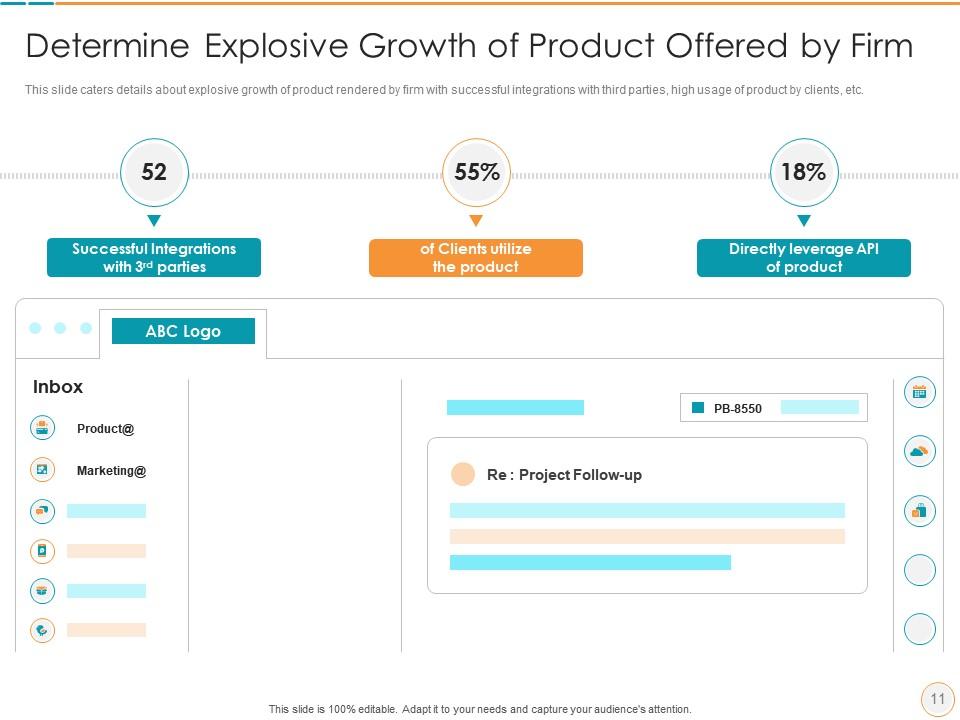
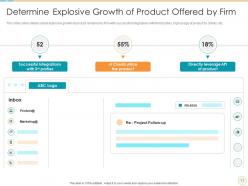
Diapositiva 11 : Esta diapositiva presenta un crecimiento explosivo del producto prestado por la empresa con integraciones exitosas con terceros, etc.
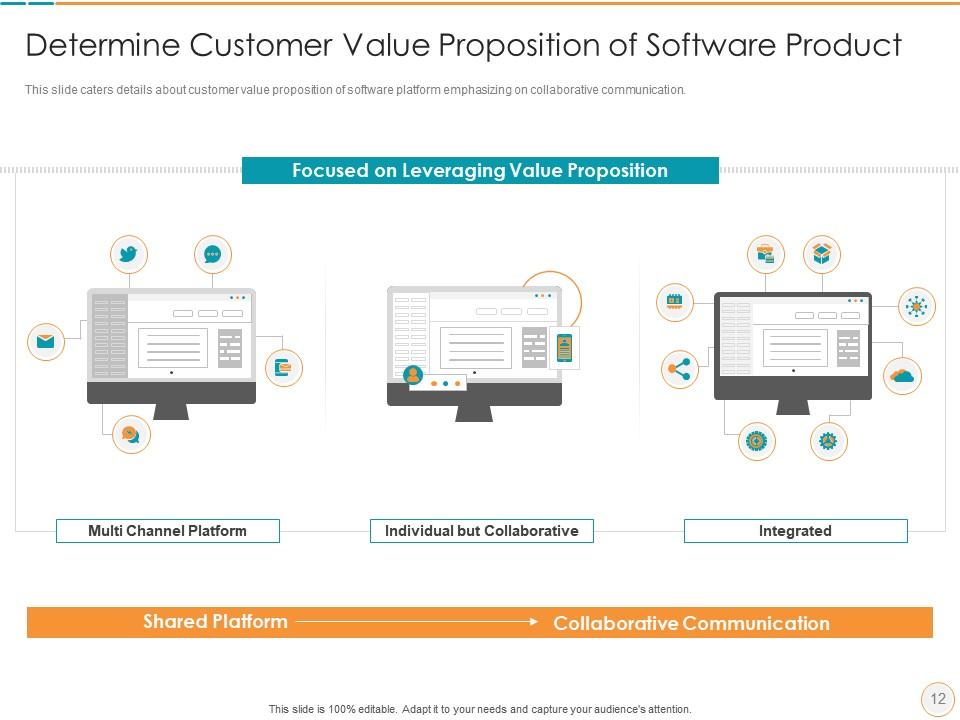
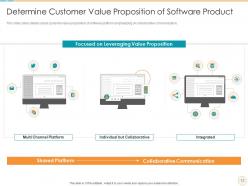
Diapositiva 12 : esta diapositiva muestra la propuesta de valor para el cliente de la plataforma de software que hace hincapié en la comunicación colaborativa.
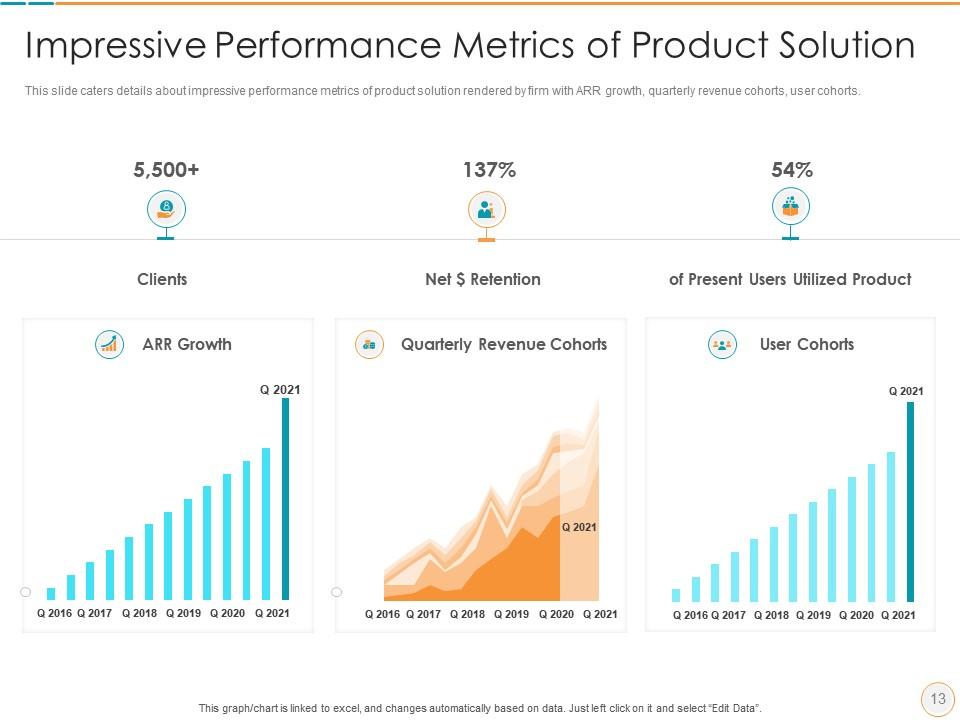
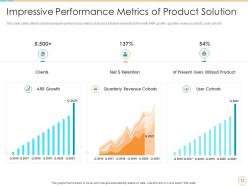
Diapositiva 13 : esta diapositiva muestra impresionantes métricas de rendimiento de la solución del producto presentada por la empresa con crecimiento ARR, cohortes de usuarios, etc.
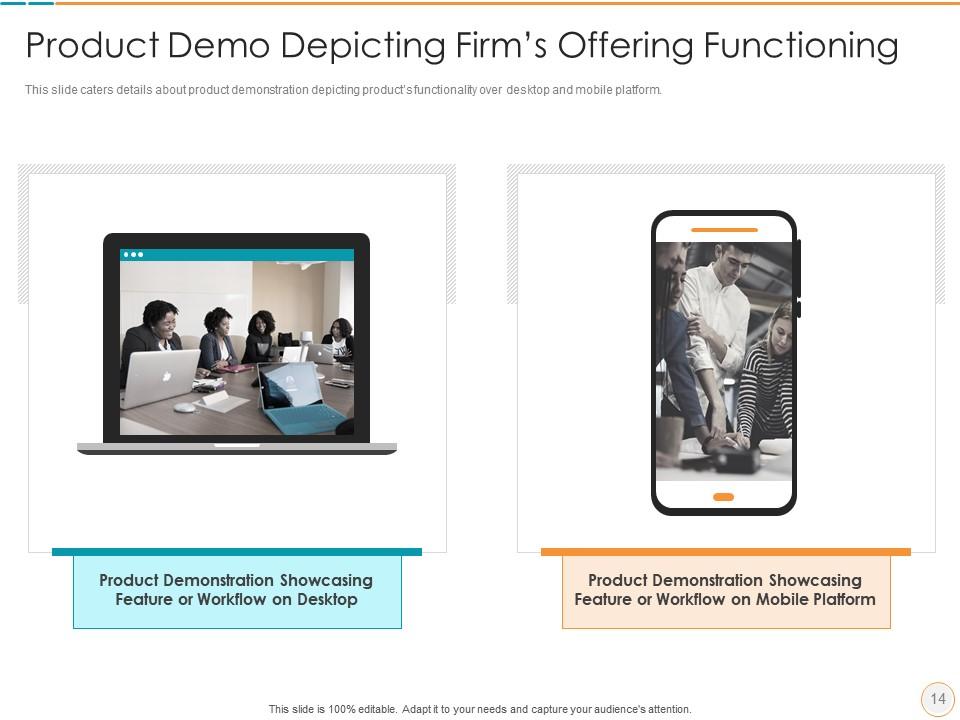
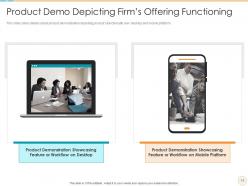
Diapositiva 14 : esta diapositiva muestra una demostración del producto que muestra la funcionalidad del producto en una plataforma móvil y de escritorio.
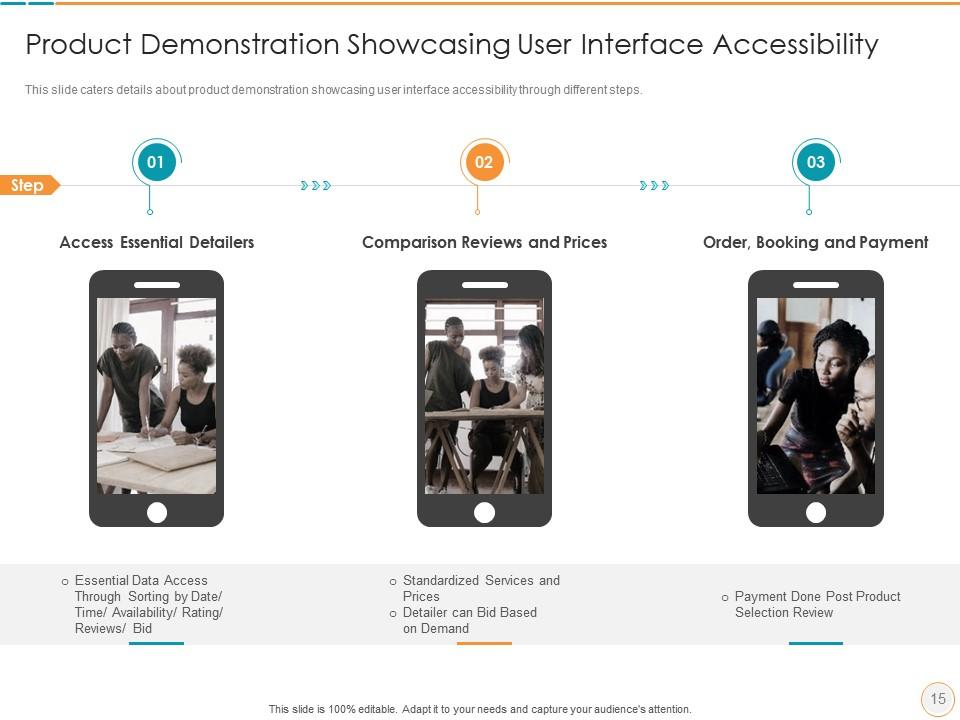
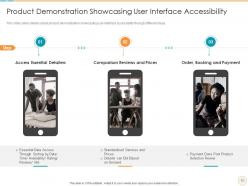
Diapositiva 15 : Esta diapositiva explica la demostración del producto mostrando la accesibilidad de la interfaz de usuario a través de diferentes pasos.
Diapositiva 16 : esta es la diapositiva de iconos.
Diapositiva 17 : Esta diapositiva presenta el título de las diapositivas adicionales.
Diapositiva 18 : Esta diapositiva presenta la visión, la misión y los objetivos de su empresa.
Diapositiva 19 : esta diapositiva muestra publicaciones de experiencias pasadas de clientes.
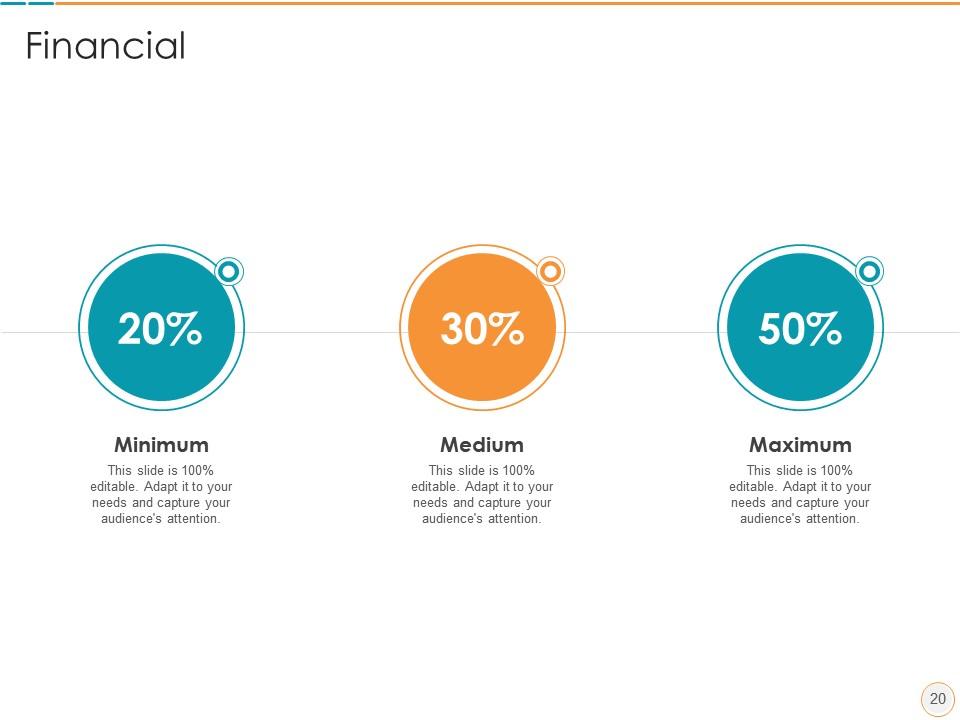
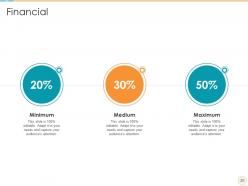
Diapositiva 20 : Esta diapositiva muestra las finanzas.
Diapositiva 21 : Esta diapositiva muestra a venn.
Diapositiva 22 : Esta diapositiva presenta los objetivos.
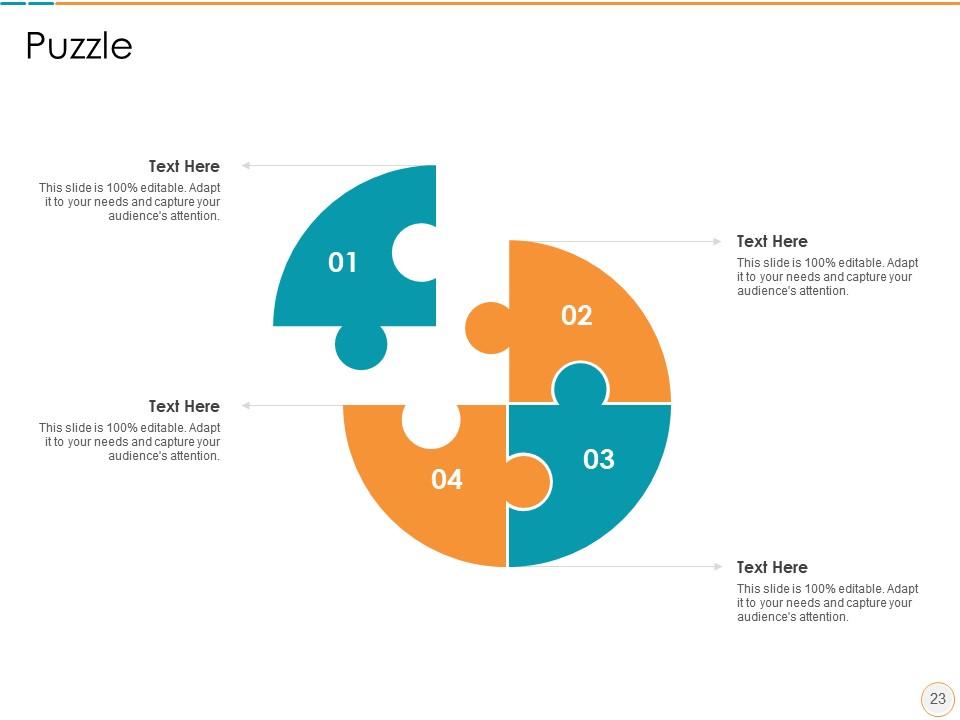
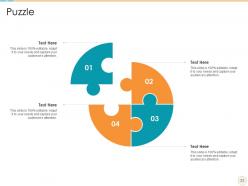
Diapositiva 23 : esta diapositiva muestra un rompecabezas.
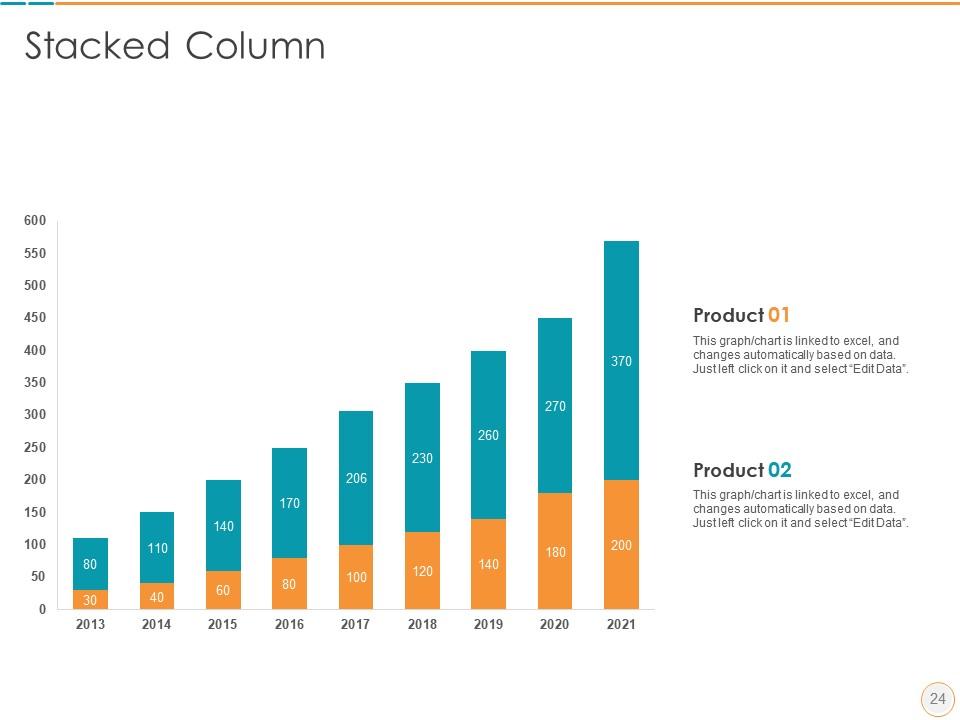
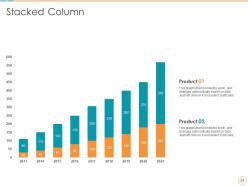
Diapositiva 24 : esta diapositiva muestra gráficos de columnas apiladas anuales para diferentes productos. Los gráficos están vinculados a Excel.
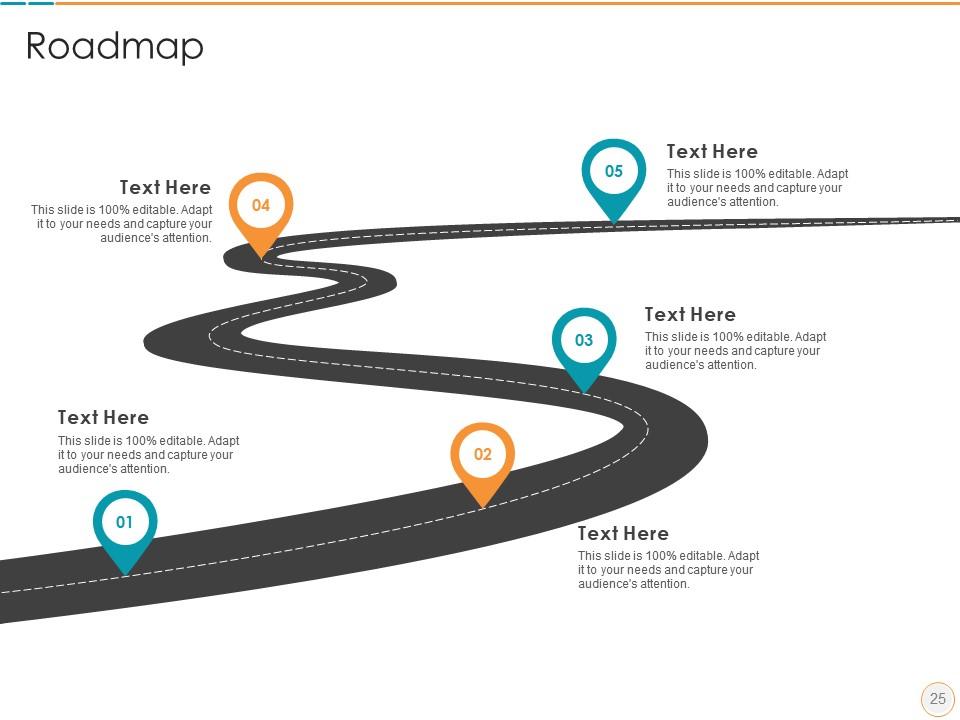
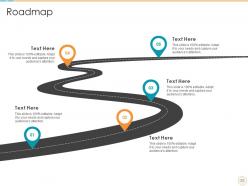
Diapositiva 25 : Esta diapositiva muestra la hoja de ruta.
Diapositiva 26 : Esta diapositiva explica el plan de 30-60-90 días para los proyectos.
Diapositiva 27 : Esta es una diapositiva de agradecimiento y contiene detalles de contacto de la empresa, como la dirección de la oficina, el número de teléfono, etc.
Descripción del producto Plantilla Ppt de presentación de diapositivas con las 27 diapositivas:
Utilice nuestra plantilla Ppt de descripción de producto Slide Pitch Deck para ayudarlo de manera efectiva a ahorrar su valioso tiempo. Están listos para encajar en cualquier estructura de presentación.
FAQs for Product description slide pitch
Ok so first thing - get a headline that actually says what your product does. None of that vague "revolutionizing workflows" BS. Then list 2-3 benefits (not features - I always mix these up but benefits = what's in it for them). Throw in some proof too, like a stat or customer quote. Makes it way more believable. Use bullet points so people can scan quickly - nobody reads paragraphs on slides anyway. Oh and definitely include a visual of the product actually working. The whole thing should pass the 5-second test where someone immediately gets what you're selling. End with a clear next step or you'll lose them.
Dude, you've gotta use visuals - they're game changers. Screenshots, demos, simple diagrams that actually show your product doing its thing. Way better than boring bullet points that make people's eyes glaze over. Most people learn visually anyway, so they'll remember more when they can see what you're talking about. I learned this the hard way after watching too many people zone out during text-heavy presentations. Just make sure your images are big enough for the people in the back to see, and pick ones that actually back up your main points.
Start with words that hit people's emotions - "exclusive," "breakthrough," stuff like that creates instant want. Paint a picture they can feel, like "buttery soft" beats just saying "soft." Throw in social proof too - "bestseller" or "fan favorite" does magic. Honestly? Weird, quirky descriptions work way better than boring specs sometimes. Benefits first, features second. Also try mixing up your sentence lengths - keeps things interesting. Pick one of your current descriptions and rewrite it with this approach. You'll be shocked how much better it sounds.
Dude, you gotta totally shift your approach depending on who you're talking to. Tech people? Hit them with all the specs and how everything actually functions. But when you're in front of executives, they honestly don't care about that stuff - talk ROI and market potential instead. Sales teams are already thinking about their next pitch, so focus on customer problems and your solution. Same product, totally different angle each time. Like, never mention API stuff to a CEO - they want to hear dollar signs. Figure out what each group actually cares about first, then lead with that. Makes all the difference.
Dude, stop listing features like you're reading a manual. People don't care about "real-time notifications" – they care that Sarah didn't miss her kid's soccer game because your app pinged her about the schedule change. Paint the whole picture, you know? Show them the problem first, then how your product swoops in to save the day. Honestly, stories stick way better than bullet points ever will. Start with a quick customer scenario next time. Then connect your features back to that story. It's like... people need to see themselves in it before they'll actually give a damn.
Here's what works for me: stick to one solid benefit per bullet point and ditch the corporate fluff. Nobody has time to decode your marketing nonsense. I do this thing where I imagine explaining it to my grandma - if she'd be confused in 5 seconds, it's too complicated. Swap out wimpy words like "faster" or "better" with actual numbers. Short sentences hit harder. When you mention a feature, immediately tell them why they should care. Oh, and read everything out loud - you'll catch the weird robotic stuff that way. Trust me on this one.
Check your time-on-slide and click-through rates first - that stuff's actually super revealing. If it's interactive or leads to demos, track conversions too. High bounce rates after your product description? Yeah, that's not good. But honestly, don't just rely on numbers. Get some real feedback through surveys or quick user tests to see if your messaging actually clicks with people. Short sentences work. Longer ones should flow naturally when you need to explain the connection between immediate engagement and whatever action you're hoping they'll take next.
Honestly, the biggest mistake is cramming in every feature instead of focusing on what actually matters to people - how it helps them. Nobody reads walls of text anyway, so keep it short. Skip the technical jargon unless you're presenting to engineers or something. You really need some kind of social proof too - testimonials, reviews, whatever builds trust. Oh, and don't try to solve every problem under the sun. Pick one clear benefit for your headline, then maybe 2-3 supporting points max. That's it.
Just grab short, specific quotes and drop them right next to whatever feature you're talking about. So if you mention easy setup, throw in something like "Setup took me 5 minutes!" - Sarah K. right there. I always put them in little callout boxes or smaller text under each selling point instead of dumping everything at the bottom where people skip over it. Match each quote to the exact thing you're describing in that section - honestly, generic "great product!" stuff is useless. You want testimonials that sound real and hit specific benefits. Way more effective than the typical wall of reviews nobody bothers reading.
White space is your best friend - don't cram everything together. Stick to bullet points because nobody reads paragraphs on slides anyway. High-quality visuals should do most of the heavy lifting, not walls of text. Two fonts max, and use your brand colors consistently. I always left-align text since it's way easier to scan. Here's my test: show someone your slide for three seconds. If they can't tell you the main point, you've got too much going on. Also, make sure there's clear contrast between your headings and body text - size matters for hierarchy. Sounds basic, but you'd be surprised how many people mess this up.
Honestly, it totally depends on your setup. In-person meetings need bigger fonts - like 24pt minimum - because people are sitting at weird angles. Virtual presentations are even trickier since screens make everything look tiny. I bombed a Zoom call once because my "normal" text was basically invisible to everyone else lol. Email slides need way more context since you won't be there explaining stuff. Oh, and definitely test it on whatever platform you're actually using. Your laptop screen lies to you - projectors and phones will humble you real quick.
Dude, you need real numbers that prove people actually want your thing. Throw in specific metrics - like how many users you have or your growth rate over the last quarter. Customer quotes with actual names hit different than anonymous testimonials. Revenue figures are obviously huge if you're allowed to share them. Third-party stuff works too, like industry awards or that one study you probably have bookmarked somewhere. I'd honestly rather see 2-3 solid data points than a wall of stats. The whole "thousands of happy customers" line is so overdone. Show me you've got momentum, not just big dreams.
So basically, animations help people actually pay attention to your product instead of just scrolling past. You can reveal stuff bit by bit - like show the main product first, then have your bullet points pop up one at a time. Way better than dumping everything on them at once, you know? The movement keeps things interesting and helps info stick in their heads. I've seen some pages where callout boxes appear to highlight the good stuff - works pretty well. Just don't make it too flashy or people get annoyed. Keep it clean and purposeful.
Check out Apple's iPhone slides - they nail it with one benefit per slide and zero clutter. Tesla's pretty smart about this too, showing actual performance numbers instead of boring feature lists. Airbnb tells these little stories about real trips (honestly makes me want to book something right now). Notion keeps everything clean with simple before/after shots. They all lead with what you actually get, not technical specs. Pick one of these and really study how they build their slides - then just steal their framework. Works every time.
Honestly, just stick with your usual brand stuff - same colors, fonts, logo spots. Don't switch up your tone either. Like if you're normally chill and friendly, stay that way instead of going all corporate-speak for product descriptions. I've seen so many teams screw this up by getting fancy with random new fonts or whatever. Stay consistent with the messaging customers already know you for. Oh, and make yourself a basic template with all your brand elements locked down. Then you can just plug in different product info for each slide. Way easier than reinventing everything each time.
-
Nice and innovative design.
-
Use of icon with content is very relateable, informative and appealing.
-
Awesome presentation, really professional and easy to edit.
-
Understandable and informative presentation.