Projektbeschreibung Powerpoint-Präsentationsfolien
Try Before you Buy Download Free Sample Product
Audience
Editable
of Time
Wir sind stolz darauf, Ihnen unsere Projektbeschreibung PowerPoint-Präsentationsfolien präsentieren zu können. Diese Diashow kann verwendet werden, wenn Sie Ihren Mitarbeitern oder anderen Personen eine kurze Beschreibung des Projekts geben möchten. Eine zusammengefasste Übersicht über den vollständigen und endgültigen Plan kann Ihren Kollegen einfach präsentiert werden, wenn Sie unsere Geschäftsvorlage verwenden. Dies ist ein komplettes Deck mit 30 Folien, die exklusiv von unseren geschulten Geschäftsspezialisten für Fachleute wie Sie entworfen wurden, die nicht viel Zeit für die Gestaltung der PPT haben. Diese Diashow ist für Sie vielseitig einsetzbar, da sie aus verschiedenen Diagrammen und Abbildungen besteht, z. B. tabellarischen Berichten, Balkendiagrammen, Flächendiagrammen und farbenfrohen inspirierenden Folien, mit denen Sie Ihr Team effizient führen können. Diese Geschäftsvorlage kann multifunktional sein, da Sie anderen von Ihrem Team, Ihren Zielen, Ihrer Funktionsweise und Ihrer hervorragenden Erfolgsquote erzählen können. Diese PowerPoint-Präsentation kann verwendet werden, wenn Ihr Team oder die Mitarbeiter bereits eine Vorstellung von dem Projekt haben. Wenn Sie diese PPT verwenden, erhalten Sie eine kurze, aber wichtige Beschreibung des Einsatzplans. Heben Sie die Essenz des Projektmanagements Ihres Unternehmens durch diese professionell gestalteten PPT-Folien auf PowerPoint-Präsentationsfolien mit Projektzusammenfassung hervor. Verwenden Sie dieses PPT-Diagramm mit Projektzusammenfassung, um das Ziel Ihres Projekts zu erläutern. Die wichtigste Tatsache, die mit diesem PowerPoint-Diagramm sehr gut charakterisiert werden kann, besteht darin, unterschiedliche Geschäftsprojektleistungen basierend auf ihrem Auftreten und der Projektpriorität auszudrücken, um diese Projektziele zu erreichen. Verwenden Sie außerdem die PowerPoint-Vorlage für eine kurze Projektübersicht, um die Anzahl der Vorteile der Verwaltung Ihrer Geschäftsprojekte mithilfe dieser technisch gestalteten PPT-Folien zu beschreiben. Mit diesem einfallsreichen und außergewöhnlichen Projektbeschreibungsbild können Sie verschiedene abweichende Geschäftspläne oder -verfahren definieren, die mit Ihren Geschäftsprojekten oder anderen Bereichen identifiziert wurden und deren Auswirkungen und Nachhaltigkeit auf Ihren Geschäftsrahmen wirken. Klicken Sie daher auf den Download-Button und beginnen Sie sofort, Ihr für das Publikum wichtiges Projekt mit diesem außergewöhnlichen PPT-Design zu verbinden. Begeistern Sie über Generationen hinweg mit unseren Powerpoint-Präsentationsfolien mit Projektzusammenfassung. Das Alter ist für sie kein Hindernis.

Funktionen dieser PowerPoint-Präsentationsfolien:
Wenn Sie diese PPT herunterladen, müssen Sie nur die bereits geschriebenen Details löschen und das Nützliche und Erforderliche einfügen. Da diese Folien vollständig geändert werden können, können Sie mühelos die Schriftgröße, Schriftfarbe und den Schriftstil der Informationen ändern. Jede Art von Daten, Diagrammen, Formen und grafischen Darstellungen kann gemäß den Anforderungen der Präsentation hinzugefügt oder gelöscht werden. Die Diashow kann entweder im PDF- oder JPG-Format gespeichert werden. Diese Vorlage ist auch für Google Slides geeignet. Klicken Sie also auf den Download-Button und beeindrucken Sie alle um Sie herum.
People who downloaded this PowerPoint presentation also viewed the following :
Inhalt dieser Powerpoint-Präsentation
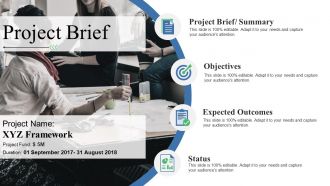
Folie 1 : Diese Folie stellt eine kurze Zusammenfassung des Projekts vor. Geben Sie Ihren Firmennamen an und legen Sie los.
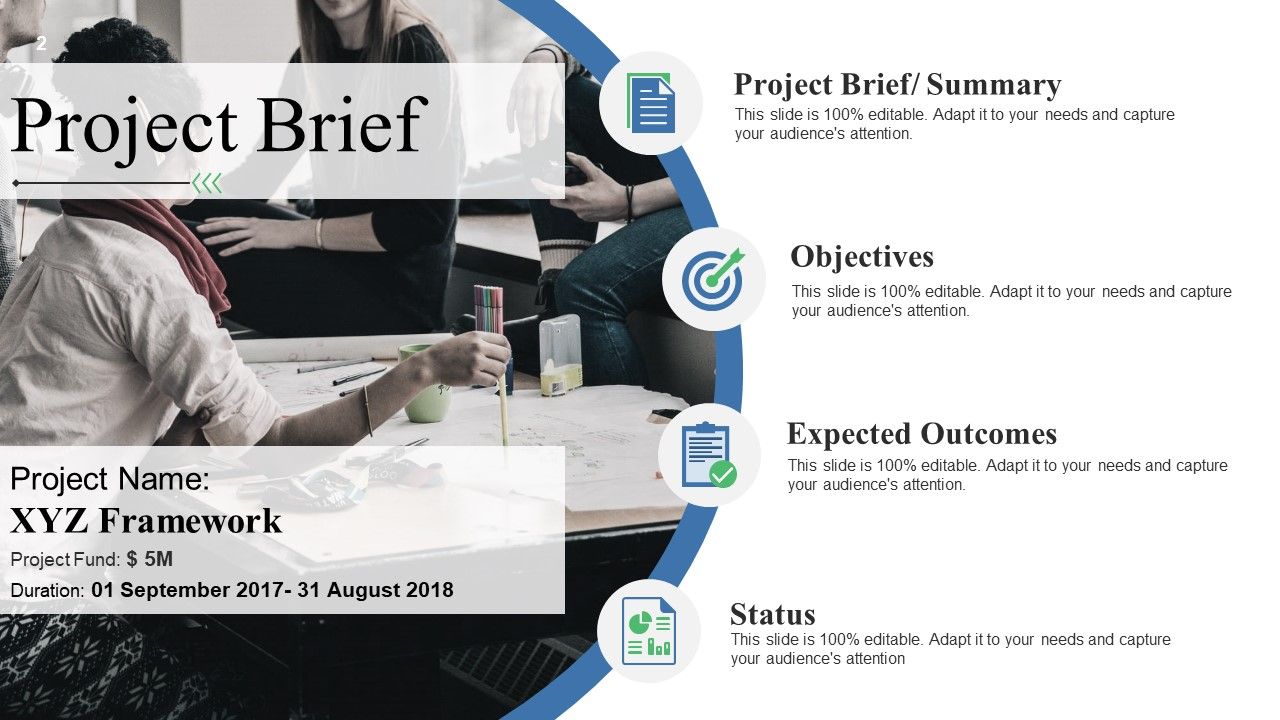
Folie 2 : Diese Folie zeigt die Projektbeschreibung. Beschreiben Sie hier Projektnuancen wie Zusammenfassung, Ziele, erwartete Ergebnisse und Status.
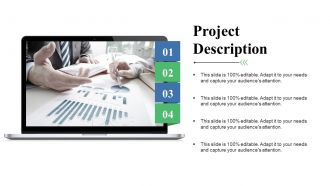
Folie 3 : Diese Folie zeigt die Projektbeschreibung. Beschreiben Sie hier Projektnuancen.
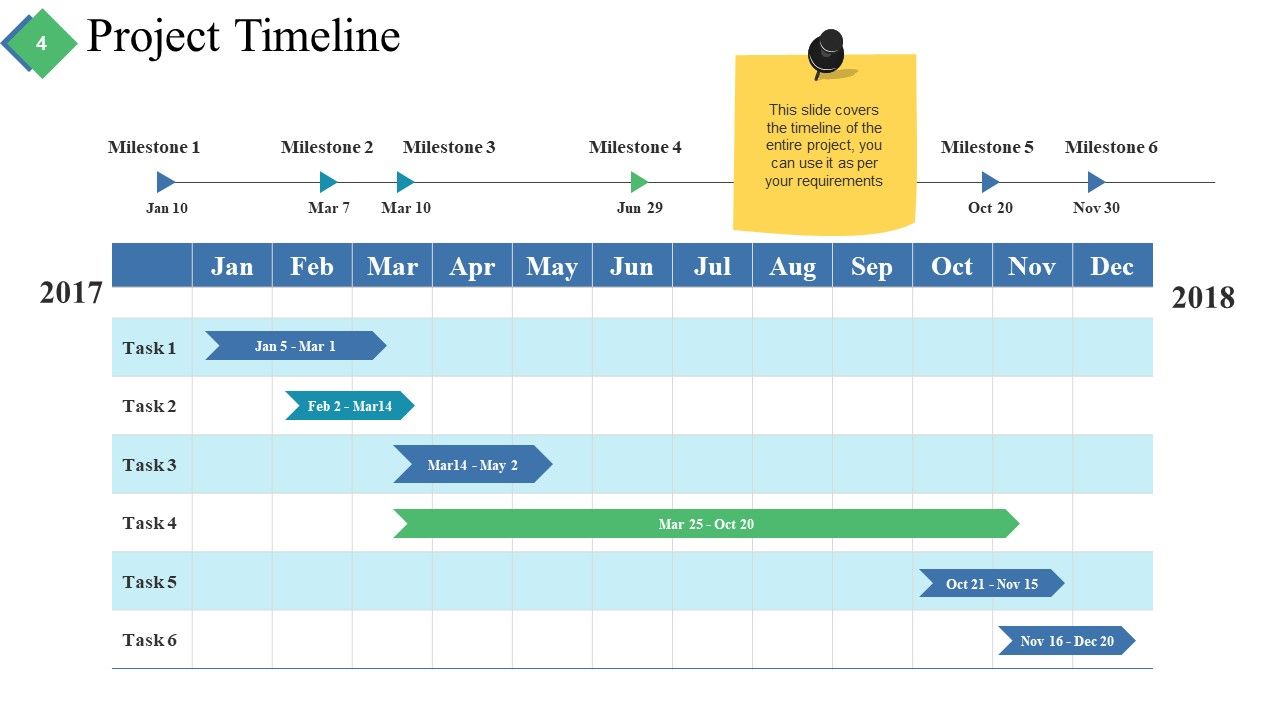
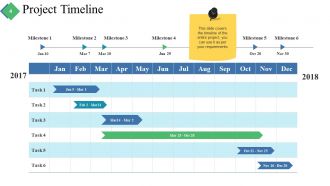
Folie 4 : Diese Folie zeigt eine Projektzeitleiste, um Meilensteine, wichtige Highlights usw.
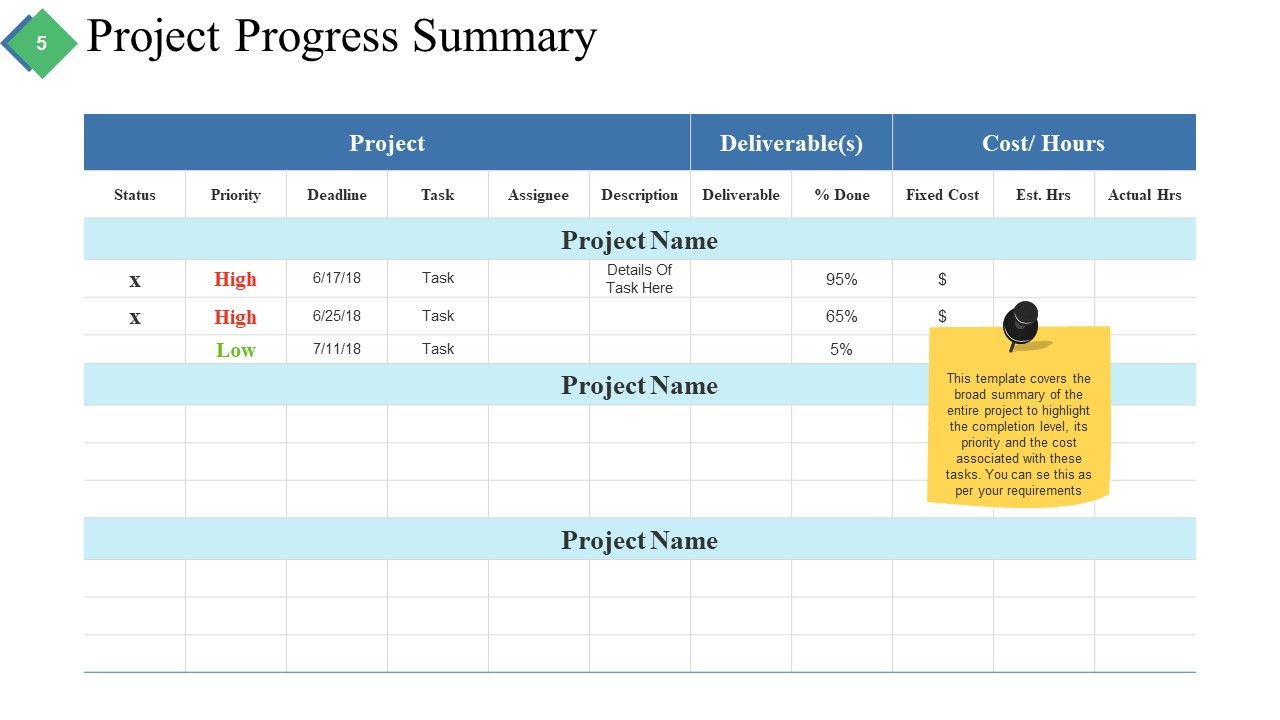
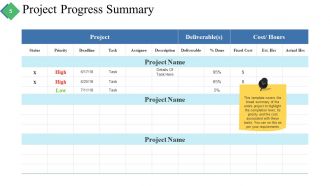
Folie 5 : Diese Folie zeigt die Zusammenfassung des Projektfortschritts in tabellarischer Form.
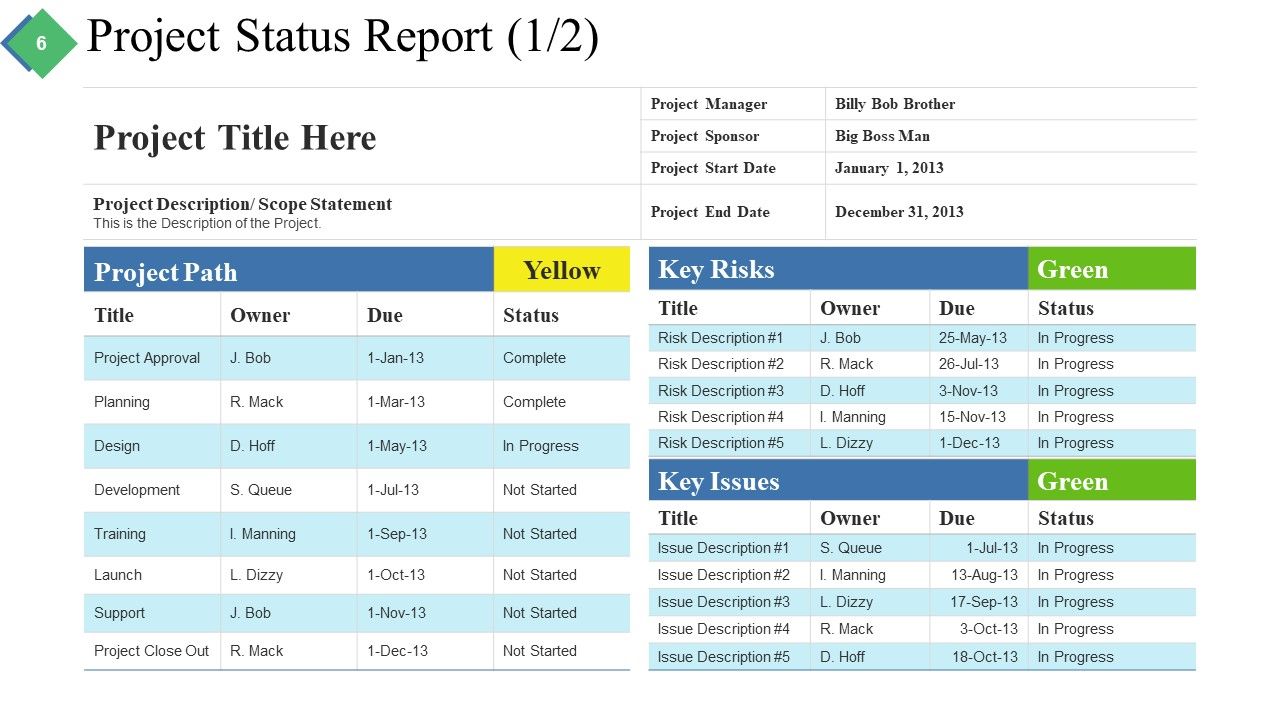
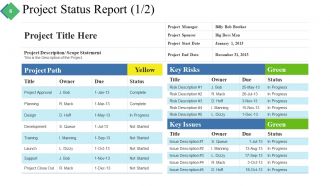
Folie 6 : Diese Folie zeigt den Projektstatusbericht in Tabellenform.
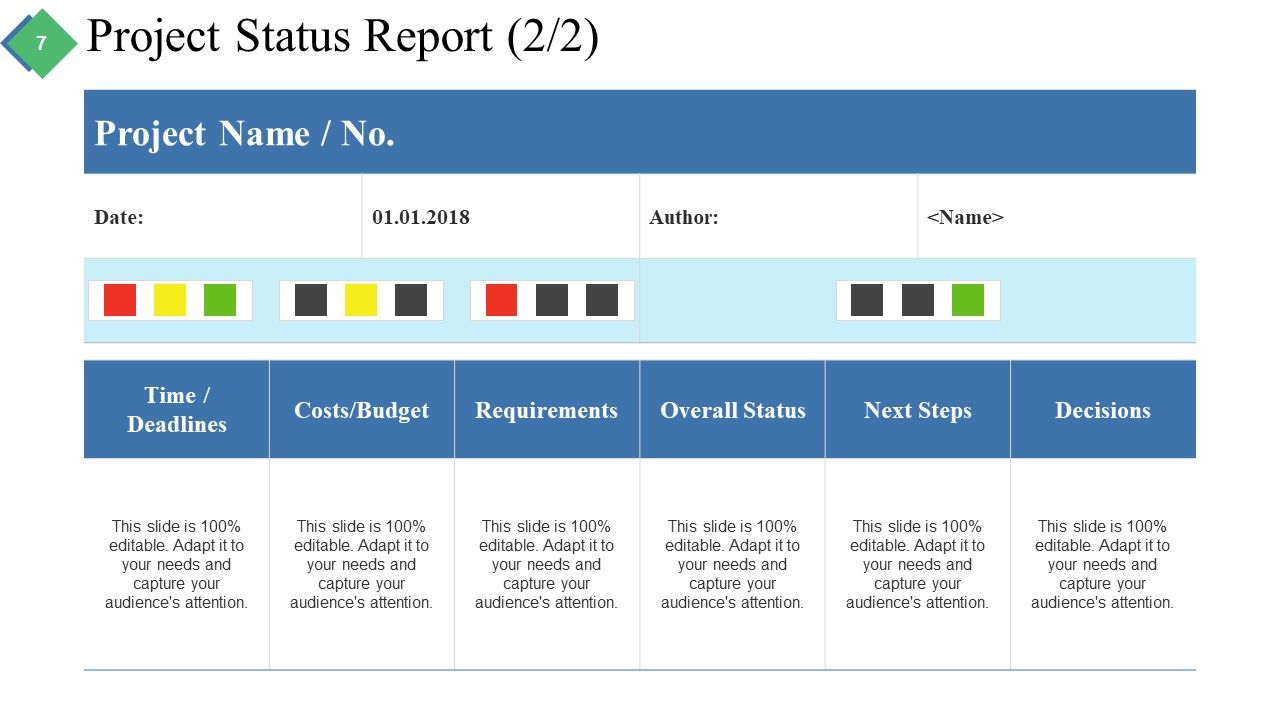
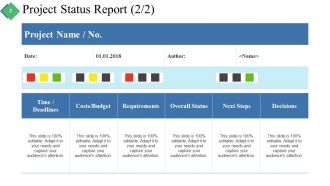
Folie 7 : Diese Folie zeigt eine weitere Variante des Projektstatusberichts.
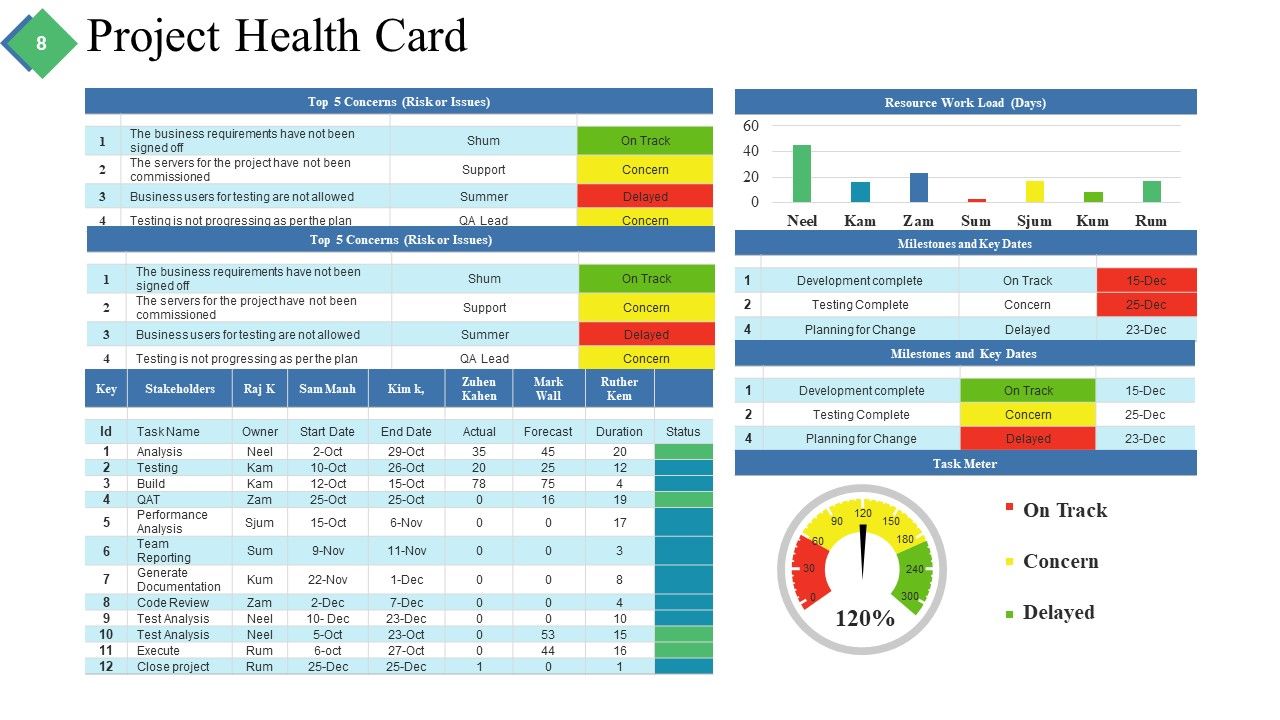
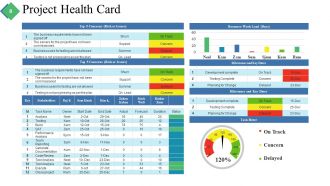
Folie 8 : Diese Folie zeigt eine Projekt-Gesundheitskarte.
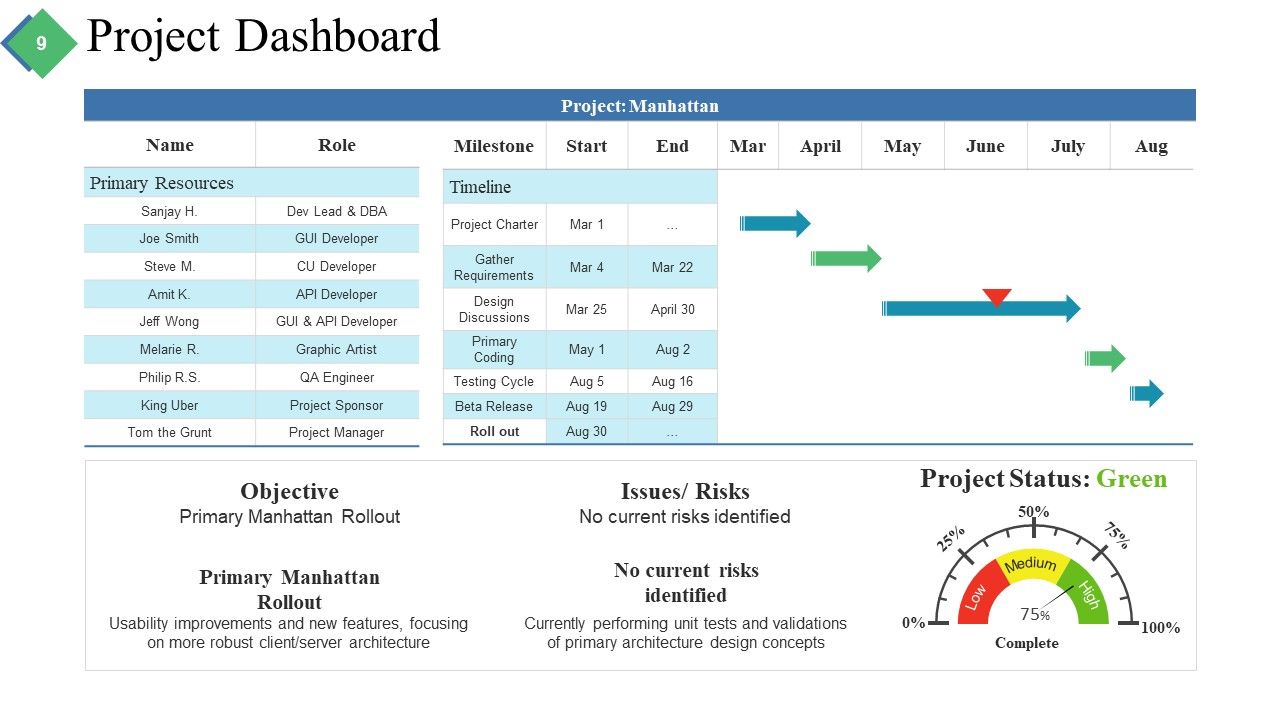
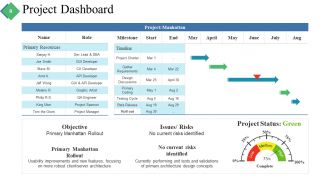
Folie 9 : Diese Folie zeigt das Projekt-Dashboard mit der Anzeige von Zielsetzung, Problemen/Risiken, Keine aktuellen Risiken identifiziert.
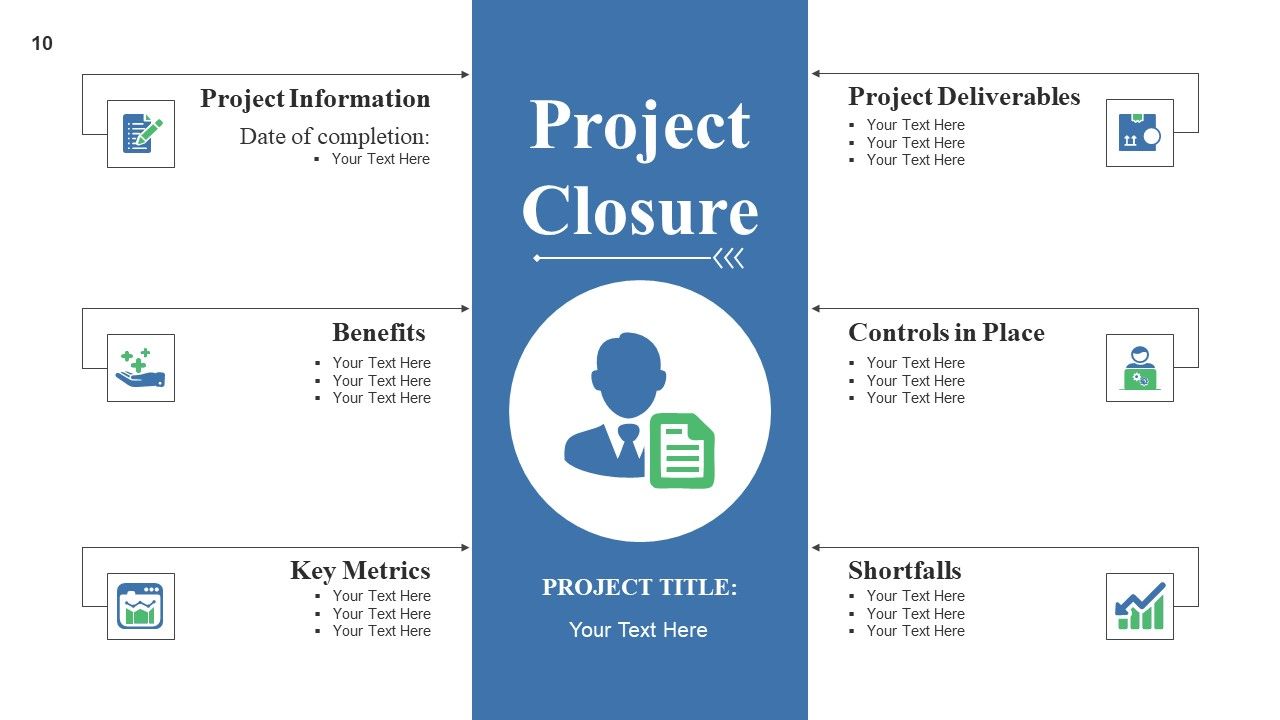
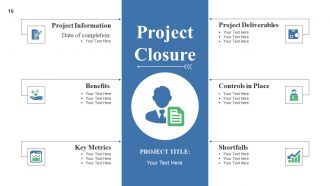
Folie 10 : Diese Folie zeigt den Projektabschluss mit Anzeige von Projektinformationen, Abschlussdatum, Projektergebnissen, Vorteilen, vorhandenen Kontrollen, Schlüsselkennzahlen, Fehlmengen.
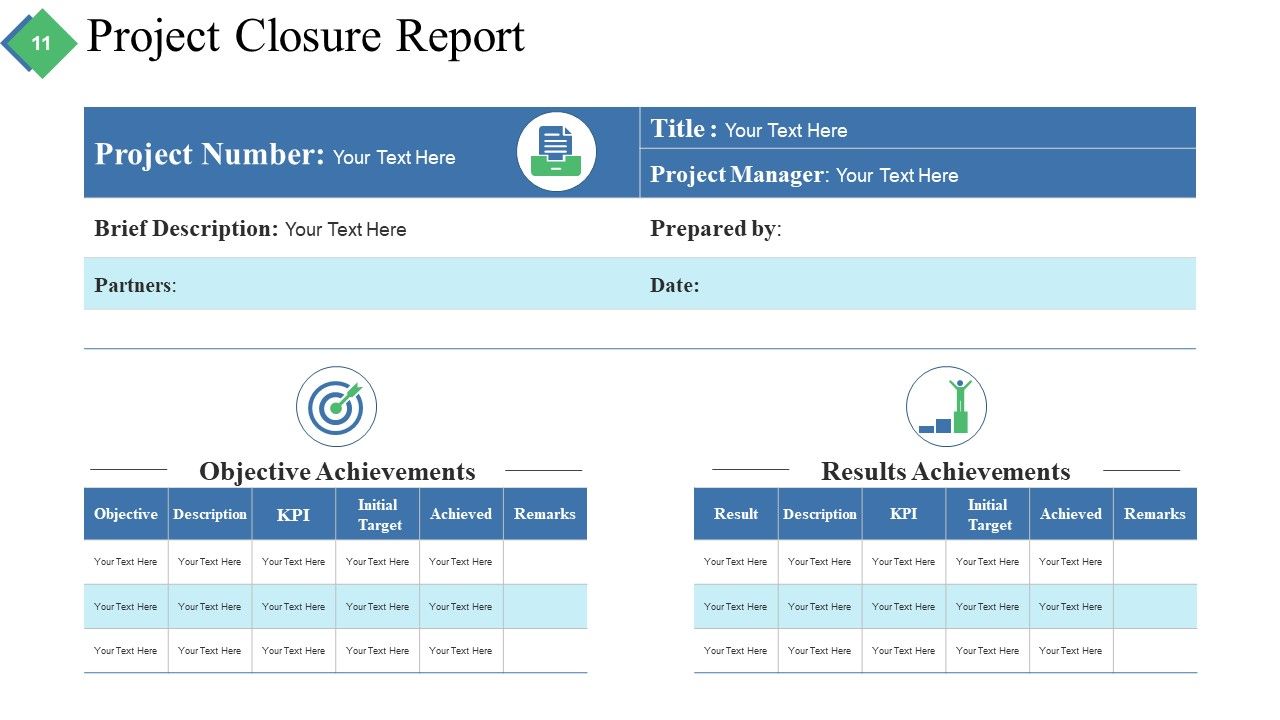
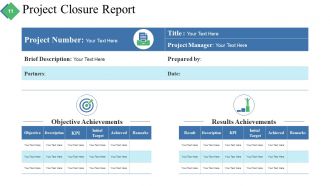
Folie 11 : Diese Folie zeigt den Projektabschlussbericht mit der Anzeige von Zielerreichung und Ergebniserreichung.
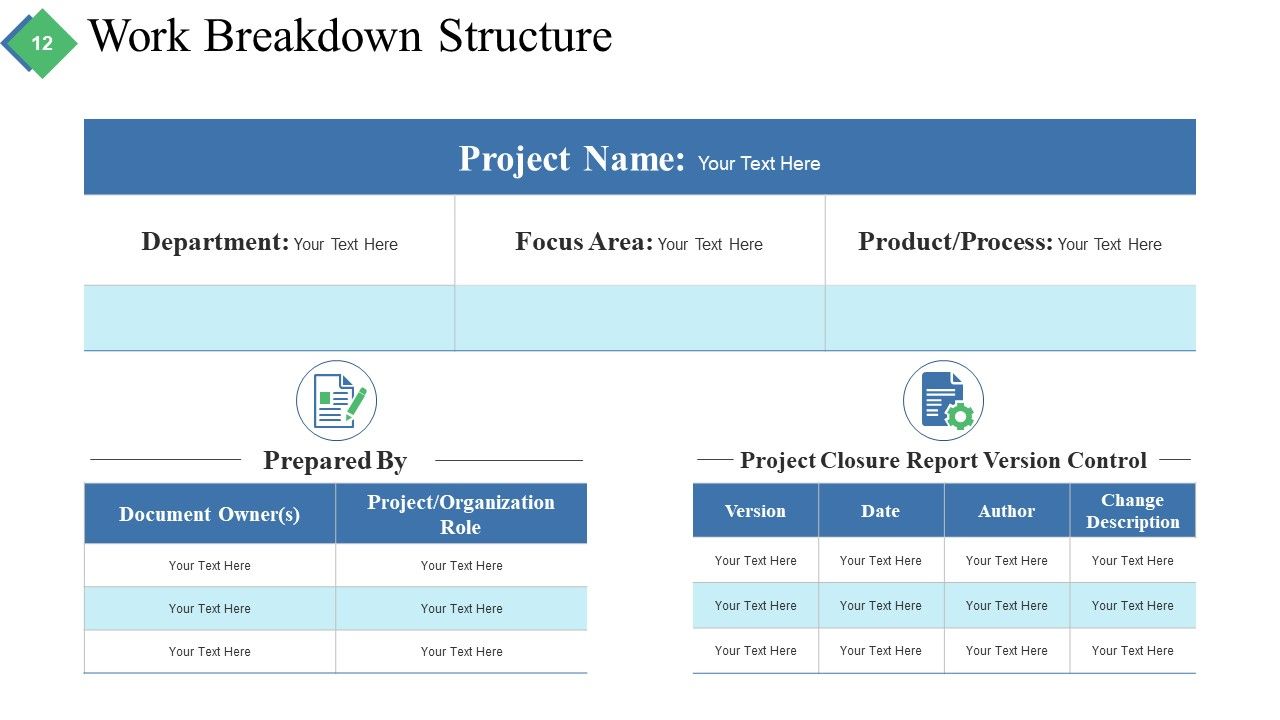
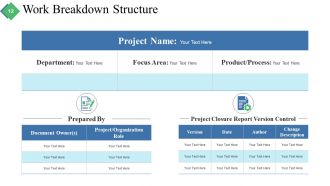
Folie 12 : Diese Folie zeigt einen Projektstrukturplan.
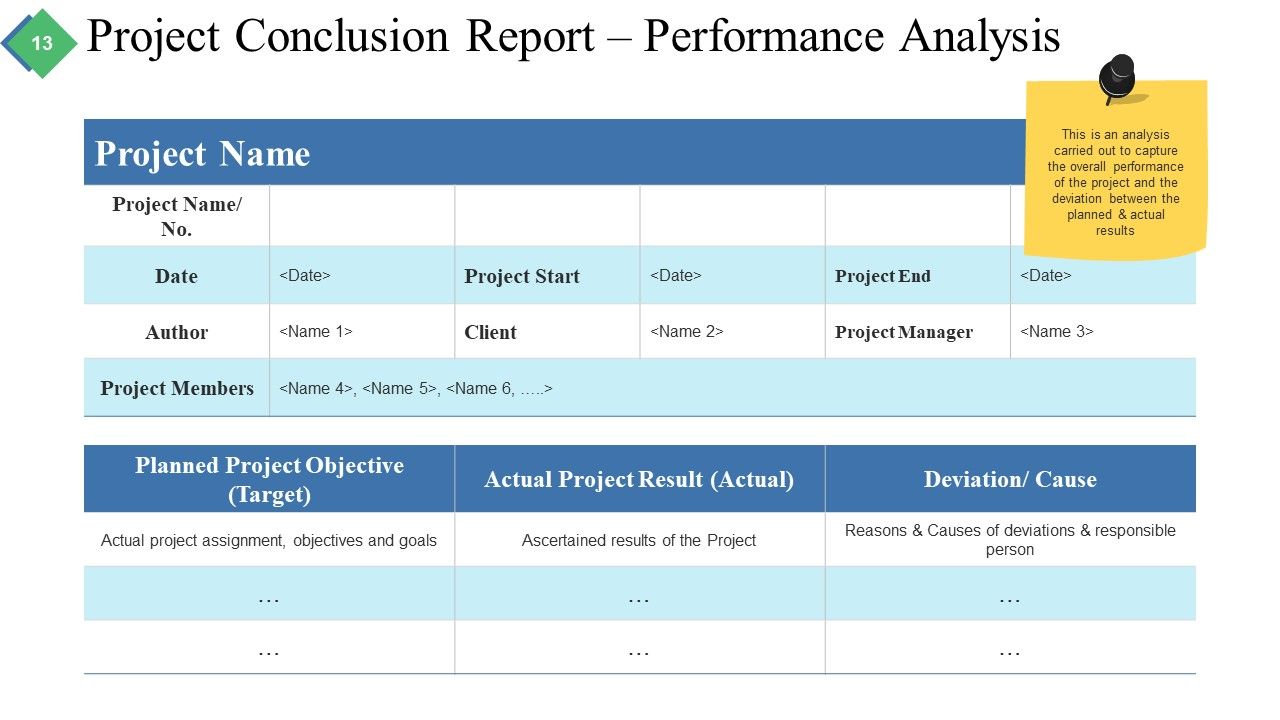
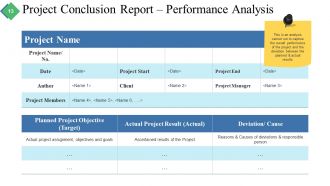
Folie 13 : Diese Folie präsentiert den Projektabschlussbericht – Leistungsanalyse. Dies ist eine Analyse, die durchgeführt wird, um die Gesamtleistung des Projekts und die Abweichung zwischen den geplanten und den tatsächlichen Ergebnissen zu erfassen.
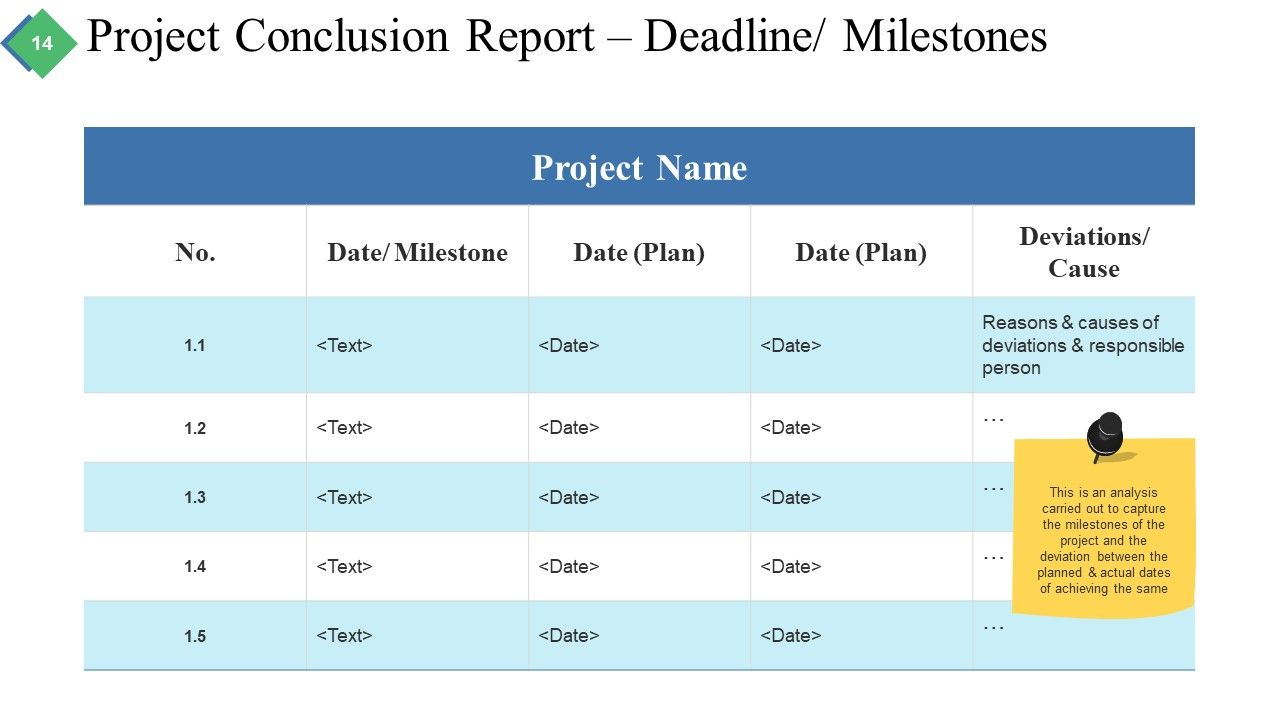
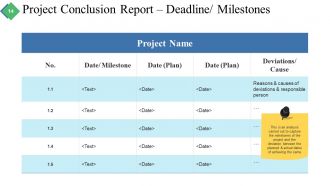
Folie 14 : Diese Folie zeigt den Projektabschlussbericht – Frist/Meilensteine Dies ist eine Analyse, die durchgeführt wurde, um die Meilensteine des Projekts und die Abweichung zwischen den geplanten und tatsächlichen Terminen zu erfassen.
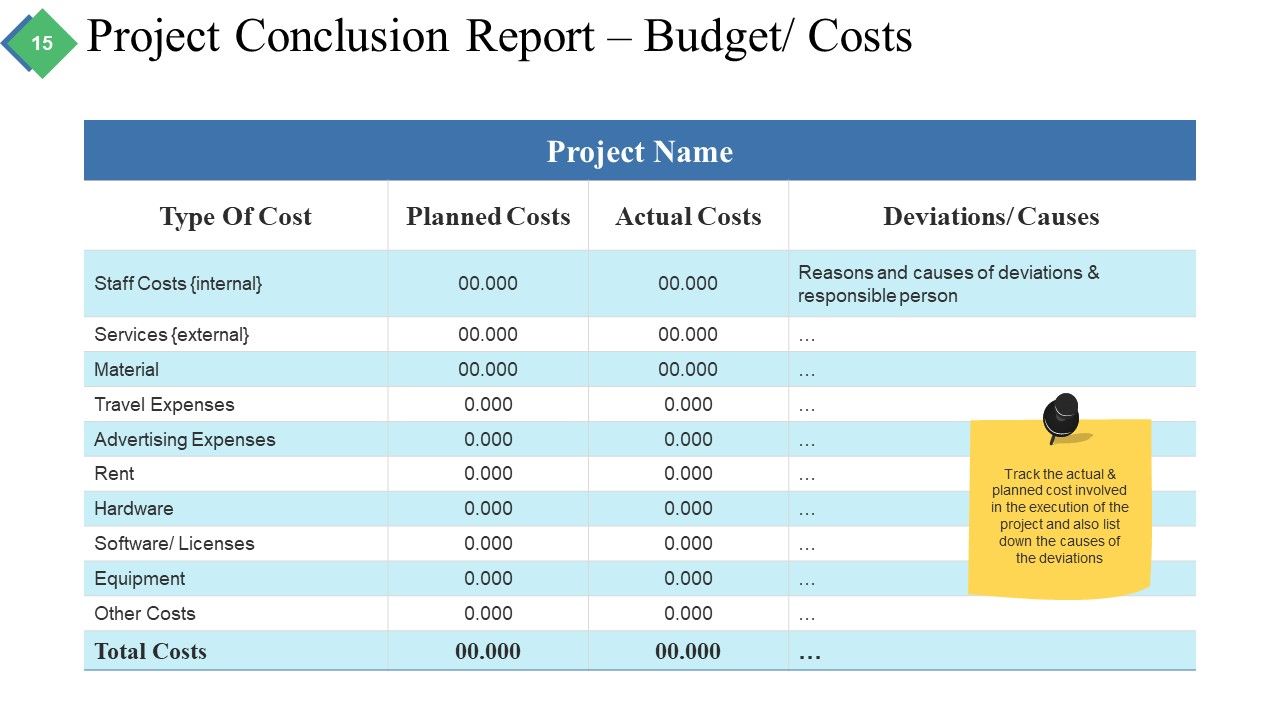
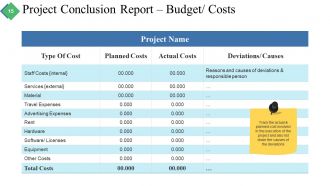
Folie 15 : Diese Folie zeigt den Projektabschlussbericht – Budget/Kosten Verfolgen Sie die tatsächlichen und geplanten Kosten für die Ausführung des Projekts und listen Sie auch die Ursachen der Abweichungen auf.
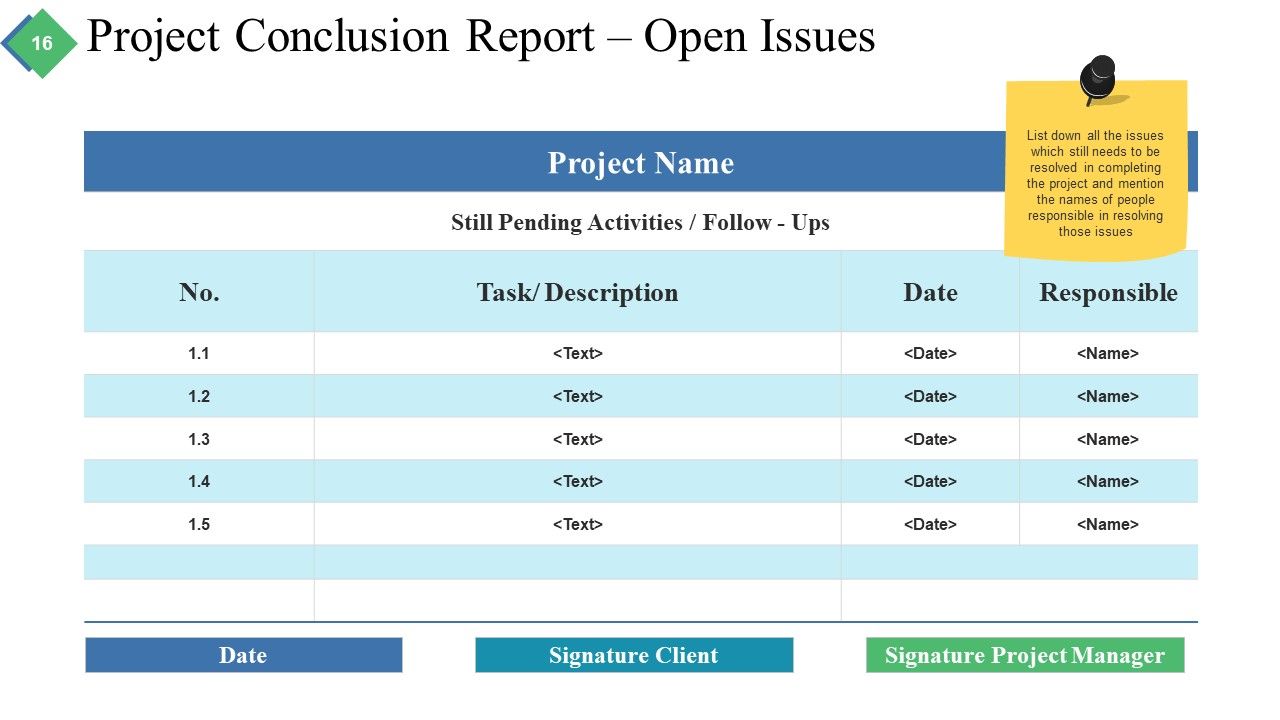
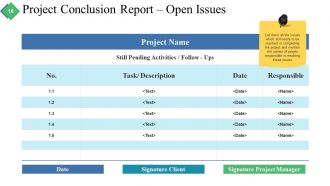
Folie 16 : Diese Folie zeigt den Projektabschlussbericht – Datum der offenen Probleme, Unterschrift Kunde, Unterschrift Projektmanager. Listen Sie alle Probleme auf, die beim Abschluss des Projekts noch gelöst werden müssen, und nennen Sie die Namen der für die Lösung dieser Probleme verantwortlichen Personen.
Folie 17 : Dies ist ein Kaffeepause-Bild zum Anhalten. Sie können den Folieninhalt nach Bedarf ändern.
Folie 18 : Diese Folie trägt den Titel Diagramme und Grafiken, um vorwärts zu gehen. Sie können den Folieninhalt nach Bedarf ändern.
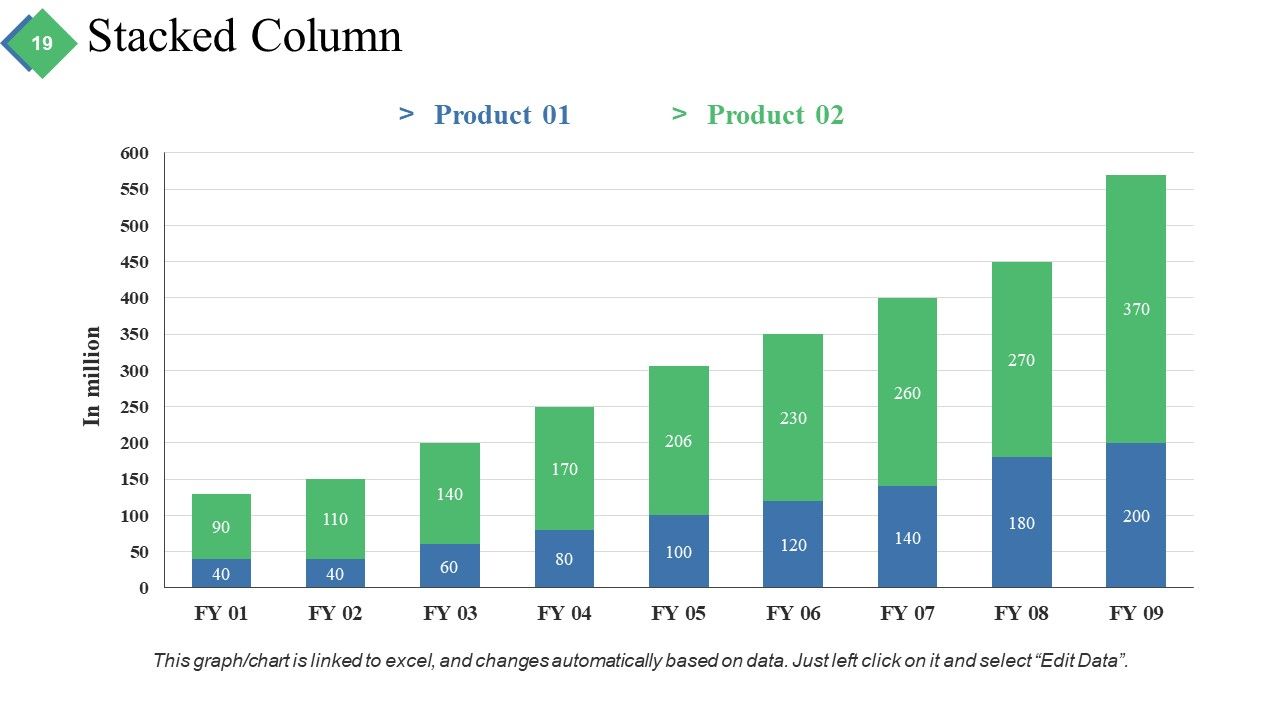
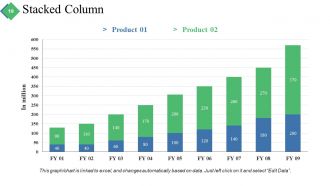
Folie 19 : Diese Folie präsentiert ein gestapeltes Säulendiagramm zur Darstellung von Produkt-/Unternehmenswachstum, Vergleich, Spezifikationen usw.
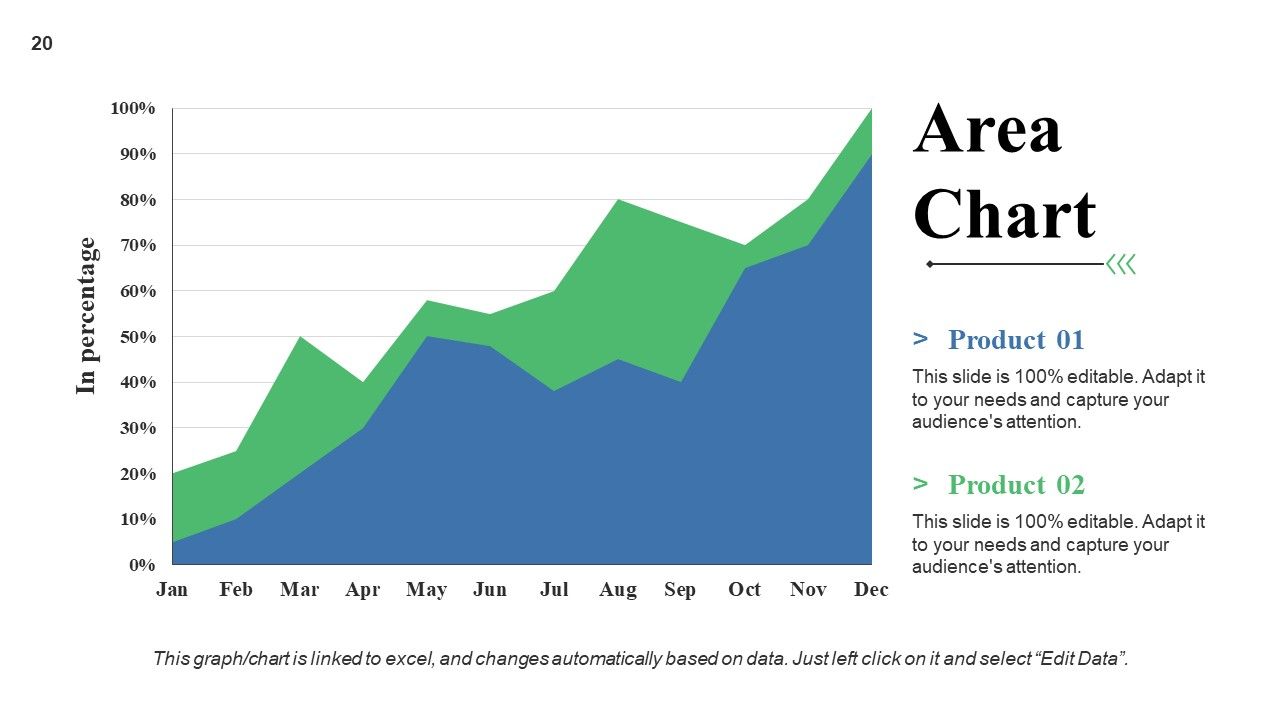
Folie 20 : Diese Folie zeigt ein gestapeltes Flächendiagramm zur Darstellung von Produkt-/Unternehmenswachstum, Vergleich, Spezifikationen usw.
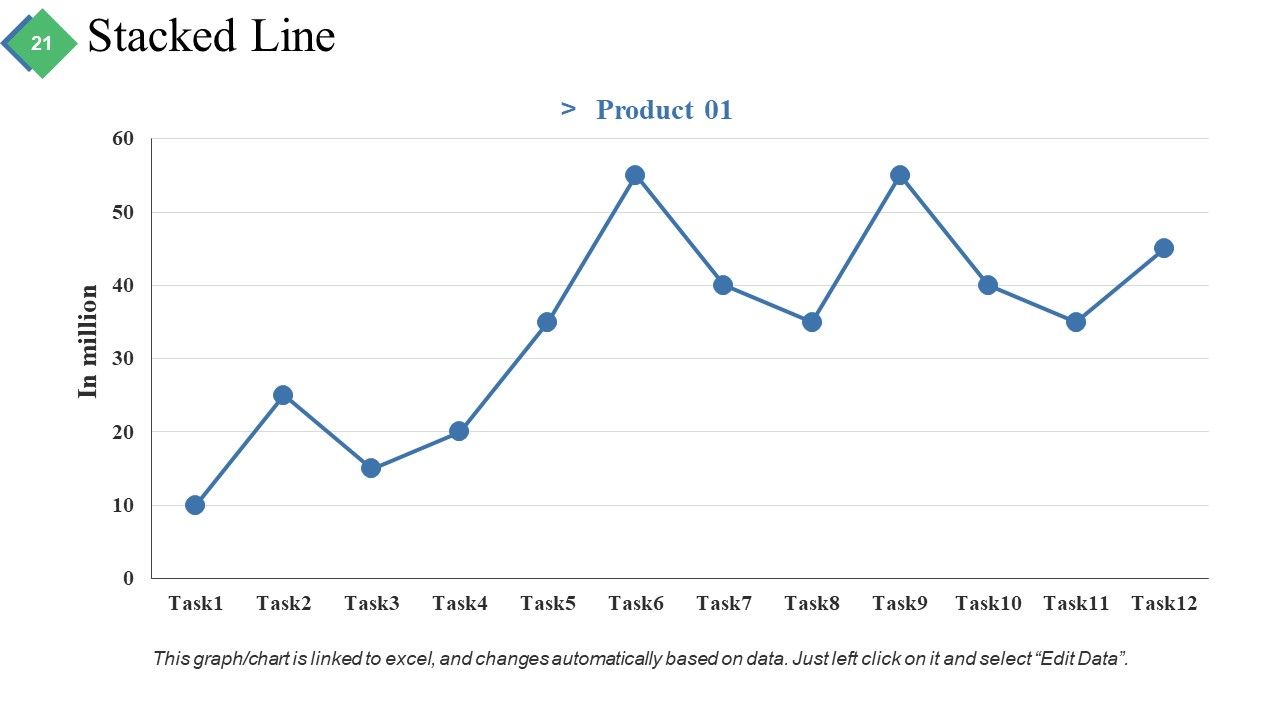
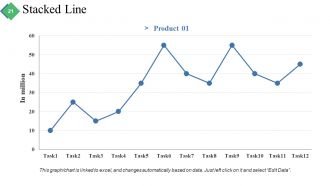
Folie 21 : Diese Folie zeigt ein gestapeltes Liniendiagramm zur Darstellung von Produkt-/Unternehmenswachstum, Vergleich, Spezifikationen usw.
Folie 22 : Diese Folie trägt den Titel Zusätzliche Folien, um vorwärts zu gehen. Sie können den Folieninhalt nach Bedarf ändern.
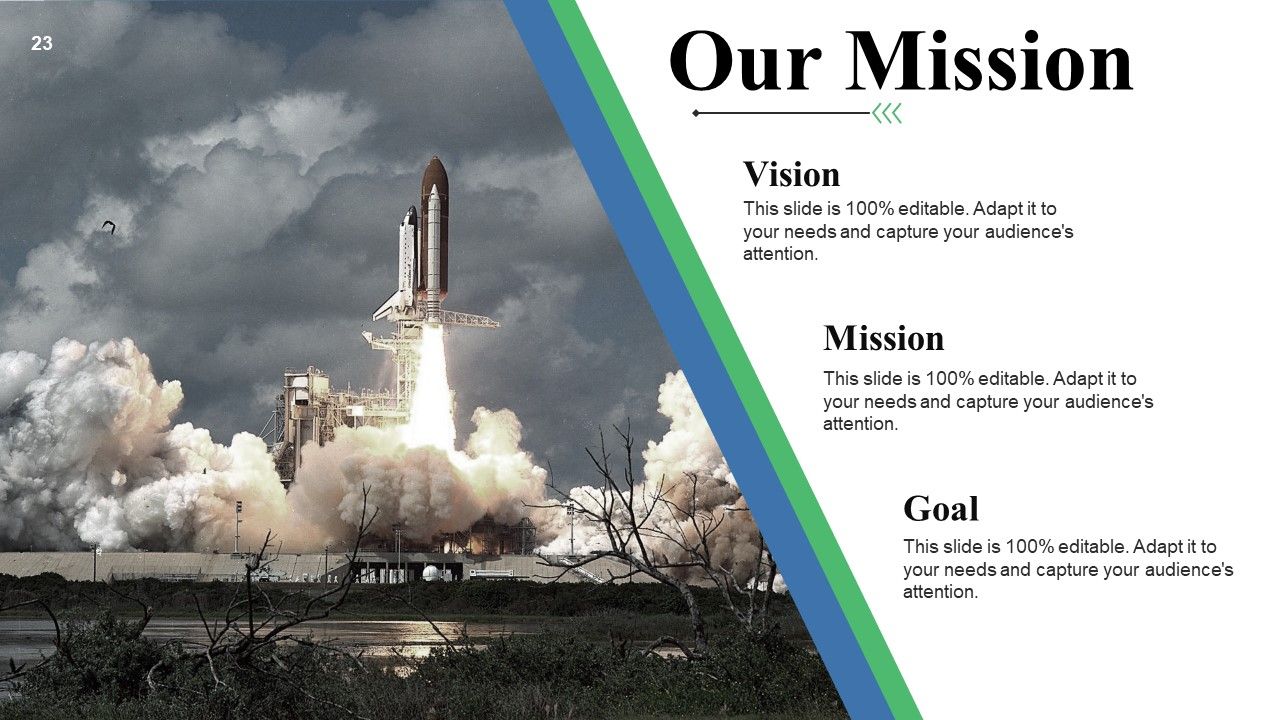
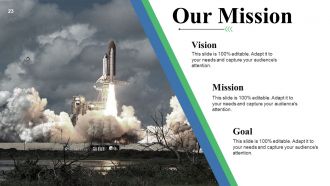
Folie 23 : Dies ist unsere Missionsfolie mit Vision und Ziel. Staatsauftrag, Vision, Ziel hier.
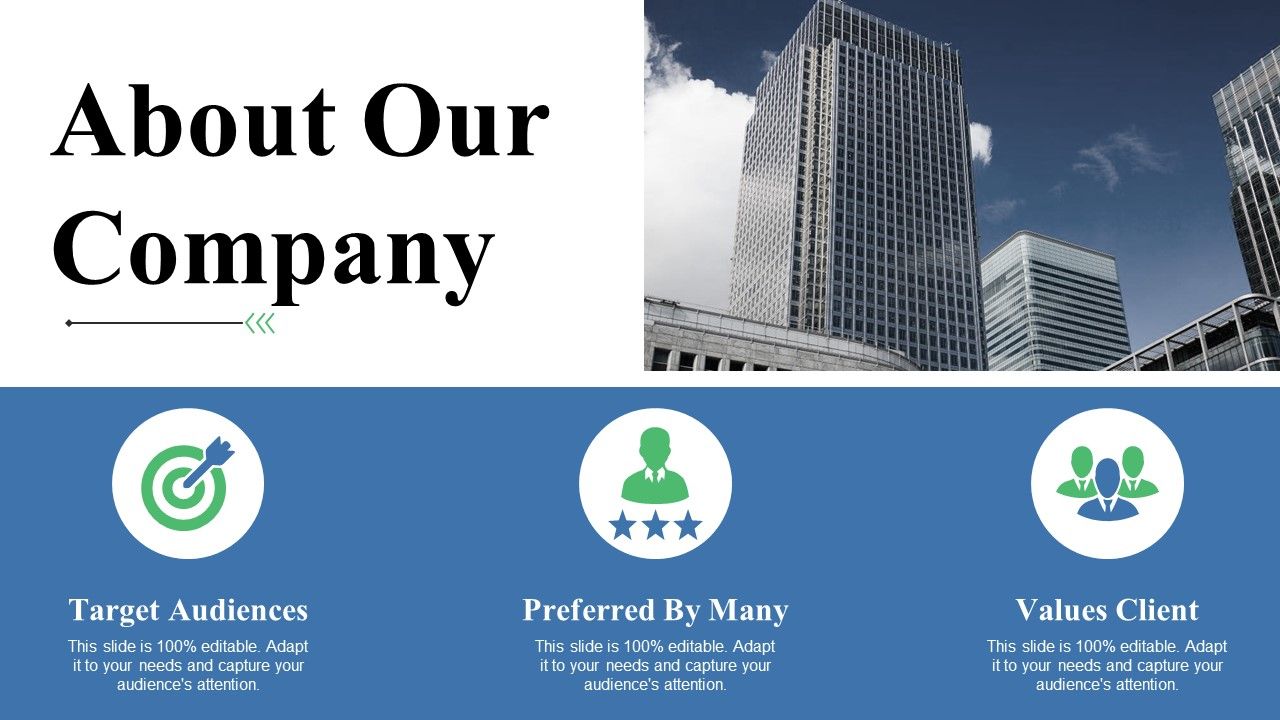
Folie 24 : Dies ist eine Folie über unser Unternehmen. Geben Sie hier Team-/Firmenspezifikationen usw. an.
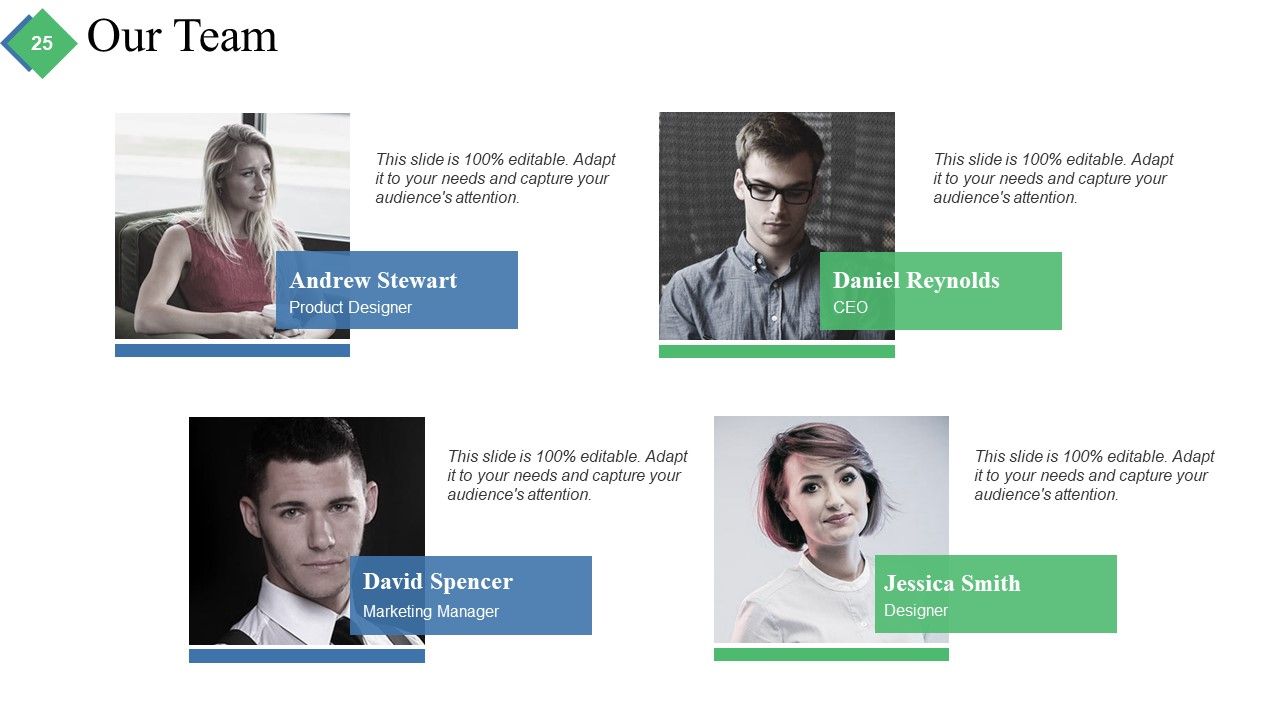
Folie 25 : Dies ist die Folie unseres Teams mit Bildfeldern zum Ausfüllen von Name und Bezeichnung.
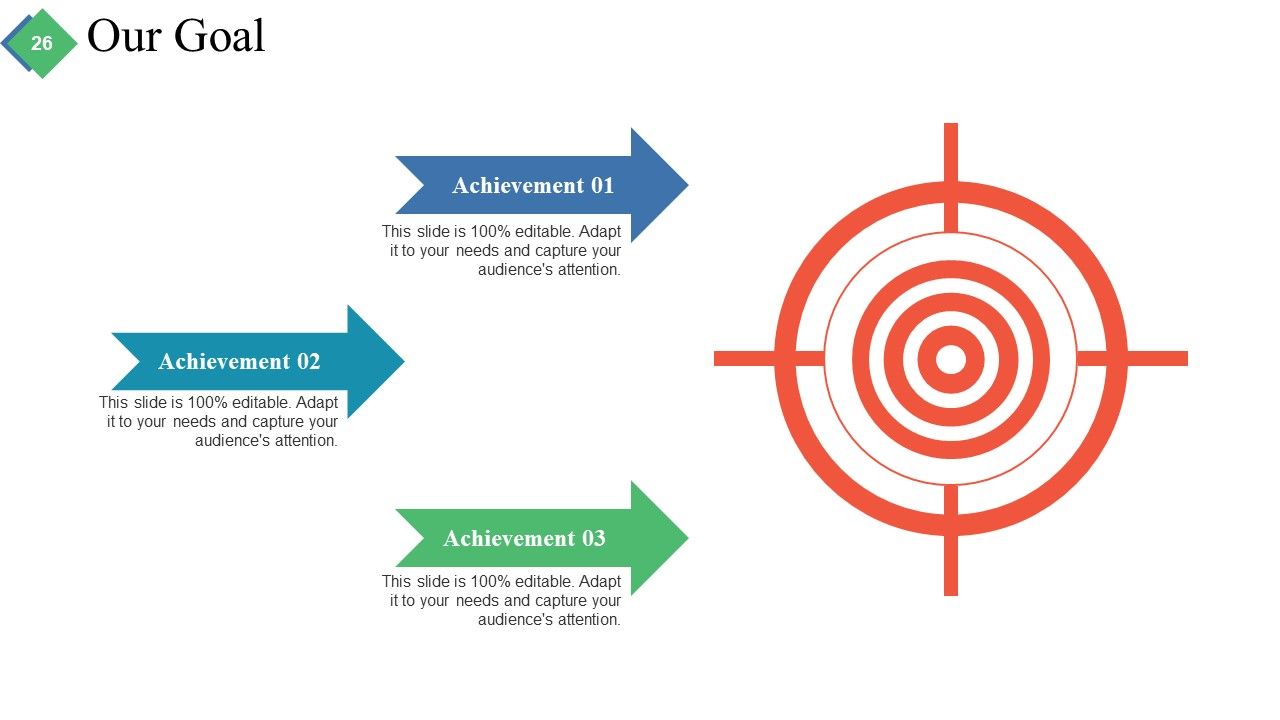
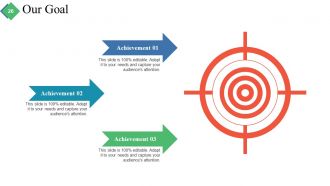
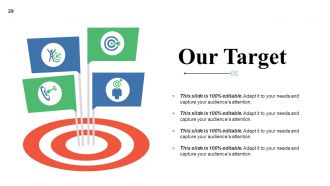
Folie 26 : Dies ist die Folie „Unser Ziel“. Staatsziele etc. hier.
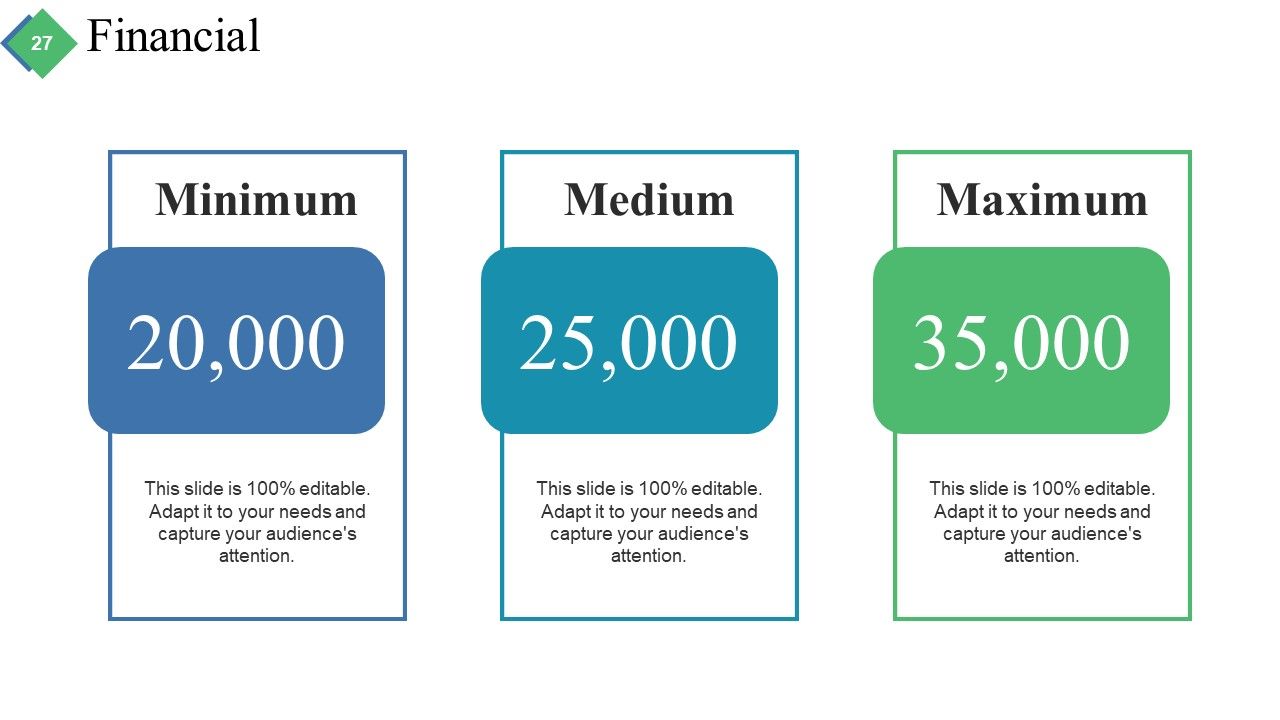
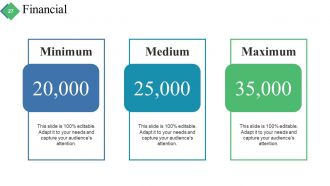
Folie 27 : Dies ist eine Folie zum Finanzergebnis. Staatsfinanzielle Aspekte etc. hier.
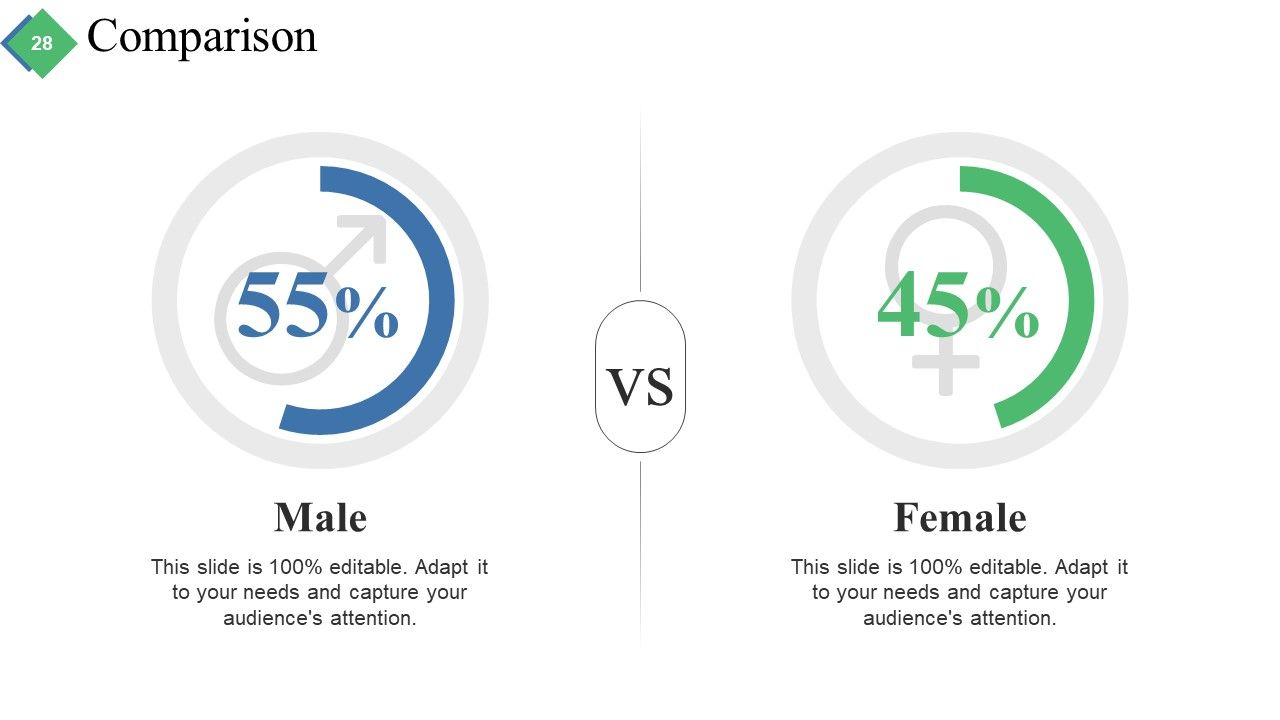
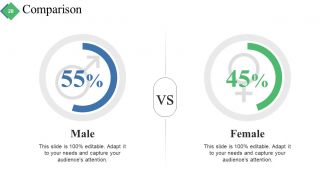
Folie 28 : Dies ist eine Vergleichsfolie zum Vergleich von Produkten/Entitäten usw.
Folie 29 : Dies ist unsere Zielfolie. Geben Sie sie hier an.
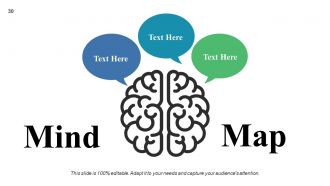
Folie 30 : Dies ist eine Mind Map-Folie, um Informationen, Spezifikationen, Trennung usw. anzuzeigen.
Folie 31 : Dies ist eine Dankesfolie mit Adresse# Hausnummer, Stadt, Bundesland, Kontaktnummern, E-Mail-Adresse.
Projekt-Kurzzusammenfassung Powerpoint-Präsentationsfolien mit allen 31 Folien:
Sorgen Sie mit unseren Powerpoint-Präsentationsfolien für die Projektzusammenfassung für Aufsehen. Ihre Ideen werden eine gesunde Debatte auslösen.
FAQs for Project Brief Summary
You need the basics first - what you're doing, who it's for, timeline with milestones, and budget limits. Stakeholder contact info is huge too (seriously, you'll be scrambling for approvals later without it). Include any brand guidelines or tech specs that might bite you halfway through. The whole thing should nail down "what, why, who, when, and how much" so nobody's confused. Oh and keep it short - like 1-2 pages max. People won't read a novel, trust me. Cover your deliverables too so expectations are crystal clear from the start.
Think of a project brief as your "receipts" folder - it saves your butt later. Document everything upfront: goals, timeline, budget, what you're actually delivering. Get stakeholders to sign off on it in writing (trust me on this one). When someone inevitably says "wait, I thought we were doing something completely different," you can pull out that brief and be like "nope, here's what we all agreed on." It stops scope creep dead in its tracks. Yeah, it feels like extra work at the beginning, but you'll thank yourself when things get messy.
Ugh, the worst thing you can do is be super vague about your goals. Like saying "make it better" tells nobody anything useful. Get specific and measurable instead. Also don't promise crazy deadlines just because your boss wants them - you'll hate yourself later. Budget limits and tech constraints? Yeah, write those down too or you'll forget them exist. Define what success actually looks like upfront. Trust me on this one. Scope creep is real and brutal. Spend that extra hour being clear about boundaries now. Otherwise stakeholders will definitely hit you with "one tiny addition" that's never actually tiny.
Look, nobody wants to read a wall of text - I sure don't when I get those monster project briefs. Charts and timelines are lifesavers because they actually show scope and deadlines at a glance. Your stakeholders will thank you. Even simple stuff works: flowcharts for processes, mockups for what you're building, bullet points with little icons. People get visuals way faster than paragraphs, and honestly? It catches problems early when everyone's looking at the same diagram. Just throw in one timeline or chart next time - you'll see the difference immediately.
Honestly, you've gotta figure out your audience before writing anything else - it changes everything. Like, your CEO just wants the big picture and budget stuff, but your dev team needs all the technical details and deadlines. Same project, completely different angles. I learned this the hard way when I once sent way too much detail to executives who clearly didn't care about the nitty-gritty. Without knowing who's reading it, you'll either bore people with irrelevant info or leave them confused. Quick tip: list out who's gonna read it first, then figure out what each person actually needs to know.
Dude, seriously - spend that extra hour writing a proper project brief. I know it feels like busywork, but it saves so much headache later. You'll have goals, timelines, who's doing what, all spelled out clearly. No more of those painful standup meetings where everyone's staring at each other like "I thought YOU were handling that." Trust me, I've watched projects completely fall apart because nobody bothered to define what "done" actually meant. The brief becomes your go-to reference when things get messy (and they always do). Your team will actually know what they're working toward instead of just winging it.
Honestly, one-on-one interviews are your best bet - people are way more honest when they're not worried about looking stupid in front of others. Surveys are clutch if you've got tons of stakeholders and need quick feedback. Focus groups can be amazing since ideas tend to snowball, but they're also kinda unpredictable. Workshops work well for the brainstormy stuff. Oh, and stakeholder mapping is useful for visualizing who thinks what. I'd pick maybe 2-3 of these depending on your timeline. Mixing different approaches usually gives you the full story instead of just one angle.
Check your project brief whenever big stuff happens - scope changes, budget shifts, new stakeholders throwing curveballs. End of each phase is the bare minimum, but honestly? Treat it more like a living doc. If you're constantly saying "oh wait, that's changed since we wrote this," time for an update. The brief needs to match what's actually happening, not your wishful thinking from months ago. I set a monthly calendar reminder for mine (sounds nerdy but whatever, it works). Your project will stay way more on track.
So a project brief is like your elevator pitch on paper - you're trying to sell the idea and get people excited. Once that's approved, then you write the charter, which is where all the boring but necessary stuff lives: who's doing what, when things are due, how you'll know if you succeeded. Honestly, I've seen charters that are like 20 pages long. Briefs are usually way shorter - maybe 3-4 pages max. Don't stress about the charter yet though. Get your brief solid first because there's no point planning execution for something that might not even get the green light.
Think of your project brief as boundary control - it spells out what you're doing and what you're NOT doing right from the start. Honestly, stakeholders will try to sneak in extra stuff constantly. When they do, just point to the brief and go "nope, that's a change request conversation." Your team won't drift into random nice-to-have features either. The trick is being super specific so there's zero wiggle room on what the boundaries actually are. I always keep mine pulled up during meetings because you'll need it way more than expected.
Honestly, just do a one-page summary with the basics - scope, timeline, budget, success metrics. Most people won't read past that anyway, so nail those key requirements and constraints upfront. Bullet points are your friend for deliverables and milestones. Way easier to scan. If there's multiple phases, throw in a simple timeline visual - doesn't have to be fancy. Keep it under 300 words max. Oh, and don't forget contact info at the bottom! You'll definitely need it later when someone asks you to explain everything again five minutes before a meeting.
Look, your project brief is basically your money map - it tells you exactly what you're dealing with before you start throwing cash around. I learned this the hard way on a project that went completely sideways last year. The brief shows you what skills you need, how many people, timeline stuff, all that. Plus it keeps everyone on the same page about costs upfront. Short version? The more detailed your brief, the fewer nasty budget surprises you'll get hit with later. Trust me, spending time on it now beats scrambling to find extra money when you're halfway through.
Start with the "so what" - what you're doing and why anyone should care. Bullet points are your friend for requirements and deliverables. Dense paragraphs? Nobody's got time for that. Keep it to one page max - trust me, people's attention spans are terrible. Include your success metrics and timeline, but ditch all that background stuff everyone already knows anyway. Honestly, that fluff just makes people's eyes glaze over. End with next steps and who's responsible for what. Your brief needs to answer three things: what we're doing, why it matters, and how we'll know if we nailed it. Should take under 5 minutes to read, tops.
Dude, templates are a game changer - Notion or Asana have solid ones you can just customize. No more starting from scratch every time. Real-time collaboration tools save you from that endless email back-and-forth (honestly the worst part of any project). AI writing tools help when you're totally blanking on how to phrase something. But here's what actually changed my life: proper version control. Remember those "final_final_v3" disasters? Yeah, never again. I'd start simple with just a template system first. You can always add more fancy stuff later once you've got the basics down.
Oh totally, cultural context changes everything when you're writing project briefs. Some audiences want super direct, no-fluff communication. Others expect formal language with tons of background detail - especially in cultures where hierarchy matters more. I bombed a project once because I didn't get this! Your brief might need extra approval stages too if consensus-building is big there. Don't forget practical stuff like local regulations and business norms. Pro tip: definitely have someone from that culture review it first. Even colors can mean different things, which sounds minor but... yeah, it matters.
-
Great presentation..
simply impressing -
Design layout is very impressive.
-
Design layout is very impressive.
-
I like the slides and examples.