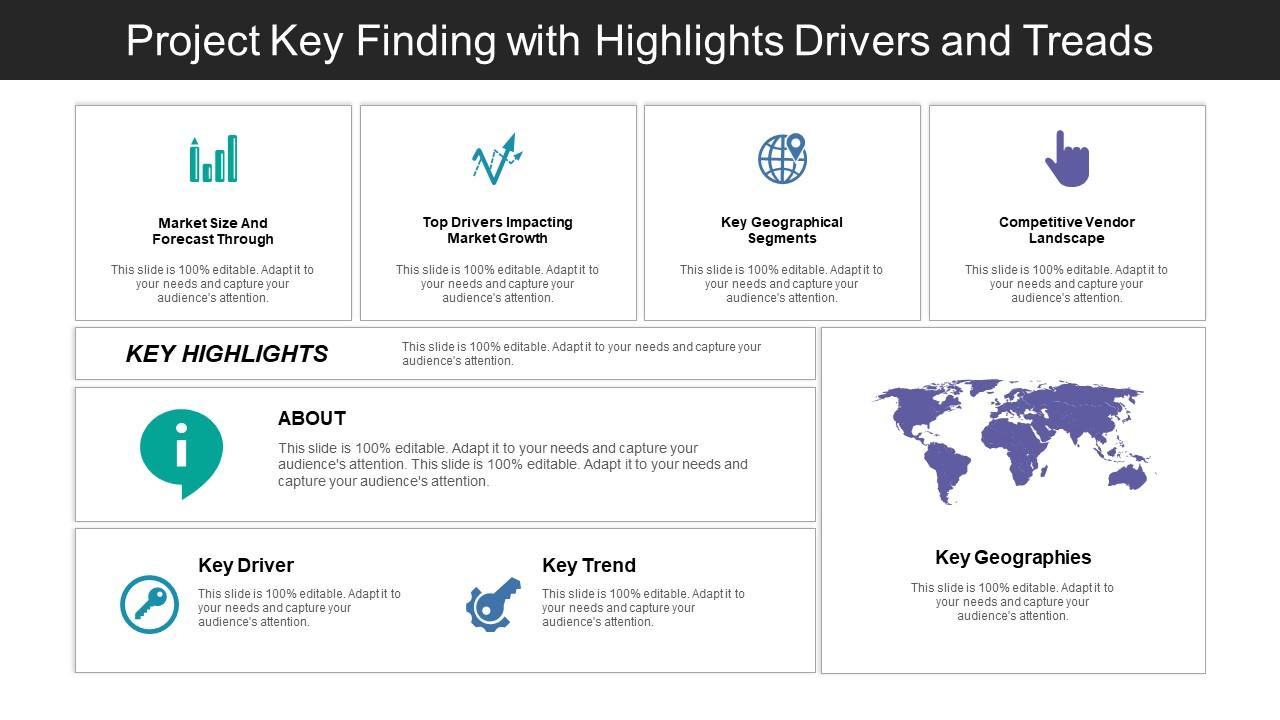
Projektschlüsselfindung mit Highlights-Treibern und -Treads

Rating:
90%
Slide 1 of 5
Favourites Favourites

Try Before you Buy Download Free Sample Product

Audience Impress Your
Audience
Editable 100%
Editable
Time Save Hours
of Time
The Biggest Sale is ending soon in
0
0
:
0
0
:
0
0
Rating:
90%

Merkmale dieser PowerPoint-Präsentationsfolien:

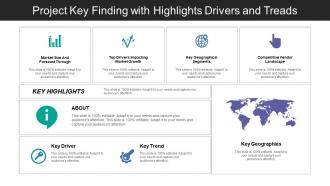
Diesen Foliensatz mit Namen präsentieren - Projektschlüsselfindung mit Highlights-Treibern und -Treads. Dies ist ein siebenstufiger Prozess. Die Phasen in diesem Prozess sind Key Findings, Key Achievements, Key Accomplishment.

People who downloaded this PowerPoint presentation also viewed the following :

FAQs for Project key finding with highlights

Templates are seriously a game-changer for projects. I used to waste so much time reformatting the same stuff over and over – total nightmare. Now I just plug in the new info and I'm done. Your stakeholders will love the consistency too since they'll know exactly where to find what they need. Honestly, the formatting part used to stress me out more than the actual content sometimes. Build maybe 3-4 solid templates and tweak them for different audiences. You'll thank yourself later when you're not scrambling before every presentation.

Honestly, visuals are a game-changer for getting your point across. People's eyes just glaze over when you show them spreadsheets full of numbers. But a good chart? They'll actually pay attention. Bar charts work great for comparing stuff, line graphs show trends over time, pie charts for breaking down percentages - you know the drill. The trick is figuring out your main point first, then picking whatever visual tells that story best. I learned this the hard way after watching executives zone out during a presentation where I dumped way too much raw data on them. Trust me, a clean dashboard beats a dense report every single time.

Honestly, visuals are a game-changer for presentations. People process images 60x faster than text, so your stakeholders actually get what's happening with your project instead of glazing over during your explanations. Non-technical people especially love charts and dashboards - they don't feel stupid when looking at data. I can still picture dashboards from projects years ago, but those boring bullet-point reports? Totally forgotten. Try swapping your next status table for a simple progress chart. You'll notice how much more people actually engage and ask questions during the meeting.

Start with an exec summary, then lay out the problem you tackled. Walk through your methodology and findings - but honestly, load it up with visuals because text-heavy slides are death. Include a "lessons learned" bit since stakeholders eat that up. Timeline context helps too, plus next steps with actual names attached. One slide, one main point - that's my rule. Otherwise people zone out fast. Oh, and don't forget supporting data for your key findings. You'll want charts or dashboards that actually tell the story instead of making people squint at spreadsheets.

So basically, every industry tweaks these templates differently depending on what their bosses actually care about. Tech teams obsess over sprint velocity and bug counts - you know how they are. Healthcare focuses on patient outcomes and compliance stuff since they're constantly getting audited. Manufacturing is all about production numbers and supply chain drama (which honestly makes sense). Financial companies? They live and breathe risk assessments and ROI tracking. The trick is figuring out which metrics actually matter for decision-making in your field instead of just throwing in random business buzzwords that don't mean anything.

Honestly, less is more with slides. Cramming tons of text or crazy animations just makes people tune out instead of focusing on your actual data. Match your template to the room - that fun colorful design might work for consumer stuff, but you'll look ridiculous presenting to executives. Stick with consistent colors throughout. Here's something I learned the hard way: always check how it looks printed in black and white because someone will definitely do that. Short sentences work. Keep fonts big enough that people in the back can actually read them. Start simple, then tweak based on who you're presenting to.

So basically, just grab a template that's kinda close to what you want and start tweaking it. Swap out chart types, mess with the data fields, whatever. For tech people, throw in the detailed metrics and fancy charts - they eat that stuff up. But executives? Keep it simple with bullet points and clear next steps. Oh, and definitely change the language to match your company's vibe. Nothing worse than corporate speak that doesn't fit your culture. You can add sections, delete the useless parts, totally rearrange the layout. It's pretty flexible once you start playing around with it. Way easier than building from scratch.

Dude, storytelling makes such a huge difference in project presentations. People zone out when you just throw data at them - I've watched so many eyes glaze over during those boring bullet point marathons. But frame it as a story? Suddenly everyone's paying attention. Walk them through what problems you hit, how you tackled them, what you actually accomplished. It's way easier for stakeholders to get why your work mattered when there's a real narrative connecting everything. Trust me, "here's our journey" beats "here are our deliverables" every single time.

Your design choices totally matter for how people receive your data - it's not just about looking pretty. Dark themes make everything feel more serious and techy. Lighter colors? They scream approachable and upbeat. Bold sans-serif fonts hit you with urgency and clarity, while serif adds that credibility factor (though it might slow people down a bit). Honestly, I've watched solid insights get completely blown off because someone used Comic Sans - and yes, that actually happened. Match your visuals to what your audience expects. Also, don't let your font choice become the main character when your data should be the star.

Honestly, just pick from PowerPoint, Google Slides, or Canva. Google Slides is clutch if your team needs to edit stuff together - no more emailing versions back and forth. PowerPoint's still the gold standard for that polished corporate look though. But Canva? Game changer. Even people with zero design skills can make stuff that doesn't look like garbage. They all let you save templates for the whole team to use. My advice is start with whatever you're already using at work, then build out 2-3 solid templates with your company branding. Way easier than starting from scratch every time.

Honestly, shared templates are a game changer for presentations. No more "which version are we using" drama, and everyone's slides actually look cohesive instead of like a Frankenstein deck. Your team can just jump into their sections - maybe Jake does the numbers while you handle strategy stuff. Starting from scratch every time is exhausting, right? With 2-3 solid templates ready to go, you'll cut your prep time way down. The branding stays consistent too, which clients definitely notice. I swear it eliminates so much of that last-minute scrambling before big meetings.

Honestly, just pick 3-4 metrics that actually matter. Timeline stuff is solid - did you hit your deadlines? Budget performance always looks good too. I'd definitely include something about team productivity or quality improvements like defect rates. Customer satisfaction scores work if you have them. The trick is finding that one killer stat that makes people go "damn, really?" Like if you cut processing time in half or saved the company 50k, lead with that. Don't go overboard with too many numbers though - people's eyes glaze over. Just make sure whatever you pick connects back to what you were originally trying to accomplish.

Honestly, your template design makes a huge difference in what people actually remember. Clean layouts help way more than you'd think - cluttered slides just confuse everyone. Use good contrast and readable fonts so people aren't squinting at your text. I once saw this amazing presentation totally bomb because the guy used bright yellow text on white backgrounds. Seriously painful. Keep things simple and consistent so your audience can focus on what you're saying instead of trying to decode your slides. Simple designs = your points actually stick.

Interactive dashboards are huge right now, plus everyone's obsessed with data storytelling - like actually building narratives instead of just showing charts. Modular templates you can swap around are pretty smart too. Motion graphics that reveal stuff gradually? Way better than overwhelming people with everything at once. Dark mode is literally everywhere (getting kinda tired of it but whatever). AI design suggestions that change based on your data type are actually helpful. Oh, and focus on templates that tell a story through your data. That's where the magic happens. Try one interactive thing first and see how people react.

So basically, after each presentation, ask your audience and team what worked and what didn't. I always do three quick questions - keeps it simple. You'll start noticing weird patterns, like people always getting confused on slide 6 or whatever. Then actually fix those issues in your template. Maybe add more explanation, switch up the order, or pad your timing. The trick is testing if your changes actually help (most people skip this part tbh). It sounds boring but honestly? Once you get into the rhythm of tweaking and improving, your templates get so much better. Way less stress too.

Ratings and Reviews

90% of 100
Review Form
Write a review
Most Relevant Reviews
  1. 80%

    by Chong Richardson

    Presentation Design is very nice, good work with the content as well.
  2. 100%

    by Coy Wallace

    Colors used are bright and distinctive.

2 Item(s)

per page: