

Project planning lifecycle scope and schedule powerpoint presentation slides





Try Before you Buy Download Free Sample Product
 Impress Your
 Audience
 100%
100% Editable
 Save Hours
 of Time


Project planning is the key to success for any business and if you are in-charge for giving a presentation related to this, then you need not to worry. As our expert team has come up with 60 slides content-ready Project Planning Lifecycle Scope And Schedule PowerPoint Presentation Slides. That will assist you to in achieving your goal with comfort. This project life cycle examples PPT show covers many slides like our mission, our team, project planning process, dimensions of project planning, elements of project life cycle, types of projects, project objectives and scope, project lifecycle phases, critical project management and many more. Moreover, you will also get enlightened to slide designs like agenda, project planner, activity planning chart, weekly and yearly scheduler, task status dashboard, work process, project team management, potential delays in execution, project budgeting and various types of other slides and diagrams. This visually impactful PPT deck is fully editable and you can make any change as per your need and preference. Beforehand planning reduces uncertainty and prepares you for the execution, so it is essential to plan your project well. Download Project Planning Lifecycle Scope And Schedule PowerPoint Presentation Slides in order to execute the task successfully. Simply ditch the stress by planning a project quickly. Considering this we have come with a readymade PowerPoint slide deck to assist professionals in conceptualizing engaging PowerPoint presentations. Project planning as a conceptual proposal is a part of project management and it involves numerous procedural steps. Addressing all such significant steps in this PPT sample we have incorporated PowerPoint templates like project planning process, elements of project lifecycle, types, scope and project objectives. Business professionals from all dimensions i.e. sales, marketing, promotions, strategy can download this PPT sample.
People who downloaded this PowerPoint presentation also viewed the following :
Content of this Powerpoint Presentation
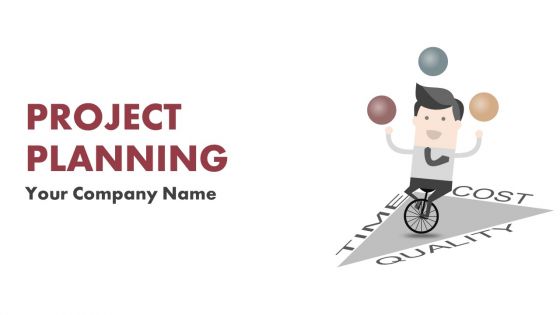
Slide 1: This slide introduces Project Planning. State Your Company Name and get started.
Slide 2: This is an Agenda slide. State your agendas here.
Slide 3: This slide shows Our Mission accompanied with Vision. State them here.
Slide 4: This is Our Team slide with image boxes and text box.
Slide 5: This is an About Us slide. State company/team specifications here.
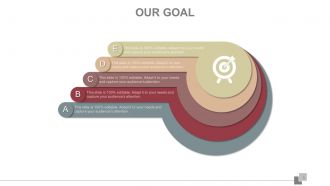
Slide 6: This is Our Goal slide. State goals here.
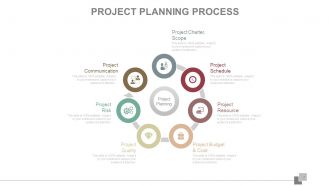
Slide 7: This slide presents Project Planning Process with the following subheadings- Project Charter & Scope, Project Resource, Project Budget & Cost, Project Quality, Project Risk, Project Schedule, Project Communication.
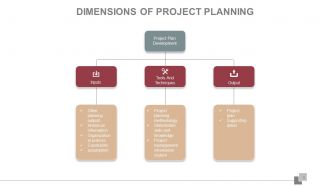
Slide 8: This slide presents Dimensions of Project Planning with the subheading Project Plan Development divided into three parts- Inputs, Output, Tools And Techniques.
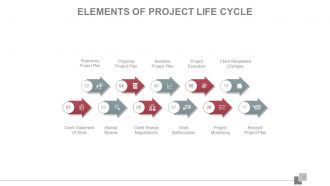
Slide 9: This slide showcases the Elements Of Project Life Cycle with the following constituents- Preliminary Project Plan, Proposal Project Plan, Baseline Project Plan, Project Execution, Client Requested Changes, Client Statement Of Work, Internal Review, Client Review Negotiations, Work Authorization, Project Monitoring, Revised Project Plan.
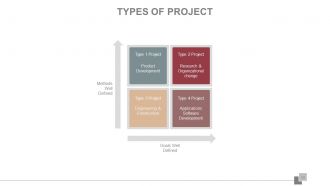
Slide 10: This is a Matrix slide for Types of Project in terms of- Methods Well Defined, Goals Well Defined.
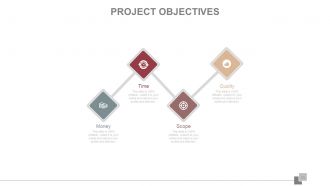
Slide 11: This slide presents Project Objectives listed in terms of- Money, Time, Scope, Quality.
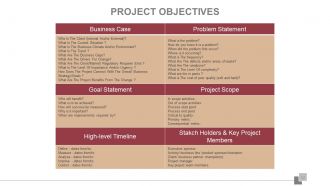
Slide 12: This slide also presents Project Objectives listed differently.
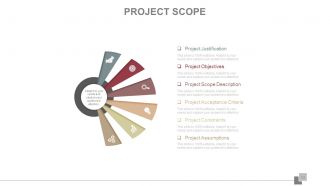
Slide 13: This slide showcases Project Scope including the following points- Project Justification, Project Objectives, Project Scope Description, Project Acceptance Criteria, Project Constraints, Project Assumptions.
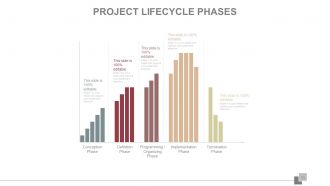
Slide 14: This slide shows the different Project Lifecycle Phases- Conception Phase, Definition Phase, Programming / Organizing Phase, Implementation Phase, Termination Phase.
Slide 15: This slide also shows the different Project Lifecycle Phases.
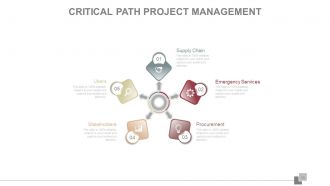
Slide 16: This slide showcases Critical Path Project Management showing- Users, Supply Chain, Emergency Services, Procurement, Stakeholders.
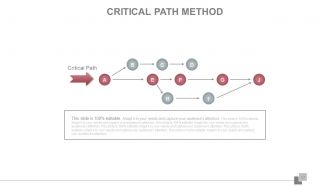
Slide 17: This slide is a diagrammatic presentation of Critical Path Method.
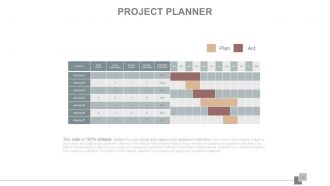
Slide 18: This slide displays a Project Planner. Plan, Act or make important decisions using this slide.
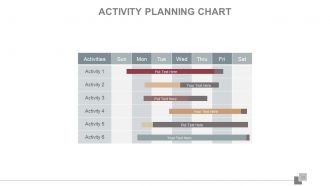
Slide 19: This slide displays Activity Planning Chart. Plan, Act or make important decisions using this slide.
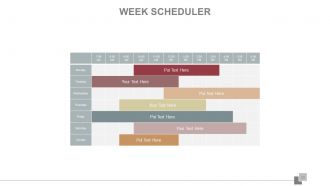
Slide 20: This slide presents a Week Scheduler. Show weekly plans or make important decisions using this slide.
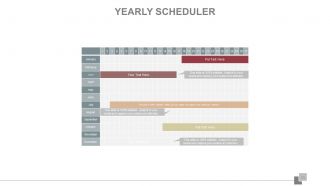
Slide 21: This slide presents a Yearly Scheduler. Show yearly plans or make important decisions using this slide.
Slide 22: This slide presents a Project Tasks Status Dashboard showing- Complete Tasks, Tasks In Progress, Not Started Tasks.
Slide 23: This slide showcases a Work Breakdown Structure.
Slide 24: This slide shows Stages Of Project Planning. The listed stages are- Starting the Project, Organizing and Preparing, Carrying out the Work, Closing the Project.
Slide 25: This slide shows Work Process displaying- Assessment, Evaluation, Deciding Outcomes, Intervention, Planning.
Slide 26: This slide shows Project Team Management. State steps, framework etc.here.
Slide 27: This slide shows Project Planning And Scope in terms of months. The constituents are- Concept, Reference , Plan draft, Project plan.
Slide 28: This slide presents a Project Timeline. State important milestones here.
Slide 29: This slide displays a Project Schedule in terms of months.
Slide 30: This slide presents Concept Development with the following constituents- Installation, Packaging, Features, Brand Name, Quality, Styling, Develop And Credit, After Sales Service, Core Benefits Or Services, Core Product, Augmented Product, Actual Product.
Slide 31: This slide shows an Activity Network Diagram. Show your tasks' start and end point here.
Slide 32: This slide displays Potential Delays In Execution. The listed points are- Misalignment Between Projects And Their Business Objectives, Late Or Delayed Projects, Dependency Conflicts, Execution Difficulties, Overlapping And Redundant Projects, Unrealised Business Value, Diffuse Decision Making, No Accountability, Fragmentation, Resource Conflicts.
Slide 33: This slide presents Risk Identification with the following subheadings- Identify (What Risk Do We Have ?) Monitor (Manage Accountability) Analyze (What Are The Impacts?) Manage (Define The Steps) Improve (Streamline & The Process) Report (Ensure Performance & Visibility)
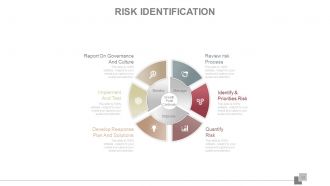
Slide 34: This slide showcases Risk Identification in terms of Monitor, Manage and Improve. The points listed are- Review risk Process, Identify & Priorities Risk, Quantify Risk, Develop Response Plan And Solutions, Implement And Test, Report On Governance And Culture, Growth Profit Continuity.
Slide 35: This slide presents a Risks To Project Matrix.
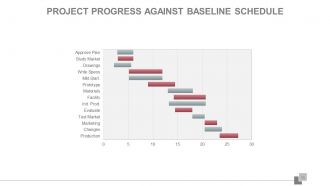
Slide 36: This slide presents Project Progress Against Baseline Sschedule in Gantt chart form.
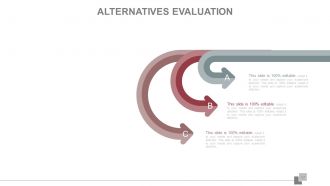
Slide 37: This slide presents Alternatives Evalaution for the project.
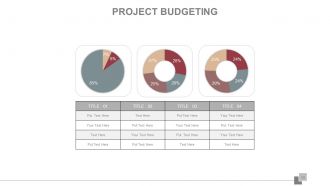
Slide 38: This slide showcases Project Budgeting in Pie Chart form.
Slide 39: This is a Post It slide showcasing- Network Analysis, Work Style Analysis, Evaluation Improvement Plan, Discover Information, Handy Hashtags.
Slide 40: This is a NewsPaper slide to show news, events etc.
Slide 41: This is a Puzzle image slide to show information, specifications etc.
Slide 42: This is a Target slide showcasing- Finance Supporting, Marketing, Finance Supporting sales, Finance Supporting Service, Develop sales strategy.
Slide 43: This slide showcase a Circular image with the following points- Cost Structure, Revenue Flows, Partner Network, Client Relationship, Product Manager, Value Proposition, Communication Planning.
Slide 44: This slide shows a Venn Diagram image with the following points- Innovative Business Models, Leadership Skills, Strategy.
Slide 45: This slide presents a Mind Map. State information, specification etc. here.
Slide 46: This slide presents a Matrix with the following factors- Managing R&D In A Global World, Building Leveraging Competences, Building Seamless Innovation Processes, Rethinking Technology Management, Changing Culture And Values In R&D, Managing For R&D Efficiency, Linking g Technology To Business in terms of Importance Level.
Slide 47: This is a Lego Box image slide with the following content- Global Training, Training By Rank, People Training.
Slide 48: This slide presents a Silhouettes image with the following points- Work Plan, Sales Reports, Call Reports, Marketing Plan, Source Of Information.
Slide 49: This slide presents a Hierarchy showing- Product, Purchase, Customer, Price list schema.
Slide 50: This slide shows a Bulb/Idea image with the following content- Strategy, Analyze, Invest, Manage.
Slide 51: This is a Finiacial Scores slide. State financial aspects etc. here.
Slide 52: This is a Quotes slide to show company message, beliefs etc.
Slide 53: This slide showcases a Dashboard. State information description etc. here.
Slide 54: This is a Location slide to show global presence, growth etc.
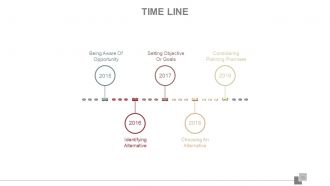
Slide 55: This is a Timeline slide with the following points as milestone examples- Identifying Alternative, Choosing An Alternative, Being Aware Of Opportunity, Setting Objective Or Goals, Considering Planning Premises.
Slide 56: This slide showcases a Magnifying Glass image. State factors of- Growth, Loyalty, Success, Sales, Customer etc. here.
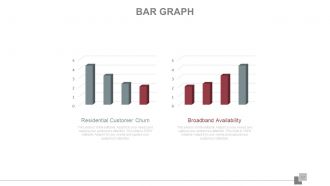
Slide 57: This is a Bar Graph slide showing- Broadband Availability Residential Customer Churn. State factors like these here.
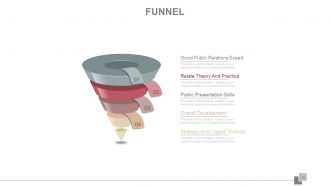
Slide 58: This slide showcases a Funnel image. Some listed examples in funnel form are- Good Public Relations Expert, Relate Theory And Practice, Public Presentation Skills, Overall Development, Strategic And Logical Thinking.
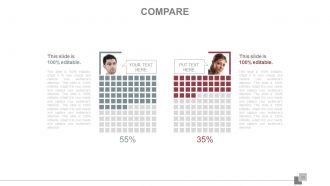
Slide 59: This is a Compare slide with image box, text boxes to compare entities etc.
Slide 60: This is a Thank You slide with social media icon imagery. State contact, social media specifications etc. here.
Project planning lifecycle scope and schedule powerpoint presentation slides with all 60 slides:
Our Project Planning Lifecycle Scope And Schedule Complete Powerpoint Deck are designed for flexibility. Adapt to ever evolving demands.
-
Project Planning
-
Agenda Slide
-
OUR MISSION
-

Our Team
-
About Us
-
OUR GOAL
-
Project Planning Process
-
Dimensions of Project Planning
-
Elements of Project Life Cycle
-
TYPES OF PROJECT
-
PROJECT OBJECTIVES
-
PROJECT OBJECTIVES
-
PROJECT SCOPE
-

PROJECT LIFECYCLE PHASES
-
PROJECT LIFECYCLE PHASES
-
Critical Path Project Management
-
Critical Path Method
-
Project Planner
-
Activity Planning Chart
-
Week Scheduler
-
Yearly Scheduler
-
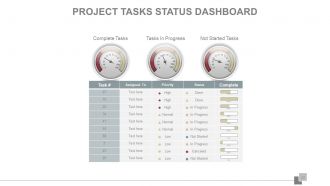
Project Tasks Status Dashboard
-
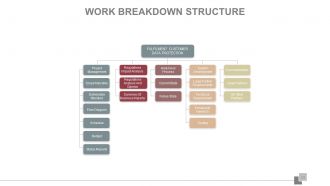
Work Breakdown Structure
-
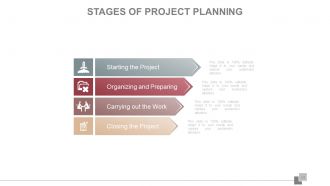
Stages of Project Planning
-
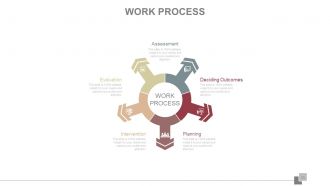
Work Process
-
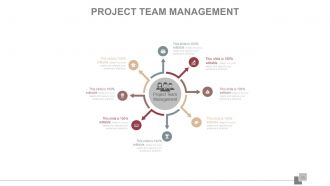
PROJECT TEAM MANAGEMENT
-
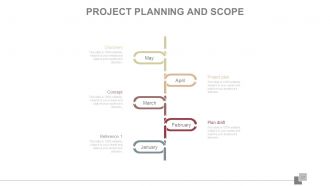
Project Planning and Scope
-
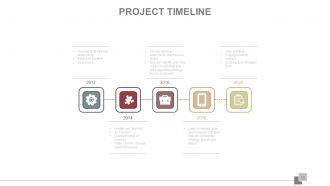
Project Timeline
-
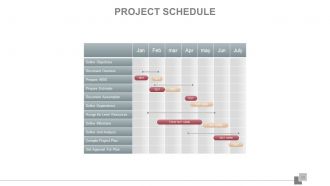
PROJECT SCHEDULE
-
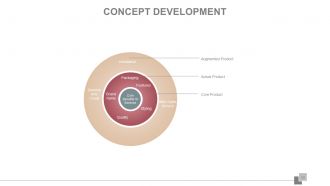
Concept Development
-
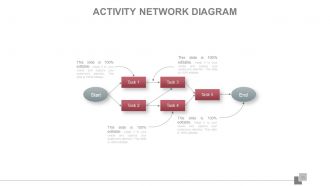
Activity Network Diagram
-
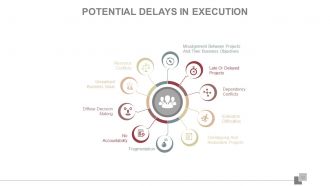
Potential Delays in Execution
-
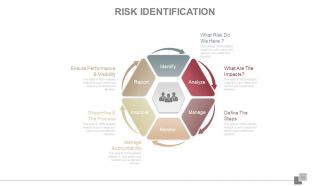
Risk Identification
-
Risk Identification
-

Risks to Project
-
PROJECT PROGRESS AGAINST BASELINE SCHEDULE
-
Alternatives Evaluation
-
Project Budgeting
-
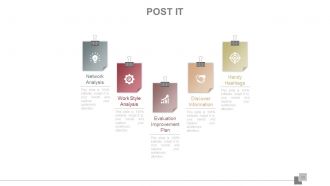
Post It
-
News Paper
-

Puzzle
-
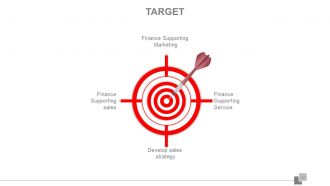
Target
-
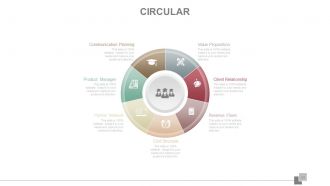
Circular
-
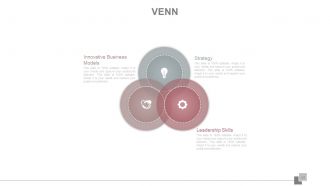
Venn Diagram
-
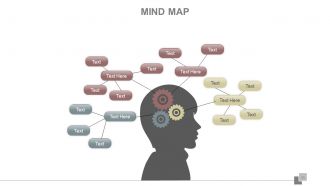
Mind Map
-
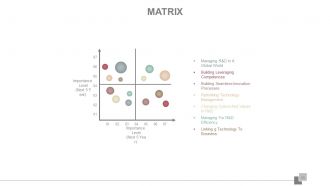
Matrix
-
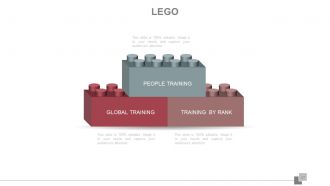
LEGO
-
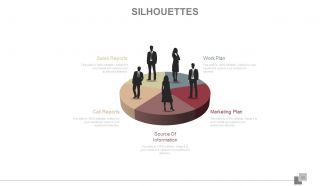
Silhouettes
-
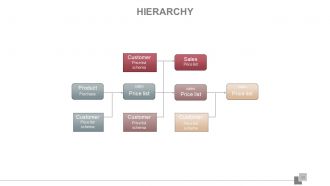
Hierarchy
-
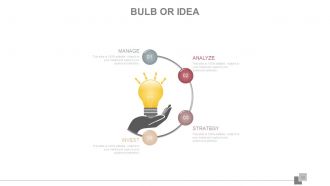
BULB OR IDEA
-
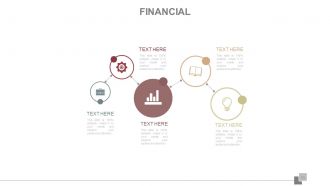
Financial
-
Quotes
-
Dashboard
-
Location
-
Timeline
-
Magnify
-
Bar Graph
-
Funnel
-
Compare
-

Thank You Slide
FAQs for Project planning lifecycle scope and schedule
So there's five main phases: initiation, planning, execution, monitoring, and closure. First you define scope and objectives, then map out timelines, resources, budgets - all that fun stuff. Execution is where the real work happens (and where most projects either crush it or completely fall apart). You'll track progress during monitoring and deal with whatever fires come up. Closure wraps everything - documenting lessons learned, celebrating if you survived. Honestly? Don't skimp on planning time. I know it's boring, but trust me, it saves you from wanting to throw your laptop out the window later.
Honestly, stakeholder analysis is a lifesaver because it shows you who actually matters before you're scrambling later. Map out everyone who could mess with your project or get affected by it. Then figure out who has real power vs. who just talks a lot. I've watched projects crash because someone ignored a random VP who got pissed about being left out. Plot people on one of those power/interest grids - sounds nerdy but it works. You don't want to waste time babying low-influence people while your actual champions feel ignored. Get this right early and you'll dodge so many headaches.
Start with mapping out all your tasks in a work breakdown structure, then throw them into a Gantt chart so you can see how everything connects. Critical Path Method is honestly a lifesaver - helped me spot bottlenecks before they became disasters on my last project. Microsoft Project works if you're dealing with something complex, but Asana or even Excel can handle simpler stuff just fine. Always build in buffer time because things will go sideways. Oh, and definitely get your team involved in the time estimates instead of guessing yourself - they actually know how long stuff takes.
Start with a basic risk register when you're defining scope, then expand it as you build out your work breakdown structure. Do a quick brainstorming session with your team early - honestly, people catch potential issues right away that you'd never think of alone. Factor buffer time into your estimates for the high-probability stuff. Map out contingency plans for your biggest threats while you're still planning, not scrambling later. The key is treating your risk document like it's alive - it should grow alongside your project plan. Trust me, future you will thank present you for this.
Honestly, scope definition can totally make or break your project. It's like the foundation - everything builds from there. Get crystal clear on what's included (and what's definitely not), and you'll dodge scope creep while keeping stakeholders happy. Your team gets a real target instead of wandering around confused. Time and budget estimates become way more solid too. I swear, half the failed projects I've seen started with mushy scope where nobody agreed on what "finished" actually meant. Yeah, it's boring upfront work, but write down your deliverables and boundaries. Trust me on this one.
Break your project into detailed chunks first - you need to see what each piece actually requires. Historical data from past projects is gold for this stuff. Always pad your estimates with 10-20% extra time and resources because trust me, something will go wrong. Your team leads are gonna know way more about realistic effort than you do, so ask them. I learned this the hard way on my last project when I totally underestimated testing time. Keep reviewing your resource allocation as things change - and they will change. Conservative estimates + obsessive tracking = your sanity intact.
Dude, communication planning will literally save your sanity. Map out who needs to know what right from the start - trust me on this one. I've watched projects implode because someone forgot to loop in the right people. Short updates work better than those novel-length emails nobody reads anyway. The worst is when your client finds out about problems through the grapevine instead of you. That's just awkward for everyone. Set expectations early about how often you'll check in and stick to it. Prevents so much drama down the road.
Think of budgeting as your financial GPS for the project. Break everything down into smaller chunks first - way easier than trying to guess the whole thing. You'll need to estimate costs for salaries, software, all that stuff, then actually track where the money goes. I've watched projects completely implode because people skipped this part and boom - no cash left for the important bits. Your stakeholders will bug you constantly about spending anyway, so having a solid budget ready saves you headaches. Honestly, it's one of those boring tasks that'll save your butt later.
Honestly, these tools are game-changers for keeping projects from turning into total chaos. You'll actually know who's supposed to do what and when stuff's due. Slack or Asana work great - anything that stops those awkward "wait, wasn't someone else doing this?" conversations. The cool part is seeing how tasks connect to each other, so you can shift deadlines without everything falling apart. I'd say pick something that does both messaging and task tracking (saves you from juggling multiple apps). Once your team gets the hang of it, you can always add more features later.
So scope creep is your biggest enemy - track how often requirements shift around. I'd also watch budget variance and whether you're hitting deadlines. Your estimation accuracy matters too - how close are your guesses to reality? Resource allocation gets messy fast. People get double-booked constantly and suddenly your "available" developer is swamped with three other projects. Super annoying but happens all the time. Don't sleep on stakeholder stuff either. When they drag their feet on decisions, everything stalls out. Set up some basic tracking for all this weekly - way better than discovering problems mid-project when it's too late to fix anything.
So here's the thing - stakeholder engagement is most intense during planning and closing, but what you're doing with them totally changes. At the start, you're pulling them into requirements and getting sign-offs. Then during execution (and honestly, this is where most PMs mess up), it's more about keeping everyone updated and managing what they expect. Near the end, they dive back in for testing and accepting deliverables. Don't treat every phase the same though. Map out how you'll engage them differently as things progress - like, create a plan that actually shifts with your timeline instead of staying static.
Oh man, the classics that'll get you every time: being way too optimistic with timelines, not planning for what could go wrong, and forgetting to actually get everyone on board first. Scope creep is brutal too - I swear it's like a disease that spreads if you don't set hard boundaries upfront. Here's what actually works: pad your estimates (seriously, double what you think), get your team involved so they don't hate the plan, and write down what's NOT included. That last part saves so much headache later. Also check in with people constantly - assumptions have a way of being completely wrong when you need them most.
Honestly, do this right after each project wraps up while everything's still fresh. Most teams totally skip this part - drives me crazy because then they just repeat the same screw-ups! Just document what went well, what sucked, and why it happened. Cover stuff like scope creep, resource problems, communication breakdowns, timeline issues. Put it somewhere searchable so you can actually find it later. Then - and this is key - actually look at these notes when you're planning the next project. Make it part of your regular process instead of something you'll "get to later."
So instead of planning everything upfront like traditional methods, Agile breaks things into short sprints. You adapt constantly. Way more flexible than those giant waterfall plans that go stale instantly - honestly, those are the worst. Focus on delivering actual working stuff quickly rather than perfect documentation. The big shift? You're always tweaking your roadmap based on feedback and what you learn. Oh, and constantly re-evaluating priorities. Try splitting your next project into 2-week chunks. Makes everything so much clearer, trust me.
Honestly, flexibility might be the most crucial thing for any project plan. Things WILL change - I've literally never seen one go exactly as planned. Scope creep happens, resources shift, stakeholders change their minds... it's just reality. So build in buffer time from the start. Set up regular check-ins where you can pivot if needed. Your plan should feel more like a living document that grows with the project, not some rigid rulebook. The best frameworks can bend when life hits them. Otherwise you're just setting yourself up for stress when (not if) things go sideways.
-
Much better than the original! Thanks for the quick turnaround.
-
Unique and attractive product design.
-
5