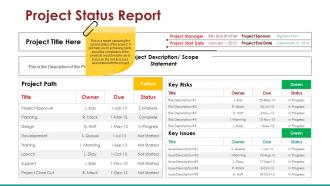
Project status report presentation visuals
Try Before you Buy Download Free Sample Product
Audience
Editable
of Time
Open up your world with our Project Status Report Presentation Visuals. Take a trip you will never forget.
People who downloaded this PowerPoint presentation also viewed the following :
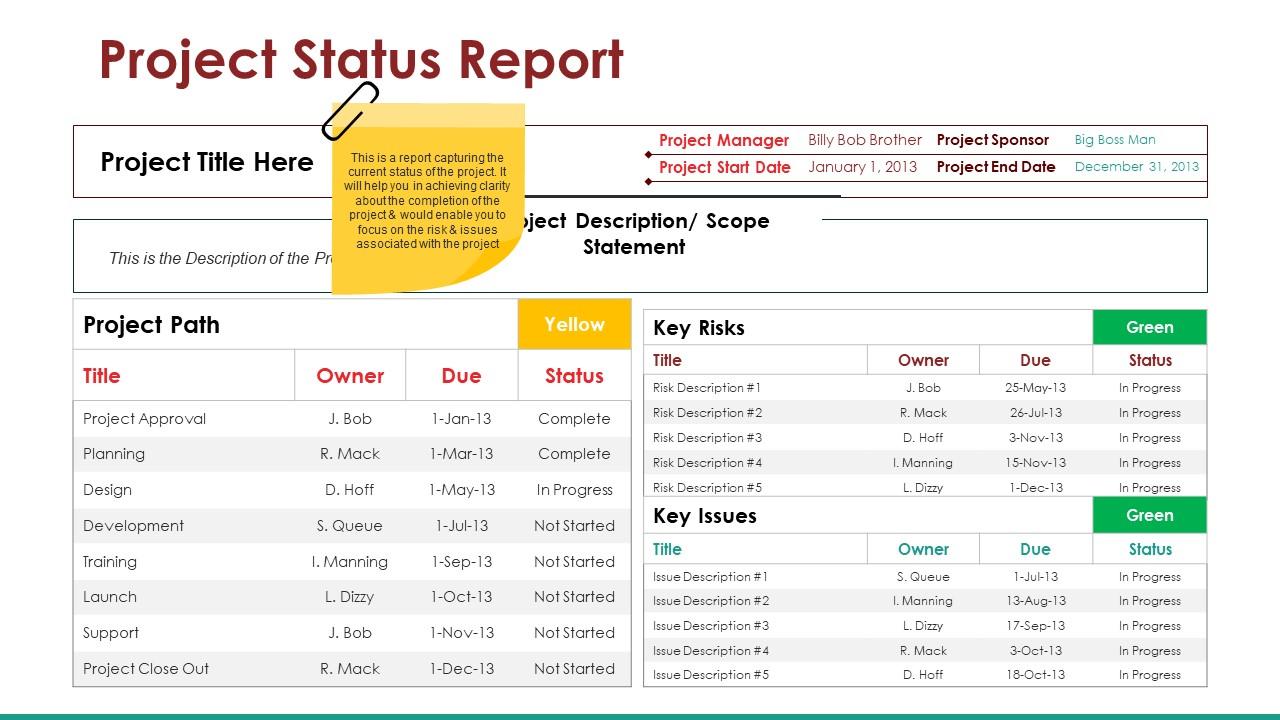
Project status report presentation visuals with all 5 slides:
Keep a firm grip on your thoughts with our Project Status Report Presentation Visuals. Don't allow focus to drift.
FAQs for Project status
Gantt charts are probably your best bet for milestones - they show everything laid out with dependencies and dates. Kanban boards are solid too if your team likes moving cards around (which honestly feels weirdly satisfying). You could also try milestone charts if you don't want all the task noise, just the big dates. Progress bars work well for updates to higher-ups since they get it instantly without having to squint at details. Really though, whatever your team will actually use is the right choice. I've seen teams ignore beautiful Gantt charts and live in spreadsheets instead.
Honestly, color coding is a total game changer for project management. Your brain picks up on colors way faster than reading text, so you'll immediately see what's going wrong. Most people stick with red/yellow/green but some teams go overboard with like purple and orange - just keep it simple. The whole point is that stakeholders can scan your dashboard and instantly know where to focus their energy. I'd definitely be consistent with what each color means though, and throw in a legend somewhere. Oh, and pick colors that work for colorblind people too.
Dude, infographics are a game changer for project updates. Instead of boring everyone with spreadsheets, you can show progress bars, timelines, and key metrics in one clean visual. People actually pay attention now - I swear our meetings got way more engaging once we ditched the text-heavy reports. Executives love the big picture view while your team can still find the nitty-gritty details they need. Oh, and make a template you can just update each week. Trust me, it'll save you so much time in the long run. Works especially well when you're presenting to different types of people.
Here's the thing - your devs and executives are looking at the exact same project dashboard but seeing totally different stuff. Developers want the nitty-gritty details, like what's blocking specific tasks. But executives? They're just scanning for whether you'll hit that launch date and what fires need putting out. Nobody in the C-suite cares about your sprint velocity charts, honestly. Meanwhile your team needs all that granular data to actually get work done day-to-day. You've gotta build dashboards with different layers for each group, or you'll have everyone asking completely different questions and getting nowhere.
I'd go with Microsoft Project, Asana, or Monday.com first - their dashboards and Gantt charts are pretty solid. PowerBI and Tableau have amazing visuals but they're honestly way too much unless you're doing serious data analysis. Excel or Google Sheets work better than you'd think for quick charts (I use them all the time). If your team likes more visual stuff, Miro and Lucidchart are perfect for flowchart-style updates instead of boring project layouts. Start with whatever tool you're already using for project management. Way easier than learning something totally new.
Color coding is your best friend here - red for high-risk stuff, yellow for medium, green for good to go. Heat maps are honestly the way to go because people can scan them super fast. Throw in some warning icons or arrows to show if things are trending up or down. The whole point is someone should be able to look at it for like 2 seconds and immediately know where the problems are. Nobody wants to read paragraphs of text to figure out what's broken. Just add a simple legend so people aren't confused about what they're looking at.
Don't cram everything into one chart - it's overwhelming. Those rainbow color schemes are the worst, honestly. Keep timelines focused on big milestones, not every tiny detail. Your legends should be dead simple. Also, make sure your progress bars actually match reality instead of what you hope will happen (we've all been there). Test it with someone fresh - if they squint and look confused, you need to simplify. Oh, and contractions help it feel less formal if that's what you're going for.
Honestly, animated status updates are a game changer - people actually stay awake during your presentations! Progress bars that move over time work really well. So do animated timelines when you need to show how one delay screws up everything else downstream. Transitions help guide everyone's eyes to the important stuff instead of letting them zone out (which happens... a lot). Critical path changes pop way more with some motion too. Just keep it simple though - I've seen people go nuts with fancy effects and it becomes this weird distraction from the actual data you're trying to share.
Your team will thank you for being consistent with visuals. Red always means urgent, green means good to go - that kind of thing. I've sat through way too many meetings where people spend half the time just trying to figure out what the hell a chart is showing them. It's painful. When you use the same colors and icons everywhere, people can actually focus on the data instead of decoding your design choices. Makes your stuff look way more professional too. Just pick a few key colors and symbols, write them down somewhere, and don't deviate. Trust me on this one.
Track your overall completion percentage first, plus where you're at with current milestones. Timeline vs actual progress is huge too. Budget burn rate matters if you're doing financials. Honestly though? Leadership cares way more about what's gonna mess things up than seeing pretty progress bars. Major blockers and risks - that's what keeps them up at night. Charts beat tables every time, way easier to scan. Show where you are, where you should be, what's blocking you. Weekly updates work best so nobody gets blindsided later.
So here's the thing - Gantt charts are amazing if you're super detail-oriented and need to track dependencies. But honestly? Most people just need simple timeline bars. Way less overwhelming, especially for executives who only care about major milestones. Your agile teams will probably love Kanban boards since they're all about current work status anyway. I've watched so many PMs overcomplicate this stuff! For client meetings, stick with clean milestone timelines. They won't get lost in the weeds. Internally though, just use whatever actually fits how your team operates. It's really about matching what your audience needs to make decisions.
Honestly, just mock up a few different versions and show them to people - don't try explaining what you're thinking. Ask about specific stuff like colors and how the data's organized, because everyone's brain works differently with visuals. I made this mistake once where I thought my dashboard was super clear and like half the team was totally lost! Test with the actual people who'll use it daily, not just whoever asked for it. Write down what they say and ask follow-up questions about what's confusing. Then turn around revisions fast - within a couple days while their feedback's still fresh. Quick iterations beat perfect planning every time.
Okay so here's what works - turn your status updates into actual stories people give a damn about. Don't just rattle off completed tasks. Frame it like a mini adventure: what challenge hit you, how your team tackled it, what victory you scored. I know it sounds cheesy but think hero's journey for your boring spreadsheet project! Start with "Here's the problem we ran into this week" instead of diving straight into numbers. Way more engaging. People connect with struggle and triumph, not just data dumps. Makes your updates actually stick in their heads instead of going in one ear and out the other.
Honestly, everything's going real-time now - people want live updates instead of those weekly reports nobody reads anyway. Mobile design is critical since everyone's constantly checking project status on their phones (guilty as charged). Heat maps and color coding are everywhere for quick status checks. Way better than drowning in spreadsheet hell. Kanban boards aren't just for developers anymore - they're popping up in marketing, HR, you name it. The coolest trend though? Predictive analytics that actually show where your project's heading instead of just what already happened. Definitely worth playing around with auto-updating tools.
Honestly, remote teams need visuals that work without you there to explain them. Bigger fonts are your friend - screen sharing makes everything tiny. Don't rely on people remembering what your color codes mean from last week (spoiler: they won't). Slap some quick explanatory text right on your charts. Interactive dashboards beat static slides every day since people can dig into details later. I learned this the hard way when half my team was squinting at a status chart I thought was "obvious." Test everything at different zoom levels first. Make it readable without your commentary.
-
Much better than the original! Thanks for the quick turnaround.
-
Unique and attractive product design.