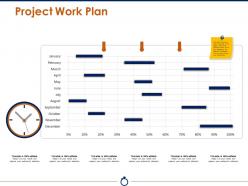
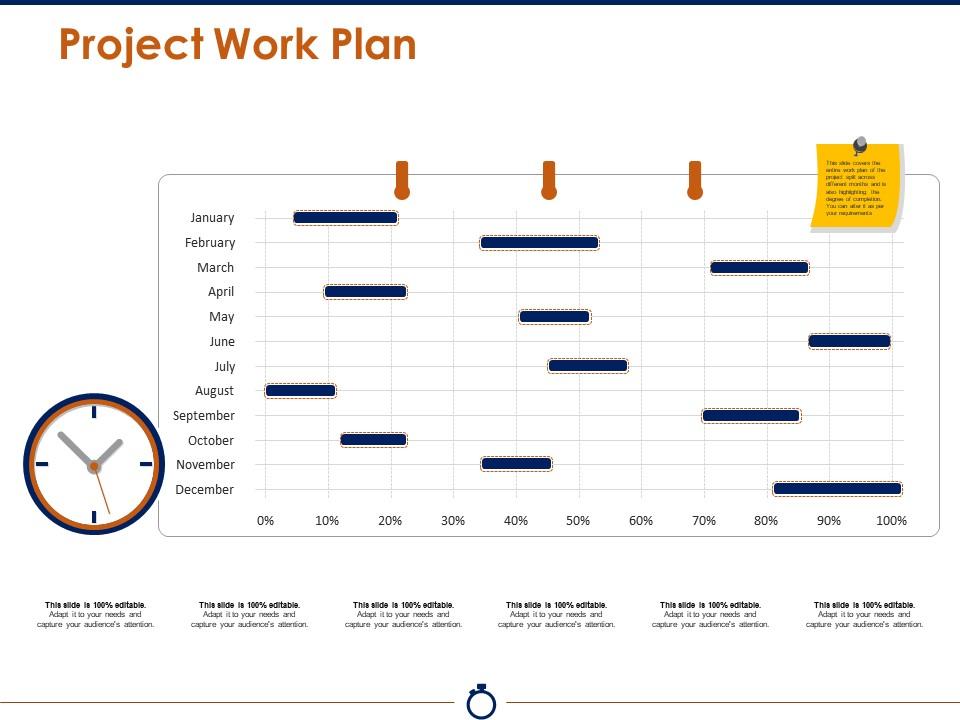
Project work plan ppt presentation examples
Try Before you Buy Download Free Sample Product
Audience
Editable
of Time
Flash our Project Work Plan Ppt Presentation Examples, beam your ideas. You will create an enlightening environment.
People who downloaded this PowerPoint presentation also viewed the following :
Project work plan ppt presentation examples with all 5 slides:
Deal with hazards effectively with our Project Work Plan Ppt Presentation Examples. You will find them an excellent counter.
FAQs for Project work plan
So you'll want to nail down your scope first - what's in, what's out. Timeline comes next, mapping when stuff actually happens. Then figure out your deliverables (the actual things you're creating), plus resources like team, budget, tools. Milestones are clutch for keeping everyone on track - seriously, they've saved my butt so many times when projects go off the rails. Oh, and definitely factor in risks and dependencies because nothing ever goes according to plan anyway. Just grab a basic template and tweak it for whatever you're working on.
Honestly, work plans are game-changers for team stuff. Everyone can see who's handling what and when things are due. Like if Sarah needs your design mockups, she'll know exactly when to expect them instead of bugging you every day (which gets old fast). Dependencies become super obvious too. Weekly updates during meetings work best - that way people can call out problems before they blow up. The whole transparency thing makes spotting bottlenecks way easier. It's basically like giving your team a shared brain so nobody's sitting around wondering what's happening next.
Gantt charts are your best bet - Microsoft Project, Asana, Monday.com all do the job well for mapping out tasks and timelines. Excel works too, but honestly it gets ugly real quick once things get complicated. My team loves Trello since we can all jump in and move stuff around easily. Notion's pretty solid for this too. Here's the thing though - doesn't matter how fancy the tool is if nobody actually uses it. I'd start with whatever your team already knows, then switch later if you need something beefier. Way easier than forcing everyone to learn new software right off the bat.
Break your project into smaller tasks first and estimate each one. Always add like 20-30% extra time because honestly, everything takes way longer than you think it will. Map out which tasks depend on others - some can happen at the same time, others have to wait. Consider your team's actual availability (not just what looks good on paper) and any hard deadlines you can't move. Oh, and definitely build in time for reviews and revisions - that stuff adds up fast. I'd start with your final deadline and work backwards to see if it's even doable.
Think of risk management as your project's insurance policy. Start by brainstorming everything that could possibly go wrong - honestly, the weirder the better sometimes. Then rank how likely each thing is to actually happen. Build buffer time into your schedule for dealing with the scary stuff. I learned this the hard way when a "simple" website update turned into a three-week nightmare because we didn't plan for the old server crashing. Set up regular check-ins to revisit your risk list. Small problems turn into disasters fast if you're not paying attention.
Build those stakeholder meetings right into your project plan from day one. Don't just wing it. I learned this the hard way - getting time on their calendars takes forever, so book everything way earlier than you think you need to. Set actual dates for requirements reviews, design sign-offs, user testing windows, whatever makes sense for your project. Buffer time is crucial too because they'll always have changes. Oh, and make it feel structured rather than those random "hey can we chat" meetings that completely blow up your timeline. Trust me, they appreciate the organization more than you'd think.
Honestly, just do regular check-ins - like weekly meetings to catch problems before they blow up. Most people use project management tools like Asana or Monday for tracking stuff visually. I'm weird and still love spreadsheets for smaller projects though! Track your timeline AND budget against the original plan - both matter. Short wins deserve celebrating too, trust me on that. Set up automated reports if you can be bothered. Really though, pick whatever system your team will actually stick with consistently.
Honestly? Weekly updates work for most stuff, but it really depends on your project's pace. During busy phases I stick to weekly, slower periods maybe every two weeks. Crunch time though - that's when daily updates actually make sense (sounds crazy but saves you from total chaos later). The consistency thing matters way more than being perfect about it. Just set a calendar reminder and actually follow through, because nothing's worse than an outdated plan that confuses everyone. Oh and if things are changing constantly, don't feel bad about updating more often - your sanity is worth it.
For your project plan, definitely track the basics first - milestone completion, budget variance, how long tasks actually take vs what you estimated. Quality stuff matters too though: approval rates on deliverables, stakeholder satisfaction, rework counts. I'm obsessed with tracking team velocity because it catches bottlenecks before they become disasters. Resource utilization is solid if you're managing multiple things. Honestly, don't go crazy with metrics - pick maybe 4-6 that actually tell you something useful for YOUR project. Set up regular check-ins to review everything with the team.
Honestly, I've found the 80/20 rule works best here. Lock down your big deadlines and major milestones - those can't move. But leave breathing room between phases for when things inevitably go sideways. Plan out the next 2-3 weeks in detail, keep everything after that pretty high-level. You can always drill down later. I always build in buffer time now after getting burned on my last project - scope creep is real! Review weekly and don't be afraid to adjust. The goal isn't having a perfect plan, it's having one that won't completely fall apart when (not if) something changes.
Ugh, the biggest mistake is always being way too optimistic with timing. Like, I swear everything takes twice as long as you think it will - buffer time is your friend! Also don't make tasks super vague because then nobody knows when they're actually finished. Dependencies are huge too - figure out what has to happen first before other stuff can even start. Oh and definitely get your team involved in planning instead of doing it solo. They'll spot things you totally missed, plus they won't hate you for dumping unrealistic deadlines on them. Just be specific and realistic basically.
Build in buffer time from day one and add checkpoints where you can pivot if needed. Honestly, scope creep is just part of life - happens to literally everyone so don't beat yourself up about it. Document changes as they come up, showing how they'll mess with your timeline and budget. Regular check-ins with stakeholders help catch this stuff early instead of being blindsided later. Oh and create some kind of change process that's actually simple - if it's too complicated, people will just ignore it and make random decisions. Your plan should be flexible, not carved in stone.
Okay so first thing - be brutally honest about your time, budget, and team. Most people totally bomb this part by being way too optimistic (guilty as charged lol). Break your big goal into smaller pieces that you can actually measure. Each piece should be specific enough that you'll know when it's done. Always add buffer time because trust me, something WILL go wrong. Check with your team before you commit to any timeline - they'll catch stuff you missed. Better to be conservative now than scrambling later when everything's falling apart.
Look, I learned this the hard way - communication isn't something that just magically happens around your project. You've got to actually schedule it like any other deliverables. Map out who needs what info and when. Build in those check-ins, feedback loops, and decision meetings right into your timeline. I used to wing it and... yeah, that was dumb. Now I literally block time on my calendar for status updates and stakeholder calls. Short version: if you don't treat communication stuff as seriously as your technical work, things get messy fast.
Honestly, your work plan is like a crystal ball for resources. You'll see exactly what people and budget you need when. Conflicts become obvious super early - like if two tasks need the same person simultaneously (nightmare scenario). Management loves it because you're not just asking for stuff randomly, you've got actual data. Track what you actually use vs what you planned - makes you way better at estimating next time. Oh, and don't treat it like it's set in stone. Keep tweaking as things change because they always do.
-
Excellent Designs.
-
Easy to edit slides with easy to understand instructions.