Quarterly Timeline For Email Marketing Campaign Complete Guide To Implement Email

Rating:
90%
Quarterly Timeline For Email Marketing Campaign Complete Guide To Implement Email
Slide 1 of 9
Favourites Favourites

Try Before you Buy Download Free Sample Product

Audience Impress Your
Audience
Editable 100%
Editable
Time Save Hours
of Time
The Biggest Sale is ending soon in
0
0
:
0
0
:
0
0
Rating:
90%
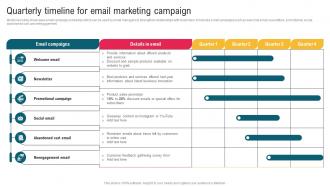
Mentioned slide showcases email campaign schedules which can be used by email managers to strengthen relationships with customers. It includes email campaigns such as welcome email, newsletters, promotional, social, abandoned cart, and reengagement. Deliver an outstanding presentation on the topic using this Quarterly Timeline For Email Marketing Campaign Complete Guide To Implement Email. Dispense information and present a thorough explanation of Newsletter, Promotional Campaign using the slides given. This template can be altered and personalized to fit your needs. It is also available for immediate download. So grab it now.

People who downloaded this PowerPoint presentation also viewed the following :

FAQs for Quarterly Timeline For Email Marketing Campaign Complete Guide

So first you'll want to nail down your audience research and segmentation. Campaign planning comes next - figure out your goals and messaging strategy. Then there's the design and copywriting phase, which honestly always drags on way longer than expected (ugh). Testing is crucial - check deliverability and run A/B tests before launch. Once it's live, monitor everything closely. Oh, and analyze results within 48-72 hours while the data's still fresh. Pro tip: work backwards from your launch date and tack on an extra 20% buffer time for each step. Trust me on this one.

Dude, email marketing has totally blown up lately. Personalization is insane now - you can trigger whole sequences just from how people behave on your site. The segmentation tools? Way more precise than they used to be. Mobile optimization finally doesn't suck either, which is huge since everyone's on their phones anyway. Interactive stuff like polls and carousels are everywhere now. Real-time data makes everything so much cleaner too. Honestly, half the "AI-powered" claims are still BS, but some of it actually works. If you're not playing with behavioral triggers and dynamic content yet, that's literally where you'll see the biggest returns. Deliverability got better recently with new authentication stuff.

Honestly, start with a project management tool - Asana or Monday work great for mapping your timeline. For emails, grab Mailchimp or ConvertKit since they handle scheduling and automation. A content calendar is a must (I literally just use Google Sheets for this, works perfectly). You'll want analytics built into your email platform for A/B testing too. Oh, and Canva's clutch for quick graphics when you need them. Set up your project management first, then build that content calendar around your big launches and key dates. Trust me, the planning upfront saves you so much stress later.

Yeah, so segmentation is huge for email marketing. Instead of sending the same boring message to everyone, you target specific groups with stuff they actually want to see. Like, I'd way rather get an email about hiking gear than random kitchen gadgets, you know? Your open rates will jump because people feel like you get them. Start with basic stuff - maybe split by past purchases or who opens your emails vs. who doesn't. Then you can get fancier as you learn more about what your subscribers are into. Trust me, it's worth the extra effort.

Dude, A/B testing is seriously a game-changer for email stuff. Instead of just winging it (like I totally used to do with send times), you can actually test what works. Subject lines are probably the easiest place to start - they make or break your open rates. But you can test pretty much anything: CTAs, content formats, timing, whatever. Just don't go crazy and change everything at once or you'll have no clue what actually moved the needle. Run each test for at least a week to get decent data, then roll out the winners. It's way better than the "spray and pray" approach most people do.

Your past campaign data is pure gold for figuring out what actually works. Check your open rates and click-throughs to see which subject lines hit different with your audience. Timing matters too – I've seen campaigns tank just because they went out at weird hours. Segment everything by demographics and behavior patterns, then use those insights to personalize your next campaigns. A/B test results are especially helpful here. Honestly, seasonal trends can make or break your ROI, so don't sleep on that analysis. It's way better than just guessing what'll work.

Okay so first thing - map out your customer journey and figure out where you need those trigger points. Welcome emails, abandoned cart stuff, post-purchase follow-ups, you know the drill. I'd focus on behavioral triggers (opens, clicks, actual purchases) instead of just timing everything out. Here's the thing though - everyone goes crazy overcomplicating this at the start. Keep it simple! Build 2-3 solid automations with clear rules for who gets in and who gets out. Test small batches first because nothing's worse than realizing your flow is broken after you've already annoyed half your list. And definitely make unsubscribing easy. You can always add more fancy stuff later once you've got the basics running smooth.

Honestly, seasonal campaigns are where the money's at if you do them right. Map out the big moments your customers care about - could be holidays, back-to-school, whatever gets them buying. Three months ahead minimum though, trust me on this. I totally bombed a Black Friday thing once because I threw it together last second. Your messaging needs to match the vibe too - urgent for flash sales, cozy for winter stuff, you know? Oh and definitely track what actually works. Some seasons might surprise you with how well they perform, then you can go harder next year.

So you're looking at CAN-SPAM, GDPR, and CCPA mainly. CAN-SPAM's easy - just need clear unsubscribe links and honest subject lines. GDPR's where it gets annoying though, especially with EU contacts since you need explicit consent and proper data handling. CCPA hits California residents with similar consent stuff. Honestly, build this compliance checking right into your timeline from the start. Don't be like my last company and scramble to fix everything later - what a mess that was. If you're in something heavily regulated, definitely budget extra time for legal reviews too.

Don't save mobile stuff for the end - trust me, I've been there and it's a nightmare. Start with mobile-first designs right from the beginning. When you're planning your timeline, add separate chunks for mobile optimization and device testing. And actually test on real phones, not just shrinking your browser (I know it's obvious but people still skip this). Oh, and pad your estimates because mobile fixes are weirdly time-consuming. Like, way more than desktop tweaks for some reason. Make mobile testing a must-do, not something you'll "get to later."

Focus on open rates first - they show if your subject lines actually work. Click-through rates are huge too since they tell you whether people care about your content once they open it. Conversion rates are obviously what matters most for revenue. Oh, and definitely watch your unsubscribe rate. Nobody wants to be that person blowing up inboxes, you know? Deliverability stuff matters too because your amazing email won't do shit if it lands in spam. These basics will give you everything you need to start tweaking things.

So feedback loops are reports from Gmail, Yahoo, etc. that tell you when people mark your stuff as spam. Pretty handy actually - you can auto-remove those subscribers before they trash your sender reputation. What's cool is you'll start noticing patterns. Like maybe your subject lines are way too salesy or you're hitting people's inboxes too often. I'd definitely set these up with the big ISPs if you haven't yet. Way better than finding out the hard way that half your list thinks you're annoying. Use the data to clean house and tweak your approach.

Honestly, GDPR just makes everything take longer upfront. You can't add people without explicit consent anymore, so you'll need proper opt-in forms and maybe double opt-ins too. Building those workflows eats up time. Plus no more buying email lists (I mean, who was doing that anyway, right?). Setting up the data management stuff and privacy policies is kind of a pain. But here's the thing - once you get through all that initial setup work, your regular campaigns run just fine. My advice? Plan for extra time at the beginning for all the compliance headaches.

Honestly, your customer personas are gonna make or break your email timing. Busy executives? Hit them during their commute or super early when they're scrolling through their phone. Stay-at-home parents work totally different - I found out mid-morning after school drop-off is golden. Also think about frequency - tech people don't mind daily emails, but most folks prefer weekly stuff. Oh, and map out when your audience is actually online throughout the day. Then just test different send times until something clicks. It's really that simple once you know their routines.

Dark mode optimization is a must now - literally everyone uses it. AI personalization is getting really good too, way better than the basic "Hi [Name]" stuff from before. Interactive elements are where it's at though: polls, carousels, even little games in emails. I've been seeing insane engagement with user-generated content campaigns lately. Customers basically do the work for you, which is genius. Oh, and you can't ignore privacy stuff anymore with all the iOS changes. Try adding one interactive thing to your next send and watch your clicks jump.

Ratings and Reviews

90% of 100
Write a review
Most Relevant Reviews
  1. 100%

    by Byrne Cruz

    Innovative and attractive designs.
  2. 80%

    by Davis Gutierrez

    SlideTeam’s readymade presentations have landed my unique images with my bosses in the past and it continues to reward me.

2 Item(s)

per page: