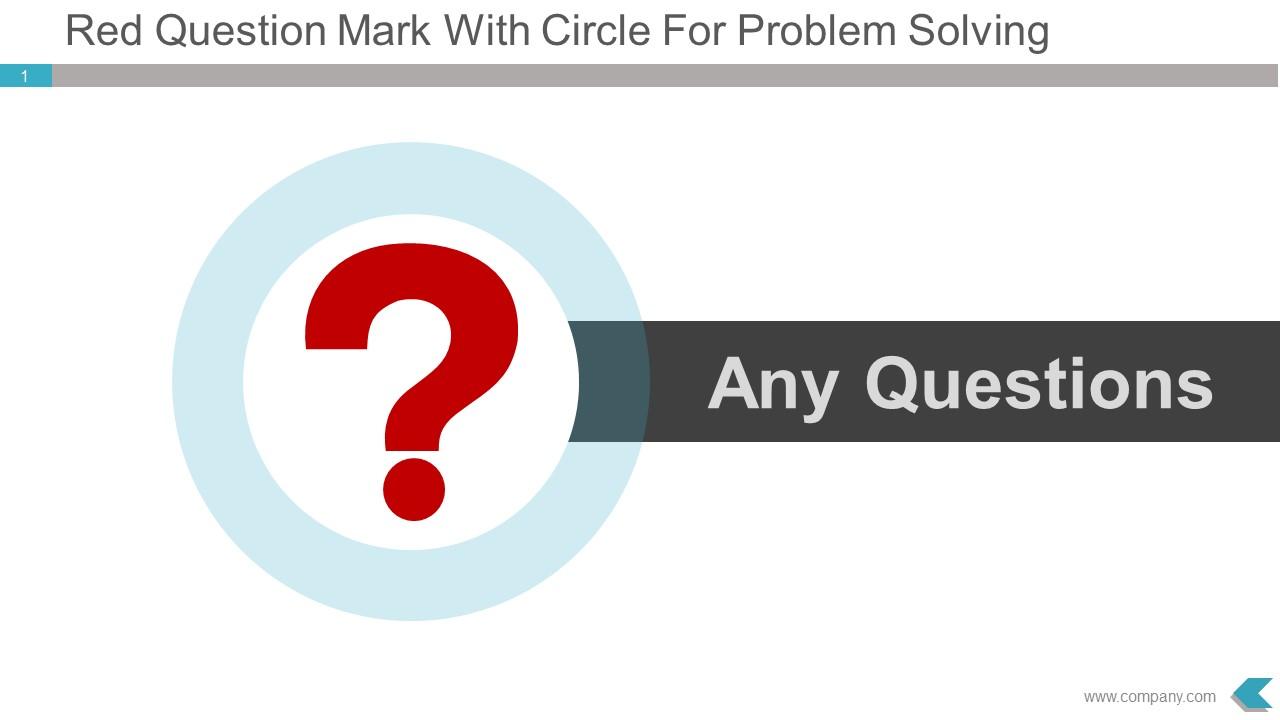
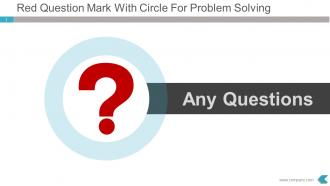
Rotes Fragezeichen mit Kreis zur Problemlösung Powerpoint-Folie

Rating:
80%
Slide 1 of 5
Favourites Favourites

Try Before you Buy Download Free Sample Product

Audience Impress Your
Audience
Editable 100%
Editable
Time Save Hours
of Time
The Biggest Sale is ending soon in
0
0
:
0
0
:
0
0
Rating:
80%

Funktionen dieser PowerPoint-Präsentationsfolien:

Präsentieren Sie ein rotes Fragezeichen mit einem Kreis für die Problemlösung der PowerPoint-Folie. Benutzerfreundliche Bilder, die bei der Projektion auf einen Breitbildschirm nicht verpixeln. Professionell ausgestattete und ästhetisch gestaltete Bilder. Geeignet für die Arbeit mit Google Slides. Völlige Freiheit für jede Art von manueller Bearbeitung. Einfache Konvertierung in das PDF/JPG-Format. Einfaches Einfügen des Firmennamens/-logos. Vorteilhaft für Manager, Geschäftsinhaber, Investoren, Geschäftsanalysten, Vermarkter und Finanziers, Forscher usw. Kann im Handumdrehen heruntergeladen werden.

People who downloaded this PowerPoint presentation also viewed the following :

FAQs for Red question mark with circle for problem

The red question mark symbol in presentations represents areas requiring clarification, unresolved issues, critical decisions pending, or sections needing additional research and validation. This visual cue enables presenters to highlight knowledge gaps, spark audience discussion, and systematically address uncertainties, ultimately enhancing presentation transparency and encouraging collaborative problem-solving across business environments.

The red question mark effectively highlights unclear areas by creating visual emphasis through color contrast, drawing immediate attention to specific content sections, and signaling knowledge gaps that require resolution. In presentations and documents, organizations use this symbol to mark incomplete data, flag uncertain assumptions, and identify discussion points during reviews, ultimately streamlining decision-making processes and ensuring comprehensive analysis before implementation.

Red question marks are most beneficial in presentations addressing problem identification, crisis management, troubleshooting scenarios, and urgent decision-making contexts. They effectively highlight critical unknowns, risk assessments, and strategic challenges in business reviews, emergency response planning, and quality control presentations, while drawing immediate attention to areas requiring investigation, ultimately creating visual urgency that compels audience engagement and action.

Red question marks create heightened attention and emotional urgency through color psychology, triggering alertness, curiosity, and immediate cognitive engagement in viewers. This strategic visual combination enhances information retention, accelerates decision-making processes, and increases response rates, with many marketing teams and educational institutions finding that red questioning symbols deliver significantly improved audience engagement and call-to-action effectiveness.

Red significantly heightens urgency and attention around question marks in presentations, making audiences perceive inquiries as more critical, time-sensitive, or requiring immediate consideration. This psychological impact proves especially effective in business contexts like crisis management, strategic decision points, and problem-solving sessions, where presenters need to emphasize the importance of addressing specific challenges or opportunities quickly.

Alternatives to red question marks include exclamation points for emphasis, ellipses for contemplation, colored shapes like triangles or circles, lightbulb icons for brainstorming, and thought bubble graphics. These visual elements enhance presentations by creating varied emphasis levels, maintaining audience engagement, and providing clearer context for different uncertainty types, ultimately delivering more sophisticated visual communication strategies.

Presenters can avoid overusing red question marks by strategically limiting them to 2-3 key moments per presentation, alternating with other engagement techniques like polls, discussion prompts, and visual cues. This measured approach prevents audience fatigue while maintaining curiosity, with many speakers finding that selective placement enhances rather than diminishes impact, ultimately delivering stronger engagement and more memorable presentations.

Presentation software offers formatting tools including color adjustment, size scaling, rotation controls, shadow effects, and transparency settings to customize red question mark symbols. These features enable presenters to align the symbol with brand guidelines, emphasize key discussion points, and create visual hierarchy, ultimately enhancing audience engagement and professional presentation design across various business contexts.

Yes, red carries different cultural meanings that presenters should consider when using red question marks in global contexts, as red symbolizes luck and prosperity in Chinese culture, danger or warning in Western contexts, and passion in many Latin cultures. While red question marks effectively draw attention and create urgency across most audiences, presenters should balance visual impact with cultural sensitivity, potentially using alternative colors like blue or green when presenting to culturally diverse audiences to ensure inclusive communication.

Red question marks can be strategically integrated within infographics to highlight knowledge gaps, prompt audience engagement, pose rhetorical questions, and mark areas requiring further investigation or decision-making. Through careful placement near data points, process gaps, or comparison sections, presenters enhance audience interaction, stimulate critical thinking, and create natural discussion points, while maintaining visual flow and ultimately driving deeper engagement with complex information.

Common misconceptions include that red question marks appear unprofessional, create negative associations, or should only indicate problems or errors in presentations. However, when used strategically, red question marks effectively highlight key discussion points, draw attention to critical decisions, and emphasize important uncertainties that require audience engagement, with many presenters finding that thoughtful color psychology enhances rather than detracts from professional communication.

A red question mark symbol strategically placed on slides creates visual cues for audience interaction, prompting feedback through designated Q&A moments, polling segments, and discussion breaks. This approach enhances audience engagement by clearly signaling when input is welcomed, while presenters can strategically control timing and flow, ultimately delivering more interactive experiences and valuable audience insights.

The red question mark symbol serves as a visual cue to encourage audience participation, signal question opportunities, and maintain structured flow during Q&A sessions. Through strategic placement in presentations, moderators streamline audience engagement, reduce hesitation barriers, and enhance interactive dialogue, with many organizations finding that clear visual prompts ultimately deliver more productive discussions and stronger audience connection.

Presenters can balance red question marks with other visual aids by using them strategically for key uncertainties, incorporating complementary colors like blue or green for solutions, and maintaining consistent sizing across slides. This approach ensures the red question mark draws attention to critical decision points while other elements provide context, ultimately creating visual hierarchy that guides audience focus without overwhelming the presentation's overall design flow.

Strategic placement of a red question mark significantly enhances audience focus by creating visual hierarchy, drawing immediate attention to critical inquiries, and establishing psychological urgency through color psychology. Through targeted positioning in presentations, marketing materials, and educational content, organizations streamline audience engagement, minimize information overload, and ultimately deliver clearer communication pathways, with many finding that strategic visual cues improve comprehension rates.

Ratings and Reviews

80% of 100
Review Form
Write a review
Most Relevant Reviews
  1. 80%

    by Curtis Herrera

    Helpful product design for delivering presentation.
  2. 80%

    by Chong Richardson

    Designs have enough space to add content.

2 Item(s)

per page: