Relational Database Powerpoint Ppt Template Bundles

Rating:
100%
Relational Database Powerpoint Ppt Template Bundles
Slide 1 of 23

or

Favourites Favourites

Try Before you Buy Download Free Sample Product

Audience Impress Your
Audience
Editable 100%
Editable
Time Save Hours
of Time
The Biggest Sale is ending soon in
0
0
:
0
0
:
0
0
Rating:
100%
If you require a professional template with great design, then this Relational Database Powerpoint Ppt Template Bundles is an ideal fit for you. Deploy it to enthrall your audience and increase your presentation threshold with the right graphics, images, and structure. Portray your ideas and vision using eighteen slides included in this complete deck. This template is suitable for expert discussion meetings presenting your views on the topic. With a variety of slides having the same thematic representation, this template can be regarded as a complete package. It employs some of the best design practices, so everything is well structured. Not only this, it responds to all your needs and requirements by quickly adapting itself to the changes you make. This PPT slideshow is available for immediate download in PNG, JPG, and PDF formats, further enhancing its usability. Grab it by clicking the download button.
FAQs for Relational Database Powerpoint

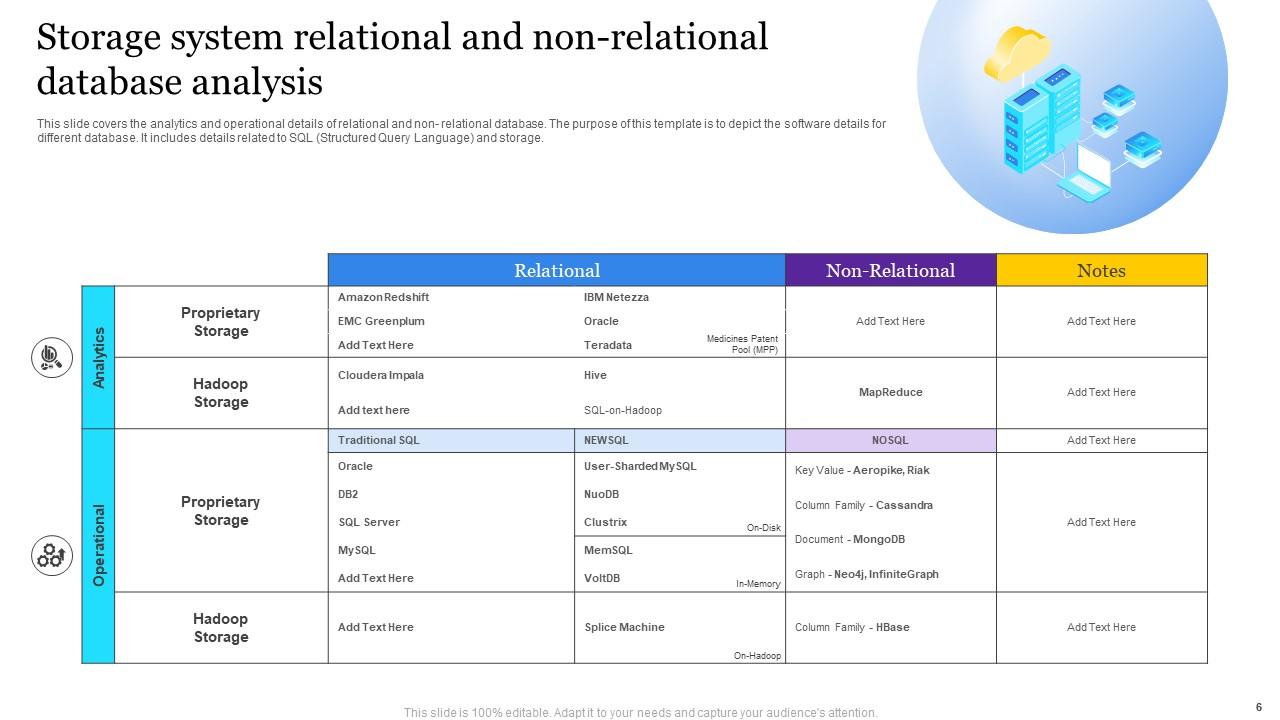
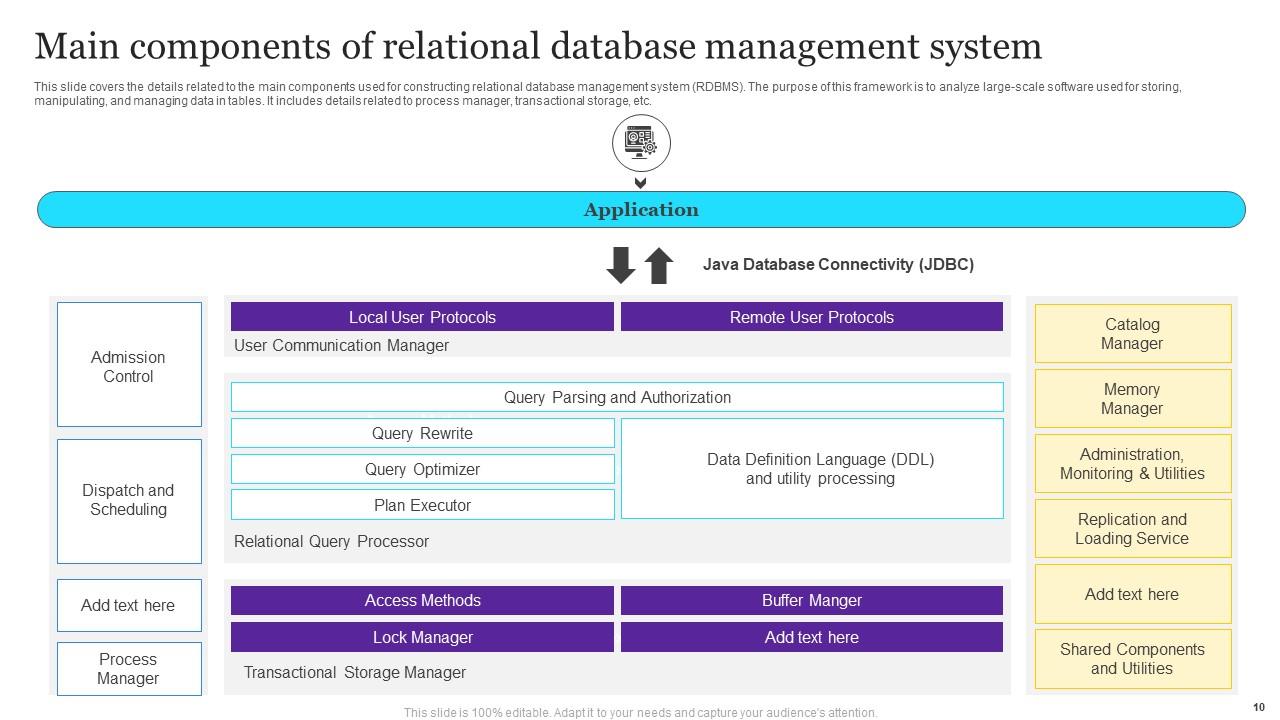
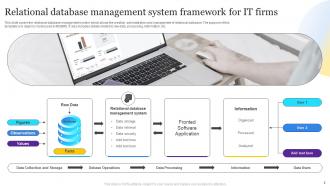
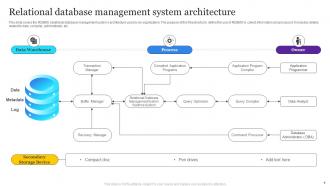
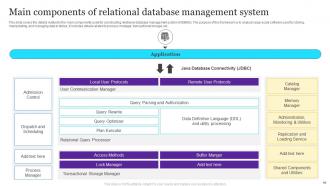
So basically you've got tables where all your data sits, plus schemas that map out how everything connects. Query engines run your SQL stuff, and there's transaction management keeping things from getting messy. Oh, and indexing - seriously, you'll thank me later when your queries aren't crawling. Storage engines handle the actual disk writing. Most setups like PostgreSQL throw in user management too, which is honestly pretty convenient. I'd say start with tables and relationships first. You can figure out the rest as you go - no need to overwhelm yourself right away.

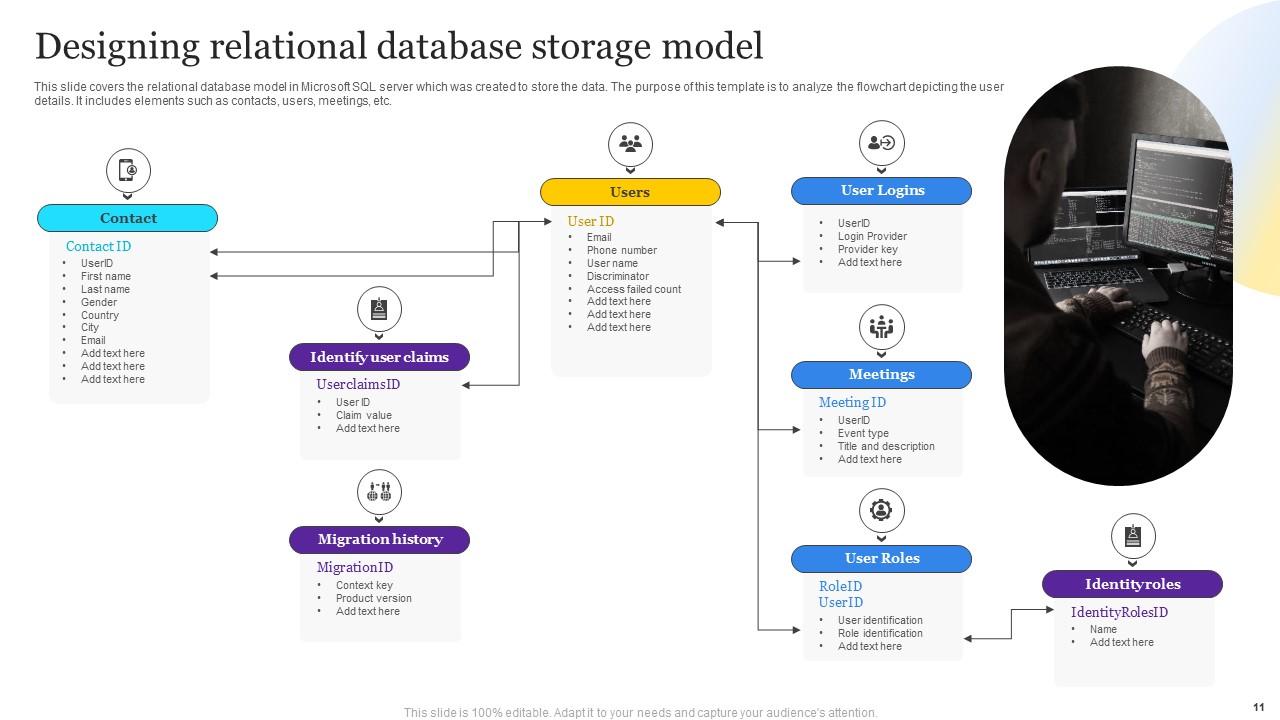
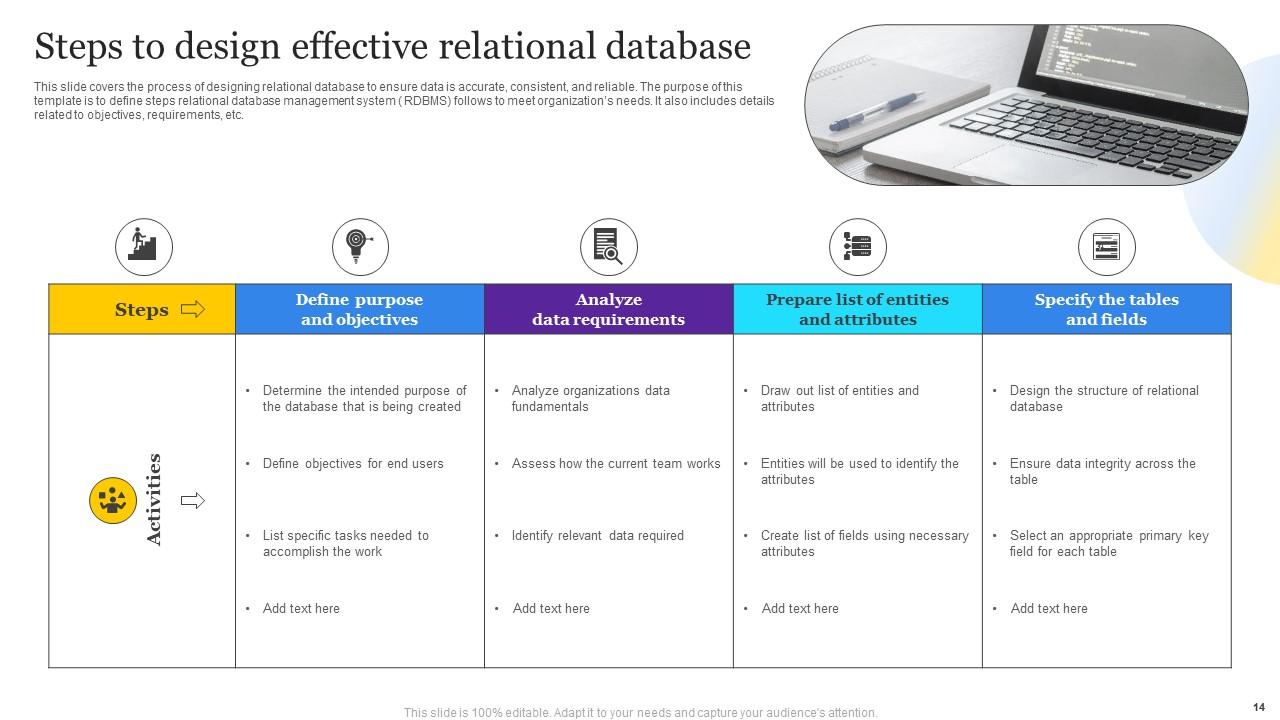
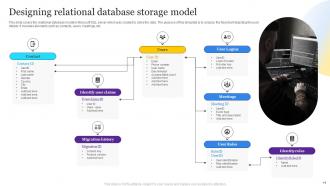
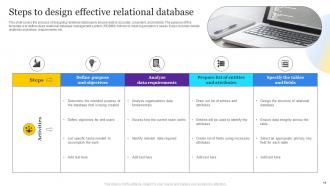
So entities are basically the "things" you want to track - customers, products, orders, whatever. Attributes are the details about those things. Like if Customer is your entity, then name, email, phone number would be the attributes. Each entity becomes a table, attributes become the columns. Pretty straightforward once you get it. When I'm designing databases, I always start with the big picture entities first - way easier than getting lost in all the tiny details right away. Then you can figure out what info you actually need for each one. It's like building the frame of a house before worrying about paint colors.

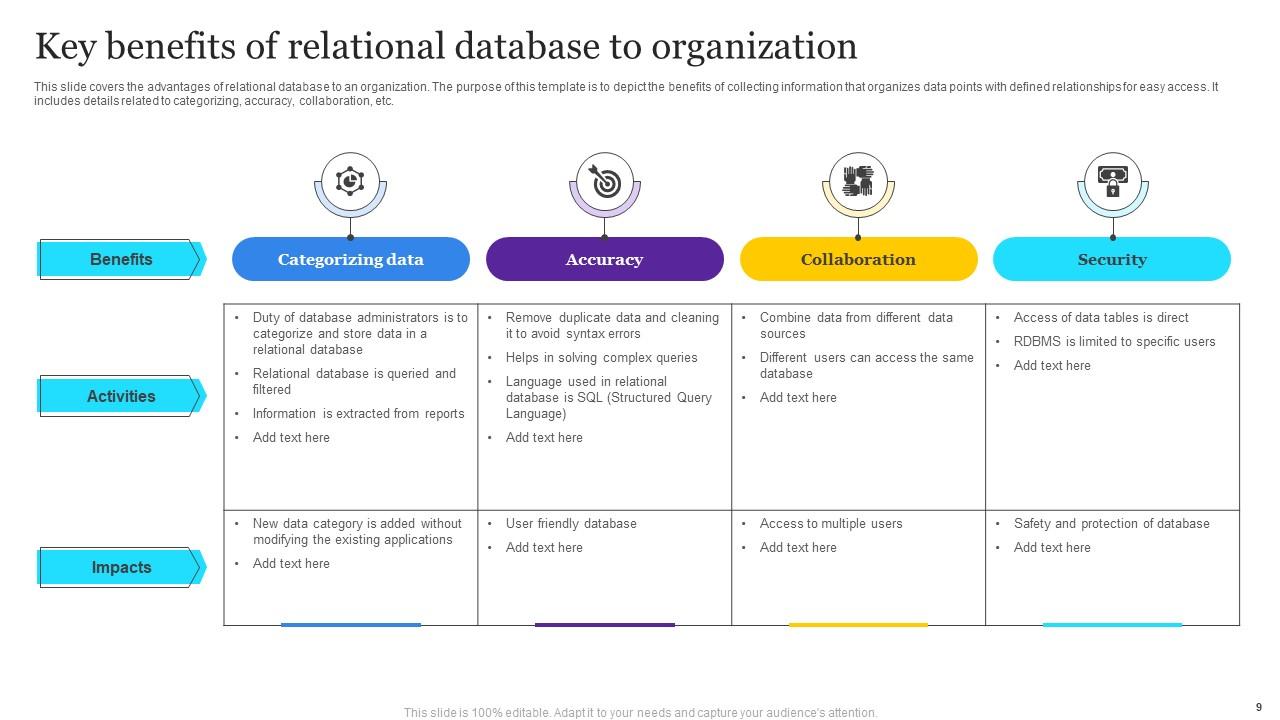
Think of normalization like Marie Kondo for databases - you're breaking big messy tables into smaller, connected ones. Gets rid of duplicate data sitting around taking up space. Updates become so much easier since you only change something once instead of tracking it down everywhere (I've been there, it sucks). Yeah, your queries get more complicated with joins and stuff, but honestly? Worth it to avoid those nightmare data inconsistencies. Third normal form is usually the sweet spot - covers most situations without getting too crazy about it.

So primary keys are like unique IDs for each row - kinda like social security numbers but for your data. Then foreign keys reference those primary keys from other tables, which is how you connect everything together. Like if you've got a Customers table and Orders table, the customer ID in Orders would be a foreign key that points back to Customers. Without this stuff you're basically just working with a bunch of random spreadsheets that don't talk to each other (which honestly I've seen people do and it's a nightmare). Start with your primary keys first, then figure out what needs to connect where.

So basically you write something like SELECT * FROM customers WHERE city = 'Boston' and the database engine parses that command. It figures out the most efficient way to pull data from tables - scanning indexes, joining stuff together, filtering rows. Pretty cool how it optimizes everything automatically. The results come back as rows and columns, nothing fancy there. Oh, and here's a random tip - run EXPLAIN before your queries to see the database's execution plan. Honestly changed how I think about performance when I first discovered that trick. Makes debugging slow queries way easier.

So there's basically three types you'll deal with. One-to-many is what you'll use like 80% of the time - customers with multiple orders, departments with tons of employees, that kind of thing. One-to-one is super rare but it's like matching someone to their passport number. Many-to-many gets annoying because you need junction tables - students taking multiple classes while classes have multiple students. Honestly, I'd just focus on nailing those foreign key relationships in one-to-many first since that's where you'll live most of the time.

So indexes are basically shortcuts for your database - like a book's index that takes you straight to page 247 instead of flipping through everything. Your database uses them to quickly find rows matching your WHERE clauses, which makes SELECT queries and JOINs way faster. There's a downside though. They eat up storage space and slow down INSERTs/UPDATEs a bit since the index has to get updated too. Honestly, it's usually worth it. Start with your most-queried columns first - primary keys, foreign keys, that sort of thing. Those'll give you the biggest bang for your buck.

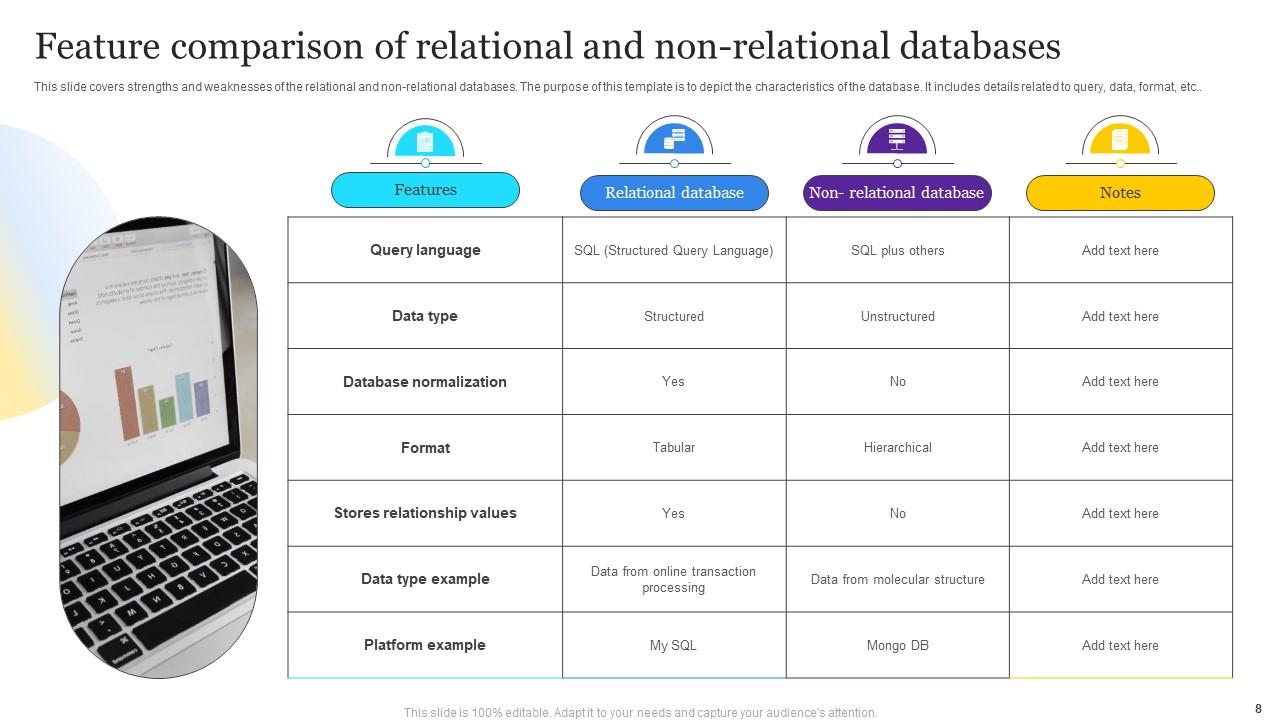
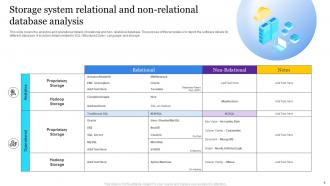
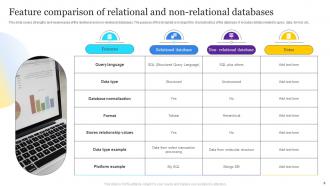
Honestly, it comes down to how flexible you need your data setup to be. SQL databases are super rigid - everything's in tables with strict rules, which is great for complex queries and keeping data consistent. But god, they're annoying when you want to change things up later. NoSQL lets you throw different types of data around however you want (documents, key-value stuff, whatever). Way easier for scaling too. The tradeoff? You lose some of that rock-solid consistency. If you're just starting out and don't know exactly what your data will look like, I'd probably go NoSQL first.

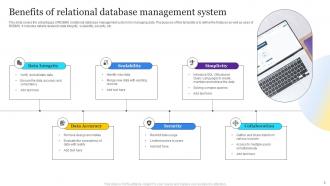
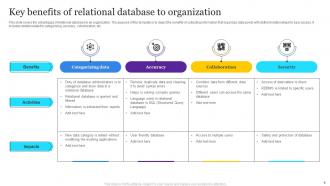
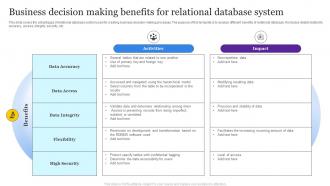
Primary keys stop duplicates cold. Foreign keys are honestly clutch - they'll save you from orphaned records that mess everything up later. Set up check constraints for data validation and pick the right data types from the start. NOT NULL constraints work great where you need them. Triggers handle the weird edge cases when basic constraints aren't enough. Oh and back up regularly because data corruption sucks. Trust me, fixing this stuff upfront beats cleaning up garbage data later - learned that one the hard way!

Normalize your data so you're not repeating stuff everywhere, but honestly don't get too obsessed with perfect normalization - sometimes duplicating a bit actually speeds things up. Index the columns you'll be searching on all the time, foreign keys especially. Auto-incrementing integers are your friend for primary keys, way simpler than getting fancy. Oh and stop slapping VARCHAR(255) on everything lol, actually think about what data type makes sense. If you think you'll need to scale massively, start planning how to partition tables now rather than later. Write down why you made certain choices - trust me, six months from now you'll have zero memory of your reasoning and your coworkers will be confused too.

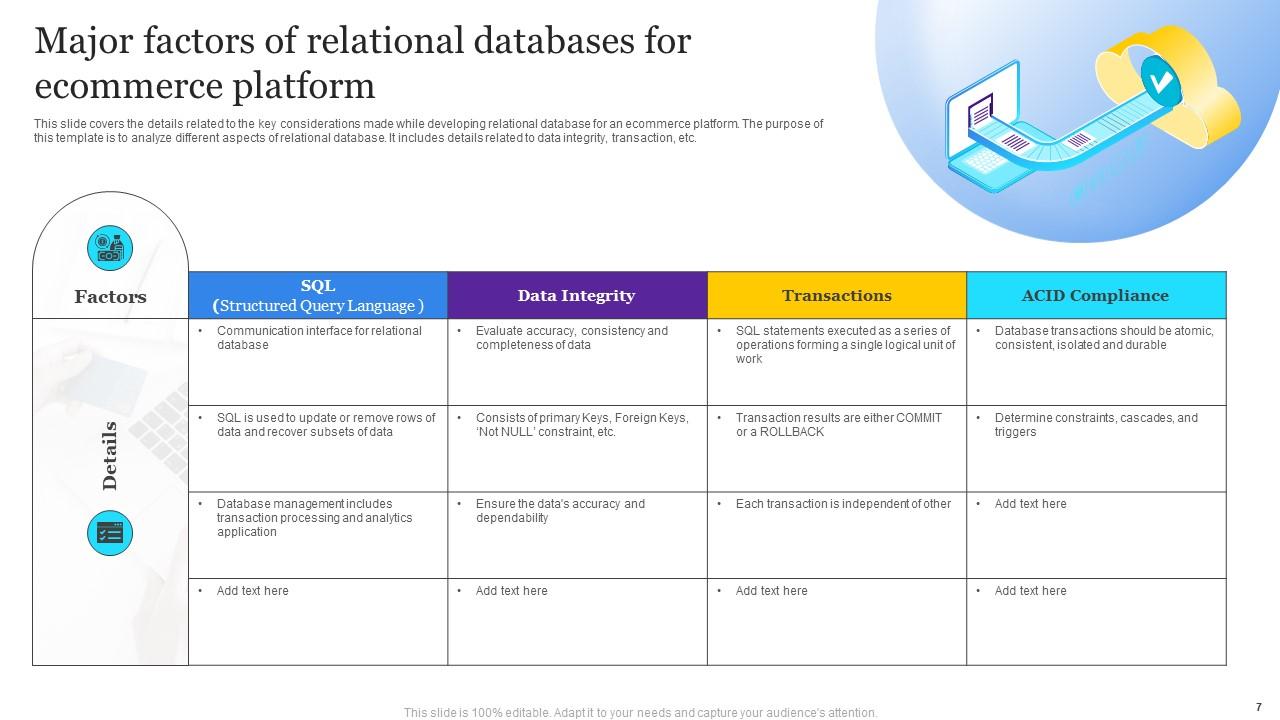
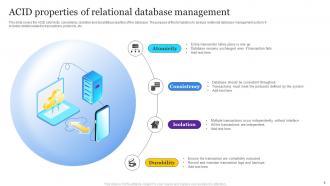
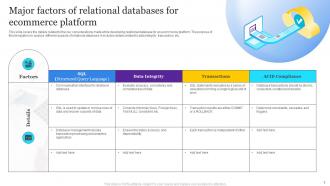
So basically, transaction management is like an all-or-nothing deal for your database. Either everything in your transaction works, or the whole thing gets rolled back - no weird half-completed states. It's built on ACID properties: Atomicity (complete or nothing), Consistency (stays valid), Isolation (transactions don't mess with each other), and Durability (stuff actually saves). The database keeps logs of what's happening so it can undo things if they go sideways. Honestly, it's pretty clever how it works. When you're coding, just wrap related operations in explicit transactions - that way you control what succeeds or fails as a group instead of leaving it up to chance.

ACID properties are your database's safety net - they keep your data from turning into a mess when stuff breaks. Atomicity means transactions either happen completely or not at all. No half-finished updates floating around. Consistency stops your data rules from getting violated, while Isolation prevents transactions from stepping on each other. Durability? That's what saves your committed changes when the server crashes at 3am (been there). Honestly, databases without proper ACID compliance are just asking for trouble. You'll end up with corrupted data and users wondering why their account balances disappeared. Always double-check this when picking a database system.

Look, start with indexing - put them on columns you search or join on constantly. Query structure matters too. Don't do SELECT *, use WHERE clauses early, limit your results. I swear I've seen 10x speed improvements just from proper indexes alone. Also run EXPLAIN on your slowest queries first - shows you exactly where things are choking up. Normalize your tables but don't go crazy with it. Oh, and if you're dealing with massive datasets, partitioning can be a lifesaver. Honestly, the EXPLAIN thing will probably give you the biggest wins right away.

So stored procedures are just SQL code blocks you save right in your database and call whenever you need them. Think of them like functions that live on the server. Performance gets way better since the code's already compiled - honestly, once you start using them you'll wonder why you waited so long. They also block SQL injection attacks which is huge for security. Network traffic drops too because you're just calling a procedure name instead of sending giant SQL statements every time. Oh, and you stop rewriting the same database operations over and over. Start with your most common queries and you'll see the difference right away.

So databases use layered security - authentication checks who you are, then authorization controls what you can access. You can set up user roles and grant specific permissions like SELECT or UPDATE to different people. Most systems encrypt data both when it's stored and when it's moving around. There's also row-level security which is honestly pretty cool - same table but different users see different data. Oh, and always stick to least privilege. Don't give someone UPDATE access if they only need to read stuff, you know?

Ratings and Reviews

100% of 100
Review Form
Write a review
Most Relevant Reviews
  1. 100%

    by Dominick Pierce

    Great designs, really helpful.
  2. 100%

    by Chester Kim

    Well-designed and informative templates. Absolutely brilliant!

2 Item(s)

per page: