Resource Management PowerPoint Presentation Slides

Rating:
88%
Slide 1 of 15
Favourites Favourites

Try Before you Buy Download Free Sample Product

Audience Impress Your
Audience
Editable 100%
Editable
Time Save Hours
of Time
The Biggest Sale is ending soon in
0
0
:
0
0
:
0
0
Rating:
88%
This presentation comprises a total of fifteen slides. Each slide focuses on one of the aspects of Resource Management Power Point Presentation Slides with content extensively researched by our business research team. Our team of PPT designers used the best of professional PowerPoint templates, images, icons and layouts. Also included are impressive, editable data visualization tools like charts, graphs and tables. When you download this presentation by clicking the Download button, you get the presentation in both standard and widescreen format. All slides are fully customizable. Change the colors, font, size, add and remove things as per your need and present before your audience.

People who downloaded this PowerPoint presentation also viewed the following :

Content of this Powerpoint Presentation


Slide 1: This slide introduces Resources Management. State Your Company Name and begin.
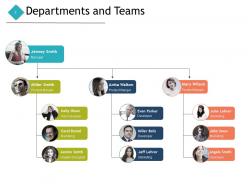
Slide 2: This slide shows Departments and Teams along with names and designation of employees.
Slide 3: This slide presents Future Capacity Planning in a table form with categories as- Tasks, work on hour basis, start and finish time and predecessors.
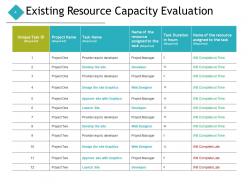
Slide 4: This slide displays Existing Resource Capacity Evaluation with categories as- Unique task ID, project name, task name etc.
Slide 5: This slide represents Monitoring the Resource utilization describing- Scheduled utilisation, actual utilisation, projected revenue and total hours.
Slide 6: This is another slide on Monitoring the Resource utilization with categories as- Booked, not booked, total availability, waiting list etc.
Slide 7: This slide is titled as Additional Slides for moving forward.
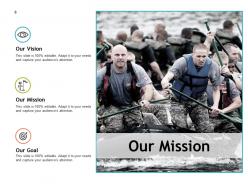
Slide 8: This is Our Mission slide with imagery and text boxes.
Slide 9: This is About Us slide to state company specifications etc.
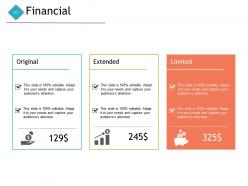
Slide 10: This is a Financial slide. Show finance related stuff here.
Slide 11: This is Quotes slide to highlight or state anything specific.
Slide 12: This is Our Goal slide. State your important goals here.
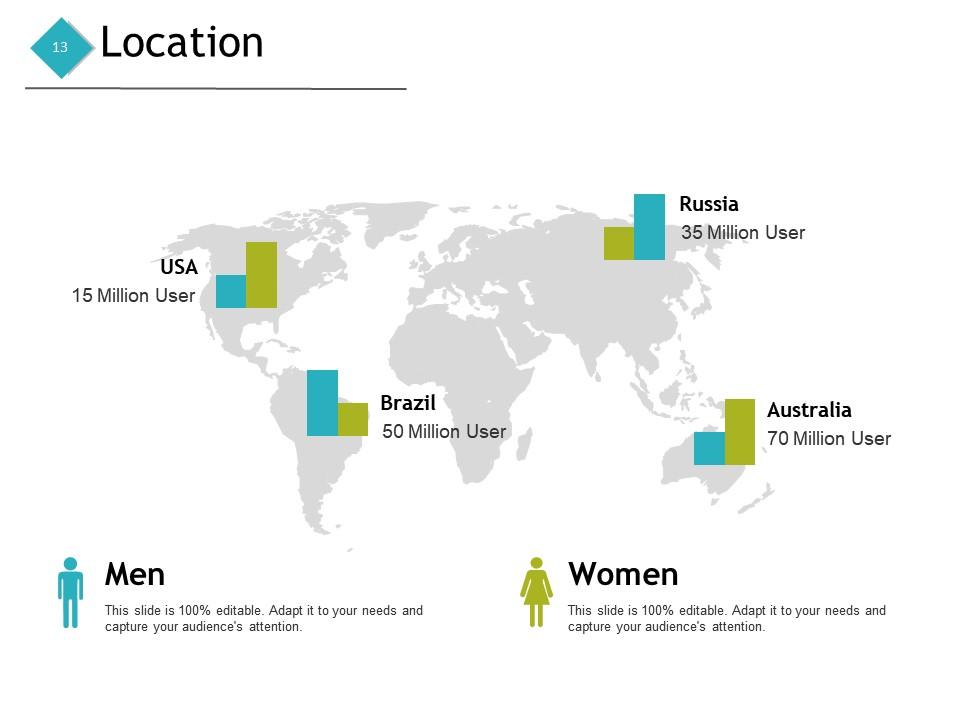
Slide 13: This is a Location slide with maps to show data related different locations.
Slide 14: This is a Bulb or Idea slide to state a new idea or highlight specifications, information etc.
Slide 15: This is a Thank You slide with address, contact numbers and email address.

FAQs for Resource Management

Look, you need to see what you actually have first - people, money, time, all that stuff. Then figure out what matters most based on impact and how urgent it is. Most companies screw this up by saying yes to everything, which is honestly just dumb. Build in backup plans because stuff will definitely break. Keep everyone in the loop when things change. Oh, and check your results regularly so you can shift resources around. The real game-changer? Knowing your capacity vs what's being asked of you in real-time. Start by cutting whatever isn't moving the needle right now.

Honestly, the automation alone will save you so much time - no more manual juggling of schedules. You'll get real-time dashboards showing who's swamped vs. sitting around doing nothing. Plus the AI suggests assignments based on people's actual skills and current workload, which is pretty neat. Most tools sync right up with whatever project management platform you're already using. The best part? You stop having those "crap, we're short-staffed" panic moments and actually plan ahead. I'd start by writing down your current process and figure out what's driving you most crazy about it.

So data analytics is basically like having x-ray vision for your spending - you can actually see where money's disappearing. It shows you usage patterns and helps predict when you'll need more resources, so you're not panic-buying servers at 2am (been there!). You'll spot bottlenecks way faster and figure out what's actually worth the cost versus what's just... expensive decoration. Honestly, it's pretty satisfying to finally have real numbers instead of guessing. I'd pick whatever's been driving you crazy budget-wise and start tracking that first. Once you see those patterns, everything clicks.

Start with tracking what you're actually wasting - energy, materials, water, even cloud storage (servers aren't magic, they guzzle power too). Set real targets you can measure, then bake those into how you allocate resources. Honestly, most people forget about lifecycle costs and just look at upfront prices, which is backwards. Focus on reusable stuff and energy-efficient processes. Don't try to overhaul everything at once though - pick one area, nail it, then expand. Making sustainability a default part of planning instead of something you tack on later is where the real wins happen.

Honestly, it's mostly about not having enough stuff to go around. Everyone's fighting over limited budgets and tight deadlines while managers pull your team in different directions. Finding good people is a nightmare right now - the talent just isn't there. Companies also suck at planning ahead because they're too focused on putting out daily fires. Most places don't even know where their resources actually are or what people are doing with them, which is wild to me. I'd start by figuring out where your biggest bottlenecks are first.

Okay so prioritization frameworks are basically your lifesaver when you're drowning in competing demands. Instead of going with whoever screams loudest (we've all been there), you score everything against consistent criteria - impact, effort, urgency, strategic fit. Writing the actual numbers down makes things way clearer than you'd expect. For quick stuff, try the Eisenhower Matrix. RICE scoring works better for bigger projects. The real trick? Pick one framework and stick with it. Otherwise your team will keep questioning every decision and you'll be back to square one. Trust me on this one.

Honestly, start by checking if your people are actually busy or just twiddling their thumbs - utilization rates don't lie. Look at how long projects take versus what you budgeted for them. Regular capacity reviews help too, where you compare what you planned to use against what you actually needed. Customer satisfaction is probably your best indicator though, since bad resource allocation almost always tanks service quality. Oh, and dashboards are a lifesaver - sounds boring but having real-time data means you'll catch problems way earlier. Way better than scrambling to fix things after they've already gone sideways.

Dude, you absolutely need your stakeholders on board - I can't stress this enough. Get them involved early and they'll actually give you real requirements instead of changing everything halfway through. Been there, done that, not fun. Regular check-ins are huge because they'll tell you when stuff isn't working rather than letting you burn through resources on the wrong thing. Short sentences work better for keeping people engaged too. These people become your backup when you need more budget or have to make unpopular calls. Map out who actually controls your resources first, then set up those recurring meetings.

Honestly, start by mapping out who's doing what and when - you'll probably find issues right away. Three things that actually matter: nail down everyone's roles (seriously, this gets messy fast), build in extra time for when people get pulled onto other stuff, and set up regular check-ins to catch problems early. Create some shared system where everyone can see availability - saves so much back-and-forth. Oh, and figure out your escalation process now, before things get crazy. The communication piece is huge too. Short sentences work. Keep it simple and you'll avoid most of the headaches.

Okay so first thing - create clear criteria for how you're dividing everything up. Skills needed, deadlines, which projects matter most, you know the drill. Everyone needs to understand your scoring system or they'll assume favoritism when budgets get shuffled around. I'd do monthly check-ins because priorities always change (they just do). The political drama gets intense quickly if people feel blindsided. Document why you made each decision so when someone comes asking questions - and trust me, they will - you've got actual data to back yourself up. Oh, and audit what teams really need vs what they're requesting first.

Honestly, I'd start by digging into your old projects - see what patterns pop up in how much stuff you actually used versus what you planned. Then break your new project into smaller chunks and estimate each piece. Three-point estimation is my go-to (best case, worst case, realistic) since it's not overly complicated but still pretty solid. Monte Carlo's awesome if you've got the bandwidth for it. Oh, and definitely check what resources are actually available - nothing worse than planning around people who are already swamped. Build it early, tweak as you go.

Yeah, cultural stuff totally trips up resource allocation - I've watched so many managers mess this up. Western teammates will straight up tell you when they're drowning, but people from hierarchical cultures? They'll just quietly burn out instead of complaining. Different regions also think about time weirdly - some plan way ahead while others only care about what's urgent right now. Plus there's this whole territorial thing with sharing resources between teams. Honestly, you really need those regular check-ins with each region to figure out how they actually communicate. Don't assume everyone flags problems the same way because they definitely don't.

Honestly, you need to look at both utilization rates and efficiency metrics to really understand what's happening. Utilization shows how much of your stuff is actually working vs just sitting there doing nothing. Efficiency tells you how well things perform when they're actually running. Cost per unit and throughput rates are super telling too - like, those numbers don't mess around. Quality metrics are huge because who cares if you're running at 100% if everything coming out is trash? Pick maybe 3-4 key ones that actually matter for your situation, then set up some dashboards. Way better than drowning in a million data points you'll never use.

Crisis mode means ditching long-term stuff for immediate damage control. Cash flow comes first, then your best people and core operations. All those "maybe someday" projects? Gone. Talk to your team constantly - I'm talking daily check-ins because everything shifts fast. Cross-train everyone so you're not screwed if someone leaves. Keep some backup resources around and have Plan B ready to go. Oh, and test how your current setup would handle different worst-case scenarios. Better to figure that out now than when you're already drowning.

Dude, communication literally saves your ass with resource management. I've seen projects crash because nobody talked about what they actually had versus what they needed. People start hoarding stuff or ordering duplicates - it's a mess. Quick weekly check-ins work wonders though, like 15 minutes max. You'll catch problems before they blow up and can move things around when priorities change. Honestly, most resource disasters happen because someone assumed everyone else knew what was going on. Don't be that person! Even a simple group text updating everyone prevents major headaches later.

Ratings and Reviews

88% of 100
Write a review
Most Relevant Reviews
  1. 80%

    by Coleman Henderson

    Great quality slides in rapid time.
  2. 80%

    by Deangelo Hunt

    Informative presentations that are easily editable.
  3. 100%

    by Clayton Sanders

    Informative presentations that are easily editable.
  4. 80%

    by Edison Rios

    Very unique, user-friendly presentation interface.
  5. 100%

    by Dennis Stone

    Much better than the original! Thanks for the quick turnaround.

5 Item(s)

per page: