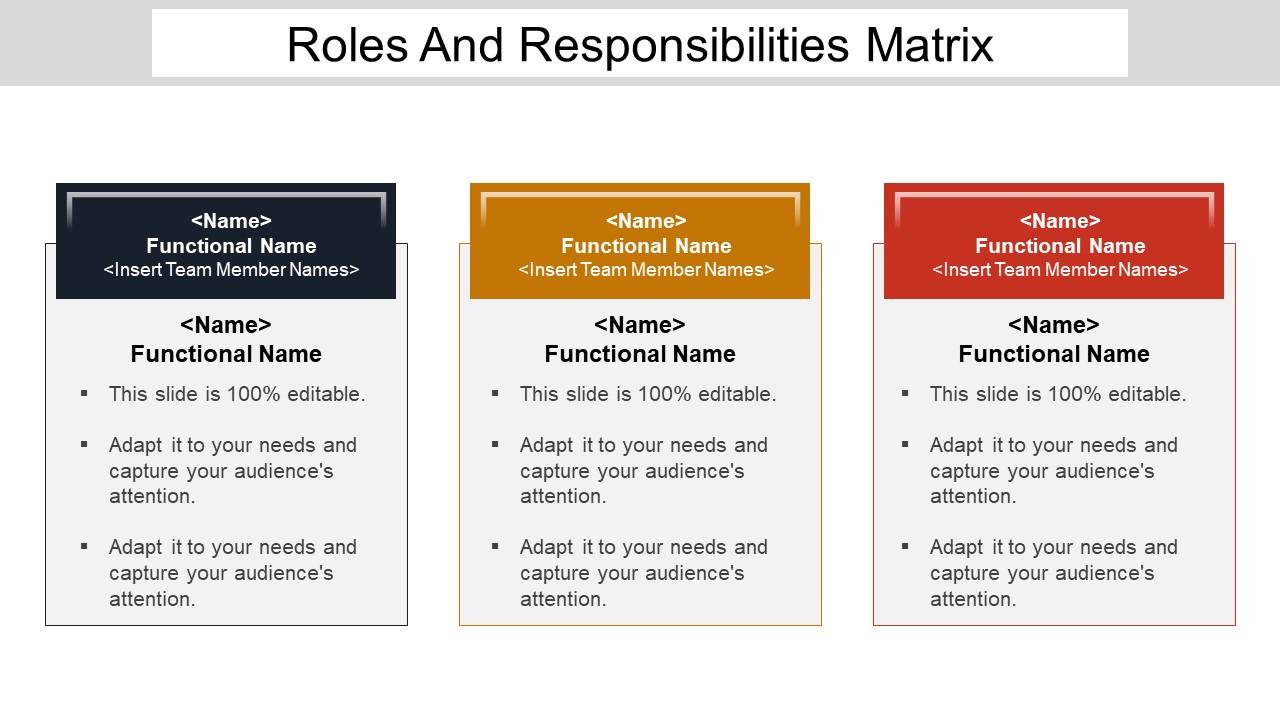
Rôles et responsabilités Matrice Powerpoint Show

Rating:
95%
Slide 1 of 5
Favourites Favourites

Try Before you Buy Download Free Sample Product

Audience Impress Your
Audience
Editable 100%
Editable
Time Save Hours
of Time
The Biggest Sale is ending soon in
0
0
:
0
0
:
0
0
Rating:
95%

Caractéristiques de ces diapositives de présentation PowerPoint :

La couleur, le texte et la police de conception de présentation entièrement modifiables peuvent être modifiés. La diapositive PowerPoint est disponible avec différents nœuds et étapes. Le modèle PPT peut être converti en JPEG et PDF. La diapositive de présentation est partageable en vue standard et grand écran. Compatibilité à cent pour cent avec les diapositives Google pouvant être partagées avec eux. Distinguez-le avec l'image et l'icône de l'entreprise. Téléchargement rapide et partage sans problème. Le téléchargement est rapide et facile à enregistrer.

FAQs for Roles and responsibilities

Oh, a RACI matrix! So it's this chart that breaks down who's doing what on your project. You've got four roles: Responsible (actually does the task), Accountable (owns the final result), Consulted (gives input), and Informed (just needs to know what's happening). Honestly, it saves you from so much drama later. List out your main deliverables first, then go through each one and assign people their roles. Trust me, it stops that whole "I thought Sarah was handling this" disaster. No more duplicate work or people getting in each other's way. Super straightforward once you get the hang of it.

Honestly, get everyone in a room first and figure out who's actually doing work vs. who just wants email updates. That alone will save you so much drama. Do this during planning though - not when the project's already a mess and people are confused. One person per task, period. I've seen too many disasters where three people think they're "all responsible" for something. Oh, and don't just create it once - roles change as things evolve, so update it. The biggest mistake? Letting it sit in some folder while everyone ignores it completely.

So RACI breaks down like this: **R** is Responsible (actually doing the work), **A** is Accountable (signs off and takes the heat if things go wrong - seriously, only put one person here or you'll have chaos). **C** means Consulted - your go-to experts who give input before decisions happen. **I** is Informed - they just need updates but aren't hands-on. My advice? List out everyone involved first, then give each person exactly one letter per task. Makes everything way clearer and you won't have people stepping on each other's toes later.

So RACI matrices are super focused - they literally just tell you who's doing what for each task. Gantt charts show timelines, Kanban boards track workflow, but RACI? It's all about roles and accountability. Way simpler than those massive frameworks like PRINCE2 or Agile that try to manage everything. You're either Responsible, Accountable, Consulted, or Informed for each thing. That's it. Perfect when your team keeps stepping on each other or when decisions just... sit there because nobody knows who should actually make the call. Honestly saved my butt on a few projects where role confusion was killing us.

Ugh, the biggest mess is everyone fighting to be "Responsible" for everything - major turf wars. Plus teams pile too many people into that column, which totally kills the point. Oh, and people constantly mix up Responsible vs Accountable (only one Accountable person per task, btw). Another thing - teams get way too detailed listing every tiny step instead of focusing on the big stuff. Honestly? Start simple. One Accountable person per row, max. And yeah, you'll need some awkward conversations about who actually owns what, but that's half the battle.

You know that annoying thing where everyone assumes someone else is handling a task? RACI matrices totally fix that mess. It maps out who's Responsible, Accountable, Consulted, and Informed for every single thing. No more "I thought Sarah was doing that" excuses - everyone sees exactly what they own upfront. Cross-functional projects get way less chaotic because there's zero confusion about deliverables. Honestly, I've seen it save so many headaches. People actually start taking ownership instead of playing the blame game. Definitely worth setting one up at your next kickoff meeting.

RACI matrices are lifesavers when you've got multiple people involved and nobody knows who's supposed to do what. Perfect for messy cross-functional projects or new processes where everyone's bumping into each other. You know that feeling when you hear "wait, I thought YOU were handling that" for the third time this week? That's when you need one. Also super helpful during org changes - actually, my old manager swore by them whenever we got new team members who looked completely lost. Those never-ending email threads about ownership? Total red flag. Just start with one confusing process first though.

Update your RACI matrix whenever you hit major milestones or the scope changes. Seriously, I can't tell you how many times I've watched projects fall apart because people skip this step. Just add it to your regular project review meetings. New person joins the team? Update it. Roles shift around? Update it. Then actually tell people what changed - don't just quietly fix the document and hope everyone notices. Oh, and definitely keep track of different versions. It's honestly pretty interesting to see how responsibilities shifted throughout a project when you look back.

Honestly, RACI matrices are total game changers for avoiding that whole "wait, whose job was this again?" mess. You just assign everyone a clear role - Responsible does the actual work, Accountable owns the final result, Consulted gives input, and Informed stays updated. Pretty straightforward stuff. What's great is you can literally see who handles what at a glance, so no more endless email chains or tasks disappearing into the void. I've seen teams waste so much time in meetings where everyone assumed someone else was on it. Try mapping one out for your next project - the handoffs become way less chaotic.

Yeah, you can totally make RACI work with agile! Just don't try to force it into the old waterfall structure. Map it to your sprints or specific user stories instead. The weird thing is agile teams are meant to self-organize, so it might feel a bit rigid at first. But honestly, it's still super helpful for sorting out who does what - especially when you've got multiple people or stakeholders floating around. I'd test it on just one sprint first. See how your team reacts before going all-in.

Don't try building your RACI matrix alone - that's a recipe for disaster. Get the actual people doing the work involved from the start. They know the real workflow way better than you do. I've watched so many of these things crash and burn because someone just guessed who should be responsible for what. Honestly, it's kind of painful to see. Bring your key people together and map everything out as a team. Let them weigh in on your draft. Make sure they're actually cool with their roles before you finalize anything. Otherwise you'll have this pretty chart that everyone ignores.

So basically, you map out who's doing what for every single task - responsible, accountable, consulted, informed. Sounds boring but trust me on this one. You'll catch all those gaps where nobody owns something, plus the messy overlaps where everyone thinks they're the boss. Takes forever to set up though, not gonna lie. But then you've got rock-solid boundaries on what's actually your project's problem vs. not your problem. When stakeholders inevitably try adding random stuff later, just wave your RACI at them and watch them figure out where it fits first.

Honestly, RACI matrices can turn into total bureaucratic hellholes if you overdo them. People get super rigid about their assigned roles and forget how to just... talk to each other? Plus you'll often see way too many folks listed as "Consulted" - suddenly every decision takes forever because you're waiting on input from like 12 people. Sometimes the boundaries end up more confusing than helpful. My advice: keep it stupid simple and only map out the big stuff, not every tiny task. I've watched teams waste hours debating who's "Accountable" for sending meeting notes (spoiler: it doesn't matter that much). Review it regularly with everyone and don't be afraid to change things up as the project evolves.

Honestly, RACI matrices are a game changer for avoiding those awkward "wait, whose job is this?" moments. You know how projects get stuck when everyone's pointing fingers? This fixes that. Each person knows if they're doing the work, making decisions, giving input, or just staying in the loop. Quality goes up too because you're not getting random opinions from people who have no business weighing in (we've all been there). Takes like 20 minutes to set up but saves you weeks of headaches later. Just make sure everyone actually sees it - I usually slack it to the whole team.

Honestly, just start with Excel or Google Sheets - they're dead simple and you probably already have them. If your team needs more collaboration stuff, Smartsheet or Microsoft Project work pretty well. I've literally seen people throw them together in PowerPoint (kinda painful but it works). Monday.com and Asana are solid if you want the RACI chart to actually connect to your project tasks, which is pretty neat. Don't overthink it though - Excel's perfect for figuring out if this whole RACI thing even helps your team before you go buying fancy software.

Ratings and Reviews

95% of 100
Review Form
Write a review
Most Relevant Reviews
  1. 100%

    by Dallas Medina

    Easily Editable.
  2. 80%

    by Clayton Sanders

    Very unique, user-friendly presentation interface.
  3. 100%

    by Jacob White

    Great designs, really helpful.
  4. 100%

    by Courtney Griffin

    Presentation Design is very nice, good work with the content as well.

4 Item(s)

per page: