


Slides de apresentação do SAP Analytics Cloud Powerpoint
SAP Analytics Cloud SAC é um serviço completo fornecido pela SAP para business intelligence BI e análise preditiva. Aqui está um módulo projetado com competência no SAP Analytics Cloud. Ele ajudará as organizações de negócios a elaborar uma estratégia acionável para implantar o SAP Analytics Cloud, um software como serviço SaaS, para melhorar seus recursos de tomada de decisão para o crescimento acelerado dos negócios. O deck inclui um perfil de negócios da organização, abrangendo visão, missão, número de funcionários e presença global. Ele contém uma seção de desempenho financeiro para mostrar o impacto de más decisões em sua receita e lucro por ação. Em seguida, ele destaca os principais desafios das organizações na tomada de decisões inadequadas, no planejamento de negócios integrado limitado e na inexistência de recursos de análise preditiva. Além disso, o deck do PowerPoint inclui o fluxo do processo de implantação do SAC, planos de preços e opções de instalação, como nuvem e espaços híbridos. Além disso, o módulo PPT inclui um orçamento, plano de treinamento e o impacto da instalação do SAP Analytics Cloud no desempenho dos negócios em relação à tomada de decisão baseada em fatos, previsão precisa e planejamento colaborativo. Além disso, ele contém painéis para previsão de receita, análise de vendas e relatórios do departamento de RH. Obtenha acesso a este modelo 100% editável agora.


















You must be logged in to download this presentation.


Do you want to remove this product from your favourites?
Características destes slides de apresentação do PowerPoint :
Entregue este deck completo aos membros de sua equipe e outros colaboradores. Englobado por slides estilizados apresentando vários conceitos, este SAP Analytics Cloud Powerpoint Presentation Slides é a melhor ferramenta que você pode utilizar. Personalize seu conteúdo e gráficos para torná-lo único e instigante. Todos os cinquenta e quatro slides são editáveis e modificáveis, portanto, sinta-se à vontade para ajustá-los à sua configuração de negócios. A fonte, cor e outros componentes também vêm em um formato editável, tornando este design PPT a melhor escolha para sua próxima apresentação. Então, baixe agora.

People who downloaded this PowerPoint presentation also viewed the following :
Conteúdo desta apresentação em PowerPoint
Slide 1 : Este slide apresenta o SAP Analytics Cloud. Indique o nome da sua empresa e comece.
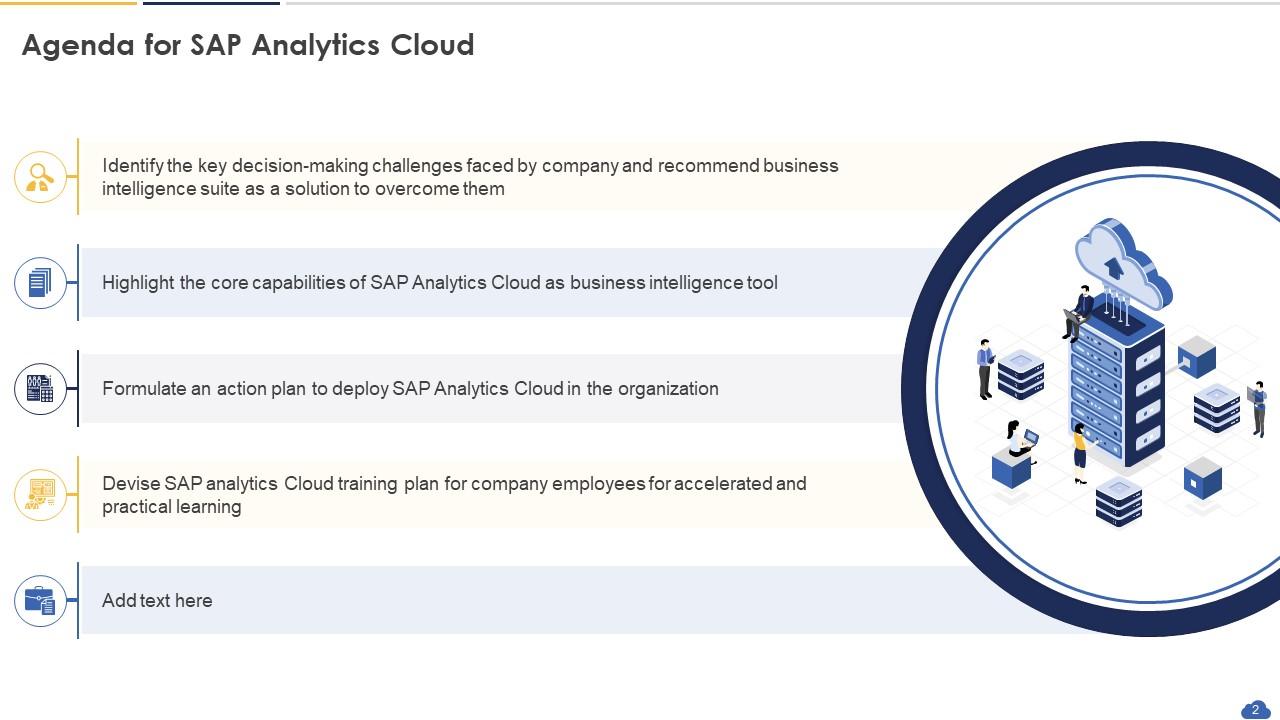
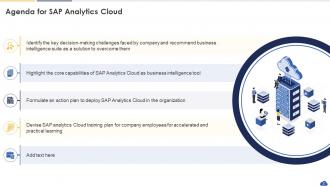
Slide 2 : Este slide mostra a Agenda da apresentação.
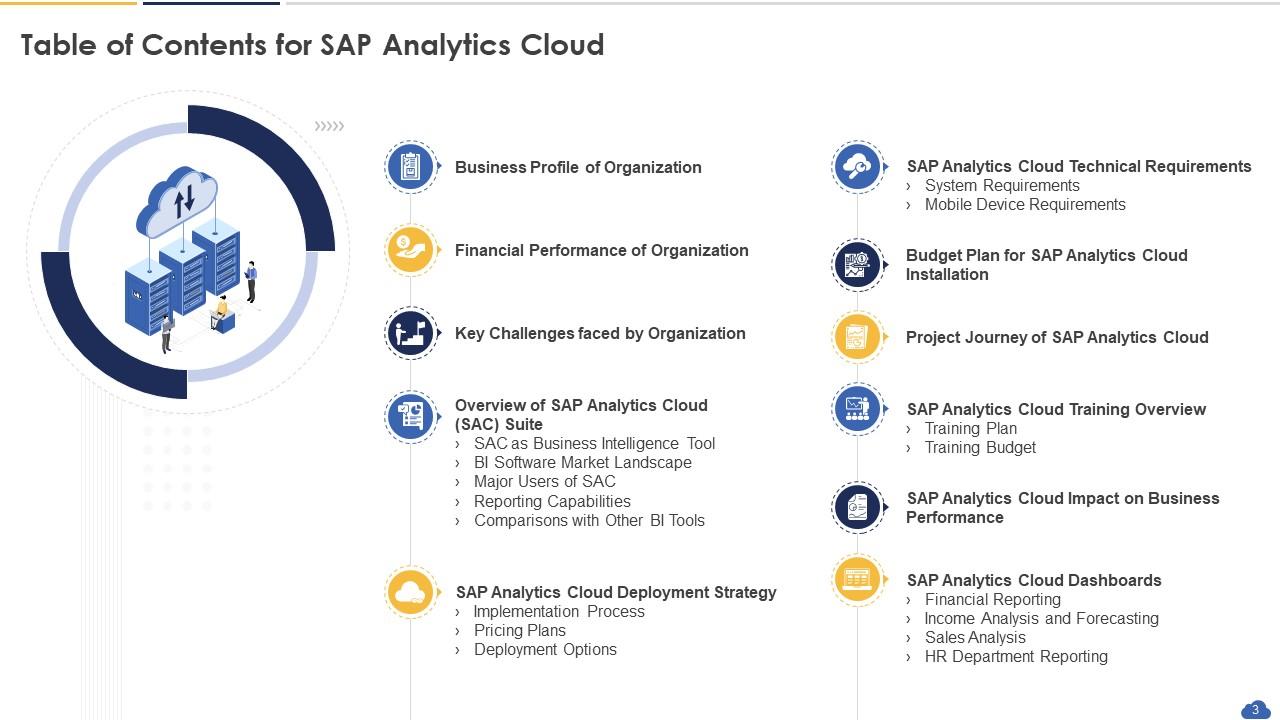
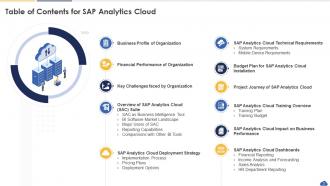
Slide 3 : Este slide apresenta o Índice da apresentação.
Slide 4 : Este slide destaca o título dos tópicos que serão abordados a seguir no modelo.
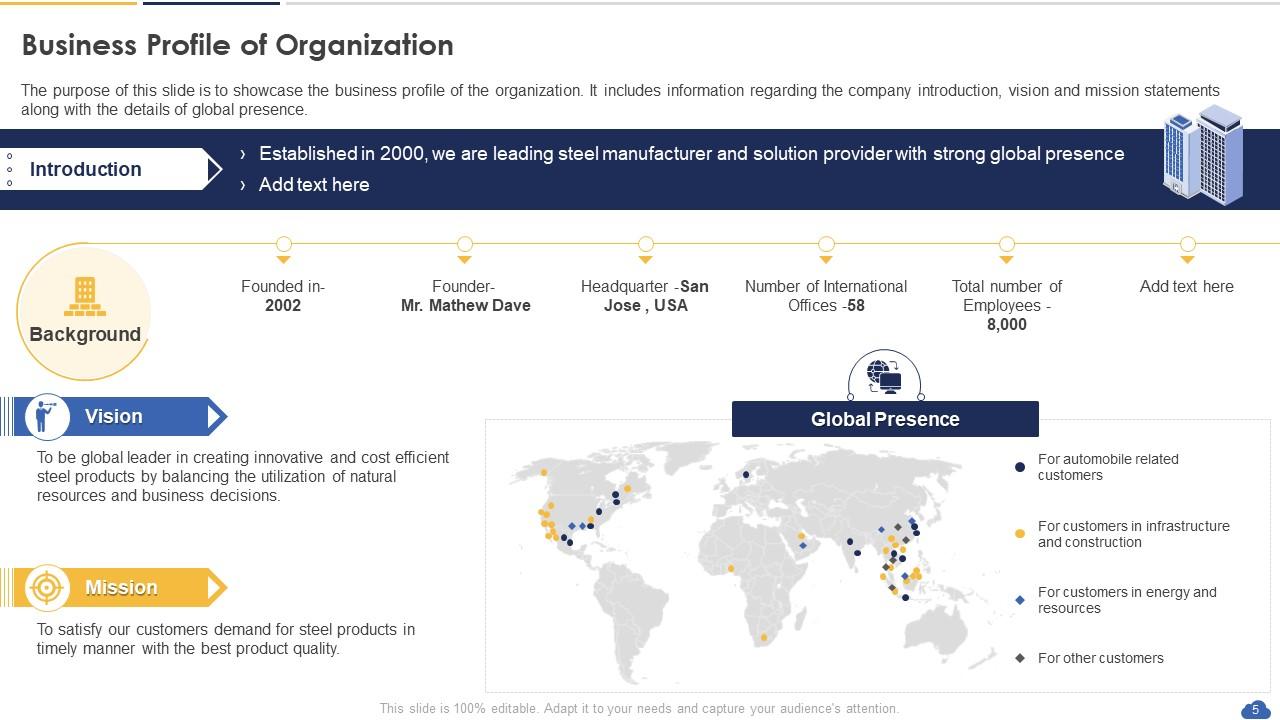
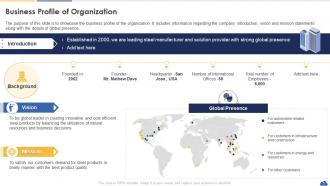
Slide 5 : O objetivo deste slide é mostrar o perfil de negócios da organização.
Slide 6 : Este slide destaca o título dos tópicos que serão abordados a seguir no modelo.
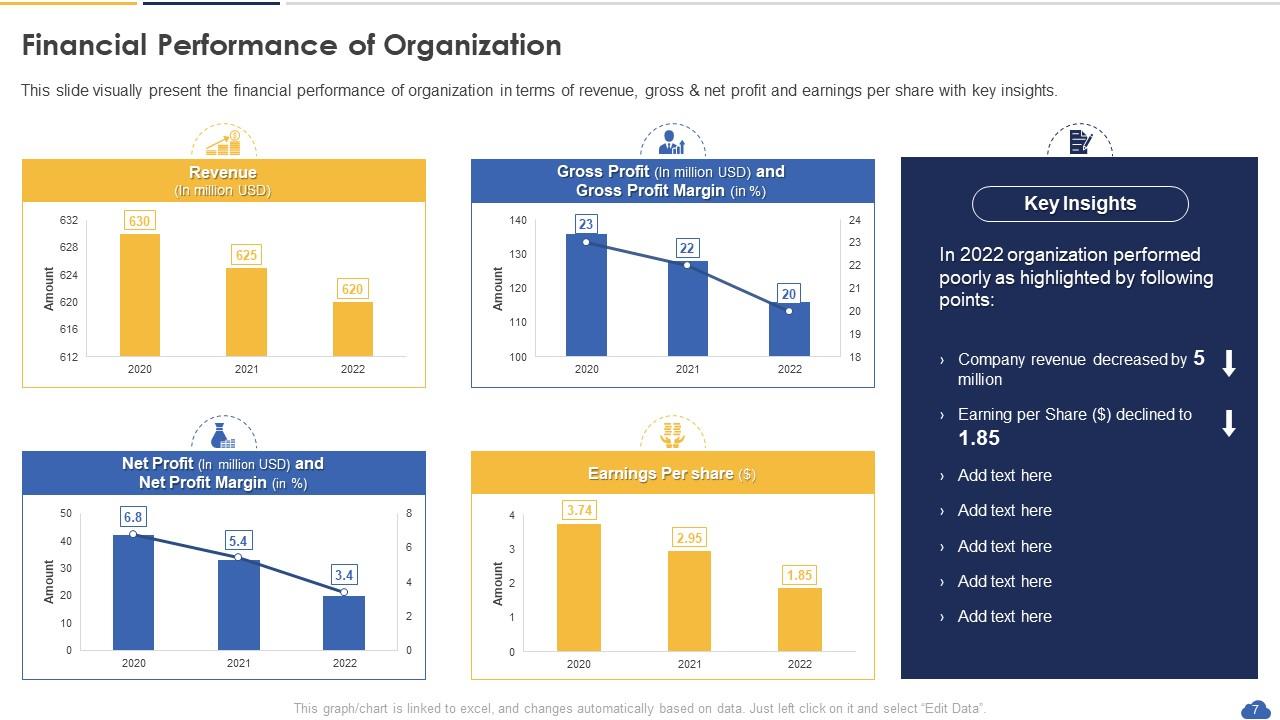
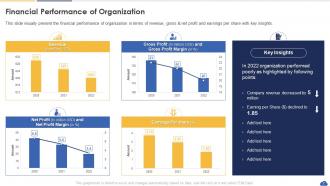
Slide 7 : Este slide apresenta visualmente o desempenho financeiro da organização.
Slide 8 : Este slide destaca o título dos tópicos que serão abordados a seguir no modelo.
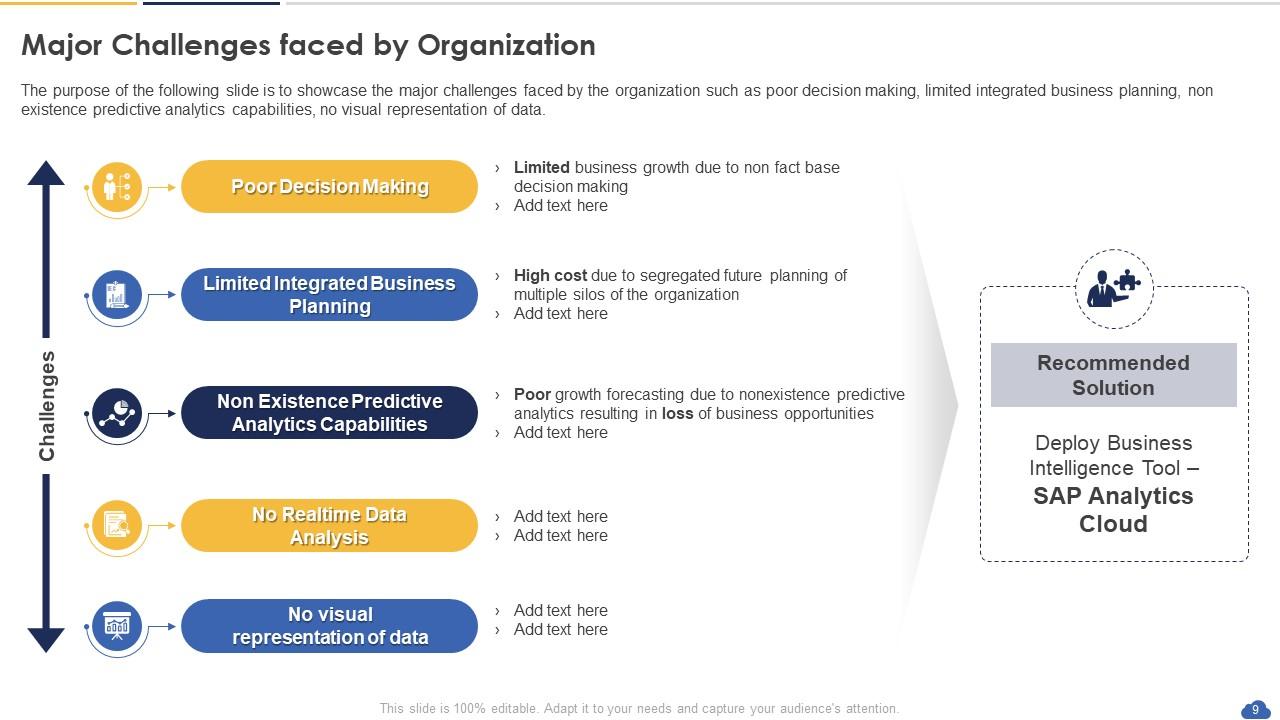
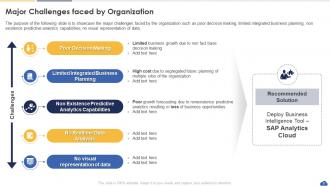
Slide 9 : Este slide representa os Principais Desafios enfrentados pela Organização.
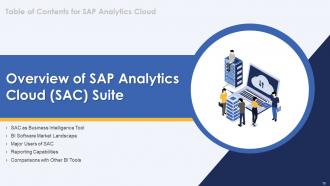
Slide 10 : Este slide destaca o título dos tópicos que serão abordados a seguir no modelo.
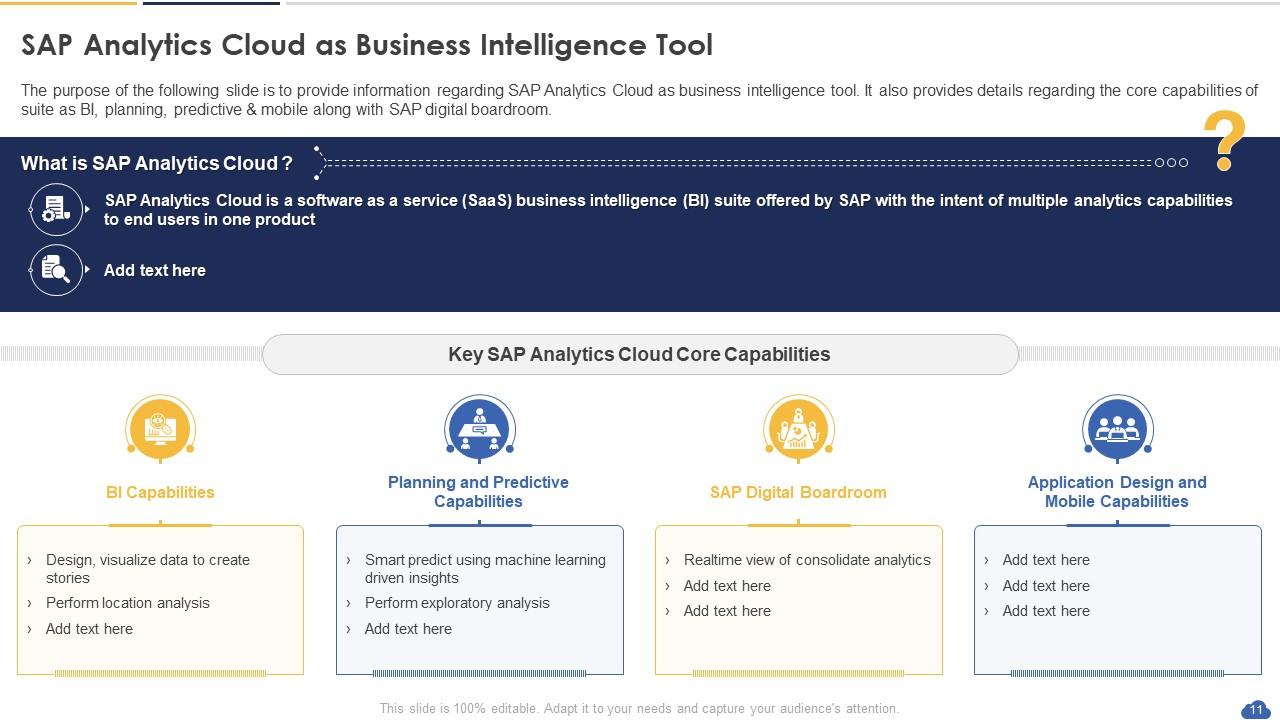
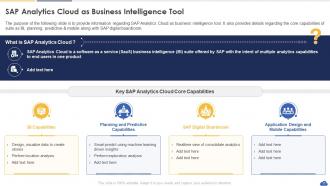
Slide 11 : Este slide mostra o SAP Analytics Cloud como ferramenta de Business Intelligence.
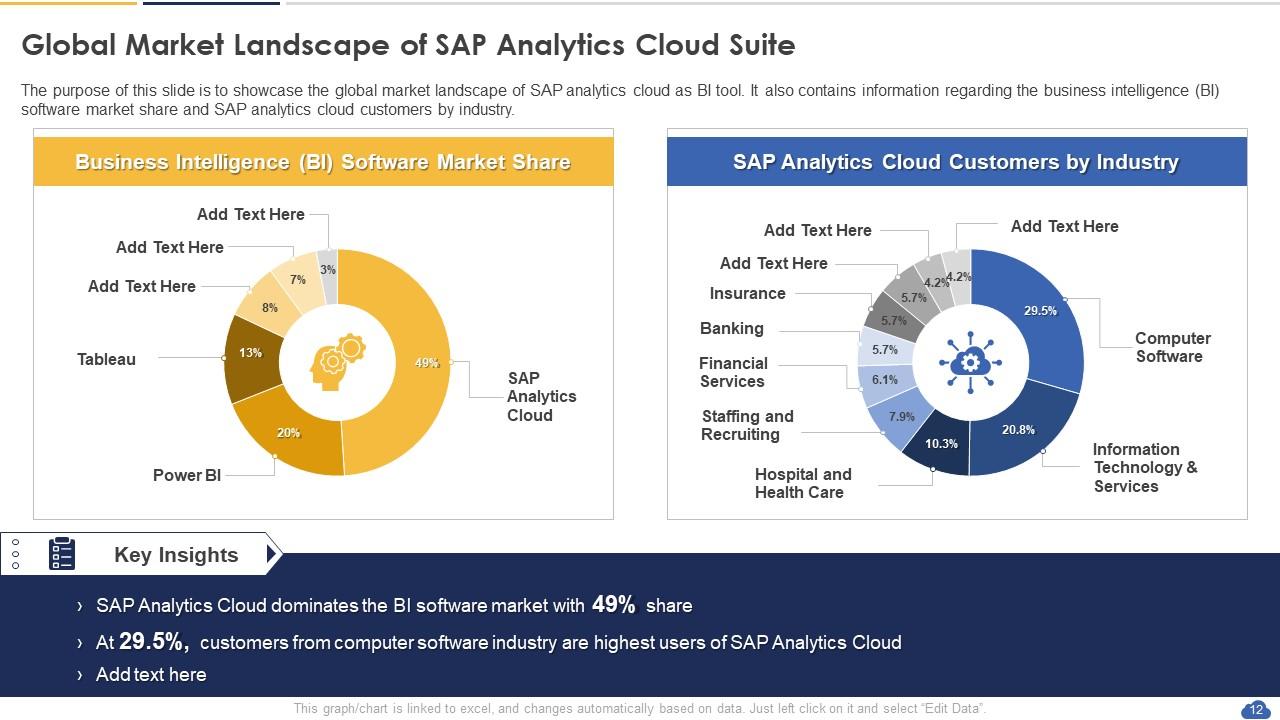
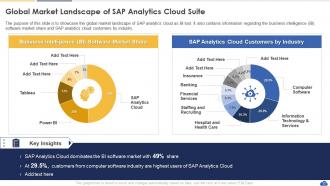
Slide 12 : Este slide mostra o cenário de mercado global do SAP Analytics Cloud Suite.
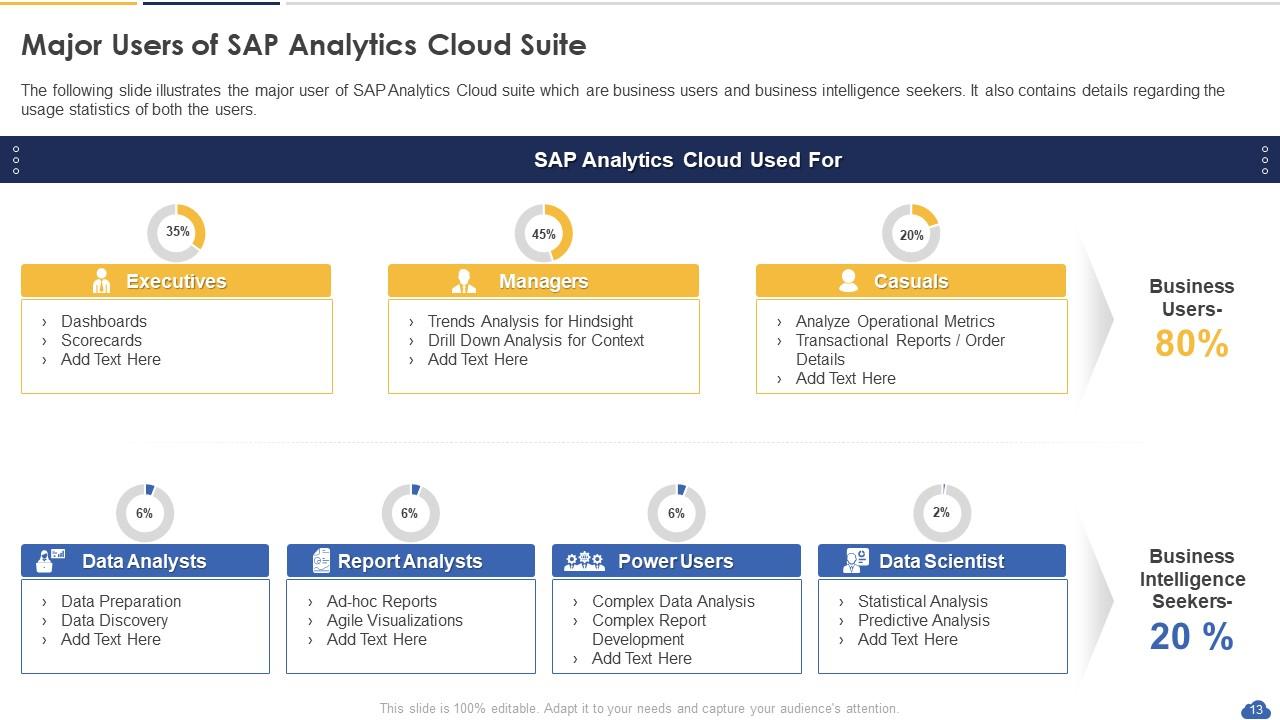
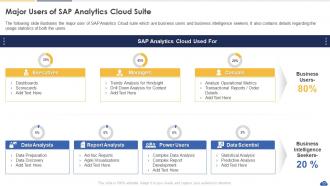
Slide 13 : Este slide apresenta os principais usuários do SAP Analytics Cloud Suite.
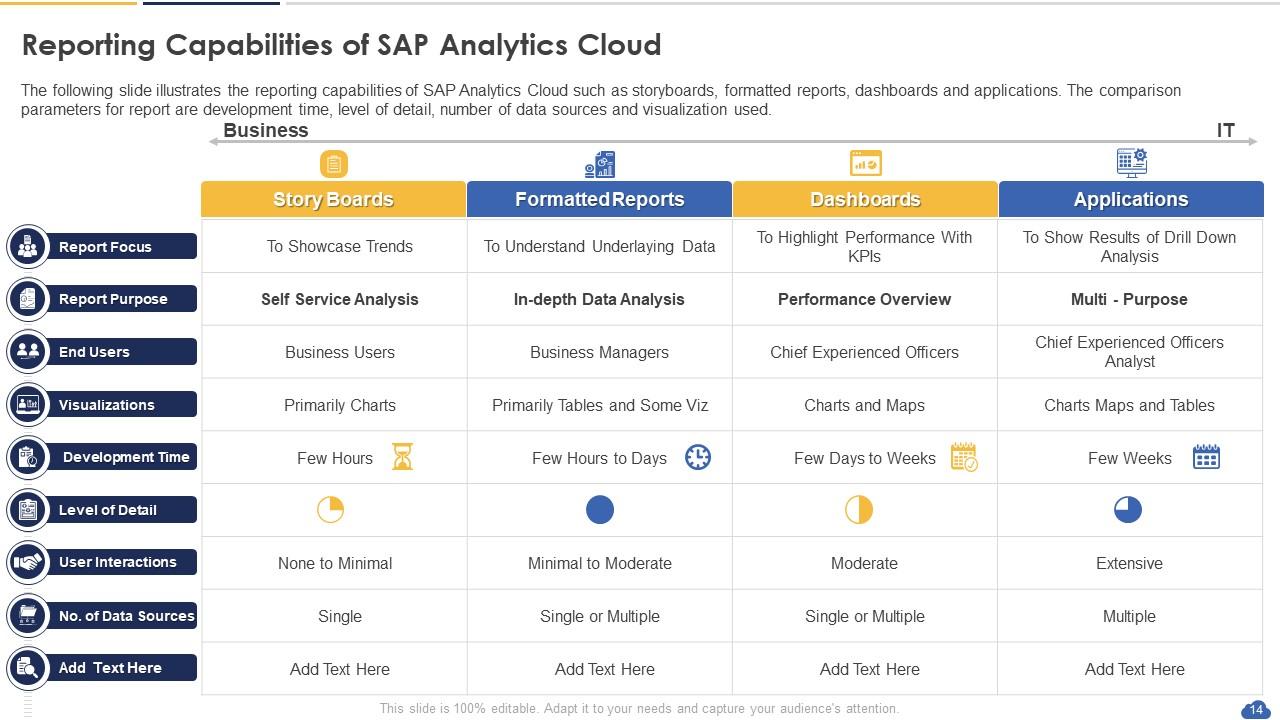
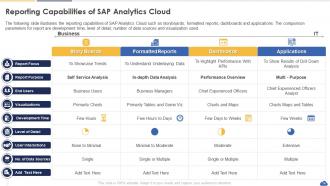
Slide 14 : Este slide exibe os recursos de relatório do SAP Analytics Cloud.
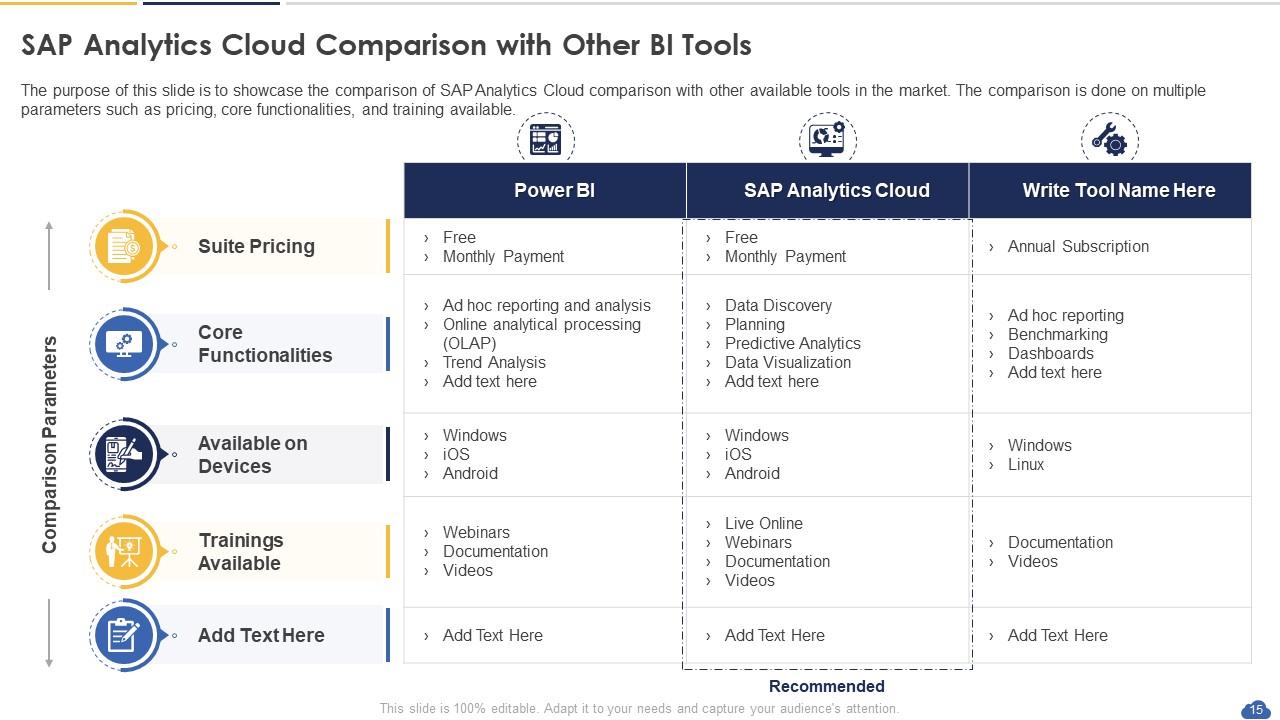
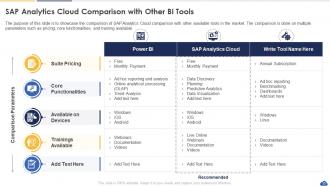
Slide 15 : Este slide representa a comparação do SAP Analytics Cloud com outras ferramentas de BI.
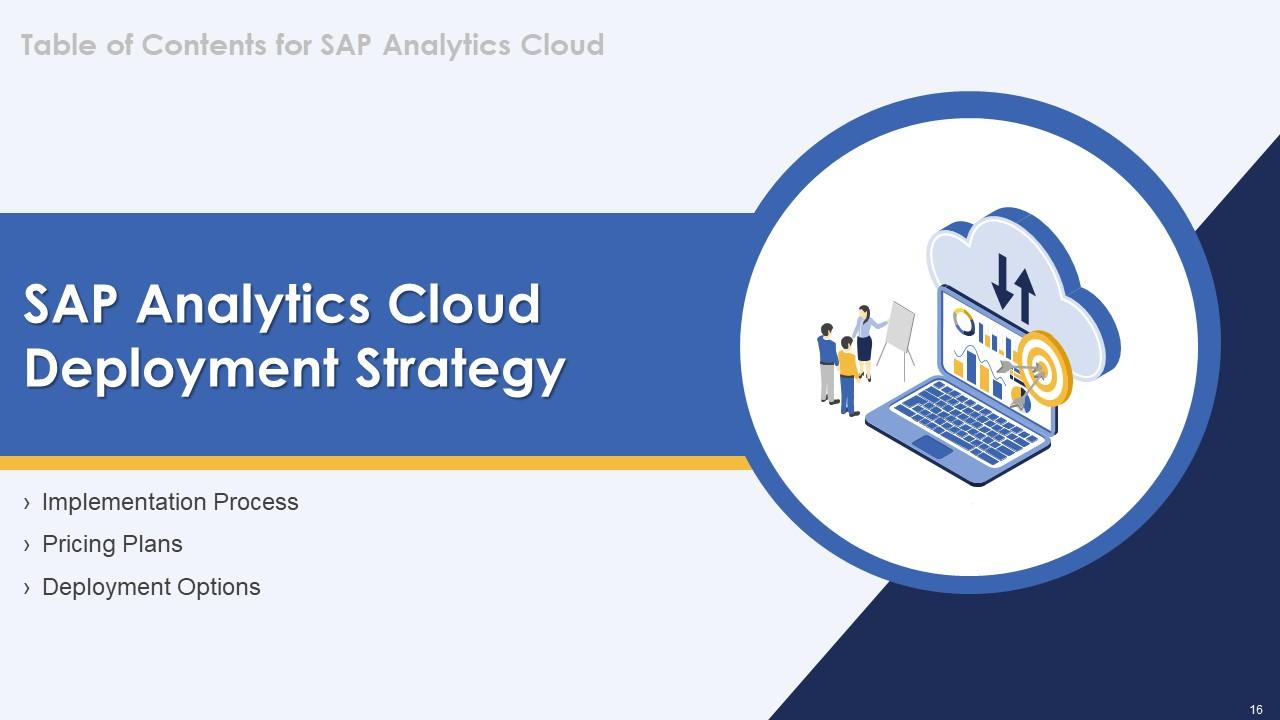
Slide 16 : Este slide destaca o título dos tópicos que serão abordados a seguir no modelo.
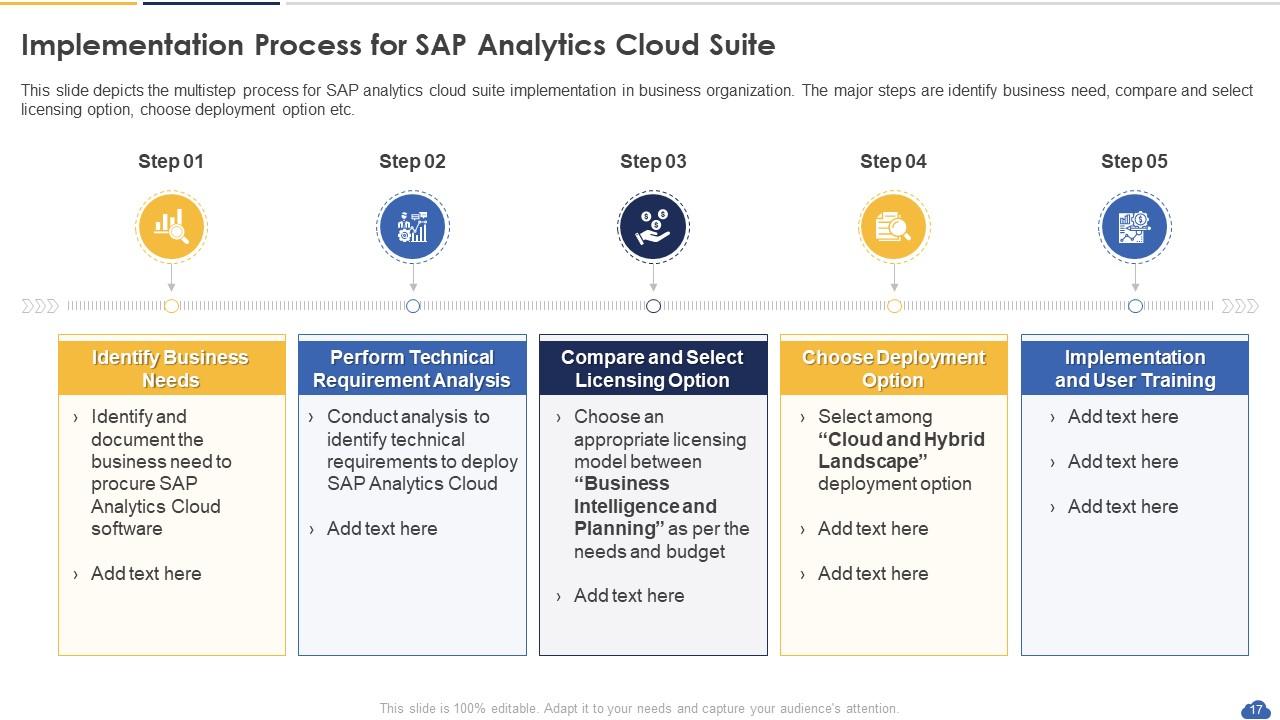
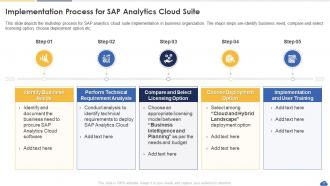
Slide 17 : Este slide mostra o processo de implementação do SAP Analytics Cloud Suite.
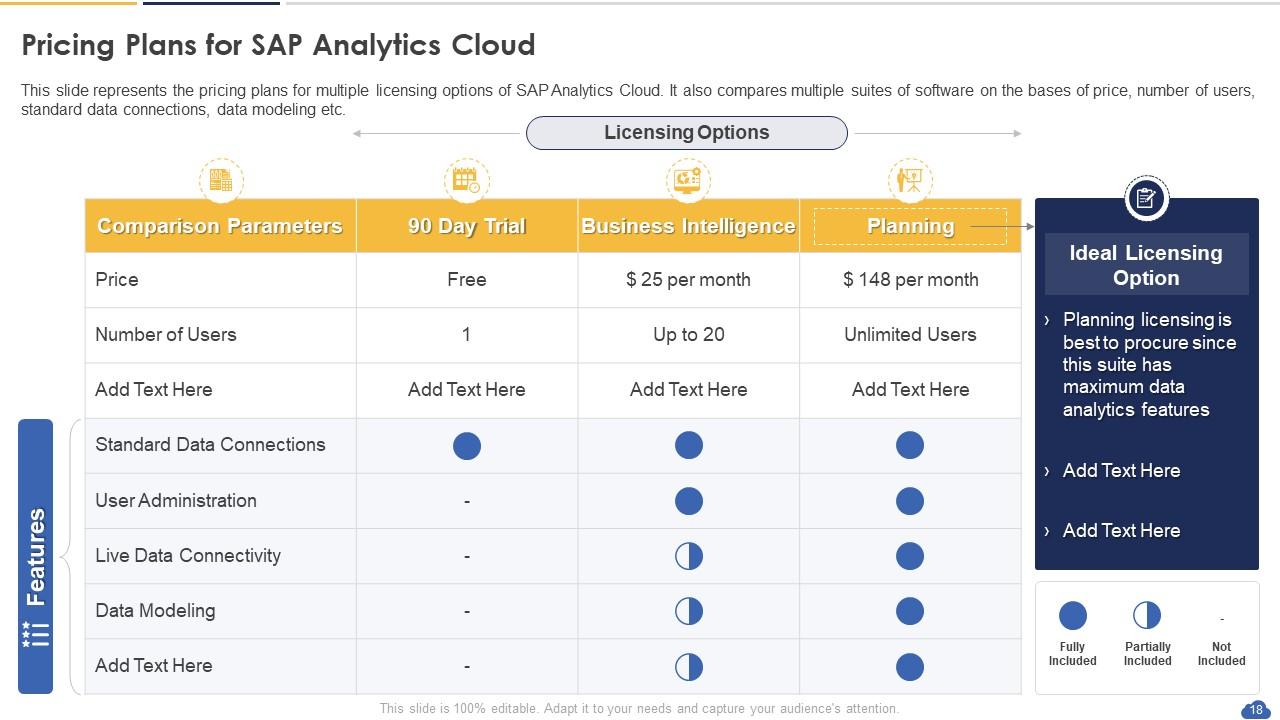
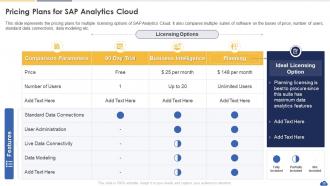
Slide 18 : Este slide representa os planos de preços para várias opções de licenciamento do SAP Analytics Cloud.
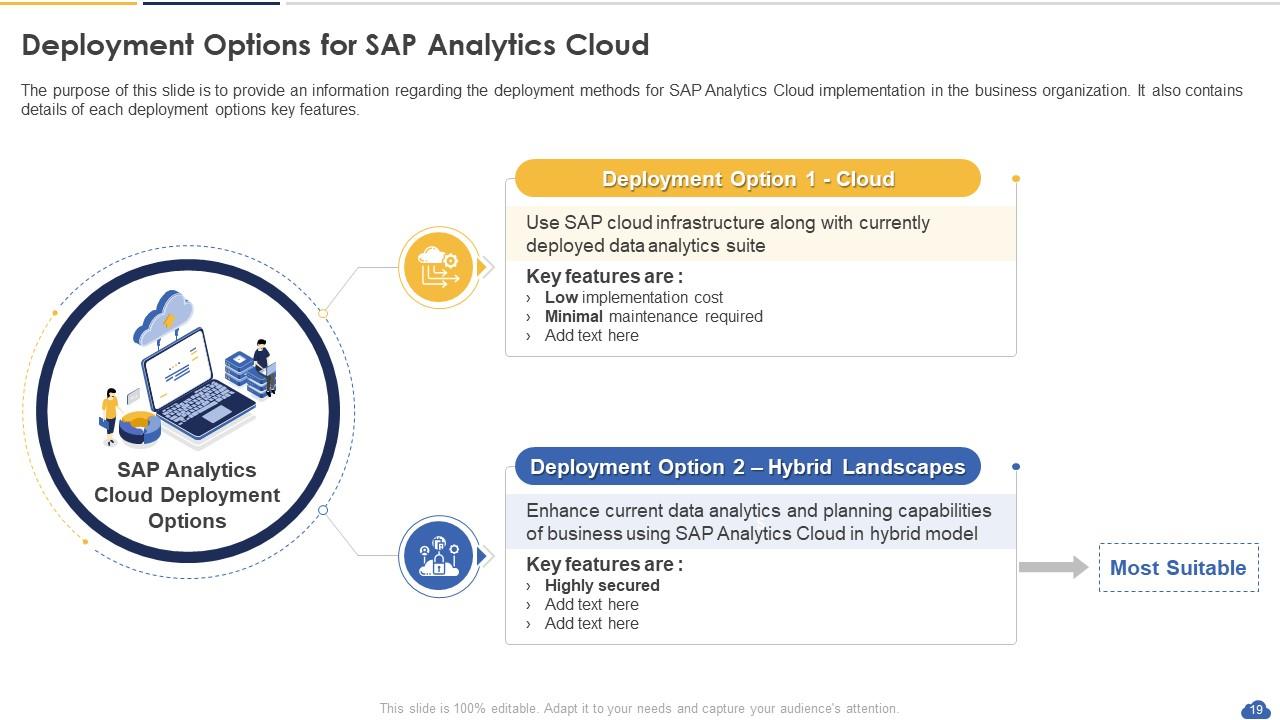
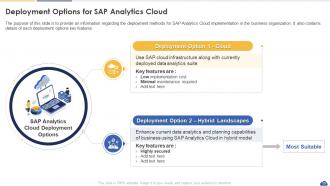
Slide 19 : Este slide mostra as opções de implantação para SAP Analytics Cloud.
Slide 20 : Este slide destaca o título dos tópicos que serão abordados a seguir no modelo.
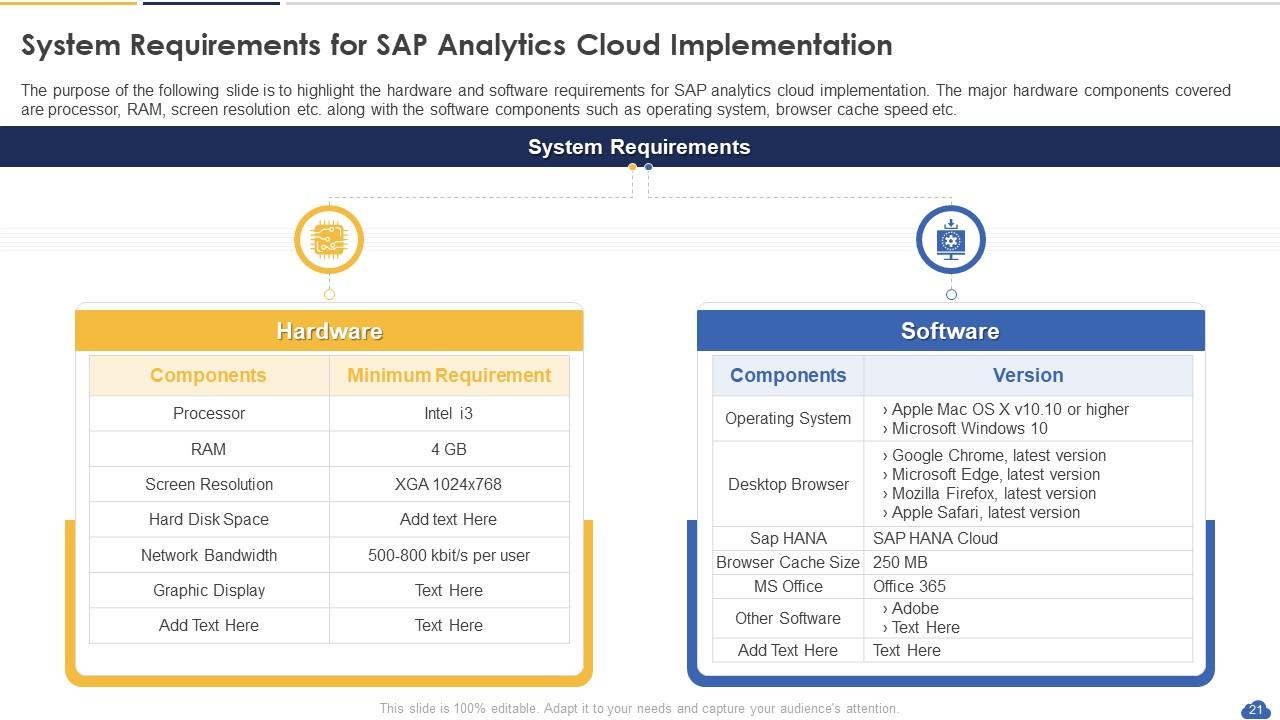
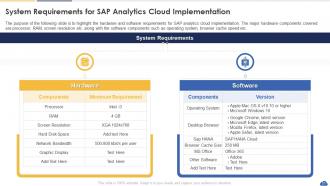
Slide 21 : Este slide mostra os requisitos do sistema para implementação do SAP Analytics Cloud.
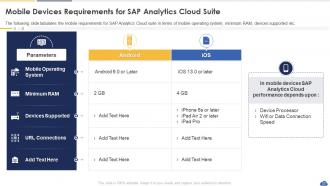
Slide 22 : Este slide apresenta os requisitos de dispositivos móveis para SAP Analytics Cloud Suite.
Slide 23 : Este slide destaca o título dos tópicos que serão abordados a seguir no modelo.
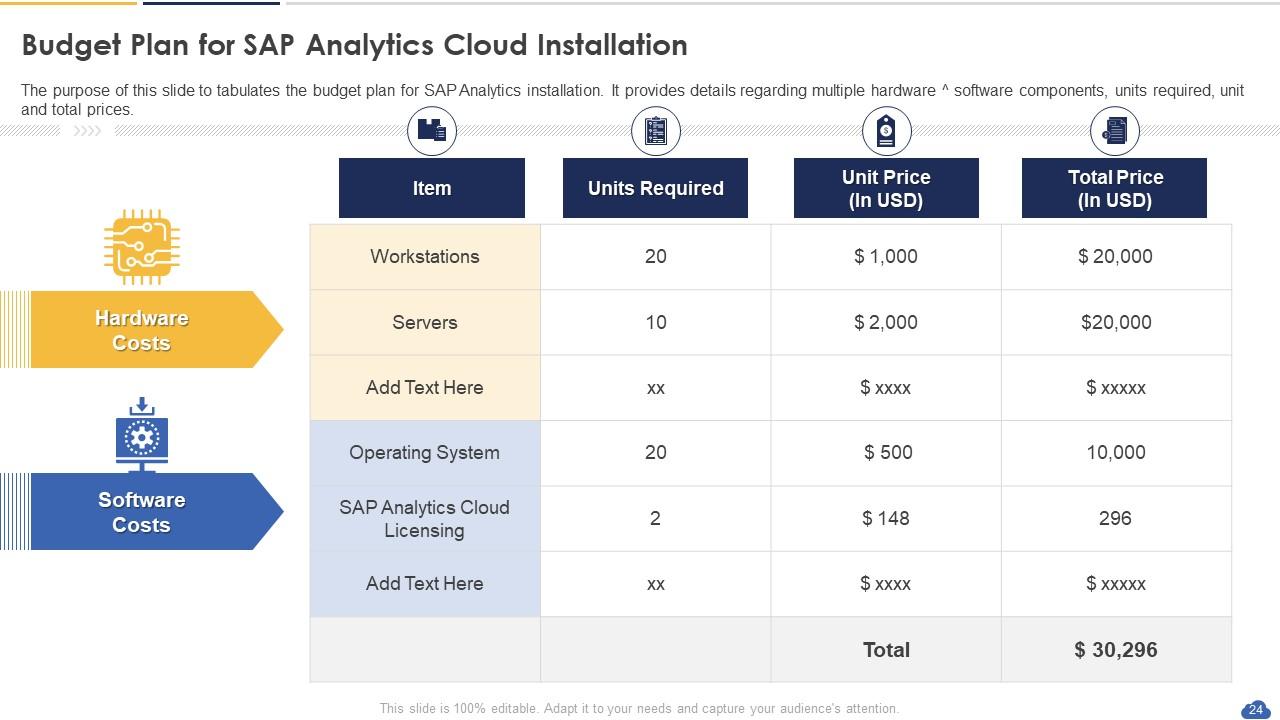
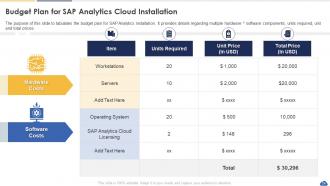
Slide 24 : Este slide exibe o Plano de orçamento para instalação do SAP Analytics Cloud.
Slide 25 : Este slide destaca o título dos tópicos que serão abordados a seguir no modelo.
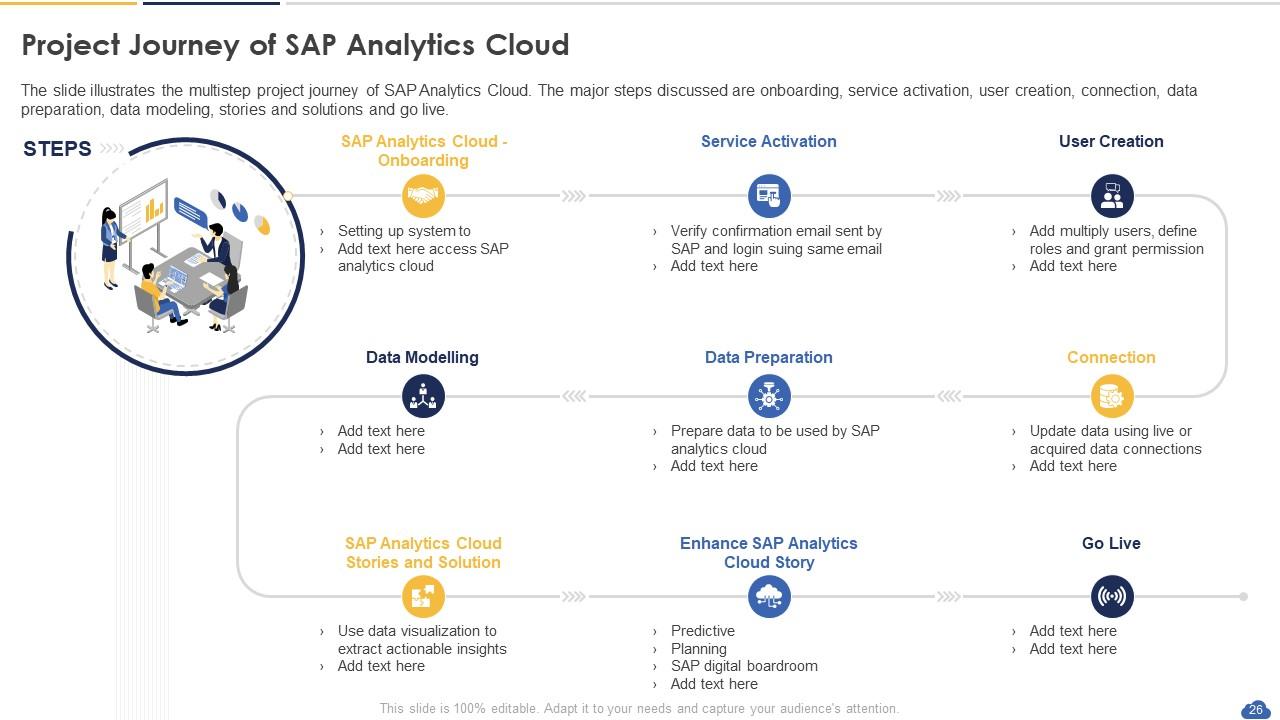
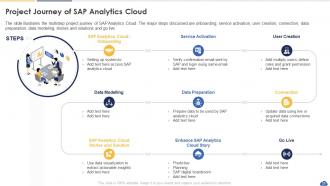
Slide 26 : O slide ilustra a jornada do projeto em várias etapas do SAP Analytics Cloud.
Slide 27 : Este slide destaca o título dos tópicos que serão abordados a seguir no modelo.
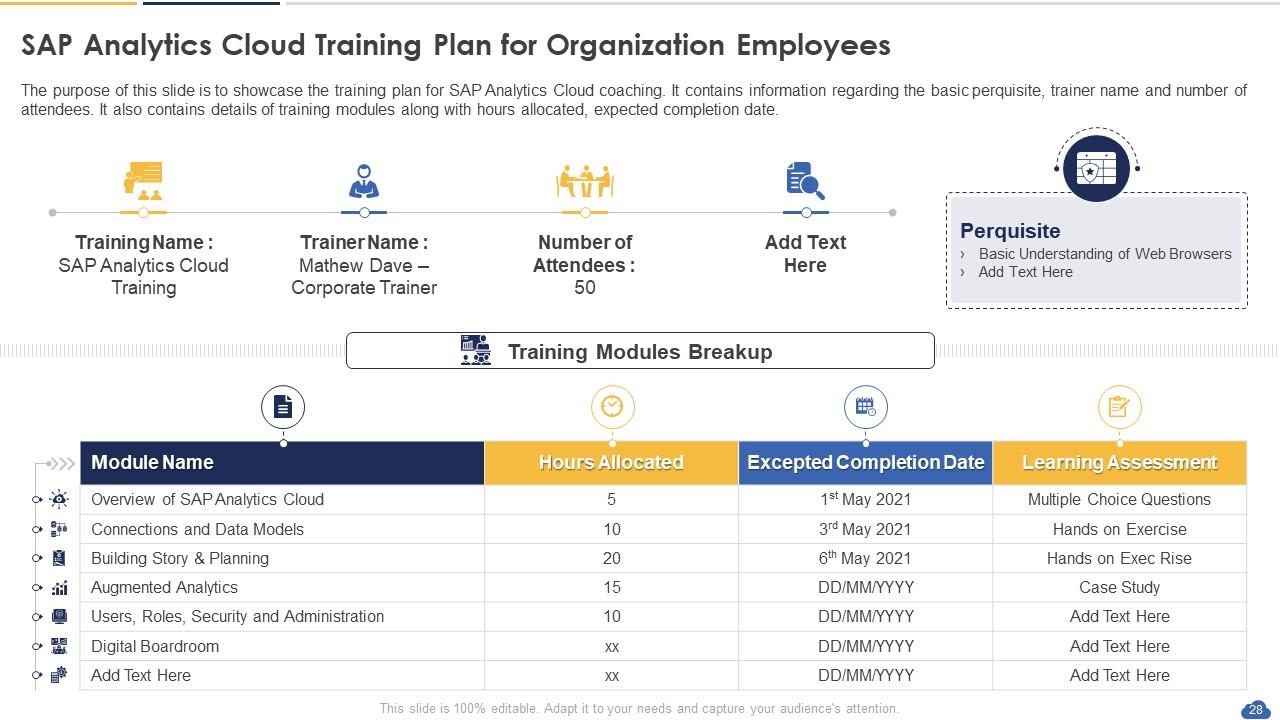
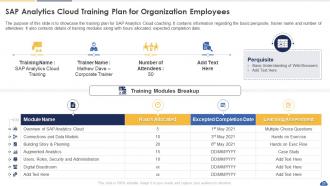
Slide 28 : Este slide representa o plano de treinamento do SAP Analytics Cloud para funcionários da organização.
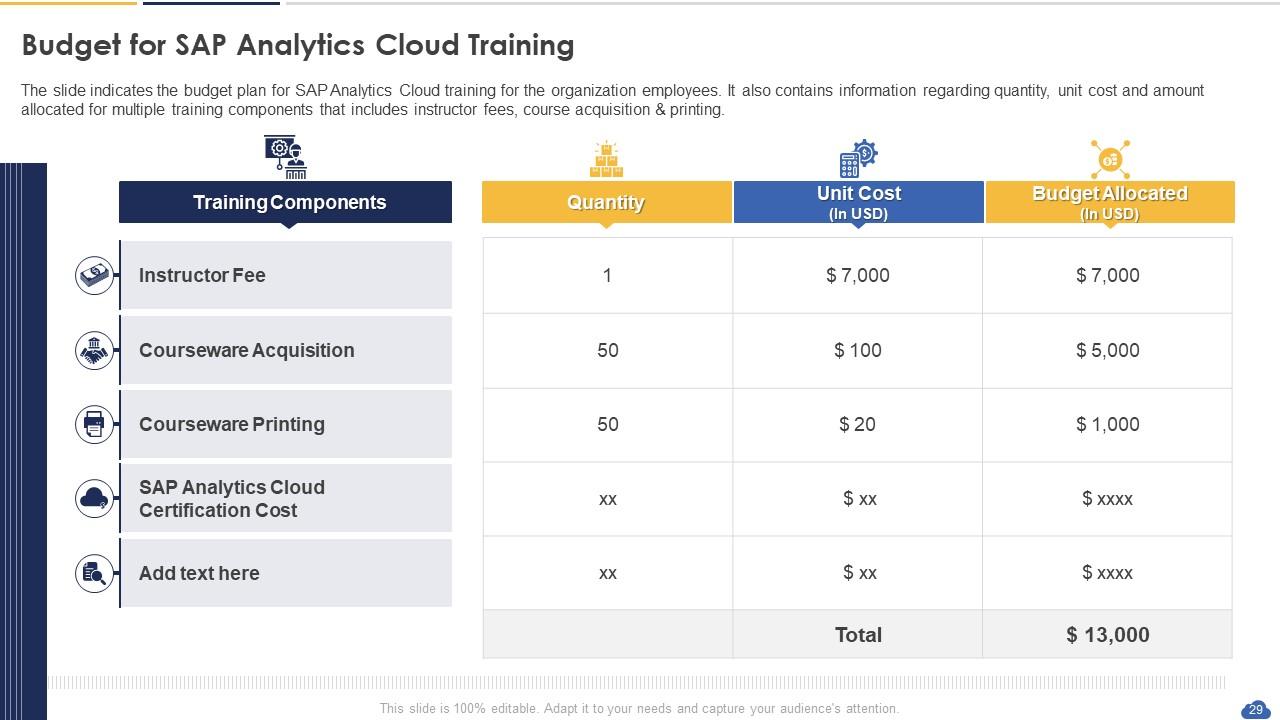
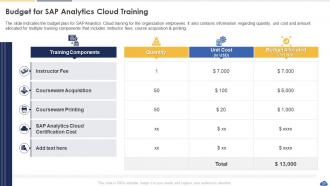
Slide 29 : O slide indica o plano de orçamento para treinamento do SAP Analytics Cloud para os funcionários da organização.
Slide 30 : Este slide destaca o título dos tópicos que serão abordados a seguir no modelo.
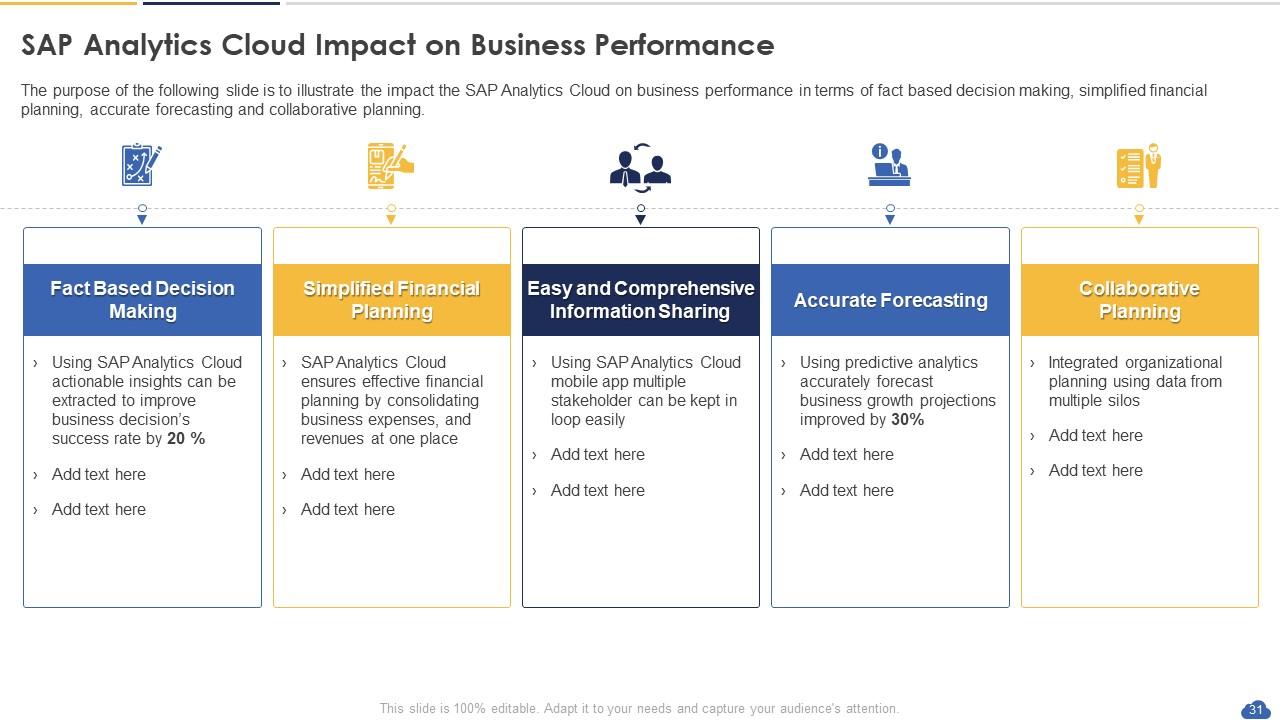
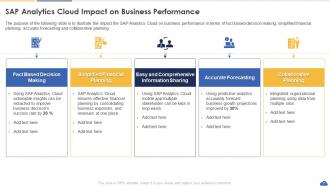
Slide 31 : Este slide mostra o SAP Analytics Cloud Impact on Business Performance.
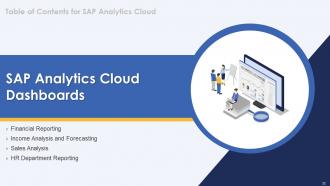
Slide 32 : Este slide destaca o título dos tópicos que serão abordados a seguir no modelo.
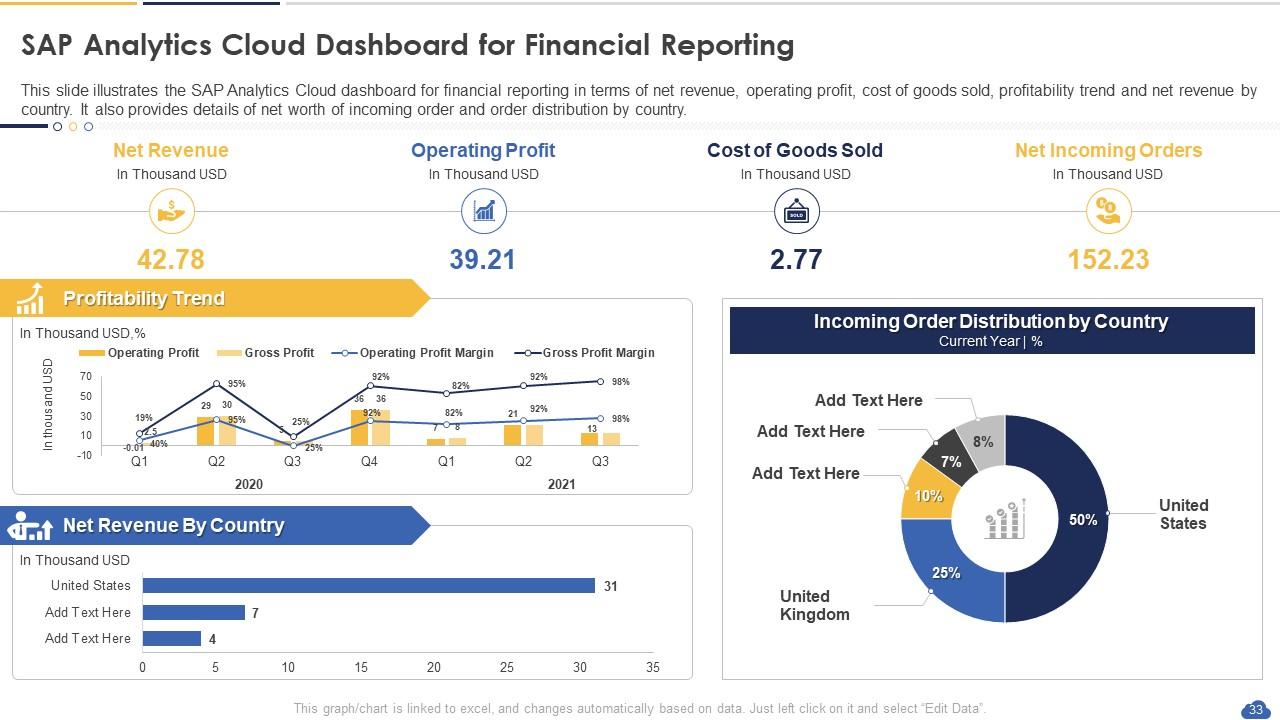
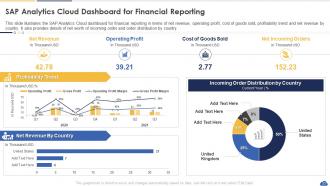
Slide 33 : Este slide mostra o SAP Analytics Cloud Dashboard for Financial Reporting.
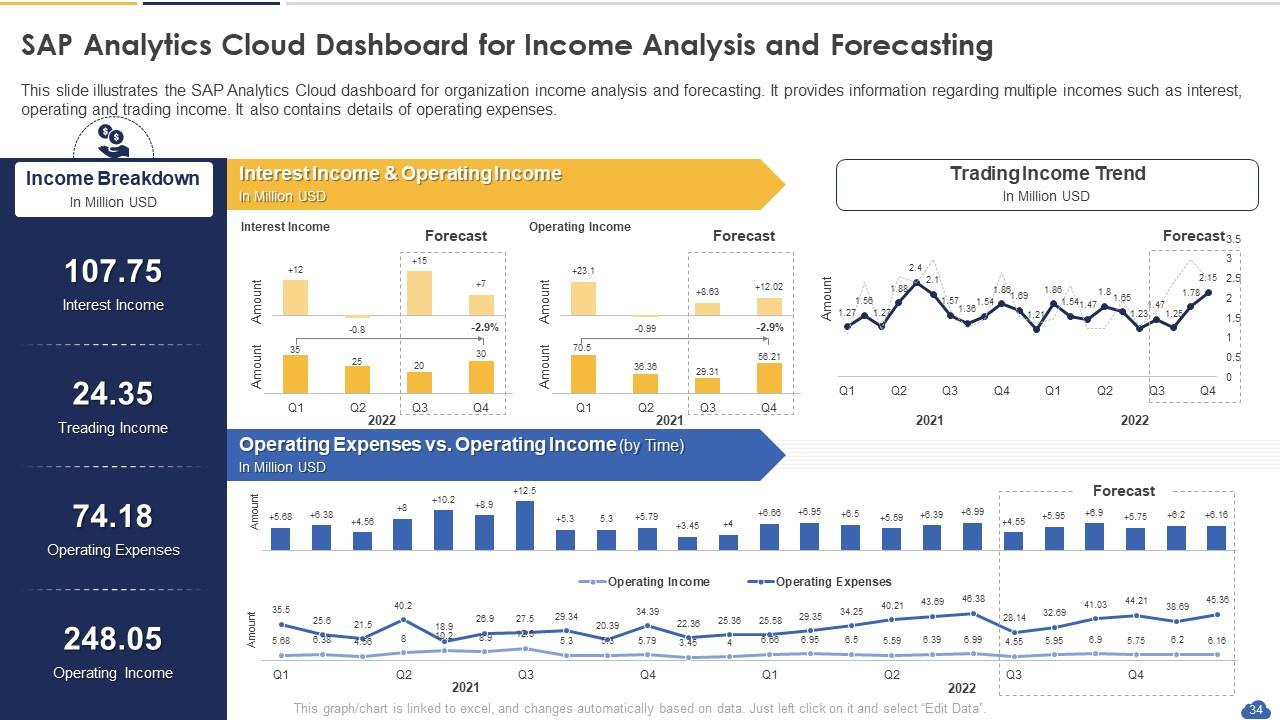
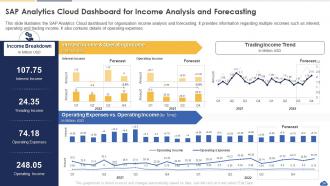
Slide 34 : Este slide apresenta o SAP Analytics Cloud Dashboard for Income Analysis and Forecasting.
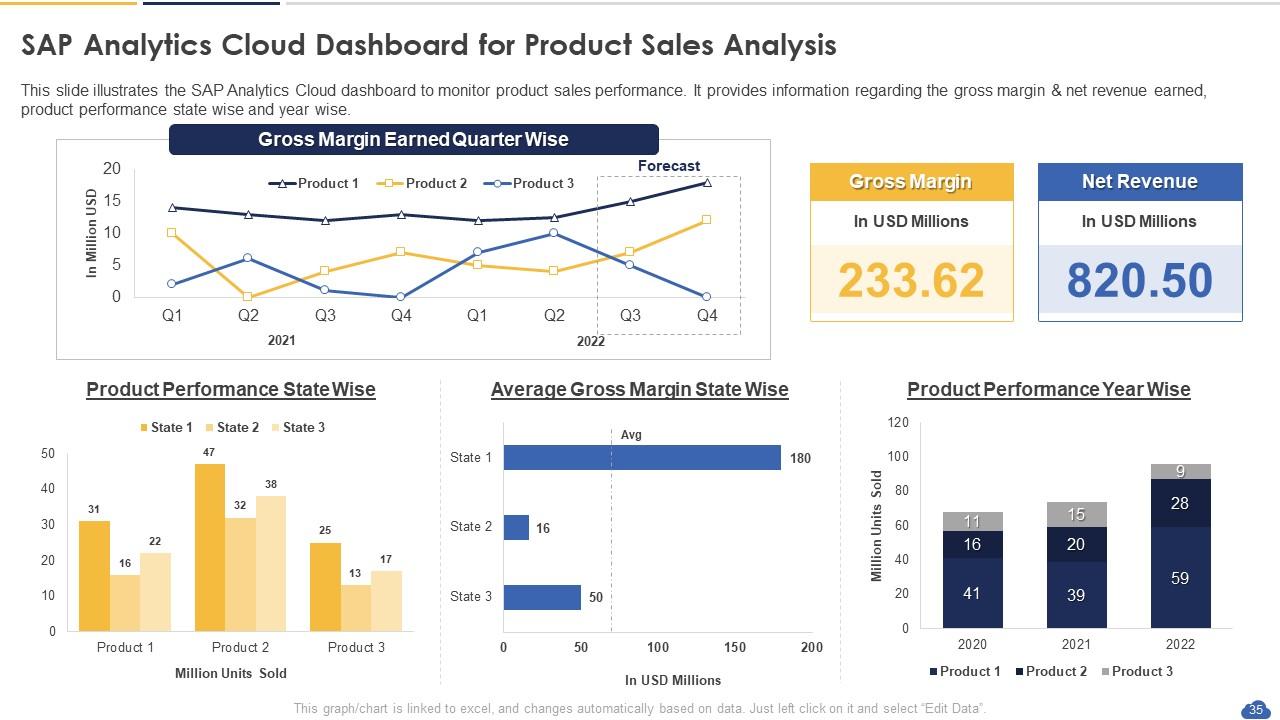
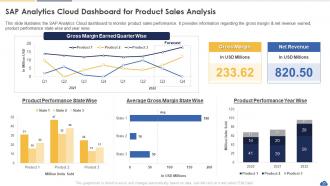
Slide 35 : Este slide exibe o SAP Analytics Cloud Dashboard for Product Sales Analysis.
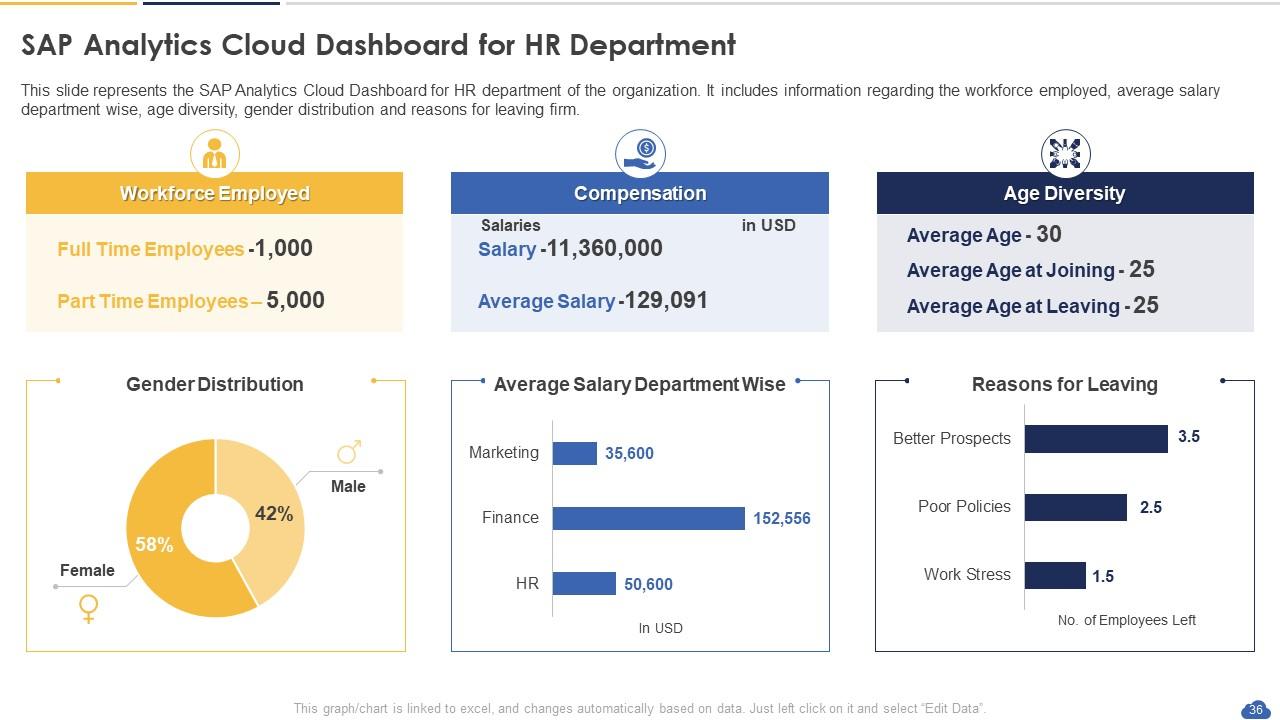
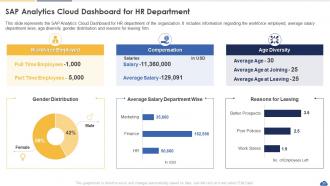
Slide 36 : Este slide representa o SAP Analytics Cloud Dashboard para o Departamento de RH.
Slide 37 : Este slide mostra Icons for SAP Analytics Cloud.
Slide 38 : Este slide é intitulado como Slides Adicionais para avançar.
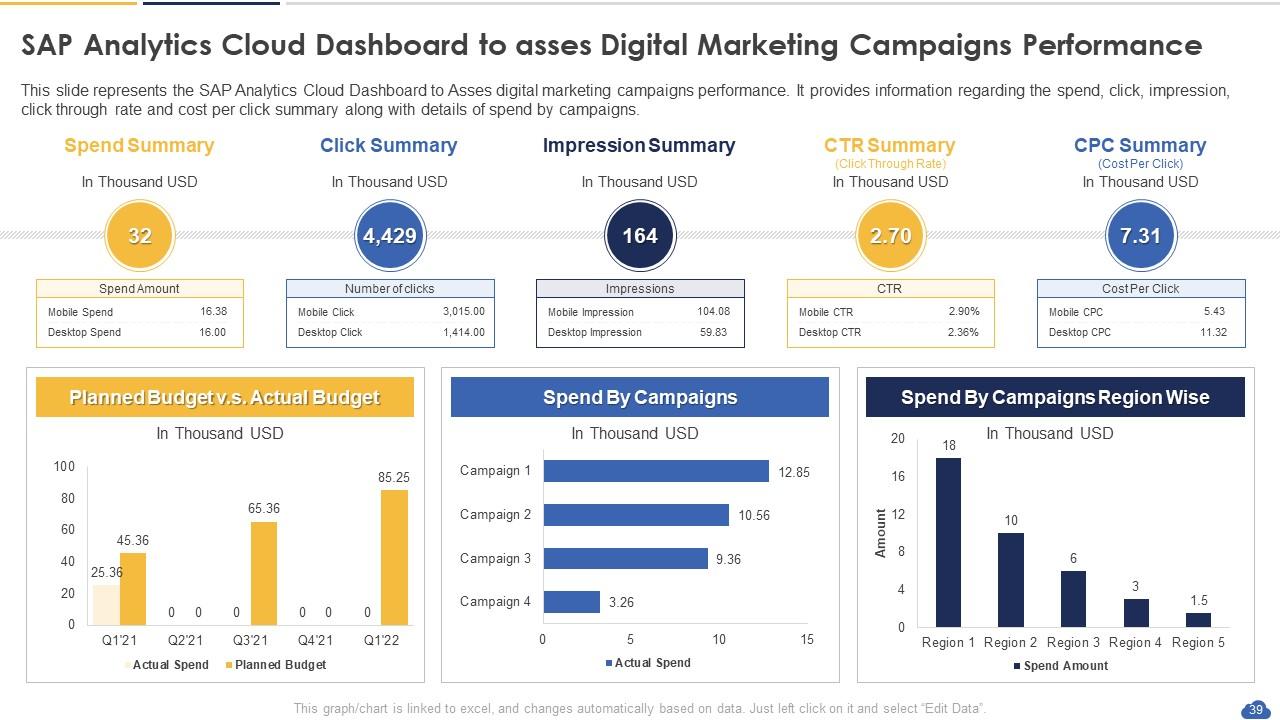
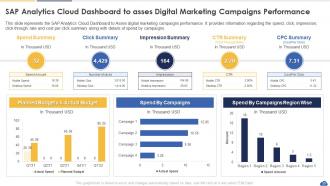
Slide 39 : Este slide mostra o SAP Analytics Cloud Dashboard para avaliar o desempenho das campanhas de marketing digital.
Slide 40 : Este é o slide Nossa Missão com imagens e textos relacionados.
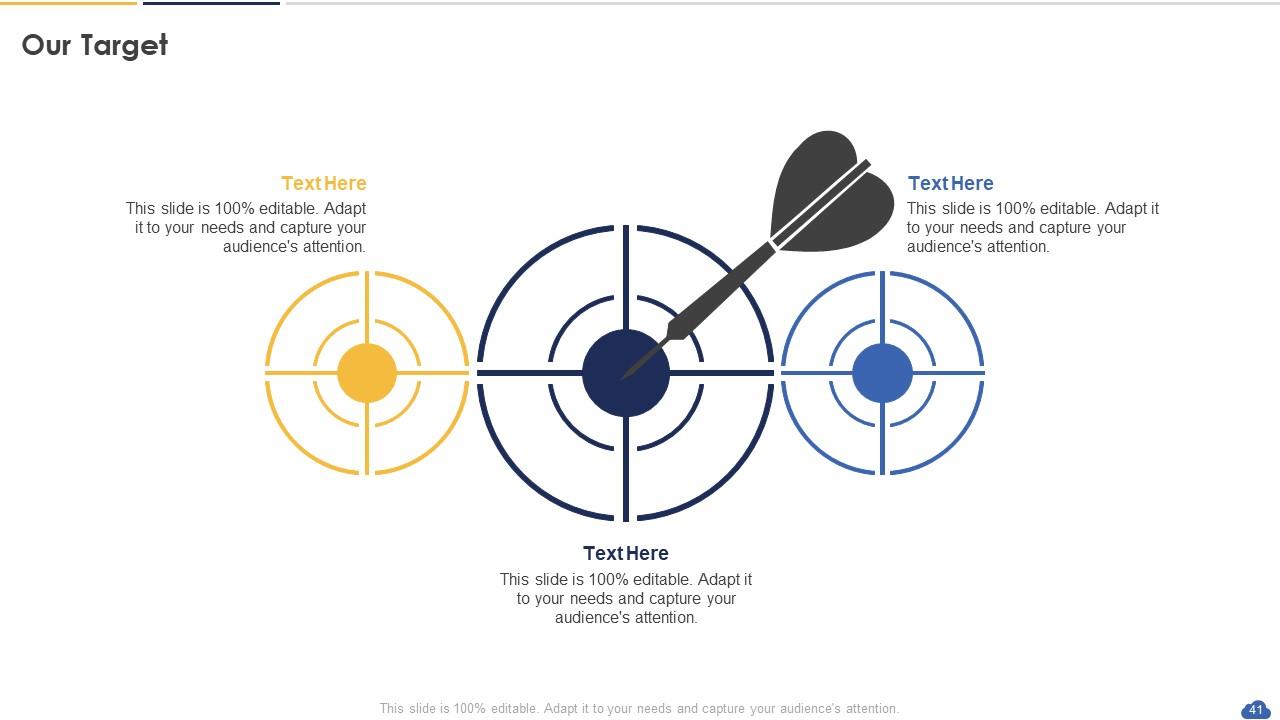
Slide 41 : Este é o slide Nossa Meta. Indique seus alvos aqui.
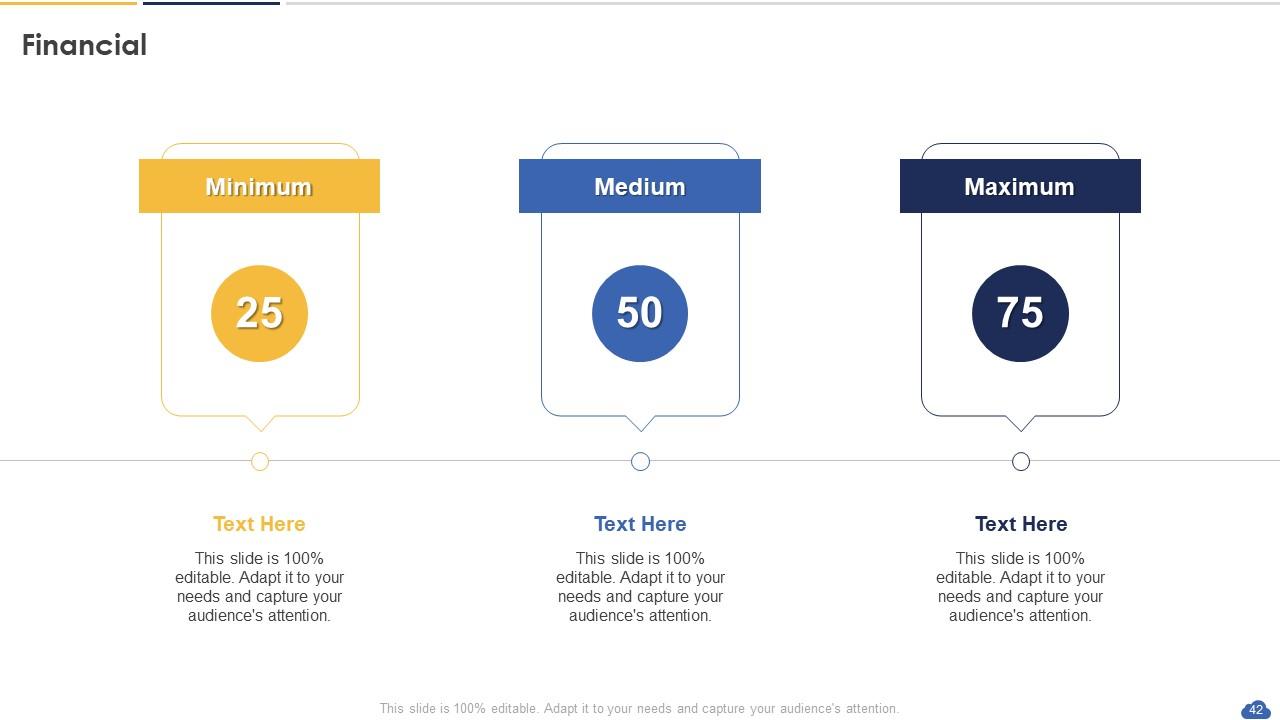
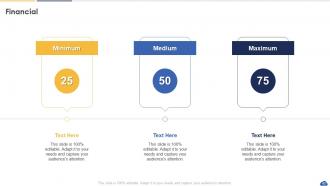
Slide 42 : Este é um slide financeiro. Mostre suas coisas relacionadas a finanças aqui.
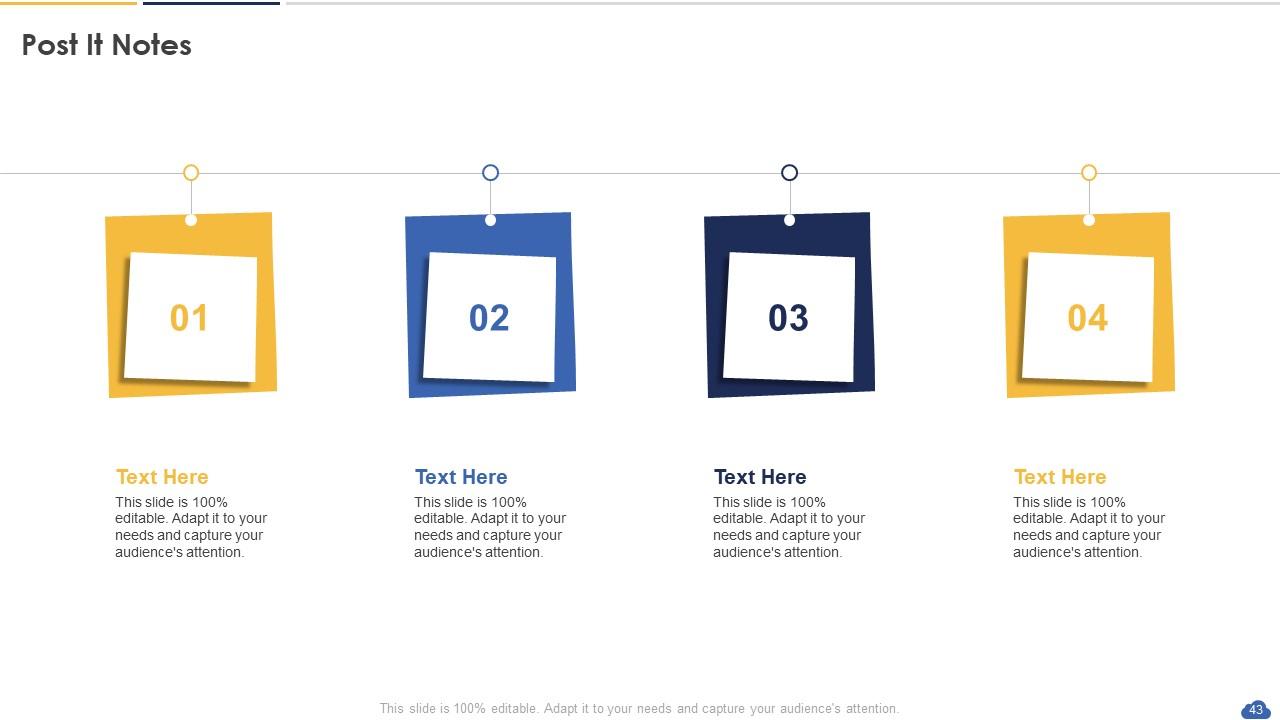
Slide 43 : Este slide mostra Post It Notes. Poste suas notas importantes aqui.
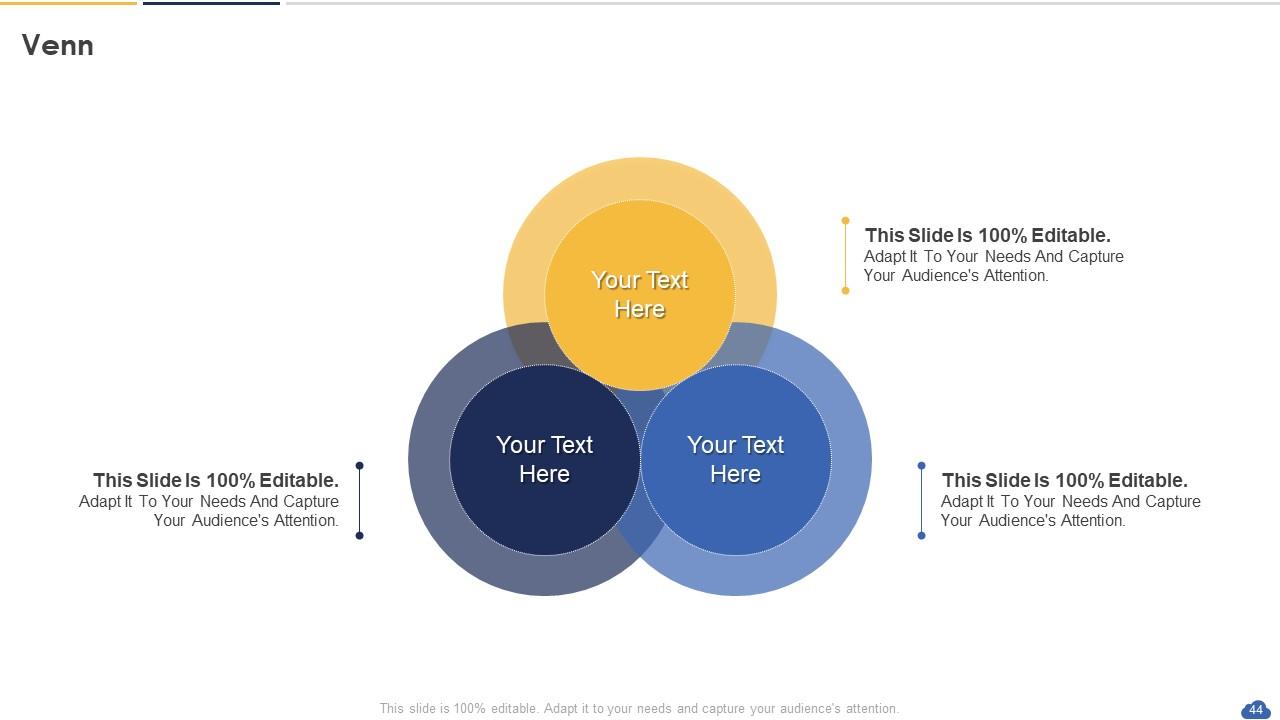
Slide 44 : Este slide mostra o diagrama de Venn com caixas de texto.
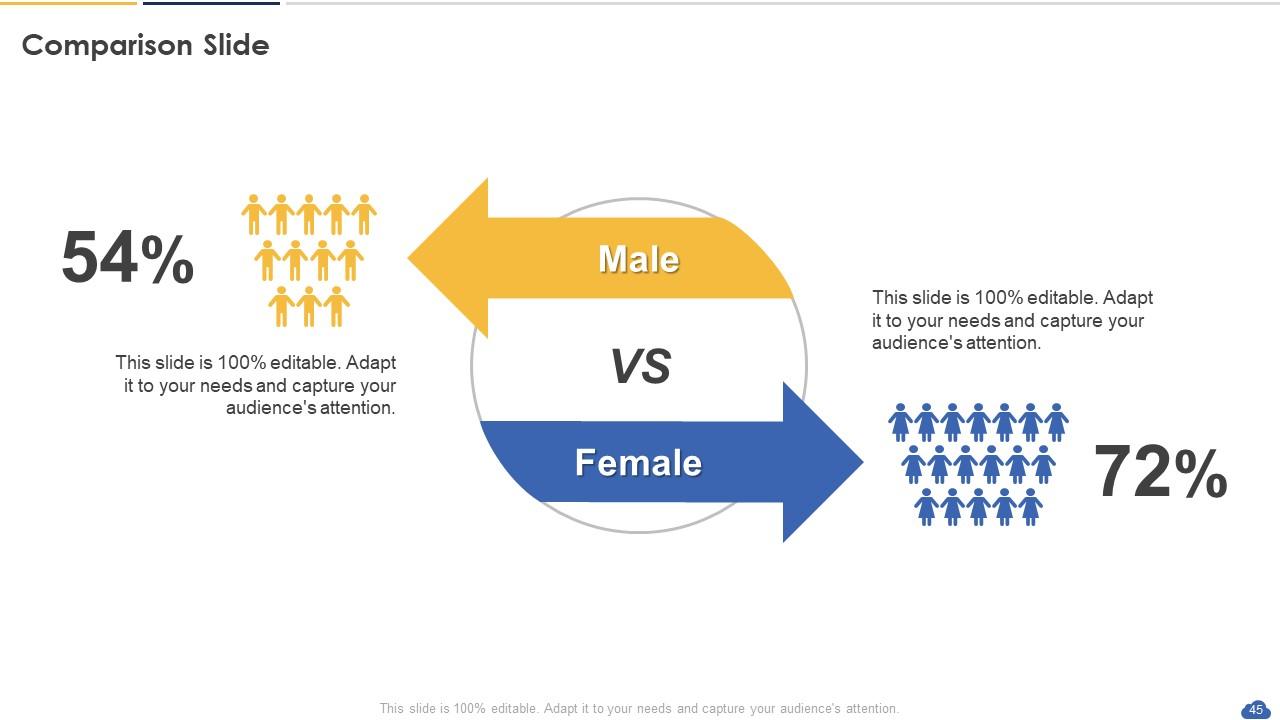
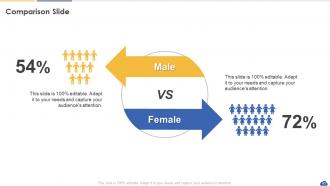
Slide 45 : Este é um slide de comparação para comparação de estados entre commodities, entidades etc.
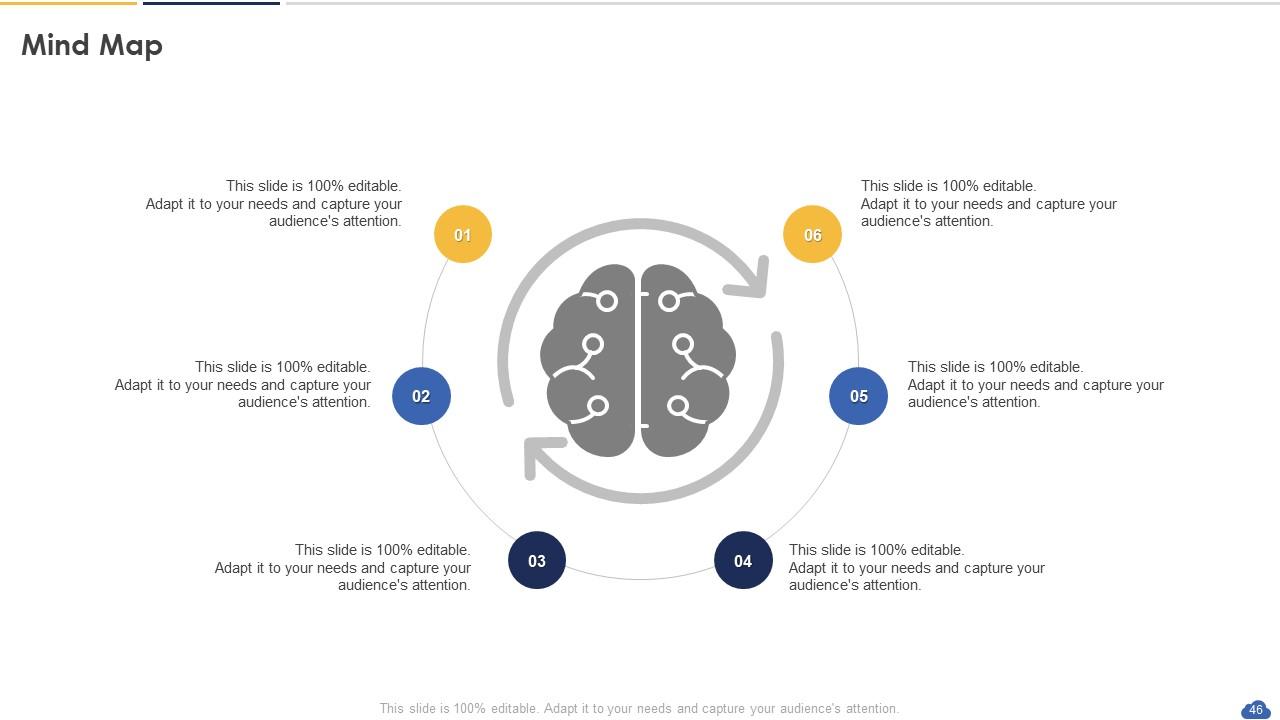
Slide 46 : Este slide mostra o Mapa Mental com imagens relacionadas.
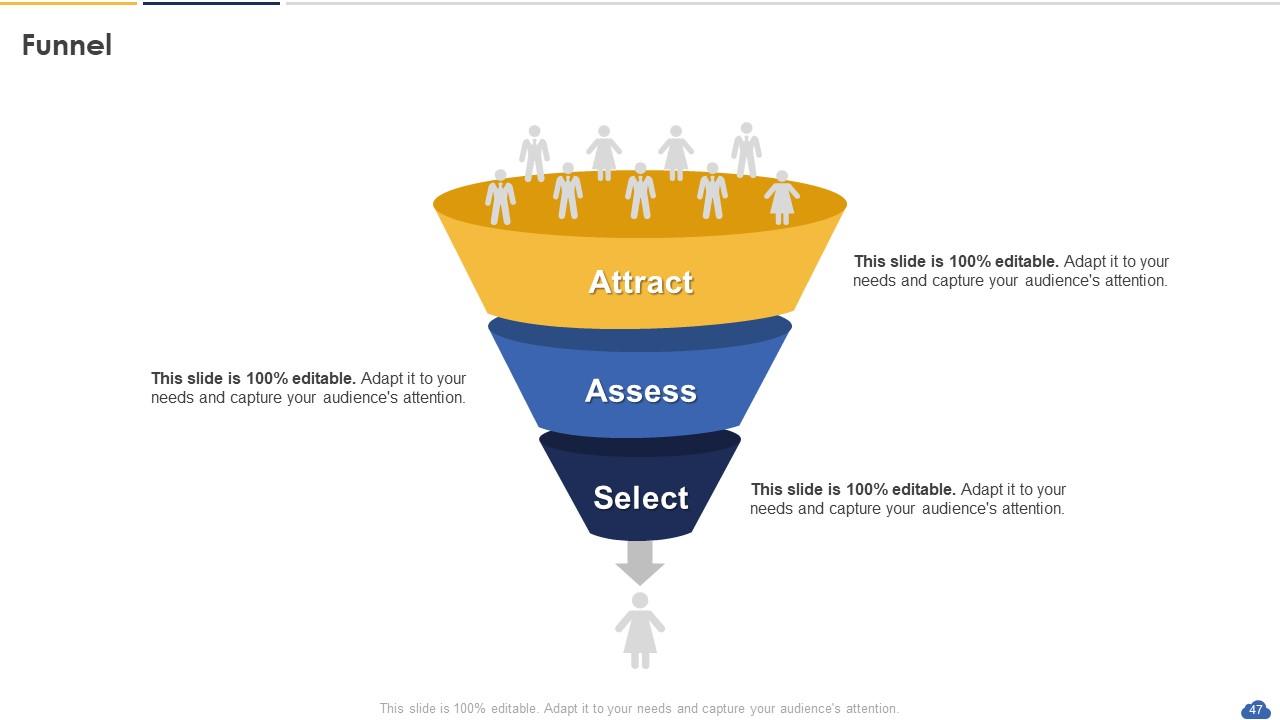
Slide 47 : Este slide mostra o Funil com imagens relacionadas.
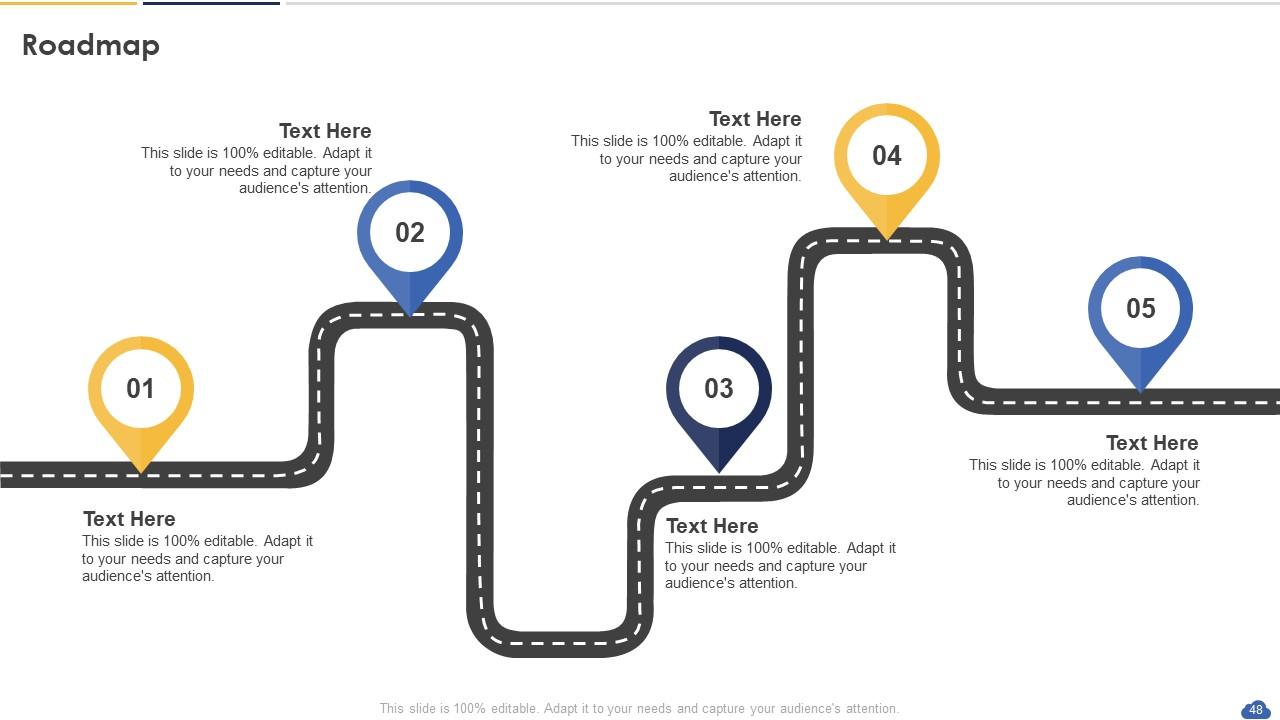
Slide 48 : Este slide apresenta o Roteiro com caixas de texto adicionais.
Slide 49 : Este slide contém Puzzle com ícones e textos relacionados.
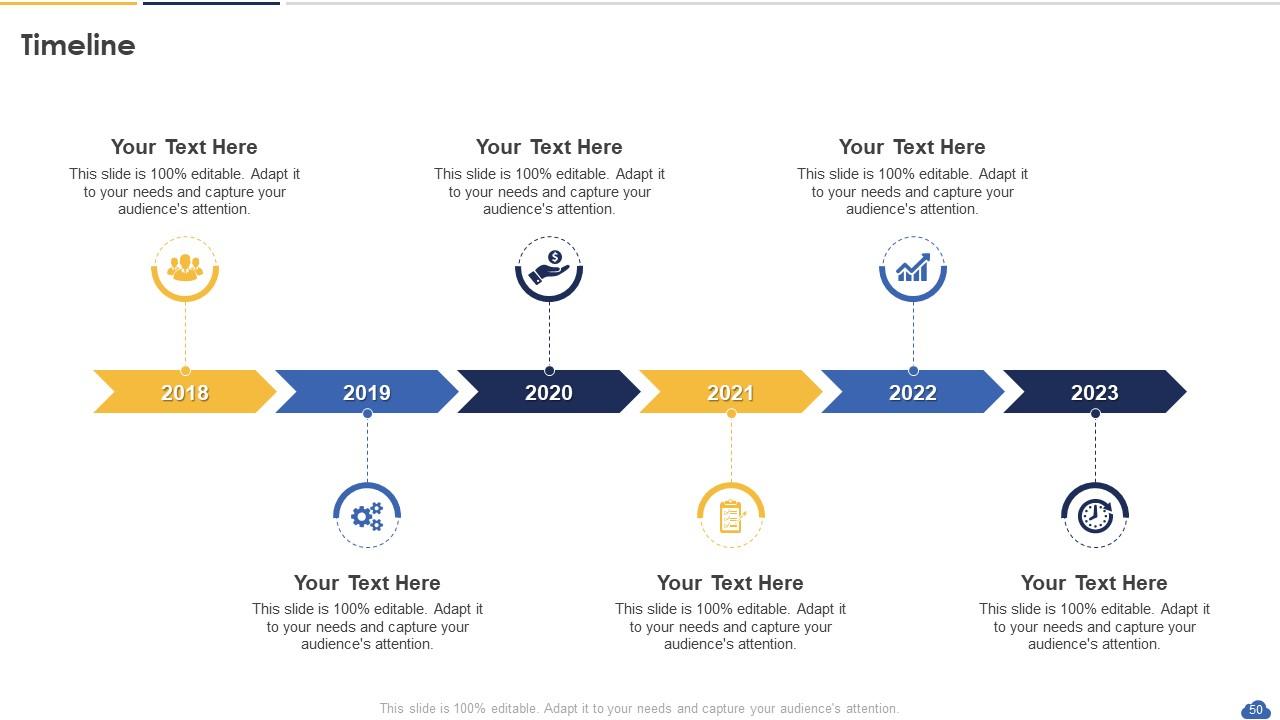
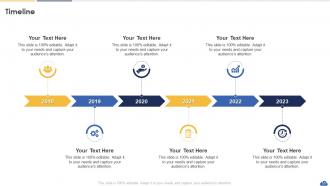
Slide 50 : Este é um slide de linha do tempo. Mostrar dados relacionados a intervalos de tempo aqui.
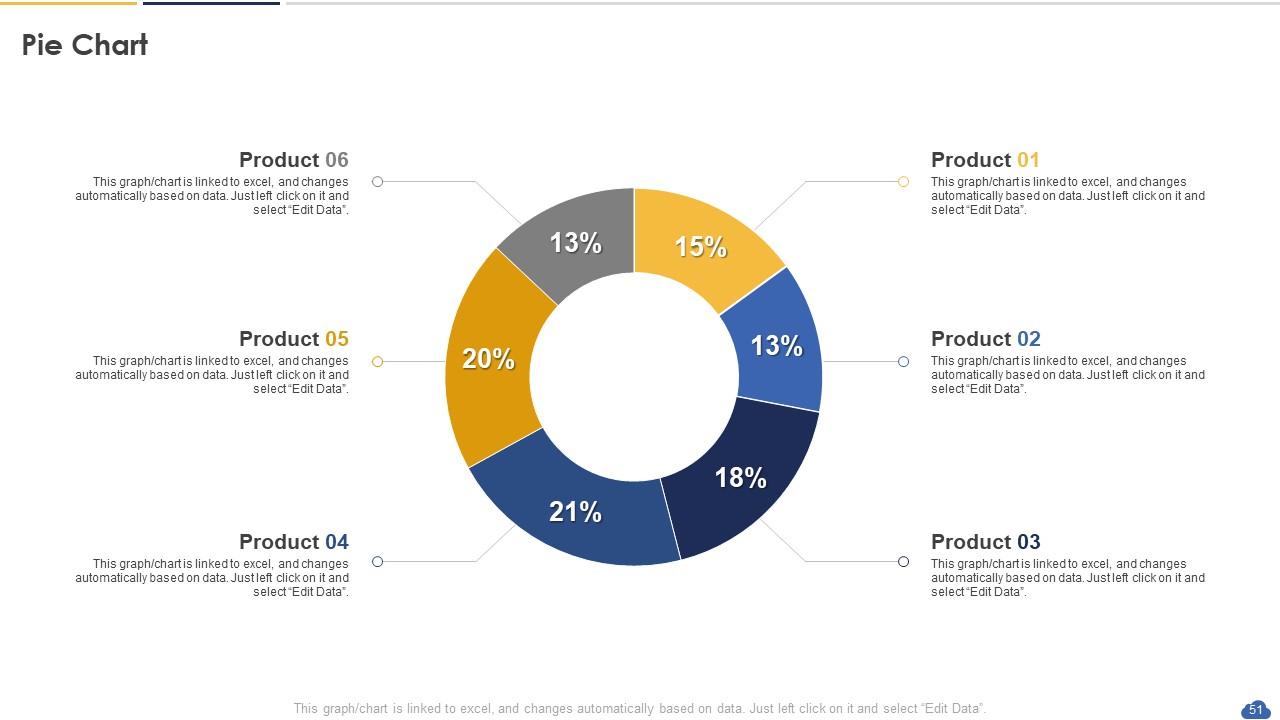
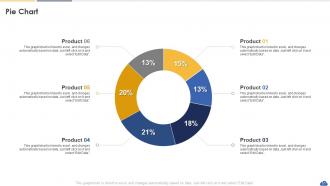
Slide 51 : Este slide mostra o gráfico de pizza com dados em porcentagem.
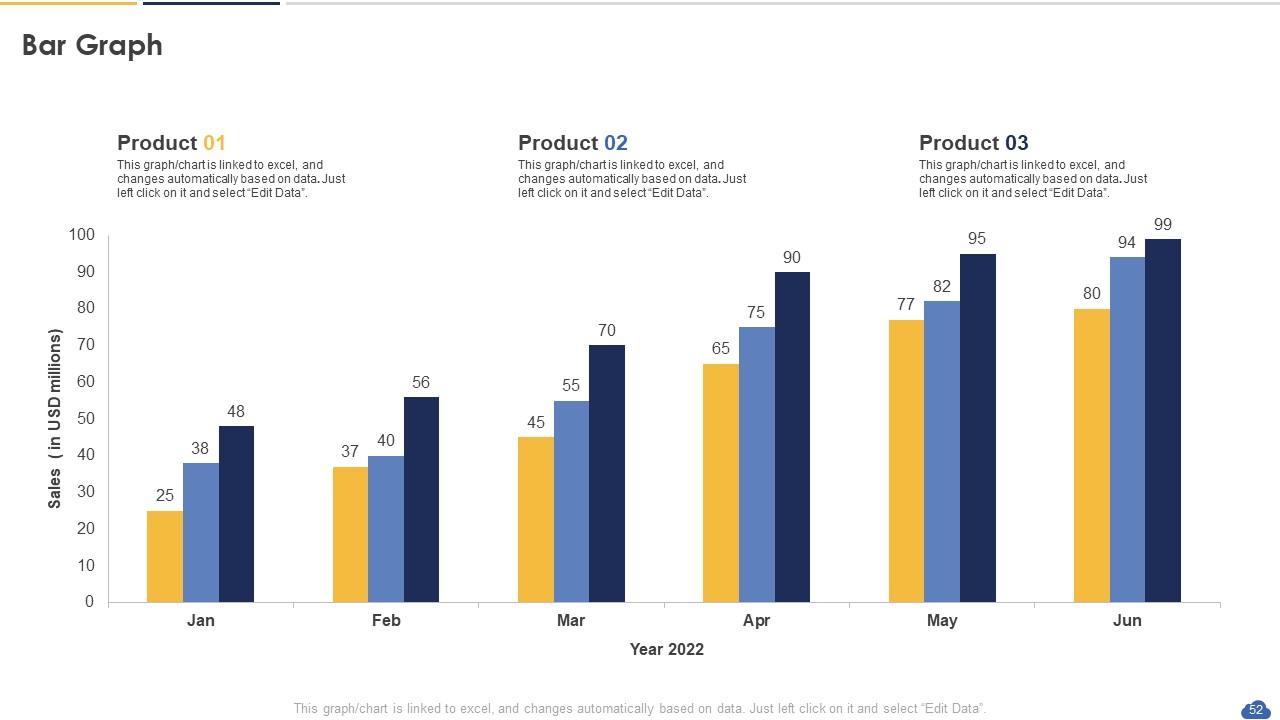
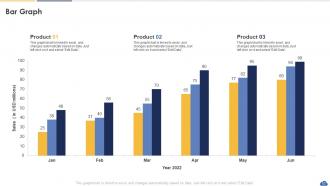
Slide 52 : Este slide apresenta o gráfico de barras com a comparação de dois produtos.
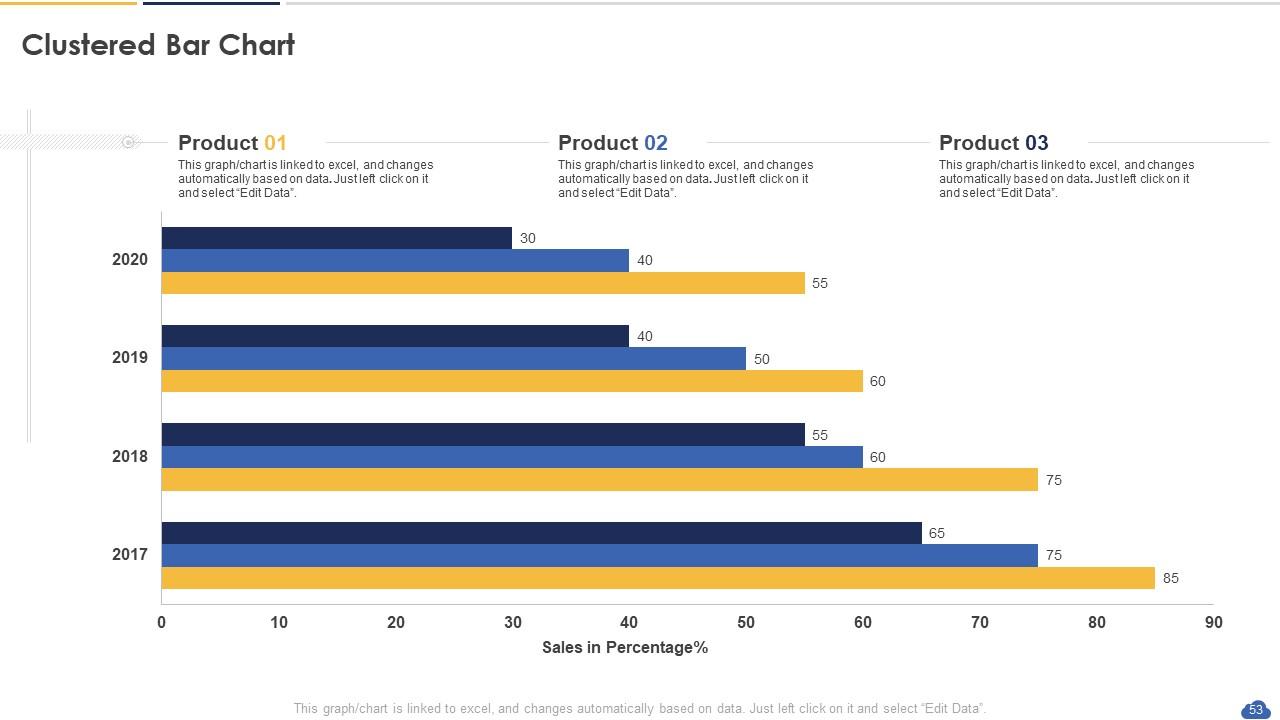
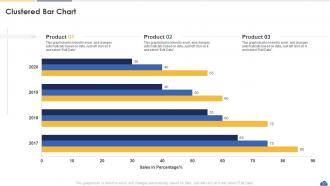
Slide 53 : Este slide fornece o gráfico de Barras Agrupadas com a comparação de dois produtos.
Slide 54 : Este é um slide de agradecimento com endereço, números de contato e endereço de e-mail.
Slides de apresentação do SAP Analytics Cloud Powerpoint com todos os 59 slides:
Use nossos slides de apresentação do SAP Analytics Cloud Powerpoint para ajudá-lo a economizar seu valioso tempo. Eles são readymade para caber em qualquer estrutura de apresentação.
-
Making a presentation has never been this easy for me. Thank you SlideTeam for offering a splendid template library.
-
I’ve been your client for a few years now. Couldn’t be more than happy after using your templates. Thank you!
