


Software process improvement powerpoint presentation slides
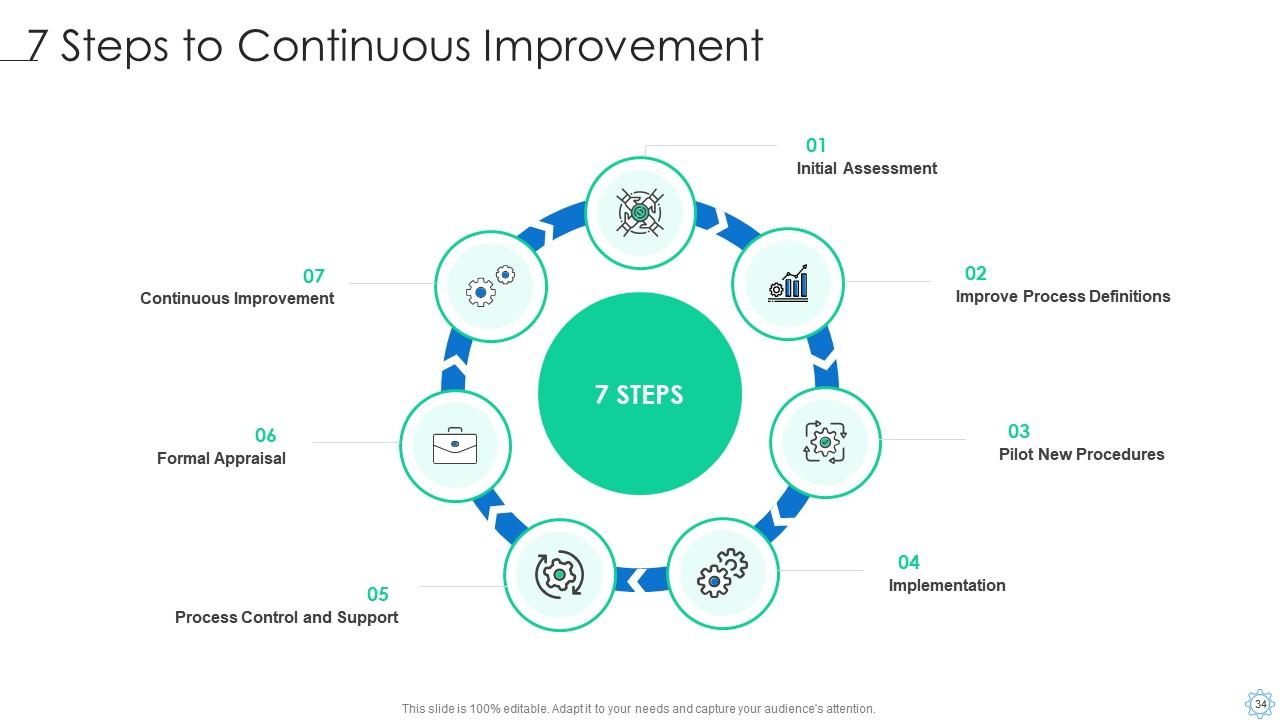
The SPI methodology is characterized as a set of tasks, tools, and techniques for planning and implementing improvement activities with specific goals in mind, such as speeding up growth, improving product quality, or lowering costs. Check out our efficiently designed template on Software Process Improvement that will evaluate organization process maturity and implement the improvement measures within the company. We have focused on the current statistics of a software company, current challenges, factors that lead to software project failure, challenges, and project management solutions. The template observes the processs gaps and inefficiencies and then focuses on the software process improvement methodology. We have outlined the 7-step process improvement such as mapping, analyzing, redesigning, assigning, implementing, communicating, and monitoring. Businesses can understand the reasons for project failure and then improve on the companys project stability. The proposal covers the software process improvement, its costs, impact of process improvement, and various dashboards related to this process have been discussed in this module. Customize this 100 percent editable template based on your business needs. Download it now.
The SPI methodology is characterized as a set of tasks, tools, and techniques for planning and implementing improvement act..





























-

- Google Slides is a new FREE Presentation software from Google.
- All our content is 100% compatible with Google Slides.
- Just download our designs, and upload them to Google Slides and they will work automatically.
- Amaze your audience with SlideTeam and Google Slides.
-

Want Changes to This PPT Slide? Check out our Presentation Design Services
-

- WideScreen Aspect ratio is becoming a very popular format. When you download this product, the downloaded ZIP will contain this product in both standard and widescreen format.
-

- Some older products that we have may only be in standard format, but they can easily be converted to widescreen.
- To do this, please open the SlideTeam product in Powerpoint, and go to
- Design ( On the top bar) -> Page Setup -> and select "On-screen Show (16:9)” in the drop down for "Slides Sized for".
- The slide or theme will change to widescreen, and all graphics will adjust automatically. You can similarly convert our content to any other desired screen aspect ratio.
Compatible With Google Slides

Get This In WideScreen
You must be logged in to download this presentation.


Do you want to remove this product from your favourites?
PowerPoint presentation slides
Deliver this complete deck to your team members and other collaborators. Encompassed with stylized slides presenting various concepts, this Software Process Improvement Powerpoint Presentation Slides is the best tool you can utilize. Personalize its content and graphics to make it unique and thought-provoking. All the fifty three slides are editable and modifiable, so feel free to adjust them to your business setting. The font, color, and other components also come in an editable format making this PPT design the best choice for your next presentation. So, download now.

People who downloaded this PowerPoint presentation also viewed the following :
Content of this Powerpoint Presentation
Slide 1: This slide displays title i.e. 'Software Process Improvement' and your Company Name.
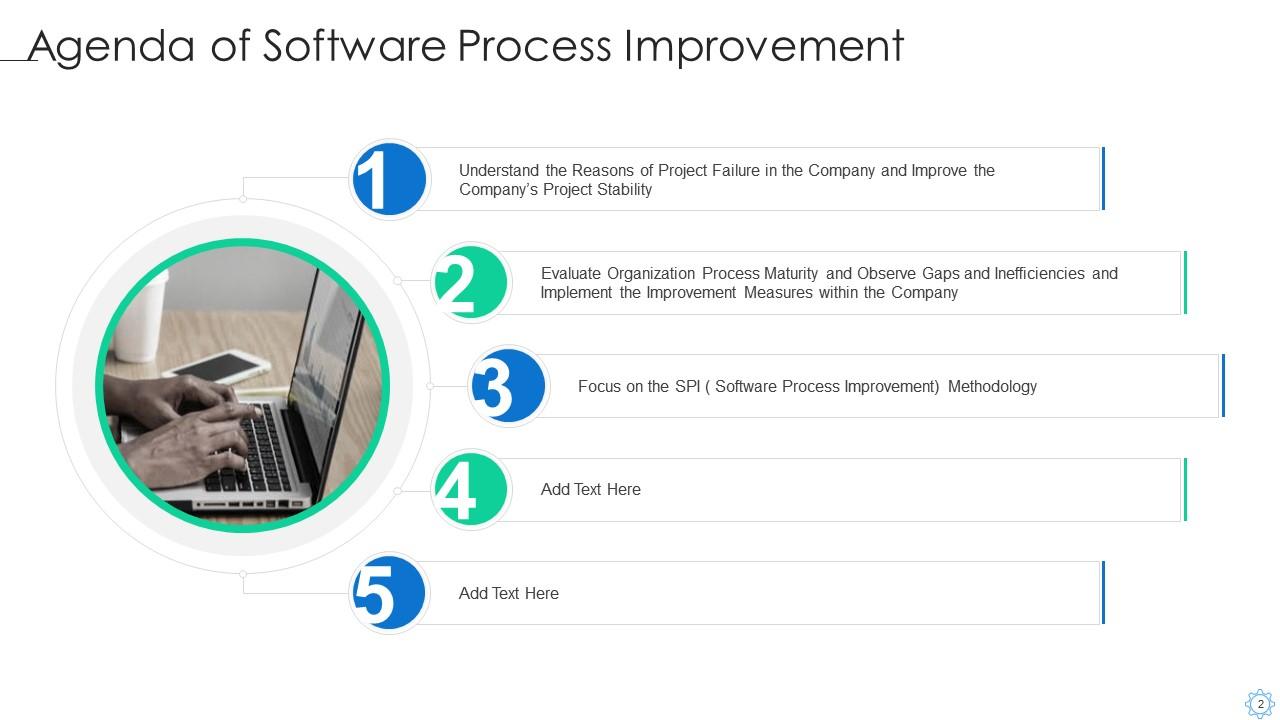
Slide 2: This slide presents agenda.
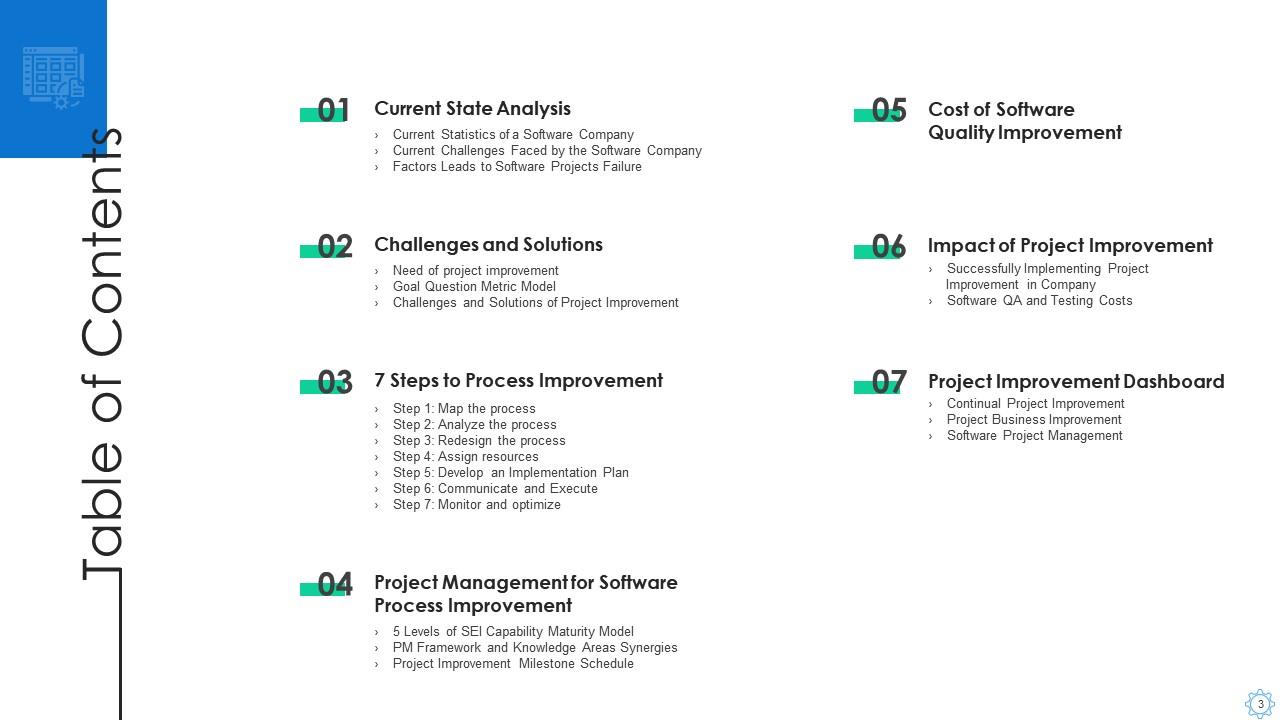
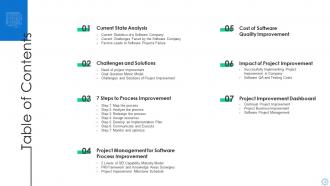
Slide 3: This slide exhibits table of contents.
Slide 4: This slide depicts title for three topics that are to be covered next in the template.
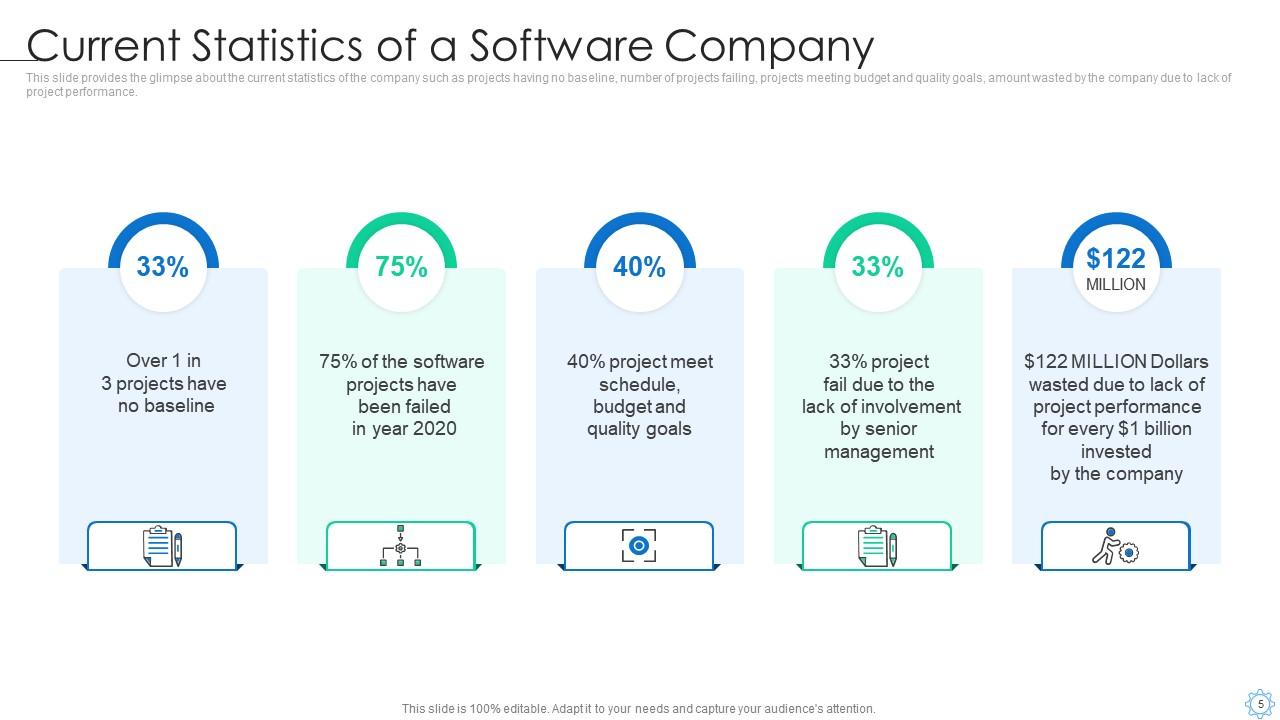
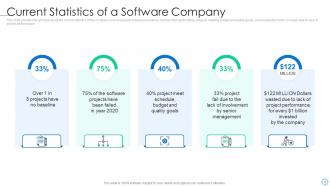
Slide 5: This slide provides the glimpse about the current statistics of the company such as projects having no baseline, etc.
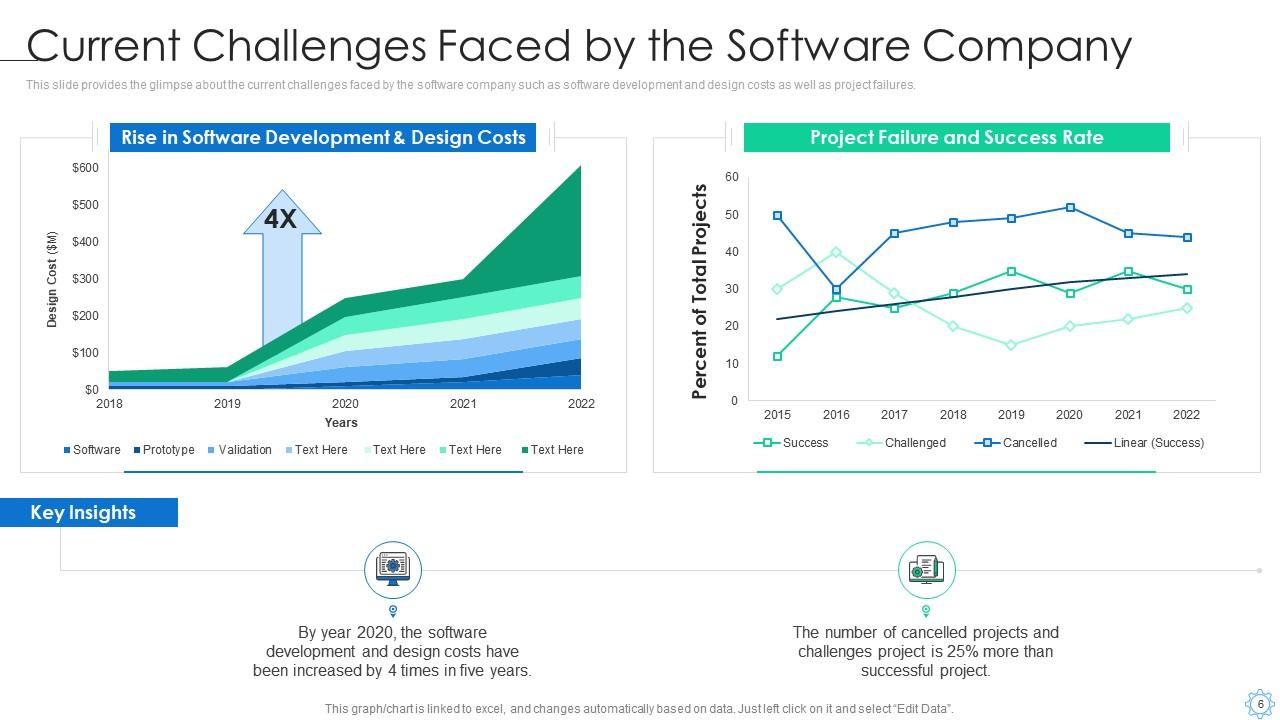
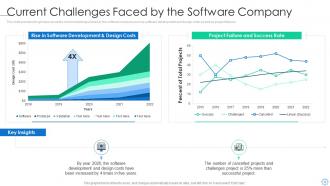
Slide 6: This slide provides the glimpse about the current challenges faced by the software company such as software development and design costs.
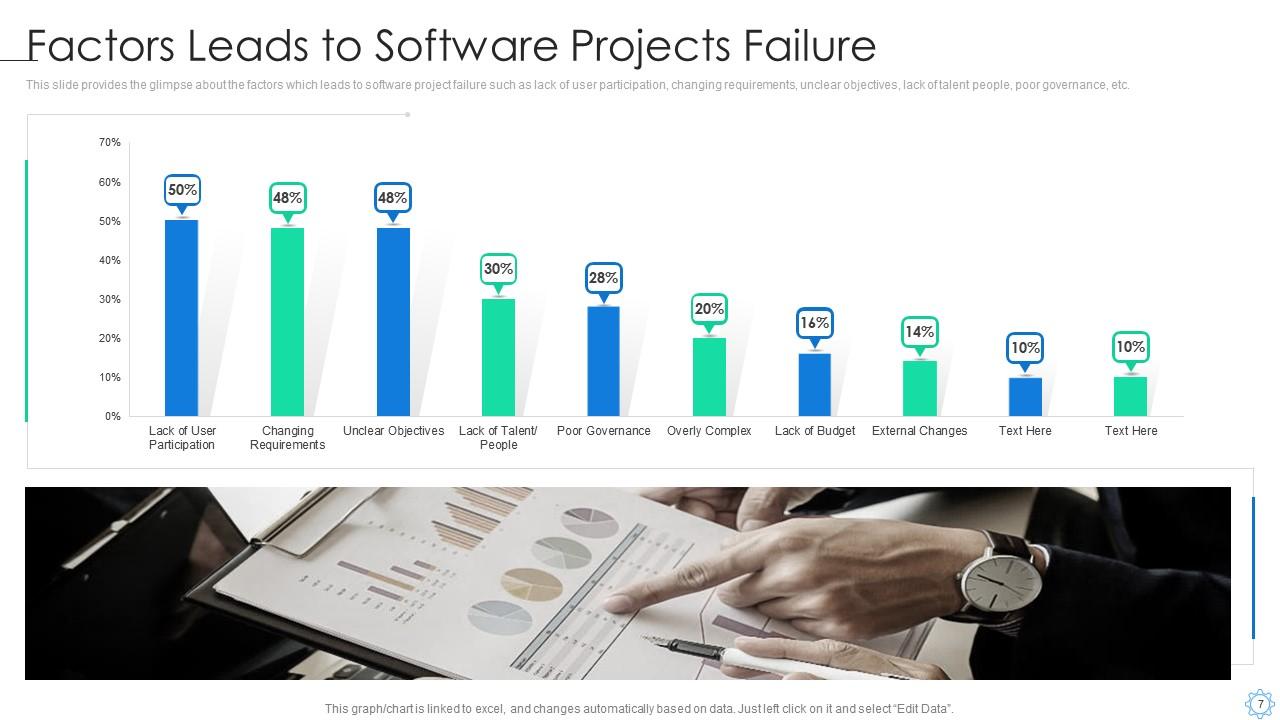
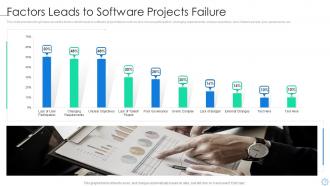
Slide 7: This slide provides the glimpse about the factors which leads to software project failure such as lack of user participation, etc.
Slide 8: This slide depicts title for three topics that are to be covered next in the template.
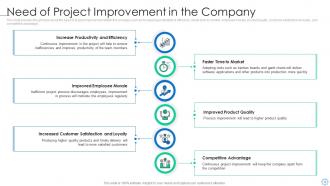
Slide 9: This slide provides the glimpse about the need of project improvement within the company such as increasing productivity & efficiency, etc.
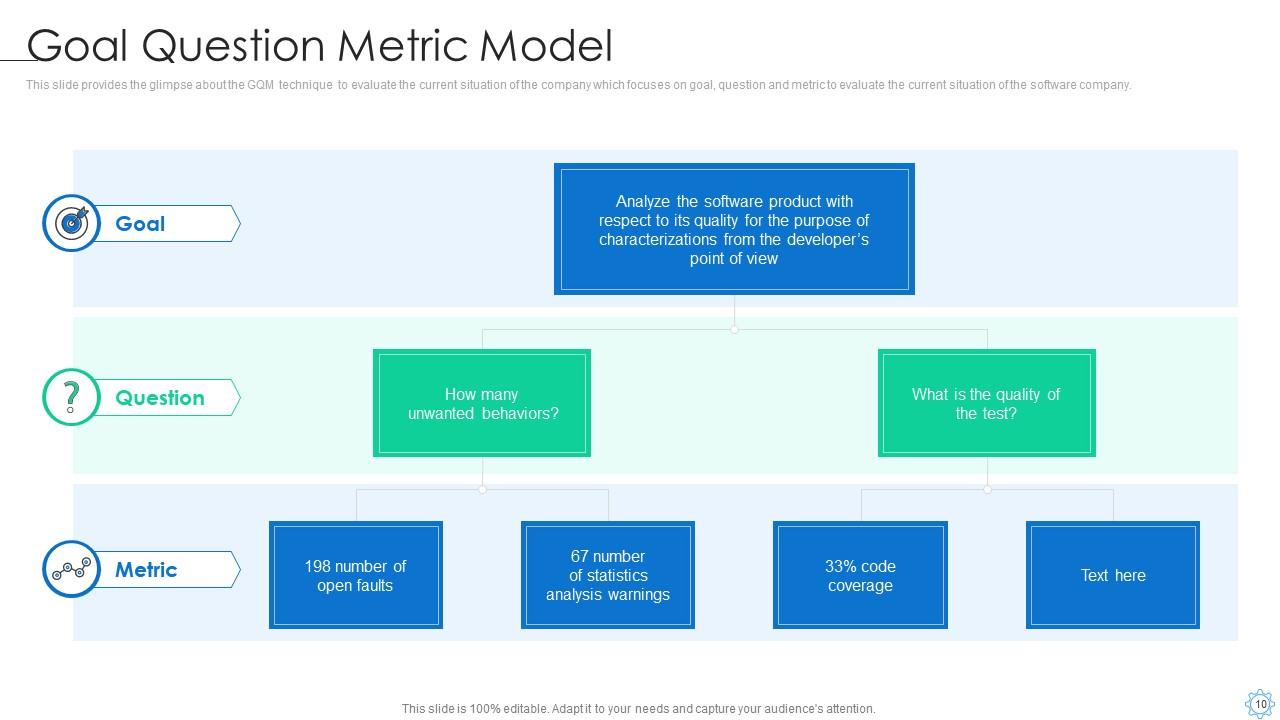
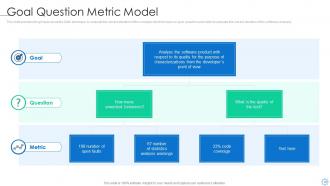
Slide 10: This slide provides the glimpse about the GQM technique to evaluate the current situation of the company which focuses on goal, etc.
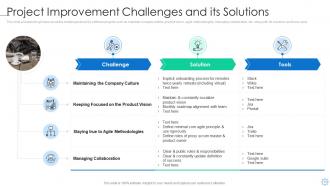
Slide 11: This slide provides the glimpse about the challenges faced by software projects such as maintain company culture, product vision, etc.
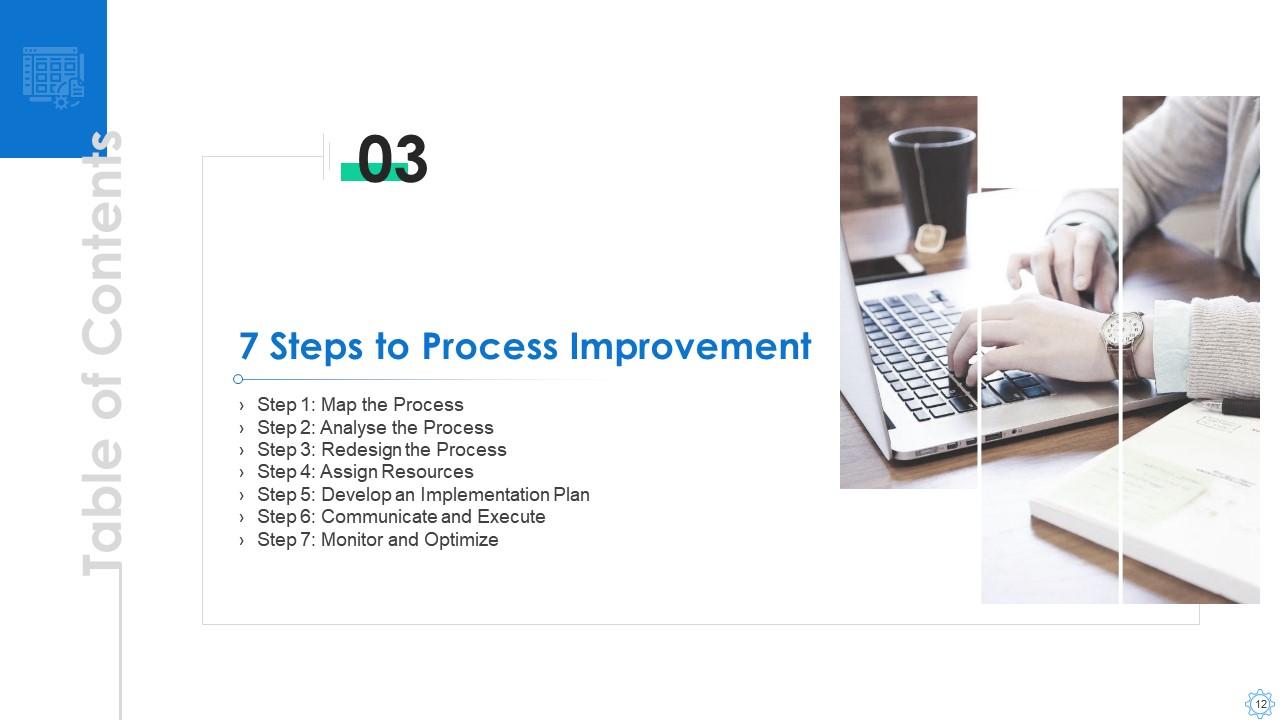
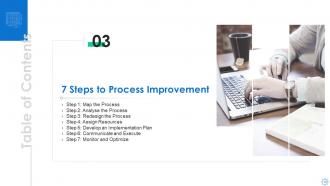
Slide 12: This slide depicts title for seven topics that are to be covered next in the template.
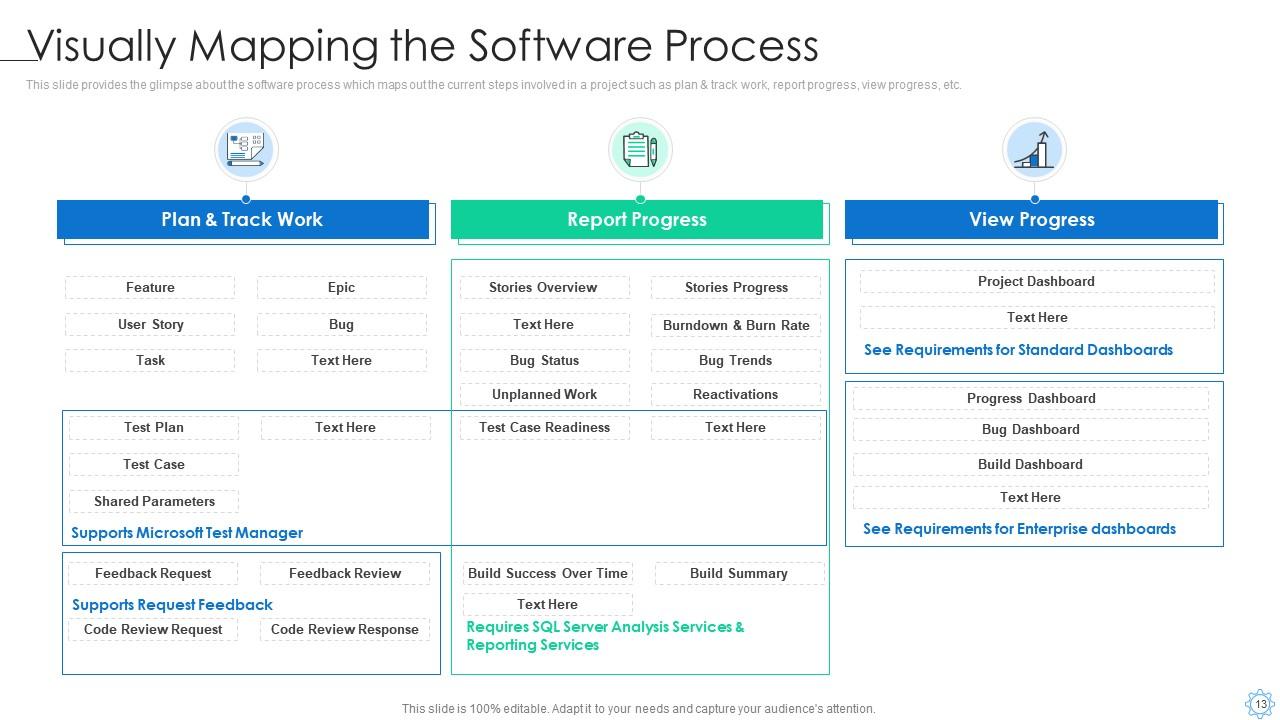
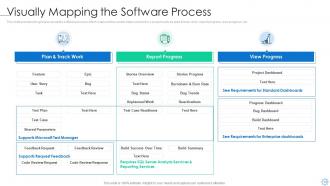
Slide 13: This slide provides the glimpse about the software process which maps out the current steps involved in a project such as plan & track work, etc.
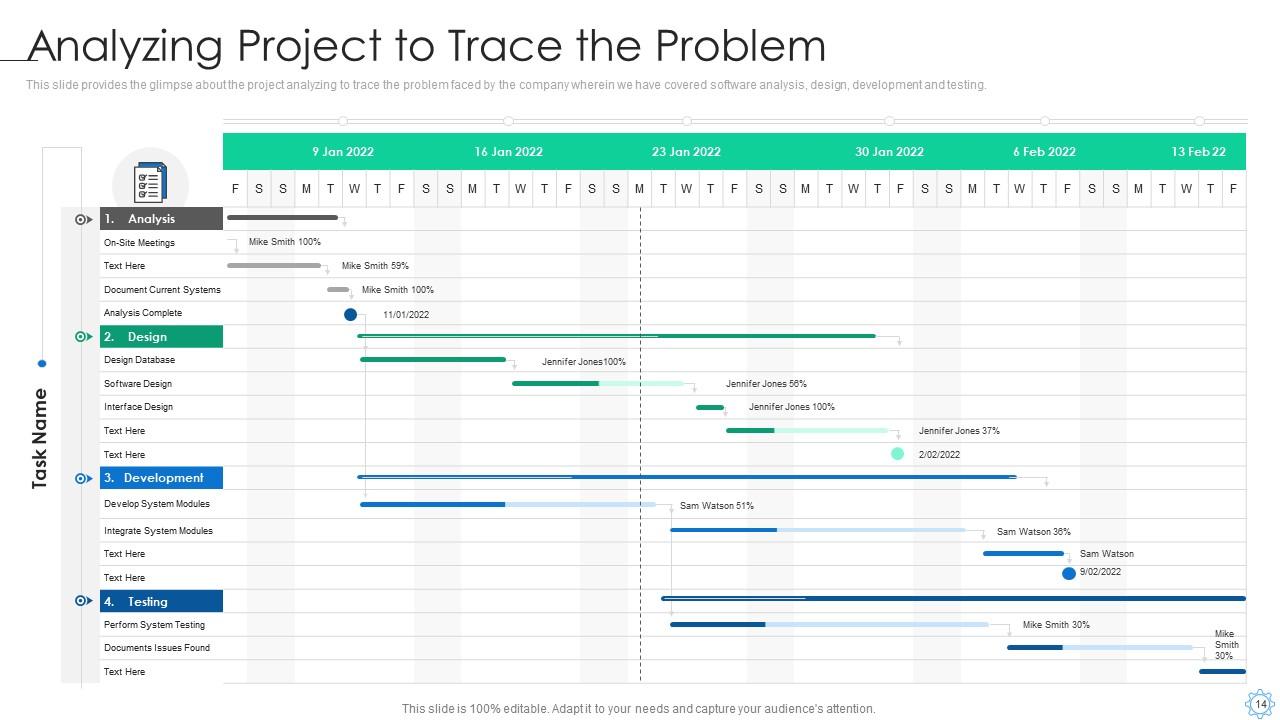
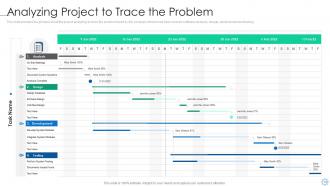
Slide 14: This slide provides the glimpse about the project analyzing to trace the problem faced by the company wherein we have covered software analysis, etc.
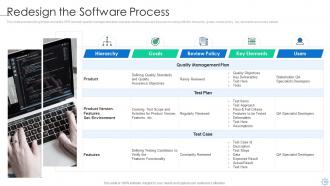
Slide 15: This slide provides the glimpse about the SPR wherein quality management plan, test plan and test case are focused on along with the hierarchy, etc.
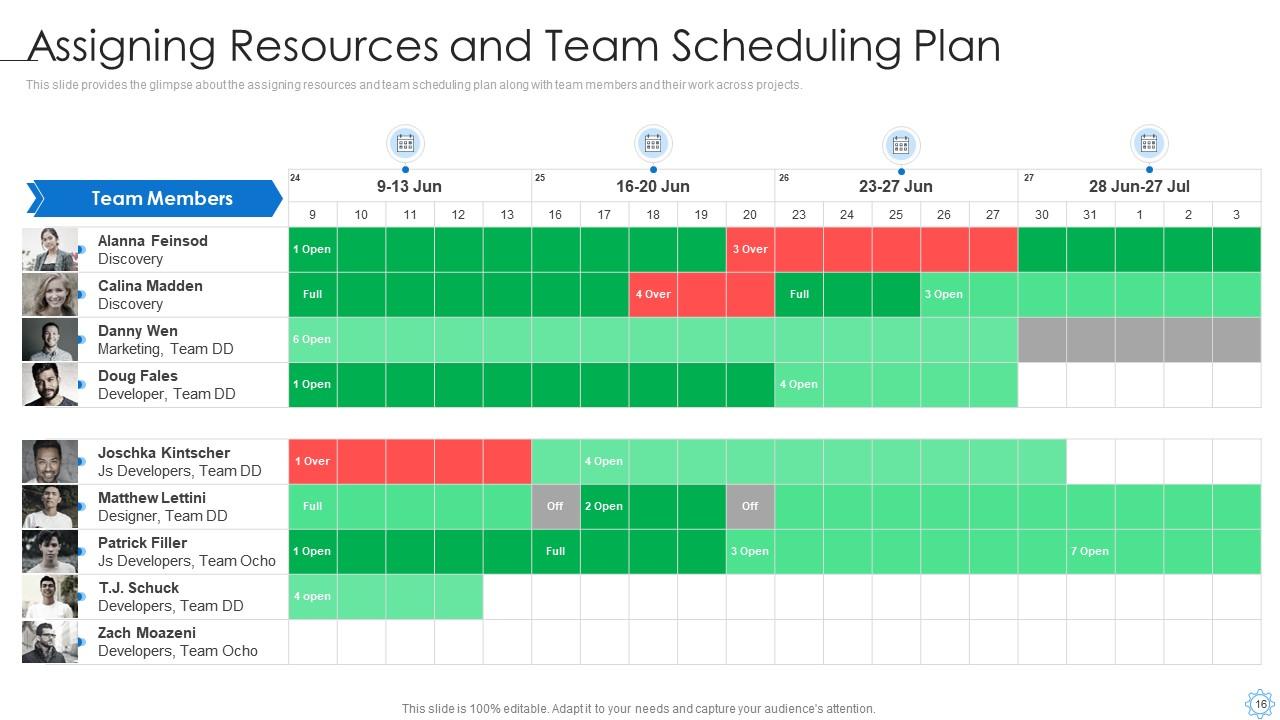
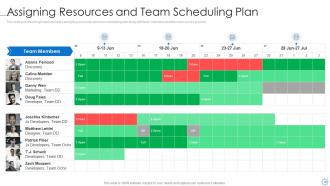
Slide 16: This slide provides the glimpse about the assigning resources and team scheduling plan along with team members and their work across projects.
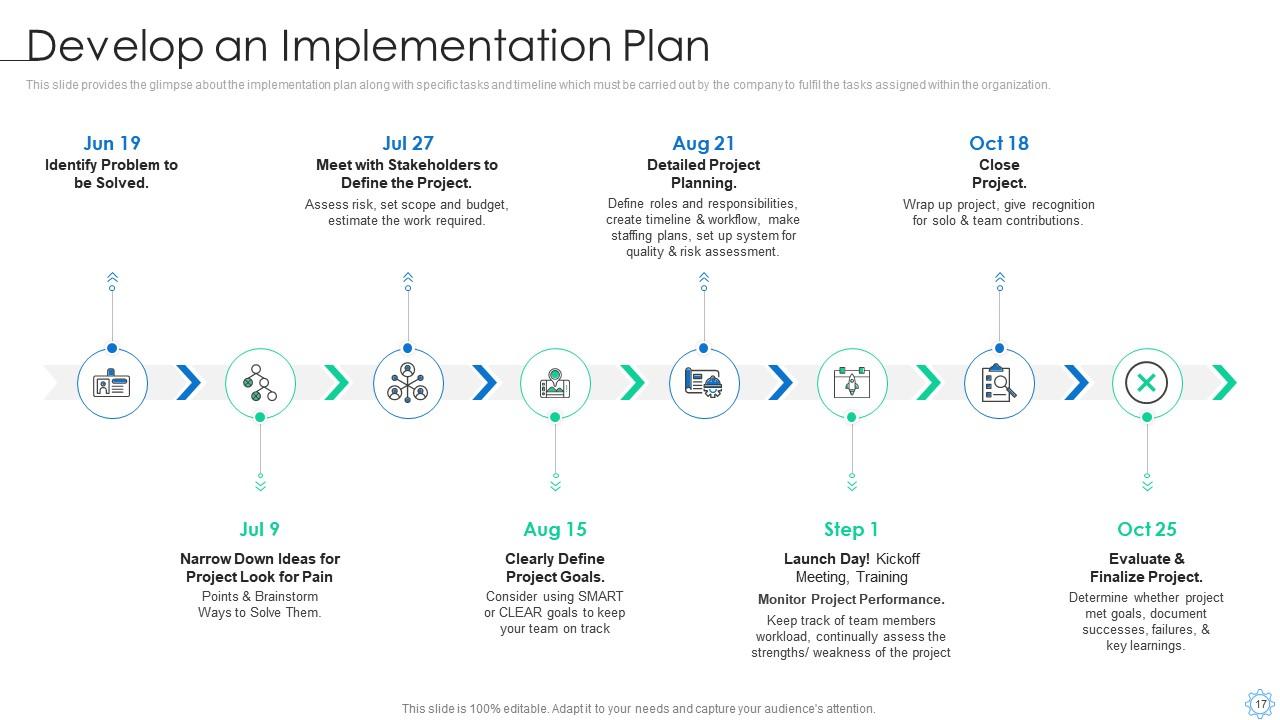
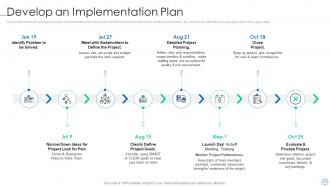
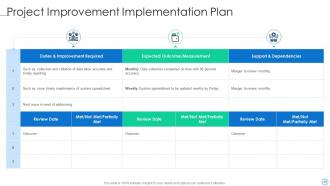
Slide 17: This slide provides the glimpse about the implementation plan along with specific tasks and timeline which must be carried out by the company.
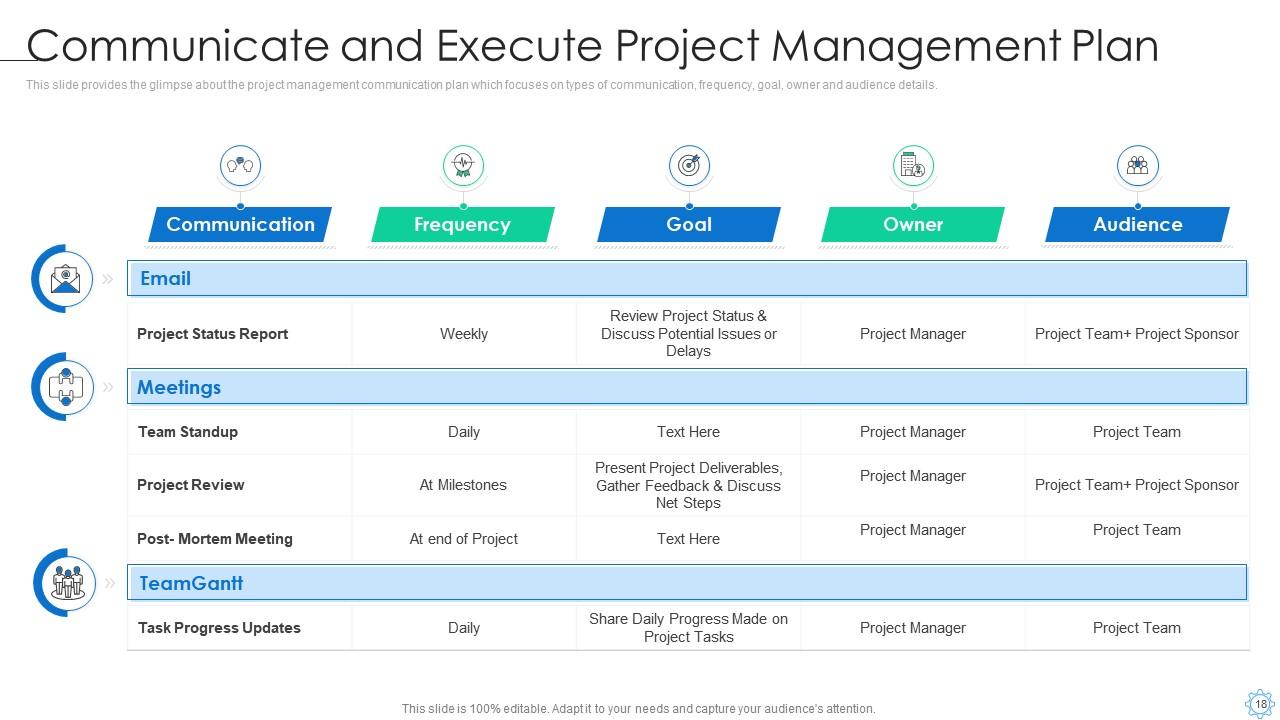
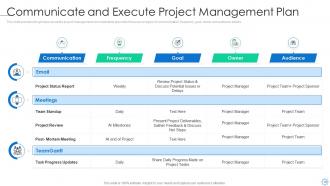
Slide 18: This slide provides the glimpse about the project management communication plan which focuses on types of communication, frequency, goal, etc.
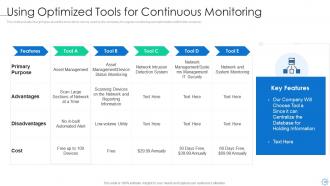
Slide 19: This slide provides the glimpse about the tools which can be used by the company for regular monitoring and optimization within the company.
Slide 20: This slide depicts title for three topics that are to be covered next in the template.
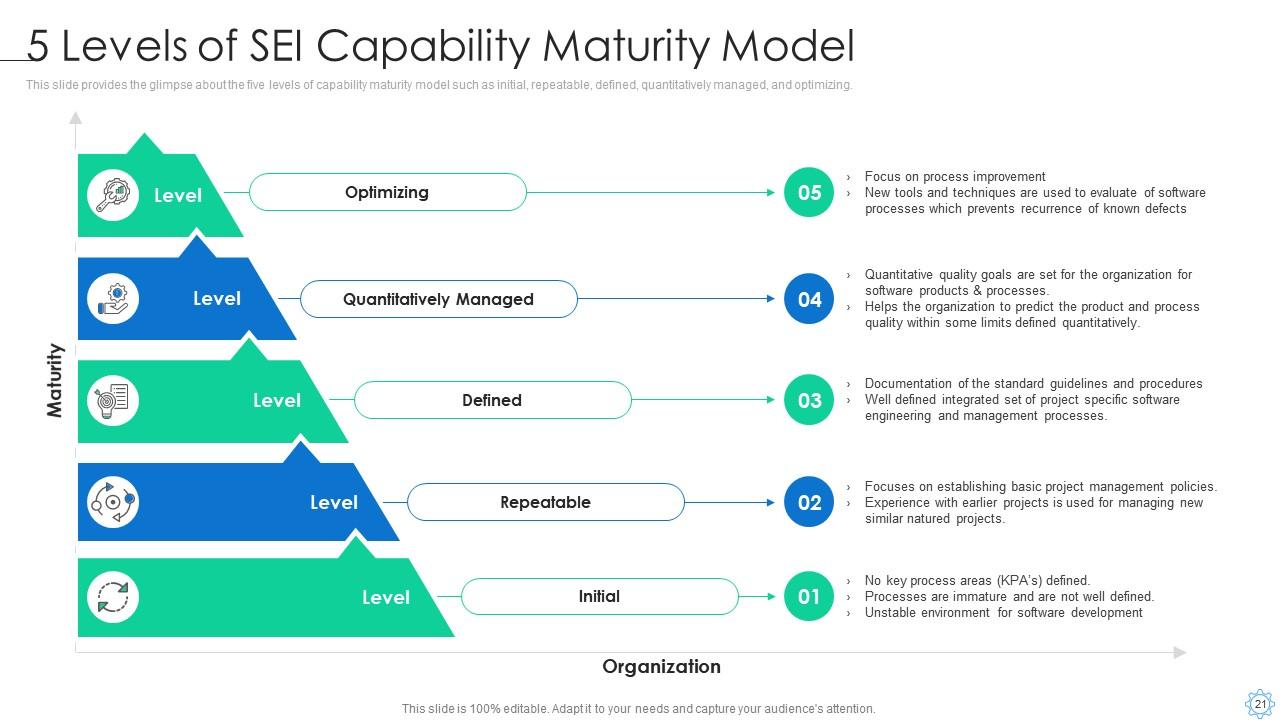
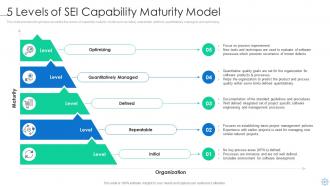
Slide 21: This slide provides the glimpse about the five levels of capability maturity model such as initial, repeatable, defined, quantitatively managed, etc.
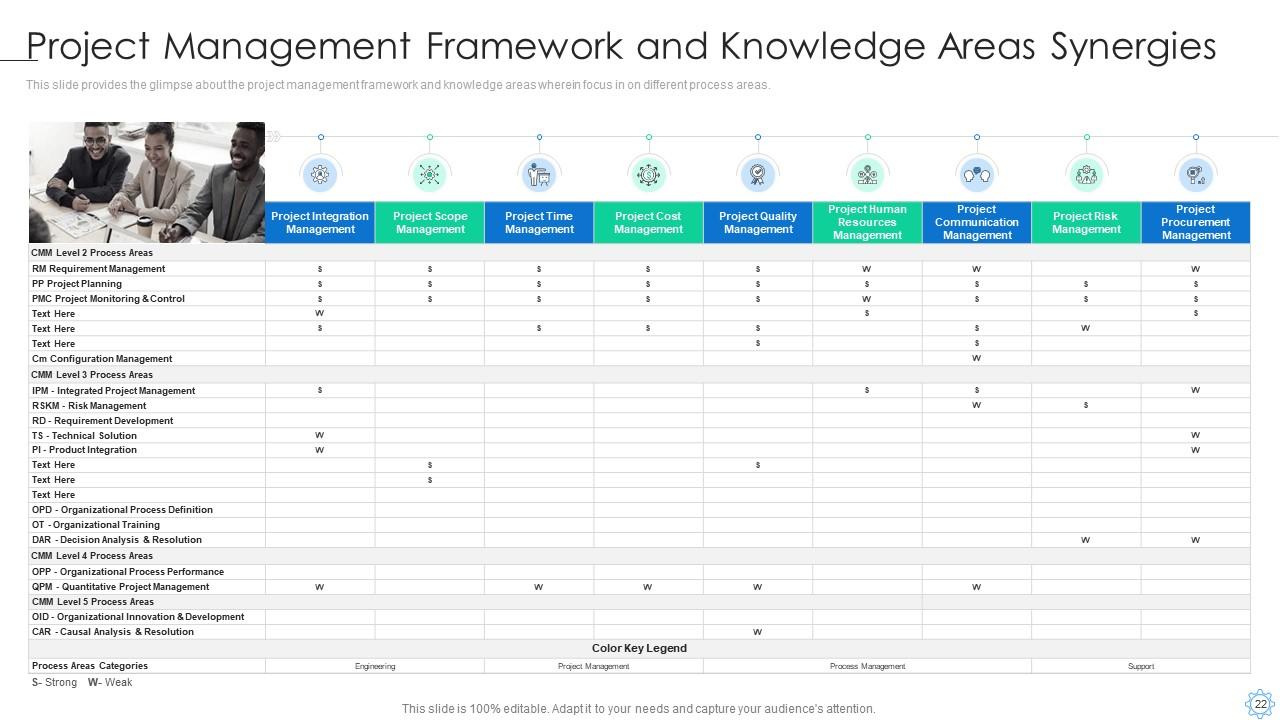
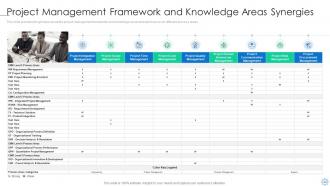
Slide 22: This slide provides the glimpse about the project management framework and knowledge areas wherein focus in on different process areas.
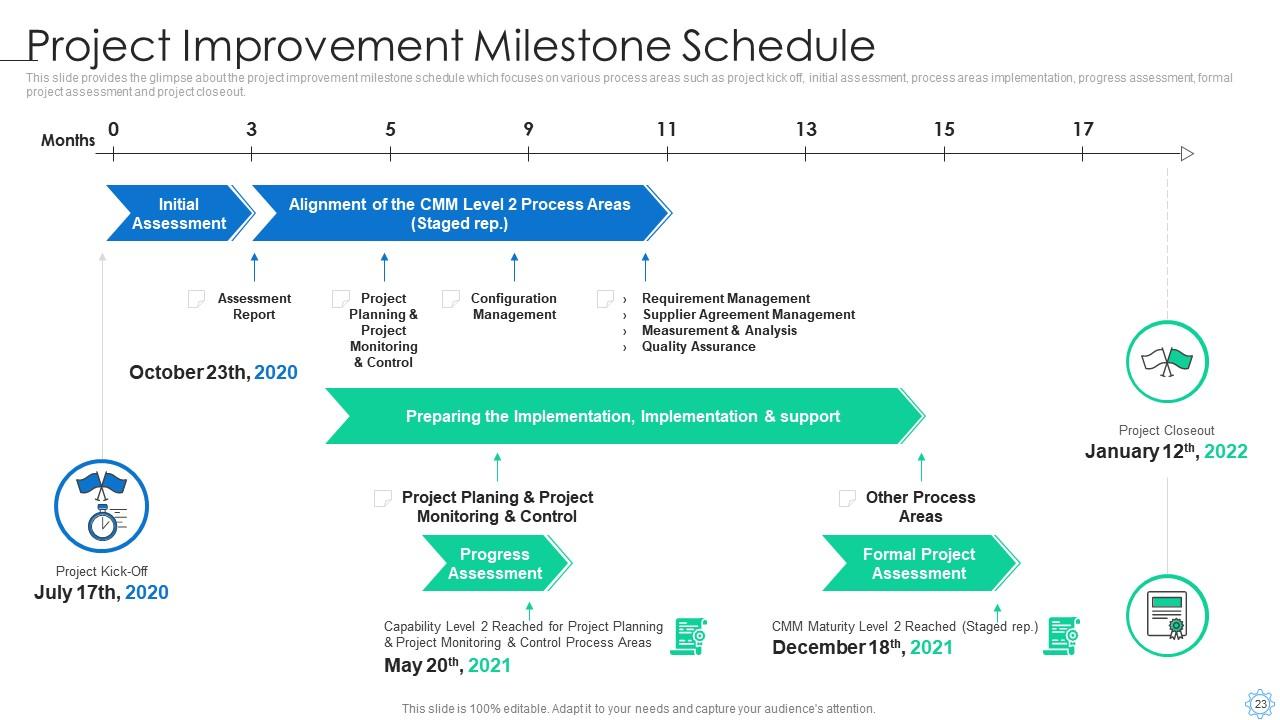
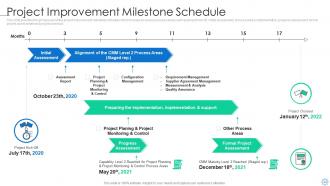
Slide 23: This slide provides the glimpse about the project improvement milestone schedule which focuses on various process areas such as project kick off, etc.
Slide 24: This slide depicts title for one topic that is to be covered next in the template.
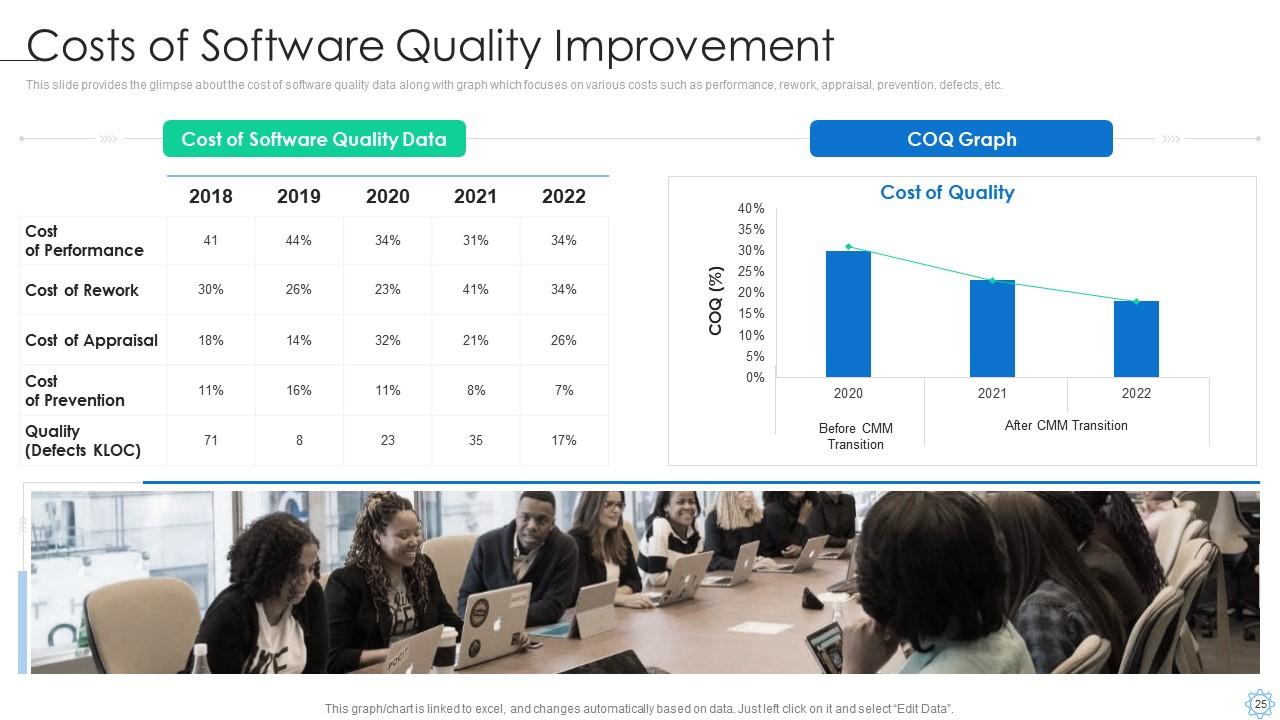
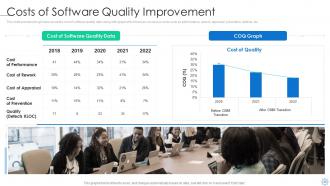
Slide 25: This slide provides the glimpse about the cost of software quality data along with graph which focuses on various costs such as performance, rework, etc.
Slide 26: This slide depicts title for two topics that are to be covered next in the template.
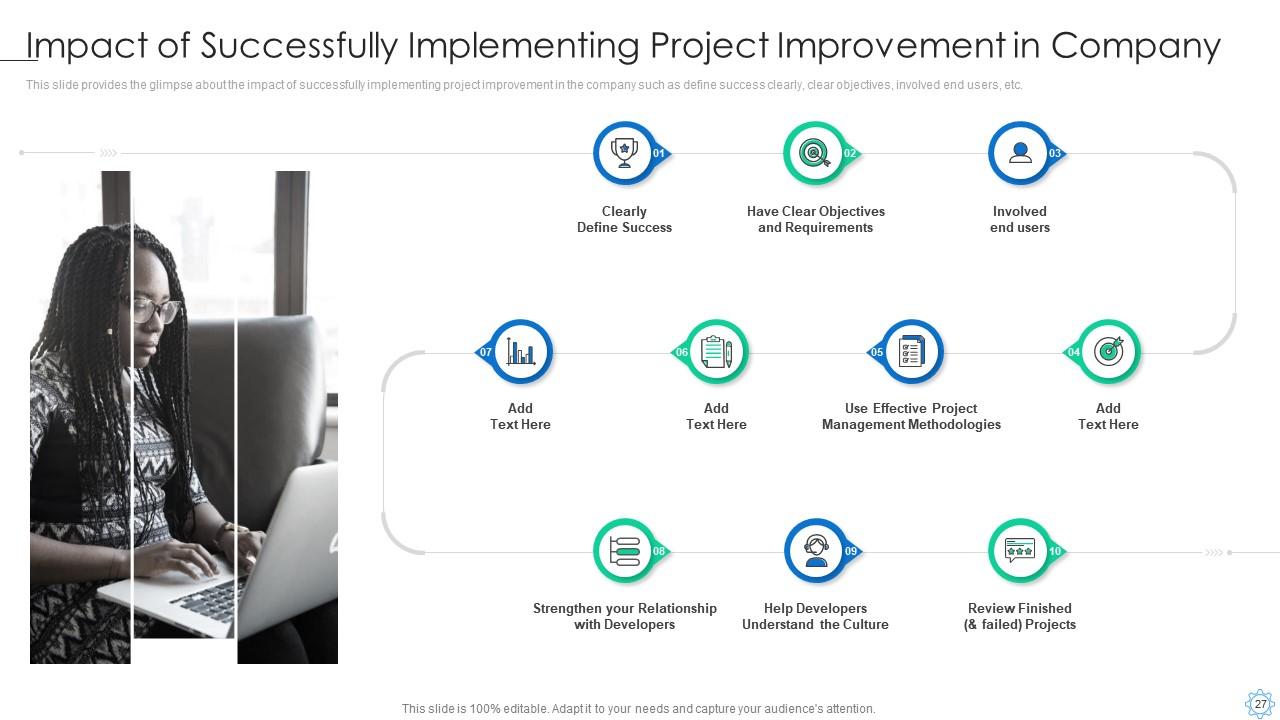
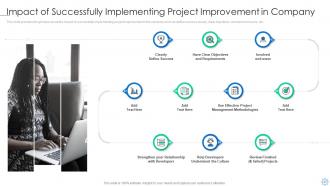
Slide 27: This slide provides the glimpse about the impact of successfully implementing project improvement in the company such as define success clearly, etc.
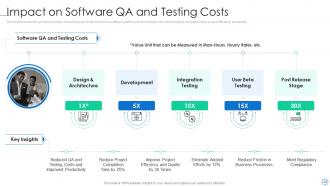
Slide 28: This slide provides the glimpse about the impact of project improvement on software quality audit and testing costs which helps in completion time, etc.
Slide 29: This slide depicts title for three topics that are to be covered next in the template.
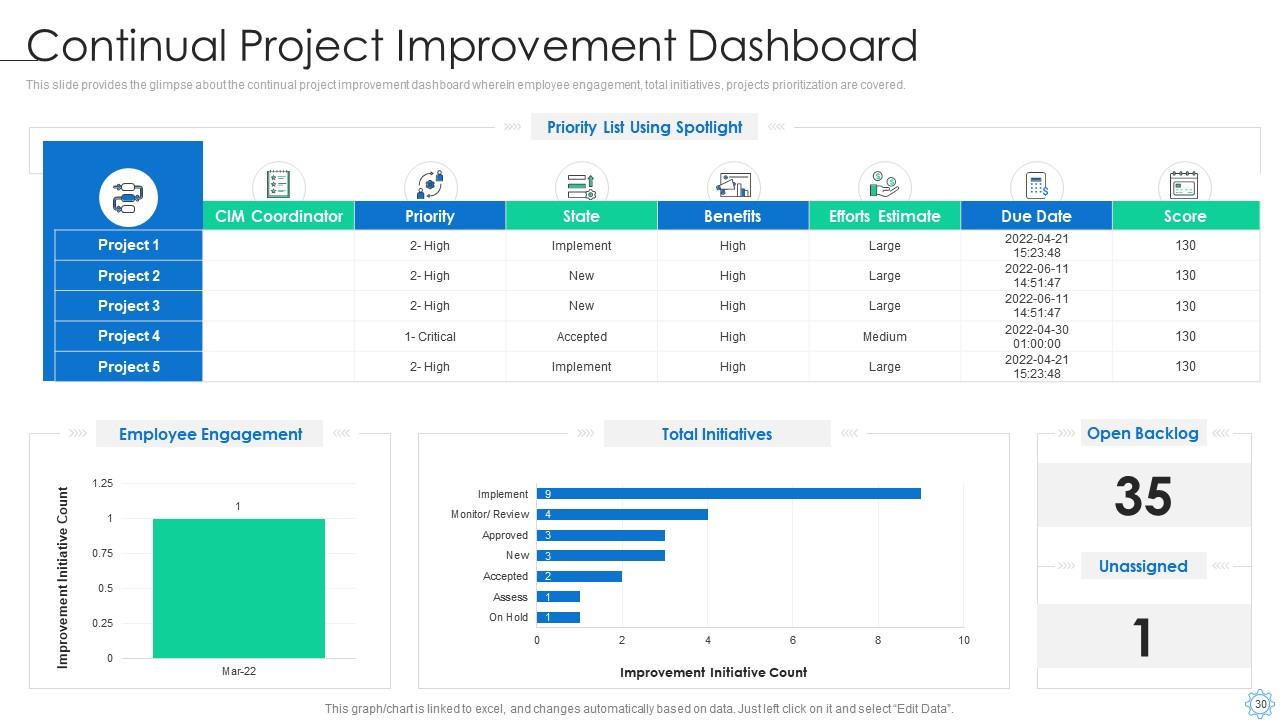
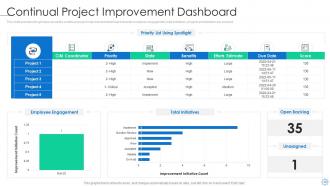
Slide 30: This slide provides the glimpse about the continual project improvement dashboard wherein employee engagement, total initiatives, etc.
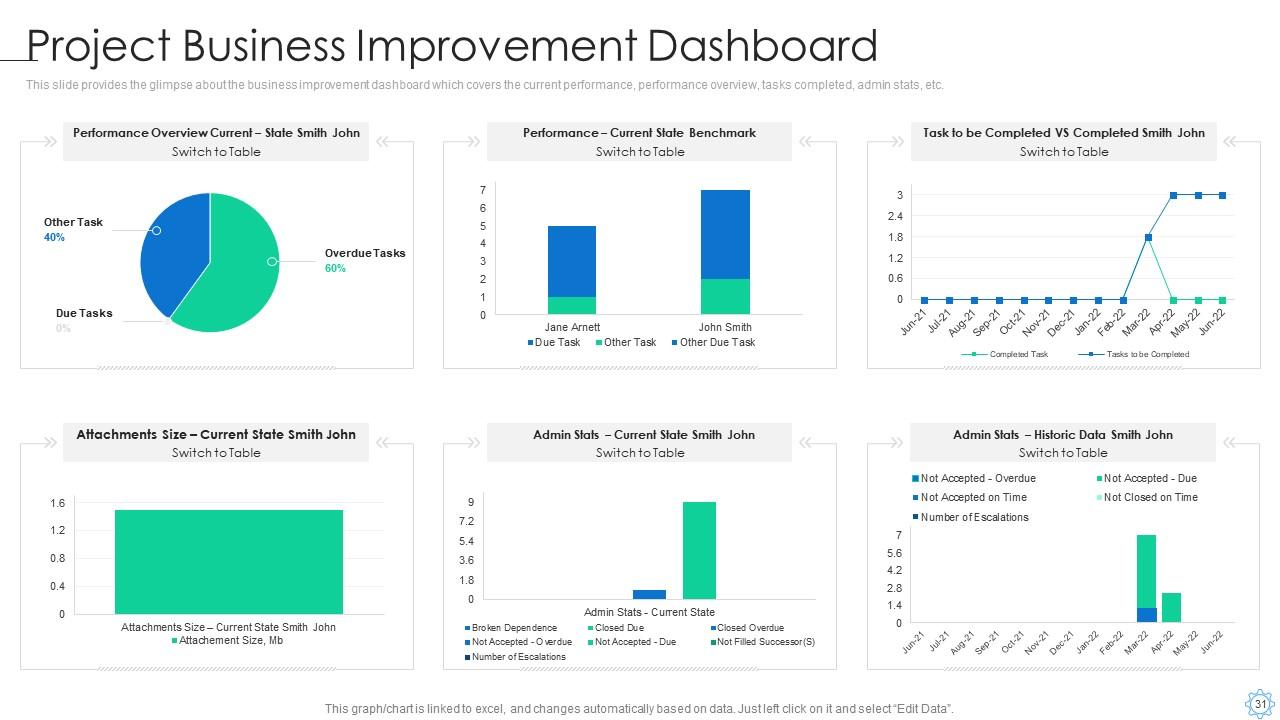
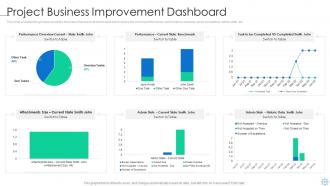
Slide 31: This slide provides the glimpse about the business improvement dashboard which covers the current performance, performance overview, tasks completed, etc.
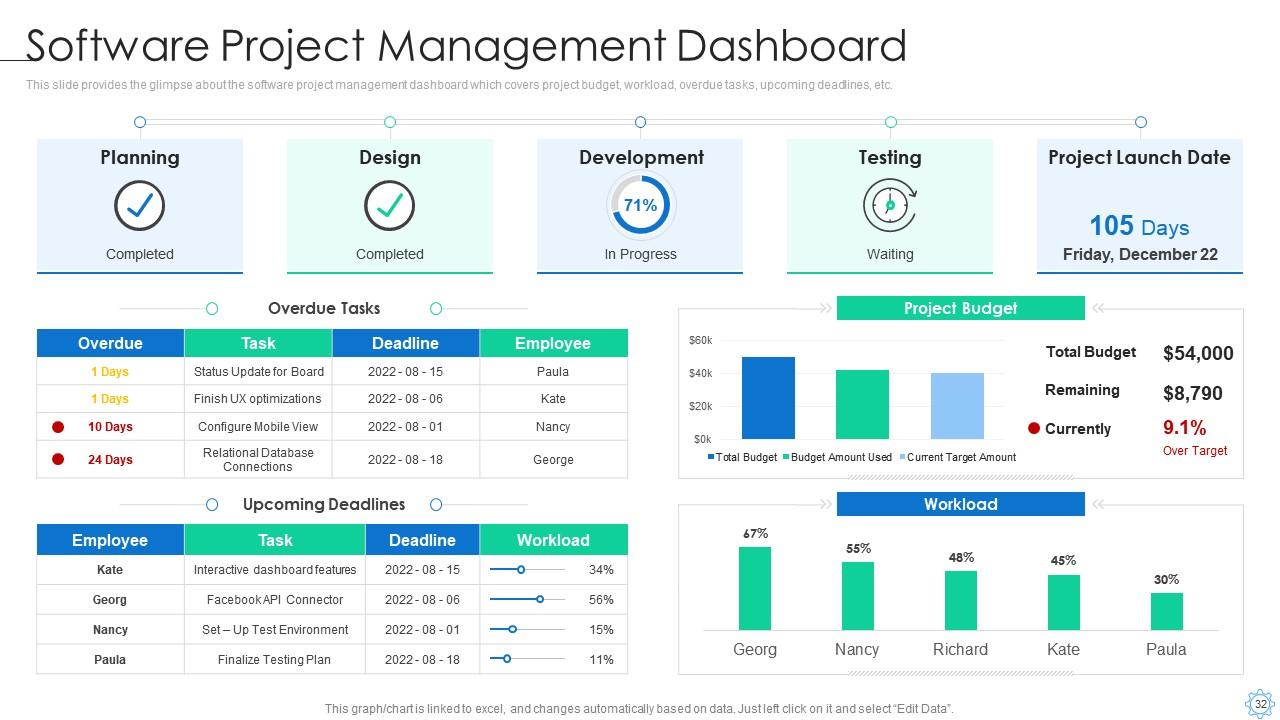
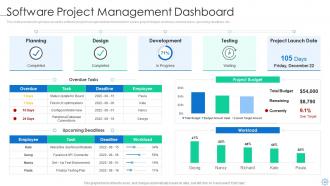
Slide 32: This slide provides the glimpse about the software project management dashboard which covers project budget, workload, overdue tasks, upcoming deadlines, etc.
Slide 33: This slide presents title for additional slides.
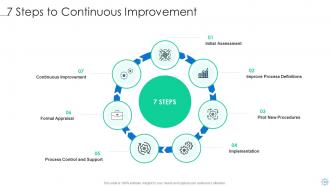
Slide 34: This slide exhibits 7 Steps to Continuous Improvement.
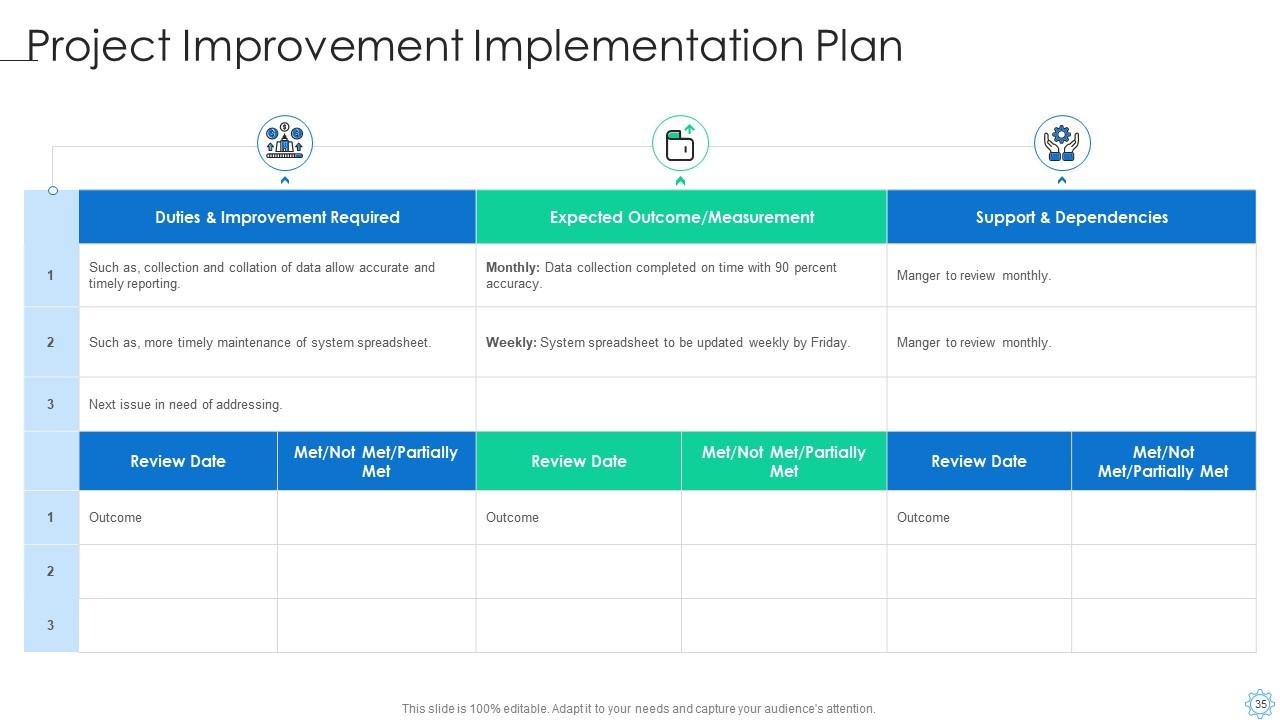
Slide 35: This slide highlights Project Improvement Implementation Plan.
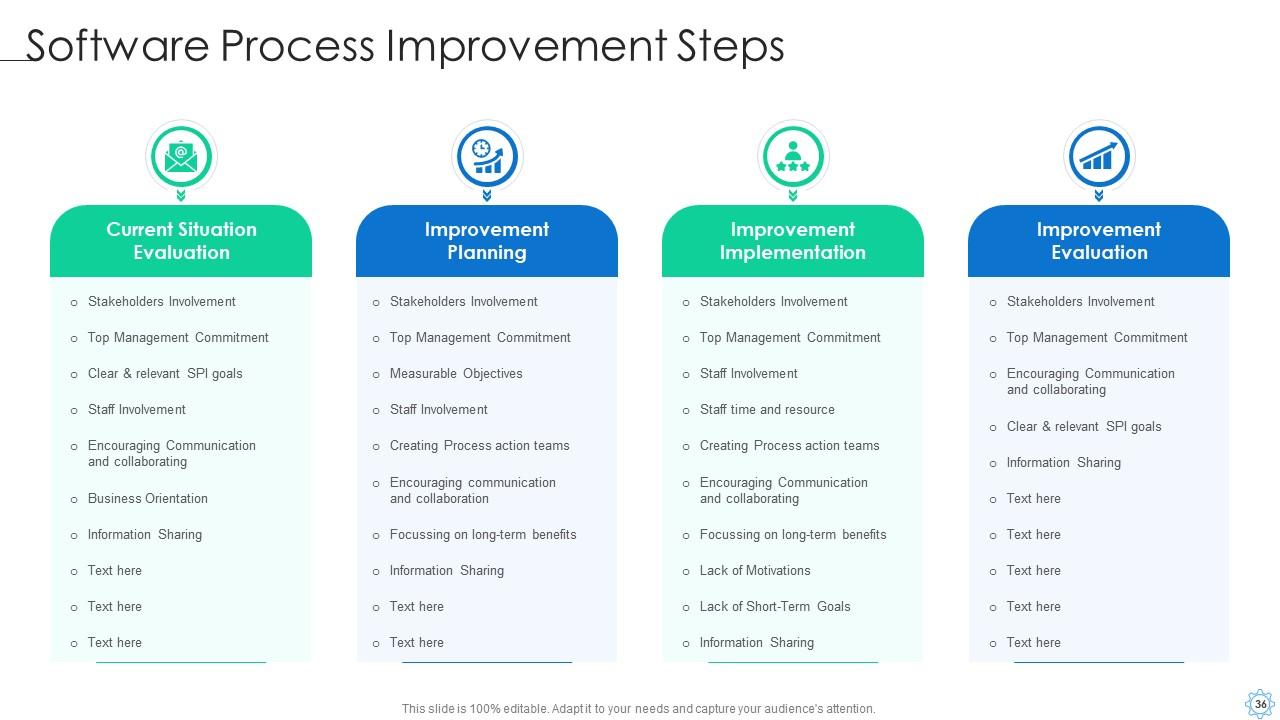
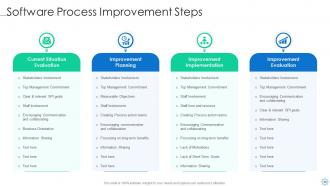
Slide 36: This slide illustrates Software Process Improvement Steps.
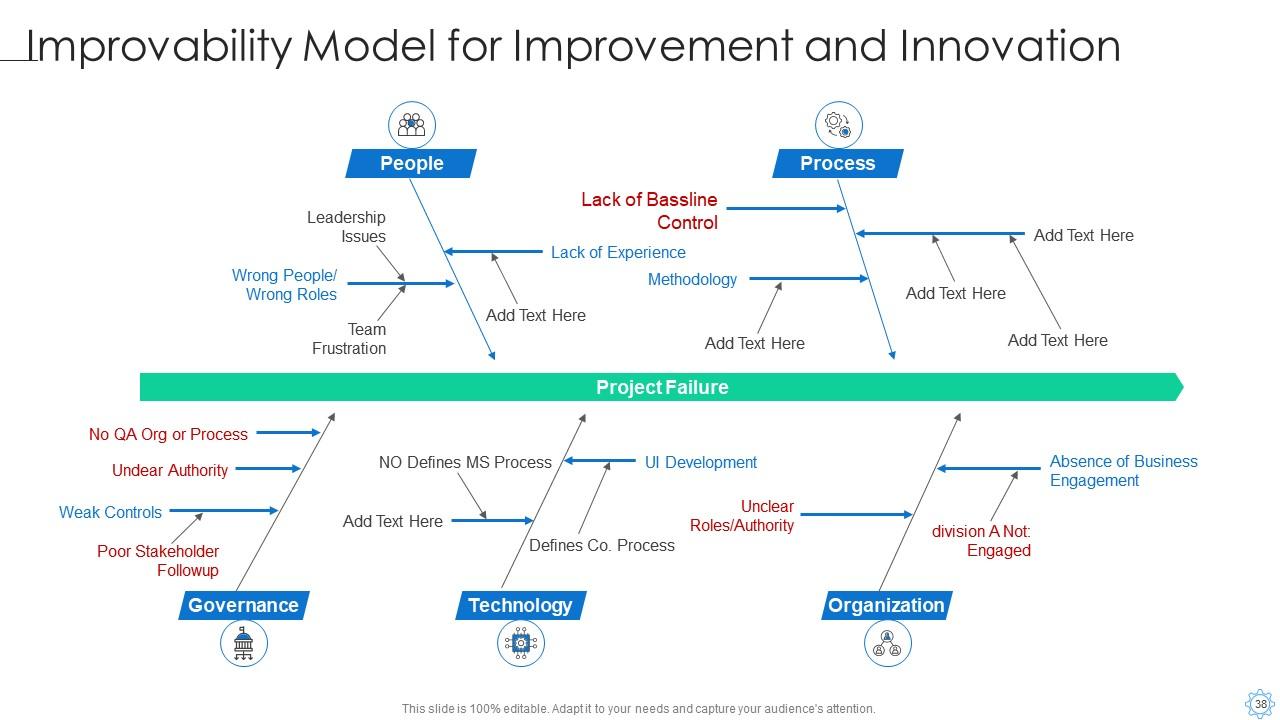
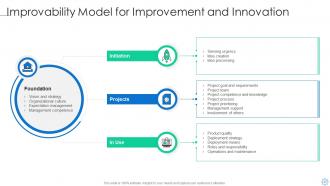
Slide 37: This slide displays Improvability Model for Improvement and Innovation.
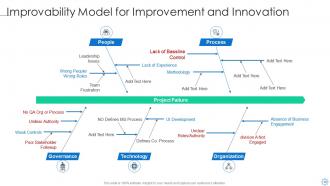
Slide 38: This slide showcases Improvability Model for Improvement and Innovation.
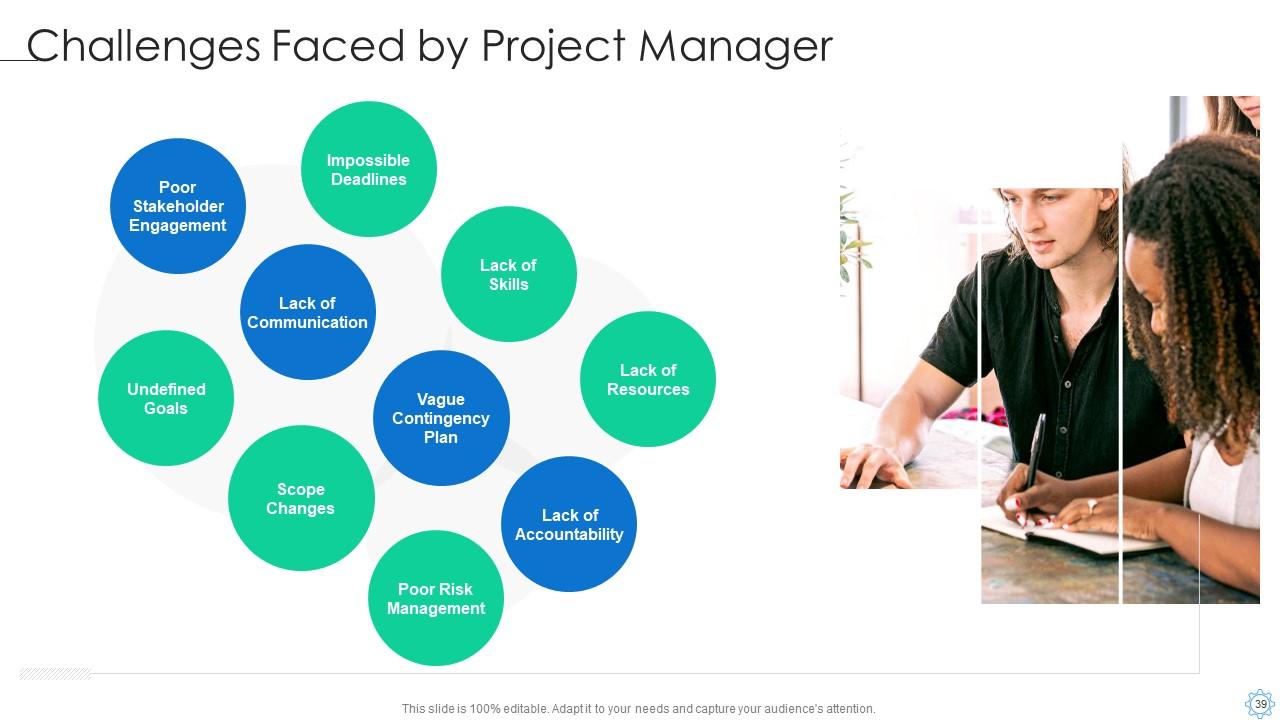
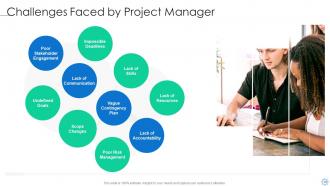
Slide 39: This slide presents Challenges Faced by Project Manager.
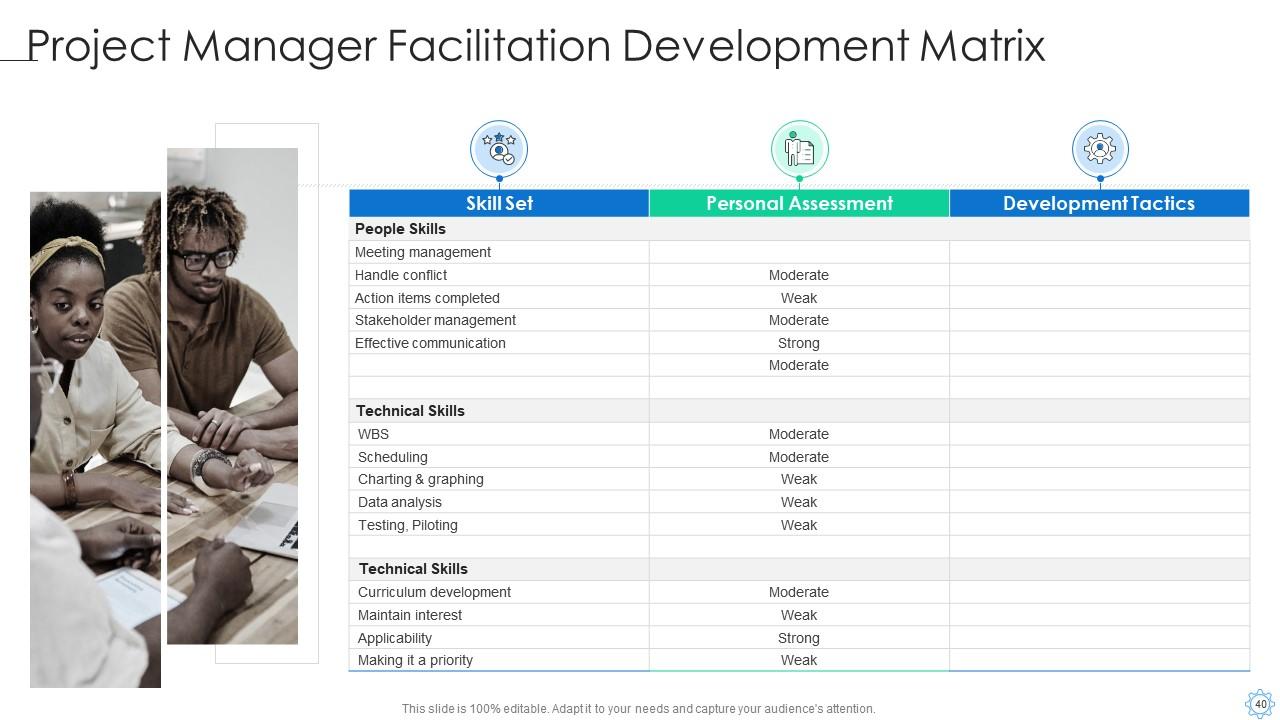
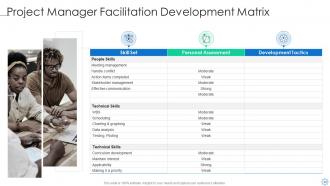
Slide 40: This slide exhibits Project Manager Facilitation Development Matrix.
Slide 41: This is the icons slide.
Slide 42: This slide shows about your company, target audience and its client's values.
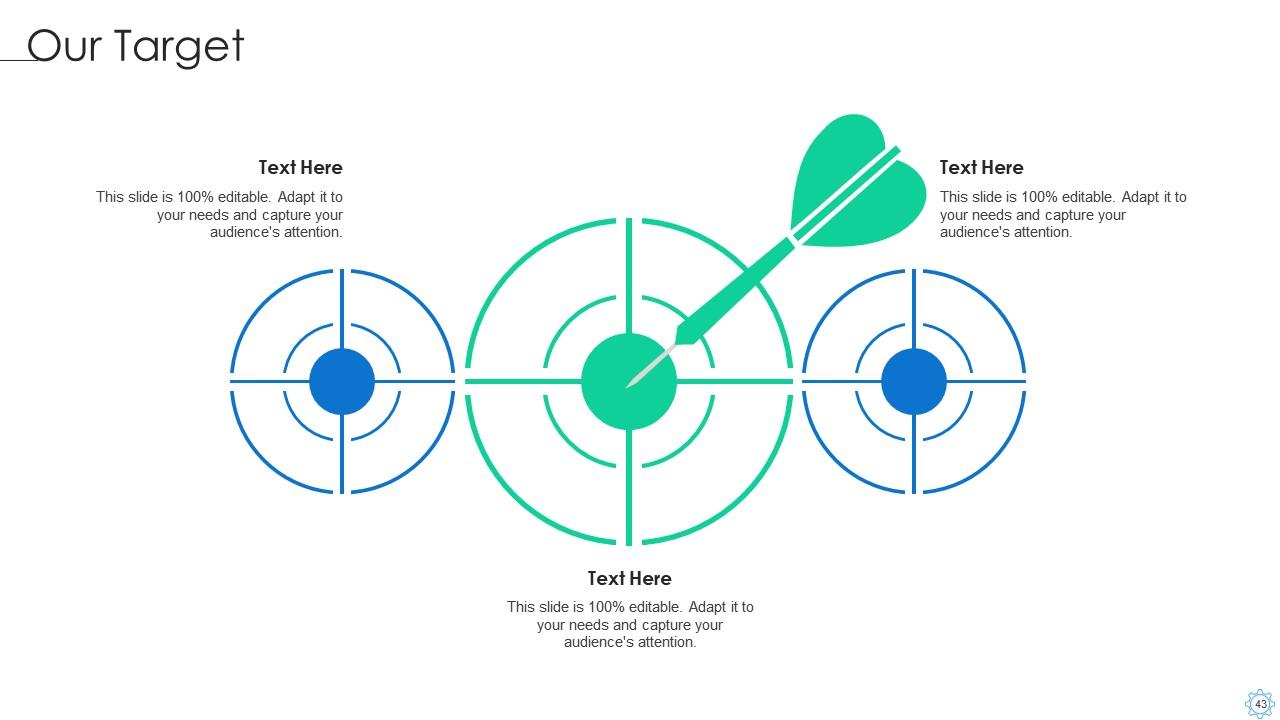
Slide 43: This slide shows targets of the company.
Slide 44: This slide depicts posts for past experiences of clients.
Slide 45: This slide displays puzzle.
Slide 46: This slide displays Venn.
Slide 47: This slide shows roadmap.
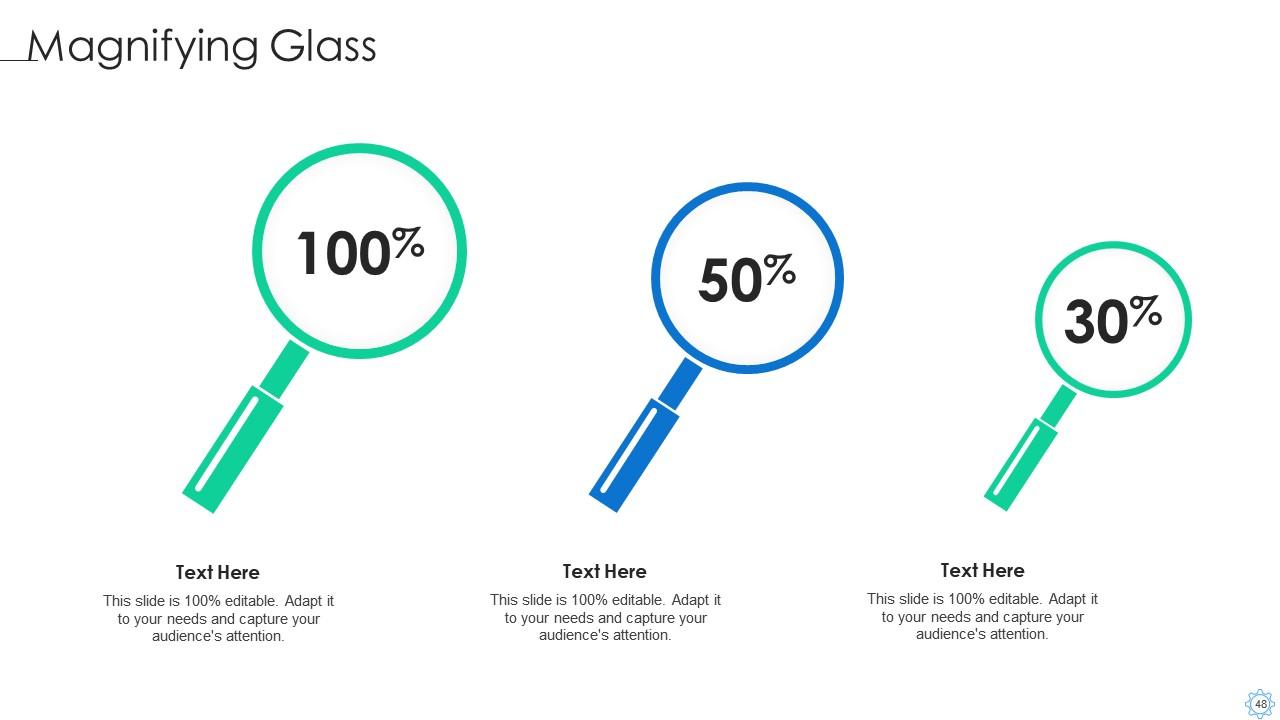
Slide 48: This slide exhibits magnifying glass.
Slide 49: This slide exhibits ideas generated.
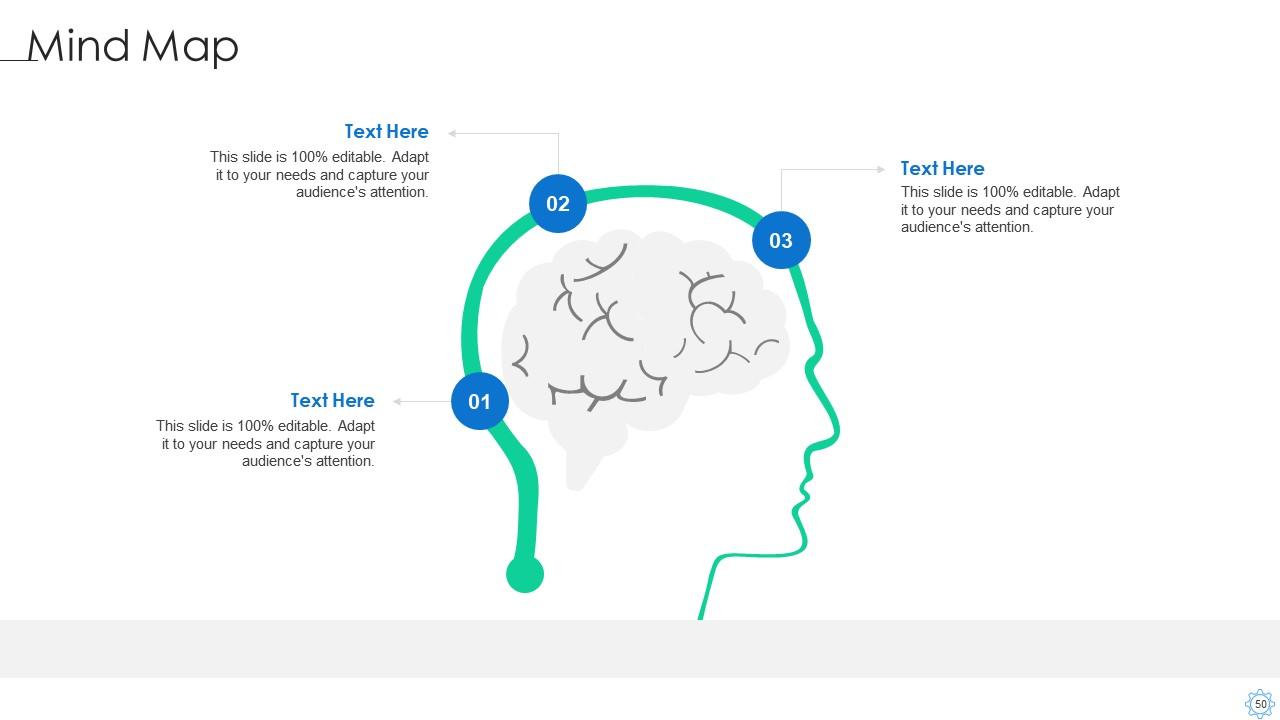
Slide 50: This slide displays mind map.
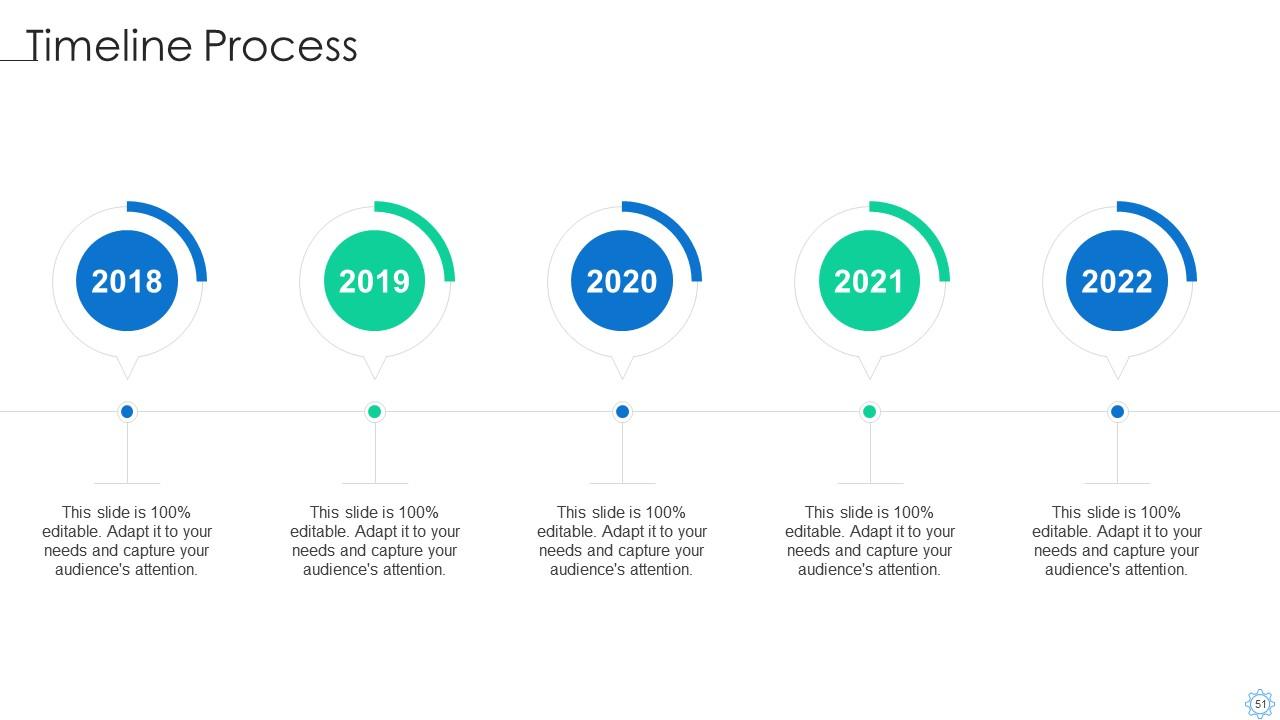
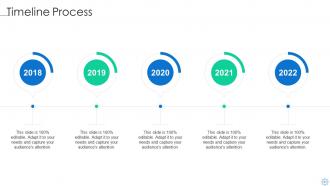
Slide 51: This slide exhibits yearly timeline.
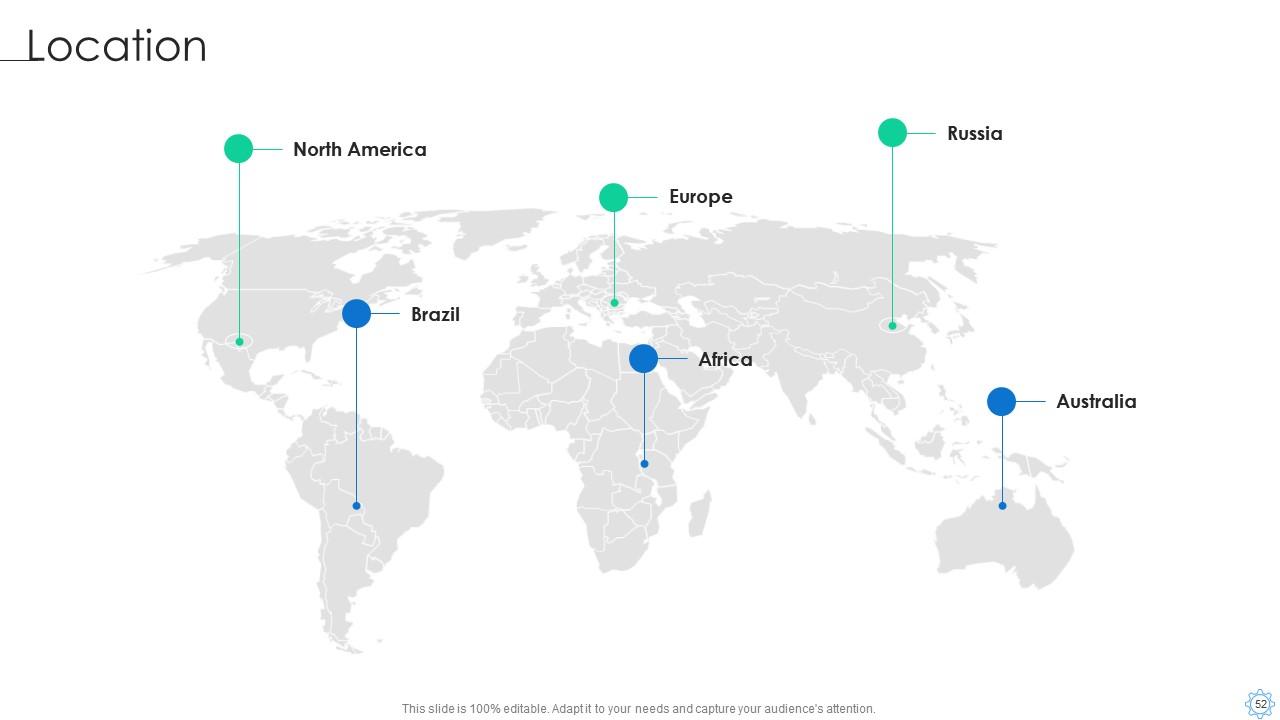
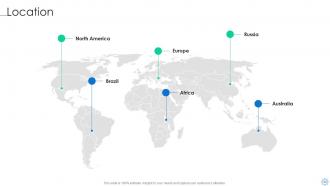
Slide 52: This slide shows location of company in world map.
Slide 53: This is thank you slide & contains contact details of company like office address, phone no., etc.
Software process improvement powerpoint presentation slides with all 62 slides:
Use our Software Process Improvement Powerpoint Presentation Slides to effectively help you save your valuable time. They are readymade to fit into any presentation structure.
-
Easily Editable.
-
Easy to edit slides with easy to understand instructions.
