


Solution assessment and validation to evaluate organisational preparedness complete deck
Solution Assessment can be carried out on a single solution or used to compare several proposed solutions to recommend the best course of action. At present, the company wants to evaluate the organizational preparedness for the planned change. Check out our competently designed Solution Assessment and Validation to Evaluate Organizational Preparedness template that provides the details on business analysis body of knowledge BABOK framework, description of BABOK areas, detailed solution assessment and validation model, solution assessment tasks such as assess proposed solution overview, allocate requirements overview, assess organizational readiness, defining transition requirements, validating solution and evaluating solution performance. This presentation also details the force field analysis framework and risk-based testing. Also, this presentation includes information on the solution assessment criteria analysis chart and solution assessment risk severity matrix, along with details on the role of business analysts in solution assessment and the importance of validation. After analyzing the model and implementing various sequential solution assessment tasks, the company can quickly assess the proposed solution, validate it, and implement it to achieve the desired results. Get access to the template now.
Solution Assessment can be carried out on a single solution or used to compare several proposed solutions to recommend the ..













































-

- Google Slides is a new FREE Presentation software from Google.
- All our content is 100% compatible with Google Slides.
- Just download our designs, and upload them to Google Slides and they will work automatically.
- Amaze your audience with SlideTeam and Google Slides.
-

Want Changes to This PPT Slide? Check out our Presentation Design Services
-

- WideScreen Aspect ratio is becoming a very popular format. When you download this product, the downloaded ZIP will contain this product in both standard and widescreen format.
-

- Some older products that we have may only be in standard format, but they can easily be converted to widescreen.
- To do this, please open the SlideTeam product in Powerpoint, and go to
- Design ( On the top bar) -> Page Setup -> and select "On-screen Show (16:9)” in the drop down for "Slides Sized for".
- The slide or theme will change to widescreen, and all graphics will adjust automatically. You can similarly convert our content to any other desired screen aspect ratio.
Compatible With Google Slides

Get This In WideScreen
You must be logged in to download this presentation.


Do you want to remove this product from your favourites?
PowerPoint presentation slides
Deliver an informational PPT on various topics by using this Solution Assessment And Validation To Evaluate Organisational Preparedness Complete Deck. This deck focuses and implements best industry practices, thus providing a birds-eye view of the topic. Encompassed with fourty four slides, designed using high-quality visuals and graphics, this deck is a complete package to use and download. All the slides offered in this deck are subjective to innumerable alterations, thus making you a pro at delivering and educating. You can modify the color of the graphics, background, or anything else as per your needs and requirements. It suits every business vertical because of its adaptable layout.

People who downloaded this PowerPoint presentation also viewed the following :
Content of this Powerpoint Presentation
Slide 1: This slide introduces Solution Assessment and Validation to Evaluate Organisational Preparedness. State Your Company Name and begin.
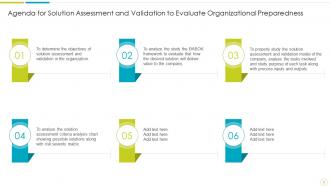
Slide 2: This slide shows Agenda for Solution Assessment and Validation to Evaluate Organizational Preparedness.
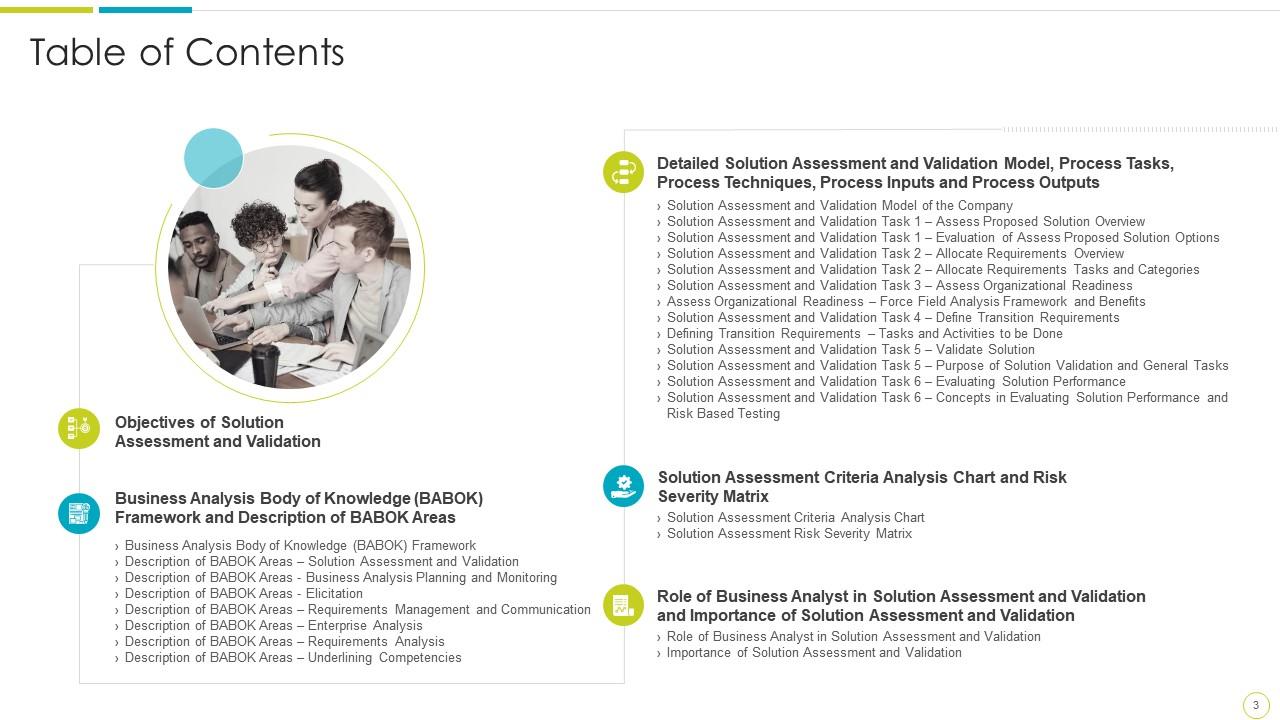
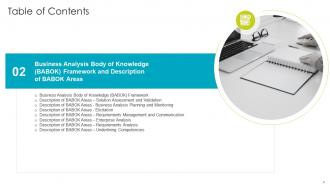
Slide 3: This slide presents Table of Content for the presentation.
Slide 4: This slide shows title for topics that are to be covered next in the template.
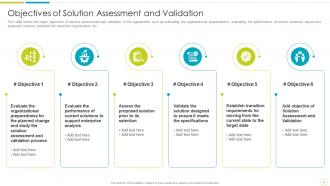
Slide 5: This slide presents Objectives of Solution Assessment and Validation.
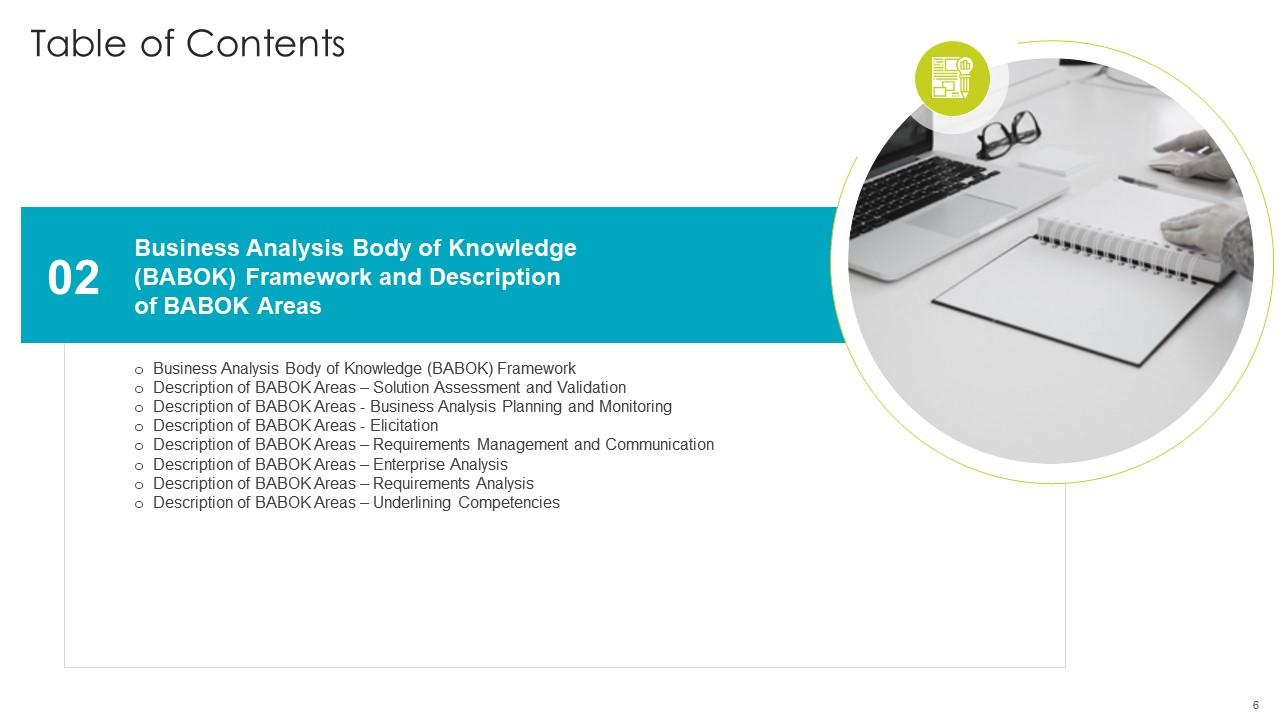
Slide 6: This slide shows title for topics that are to be covered next in the template.
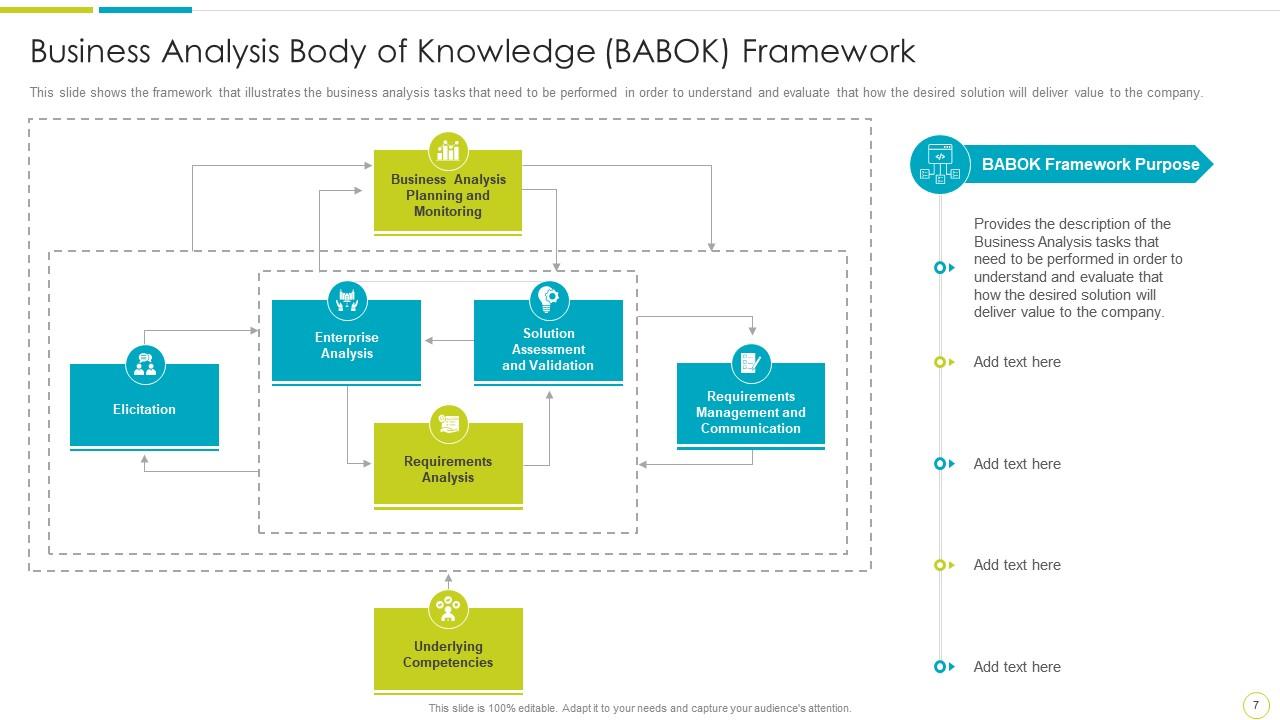
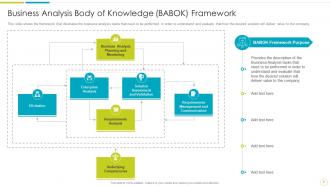
Slide 7: This slide represents Business Analysis Body of Knowledge (BABOK) Framework.
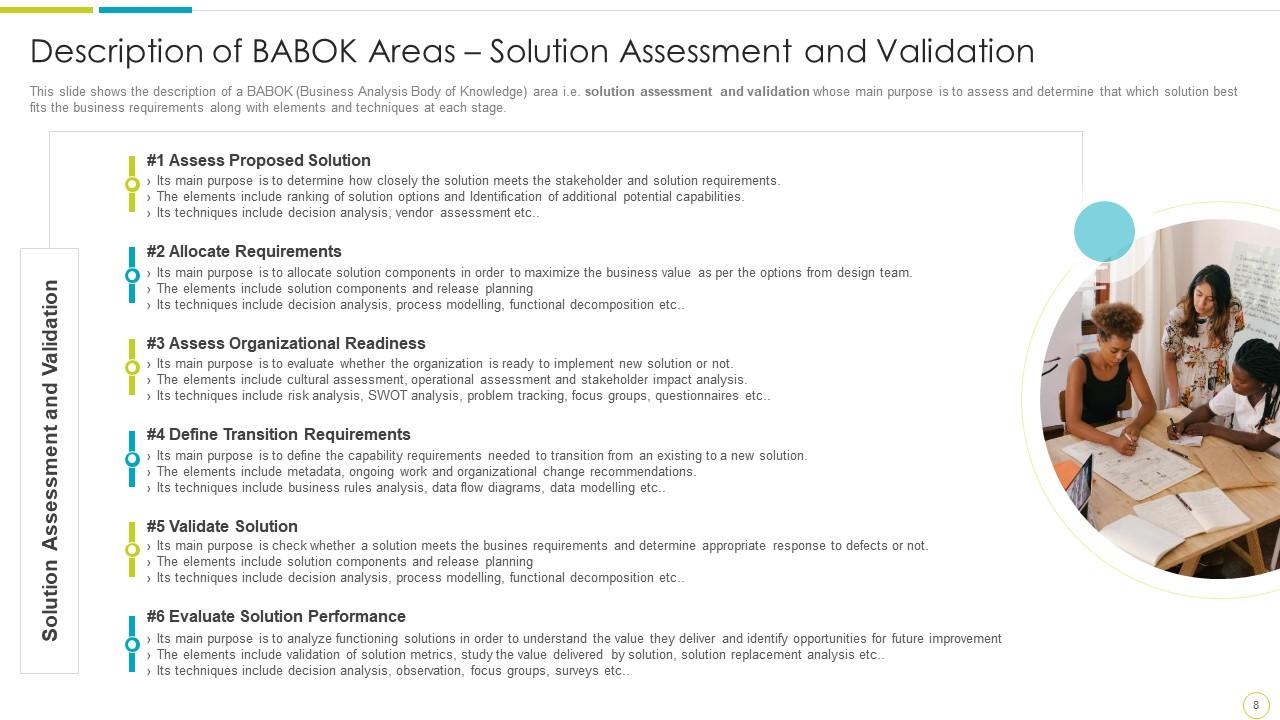
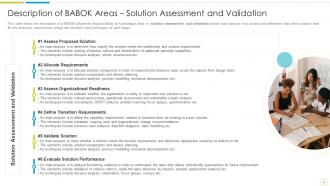
Slide 8: This slide shows Description of BABOK Areas – Solution Assessment and Validation.
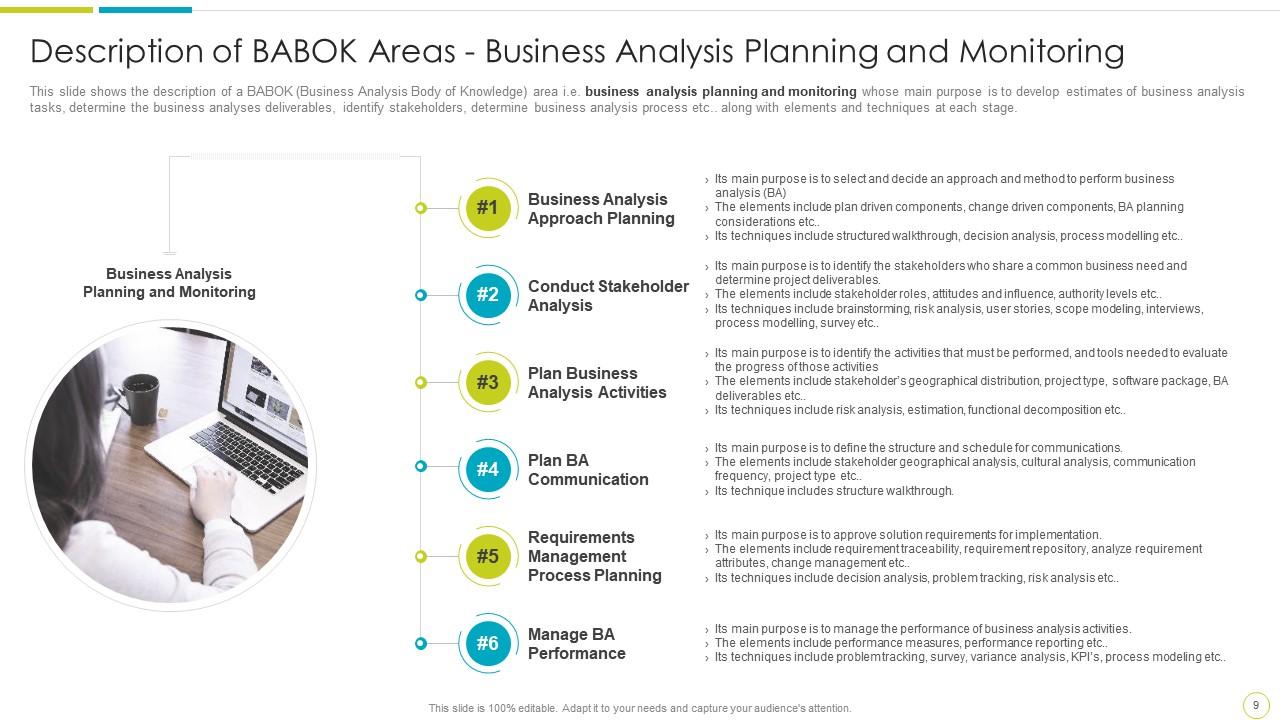
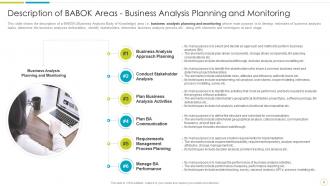
Slide 9: This slide shows Business Analysis Planning and Monitoring.
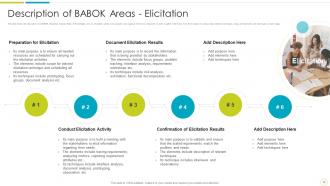
Slide 10: This slide presents Description of BABOK Areas - Elicitation.
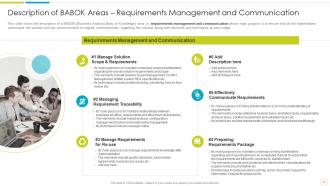
Slide 11: This slide displays Description of BABOK Areas – Requirements Management and Communication.
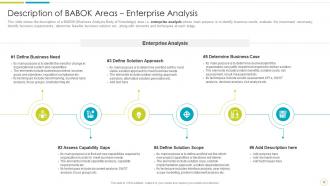
Slide 12: This slide shows the description of a BABOK area i.e. enterprise analysis.
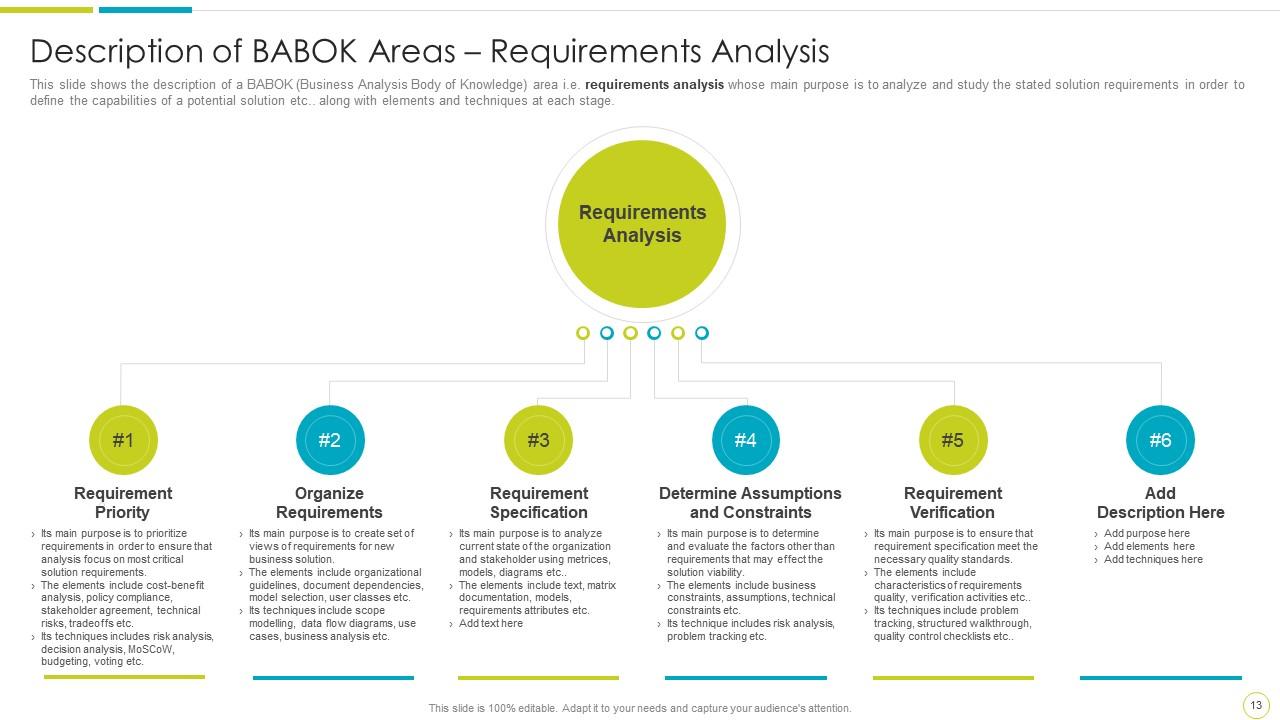
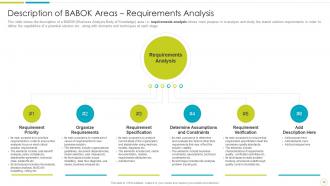
Slide 13: This slide represents Description of BABOK Areas – Requirements Analysis.
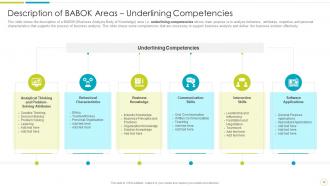
Slide 14: This slide shows Description of BABOK Areas – Underlining Competencies.
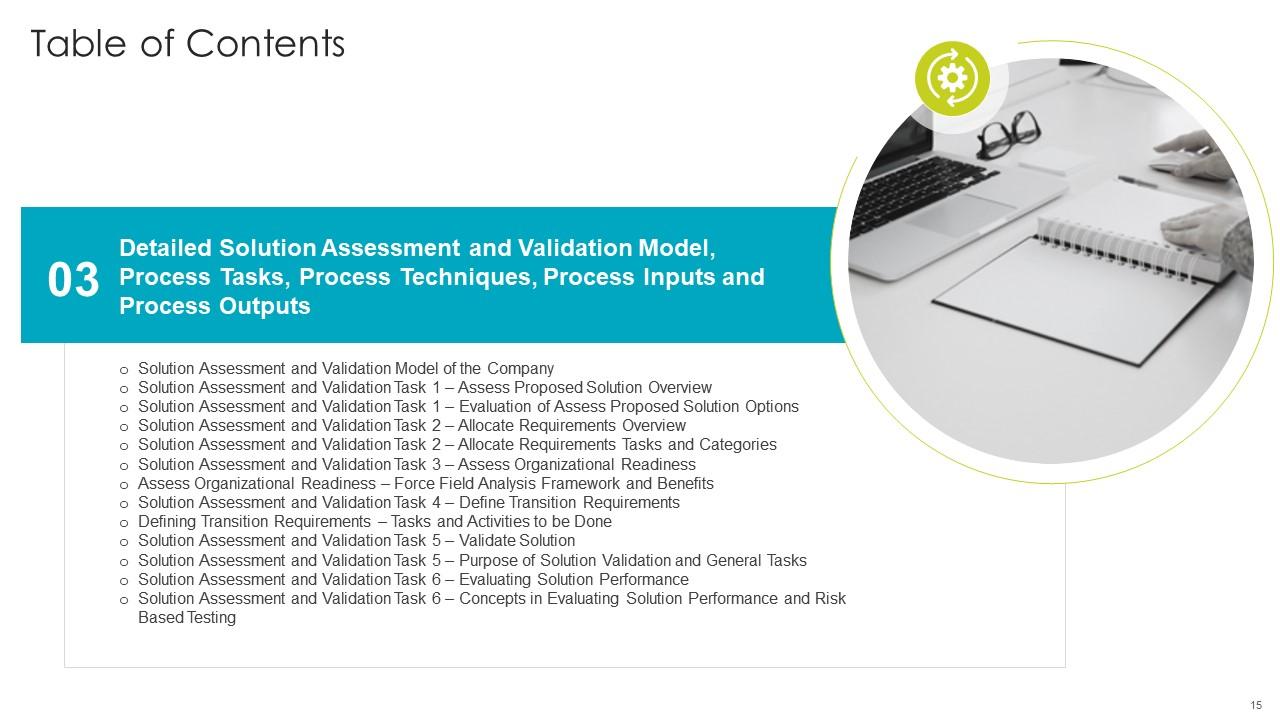
Slide 15: This slide shows title for topics that are to be covered next in the template.
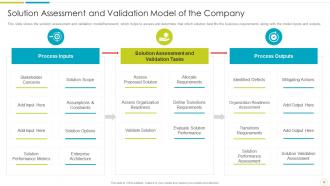
Slide 16: This slide displays the solution assessment and validation model/framework.
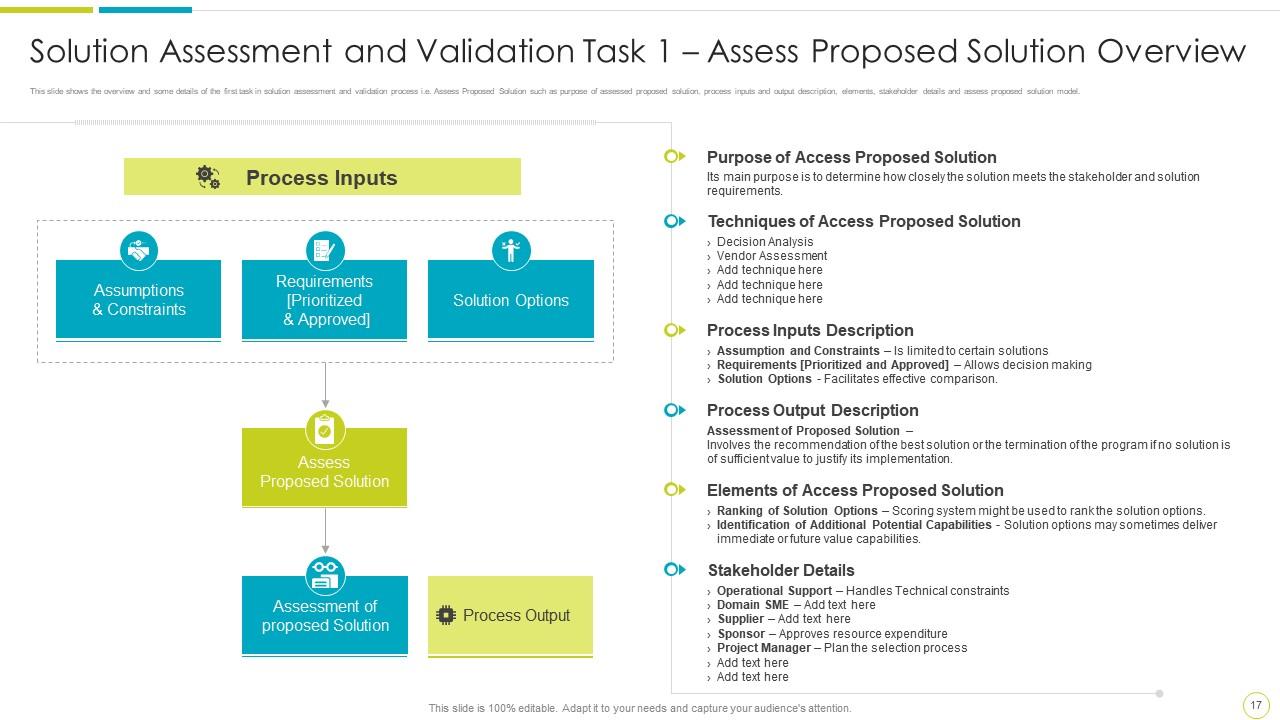
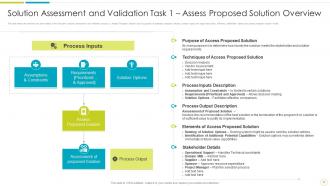
Slide 17: This slide shows Solution Assessment and Validation Task 1 – Assess Proposed Solution Overview.
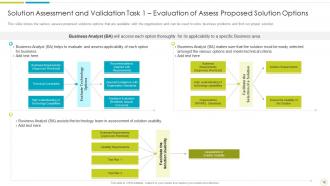
Slide 18: This slide represents Solution Assessment and Validation Task 1 – Evaluation of Assess Proposed Solution Options.
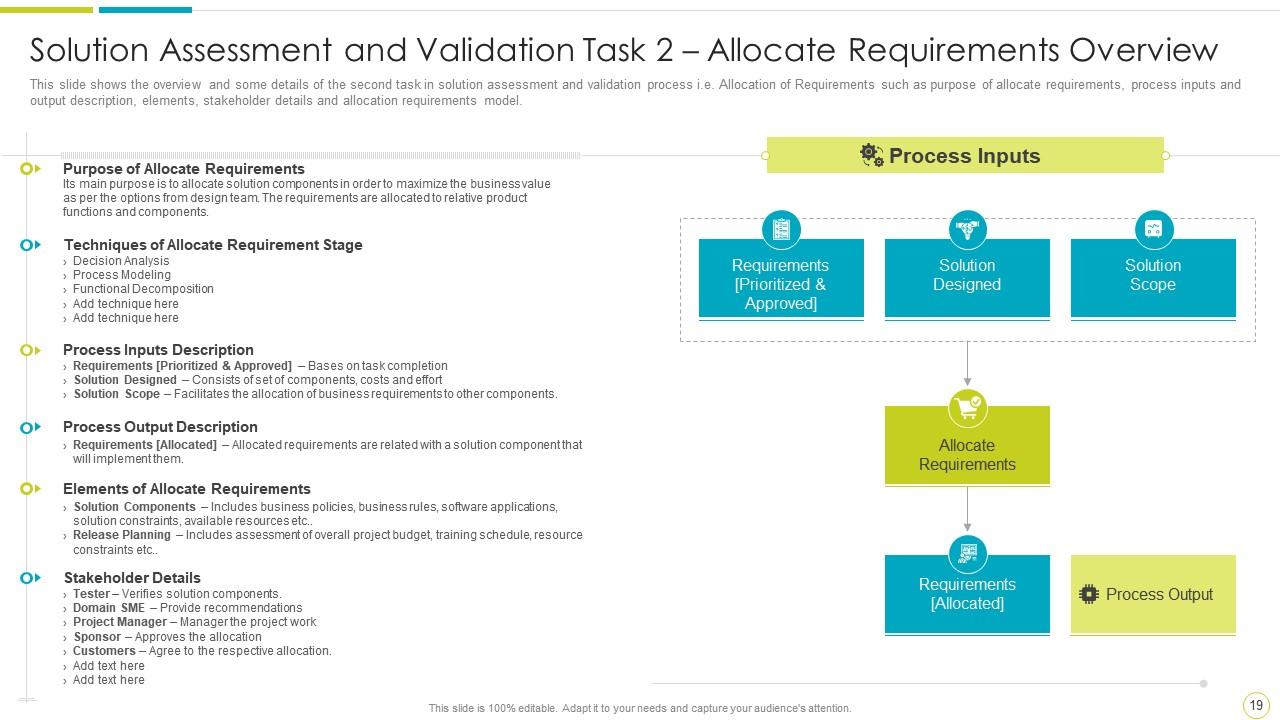
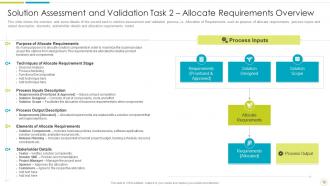
Slide 19: This slide shows Solution Assessment and Validation Task 2 – Allocate Requirements Overview.
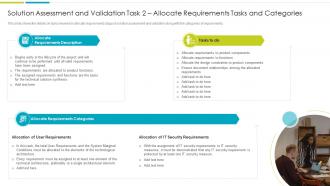
Slide 20: This slide presents Solution Assessment and Validation Task 2 – Allocate Requirements Tasks and Categories.
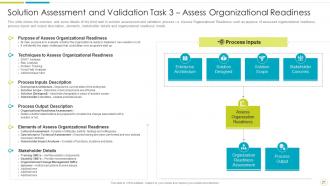
Slide 21: This slide displays the overview and some details of the third task in solution assessment and validation process.
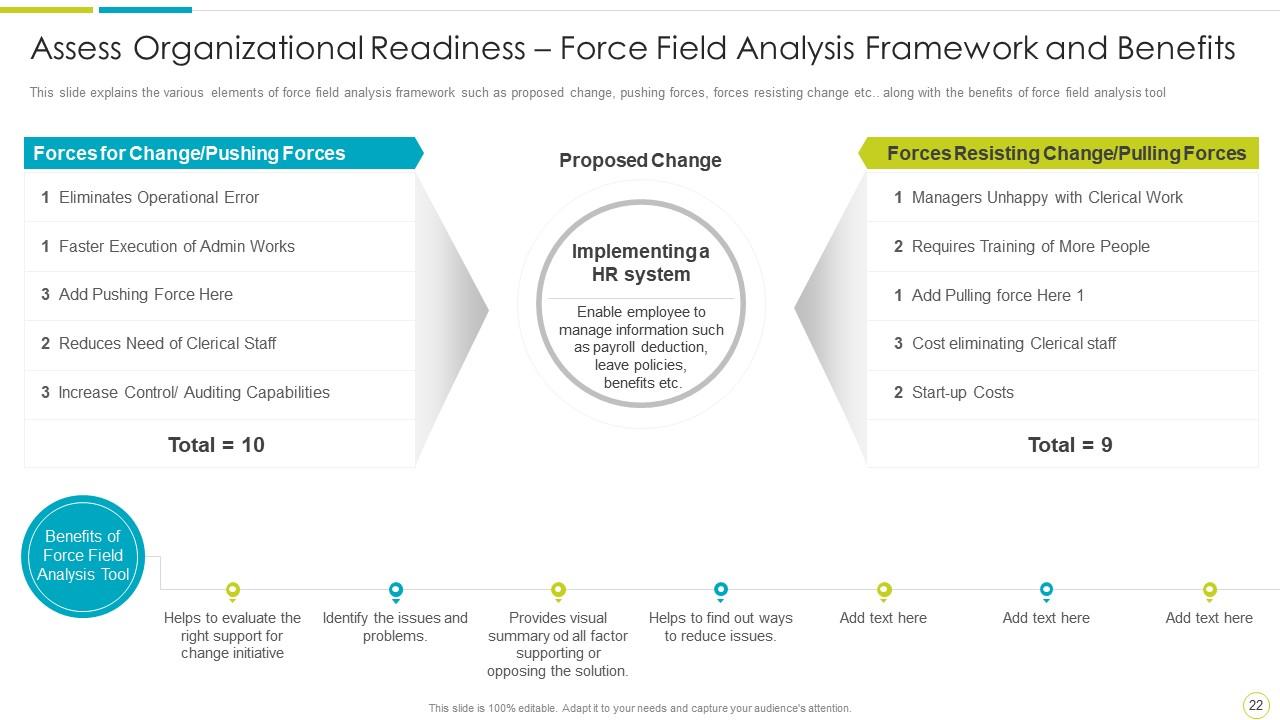
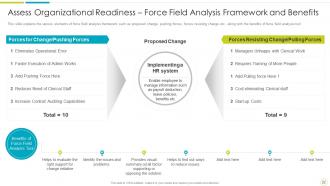
Slide 22: This slide explains the various elements of force field analysis framework such as proposed change, pushing forces, forces resisting change etc.
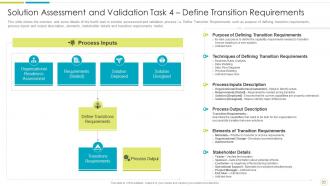
Slide 23: This slide represents the overview and some details of the fourth task in solution assessment.
Slide 24: This slide shows the various tasks and activities that are involved in the transition requirements stage.
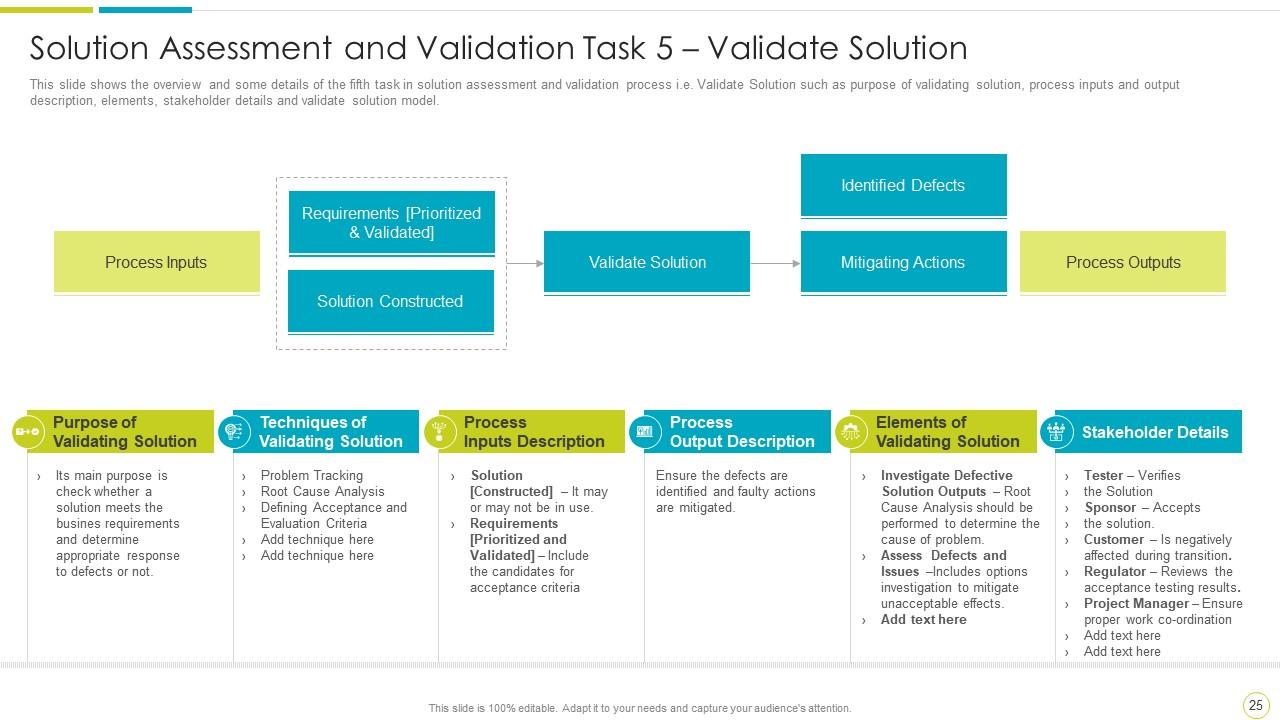
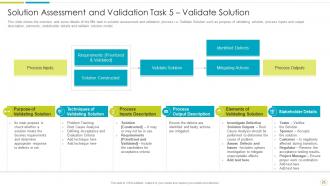
Slide 25: This slide presents the overview and some details of the fifth task in solution assessment and validation process.
Slide 26: This slide displays the purpose of solution validation and general tasks that are to be considered in order to assure valid level of assurance.
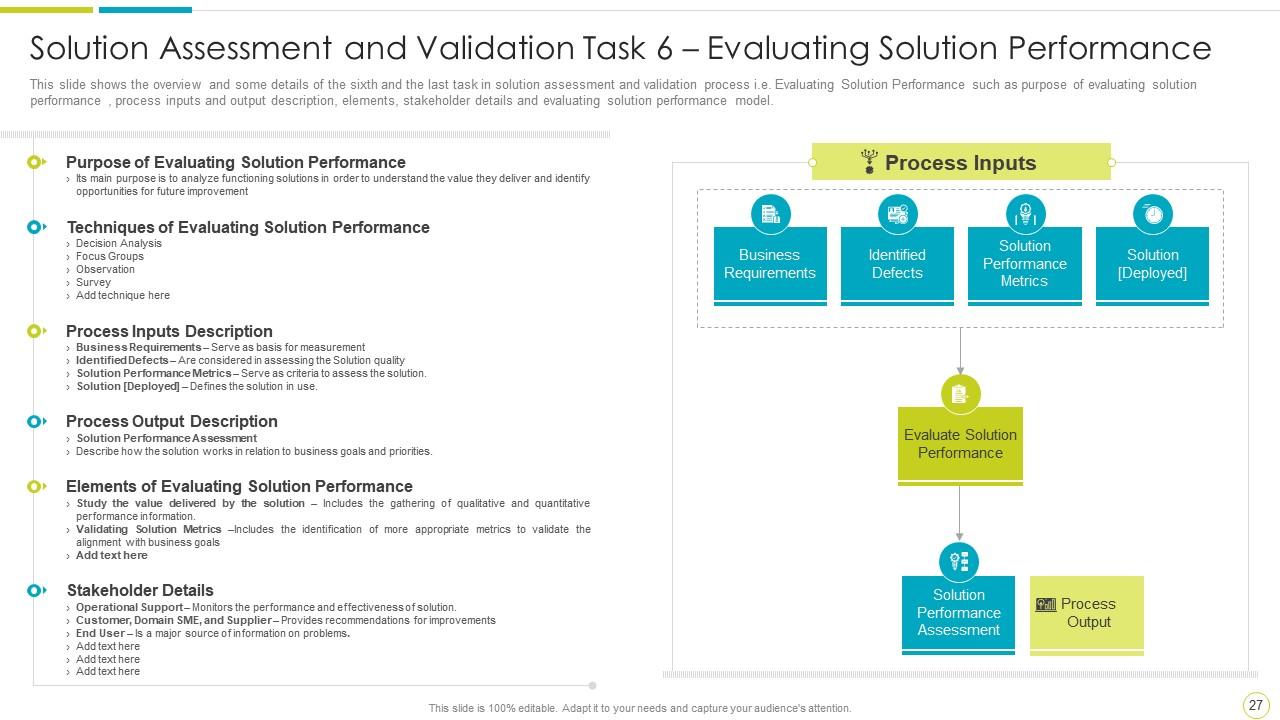
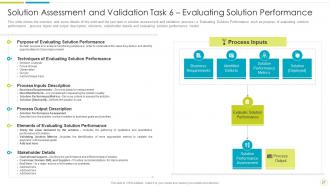
Slide 27: This slide shows Solution Assessment and Validation Task 6 – Evaluating Solution Performance.
Slide 28: This slide represents the details of key concepts that are to be considered while evaluating a solution performance.
Slide 29: This slide shows title for topics that are to be covered next in the template.
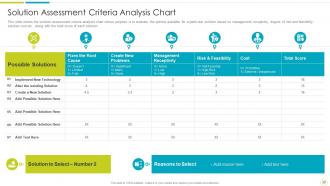
Slide 30: This slide presents the solution assessment criteria analysis chart.
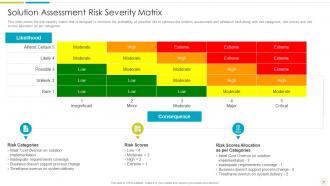
Slide 31: This slide displays the risk severity matrix that is designed to minimize the probability of potential risk.
Slide 32: This slide shows title for topics that are to be covered next in the template.
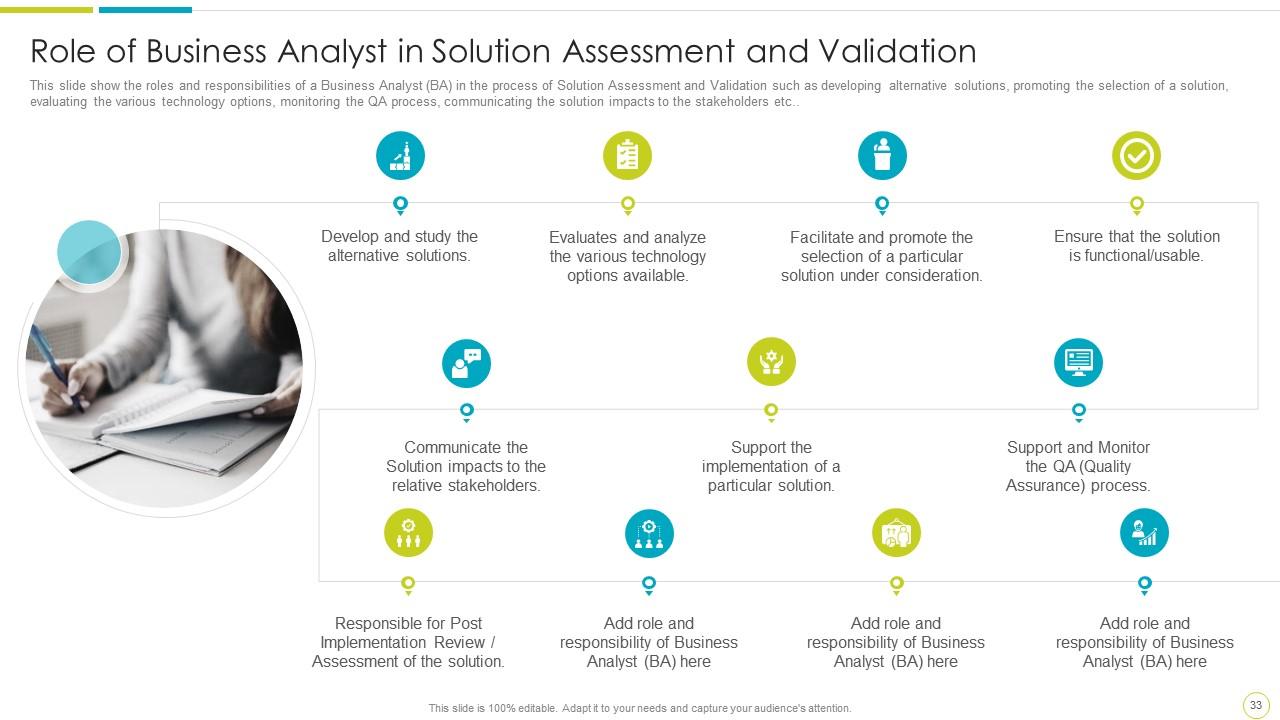
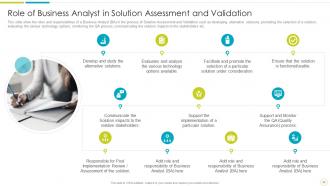
Slide 33: This slide represents the roles and responsibilities of a Business Analyst.
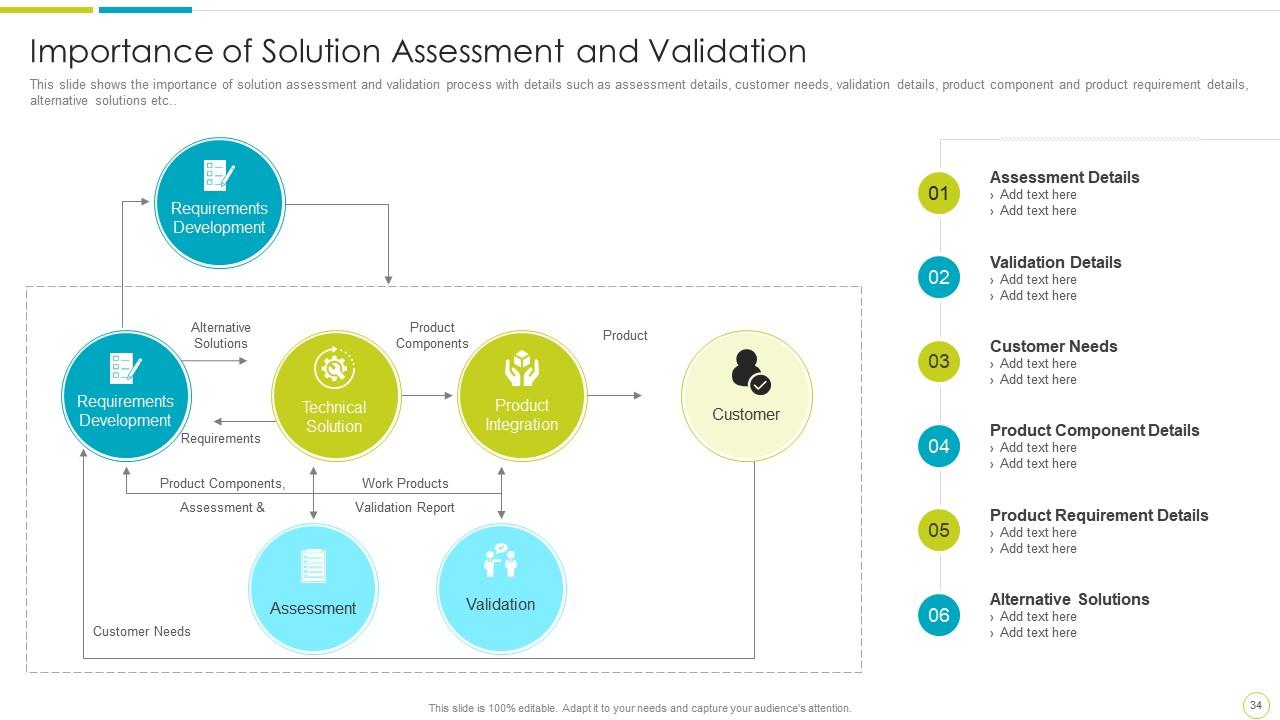
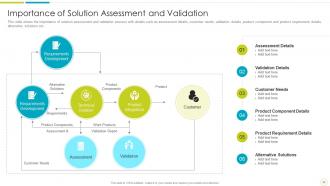
Slide 34: This slide shows the importance of solution assessment and validation process.
Slide 35: This slide shows Icons for Solution Assessment and Validation to Evaluate Organisational Preparedness.
Slide 36: This slide is titled as Additional Slides for moving forward.
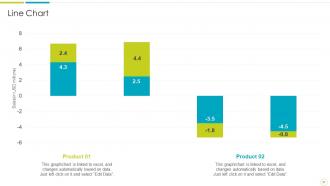
Slide 37: This slide shows Line Chart with two products comparison.
Slide 38: This is Our Mission slide with related imagery and text.
Slide 39: This is About Us slide to show company specifications etc.
Slide 40: This is Our Team slide with names and designation.
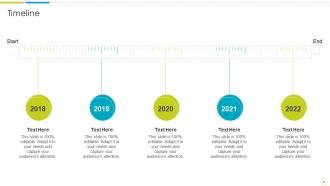
Slide 41: This is a Timeline slide. Show data related to time intervals here.
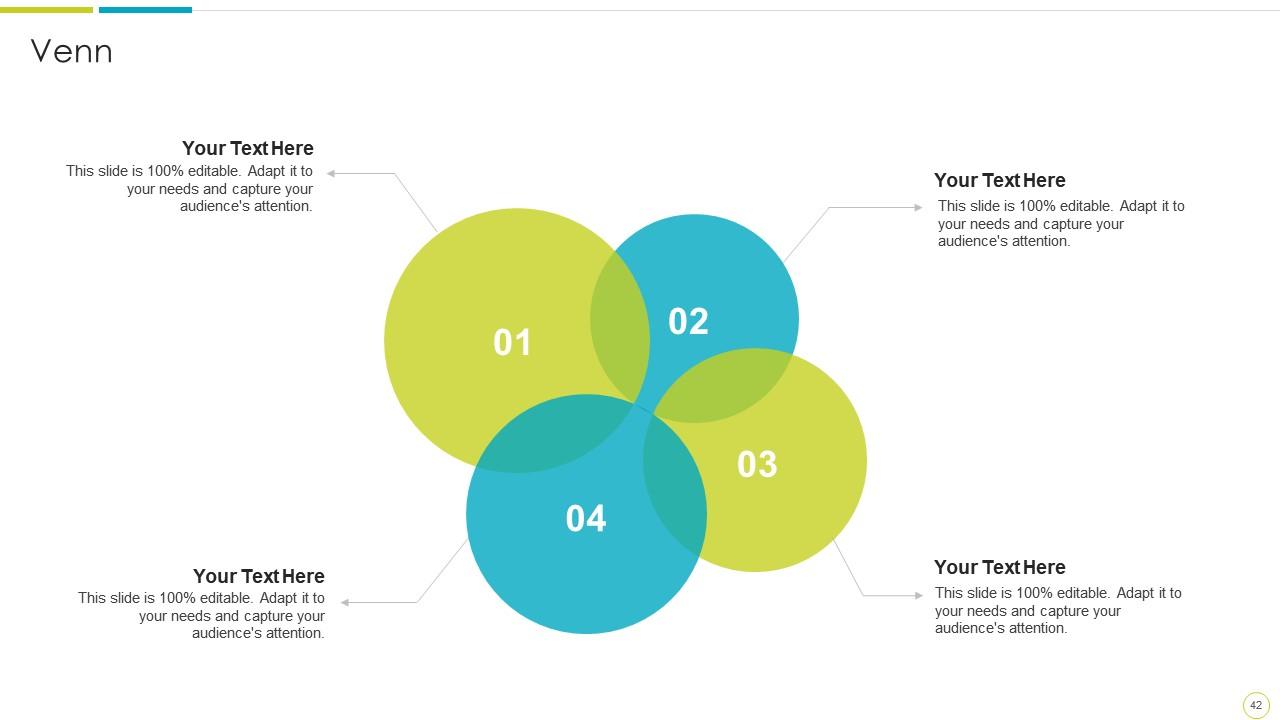
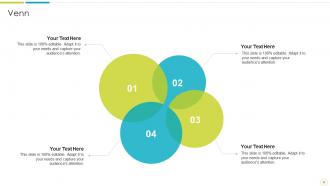
Slide 42: This slide shows Venn diagram with text boxes.
Slide 43: This slide presents Post It Notes. Post your important notes here.
Slide 44: This is a Thank You slide with address, contact numbers and email address.
Solution assessment and validation to evaluate organisational preparedness complete deck with all 53 slides:
Use our Solution Assessment And Validation To Evaluate Organisational Preparedness Complete Deck to effectively help you save your valuable time. They are readymade to fit into any presentation structure.
-
Informative design.
-
Out of the box and creative design.
-
Appreciate the research and its presentable format.
-
Very unique, user-friendly presentation interface.
