

Stakeholder Communication Powerpoint Presentation Slides Strategy CD




Try Before you Buy Download Free Sample Product
 Impress Your
 Audience
 100%
100% Editable
 Save Hours
 of Time


A Communication Strategy can help understand your company and enhance its reputation with people whose attitudes and actions influence your success the most. Grab our Stakeholder communication template. It is a well-crafted deck for organizations to communicate effectively with their stakeholders. Our Stakeholder communication PPT covers techniques for public relations, stakeholder communication, internal communication, etc. It stresses public relations, which plays a crucial role in building and maintaining a positive image for the organization in the eyes of the public. Stakeholder communication ensures the organizations effective communication with its investors, customers, suppliers, and other stakeholders. Internal communication facilitates smooth organizational communication among employees, departments, and management. Crisis communication is vital to any corporate communication strategy to manage and mitigate any negative impact on the organization during a crisis. A well-designed social media communication framework can enhance the organizations reach and engagement with its target audience. Event communication can create awareness about the organizations products, services, and initiatives. Lastly, our event communication module exhibits essential elements to enhance the organizations reputation, build stakeholder trust, and drive business success. Get access right away.
People who downloaded this PowerPoint presentation also viewed the following :
Content of this Powerpoint Presentation
Slide 1: This slide introduces Stakeholder communication. Commence by stating Your Company Name.
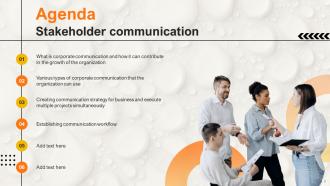
Slide 2: This slide depicts the Agenda of the presentation.
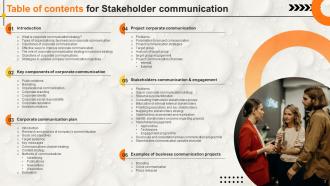
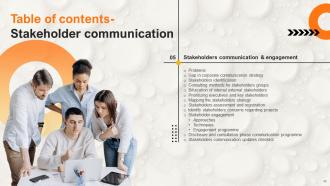
Slide 3: This slide incorporates the Table of contents.
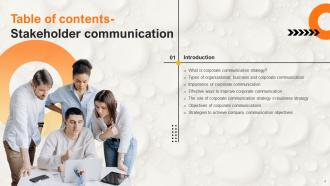
Slide 4: This slide highlights the Title for the Topics to be covered further.
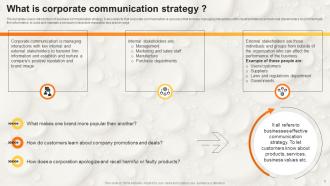
Slide 5: This template covers introduction of business communication strategy.
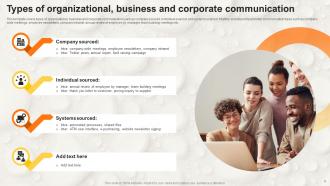
Slide 6: This slide states the types of organizational, business and corporate communication.
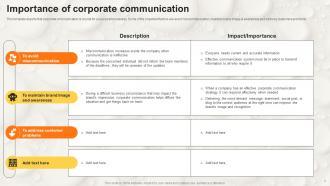
Slide 7: This slide depicts that corporate communication is crucial for a successful business.
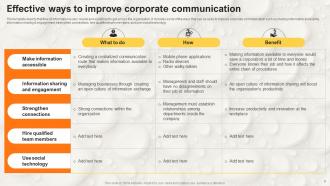
Slide 8: This template depicts the Effective ways to improve corporate communication.
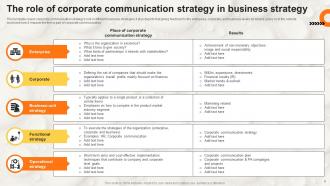
Slide 9: This slide exhibits the role of corporate communication strategy in business strategy.
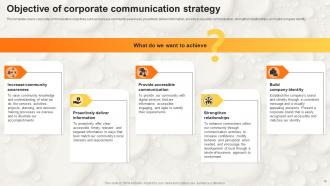
Slide 10: This slide displays the Objective of corporate communication strategy.
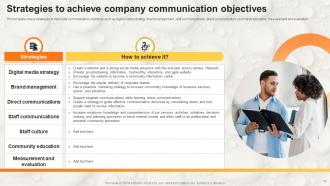
Slide 11: This slide showcases the Strategies to achieve company communication objectives.
Slide 12: This slide mentions the Heading for the Contents to be discussed next.
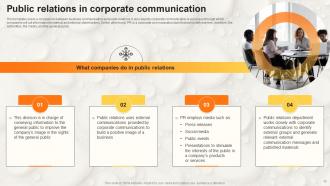
Slide 13: This template covers a comparison between business communication and public relations.
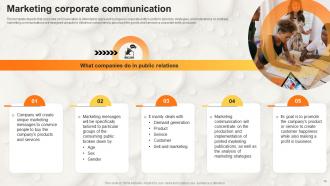
Slide 14: This slide illustrates the Marketing corporate communication.
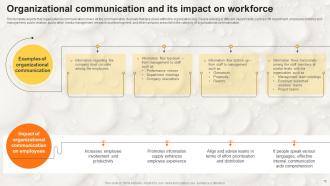
Slide 15: This slide portrays the Organizational communication and its impact on workforce.
Slide 16: This template incorporates the role of communication in corporate branding.
Slide 17: This slide states the goals of communication to form corporate identity.
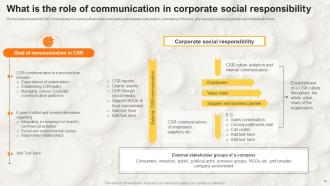
Slide 18: This slide depicts the role of communication in corporate social responsibility.
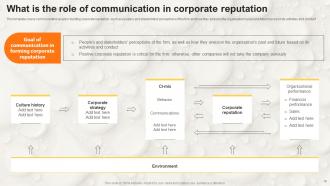
Slide 19: This template highlights the communication goals in building corporate reputation.
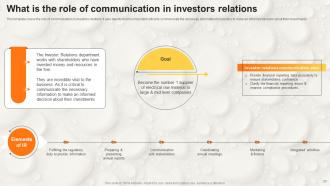
Slide 20: This template exhibits the role of communication in investors relations.
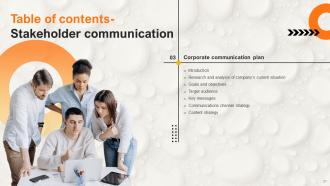
Slide 21: This slide showcases the Title for the Ideas to be discussed next.
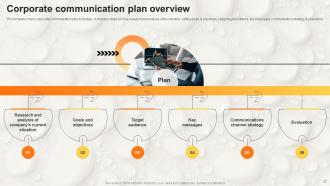
Slide 22: This slide presents the Corporate communication plan overview.
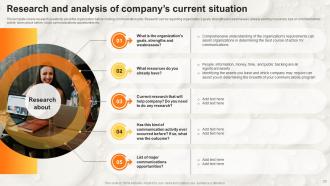
Slide 23: This slide shows the Research and analysis of company’s current situation.
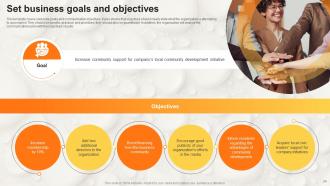
Slide 24: This template covers corporate goals and communication objectives.
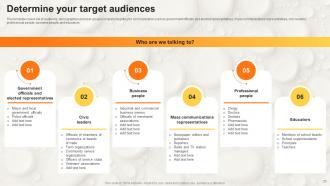
Slide 25: This slide talks about Determining your target audiences.
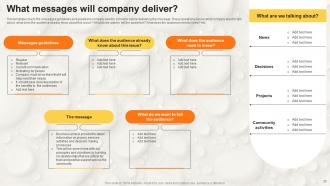
Slide 26: This template showcases the messages guidelines and questions company need to consider before delivering the message.
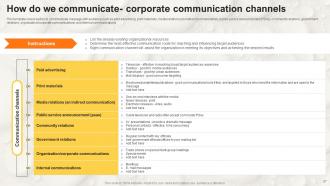
Slide 27: This template incorporates the tactics to communicate message with audience such as paid advertising, print materials, etc.
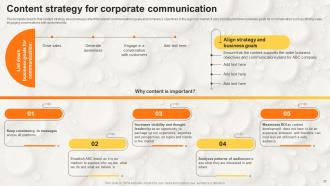
Slide 28: This slide displays the Content strategy for corporate communication.
Slide 29: This slide reveals the Heading for the Ideas to be covered next.
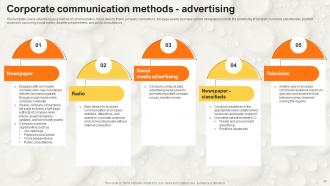
Slide 30: This template contains advertising as a method of communication.
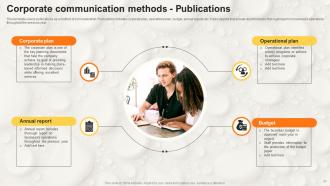
Slide 31: This slide elucidates publications as a method of communication.
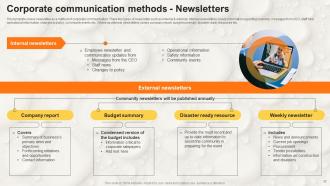
Slide 32: This template presents newsletter as a method of corporate communication.
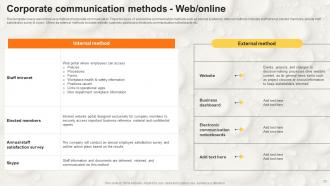
Slide 33: This template exhibits web/online as a method of corporate communication. T
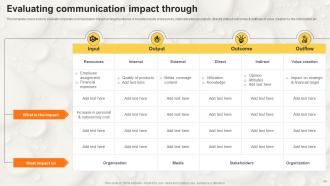
Slide 34: This slide deals with Evaluating communication impact.
Slide 35: This slide mentions the Title for the Components to be discussed next.
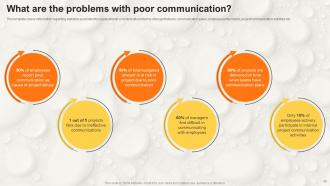
Slide 36: This template covers information regarding statistics associated to organizational communication in terms of project failures, communication plans, employee performance, etc.
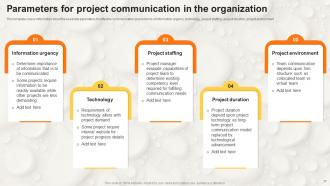
Slide 37: This slide lists the Parameters for project communication in the organization.
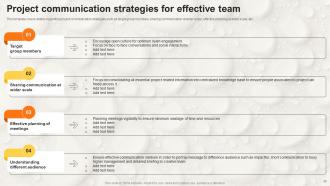
Slide 38: This slide focuses on Project communication strategies for effective team.
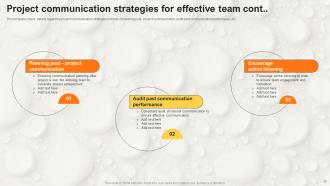
Slide 39: This slide continues the Project communication strategies for effective team.
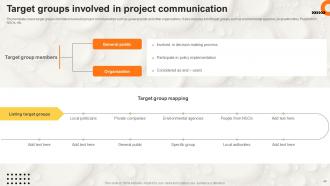
Slide 40: This template focuses on target groups members involved in project communication.
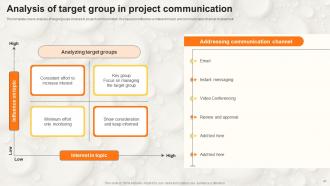
Slide 41: This slide exhibits the Analysis of target group in project communication.
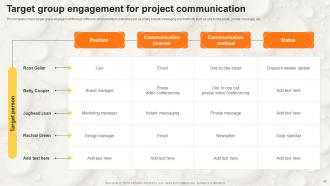
Slide 42: This slide incorporates the Target group engagement for project communication.
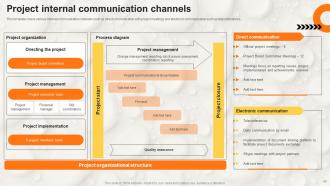
Slide 43: This slide deals with Project internal communication channels.
Slide 44: This slide talks about the Project external communication channels.
Slide 45: This slide presents the Heading for the Topics to be covered in the following template.
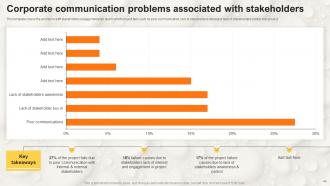
Slide 46: This template showcases the problems with stakeholders engagement plan due to which project fails.
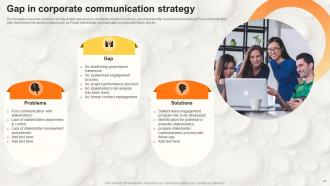
Slide 47: This slide template elucidates the Gap in corporate communication strategy.
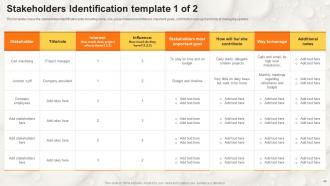
Slide 48: This template covers the stakeholders identification plan including name, role, project interest and interest, etc.
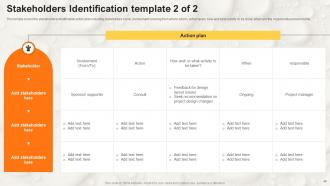
Slide 49: This temple covers the stakeholders identification action plan including stakeholders name, involvement covering from who to whom, action taken, etc.
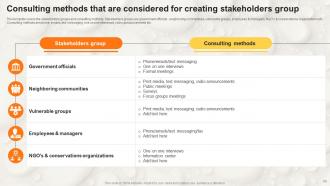
Slide 50: This slide focuses on the Consulting methods that are considered for creating stakeholders group.
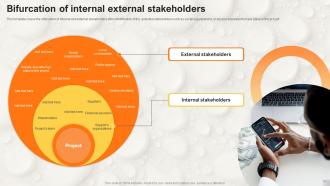
Slide 51: This slide reveals the Bifurcation of internal external stakeholders.
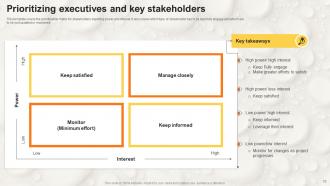
Slide 52: This template incorporates the prioritization matrix for stakeholders depicting power and interest.
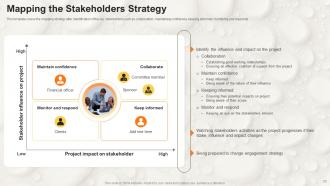
Slide 53: This slide talks about Mapping the Stakeholders Strategy.
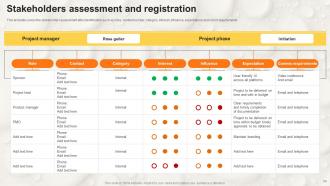
Slide 54: This slide exhibits Stakeholders assessment and registration.
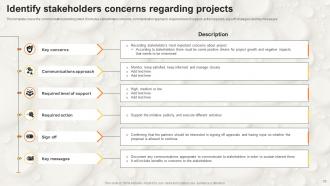
Slide 55: This template covers the communication planning sheet.
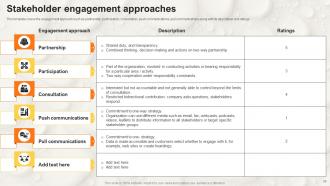
Slide 56: This template showcases the engagement approach such as partnership, participation, etc.
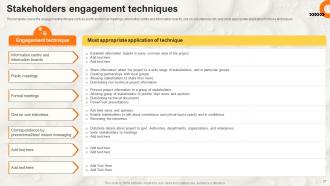
Slide 57: This slide deals with Stakeholders engagement techniques.
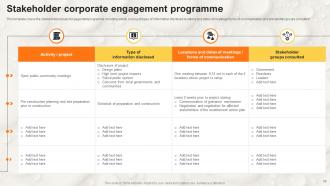
Slide 58: This slide represents the Stakeholder corporate engagement programme.
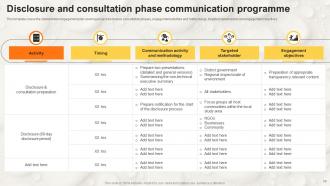
Slide 59: This slide provides information about the Disclosure and consultation phase communication programme.
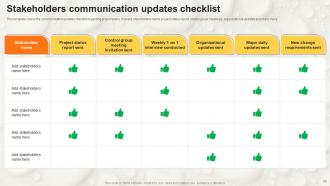
Slide 60: This slide elucidates the Stakeholders communication updates checklist.
Slide 61: This slide presents the Title for the Topics to be discussed further.
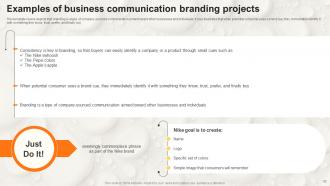
Slide 62: This slide portrays the Examples of business communication branding projects.
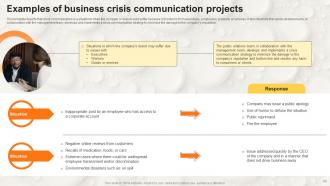
Slide 63: This slide depicts the Examples of business crisis communication projects.
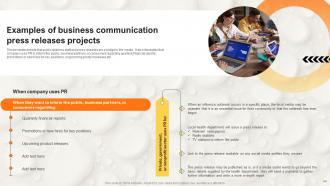
Slide 64: This slide reveals the Examples of business communication press releases projects.
Slide 65: This is the Icons slide containing all the Icons used in the plan.
Slide 66: This slide elucidates Additional information.
Slide 67: This slide is used for showcasing the organization's Vision & Mission.
Slide 68: This is the 30 60 90 Days Plan sldie for efficient planning.
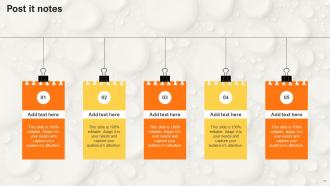
Slide 69: This slide contains the Post it Notes for reminders and deadlines.
Slide 70: This is the Venn diagram slide.
Slide 71: This slide reveals the Company Timeline.
Slide 72: This slide is used for the purpose of Comparison.
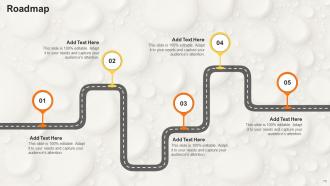
Slide 73: This slide represents the Roadmap of the firm.
Slide 74: This is the Thank you slide for acknowledgement.
Stakeholder Communication Powerpoint Presentation Slides Strategy CD with all 77 slides:
Use our Stakeholder Communication Powerpoint Presentation Slides Strategy CD to effectively help you save your valuable time. They are readymade to fit into any presentation structure.












FAQs for Stakeholder Communication Powerpoint Presentation
Figure out who needs what info first - some people want the full breakdown, others just need a quick "we're on track" text. I'd rather annoy people with too many updates than leave them guessing, honestly. Listen to what they're actually worried about instead of just dumping status reports on them. Mix it up with emails, quick calls, maybe a dashboard if you're fancy. Regular check-ins are clutch. Oh, and don't stress too much about having the perfect plan from day one - you'll figure out people's preferences as you go and can adjust.
Dude, you gotta speak their language. Execs want the bottom line - ROI, big picture stuff, done in like 2 minutes max. Your project team? They need all the nitty-gritty details, timelines, specs. Customers just want to know how it affects them personally, so drop the jargon. I made this mistake for way too long - sent identical updates to everyone and got blank stares. Now I ask myself what each group actually needs to make decisions or do their job. Then I adjust everything - tone, how much detail, even how I send it. Game changer honestly.
Look, transparency is everything when dealing with stakeholders. People hate surprises, especially bad ones. When you're upfront about problems and realistic timelines, they'll actually have your back when things get rough. I've watched perfectly good projects implode because someone decided to hide issues until it was too late - such a waste. Don't wait for people to ask questions. Figure out what they genuinely need to know (not every tiny detail) and set up regular check-ins. Even sharing the messy stuff builds way more trust than pretending everything's perfect.
Honestly, just bake feedback right into your whole communication thing from the start. Regular check-ins work great - surveys, coffee chats, whatever feels natural for your team. People are way more honest in smaller groups than those big awkward meetings, trust me on that one. Listen to what they're saying, then actually DO something with it. Maybe tweak your messaging or change how often you send updates. The biggest thing? Always circle back and tell them "hey, you said X was confusing, so I changed Y." Shows you're not just asking for feedback to check a box.
Honestly, I'd go with pulse surveys first - just 2-3 quick questions to check how people are feeling. Track the boring stuff too like meeting attendance and response rates on a dashboard. Coffee chats are actually where you get the real tea though, way better than formal surveys sometimes. If you've got external people, social listening tools can catch what they're saying online (assuming they're even talking about it). Oh, and do monthly check-ins on all this data so you can fix things before they blow up into actual problems.
Honestly, visuals are a lifesaver for stakeholder meetings. Charts and diagrams make complex stuff way easier to follow - nobody wants to zone out looking at spreadsheet hell for 30 minutes. Focus on your trickiest points first and figure out what visual would make them click. Don't go overboard with fancy graphics though. Simple beats cluttered every time. I learned this the hard way after watching people's eyes glaze over during a presentation last year. The goal is clarity, not decoration. Start with your most confusing concepts and work backwards from there.
Ugh, the worst part is when everyone wants different things - some people want every tiny detail while others just need the summary. Plus people's inboxes are already a disaster zone. Map out who actually needs what first. Then create different versions for different groups instead of sending the same boring update to everyone. Pick a consistent schedule so people aren't surprised. Oh and actually ask for feedback - sounds obvious but most people skip this step. Multiple channels work but don't be that person who blasts the same message everywhere. You'll just annoy people into ignoring you completely.
Honestly, weekly updates hit the sweet spot for most projects. Ask your stakeholders what works for them first though - some want daily check-ins if things are moving fast, others are fine with every two weeks for slower stuff. Here's what I've figured out the hard way: staying quiet is way worse than sharing bad news. Stakeholders get paranoid when they don't hear anything. Pick a schedule and actually stick to it - that's the part most people mess up. You can always tweak the timing later if needed.
Honestly, start simple with like 2-3 things that actually matter for your people. Email open rates are obvious but super telling. Response times though? That's where you really see who's engaged - if someone takes forever to get back to you, the relationship probably needs work. I'd also do quick pulse surveys to check satisfaction levels. Oh, and track whether decisions are happening faster with less back-and-forth drama. The feedback quality matters too - are you getting real input or just "looks good" responses? Don't try measuring everything at once or you'll go crazy. Pick what fits your stakeholders best.
Honestly, emotional intelligence is like having a superpower with stakeholders. You can read between the lines and catch what they're *actually* worried about through their tone or body language. Saves you from playing guessing games all day. When things get heated, managing your own emotions keeps you solution-focused instead of getting all defensive (guilty of this one myself). I always try pausing to ask "What's your biggest concern here?" before jumping into my pitch. Active listening first, then acknowledge how they're feeling. It's wild how much that simple shift changes the whole conversation dynamic.
Oh man, this is huge - I can't stress it enough. What totally works in New York? Might bomb spectacularly in Tokyo or São Paulo. Different cultures have completely different communication styles, decision-making processes, relationship expectations. I honestly learned this the hard way early on (ouch). You've gotta adapt your tone and timing based on who you're talking to. Even meeting formats need tweaking sometimes. Skip this step and you risk miscommunication, damaged relationships, or losing business entirely. My advice? Do your homework on cultural norms before any big communications. Trust me on this one.
Honestly, good tech tools can totally transform how you talk to stakeholders. Project management stuff like Asana gives everyone real-time updates without you having to chase people down. Automated email reports are clutch for regular check-ins - saves so much back and forth. Video calls crush email threads when things get complicated, obviously. Survey tools work great for quick feedback too. Oh, and shared dashboards let people check progress whenever they want instead of bugging you constantly. My advice? Pick one tool that fixes your biggest headache first, then add more later. Don't go crazy trying to implement everything at once.
Start with mapping out who actually matters - figure out which stakeholders have real influence vs just loud opinions. Create different communication channels because honestly, executives and end users speak completely different languages. I made this mistake once trying to present the same deck to both groups... total disaster. Look for common ground when you can find it, but don't sugarcoat conflicting interests. Be upfront about trade-offs and walk them through how you're making decisions. Oh, and write everything down! People have terrible memories about what they agreed to.
Honestly, bad stakeholder communication will tank your project faster than anything else. I've watched so many good projects completely implode because nobody bothered keeping people in the loop. You get scope creep, missed requirements, everyone working toward different goals - it's a mess. Trust me, you don't want stakeholders finding out about major changes through the grapevine. Regular updates aren't sexy, but they'll save your butt. Catch problems early, build trust, prevent those awful surprise meetings where everything blows up. Make communication part of your routine from day one.
Honestly, you've gotta speak their language. Executives? Hit them with the big picture stuff and business impact - they don't have time for details. But your tech team actually wants all the messy specifics and data. With end users, ditch the jargon and just explain how it affects what they do every day. I made this mistake once sending our CEO some super technical thing... never again lol. Before hitting send, just think "what does this person actually need to know to do their job?" Works every time.
-
I am a big fan of their newsletters because that is how I found my perfect requirement at the time of urgency. Thank God, I kept opening those.
-
A fantastic collection of templates. I'll likely use this as my go-to resource for future templates and support.