Systems analysis powerpoint presentation slides

Rating:
95%
Systems analysis powerpoint presentation slides
Slide 1 of 17
Favourites Favourites

Try Before you Buy Download Free Sample Product

Audience Impress Your
Audience
Editable 100%
Editable
Time Save Hours
of Time
The Biggest Sale is ending soon in
0
0
:
0
0
:
0
0
Rating:
95%
This complete presentation has PPT slides on a wide range of topics highlighting the core areas of your business needs. It has professionally designed templates with relevant visuals and subject driven content. This PPT is also compatible with Google Slides. It is editable in MS PowerPoint and other related office suites. Save it into popular images or document formats like JPEG, PNG or PDF within seconds. Presentation deck has a total of seventeen slides. Get access to the customizable templates. You can edit the color, text and font size as per your need. You can add or delete the content if required. You are just a click to away to have this ready-made presentation. Click the download button now.
Content of this Powerpoint Presentation


Slide 1: This slide introduces the Systems Analysis. Add your Company Name to begin.
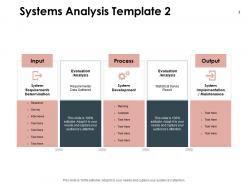
Slide 2: This slide comprises the Systems Analysis Template.
Slide 3: This slide also comprises the Systems Analysis Template.
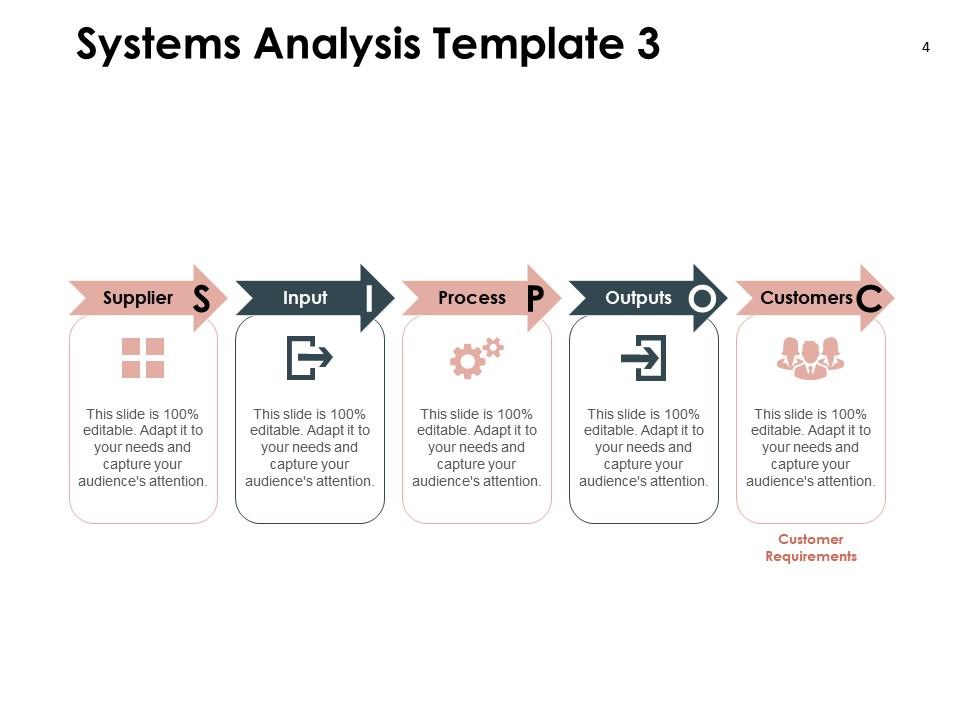
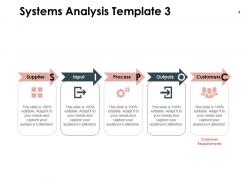
Slide 4: This slide also comprises the Systems Analysis Template- Supplier, Input, Process, Outputs, Customers.
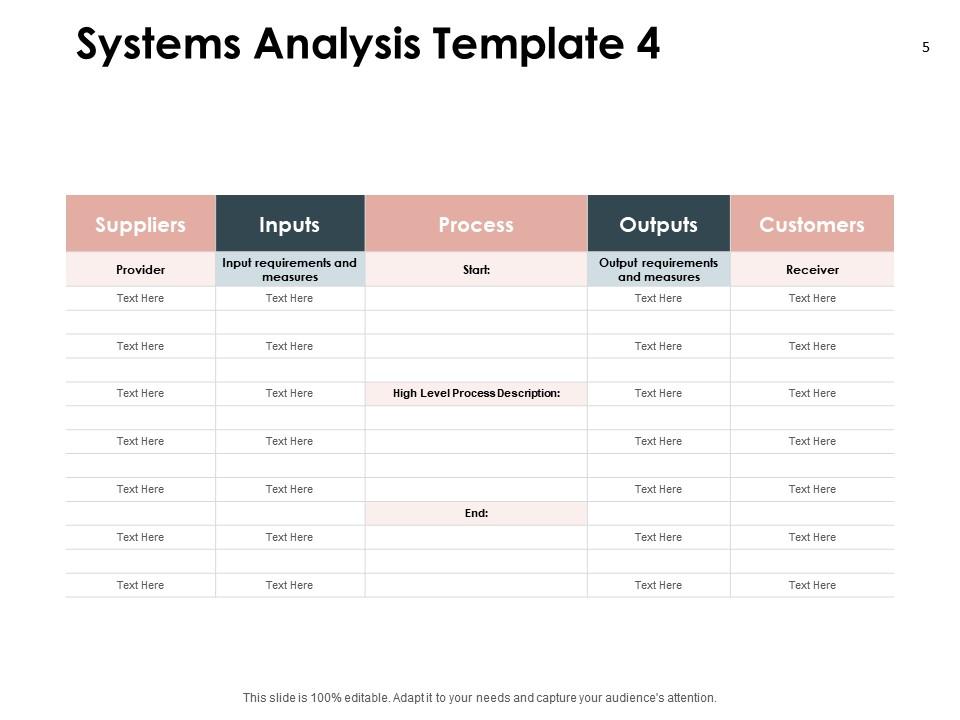
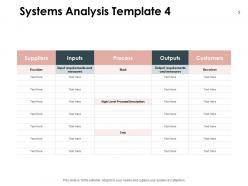
Slide 5: This slide again comprises the Systems Analysis Template.
Slide 6: This slide also comprises the Systems Analysis Template.
Slide 7: This template contains the Systems Analysis Icons Slide.
Slide 8: This slide is titled as Additional Slides for moving forward.
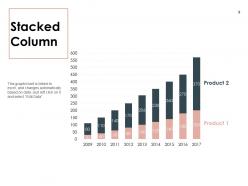
Slide 9: This slide consists of an editable Stacked Column chart showing the growth of products for various financial years.
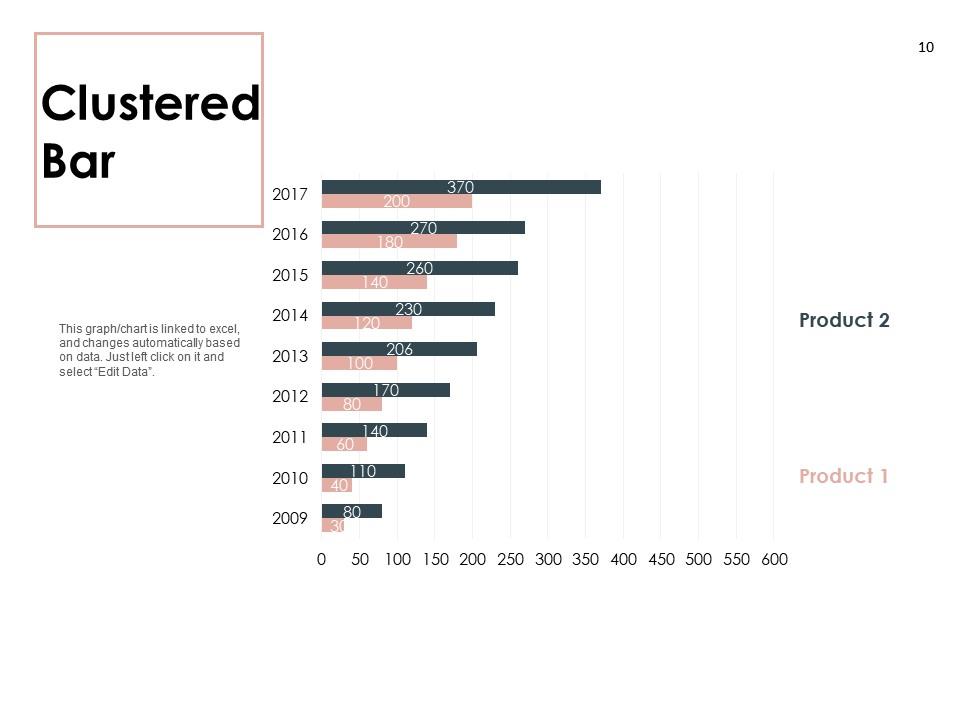
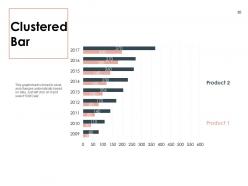
Slide 10: This slide consists of an editable Clustered Bar chart showing the growth of products for various financial years.
Slide 11: This slide consists of an editable Stacked Bar chart showing the growth of products.
Slide 12: This slide shows Our Mission.
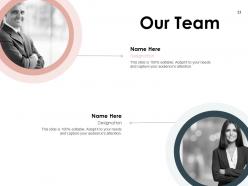
Slide 13: This slide reveals the names and designation of Our Team members.
Slide 14: This slide reveals the Financial information.
Slide 15: This slide shows About Us.
Slide 16: This slide comprises Venn diagrams.
Slide 17: This is a Thank You slide consisting of Address, Contact numbers and email Address.

FAQs for Systems analysis

So basically you've got five main phases - planning, analysis, design, implementation, and maintenance. Different methodologies break these down a bit differently though. First you define the problem and scope, then gather requirements and look at current systems. Design is where you architect everything out. Implementation is actually building it (honestly the most stressful part in my experience). Then there's ongoing maintenance after launch. Make sure each phase has clear deliverables and get stakeholder sign-offs before moving on. Oh, and pick something like SDLC or Agile upfront to guide your whole approach - it'll save you headaches later.

Dude, you absolutely need to get stakeholders involved from day one. They know the actual problems and workflows way better than you do. Without them, you're just guessing at what people need - and trust me, you'll guess wrong. Talk to everyone though, not just the big shots. End users are gold mines for catching stuff managers miss. Regular check-ins are your friend here. Getting them involved early means fewer "wait, that's not right" meltdowns later when you're already deep into development. Honestly, it's the difference between building something useful versus something that sits unused.

So data modeling is like your roadmap for figuring out how info moves through any system. You'll spot bottlenecks way easier and see how different pieces connect. Honestly, trying to analyze without it is like working with a blindfold on - not fun. It helps you talk to non-tech people too since they can actually see what you're describing. Plus you'll catch redundancies and gaps before they become real problems. I'd start with entity-relationship diagrams first. They look intimidating but they're actually pretty straightforward once you get the hang of it.

SWOT analysis basically forces you to look at your system requirements from every angle - internal stuff like strengths and weaknesses, plus external factors like opportunities and threats. You'll spot requirements you'd totally miss otherwise. Like maybe your team already knows Python really well (strength) or your current security is trash (weakness). The external part is where it gets interesting though - market shifts, new regulations, competitors doing something crazy. I've watched teams completely whiff on compliance requirements until they actually sat down and thought about threats. Do this early when you're gathering requirements. Honestly saves so much headache later.

There's a bunch of ways to tackle this. MoSCoW is super common - just bucket everything into Must have, Should have, Could have, Won't have. Kano analysis digs into how features actually affect customer happiness, which is pretty useful. Honestly, I'm biased toward weighted scoring matrices because the numbers make it feel less arbitrary, even though... well, it's still kinda arbitrary lol. Dot voting works great with groups, or try the $100 game where everyone pretends to spend budget on features. The trick is finding what gets your stakeholders actually talking instead of just nodding along.

Honestly, the trick is staying glued to their actual business goals - not the fluffy "we want better efficiency" nonsense, but real measurable stuff they care about. Document those objectives first, then I always make this super simple matrix showing how each feature connects to their goals. Sounds nerdy but trust me, it saves your butt when scope creep hits. Check in with stakeholders regularly too since priorities love to shift halfway through projects. Oh, and make that alignment super obvious - don't just assume everyone's tracking the same direction because they're usually not.

Honestly, system flowcharts are a game-changer. You can finally see what's actually happening instead of getting lost in boring documentation. Data flows become obvious, decision points jump out at you, and suddenly those weird bottlenecks make sense. I used to skip making them (lazy, I know) but now they're my go-to for any analysis. Your stakeholders will thank you too - way easier than explaining technical specs. The visual aspect just clicks with people's brains differently. Trust me, draw one out for whatever you're working on and you'll immediately catch stuff you totally missed before.

So you basically need to check four things before diving in. Can your team actually build this technically? Don't just wing it and hope for the best - that's how projects die. Run the math on costs vs benefits too, because nobody wants to explain a money pit later. Will people actually use what you're building? Sometimes the coolest ideas just sit there collecting digital dust. Oh, and be real about your timeline - I've seen way too many "quick wins" turn into year-long nightmares. Make a simple scoring sheet for each area so you can show stakeholders exactly why it's worth doing (or not).

Honestly, the biggest traps are scope creep and skipping stakeholder input - that stuff will kill you every time. Don't make assumptions without checking them first. Map out your current state properly before jumping into future design, because I've watched that disaster unfold way too many times. Oh, and here's what drives me crazy: teams obsessing over tech solutions when they haven't even figured out the real business problem yet. Requirements gathering always feels rushed because executives want answers yesterday, but resist that pressure. Circle back with users to double-check you actually got their needs right, and definitely pad your timeline for changes.

Dude, the tools now are insane compared to what we used to work with. Cloud platforms and AI modeling let you prototype stuff virtually - saves tons of time later when things would've broken. Your whole team can work on designs at the same time instead of passing documents back and forth like it's 1995. Real-time data visualization is pretty sick too. The whole approach shifted from doing analysis once to constantly evaluating as you go. Honestly though, don't throw out the fundamentals - just use these tools to catch problems early and speed everything up.

Quantitative is all the hard data - response times, error rates, stuff you can measure and throw in a spreadsheet. Qualitative is more about the vibe. User satisfaction, how smooth workflows feel, whether your interface makes sense. Most people pick one and stick with it, which is kind of a mistake honestly. Numbers show you what's broken, but qualitative tells you if users actually give a damn about fixing it. Like, maybe your load time improved by 2ms but everyone's still confused by the navigation - you'd miss that with just metrics. I'd run both when you're testing changes. Way more complete picture.

Dude, agile is perfect for systems analysis. You get to work in short sprints instead of doing months of analysis that ends up being wrong anyway. Stakeholders give feedback constantly, so you catch problems super early. Way better than waterfall - that approach is honestly painful. Your end users stay involved the whole time too, not just at the kickoff meeting and final demo. Requirements actually make sense this way. I'd start with really short cycles first. You'll be shocked how much clearer everything becomes when you're not trying to nail down every detail upfront.

User personas are basically detailed profiles of your typical users - their goals, frustrations, tech abilities, all that stuff. They help translate vague requirements into actual user needs. Interview real users first (this part's crucial), then build 3-4 personas representing your main groups. During analysis, you can check each requirement against these personas to see if it actually makes sense. Honestly, it beats building features nobody wants - been there, done that! For design decisions, they'll guide your interface choices and feature priorities. Keeps the whole team focused on real people instead of just theoretical users.

Privacy and consent are huge - you're probably dealing with people's personal data, so protect that stuff and be upfront about how you'll use it. Don't pretend you're completely objective either (none of us are). Think about who gets hurt by your recommendations. Job cuts? Workflow chaos? Yeah, that matters. Honestly, I've seen too many analysts ignore the human side of things. Document all this ethical stuff in your report so the decision-makers can't say they didn't know. Short sentences work. Longer ones help you explain the messier parts of what you're dealing with here.

Honestly, you've gotta set your success metrics before you launch - learned that the hard way once. Compare what's actually happening against your original goals and KPIs. Track uptime, response times, how many people are actually using it. User surveys are critical too because sometimes everything works fine technically but people still hate it, which sucks. Don't forget about ongoing costs either - staying on budget for maintenance matters. I'd set up regular check-ins so you can pivot if things aren't working out.

Ratings and Reviews

95% of 100
Review Form
Write a review
Most Relevant Reviews
  1. 80%

    by Rhys Moore

    Innovative and attractive designs.
  2. 100%

    by Earl Contreras

    Awesome use of colors and designs in product templates.
  3. 100%

    by Dale Tran

    Informative design.
  4. 100%

    by Chet Cox

    Visually stunning presentation, love the content.

4 Item(s)

per page: