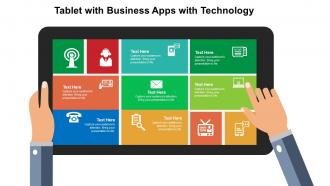
Tablet com aplicativos de negócios com tecnologia Flat Powerpoint Design
Try Before you Buy Download Free Sample Product
Audience
Editable
of Time
Sua empresa deu o próximo grande passo para se tornar viral com a ajuda dos aplicativos da Android Play Store ou da Apple Store? Então você definitivamente precisará baixar nosso tablet com aplicativos de negócios com design de PowerPoint plano de tecnologia. Neste visual PowerPoint em formato de tablet brilhantemente projetado, há tantos aplicativos com ícones PPT que são apresentados de uma maneira que despertará o interesse do público à primeira vista. Uma vez que o público de hoje se relaciona mais com a guia e seus aplicativos PPT modelo de apresentação do PowerPoint, eles entenderão seus meandros facilmente. Use-o para educá-los sobre seu aplicativo, recursos, utilidade, vantagens e muito mais. Além disso, o diagrama da guia de apresentação do PPT pode ser usado para educar os alunos e pessoas carentes sobre a tecnologia moderna com seus benefícios e vantagens anexados. Portanto, independentemente da natureza da empresa ou setor em que você trabalha, o tablet fornecido com aplicativos de negócios com design de PowerPoint plano de tecnologia pode ser usado de forma produtiva. Construa o seu capital com o nosso tablet com aplicativos de negócios com design de Powerpoint plano de tecnologia. O desenvolvimento de ativos será impulsionado.
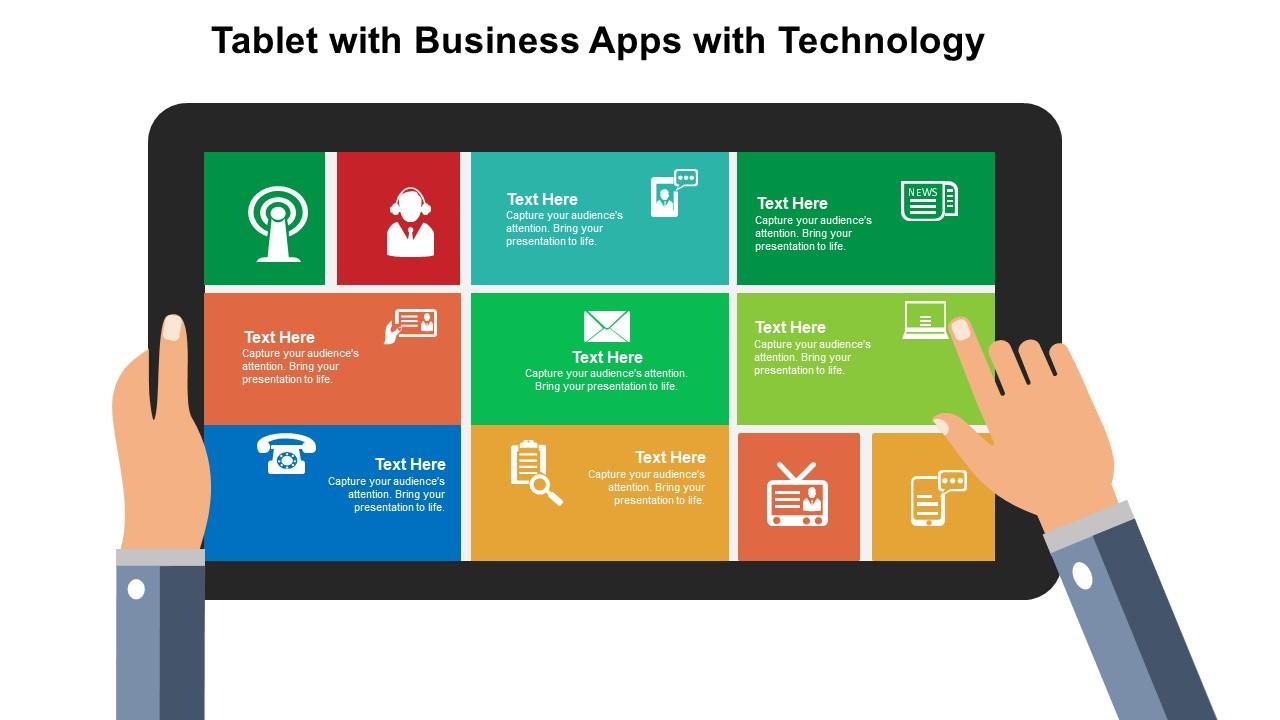
Recursos desses slides de apresentação do PowerPoint:
Plano de fundo imaculado do slide da apresentação. Modelo de tema do PowerPoint equipado profissionalmente e bem elaborado. Uso de cores e tons brilhantes para realçar o apelo visual. Liberdade para personalizar o conteúdo com o logotipo ou nome da empresa. Facilidade de inclusão e exclusão de dados a critério exclusivo. Excelente qualidade de imagem com alta resolução. Os infográficos de slides PPT não ficam pixelados quando projetados em uma tela ampla. Compatível com vários softwares e opções de formato.
People who downloaded this PowerPoint presentation also viewed the following :
Tablet com aplicativos de negócios com tecnologia Flat Powerpoint Design com todos os 4 slides:
Faça-os sentirem-se felizes com o nosso Tablet com aplicativos empresariais com design de Powerpoint plano de tecnologia. Você será generosamente aplaudido.
FAQs for Tablet with business apps with technology
Honestly, the interface thing is huge - avoid anything that's clearly just a desktop app shoved onto a tablet because those are absolutely terrible to navigate with your fingers. Offline mode is a lifesaver too since wifi always seems to cut out right when you need it most. Make sure whatever you pick syncs properly across your phone, tablet, laptop, etc. Check how well it plays with your current setup - email, cloud storage, whatever project tools you're already using. Oh and definitely try the free versions first! Download like 2-3 options and actually test them for a week before spending money.
Dude, tablet apps are seriously clutch for remote work. Battery lasts forever so you're not scrambling for chargers every two hours. The touch screen makes annotating PDFs way easier than with a mouse - I actually prefer it now. You can edit docs, hop on video calls, manage projects, all that stuff from anywhere. Coffee shops, your bed, wherever. It's like having laptop functionality but way more portable. Oh and the project management apps work surprisingly well on tablets too. Start with Microsoft 365 and Slack, then add whatever your company uses. You'll get hooked pretty quick honestly.
Dude, tablet apps totally changed how I handle projects. Can update timelines right in client meetings or approve stuff while I'm traveling - no laptop needed. My team mostly uses Slack and Asana now, and honestly the touch interface is way better for moving tasks around. You get real-time updates on what everyone's doing, which is clutch. Microsoft Project works too if you're into that. Oh, and video calls are so much easier when you're not stuck at your desk. I'd say pick one app everyone actually likes using first, then add others as you go.
Hospitals and retail stores get huge benefits from tablet apps - doctors can pull up patient info instantly, and store workers handle inventory way faster. Field service techs love them too since they can update stuff on-site instead of dealing with paperwork later (honestly, anything's better than clipboards). Manufacturing uses them for quality checks and tracking workflows. The pattern here? All these jobs involve people moving around who still need to access or update data quickly. If your team's constantly on their feet but needs tech that actually works, tablets will probably transform how you operate.
Yeah so most tablet apps connect through APIs or cloud syncing with whatever software you're already using. Your CRM, accounting stuff, project management - they usually play nice together. Honestly QuickBooks and Salesforce integrations are pretty much everywhere now, which is clutch because nobody wants to spend hours setting things up. Real-time data syncing is huge though - you don't want your team making decisions off old info. Oh and definitely check what integrations they offer before you pick anything. I learned that one the hard way with our last system.
Start with whatever's driving you crazy right now - skip the fancy stuff you think looks cool. Cloud-based is non-negotiable since everyone's working from random places these days. Free trials are literally there for you to abuse them, so do that before spending any money. Make sure it plays nice with whatever you're already using (integration headaches are the worst). Pricing should make sense as you grow too. Here's the thing though - don't overwhelm your team. Pick one app, let them actually get used to it, then slowly add more. I've seen too many people go overboard on day one and then nobody uses anything properly.
Honestly, tablet CRMs are pretty game-changing - you've got your whole customer database right there during meetings. No more trying to remember what you talked about last time. The big screen makes it actually usable compared to squinting at your phone. What's cool is you can update their info while you're chatting, then flip over to show them a presentation or demo without missing a beat. My buddy in sales swears by this approach. I'd just pick one app and have your team test it out on a few client visits first. Way better than going back to the office and trying to reconstruct everything from memory.
Honestly, tablets get swiped or lost constantly, so remote wipe is non-negotiable. Get some MDM software first - that's your base for controlling everything else centrally. Force strong passwords plus multi-factor auth, and definitely encrypt those devices. VPNs are a must for accessing anything sensitive. Auto screen locks too, obviously. Keep apps updated and if you're doing BYOD, separate work stuff from personal - saves headaches later. I'd probably start with the MDM route since it handles most of this automatically. Way easier than trying to manage each device individually, trust me.
Tablets are all about touch - bigger buttons, swipe gestures, simplified menus. Way easier for finger navigation. Desktop apps cram in way more features though. Multiple windows, tons of keyboard shortcuts, better for complex stuff. Honestly, some of those old shortcuts are kinda ridiculous but power users swear by them. Quick approvals and presentations? Tablets win. But try doing serious spreadsheet work on one - you'll hate it. Field work is where tablets really shine since they're so portable. Figure out what your team does most and that'll tell you if switching makes sense.
Dude, start with whatever your team's already using on desktop since most stuff syncs perfectly anyway. Microsoft 365 and Google Workspace are everywhere for productivity. Zoom and Teams own video calls obviously. For project management, Notion and Monday.com are solid - though honestly Notion can get overwhelming if you go crazy with it. QuickBooks or Xero handle finance stuff well. Design work? You're stuck with Adobe Creative Cloud basically. Oh and Slack's still huge for team chat. Most people I know are juggling like three of these apps minimum every day.
So tablet analytics are actually pretty useful for tracking your business stuff on the go. Most apps will show you sales trends, how customers behave, inventory, team productivity - there's honestly a ton of data to sift through. Once you figure it out though, you'll start seeing patterns everywhere. Like maybe certain products do way better in specific areas, or your team's most productive at weird times (mine always peaks right after lunch for some reason). The trick is setting up dashboards with metrics that actually matter to what you do, then checking them regularly to make better calls.
Honestly, it varies a ton based on what you need. App licensing usually runs $5-15 per user monthly for basic stuff, but can jump to $50+ for the fancy enterprise versions. You might need hardware upgrades too if your tablets are older. Integration costs are where things get tricky - connecting to your current systems isn't always straightforward. Training's another expense people forget about. Your team will need time to figure everything out, which isn't free. I'd definitely start small with a pilot program first. Most apps offer free trials anyway, so test a few before going all-in company-wide.
Honestly, these tablet apps are game changers for sales teams. You can process orders and check inventory levels without constantly bugging the office. Plus the bigger screen beats squinting at your phone all day - trust me on that one. Real-time syncing means your warehouse sees everything instantly when you make a sale. Definitely get something with offline mode though, because cell service always cuts out at the worst possible moments. I'd start with whatever mobile app your current system offers first before trying anything fancy.
AI integration is everywhere now - apps are getting scary good at predicting what you need. Cross-platform compatibility matters more since we're all bouncing between devices constantly. Cloud-first setups are basically the default, which makes sense. Zero-trust security is huge too, though honestly most people don't realize how much this stuff has changed. Remote work killed the idea of single-device apps. Your current apps probably won't cut it if they can't sync properly across your phone, laptop, whatever. Start checking now whether your tools actually talk to each other - you'll be surprised how many don't.
Yeah, tablets are actually pretty great for accessibility stuff! Touch screens work way better for some people than dealing with a mouse and keyboard. You've got voice navigation, bigger text options, high contrast - all that's built right in now. External keyboards and styluses work too if someone needs them. I was surprised how good the screen reader support has gotten lately. When you're checking out apps, just peek at the accessibility settings first. Most major business apps have decent options, but they're not always obvious where to find them.
-
Best Representation of topics, really appreciable.
-
Awesome presentation, really professional and easy to edit.