

Technological Advancement Playbook Powerpoint Presentation Slides





Try Before you Buy Download Free Sample Product
 Impress Your
 Audience
 100%
100% Editable
 Save Hours
 of Time


The Technological advancement playbook is an all-encompassing guide for policy makers and companies who are embarking on a digital transformation journey. It emphasizes the importance of digital transformation and its associated benefits, along with the major focus areas of the process. The digital services presentation also provides guiding principles for successful digital transformation and pre-considerations that are essential for project redesign. The agile product development process is then explored, covering the principles associated with agile software management, key steps involved in the agile software development lifecycle, and the core members associated with an agile team. Furthermore, the digital transformation deck outlines digital services plays for product development, including developing services through agile and iterative practices, selecting a modern technology stack, and administering security and privacy through reusable procedures. At last, the playbook concludes with a section on managing IT services spending tracking dashboard. Get access now to this comprehensive guide that will help you successfully navigate the digital transformation journey.
People who downloaded this PowerPoint presentation also viewed the following :
Content of this Powerpoint Presentation
Slide 1: This slide introduces Technological advancement playbook. Commence by stating Your Company Name.
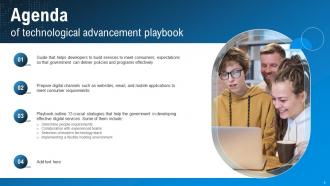
Slide 2: This slide depicts the Agenda of the presentation.
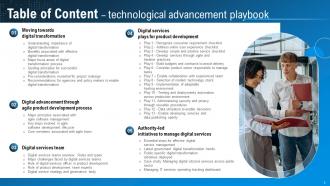
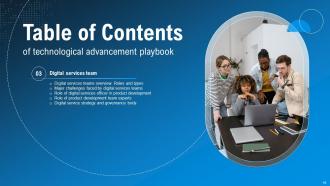
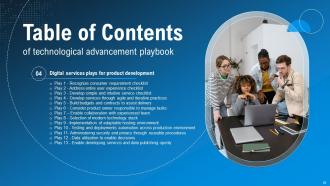
Slide 3: This slide incorporates the Table of contents.
Slide 4: This slide highlights the Title for the Topics to be covered next.
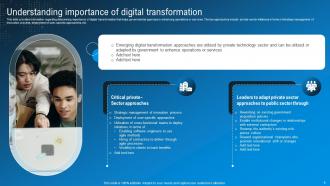
Slide 5: This slide focuses on Understanding importance of digital transformation.
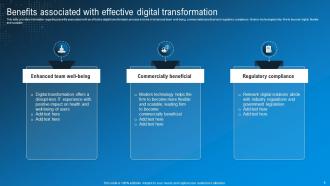
Slide 6: This slide exhibits the Benefits associated with effective digital transformation.
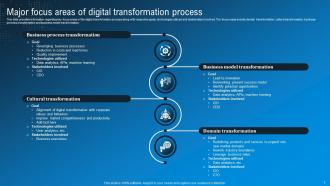
Slide 7: This slide showcases the Major focus areas of digital transformation process.
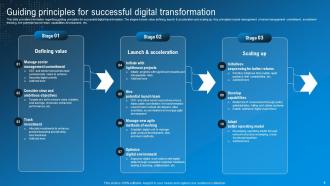
Slide 8: This slide deals with the Guiding principles for successful digital transformation.
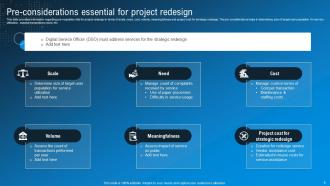
Slide 9: This slide highlights the Pre-considerations essential for project redesign.
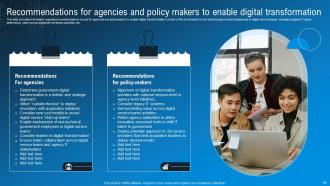
Slide 10: This slide portrays the Recommendations for agencies and policy makers to enable digital transformation.
Slide 11: This slide indicates the Heading for the Contents to be discussed next.
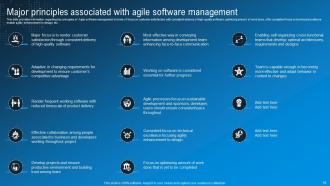
Slide 12: This slide provides information regarding key principles of Agile software management.
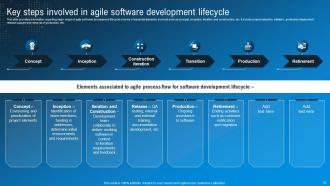
Slide 13: This slide provides information about the Key steps involved in agile software development lifecycle.
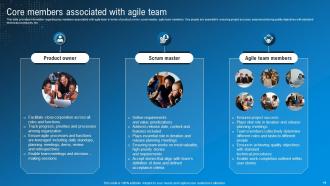
Slide 14: This slide shows the Core members associated with agile team.
Slide 15: This slide presents the Title for the Ideas to be covered in the next template.
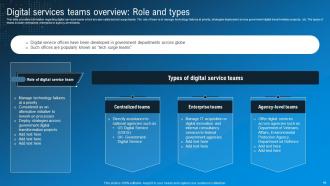
Slide 16: This slide provides information regarding digital services teams which are also called as tech surge teams.
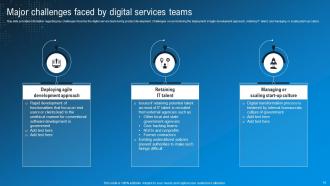
Slide 17: This slide exhibits the Major challenges faced by digital services teams.
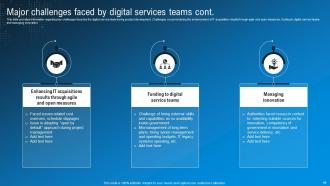
Slide 18: This slide continues the Major challenges faced by digital services teams.
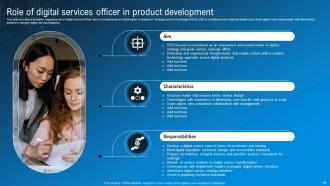
Slide 19: This slide highlights the Role of digital services officer in product development.
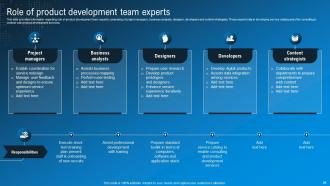
Slide 20: This slide portrays the Role of product development team experts.
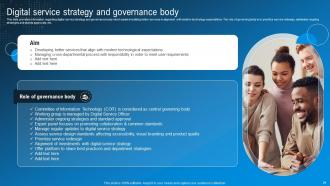
Slide 21: This slide talks about the Digital service strategy and governance body.
Slide 22: This slide includes the Heading for the Ideas to be discussed further.
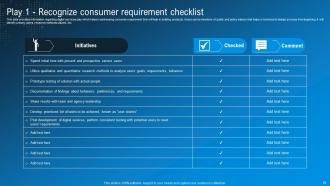
Slide 23: This slide deals with addressing consumer requirement that will help in building products.
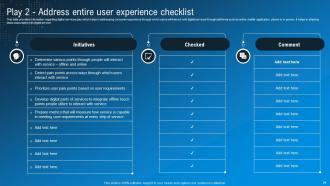
Slide 24: This slide focuses on addressing consumer experience.
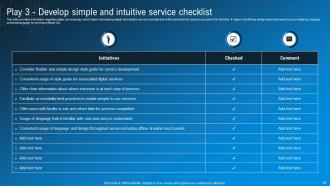
Slide 25: This slide highlights developing simple and intuitive service checklist.
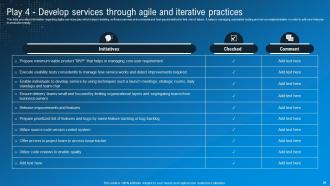
Slide 26: This slide presents building software services at incremental and fast-paced method to limit risk of failure.
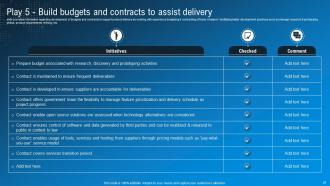
Slide 27: This slide shows development of budgets and contracts to support product delivery.
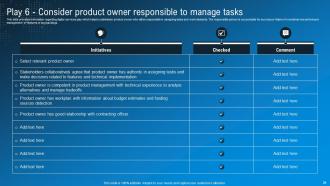
Slide 28: This slide portrays digital services play to administer product owner responsible in assigning tasks and work elements.
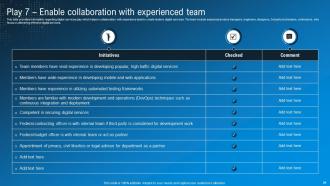
Slide 29: This slide reveals digital services play which helps in collaboration with experience team to create modern digital services.
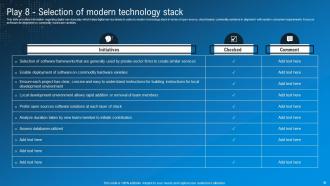
Slide 30: This slide presents digital services play which helps digital service teams to select a modern technology stack.
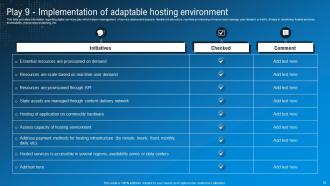
Slide 31: This slide depicts Play 9-Implementation of adaptable hosting environment.
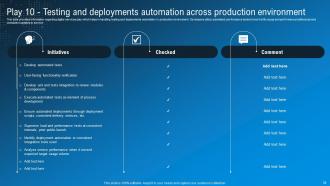
Slide 32: This slide represents Play 10-Testing and deployments.
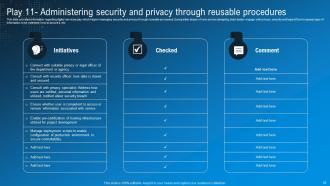
Slide 33: This slide shows digital services play which helps in managing security and privacy through reusable processes.
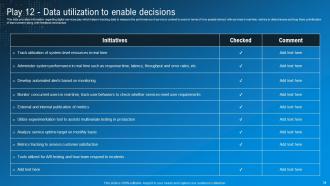
Slide 34: This slide presents the digital services play which helps in tracking data.
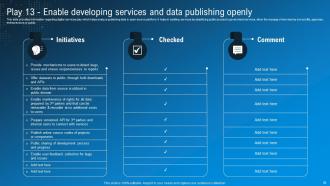
Slide 35: This slide focuses on Play 13-Enable developing services and data publishing openly.
Slide 36: This slide displays the Title for the Contents to be discussed next.
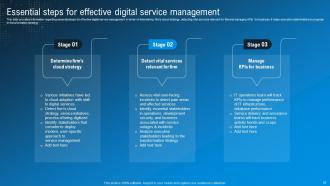
Slide 37: This slide states the Essential steps for effective digital service management.
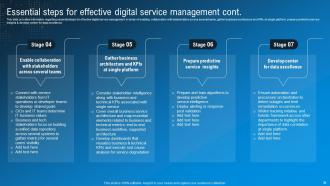
Slide 38: This slide continues the essential steps for effective digital service management.
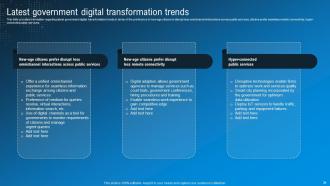
Slide 39: This slide talks about the Latest government digital transformation trends.
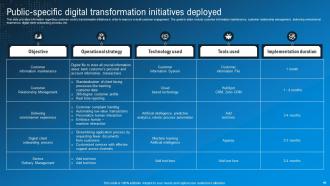
Slide 40: This slide provides information regarding customer-centric transformation initiatives.
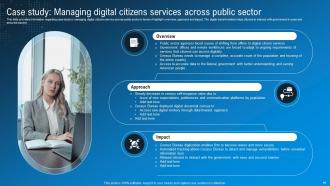
Slide 41: This slide shows the case study in managing digital citizens service across public sector.
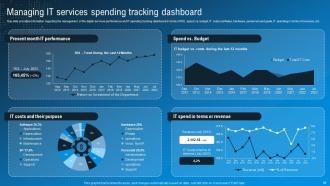
Slide 42: This slide focuses on Managing IT services spending tracking dashboard.
Slide 43: This is the Icons slide containing all the Icons used in the plan.
Slide 44: This slide is used for depicting some Additional information.
Slide 45: This is the 30-60-90 days plan slide for effective planning.
Slide 46: This is Our mission slide. State your company's Vision, Mission, and Goal here.
Slide 47: This slide contains the Post it notes for reminders and deadlines.
Slide 48: This is the Venn diagram slide.
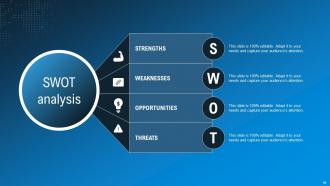
Slide 49: This slide presents the SWOT analysis.
Slide 50: This is Our team slide. State your team-related information here.
Slide 51: This is the Idea generation slide for encouraging fresh ideas.
Slide 52: This is the Puzzle slide with related imagery.
Slide 53: This is Our target slide for showcasing the organization's targets.
Slide 54: This is the Thank You slide for acknowledgement.
Technological Advancement Playbook Powerpoint Presentation Slides with all 62 slides:
Use our Technological Advancement Playbook Powerpoint Presentation Slides to effectively help you save your valuable time. They are readymade to fit into any presentation structure.

















FAQs for Technological Advancement Playbook
Honestly, most companies just chase whatever tech is buzzing on LinkedIn and then wonder why it fails. Start with your actual business goals first - what are you trying to solve? Get your leadership on board early because you'll need their support when things get messy. Map out your current systems and figure out what's actually broken versus what just looks outdated. Risk assessment and change management sound boring but they'll save your ass later. Don't skip training either - I've watched perfectly good projects tank because nobody knew how to use the new stuff. Focus on business impact over flashy features.
Track your adoption rates and engagement - those numbers don't lie. ROI and productivity gains matter too, obviously. But here's the thing: surveys and user feedback are just as crucial. I've seen too many companies get obsessed with dashboards while their teams are secretly creating workarounds because the tools suck. Support tickets tell a story too - if they're piling up, something's wrong. The magic happens when your data matches what people are actually saying. Oh, and set up quarterly check-ins so you're not flying blind between reviews.
Dude, training is literally everything when rolling out new tech. I can't tell you how many times I've watched companies blow thousands on software that just sits there unused because nobody knows what they're doing with it. Super frustrating to watch honestly. Get people trained on both the technical stuff AND why you're switching in the first place. Start early, make it hands-on rather than just PowerPoints. Don't forget ongoing support either - people will have questions weeks later. Trust me, when your team actually gets it, adoption rates go through the roof.
Honestly, just look at three things first. What tech are you actually using every day? Not the fancy stuff you bought but never touch - we all have that expensive software just sitting there. Check if your team can handle new systems or if you'll need to train everyone. Budget is huge too - both upfront costs and what you'll pay monthly after. Most companies mess this up by jumping in without knowing where they stand first. I'd map out those three areas before doing anything else. Once you see the gaps, you'll know exactly what needs fixing instead of guessing.
Honestly, the worst thing companies do is plan like 3 years out in tech - everything changes so fast those roadmaps are basically useless. Plus they forget to actually talk to users until it's too late, which is just... why? Budget always spirals out of control too. I'd stick to 6-12 month cycles instead. Build in checkpoints where you can totally change direction. Don't chase the flashy stuff just because it's new. Focus on actual problems people have. The change management side is brutal if you don't prep for it early.
So basically, new tech screws up old business models by cutting out the middleman and totally changing what customers expect. Uber wiped out taxi dispatchers. Netflix crushed Blockbuster's whole store thing. It's wild how fast it happened. These technologies don't just make things slightly better - they flip the entire game. Automation cuts labor costs, platforms connect people directly, and personalized data beats what old companies can do. You're looking for tech that makes your current advantages completely useless, not just minor upgrades.
First thing - your people need to feel safe screwing up without getting their heads bitten off. Give them some actual time for side projects (Google's 20% time thing worked for a reason). Here's what I've noticed though: teams that celebrate smart failures alongside wins end up way more creative. The whole "looking stupid" fear honestly kills more innovation than tight budgets ever do. Mix up your teams too - get different departments talking to each other or bring in outside voices. Oh, and don't overthink it. Pick one low-risk area where they can mess around this quarter and see what happens.
Honestly, start by setting up Google Alerts for your key terms and stalking your competitors' job postings - they accidentally reveal their tech roadmaps all the time. Patent filings are boring but useful. Hit up trade shows where startups demo their stuff, and definitely build connections with university researchers in your field. Gartner reports help too, though they're pricey. But here's the thing - your customers dropping hints about their problems is pure gold. That's where you find tech that actually matters instead of just cool gadgets that go nowhere.
Dude, try the 70-20-10 split - most of your budget should go to keeping current stuff running (70%), then some for small upgrades (20%), and just 10% for experimental stuff. Companies always screw this up by either skimping on maintenance or buying every flashy new tool. First thing though, audit what you're actually using vs paying for. You'll probably find money you're just throwing away. Get your actual users involved since they know what's broken better than anyone. Oh and set up quarterly check-ins to see what's actually helping your business - not just what looks cool on paper.
Honestly, do a compatibility check first - saves you from wanting to throw your laptop out the window later. Run a pilot with just a few users instead of going all-in right away. API docs will literally be your lifeline (I know, sounds boring but whatever). Get your security people involved early or they'll hate you forever. Train your team before launch, and yeah, definitely have a backup plan when things go sideways. The real key though? Actually talk to the people who'll be using this stuff daily. They'll tell you if it sucks.
Honestly, customer feedback and market trends should be driving pretty much everything you do with tech development. Map out what pain points your customers are actually dealing with - don't just build shiny features because they seem cool (trust me, I've seen teams blow their budget on that). Trends show you where demand's headed, so you can time releases better. The tricky part? Balancing what people want right now versus where things are going. Oh, and definitely set up regular check-ins with your sales/support teams since they hear customer complaints first.
Honestly, you'll want to focus on three big things: privacy, bias, and what happens to people's jobs. Are you collecting data the right way? Could this tech hurt certain groups unfairly? AI bias is seriously sneaky - I've watched it blindside so many teams. Also think about whether people can actually understand how your system works and who takes the blame when stuff breaks. Oh, and do an ethical review early on, not when you're already halfway done. That's always a mess to backtrack from.
Dude, start with security planning from the beginning - don't just bolt it on later. Get your security folks involved when you're picking new tech and run threat assessments before committing to anything. I've watched companies rush these upgrades and then spend months fixing the mess they created (not fun). New infrastructure has to match your current security standards, period. Don't forget to update your protocols and train people on whatever new risks pop up. Oh, and test everything thoroughly before launch. Basically, treat cybersecurity like it's non-negotiable, not some optional extra.
Dude, partnerships are like a cheat code for business. You get access to stuff you'd never have - their distribution network, manufacturing setup, whatever. Split those crazy R&D costs too. What I'd do is figure out what you're missing first, then find companies that have exactly that (while you've got something they want). Two companies solving problems together just works better than going solo. Oh and don't overthink it - sometimes the best partnerships happen when you're not even looking for them. Just make sure there's real value both ways or it'll fall apart.
Honestly, data analytics is your best friend here - it cuts through all the hype and shows you what actually works. Look at your current system performance and user patterns first. The numbers don't lie, even when everyone's obsessing over some flashy new tool. Cost-benefit projections help too, obviously. I'd track maybe 3-5 KPIs before you implement anything new. Dashboards are clutch for monitoring the whole process. Way better than just winging it based on what feels right, you know? It'll show you exactly where gaps exist and what's worth the investment.
-
Satisfied with the way SlideTeam resolved my query regarding the right business PPTs that I was having difficulty finding. I found the perfect match with their assistance.
-
Very unique and reliable designs.