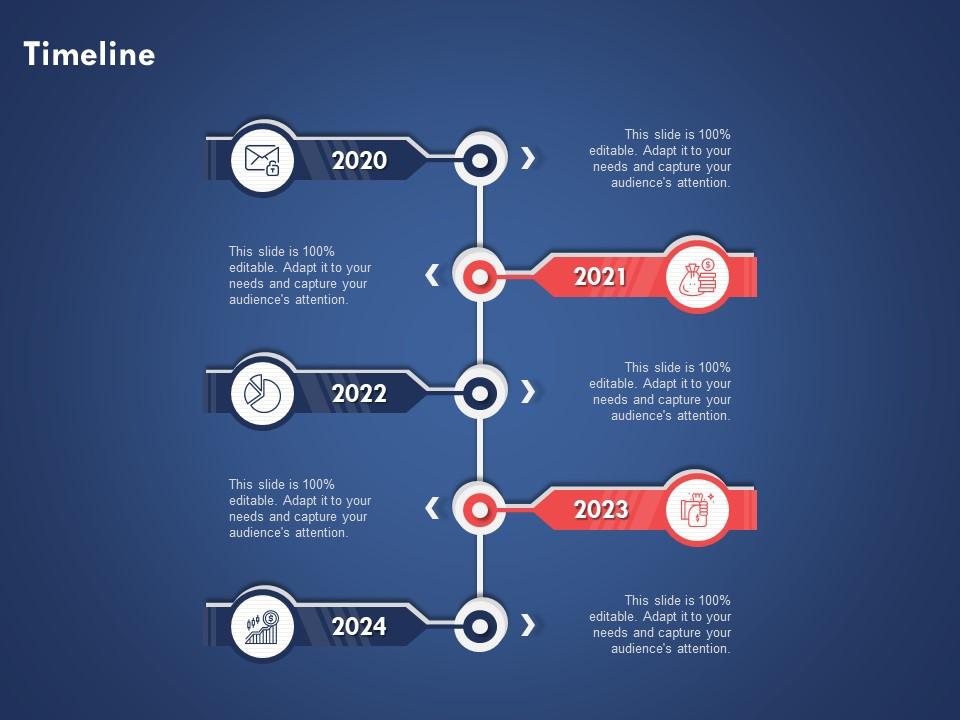
Timeline 2020 to 2024 years ppt powerpoint presentation designs download
Try Before you Buy Download Free Sample Product
Audience
Editable
of Time
Our Timeline 2020 To 2024 Years Ppt Powerpoint Presentation Designs Download are topically designed to provide an attractive backdrop to any subject. Use them to look like a presentation pro.
People who downloaded this PowerPoint presentation also viewed the following :
Timeline 2020 to 2024 years ppt powerpoint presentation designs download with all 2 slides:
Use our Timeline 2020 To 2024 Years Ppt Powerpoint Presentation Designs Download to effectively help you save your valuable time. They are readymade to fit into any presentation structure.
FAQs for Timeline 2020 to 2024 years ppt powerpoint
Okay so for your 2020-2024 timeline - definitely nail the visual hierarchy first. Space your years consistently and make those milestones pop. Color coding helps but don't go crazy with it (I've seen some truly hideous rainbow disasters). Bigger fonts than you think you need, trust me on this. White space is your friend! Since you're covering the COVID mess, maybe acknowledge that chaos somehow? Oh and test your slides from the back of the room beforehand. Nothing worse than squinting at tiny text during a presentation.
Dude, visual storytelling is a game changer for timelines. Instead of boring bullet points, use icons and color coding to make it stick. Storm clouds for tough times, arrows pointing up for growth - that kind of thing. Honestly? Most timeline presentations are total snoozefests. But add some good visuals and suddenly people actually care. Match your design to your story arc from 2020-2024. Keep your visual themes consistent so viewers can follow along easily. Oh, and don't forget a strong visual for your biggest milestones - those need to pop.
I'd go chronological for those years - start dark and moody for 2020 (because, let's be real, that year sucked) with deep blues or grays, then gradually brighten up as you move toward 2024. Blues shifting to greens to oranges works great. You could also do themed colors instead - blue for tech stuff, green for environmental things, red for major world events. Just make sure there's enough contrast between each point so people can actually read it. Oh, and whatever you pick, don't mix approaches halfway through or it'll look messy.
Start with what actually hit your audience or industry hard - that's your core stuff. I brainstorm everything first, then cut ruthlessly. Anything that didn't create real shifts or force major decisions? Gone. Yeah, COVID dominates everything, but don't let it completely overshadow other massive changes like remote work taking off, supply chains going haywire, or all those tech regulations. Keep it to 8-12 events tops - more than that and people just zone out. Honestly, the best test is running your draft past someone who actually lived through this mess. See if your timeline matches what they remember going through.
Dude, those 2020-2024 years hit everyone differently, so you can't just click through slides like a robot. Get people talking! Ask them to share what they remember about the big moments you're covering. Maybe do quick polls or "raise your hand if you lived through this" type stuff. I swear, everyone's got strong feelings about that timeframe anyway. Break up the chronological thing with discussions - honestly, breakout rooms work great for this. Your presentation shouldn't feel like you're lecturing about ancient history when literally everyone in the room lived it. Make it more like comparing war stories, you know?
Dude, you gotta build timeline presentations right into your actual workflow instead of slapping them together last minute. I use mine for kickoffs to get everyone aligned, weekly standups for visual progress checks, and stakeholder meetings. Honestly? So many projects crash because nobody's on the same page about timing - it's wild how often this happens. The trick is treating your timeline like a living doc that you actually update regularly. Pick one meeting where you'll always pull it up and stick to that habit. Otherwise you'll create it once and it'll just collect digital dust.
Keep your timeline text short and sweet - nobody wants to read paragraphs on each point. Pick one font and stick with it, but colors can really help group similar events together. White space is clutch here, don't squeeze everything together or it'll look messy. Honestly, the biggest mistake I see is people trying to include every single detail from 2020-2024. You don't need it all! Step back when you're done and see if someone could scan it quickly without getting lost. If they're squinting to read dates, you've probably crammed too much in there.
Honestly, visuals are a game-changer for timelines. Nobody wants to stare at a wall of text with dates - it's like watching paint dry. Charts and graphs help people actually *see* the connections between events. You know how movie scripts are boring but films are captivating? Same concept here. Color coding works great for highlighting your big moments from 2020-2024. Icons are pretty useful too. The goal is making it feel like a story people can follow, not just random data points. Short answer: visuals turn your timeline into something people actually want to look at.
Honestly, just use PowerPoint - the SmartArt timeline templates are decent and you can tweak them without losing your mind. Canva's solid too if you want something that looks nice right out of the box. I've watched people get way too obsessed with Prezi (ugh, those spinning transitions) when a simple PowerPoint slide would've been perfect. Google Slides works fine too, or Lucidchart if you're into that. But seriously, don't overthink it. Pick whatever you already know how to use. Clean and readable beats fancy every time.
Timeline PPTs are actually pretty flexible once you get the hang of them. Business presentations work best with project milestones and clean corporate colors - nothing too flashy. Students really respond well to visual timelines for historical events or curriculum stuff. Personal ones are where you can get creative though - life goals, vacation planning, family stuff with fun fonts and colors. Just match your vibe to whoever's watching, you know? I always start with a basic template then mess around with it until it fits what I need. Oh and don't overthink the design - sometimes simple looks way better than trying to cram everything in there.
Oh man, don't cram everything onto one timeline! I learned this the hard way when my boss literally squinted at my screen from across the room. Stick to the big stuff only - skip all those tiny tasks and random meetings. Make your text readable and use colors that actually pop. Also, keep it consistent or it looks super messy. One time I made mine stretch across like three slides horizontally and everyone's heads were turning like they're watching tennis lol. Quick tip: definitely test it on the actual projector first. Trust me on this one.
For timeline animations, I'd go with simple "Fade In" or "Fly In From Left" transitions - keeps people from jumping ahead to read everything at once. Honestly, avoid anything too flashy because it just screams amateur hour. Keep your timing consistent, maybe half a second to one second delays between each point. Same transition throughout looks way cleaner. You can have the main date appear first, then the details pop up after. The whole point is controlling what they see when. Oh, and definitely do a test run first - nothing worse than realizing your timing drags on forever mid-presentation!
Oh definitely start with COVID and the whole vaccine mess - that changed everything. The 2020 election plus January 6th are must-haves. Ukraine-Russia war from 2022 is massive globally. Don't sleep on Black Lives Matter protests either. Climate stuff like those crazy weather events and COP26. Queen Elizabeth dying was huge culturally. The AI explosion with ChatGPT blew up late 2022 - honestly wild how fast that happened. Beijing Olympics maybe? Plus all the streaming wars drama. Focus on things that actually made people's daily lives different or shifted how we think about stuff.
Previous feedback is like having a cheat sheet for your next timeline presentation. Look back at what confused people last time - was it the date format or maybe too much info crammed together? I always check my old notes before starting a new timeline (saves me so much trial and error). You can spot patterns pretty quickly: which milestones grabbed attention, what visual layout worked best. Then just build templates from the winners. Honestly, most people completely skip this step and keep making the same mistakes. Don't be that person!
Think of timelines as your business GPS - they show you where you've been AND where you're headed. Look back at 2020-2024 first. What worked? What flopped completely? Most people (myself included sometimes) just rush into planning without checking the rearview mirror. Big mistake there. Once you spot those patterns, you can actually set realistic milestones for what's next - product launches, expanding into new markets, whatever. The trick is being brutally honest about your past timeline wins and fails. Otherwise you'll just keep making the same overly optimistic plans that never pan out.
-
Informative design.
-
The content is very helpful from business point of view.
-
Great product with highly impressive and engaging designs.
-
Excellent template with unique design.