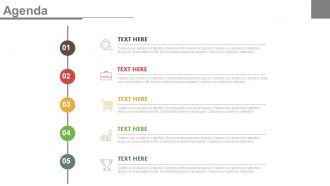
Chronologie verticale pour le programme d'entreprise et la croissance Diapositives PowerPoint
Try Before you Buy Download Free Sample Product
Audience
Editable
of Time
Téléchargez ce superbe design de présentation si vous prévoyez de créer la présentation d'entreprise. Notre chronologie verticale pour l'agenda commercial et les diapositives PowerPoint de croissance est parfaite pour mettre en évidence l'importance de créer l'agenda pour atteindre les objectifs fixés par une organisation. Pour créer un calendrier de réunion efficace, il est préférable de le créer 3 jours à l'avance et de l'envoyer ensuite à vos participants. Commencez par les détails généraux, passez à l'objectif et définissez le délai que vous souhaitez consacrer à chaque sujet. Ce modèle PPT en cinq étapes peut être utilisé pour partager cinq aspects vitaux de votre entreprise. Que vous planifiez vos futurs objectifs ou stratégies pour promouvoir votre nouveau produit ou service. Cette conception de présentation innovante sera facilement comprise par votre public car elle est conçue de cette manière. Alors, il vous suffit de choisir et de télécharger le modèle PowerPoint dans votre présentation dès que possible pour atteindre vos objectifs souhaités. Consultez nos autres diapositives d'ordre du jour qui peuvent facilement s'intégrer à votre présentation. Vous constaterez que les difficultés diminuent.
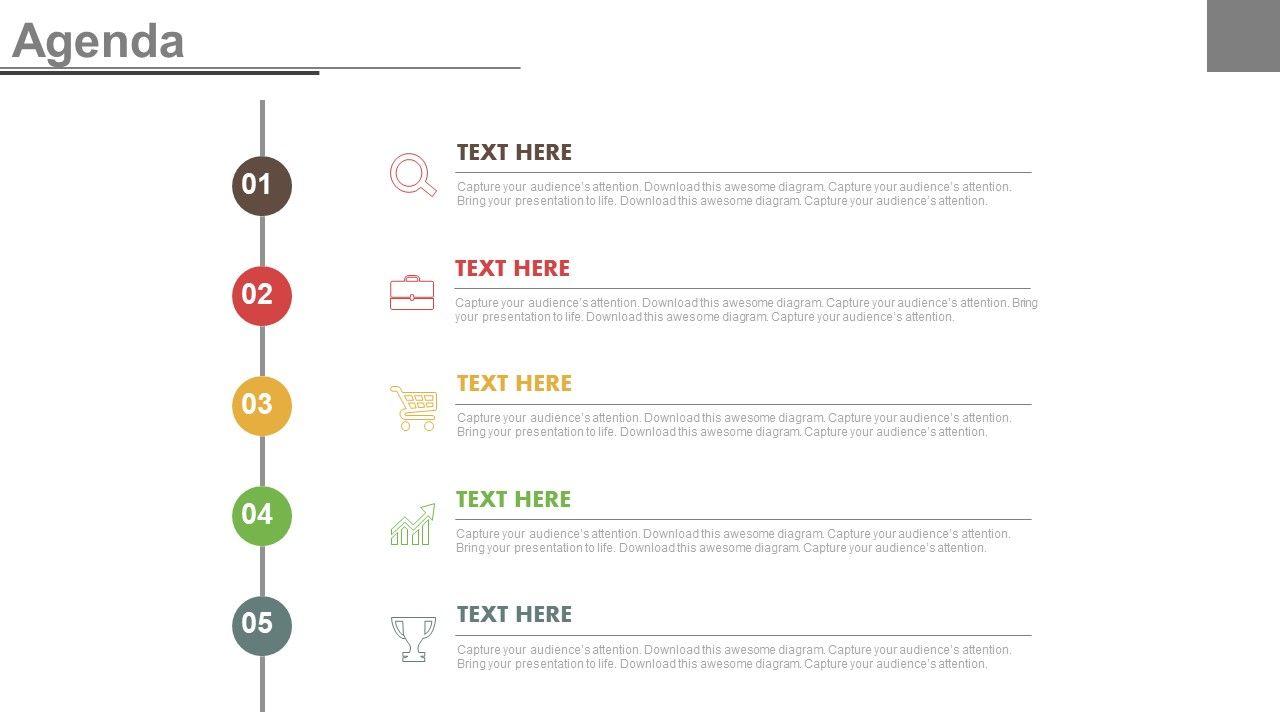
Caractéristiques de ces diapositives de présentation PowerPoint:
Conception de présentation rapidement téléchargeable et facilement partageable. Téléchargement rapide et peut être transformé en format JPG et PDF. La diapositive PPT peut être facilement modifiée en tant que couleur, texte et police complètement modifiables. Choix d'afficher le modèle PowerPoint en vue standard et grand écran. Les conceptions de présentation sont bien adaptées aux diapositives Google. Convient aux professionnels et aux leaders de l'industrie.
People who downloaded this PowerPoint presentation also viewed the following :
Chronologie verticale pour l'agenda commercial et la croissance Diapositives PowerPoint avec les 4 diapositives :
Obtenez des cellules grises bouillonnantes avec notre chronologie verticale pour l'agenda commercial et les diapositives PowerPoint de croissance. Excitez-les avec vos brillantes pensées.
FAQs for Vertical timeline for business agenda and
Honestly, vertical timelines are a game changer - you can see everything flowing top to bottom without your brain melting. Dependencies jump out at you immediately, which is clutch for avoiding those "oh crap, we can't start this yet" moments. Your stakeholders won't need a PhD to understand what's happening when either. I actually prefer them over those messy horizontal ones that make you scroll forever. The spacing between milestones just hits different too. Makes everything feel more manageable somehow. Try it for your next quarter - you'll probably wonder why you waited so long.
Vertical timelines are so much better for project updates. Seriously, your stakeholders can actually follow what's happening instead of squinting at those messy horizontal charts. The top-to-bottom flow just clicks - people instantly see what's next and spot potential problems. I swear it matches how our brains naturally process stuff anyway. No more awkward "can you scroll back" moments during meetings. Dependencies become obvious too, which saves you from explaining everything twice. Your next project review will probably run way smoother. Trust me on this one.
Visio or Lucidchart are probably your best bet - they've got templates made specifically for business timelines. PowerPoint works too if your team already knows it well. Canva's actually pretty decent for simpler ones, and you don't need design skills to make them look good. I've even seen people hack together timeline stuff in Excel, though that's kind of a pain unless you're already an Excel wizard. My advice? Just start with whatever software you already have. You can always upgrade to something fancier once you figure out what format works best for your content.
Honestly, just dump everything at the top if it directly makes you money or keeps customers happy. Work your way down from there - think of it like gravity pulling the most urgent stuff to the surface. Short bursts work better than marathon planning sessions, at least for me. Rank everything by actual business impact, not just what's screaming loudest in your inbox. The whole point is making those brutal "this matters more than that" calls visible. You'll probably shuffle things around as the quarter goes on anyway. That's totally normal - priorities shift and new fires pop up.
Honestly, vertical timelines are game-changers for long-term planning. Map out your big goals from top to bottom and you'll actually see how everything connects. Dependencies become obvious, bottlenecks jump out at you before they mess things up. Way better than those messy horizontal charts that hurt my brain. Your team gets it instantly, stakeholders can follow along without getting lost. I'd start with your massive 3-5 year goals first, then fill in quarterly milestones working backwards. Makes the whole thing feel less overwhelming.
Think about what actually matters to your audience first - that's your starting point. Tech companies usually focus on product launches and funding rounds, while manufacturing is all about production milestones. The visual stuff matters too - healthcare timelines obviously look way different from retail ones. Colors, icons, terminology should all match your industry. Also consider your timing intervals. Some sectors move quarterly, others need monthly breakdowns or even weekly ones depending on the pace. It's honestly pretty flexible once you figure out what your stakeholders care about most.
Oh, definitely go chronological from top to bottom - way easier for people to follow. Add clear dates and short descriptions for each milestone. Use the same icons or colors to group similar stuff (like funding rounds, product launches, whatever). But seriously, don't overload it with text or everyone's eyes will glaze over. One line per point max. Also highlight where you are right now on the timeline so people know what's current vs. old news. And practice it beforehand! You don't want to sound like you're seeing your own slides for the first time up there.
So vertical timelines are honestly a game-changer for keeping everyone aligned on projects. You can actually see who's responsible for what and when stuff needs to happen. Dependencies become super obvious, and it's way easier to catch bottlenecks before they screw things up. Horizontal charts just make me dizzy tbh - all that side-scrolling is annoying. When people can visually track their progress, they naturally stay more accountable. Plus conversations stay focused on what actually matters instead of going off on random tangents. Seriously, try it for your next quarter and you'll see what I mean.
Honestly, the biggest pain is gonna be when priorities change overnight and your vertical timeline feels super locked in. Some people's brains just work better with horizontal layouts - I don't get it either, but whatever. Dependencies between projects become harder to spot too. Plus you'll spend forever retraining everyone on the new format. My advice? Pick one small team first and let them mess around with it. Once they figure out what actually works (and what doesn't), then roll it out wider. Way less headache that way.
Honestly, vertical timelines have been a lifesaver for my planning. You can see everything laid out - past wins, current stuff, future goals. Makes it super easy to spot where things don't line up or if you're being too ambitious. Way better than staring at boring spreadsheets all day. The cool part is stacking different areas together - like revenue targets next to hiring plans and product launches. I always find weird dependencies I missed before. Should definitely try it for your next quarterly thing. Actually caught a major bottleneck last time that would've screwed us over.
Dude, icons are a game changer for timelines - rocket ships for launches, dollar signs for hitting revenue goals, that kind of stuff. Color coding different phases makes it super easy to scan too. I'd definitely throw in some progress bars or percentages because static text is honestly pretty boring. Oh and try alternating your content left and right down the timeline - creates this nice visual flow that keeps people scrolling. Even basic shapes and connecting lines beat bullet points every time. Trust me, these little touches make it feel way more dynamic.
Look at Tesla - they didn't try to make every car type at once. Started with the Roadster, then Model S, now they're everywhere. Amazon's timeline was similar but different industry obviously. Books first, then other retail stuff, then boom - AWS becomes huge. Apple might be the best example though. Computers, then iPods changed everything, then iPhones, now services. Each step built on the last one. The key thing? These companies planned 3-5 years ahead for each phase instead of jumping around randomly. Find which approach fits your space and copy their sequencing. Don't reinvent the wheel here.
You know what's crazy? A vertical timeline actually makes you way more nimble when things go sideways. Dependencies and bottlenecks just jump out at you instantly. No more digging through random docs trying to remember what connects to what - been there, done that. When the market shifts (and it always does), you can see exactly which projects to speed up, slow down, or kill completely. The whole ripple effect becomes super obvious. Map your key stuff vertically by priority and you'll be shocked how fast you can pivot. Honestly saved my ass more times than I can count.
Stick to the big stuff that actually mattered - launches, funding rounds, major pivots, those brutal setbacks that forced you to change course. Skip the fluff like office moves (honestly, no one cares). What you want are maybe 5-8 moments that had real impact on your revenue, team growth, or market position. I'd focus on events that explain your journey from startup to where you are now. Don't include every internal process change unless it directly hit customers or your bottom line. Think of it like highlighting the plot points that actually moved your story forward, not every random chapter.
Honestly, just go vertical. Your eyes naturally scan top to bottom anyway, and you can actually fit decent detail for each milestone without cramming everything together. Horizontal ones always feel like those awful Gantt charts that nobody wants to look at - plus people end up scrolling sideways which is just annoying. I switched our quarterly reviews to vertical last year and the difference was immediate. Everyone actually pays attention now instead of zoning out. You get way more visual space to work with too, which helps when you're trying to explain complex stuff to stakeholders who don't have all day.
-
Excellent work done on template design and graphics.
-
Graphics are very appealing to eyes.