Website performance review ppt slide template

Rating:
95%
Slide 1 of 4
Favourites Favourites

Try Before you Buy Download Free Sample Product

Audience Impress Your
Audience
Editable 100%
Editable
Time Save Hours
of Time
The Biggest Sale is ending soon in
0
0
:
0
0
:
0
0
Rating:
95%
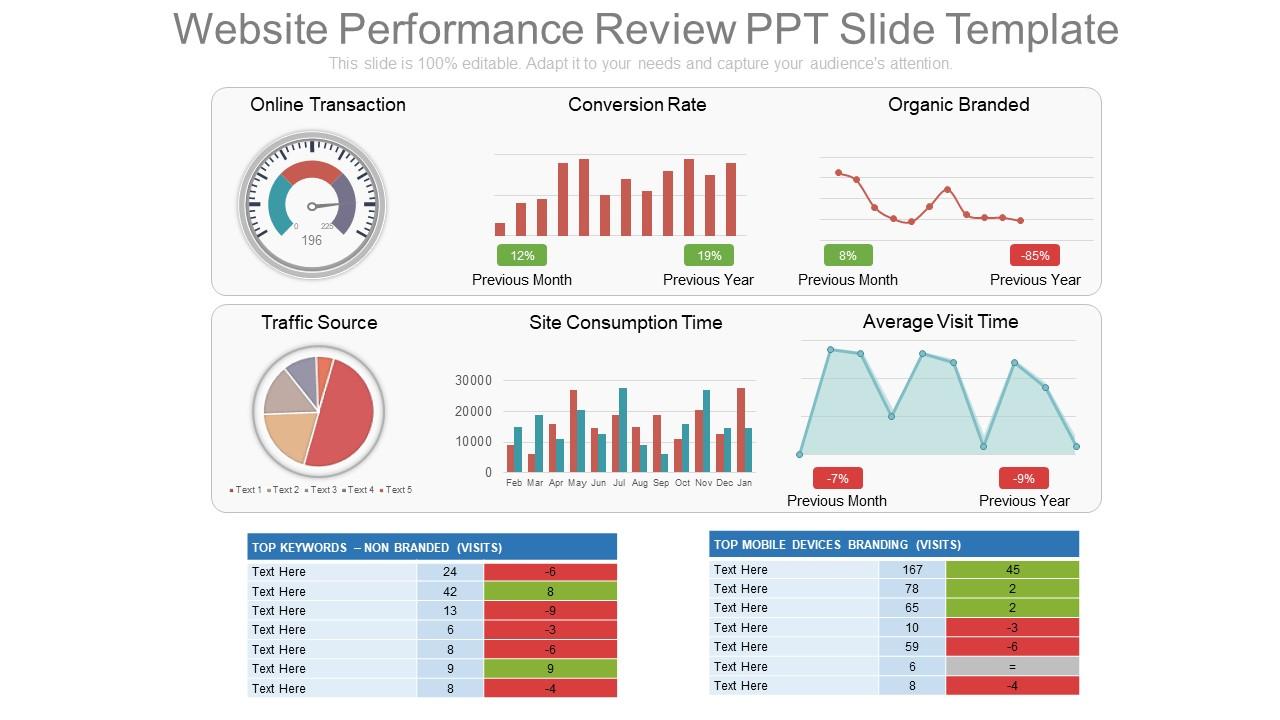
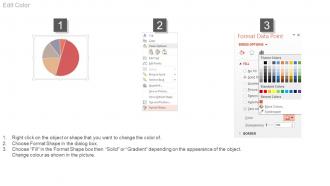
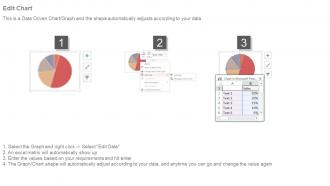
These are exclusively codified PPT design schemes which are quite suitable for online business managers, process experts etc. These PPT graphics can be acclimating with divergent software’s and Google slides. These are wonderfully conceived pictorial Presentation templates which can be customizable in to other file formats like PDF or JPG. They have an alterable designs, forms, colors, contents etc. These Website performance PPT design can also provide a space to add the title or subtitle as per your need.

People who downloaded this PowerPoint presentation also viewed the following :

FAQs for Website performance review

Page load speed is huge - shoot for under 3 seconds because nobody's got patience for slow slides. Half your viewers will be on mobile, so mobile responsiveness can't be an afterthought. Core Web Vitals matter too, especially that Largest Contentful Paint metric when you've got image-heavy presentations. Oh, and accessibility scores - screen readers need to actually work with your stuff. Bounce rate isn't as critical here since template behavior is weird compared to regular websites. I'd throw everything through PageSpeed Insights first, then test on real devices because those scores don't always match reality.

Dude, slow pages are conversion killers. People bounce if your templates don't load in under 3 seconds - they want that instant wow factor when previewing designs. Each extra second can tank your conversions by 7%. I've literally watched template sites go from decent sales to trash just because their previews took 5 seconds instead of 2. That's a 40% conversion drop right there. Start with image optimization - that's usually what's murdering your load times. Also, definitely test your preview pages first since that's where people make buying decisions. Oh, and mobile loading matters way more than most people think.

Dude, images will absolutely wreck your site speed if you're not careful with them. WebP is seriously a game-changer - way smaller files than JPEG but looks identical. I switched one client's site over and it loaded like 3x faster, which was honestly pretty satisfying to see. Don't let CSS resize your images either, that's just lazy and slow. Actually resize them to the right dimensions beforehand. Oh and TinyPNG is clutch for quick compression - I probably use it more than I should. Trust me, your users will notice the difference.

Honestly, A/B testing is pretty straightforward once you get the hang of it. Random split your traffic 50/50 between two template versions. Track what actually moves the needle - conversion rates, bounce rates, time on page. The hardest part? Not checking results every five minutes (guilty as charged). Let it run for at least a week to get decent data. Focus on metrics that tie to your actual business goals instead of stuff that just looks impressive. Wait for statistical significance before declaring a winner. Oh, and test just one major thing at a time - otherwise you'll never know what caused the difference.

Dude, responsive design is a game changer for mobile. Your site automatically adjusts to whatever screen someone's using - phone, tablet, whatever. Without it? People get that awful zoomed-out desktop view and have to pinch around like crazy. They'll leave immediately, trust me. Mobile-optimized sites actually load way faster too since you're not forcing huge desktop images onto tiny screens. Oh and Google loves responsive sites - they rank higher in mobile searches. I learned that the hard way lol. If your mobile bounce rate sucks, that's probably why.

Yeah, third-party scripts are total speed killers. They're loading stuff from servers you don't control - analytics, chat boxes, social buttons, whatever. Each one adds more HTTP requests and can block your page from rendering. I'd start by cutting the fat honestly. Do you really need Facebook pixel AND Google Analytics AND that random heatmap tool? Pick what actually matters. For the ones you keep, lazy load anything non-critical or add async/defer attributes so they don't block everything else. Sometimes you can host scripts locally too, which helps. Just had a client with 15 tracking scripts - nightmare to debug.

GA4 is your best bet for tracking downloads and seeing which templates people actually want. GTmetrix will tell you if your pages are loading fast enough. Honestly, Hotjar changed everything for me - you can literally watch where users click and see if they're bailing before downloads finish. Also grab Uptime Robot because your download pages going down at the wrong time is just brutal. Set up custom events in GA4 so you know which templates are crushing it. Then focus on making your top performers even better first.

Honestly, just scatter feedback collection all over your site - surveys, chat boxes, rating buttons, whatever works. The trick is actually doing something with what people tell you (we both know how those "tell us what you think!" forms usually end up, lol). Hunt for patterns in the complaints. Slow pages? Confusing menus? Missing stuff they want? Connect those directly to your metrics. Users hate your checkout AND conversion rates suck? There's your answer. Oh, and definitely show people when you fix things based on their feedback - they'll actually keep giving it to you then.

Yeah totally - presentation template sites are kinda tricky for SEO. The biggest pain points? Thin content since templates don't have much text, plus they load slow with all those heavy graphics. Mobile optimization usually sucks too, which is annoying since people browse templates on their phones all the time. I'd focus on compressing images first, then add alt text to everything. Make sure your template pages are actually getting indexed - that's where the real traffic is. Oh and check your heading structure in descriptions. Page speed testing is crucial, especially mobile. The visual-heavy thing makes it challenging but definitely doable.

So for e-commerce templates, you're gonna want under 3 seconds load time - that's where conversions stay decent. Your Core Web Vitals need to be green: LCP under 2.5 seconds, FID under 100ms, CLS below 0.1. Mobile's way more important than desktop now since everyone shops on their phone anyway. Try to get above 85 on PageSpeed Insights for mobile. Here's the annoying thing though - templates are usually stuffed with random features you'll never use. I'd run performance checks monthly and delete any plugins or scripts you don't actually need. Your bounce rate will definitely improve.

So caching is honestly a game changer for presentation templates. Start with browser caching and a CDN – biggest impact for the effort. Browser caching keeps your CSS and images stored locally. CDNs serve templates from servers closer to users, which is pretty sweet for load times. Server-side caching stores rendered templates in memory instead of rebuilding constantly. Template fragment caching works great for components you reuse a lot. I was skeptical at first, but the speed difference is actually really noticeable once you've got it running. Those two I mentioned first will give you the most immediate results.

Dude, your website speed is *everything* in this business. If your site's lagging, people instantly think your templates are garbage too - it's like having a messy storefront. Slow loading kills downloads and tanks your search rankings. Nobody wants to buy presentation templates from a site that can't even load properly, you know? Plus you'll get awful reviews. I learned this the hard way when my cousin's site was crawling and sales dropped 40%. Fast sites = more trust = more money. Worth investing in decent hosting.

So load testing is basically flooding your site with fake users to see what breaks. Pretty smart to catch problems before real customers do, right? Your database might die at 500 users, or checkout could crash when everyone's shopping at once. I always think of it like rehearsing for Black Friday chaos - you want realistic traffic patterns, not just random spam. Oh, and definitely run these tests way before launch. Discovering your site can't handle traffic on go-live day? That's a nightmare you don't want.

Focus on above-the-fold content first - lazy load the rest. That's honestly where you'll see the biggest gains. Inline your critical CSS and push non-essential scripts until after everything loads. Your heading structure matters too (H1, H2, etc.) since Google eats that up anyway. Images need aggressive compression - WebP format is your friend here. Don't go crazy with nested divs either, they're total performance killers. Oh, and run PageSpeed Insights first to see what's actually broken. No point optimizing blind, you know?

So basically CDNs spread your template files across servers everywhere. Someone in Tokyo gets your PowerPoint template from a nearby server instead of hitting your main one in New York. Download times drop massively - we're talking seconds instead of minutes for big files. Traffic spikes won't kill your server either, which is clutch if something unexpectedly blows up. The bandwidth savings usually cover what you pay anyway. I'd probably test it with your biggest template downloads first, see how it goes.

Ratings and Reviews

95% of 100
Review Form
Write a review
Most Relevant Reviews
  1. 80%

    by Damon Castro

    Great product with highly impressive and engaging designs.
  2. 100%

    by Ethan Sanchez

    Great designs, really helpful.
  3. 100%

    by Donn Hart

    Excellent work done on template design and graphics.
  4. 100%

    by Thomas Carter

    Innovative and Colorful designs.

4 Item(s)

per page: