

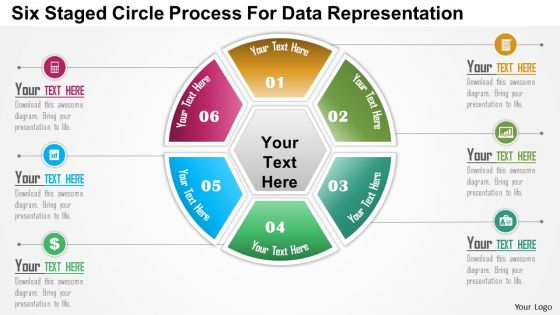
0115 six staged circle process for data representation powerpoint template




Try Before you Buy Download Free Sample Product
 Impress Your
 Audience
 100%
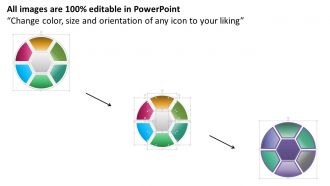
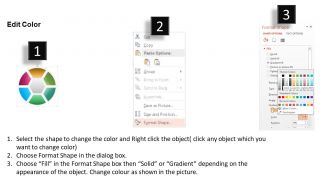
100% Editable
 Save Hours
 of Time


Our 0115 Six Staged Circle Process For Data Representation Powerpoint Template ensure further benefits. Assets keep building for days to come.
People who downloaded this PowerPoint presentation also viewed the following :
0115 six staged circle process for data representation powerpoint template with all 5 slides:
Give your thoughts extra flourish. Our 0115 Six Staged Circle Process For Data Representation Powerpoint Template add to the drama.

FAQs for 0115 six staged circle process for data
Honestly, just focus on making it crystal clear for whoever's looking at it. Bar charts work great for comparing stuff, line graphs show trends nicely. Pie charts though? Skip them unless you literally have no other option - they're usually more confusing than helpful. Pick colors that actually make sense together and won't give anyone a headache. Label everything so people aren't guessing what they're looking at. Cut out any random decorations that don't help tell your story. Oh, and definitely have someone else take a look first - I can't tell you how many times I thought something was super obvious but totally wasn't.
Dude, colors can totally screw with your audience if you mess this up. For progression stuff, use sequential palettes - like light to dark blue. Got a meaningful middle point? Diverging palettes are your friend. And please, for the love of all that's good, skip the rainbow gradients. They look cool but mess up your data hierarchy. Oh, and test your colors for colorblind folks using ColorBrewer or similar tools. Match your palette to what story you're actually telling. Honestly? When you're unsure, just go with boring proven combos instead of those eye-searing neon things everyone seems obsessed with lately.
Don't cram everything onto one slide - people's eyes just glaze over. Color choices matter way more than you'd think. Like, if I can't read your chart from 10 feet away, what's the point? Pick the right chart type too (seriously, not everything needs to be a pie chart). Label your axes properly and explain what the data actually represents. Those microscopic fonts? Hard no. One insight per slide works best. Oh and make sure your colors support whatever story you're telling, not just look pretty.
Dude, storytelling makes your data actually stick with people. Like, instead of just saying "sales went up 23%," you're explaining the whole journey - what caused it, what sucked along the way, where you're headed next. It's honestly the difference between reading ingredients off a box versus hearing someone tell you about this amazing dish they made. Same info, but one you'll actually remember. People need that context and connection, you know? Always start with why anyone should give a damn about these numbers in the first place.
Honestly, just go with a line chart - they're made for showing stuff over time and people get them instantly. Area charts could work too if you want to show volume or like, how things build up. Bar charts? Eh, they feel clunky for time data since your eye doesn't naturally flow from left to right the same way. Oh, and if you're comparing multiple trends, multi-line charts are clutch. But seriously, start simple. A basic line chart looks clean and anyone can read it without thinking twice. Why overcomplicate when the obvious choice usually wins?
Yeah dude, audience is everything when presenting data. Executives want the big picture - clean dashboards, key trends, stuff they can actually use to make decisions fast. Technical people? They want all the messy details and methodologies so they can poke holes in your work (in a good way). Everyone else needs the story behind the numbers without drowning in statistics. I once tried explaining regression analysis to our marketing team... that was painful. Just figure out what decision your audience has to make, then build your presentation around that. Works every time.
Honestly, Tableau and Power BI are your best bet if work has licenses - they're incredible for dashboards. Python people are obsessed with matplotlib and seaborn (can't blame them). The R crowd goes nuts for ggplot2 too. Quick web stuff? D3.js is solid, or even Canva for simple charts. Excel's still surprisingly good for basics - I use it more than I'd like to admit lol. My advice? Master one tool first, then branch out based on what projects you're actually doing. Don't try to learn everything at once or you'll burn out.
Try adding some clickable charts or hover tooltips - way better than those boring static slides everyone hates. Drill-down dashboards are cool too, where people can click for more details. I've seen good results with Tableau and Power BI, though honestly even interactive PDFs work. Real-time data updates are pretty slick if you can swing it. Oh, and letting viewers filter stuff themselves is huge - they only see what they actually care about. Live Q&A during presentations keeps people awake too. Just start with one interactive chart and see how it goes.
Typography makes or breaks your data viz, seriously. Good hierarchy means your main titles pop while axis labels don't fight for attention. Sans-serif fonts are usually the way to go since they're cleaner when small - though I've definitely seen some gorgeous serif charts that totally worked. Here's the thing: messy typography creates cognitive overload. People waste mental energy just trying to read your text instead of actually getting your data. Stick to 2-3 font sizes max and one font family. Trust me, less is more here.
Dude, just match what each industry actually cares about. Healthcare people want patient timelines and those color-coded alerts for when stuff gets critical - basically anything that shows treatment outcomes over time. Finance folks are obsessed with trends and real-time numbers, so tons of time series charts and portfolio breakdowns. The regulatory requirements are honestly such a headache but they dictate half your design choices anyway. My go-to move? Ask the stakeholders what decisions they're making every day. That question alone will save you weeks of guessing what matters to them.
Honestly, just don't be shady with your data - that's like 90% of it. So many people mess with chart scales to make tiny changes look dramatic, or they'll conveniently leave out context that totally changes the story. Also think about who gets hurt by how you're showing stuff, especially with personal info or sensitive groups. Use colors that colorblind people can actually see (learned this the hard way once). Keep labels clear. I guess the whole thing boils down to: help people understand what's really going on, don't try to trick them into whatever conclusion you want.
So basically, you're taking a bunch of confusing data and turning it into something people can actually look at without their eyes glazing over. Charts, icons, that kind of stuff - but arranged so it tells a story instead of just being random visuals slapped together. Honestly, most people try to cram way too much in there. Pick your main point first, then build everything around that. It's like... would you rather get a neat little map or have someone dump a massive Excel sheet on your desk? Yeah, exactly. What's the ONE thing you want them walking away with?
Honestly, there's so much cooler stuff than just bar charts! Network diagrams are perfect for showing how themes connect. Sankey diagrams work well too - they show how categories flow into each other. I'm obsessed with treemaps lately, they use different rectangle sizes for hierarchical data. Heat maps are having their moment again, especially for correlation stuff. For telling stories with your data, try small multiples or interactive dashboards where people can filter categories themselves. Just start simple based on what your audience can handle, then you can get weird with it later.
Honestly, 3D charts are kind of a trap. They make it way harder to compare values because of all the visual tricks perspective creates. Stuff in the back looks smaller than it actually is, front elements seem bigger - it's just confusing. I mean, they might look fancy at first glance, but they're usually just for show. The extra dimension rarely tells you anything useful and ends up hiding the real story in your data. You're better off with simple 2D charts unless that third dimension actually represents something meaningful. Your readers will appreciate not having to squint and guess at the real numbers.
Oh definitely check out "Storytelling with Data" by Cole Knaflic first - it's actually readable unlike most data books. Edward Tufte is the legend everyone references, so browse his stuff online. The Data Visualization Society forum is weirdly addictive once you get into it. I'd skip the theory rabbit hole though and just start messing around with Tableau Public or even Excel's chart tools. They're way better than they used to be. Practice with real datasets right away - that's honestly how you'll learn fastest.
-
Editable templates with innovative design and color combination.
-
Great product with effective design. Helped a lot in our corporate presentations. Easy to edit and stunning visuals.