0414 business growth thermometer chart powerpoint graph
Try Before you Buy Download Free Sample Product
Audience
Editable
of Time
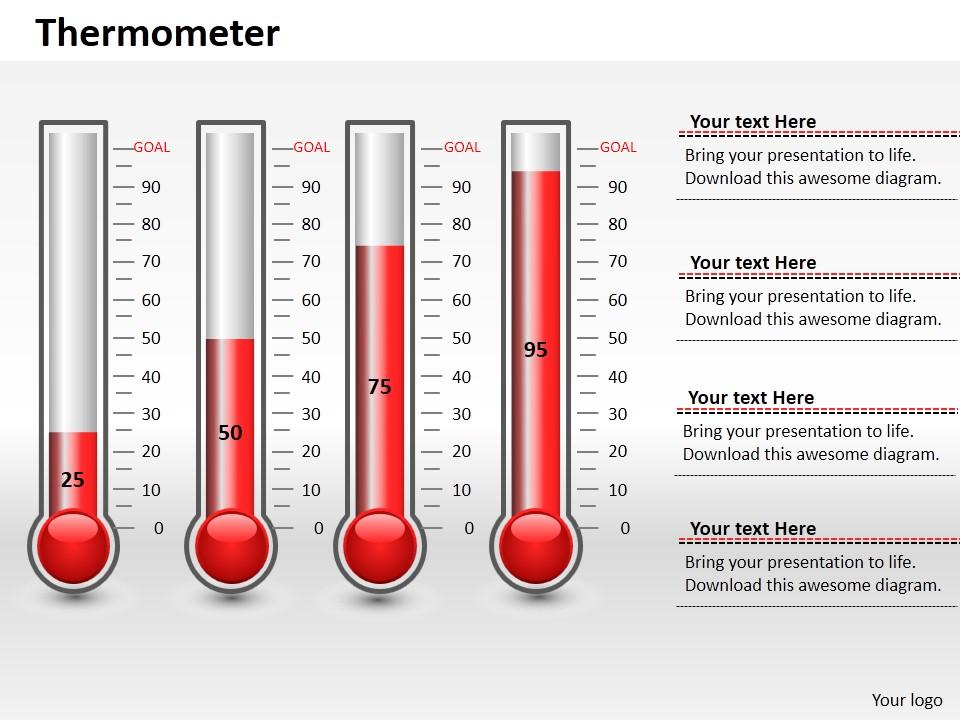
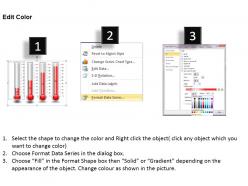
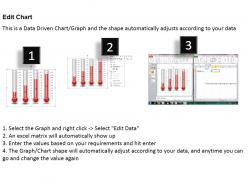
What else can be a better way of expressing the growth of business over a period of time than 0414 business growth thermometer chart PowerPoint graph? The provided thermometer growth meter PPT PowerPoint template can be used to decipher some insight on the statistical figures which might be in percentages. Use the given thermometer chart to talk about the progress of the strategies which are directed towards the goals and targets set beforehand. In fact it is a very impressive tool to track the performance whether it is going up or down or remaining constant. With so much of precision and clarity in the measuring tool, it is very easy to take relative corrective measures if any required. The growth of a business is guided by multiple parameters. You may use one thermometer PPT image for one of the individual parameters, so that you get a clear understanding of where is the shortfall happening. Our 0414 Business Growth Thermometer Chart Powerpoint Graph help avoid future errors. They dig out half truths early.
People who downloaded this PowerPoint presentation also viewed the following :
0414 business growth thermometer chart powerpoint graph with all 3 slides:
Nothing can come between you and success. Our 0414 Business Growth Thermometer Chart Powerpoint Graph will make sure of that.
FAQs for 0414 business growth thermometer
Oh, those are pretty cool actually! Picture those old-school fundraising thermometers but for tracking business stuff like revenue or new customers. You set a target at the top and watch it fill up as you hit milestones. Honestly, they work way better than boring spreadsheets because your whole team can see progress instantly. No one has to dig through data to figure out if you're winning or not. Pick your most important growth metric - could be sales, sign-ups, whatever keeps you up at night - and boom, everyone's on the same page. Super simple but surprisingly effective for keeping momentum going.
Okay so first thing - pick ONE metric, don't try to track everything or it'll look like a hot mess. Put your target at the top, current numbers at the bottom. Update it weekly or monthly, whatever works for your team's rhythm. Honestly the visual thing is huge - people actually get excited watching that progress bar fill up. Make sure your target's ambitious but not completely insane. And here's the key part: stick it somewhere everyone walks by daily. When it's visible, people care more. Oh and definitely celebrate the wins along the way, even small ones.
Honestly, focus on the fundamentals first - revenue growth rate and customer acquisition cost are non-negotiable. Monthly recurring revenue too if you're subscription-based. Customer lifetime value is huge but takes time to calculate properly. Conversion rates will show you if people actually want what you're selling. Churn rate's equally important because what's the point of gaining customers if they just leave? I'd probably add one operational metric like team productivity, but don't go crazy with too many numbers. Six metrics max, otherwise you'll get overwhelmed. Start there and adjust once you see what actually matters for your specific business.
So thermometer charts are totally different from regular bar or line graphs. Instead of showing a bunch of data over time, you get this one focused visual that shows progress toward a specific target. You know those charity fundraising displays where the thermometer fills up? Same concept. Bar charts work well when you're comparing different things, but honestly, thermometer charts are way better for tracking one important goal. The "fill level" instantly shows if you're crushing it or falling behind. Perfect for executive dashboards since busy leaders can see performance status in like two seconds.
Use red-to-green gradients since everyone gets that instinctively. Bold, clear numbers on your scale - don't make people squint. I always screw up the sizing on my first attempt, so expect to redo it. Put a really obvious arrow or dot for where you are now. Temperature ranges should actually make sense for your business, not some generic template. The benchmarks are honestly the most critical part - revenue goals, customer numbers, whatever your team actually cares about. Oh, and definitely test it with a couple people first because what seems obvious to you might be total gibberish to them.
Startups and SaaS companies are obsessed with these charts - makes sense since they're constantly showing progress to investors. Retail businesses love them too, especially for tracking seasonal stuff and sales goals. I swear once you start using them they're weirdly addictive. Manufacturing and consulting use them a ton for project milestones. Basically if your company has growth targets or benchmarks you need to hit, these should probably be in your reports. The visual aspect just makes everything click better than boring spreadsheets.
Look, connecting your thermometer chart to live data isn't too bad - just hook it up through APIs or feeds from your CRM or analytics stuff. Power BI, Tableau, even Google Sheets can pull this automatically. But here's the thing: your data needs to be clean first. Trust me, watching a chart update with messy data is painful. Set refresh times that actually make sense - hourly for sales, daily for other metrics. Start by figuring out what growth numbers you want to track live, then work backwards to find the easiest way to connect everything. Most tools make this pretty straightforward once you get going.
Ugh, the worst thing you can do is set totally unrealistic targets - like nobody's hitting those numbers anyway. Don't cram everything onto one chart either, it's just overwhelming. Stick to maybe 2-3 metrics that actually matter instead of throwing every possible data point at people. Also make sure your data's legit and current because stale numbers make you look sloppy. Keep it clean visually too. I've seen so many dashboards that are just... chaos. Label stuff clearly so people know what they're staring at. Honestly, start basic and only get fancy if you really need to.
Honestly, thermometer charts are perfect for this stuff. Just put your target at the top and update it regularly - everyone instantly gets where you're at with goals. No weird metrics to explain, which I love because people's eyes glaze over with complicated dashboards. Works for whatever you're tracking too - revenue, project deadlines, you name it. Perfect for quick team check-ins or showing the bosses. The trick is actually keeping it updated consistently (easier said than done, I know). Once you do though, it becomes your go-to for those "how are we doing?" moments.
Honestly, thermometer charts work because nobody wants to be the slacker when everyone can see the numbers. Your progress is right there for the whole team - kind of awkward but that's what makes people step up. I've seen it happen where teammates start helping each other out more since we all want to hit the goal. Short sentences keep people focused too. When someone's falling behind, it's obvious, but peer pressure kicks in naturally. Just put it somewhere visible and people will start caring about their piece of the pie. Works way better than I expected the first time we tried it.
Honestly, just use whatever your team already has - Excel or Google Sheets work fine for basic ones, though the thermometer shape is kinda annoying to make. Power BI and Tableau are way better since they have actual gauge charts you can tweak. If you want it to look super clean, I'd go with Canva or even PowerPoint where you can design it however you want. The main thing is picking something where updating the numbers won't be a total pain every quarter. I've seen people waste hours rebuilding these things from scratch because they chose the wrong tool initially.
Just mark your milestones right on the thermometer - revenue goals, customer numbers, whatever you're tracking. Way better than drowning in spreadsheets honestly. Drop your current spot first, then add quarterly targets above it. Fill it in as you hit each goal. The "temperature rising" thing actually works because your team can see progress instantly. I'd stick it somewhere everyone walks by daily or it'll just collect dust. Update it regularly though - nothing kills momentum like stale numbers sitting there for months.
Honestly, these charts are game-changers for spotting trends quickly. You'll see right away if you're crushing your targets or need to panic. Way better than drowning in Excel hell all day. Board members eat this stuff up because it shows momentum and flags problem areas instantly. Plus you can compare different teams or quarters without squinting at numbers for hours. Oh, and forecasting becomes actually doable when you can see the trajectory laid out visually. I've watched CEOs nail their entire growth pitch in like 30 seconds using these things.
Colors mess with everything when you're dealing with global teams. Red screams "danger" to us, but in China it's lucky - so your "critical" dashboard might look celebratory to half your crew. Some cultures hate displaying anything that looks like failure too. I'd throw in text labels alongside the colors and maybe some universal icons. Brief everyone on what the zones actually mean for your specific business (learned this the hard way once). Test it with your local leads first - they'll catch stuff you'd never think of.
Yeah definitely use them! Investors eat up visual stuff like this - way better than showing them another boring spreadsheet. These charts instantly show if you're hitting your targets or falling short. I'd focus on the metrics they actually care about, like revenue growth or user numbers. Quarterly updates work great, or year-over-year if that tells a better story. Just don't make up unrealistic targets because they'll call you out on it. Honestly, the "temperature gauge" effect is perfect for pitch decks. Shows momentum without them having to squint at tiny numbers.
-
Excellent work done on template design and graphics.
-
Best way of representation of the topic.