


0814 electric circuit symbol diagrams capacitor resistor inductor invertor voltmeter ppt slides




Try Before you Buy Download Free Sample Product
 Impress Your
 Audience
 100%
100% Editable
 Save Hours
 of Time


When you use our awesome 0814 Electric Circuit Symbol Diagrams Capacitor Resistor Inductor Invertor Voltmeter Ppt Slides you are leveraging the benefit of the many years of hard core experience of our dynamic team. Our graphics and slides combine exclusive designs with superb images to deliver quality so superior for a stunning presentation.
People who downloaded this PowerPoint presentation also viewed the following :
0814 electric circuit symbol diagrams capacitor resistor inductor invertor voltmeter ppt slides with all 6 slides:
Impress them with your forthrightness. Our 0814 Electric Circuit Symbol Diagrams Capacitor Resistor Inductor Invertor Voltmeter Ppt Slides help you to be candid.

FAQs for 0814 electric circuit symbol diagrams capacitor resistor inductor invertor
So resistors have two main symbols depending on where you're looking. American circuits use that zigzag line - honestly took me forever to draw those neatly when I started. European stuff just uses a rectangle, which is way easier to sketch. Variable resistors (potentiometers) add an arrow pointing through either symbol. Those are super handy for things like volume controls. Quick tip: figure out which standard the schematic uses first. I've definitely mixed them up before and confused myself. Zigzag or rectangle = fixed resistance, add the arrow = adjustable.
The capacitor symbol doesn't actually change between AC and DC - same two parallel lines either way. What's different is how you analyze them on your schematics. DC circuits might show the blocking behavior, while AC diagrams often have reactance values or frequency stuff noted. Honestly, it confused me at first too. The symbol stays the same though - it's just the context and math around it that changes depending on if you're working with steady DC or alternating current. Pretty simple once you get it.
Ground symbols are basically your circuit's 0V reference point - like sea level but for electronics. All voltages get measured against this baseline. There are different types too: earth ground (those three horizontal lines), chassis ground for metal frames, and signal ground for your circuit reference. Honestly, once you get the hang of reading these, schematics become way less intimidating. Any points with the same ground symbol are connected electrically. Pro tip: always spot the ground first when you're looking at a schematic. Makes tracing current paths so much easier - trust me on this one.
Circuit symbols are basically the universal language of electronics - once you know them, you can decode any schematic super quickly. Tracing signal paths on paper beats following actual wires any day (trust me, real boards are messy). You'll catch potential failure points way easier and figure out which components are probably causing your headaches. Communication with other techs gets smoother too. Honestly, just drill the basics first - resistors, caps, transistors. Your troubleshooting speed will jump like crazy once these become second nature.
So the diode symbol is basically a triangle pointing at a straight line - like an arrow showing which way current flows. Current goes in through the triangle part (that's the anode) and out through the line (cathode). But here's what makes diodes useful: they only let current flow one direction. Try to push it backward? Nope, it blocks it. I mean, there's technically some tiny leakage but honestly you can ignore that. Think of it like a one-way valve for electricity. The triangle always points where conventional current's heading, which is pretty handy when you're trying to figure out what's happening in a circuit.
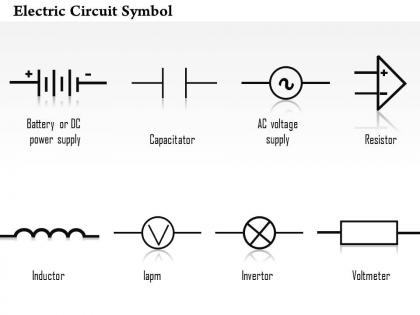
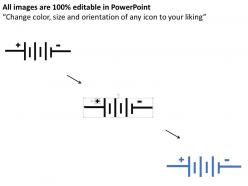
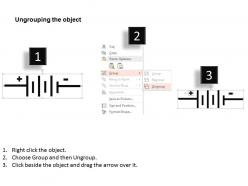
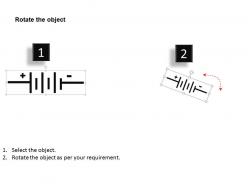
So batteries in circuit diagrams are just alternating lines - short and long ones paired up. The short line is negative, long one's positive. Pretty straightforward once you know that. If you see multiple pairs stacked together, that means higher voltage. Honestly looks kinda like a tiny fence lol. Most diagrams throw in + and - symbols too so you don't have to guess. When you're sketching your own circuits, just stack more pairs if you need more juice. Single cell = one pair, battery pack = multiple pairs.
So the basic switch is just SPST - a line with a gap and that angled connector thing. SPDT switches show one input going to two possible outputs. Push-buttons look like circles with lines coming out. Momentary switches? They've got little spring symbols next to them. Pretty straightforward once you see a few. Honestly the symbols vary a ton depending on who made the schematic - some engineers get really creative with their drawings lol. But they all do the same job of controlling current flow. Quick tip: always check what position the switch is drawn in, that's your default state.
Those coiled loops? That's an inductor - basically stores energy in magnetic fields and hates when current changes suddenly. You'll spot them everywhere in transformers, motors, filters, power supplies. The symbol instantly tells you "this thing's gonna fight back" when current tries to shift fast. Creates back-EMF and all that fun stuff. Honestly, once you see those coils on a schematic, you know to expect some interesting behavior - startup surges, filtering effects, energy storage. Super handy for troubleshooting too since you can immediately predict how that part of the circuit will act.
So yeah, IC symbols are way more flexible than regular components like resistors. They're mostly just rectangles or triangles that you customize with whatever pin labels you need. Op-amps use triangles, microcontrollers are big rectangles with tons of labeled pins, logic gates have their own shapes. It's kind of a mess compared to standardized stuff, honestly. The main thing is matching your pin numbers to the actual datasheet - I've seen people mess this up and it's annoying to debug later. Way different from basic components where the symbol's always the same.
So those parallel lines between the coils? That's the iron core connecting the magnetic fields. Transformers are literally everywhere - power supplies, audio gear, those bulky wall chargers we all have lying around. They're perfect for stepping voltage up or down without any direct electrical connection between sides. Honestly, electromagnetic induction is pretty cool stuff. Oh, and when you're sketching circuits, definitely label the voltage ratios or you'll confuse the hell out of anyone trying to read it later. Makes troubleshooting way easier too.
Honestly, circuit symbols are like engineering shorthand that works everywhere. You can be talking to a tech in Japan or Germany and just draw a capacitor symbol instead of explaining "that thing with two plates that stores charge." Way faster. The basic ones - resistors, capacitors, inductors - are totally worth memorizing first. When you're troubleshooting with your team, everyone just gets it instantly instead of playing twenty questions about which component you mean. It's pretty much the universal language for anything electrical. Plus it makes reading schematics way less painful once you know what you're looking at.
So transistors have these standardized symbols with three connection points. BJTs show up as a circle with three lines - the arrow on the base tells you if it's NPN (arrow pointing out) or PNP (pointing in). MOSFETs look different though, with the gate line separated from the channel. Honestly, I still keep a reference sheet around because there's so many transistor types out there. But the good news? These symbols are the same everywhere - textbooks, software, whatever. Your CAD program should have all the standard ones in its symbol library already.
Dude, circuit symbols are basically your cheat code for reading schematics. Once you know them, you can trace through complex circuits super fast instead of staring at random squiggly lines. I'd start with the basics - resistors, capacitors, transistors. Those pop up everywhere. You'll recognize patterns way quicker and actually see how the circuit logic works instead of just... lines connecting to other lines, you know? Makes troubleshooting so much easier when you can follow the signal path. Honestly, it's one of those things that feels impossible until it suddenly clicks.
Dude, the worst thing is mixing up similar symbols - resistors vs capacitors gets everyone. Diodes are sneaky too, they look like regular lines if you're not careful. Direction is HUGE with diodes, LEDs, transistors. Arrow placement literally changes everything. Oh and cell vs battery symbols? I mess those up constantly, no shame in double-checking. Here's something annoying - not all diagrams use the same standards. Some are European, some American. Drives me nuts. Just keep a reference sheet nearby when you're learning, trust me on this one.
Honestly, just focus on the basics first - battery, resistor, LED, switch. Don't overwhelm them with fancy stuff right away. Get them building actual circuits while they learn the symbols instead of boring worksheet memorization. That hands-on approach works so much better in my experience. Show them what each component actually looks like next to its symbol - that connection is huge. Visual aids are your friend here. Maybe have them make their own little reference cards? Sounds cheesy but it works. The whole thing comes down to repetition through actually doing stuff, not staring at diagrams all day.
-
Appreciate the research and its presentable format.
-
It saves your time and decrease your efforts in half.