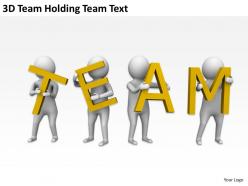
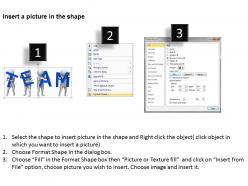
3d team holding team text ppt graphics icons powerpoint
Try Before you Buy Download Free Sample Product
Audience
Editable
of Time
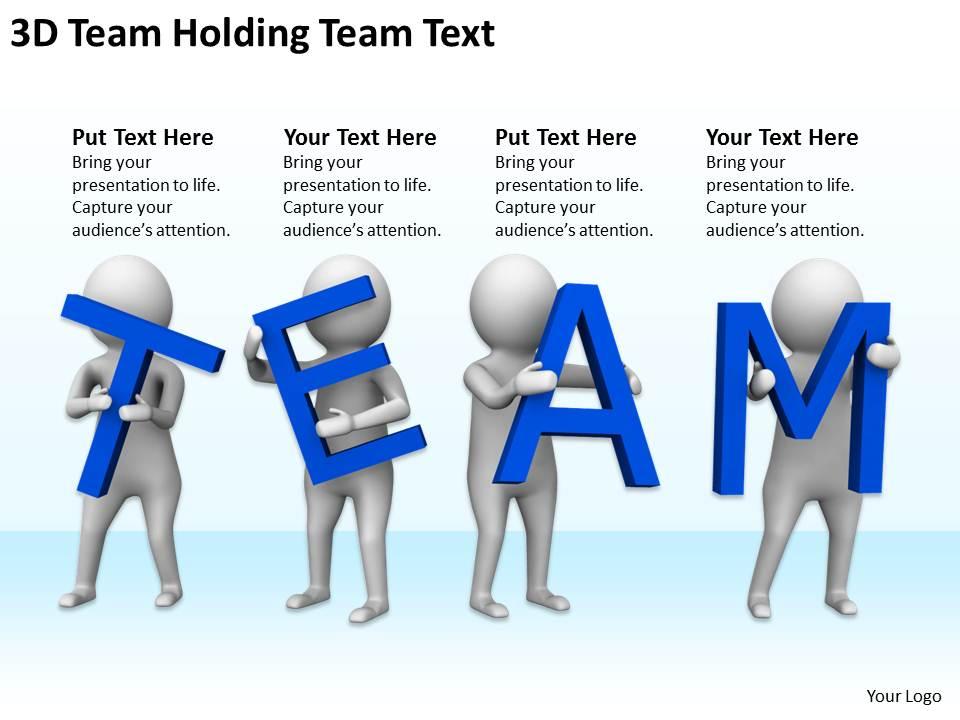
Discover a new world with our 3D Team Holding Team Text Ppt Graphics Icons PowerPoint. Take your thoughts on a journey of exploration.
People who downloaded this PowerPoint presentation also viewed the following :
3d team holding team text ppt graphics icons powerpoint with all 3 slides:
Pass your ideas through our 3D Team Holding Team Text Ppt Graphics Icons PowerPoint. They will amplify their brilliance.
FAQs for 3d team holding team text ppt
3D presentations deliver enhanced visual engagement, improved information retention, dynamic storytelling capabilities, interactive audience experiences, and stronger emotional connections compared to traditional slides. These immersive formats enable presenters to showcase complex concepts, spatial relationships, and product demonstrations more effectively, with many organizations finding that 3D presentations significantly increase audience attention spans and comprehension rates, ultimately delivering more impactful communication outcomes.
3D visuals enhance audience engagement by creating immersive experiences that capture attention, simplify complex concepts through spatial representation, and improve information retention through multi-sensory learning. These dynamic presentations enable teams to showcase products, processes, and data more effectively than traditional slides, with many organizations finding that 3D elements significantly increase audience participation and message comprehension, ultimately delivering more persuasive and memorable business communications.
Popular 3D presentation software includes Prezi, Microsoft PowerPoint with 3D features, Keynote, Vyond, Powtoon, and specialized tools like Blender or Cinema 4D. These platforms enhance audience engagement by delivering dynamic visual storytelling, interactive elements, and immersive experiences, with many organizations finding that 3D presentations significantly improve information retention and stakeholder buy-in.
**INPUT**: How do you effectively integrate 3D elements without overwhelming the audience? **OUTPUT**: Effective 3D integration requires strategic restraint, focusing on key moments where dimensional elements enhance understanding, using consistent design language, and maintaining clear visual hierarchy throughout presentations. By limiting 3D to complex data relationships, product demonstrations, or process explanations, organizations across retail, manufacturing, and healthcare find that audiences engage more deeply while avoiding cognitive overload, ultimately delivering memorable experiences. [Word count: 58 words]
Cohesive 3D presentation layouts require consistent visual themes, strategic spatial hierarchy, balanced element placement, smooth transitions between slides, and unified color schemes throughout. These design principles enhance audience engagement by creating intuitive navigation flows, reducing cognitive load, and maintaining professional aesthetics, with many organizations finding that cohesive layouts significantly improve message retention and presentation impact.
3D animations simplify complex concepts by visualizing abstract ideas, breaking down multi-step processes, demonstrating spatial relationships, and enabling interactive exploration of data or models. Through dynamic visual storytelling, presenters can guide audiences through intricate workflows, technical procedures, or architectural designs step-by-step, while enhancing comprehension and retention, ultimately delivering more engaging and effective knowledge transfer across diverse learning styles.
Team members can collaborate efficiently on 3D presentations through cloud-based platforms, shared asset libraries, version control systems, and real-time editing capabilities that streamline workflow coordination. These collaborative approaches enable teams to divide complex modeling tasks, maintain design consistency, and accelerate project timelines, with many organizations finding that structured teamwork delivers more polished presentations while reducing individual workloads.
Storytelling transforms 3D team presentations by creating narrative coherence that guides audiences through complex visual information, establishing emotional connections that enhance message retention, and providing contextual frameworks that make technical concepts accessible. Through compelling narratives, teams can showcase member roles dynamically, demonstrate project evolution effectively, and present strategic outcomes meaningfully, ultimately delivering presentations that engage stakeholders while building stronger team credibility.
Common pitfalls include overcomplicating visuals with excessive animations, neglecting audience technical capabilities, prioritizing style over substance, and creating motion that distracts from key messages. While 3D presentations enhance engagement, many organizations find that balanced design, clear narrative focus, and testing across different devices ultimately delivers better audience retention and comprehension than overly complex visual effects.
The choice of 3D templates significantly shapes audience perception and message clarity by creating visual hierarchy, emphasizing key points, and establishing professional credibility through sophisticated design elements. Strategic template selection enhances storytelling flow, reinforces brand identity, and delivers greater engagement rates, with many organizations finding that well-chosen 3D designs ultimately strengthen message retention and audience buy-in.
Effective transition methods for 3D presentation elements include smooth camera panning, layered reveals, rotation sequences, zoom-in focusing, and progressive builds that maintain spatial relationships. These techniques enhance audience engagement by creating seamless visual flow, reducing cognitive load, and emphasizing key information hierarchically, with many presenters finding that strategic 3D transitions ultimately deliver stronger message retention and more compelling storytelling experiences.
Feedback can be incorporated through iterative design reviews, stakeholder input sessions, real-time collaborative platforms, and structured testing phases with target audiences. Through digital prototyping tools, teams can rapidly implement suggested changes to visual elements, navigation flow, and content structure, while version control systems enable seamless collaboration, ultimately delivering presentations that resonate more effectively with audiences and achieve strategic communication objectives.
Accessibility considerations for 3D presentations include alternative text descriptions, audio narration, high contrast color schemes, keyboard navigation options, and screen reader compatibility. These features enable organizations to reach diverse audiences by accommodating visual impairments, motor disabilities, and cognitive differences, ultimately delivering inclusive experiences while expanding market reach and ensuring compliance with accessibility standards.
3D presentations can be tailored through customizable visual complexity, audience-specific content layers, interactive navigation controls, and targeted messaging frameworks. These technologies enable presenters to adjust technical depth, emphasize relevant data points, and create immersive experiences for different stakeholder groups, with many organizations finding that personalized 3D presentations significantly enhance audience engagement and decision-making outcomes.
Innovative 3D presentation uses in remote settings include virtual product prototyping, immersive data visualization, interactive training simulations, collaborative design reviews, and spatial storytelling for complex concepts. These approaches enhance remote engagement by creating shared virtual environments, enabling real-time manipulation of 3D models, and delivering more memorable experiences than traditional flat presentations, ultimately improving team collaboration and decision-making across distributed workforces.
-
Unique research projects to present in meeting.
-
Great quality slides in rapid time.