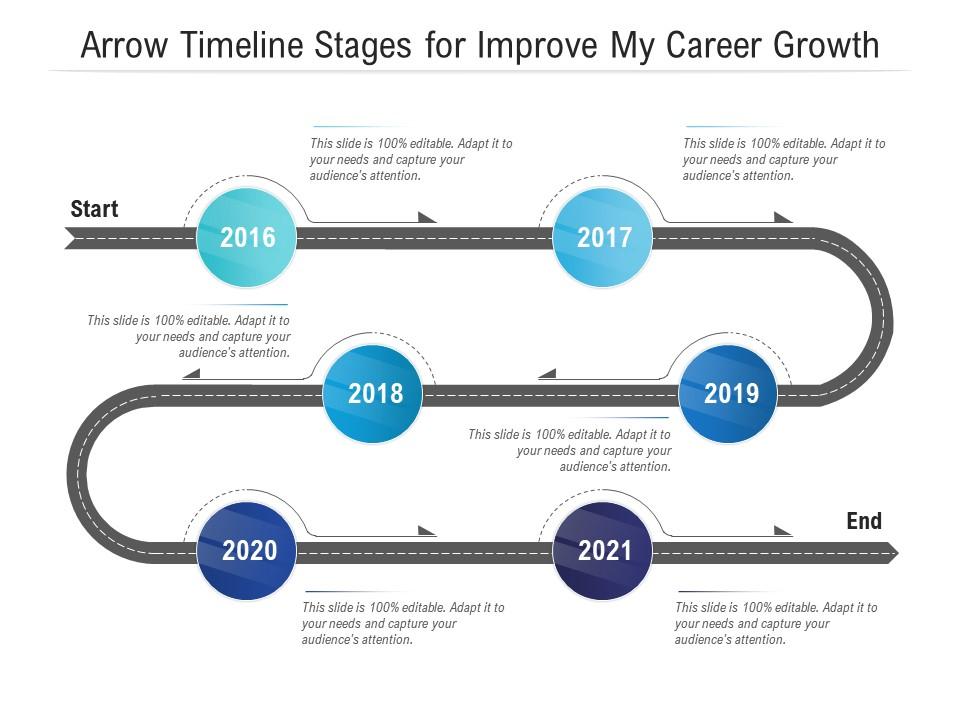
Arrow timeline stages for improve my career growth infographic template
Try Before you Buy Download Free Sample Product
Audience
Editable
of Time
Our Arrow Timeline Stages For Improve My Career Growth Infographic Template are topically designed to provide an attractive backdrop to any subject. Use them to look like a presentation pro.
People who downloaded this PowerPoint presentation also viewed the following :
Arrow timeline stages for improve my career growth infographic template with all 2 slides:
Use our Arrow Timeline Stages For Improve My Career Growth Infographic Template to effectively help you save your valuable time. They are readymade to fit into any presentation structure.
FAQs for Arrow timeline stages for improve my career
So definitely hit the basics - career timeline, key wins, skills you've picked up. Show how you've grown through different roles and projects that actually made a difference. Oh, and don't sleep on the visual stuff! Colors and icons make it way easier to scan instead of looking like a boring text block. Include both your technical skills and the people stuff like communication - managers want both. Throw in some personality with your biggest accomplishments and maybe what you learned from screwups. One page only though, and put your most impressive stuff right at the top where they'll see it first.
Think of visual hierarchy like telling a story with your eyes - you want people to look at the big stuff first, then work their way down to details. Make your major career milestones pop with bold colors and bigger text. Supporting info should be smaller and subtler. I usually go with a flow that feels natural, like bottom-to-top for career progression or left-to-right timeline style. Bold colors for achievements, muted ones for connecting lines. Honestly, most people's infographics are a hot mess because they make everything the same size. Don't do that! Guide their eyes so they actually follow your career story instead of getting overwhelmed.
Start with Bureau of Labor Statistics - that's your best bet for real salary data and job projections. LinkedIn's workforce reports are actually pretty decent too, especially if you need industry breakdowns. Professional associations usually have way better salary surveys than those sketchy online calculators everyone clicks on. Glassdoor and PayScale work as backup sources, but honestly their sample sizes are all over the place. Always check at least two sources before you put anything in your infographic - people love calling out bad data on social media. Use BLS as your foundation, then add the industry-specific stuff on top.
Yeah, color choice totally matters for career infographics! Blue's your go-to for trust and stability - great for corporate paths. Green screams growth and ambition. Red? That's for urgent career pivots or big risks. I swear, everyone defaults to boring gray and wonders why their stuff looks dead. Purple works well for creative leadership roles, orange feels super entrepreneurial. Honestly, your colors literally decide if someone sees a path as safe or exciting. Just match the vibe you want people to feel about their career journey.
Honestly, straight lines work way better than those fancy curved ones—I learned this the hard way. Go horizontal or vertical, whatever fits your space. Space out your milestones evenly and stick with the same visual style throughout (like colored dots or little icons). Brief text is key here since people just want to scan and get the gist of your progression. Oh, and don't forget actual dates—makes it feel more real. I'd stick to colors that flow logically, maybe light to dark or just use your usual brand colors. The biggest mistake? Cramming too much info into each point. Keep it scannable.
Okay so think of it like telling a story - start with where you are now, then show the messy journey with all the challenges and wins, and end with your dream goal. Honestly, it's basically like a mini hero's journey (I know that sounds dramatic but it works). Visual stuff helps tons - arrows, timelines, maybe even little character drawings to walk people through each part. Real examples hit different too. Like "stuck in your current role" → "finally got that promotion." Makes it way more relatable than generic career advice. Oh, and definitely sketch out your story flow first before you dive into designing anything. Trust me on that one.
Honestly, skip the fancy job titles and focus on stuff that actually shows you're growing. Track the skills you've picked up, certs you've earned, salary bumps, how much more responsibility you're handling now versus last year. Promotions are obvious wins, but lateral moves matter too if they broadened what you know. Don't forget about mentoring others (or being mentored), cross-department projects, any leadership stuff you've jumped into. Oh, and if you're looking at team health - retention rates are huge. Just make sure you can back everything up with real examples when someone asks.
Oh man, this is such a big deal! Colors alone will trip you up - red screams "danger" here but it's lucky in China. Then there's the whole reading direction thing (Arabic/Hebrew go right-to-left so your layout's backwards). Hierarchical cultures expect those straight-up career ladders, but places like the US are more about lateral moves being cool too. Career milestones are totally different everywhere - what looks like success in one place might seem weird in another. Honestly, just do your homework on the culture first. Test it with actual people from there before you launch anything.
Honestly, visuals are a game-changer for career infographics. Nobody wants to read walls of text – I know I don't. Icons help people instantly get what you're talking about, like a little ladder for "promotion" or handshake for "networking." They guide your reader's eye through the whole thing too. The visual stuff makes abstract career goals feel more real somehow. Like, seeing a progress bar actually makes skill development seem doable instead of this vague concept. Just don't go crazy with random clipart that doesn't match – I've seen some pretty terrible ones where nothing goes together stylistically and it's just distracting.
Ditch the generic stuff and get industry-specific with your icons and language. Tech people want to see coding symbols and hear about sprints, deployments, that whole world. Medical field? Use clinical icons and actual advancement paths they recognize. I've honestly seen some brilliant ones that basically copy real org charts from those industries. Research what milestones actually matter though - like board certs for doctors or PMP credentials for project managers. Your best bet is interviewing a few people in whatever industry you're targeting. They'll tell you what progression challenges are real vs what you think matters.
Canva's probably your best bet to start - I use it all the time and their career templates are actually pretty decent. If you're already good with design stuff, Adobe Illustrator is obviously the best but honestly? It's kind of overkill unless you're doing this professionally. Piktochart and Venngage sit somewhere in between if you want more control than Canva but don't want to deal with Illustrator's complexity. I'd just grab Canva's free version first and see how it goes. You can always upgrade later if you need fancier features, but their free stuff might be all you need anyway.
Dude, you definitely need your personal branding stuff in there. Makes it actually yours instead of just another boring career post, you know? I'd weave in your industry knowledge or maybe share part of your own story. LinkedIn's already drowning in generic advice - yours should feel different. Pick your colors and tone based on what represents you professionally. Oh and use specific examples from your field if you can. That builds recognition with people who follow you. Start with like 2-3 brand elements that scream "you" and keep them consistent throughout. Trust me, it'll make people remember your content way better than the cookie-cutter stuff.
Arrows showing knowledge flowing between people work really well - that connection is everything. Lightbulbs are perfect for those "aha moments" since everyone gets what they mean right away. You could do puzzle pieces connecting, or maybe two people climbing a ladder together? Speech bubbles might actually be the strongest choice though, since mentorship is basically all conversation. Tree branches growing or hands pulling someone up also hit that growth vibe. Oh, and definitely show it going both ways - good mentors learn too. The timing aspect matters, so think about showing progress over time somehow.
Honestly, bringing a career growth infographic is pretty smart - way better than just talking through your resume again. You can show your progression visually with timelines or skill trees, which interviewers actually remember. I'd focus on key wins and measurable results since those pop more than job descriptions. Keep it simple though - they need to get it in like 30 seconds or it's pointless. Before/after comparisons work well too if you've had a major pivot or something. Print extras to leave behind so you're not just another forgotten candidate.
Ugh, don't cram everything onto one page with tiny fonts - nobody's squinting at that mess. Skip the cheesy stock photos too, they're pointless. The worst thing? Just listing job titles like "Manager 2018, Senior Manager 2020." Boring! Instead, show what you actually accomplished and what skills you picked up. Clean layout is key - I always think cluttered timelines just confuse people more than help. Focus on your wins and growth, not just dates and company names. Make sure there's good visual flow so it actually tells your story instead of looking like everyone else's.
-
Design layout is very impressive.
-
Excellent work done on template design and graphics.
-
Perfect template with attractive color combination.
-
Out of the box and creative design.
-
Innovative and Colorful designs.
-
Innovative and attractive designs.
-
Graphics are very appealing to eyes.
-
Nice and innovative design.