

Checklists for audits quality and safety powerpoint presentation slides






Try Before you Buy Download Free Sample Product
 Impress Your
 Audience
 100%
100% Editable
 Save Hours
 of Time


An organization is subject to regular assessments. Here SlideTeam presents you checklists for audits quality and safety PowerPoint presentation slides for assessing your quality system. Our predesigned quality audit PPT presentation has slides on review list purpose, objectives, procedure, system process, development lifecycle, key stages, notification flow, workflow, process flow chart, continuous implementation steps, auditing aspects, risk model, cause-effect flow, system unit, system checklist and many more. This quality control presentation is usually delivered by the operation manager to the business head in order to keep company objectives in line. You can also use this quality management system PowerPoint presentation for topics like internal audit checklist, quality assurance program analysis checklist, an audit of business continuity management, final quality audit, information technology examination, cost analysis, operations investigation, quality analysis, quality assessment etc. What are you waiting for, quickly download our checklists for audits quality and safety PowerPoint templates. Our Checklists For Audits Quality And Safety Powerpoint Presentation Slides build compliance. Your directions get explicitly followed.
People who downloaded this PowerPoint presentation also viewed the following :
Content of this Powerpoint Presentation
Slide 1: This slide introduces CHECKLISTS For Audits, Quality And Safety. State your company name to begin.
Slide 2: This is an Agenda slide. Use it to show your company agenda.
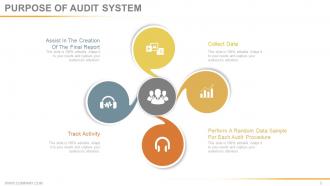
Slide 3: This slide states the Purpose Of Audit System with icons and creative imagery. Some of these purposes are- Perform A Random Data Sample For Each Audit Procedure, Track Activity, Assist In The Creation Of The Final Report, Collect Data.
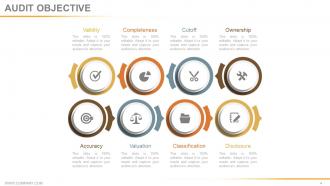
Slide 4: This slide states Audit Objective which includes- Validity, Completeness, Cutoff, Ownership, Accuracy, Valuation, Classification, Disclosure.
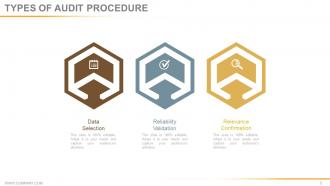
Slide 5: This slide showcases the Types Of Audit Procedure with icon imagery. These are- Data Selection, Reliability Validation, Relevance Confirmation.
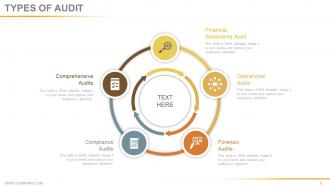
Slide 6: This slide states various Types Of Audit in a circular form. These are- Financial Statements Audit, Forensic Audits, Compliance Audits, Operational Audits, Comprehensive Audits.
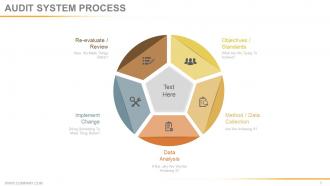
Slide 7: This slide showcases Audit System Process in a circular image form. Some of its factors are- Method / Data Collection, Data Analysis, Implement Change, Objectives / Standards, Re-evaluate / Review.
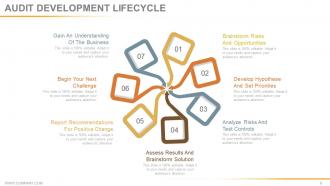
Slide 8: This slide displays Audit Developement Lifecycle in a creative form. It includes the following steps- Brainstorm Risks And Opportunities, Develop Hypothesis And Set Priorities, Analyze Risks And Test Controls, Assess Results And Brainstorm Solution, Report Recommendations For Positive Change, Begin Your Next Challenge, Gain An Understanding Of The Business.
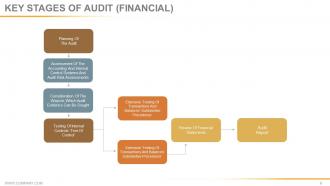
Slide 9: This slide states the Key Stages Of Audit (Financial) in a flow chart/ graph form.
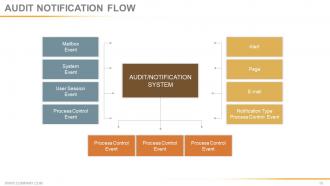
Slide 10: This slide presents Audit Notification Flow to state.
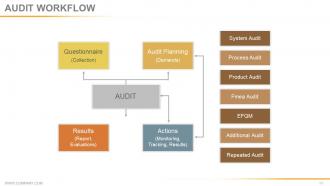
Slide 11: This slide shows Audit Workflow in a flow chart form with the following sub headings- Questionnaire (Collection), Audit Planning (Demands), Results (Report, Evaluations), Actions (Monitoring, Tracking, Results).
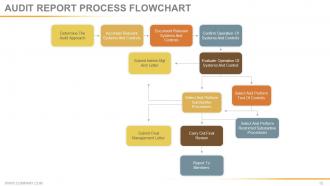
Slide 12: This slide displays Audit Report Process Flowchart.
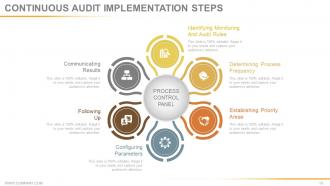
Slide 13: This slide presents Continuous Audits Implementation Steps with icon imagery. These steps are- Identifying Monitoring And Audit Rules, Determining Process Frequency, Establishing Priority Areas, Configuring Parameters, Following Up, Communicating Results.
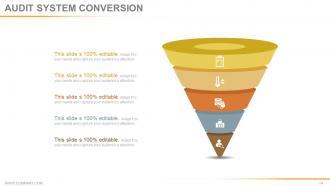
Slide 14: This slide presents Audit System Conversion in a funnel form.
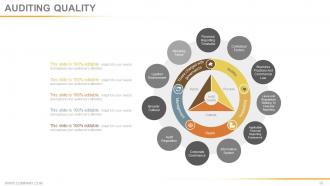
Slide 15: This slide shows Auditing Quality in a circular image form and text boxes to go with.
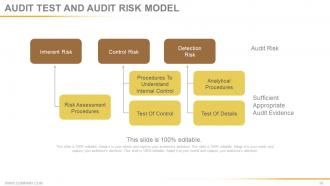
Slide 16: This slide presents Audit Test And Audit Risk Model in a flow chart form. It consists of 3 types of risks which are- Inherent Risk, Control Risk, Detection Risk.
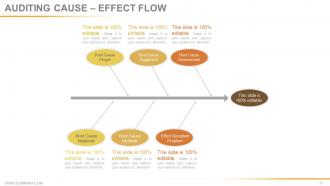
Slide 17: This slide presents Auditing Cause – Effect Flow in a fish bone diagram form. Use it as per your requirement.
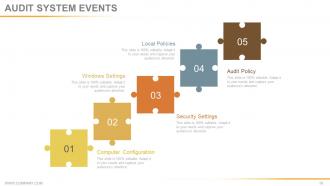
Slide 18: This slide shows Audit System Events with puzzle piece imagery to go with. It shows- Computer Configuration, Audit Policy, Windows Settings, Local Policies, Security Settings.
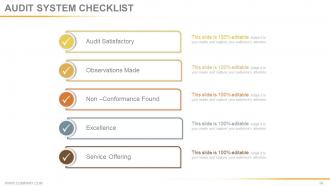
Slide 19: This slide presents Audit System Checklist with- Audit Satisfactory, Observations Made, Non –Conformance Found, Excellence, Service Offering.
Slide 20: This slide is titled Additional Slides to move forward. You can change the slide content as per need.
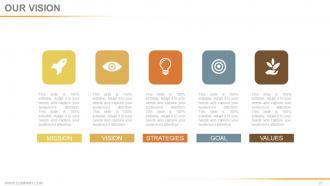
Slide 21: This is Our Vision slide with text boxes. State your vision, values, mission etc. here.
Slide 22: This is Our Team slide. Mention name, designation etc. here.
Slide 23: This is an About Us slide. State your company team, company essentials, highlights etc. here.
Slide 24: This slide is titled Our Goal to state your important goals etc.
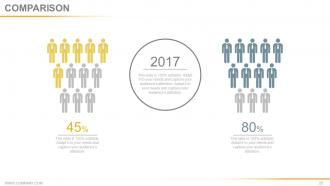
Slide 25: This slide displays Comparison on the basis of gender. It shows male and female image compared in terms of percentages.
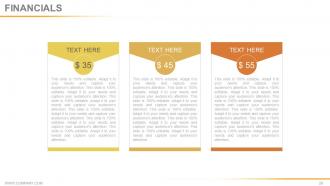
Slide 26: State your Financial score in this slide with relevant text.
Slide 27: This is a Quotes slide to convey message, beliefs etc.
Slide 28: This is Dashboard slide to show information in percentages etc.
Slide 29: This slide shows Location of the company with world map imagery to specify.
Slide 30: This slide presents a Timeline to show growth, milestones etc.
Slide 31: This slide showcases Post It notes to display anything specific to be highlighted.
Slide 32: This is a News Paper slide to flash company event, news or anything to highlight.
Slide 33: This is a Puzzle image slide to show information, specification etc.
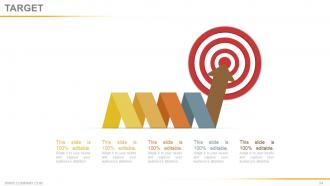
Slide 34: This is a Target slide with image to showcase targets, goals etc.
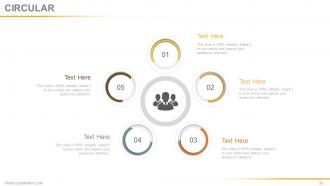
Slide 35: This is a Circular image slide to show information, specifications etc.
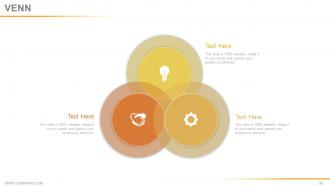
Slide 36: This is Venn diagram image slide to show information, specifications etc.
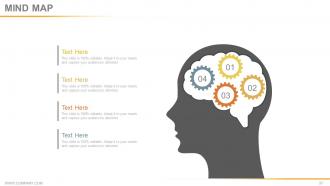
Slide 37: This slide showcases a Mind map image. State information, specifications etc. here
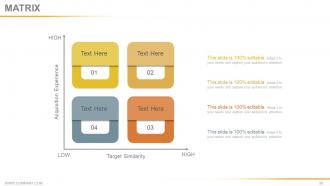
Slide 38: This slide presents a Matrix with high, low and vice versa. You can add or modify text as per need.
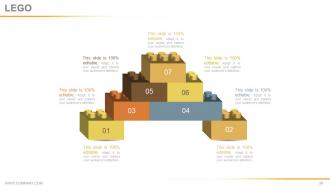
Slide 39: This is a LEGO slide with text boxes to show information.
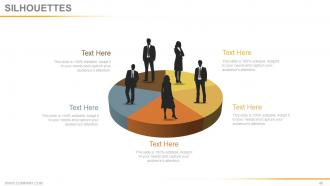
Slide 40: This is a People's silhouettes slide. Use it the way you want to show solutions etc.
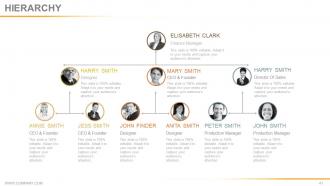
Slide 41: This is a Hierarchy image slide to show information, specifications etc.
Slide 42: This is an Idea slide with bulb imagery to show information, innovative aspects etc.
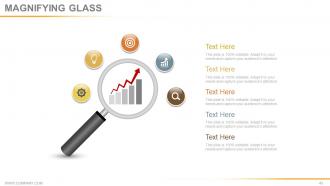
Slide 43: This is a Magnifying glass image slide to show information, scoping aspects etc.
Slide 44: This is a Bar Graph image slide to show product comparison, growth etc.
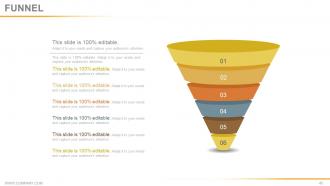
Slide 45: This slide showcases a Funnel with text boxes. State information, process in funnel form here.
Slide 46: This is a Thank You slide with Address# street number, city, state, Contact Numbers, Email Address.
Checklists for audits quality and safety powerpoint presentation slides with all 46 slides:
Create an equation that helps achieve goals with our Checklists For Audits Quality And Safety Powerpoint Presentation Slides. Figure out the correct formula.








FAQs for Checklists for audits quality and safety
Start with clear objectives and scope - what exactly are you auditing? Then add standardized rating scales so everyone's on the same page. Don't skip the regulatory stuff (learned that the hard way). Leave room for evidence notes and non-conformance tracking. Honestly, the follow-up section is huge - assign who does what or nothing gets fixed. I'd test it on something small first to work out the kinks. Keep it detailed enough to be useful but not so complex that people just wing it instead. Oh, and make sure there's space for action items with actual deadlines.
Start by checking your current checklist against whatever regs hit your industry - FDA stuff if you're pharma, ISO standards for manufacturing, etc. Look for gaps where you're missing required items and add those first. Honestly, don't try to tackle everything at once or people just start going through the motions. Focus on the high-risk regulatory stuff initially, then expand. Oh, and assign someone to track reg changes - this stuff shifts constantly and your checklists need to stay current. Otherwise you're just creating busy work that doesn't actually protect you.
Look, your audit checklists aren't just boring compliance stuff - they're actually goldmines for finding what needs fixing. Every time you go through one, you'll spot patterns where things keep going wrong or where your team hits the same roadblocks. Track whether those fixes you made last time even worked (honestly, half the time they don't). Here's the thing though - the real value comes from looking at your results over months, not just individual audits. Pull up your past findings every quarter or so. You'll start seeing trends that point to the biggest wins for improvement.
Honestly, training is everything when it comes to quality audits. Your team has to really know what they're looking for - not just checking boxes randomly. I've watched audits completely fall apart because people didn't understand the difference between actual compliance issues and minor stuff. Train the people getting audited too, or they'll just stare at you blankly when you ask questions. Short sentences work better for checklists anyway. But seriously, spend time on proper training upfront. Your results will actually mean something instead of being useless paperwork that sits in a drawer somewhere.
Honestly, tech has been a game-changer for audits. Mobile apps let you snap evidence right there instead of scribbling notes. Digital checklists are way better than paper ones that always get lost. The cool part? Everything syncs to the cloud so your whole team sees updates instantly. No more "wait, which version are we using?" moments. You can pull data straight from existing systems automatically rather than doing it by hand. Takes forever otherwise. AI stuff will even catch weird patterns you'd probably miss. I'd start with just a simple checklist app and see what clicks for you.
Mix quantitative and qualitative stuff for your compliance checklist. Defect rates are obvious, but also track how well people actually follow processes and how fast you close corrective actions. Customer complaints hit different than internal metrics - those really matter to leadership. Documentation completeness scores help too, honestly probably more than you'd think. Training completion rates for employees, plus supplier performance if you work with vendors. I'd say start with maybe 5-7 core metrics instead of going crazy with everything upfront. Just make sure whatever you pick actually connects to your compliance requirements. You can always add more later once you get the hang of it.
Honestly, I'd update those checklists every 6 months if possible. Annual reviews are the bare minimum. Your processes change constantly, regulations shift - the checklist has to keep up or it becomes useless. After running audits, you'll spot issues that need immediate fixes. Why wait a year? Also update them whenever you have major process changes or new compliance stuff hits. Oh, and definitely when audit findings show your checklist missed something obvious. Set a phone reminder now because you'll totally forget otherwise.
Honestly, the worst thing you can do is make them either super vague or insanely detailed. Generic checklists miss everything important, while those 50-page nightmares? Nobody reads them properly. People also forget to update the damn things, so you're stuck using outdated criteria. And here's what really bugs me - half these checklists are written by folks who've never actually been in the field doing audits. Start basic and test them out for real. See what works, what doesn't, then tweak from there. Keep updating them as you go. Short sentences work better than you'd think.
Yeah, definitely dig into your old audit findings - that stuff's gold. I always tell people to look at what keeps popping up or where auditors found issues you missed. Build those pain points right into your checklists. Way better than using some random template online, honestly. Also scan through reports for gaps where your checklist totally whiffed on something obvious. Maybe throw together a basic spreadsheet tracking common problems by department? Then just update your lists every few months based on what you're seeing. Trust me, your audits will hit the actual problem areas instead of just going through the motions.
Okay so you're gonna need your SOPs and quality manuals obviously. Regulatory stuff too if it applies to what you do. Training records are huge - auditors eat that up because it proves your team isn't just winging it. Work instructions, equipment calibration records, and any corrective actions from past audits. Customer specs and your internal metrics too. Honestly the key is just showing you actually follow what's documented and track results. Oh, and keep everything digital if you can - nothing worse than scrambling through filing cabinets while some auditor sits there waiting.
When documenting issues, get super specific about what went wrong and where you spotted it. Photos are clutch - way better than trying to describe everything. I usually note which standard got violated and how bad the problem is. Don't let people blow you off with "yeah we handled it." Actually verify they fixed things properly. Set clear deadlines and assign someone to own each issue. Track everything in one system so stuff doesn't get forgotten. Oh, and definitely do follow-up checks because sometimes "fixes" create whole new headaches you didn't see coming.
Honestly, get them involved from day one - show them what's actually in it for them. People hate audits because they think it's just about finding problems. Walk them through how it'll make their jobs easier later. Ask for their input on the checklist too, nobody wants stuff shoved down their throat. Oh and definitely share the good stuff you find, not just the mess-ups. Timeline communication is huge - they need to know what to expect and when. I learned this the hard way, but if you treat people like partners instead of targets, they'll actually help you out.
Your checklist design totally affects how objective your audit turns out. Vague stuff like "adequate documentation" just opens the door for personal bias - been there! You want super specific criteria instead. Like "documentation updated within 30 days" rather than "recent updates." Two different auditors should reach the same conclusion if your checklist's written right. I've watched audits fall apart because someone got lazy with their criteria. Honestly, the more measurable thresholds and concrete examples you can jam in there, the better. Makes everything way cleaner.
So remote audits are different - you've gotta check everyone's screen sharing works and their audio isn't garbage. Internet connections matter way more than you'd think. The usual verification stuff gets harder when you're squinting at screens all day (my eyes still hurt from last month's marathon session). Document sharing becomes this whole thing, plus digital signatures and keeping confidential stuff secure. Build in buffer time because something always breaks. Oh, and do a quick tech run-through with the main people first. Trust me, nobody wants to spend 10 minutes troubleshooting mics when you're already behind schedule.
Honestly, just focus on the stuff that actually matters - high-risk areas and critical control points. Skip all that bureaucratic nonsense that wastes everyone's time (seriously, who needs a 50-page checklist?). I'd do risk-based sampling where you go deep on problem areas but keep it light on processes that consistently work fine. Make your questions simple yes/no or use scoring scales so you're not overthinking every single item. Oh, and definitely review your checklist regularly - cut out anything that's just busy work versus actually catching real issues. You'll save yourself so much hassle.
-
Wonderful templates design to use in business meetings.
-
I discovered this website through a google search, the services matched my needs perfectly and the pricing was very reasonable. I was thrilled with the product and the customer service. I will definitely use their slides again for my presentations and recommend them to other colleagues.