

Cloud services model it powerpoint presentation slides




Try Before you Buy Download Free Sample Product
 Impress Your
 Audience
 100%
100% Editable
 Save Hours
 of Time


Cloud computing is a burgeoning industry that enables businesses to move away from on-premise IT infrastructure and instead depend on internet-based services. Check out our efficiently designed Cloud Services Model IT template that gives a brief idea about cloud service provider companies, an overview of cloud computing, architecture and types, etc. In this presentation, we have covered how different industries utilize cloud computing, standard cloud service models such as infrastructure as a service IaaS, platform as a service PaaS, and software as a service SaaS. In addition, this PPT contains the introduction of IaaS, its characteristics, types of IaaS environments, service provided by service providers, pros and cons, reasons to choose the IaaS model, and top service providers for IaaS. Also, the presentation includes the PaaS introduction, types, elements included in PaaS, and SaaS introduction and types of SaaS solutions. Furthermore, this template compares three cloud service models, namely IaaS, PaaS, and SaaS, and provides a checklist to implement each model. Lastly, this Cloud-based Services deck comprises a 30-60-90 days plan and a roadmap to implement cloud service models in the organization. Get access to this 100 percent editable template now.
People who downloaded this PowerPoint presentation also viewed the following :
Content of this Powerpoint Presentation
Slide 1: This slide introduces Cloud Service Models (IT). State Your Company Name and begin.
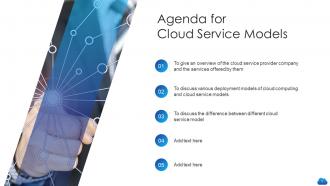
Slide 2: This is an Agenda slide. State your agendas here.
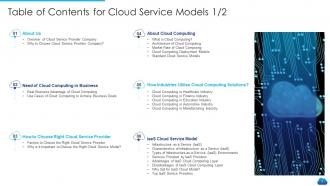
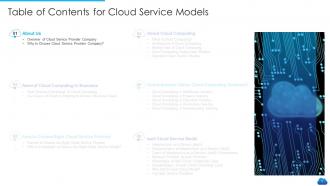
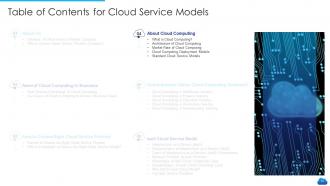
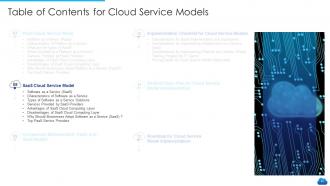
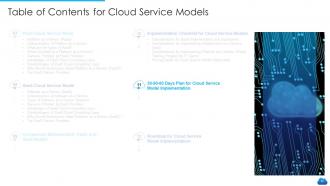
Slide 3: This slide presents Table of Contents for Cloud Service Models.
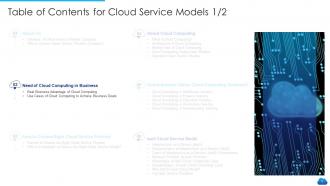
Slide 4: This is another slide continuing Table of Contents for Cloud Service Models.
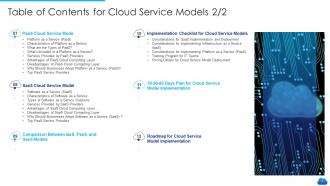
Slide 5: This slide displays Table of Contents for Cloud Service Models.
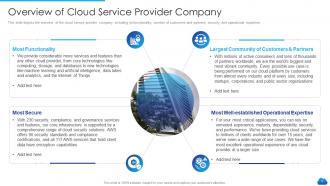
Slide 6: This slide shows overview of the cloud service provider company, including its functionality, number of customers and partners.
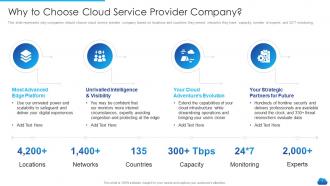
Slide 7: This slide represents why companies should choose cloud service provider company based on locations and countries they served.
Slide 8: This slide presents Table of Contents for Cloud Service Models.
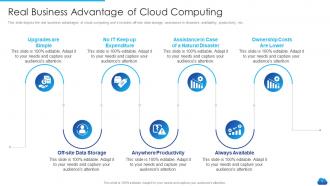
Slide 9: This slide shows Real Business Advantage of Cloud Computing.
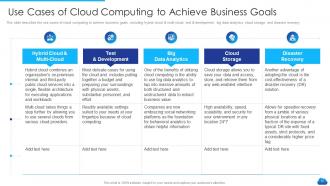
Slide 10: This slide displays Use Cases of Cloud Computing to Achieve Business Goals.
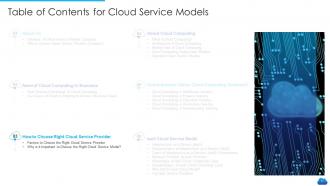
Slide 11: This slide shows Table of Contents for Cloud Service Models.
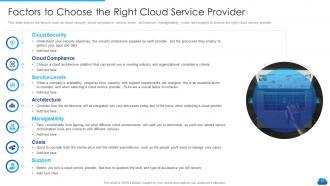
Slide 12: This slide shows Factors to Choose the Right Cloud Service Provider.
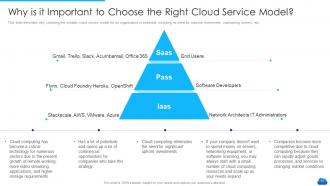
Slide 13: This slide presents Why is it Important to Choose the Right Cloud Service Model.
Slide 14: This slide displays Table of Contents for Cloud Service Models.
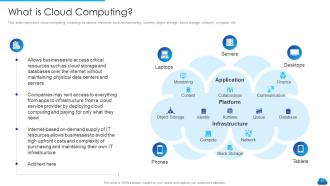
Slide 15: This slide represents cloud computing, including its various elements such as monitoring, content, etc.
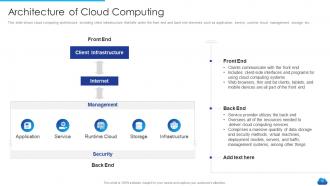
Slide 16: This slide shows cloud computing architecture, including client infrastructure that falls under the front end and back end.
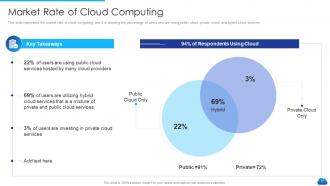
Slide 17: This slide represents the market rate of cloud computing, and it is showing the percentage of users who are using public cloud.
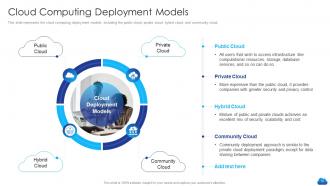
Slide 18: This slide presents cloud computing deployment models, including the public cloud, private cloud, hybrid cloud, etc.
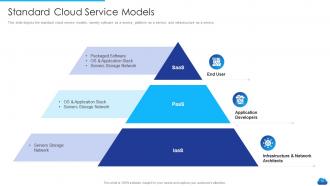
Slide 19: This slide shows standard cloud service models, namely software as a service, platform as a service, and infrastructure as a service.
Slide 20: This slide displays Table of Contents for Cloud Service Models.
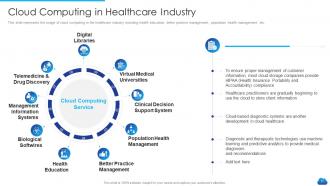
Slide 21: This slide represents the usage of cloud computing in the healthcare industry.
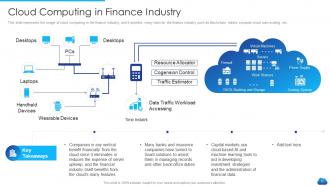
Slide 22: This slide displays the usage of cloud computing in the finance industry, and it provides many tools for the finance industry.
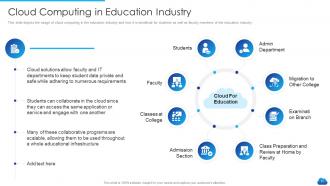
Slide 23: This slide depicts the usage of cloud computing in the education industry and how it is beneficial for students.
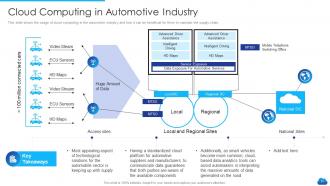
Slide 24: This slide shows the usage of cloud computing in the automotive industry and how it can be beneficial for them.
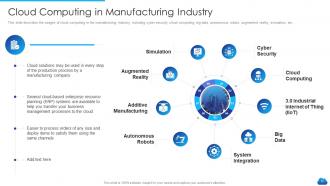
Slide 25: This slide displays Cloud Computing in Manufacturing Industry.
Slide 26: This slide shows Table of Contents for Cloud Service Models.
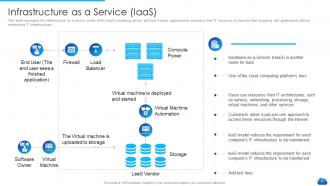
Slide 27: This slide represents the infrastructure as a service model of the cloud computing service.
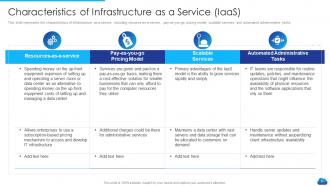
Slide 28: This slide presents the characteristics of infrastructure as a service, including resource-as-a-service, pay-as-you-go, etc.
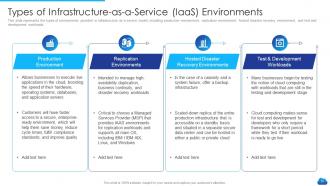
Slide 29: This slide displays the types of environments provided in infrastructure as a service model.
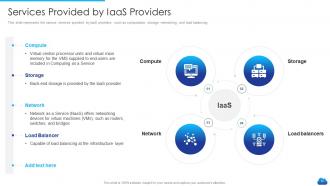
Slide 30: This slide shows various services provided by IaaS providers, such as computation, storage, networking, and load balancing.
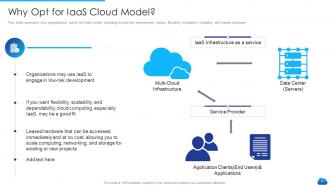
Slide 31: This slide represents why organizations opt for the IaaS model, including its low-risk development nature, flexibility, etc.
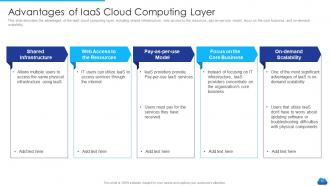
Slide 32: This slide describes the advantages of the IaaS cloud computing layer, including shared infrastructure, web access, etc.
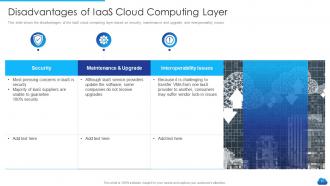
Slide 33: This slide presents Disadvantages of IaaS Cloud Computing Layer.
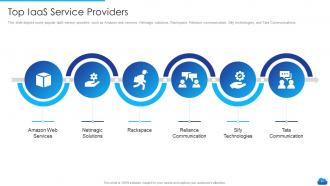
Slide 34: This slide depicts some popular IaaS service providers such as Amazon web services, Netmagic solutions, Rackspace, etc.
Slide 35: This slide displays Table of Contents for Cloud Service Models.
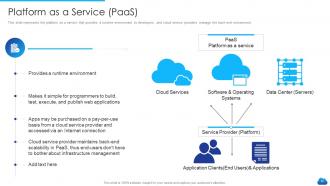
Slide 36: This slide shows platform as a service that provides a runtime environment to developers.
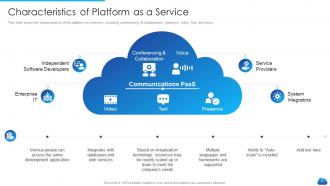
Slide 37: This slide shows the characteristics of the platform as a service, including conferencing & collaboration, presence, video, etc.
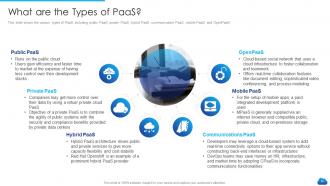
Slide 38: This slide presents the various types of PaaS, including public PaaS, private PaaS, hybrid PaaS, etc.
Slide 39: This slide depicts the elements of the platform as a service, including infrastructure, middleware, operating system, etc.
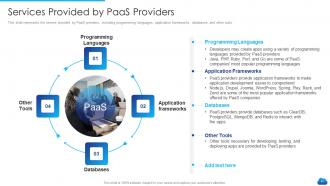
Slide 40: This slide represents the service provided by PaaS providers, including programming languages, application frameworks, etc.
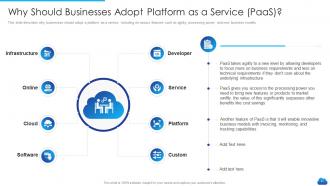
Slide 41: This slide describes why businesses should adopt a platform as a service, including its various features.
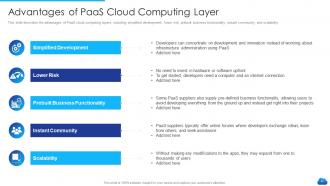
Slide 42: This slide shows Advantages of PaaS Cloud Computing Layer.
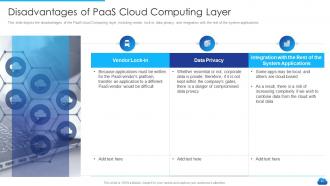
Slide 43: This slide presents Disadvantages of PaaS Cloud Computing Layer.
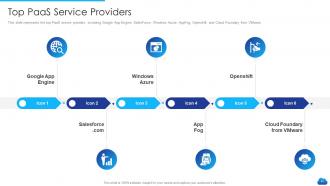
Slide 44: This slide represents the top PaaS service provides, including Google App Engine, SalesForce, etc.
Slide 45: This slide shows Table of Contents for Cloud Service Models.
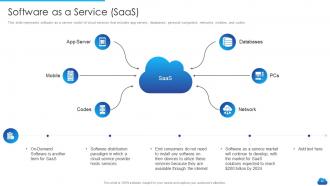
Slide 46: This slide displays software as a service model of cloud services that includes app servers, databases, personal computers, etc.
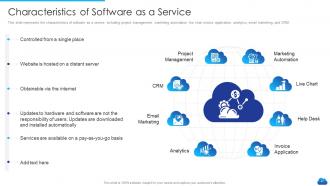
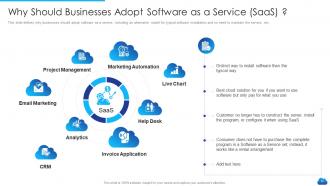
Slide 47: This slide represents the characteristics of software as a service, including project management, marketing automation, etc.
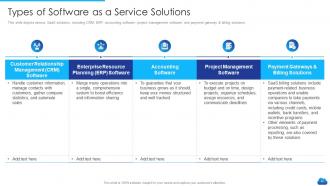
Slide 48: This slide presents Types of Software as a Service Solutions.
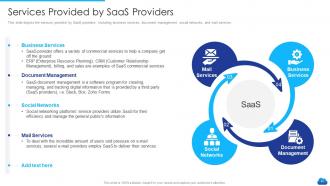
Slide 49: This slide depicts the services provided by SaaS providers, including business services, document management, etc.
Slide 50: This slide defines why businesses should adopt software as a service.
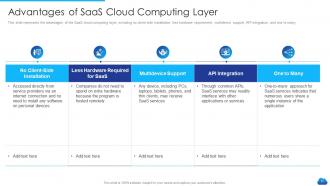
Slide 51: This slide represents the advantages of the SaaS cloud computing layer.
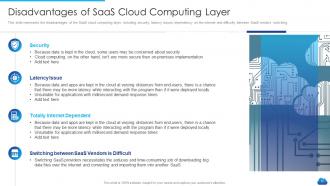
Slide 52: This slide shows Disadvantages of SaaS Cloud Computing Layer.
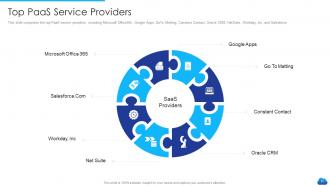
Slide 53: This slide comprises the top PaaS service providers, including Microsoft Office365, Google Apps, GoTo Metting, etc.
Slide 54: This slide shows Table of Contents for Cloud Service Models.
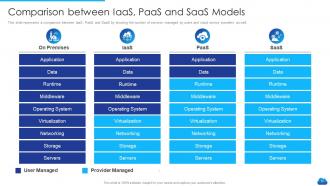
Slide 55: This slide represents a comparison between IaaS, PaaS, and SaaS by showing the number of services.
Slide 56: This slide shows Table of Contents for Cloud Service Models.
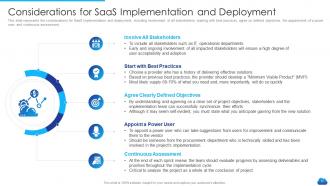
Slide 57: This slide represents the considerations for SaaS implementation and deployment, including involvement of all stakeholders.
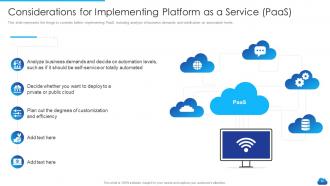
Slide 58: This slide presents the things to consider before implementing PaaS, including analysis of business demands.
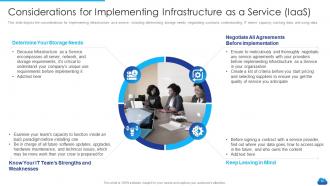
Slide 59: This slide shows Considerations for Implementing Infrastructure as a Service (IaaS).
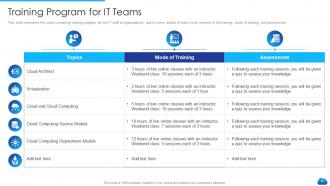
Slide 60: This slide represents the cloud computing training program for the IT staff of organizations.
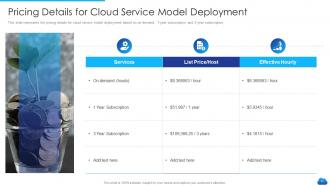
Slide 61: This slide shows Pricing Details for Cloud Service Model Deployment.
Slide 62: This slide displays Table of Contents for Cloud Service Models.
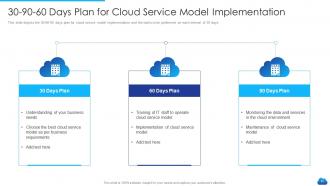
Slide 63: This slide depicts the 30-60-90 days plan for cloud service model implementation.
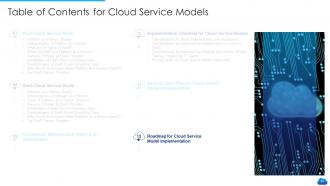
Slide 64: This slide shows Table of Contents for Cloud Service Models.
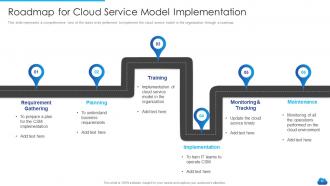
Slide 65: This slide represents a comprehensive view of the tasks to be performed to implement the cloud service model.
Slide 66: This slide shows Icons for Cloud Service Models.
Slide 67: This slide is titled as Additional Slides for moving forward.
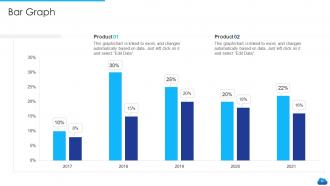
Slide 68: This slide shows Bar Graph with two products comparison.
Slide 69: This is About Us slide to show company specifications etc.
Slide 70: This is Our Mission slide with related imagery and text.
Slide 71: This slide shows Venn diagram with text boxes.
Slide 72: This is a Timeline slide. Show data related to time intervals here.
Slide 73: This slide presents Puzzle with related icons and text.
Slide 74: This is a Thank You slide with address, contact numbers and email address.
Cloud services model it powerpoint presentation slides with all 74 slides:
Use our Cloud Services Model IT Powerpoint Presentation Slides to effectively help you save your valuable time. They are readymade to fit into any presentation structure.

FAQs for Cloud services model it
So there's basically three types of cloud stuff you'll run into. IaaS is like renting raw computer power - AWS EC2 and all that. With PaaS you get the whole development setup ready to go, so you can just build your app without messing with servers. Then SaaS is just apps you use in your browser - Gmail, Salesforce, whatever. Most places I've worked at end up mixing all three anyway. Figure out how much control your team actually wants first. Like, do you want to manage everything or just focus on coding? That'll help you pick the right one.
So IaaS is like renting a blank server - you get the raw computing power, storage, all that stuff, but you're managing everything from the OS up. Pretty much total control but also total responsibility. PaaS is different though. They hand you a ready-made development environment where all the backend infrastructure is already sorted. You just focus on coding your app. Honestly, it's kinda like renting an empty apartment vs. moving into a furnished one. Go with IaaS if you need that flexibility to customize everything. But if you just wanna build something without the server headaches? PaaS all the way.
Dude, you're definitely already using way more SaaS than you think. Gmail, Office 365, Salesforce for customer stuff - that's all cloud-based software you don't install. Zoom calls, Slack messages, even QuickBooks for accounting. Pretty much everything runs in your browser now or through an app that updates itself. Project management tools like Trello are huge too. The nice thing is you never deal with installing updates or any of that technical nonsense. I swear, if you looked at what your company actually uses day-to-day, like 80% of it would be SaaS without you even realizing it.
So basically, cloud services let you scale stuff up or down instantly when you need it - no more paying for servers that just sit there doing nothing. With IaaS you get virtual infrastructure that grows with demand. PaaS automatically handles the platform side while you work on your apps. SaaS? You literally don't even think about it, it just scales. The flexibility part is huge though - you can mix services, change providers if one sucks, whatever. Honestly, I'd start by figuring out which workloads need the most flexibility first. That's where you'll actually notice the difference.
So basically, you gotta know what YOU'RE actually covering vs what they handle. IaaS dumps most of it on you - OS patches, network setup, access controls, all that fun stuff. PaaS is better since they manage the infrastructure layer, but you're still stuck with app security and data protection. Honestly, SaaS is where it's at because they handle like 90% of the security headaches. You just deal with user permissions and making sure your data doesn't go sideways. But here's the thing - never just assume the provider's got something covered. That shared responsibility thing trips people up constantly.
So basically you can mix public cloud stuff like AWS with your own private servers depending on what makes sense. Keep sensitive customer data on your private setup, but run analytics on public cloud where scaling is way easier. Honestly it's pretty sweet - you get control AND flexibility. The tricky part is having tools that can actually move things around smoothly between environments. Oh and definitely figure out which apps you have now would benefit most from being able to scale up quickly. That's where I'd start anyway.
It really comes down to how much your team wants to deal with. With IaaS you're basically running your own data center - total control but your devs will be spending half their time on server maintenance instead of actual coding. PaaS costs more upfront but honestly? Worth every penny if you just want to ship features without the infrastructure headaches. SaaS is pricey per user but zero hassle. Here's the thing though - don't just look at the monthly cloud bill. Factor in how many hours your team spends on ops work. That's where the real money goes.
Oh dude, PaaS is honestly amazing - it's like having all your dev tools already set up without the server nightmare. Your team just starts coding instead of wrestling with infrastructure for weeks. Perfect for when you need to prototype something fast. The auto-scaling thing is clutch too, handles traffic spikes without you babysitting it. Security patches happen automatically which... thank god because who has time for that? Since it's all cloud-based, your whole team can work together without the usual headaches. Just pick one small project to test it out first - you'll immediately see why everyone's obsessed with it.
Honestly? Vendor lock-in gets way worse as you go up the stack. IaaS isn't too bad - you can usually move VMs around without losing your mind. PaaS starts getting messy though, since you're stuck with their specific frameworks and databases. SaaS is where things get really ugly - good luck extracting your data cleanly or switching integrations without a headache. My advice? Figure out your escape plan before you commit to anything. Sounds paranoid, but seriously ask yourself how screwed you'd be if you had to bail tomorrow.
Okay so first thing - dig into their certifications and security stuff before you sign anything. Where's your data actually stored? That matters more than people think. Check if they can handle whatever compliance you need (GDPR, HIPAA, etc). I know it's boring but actually read those service agreements - I learned this the hard way lol. Set up some kind of regular monitoring too. Basically make a checklist for each tool you're considering and stick to your must-haves. Don't let sales reps talk you out of the important stuff.
You're basically renting space in someone else's data center, which means way less control over hardware specs and network setup. Can't really customize server configs like you would on-premises. Performance gets iffy sometimes - shared resources mean dealing with noisy neighbors hogging bandwidth or CPU. Your uptime depends entirely on their uptime, which kinda sucks when you think about it. Also trusting their security practices instead of your own. But honestly? The cost savings are usually huge, plus you get that instant scalability. Really comes down to what matters more for your situation.
So cloud models flip disaster recovery on its head, but in a good way mostly. SaaS handles all the backup/failover stuff for you - pretty sweet deal. With PaaS you get some built-in protection, though you'll still need to think about recovery when building your apps. IaaS dumps most of the DR work back on you, but honestly the flexibility beats old-school on-premise any day. The trick is figuring out which model actually fits your needs instead of just picking whatever's trendy.
Honestly, start with standardizing your tools and governance - that's where most teams totally screw themselves over. Infrastructure-as-code everywhere, obviously. Set up one central place for monitoring instead of hopping between like five different dashboards (so annoying). Cost management is huge too since cloud bills are basically a black hole if you're not careful. Oh, and make your security policies consistent even though each provider does their weird thing differently. The whole point is using what each platform's actually good at without getting trapped. I'd audit everything you've got running first, then figure out your consolidation plan.
Honestly, you need to track both the techy stuff and actual business impact. Start with cost savings vs your old on-premise setup - get granular with monthly cloud spend compared to what you used to pay for IT, including all that maintenance headache you don't deal with anymore. Performance improvements matter too, plus how much faster you can deploy now. Productivity gains from quicker provisioning are huge but harder to measure. Oh, and don't sleep on the disaster recovery improvements - that's gold right there. Set your baselines before you migrate, then do quarterly check-ins to see how you're tracking. The scalability benefits will become obvious pretty quick once you're running.
Dude, multi-cloud is finally something smaller companies can actually afford now. Serverless is blowing up too - you don't need a massive tech team anymore which is sick. Edge computing's getting big, basically just processing stuff closer to where your customers are. AI-as-a-Service is everywhere now (crazy how expensive that used to be). Hybrid setups are probably the real winner though - keep your sensitive data in-house but use public cloud for the rest. Start with just one thing and build from there. Don't go nuts trying to implement everything at once, you'll hate yourself.
-
Colors used are bright and distinctive.
-
Content of slide is easy to understand and edit.
-
Really like the color and design of the presentation.
-
Unique research projects to present in meeting.
-
Unique research projects to present in meeting.
-
Excellent template with unique design.