


Crm Planning And Implementation Procedures And Practices Powerpoint Presentation Slides
Having a problem related to customer retention and growth in your business? Use our content- ready crm planning and implementation procedures and practices PowerPoint presentation slides will remove the challenges faced by your organization. It also supports to retain present customers to maximize the productivity and decrease the cost of acquisition. These professionally created customer relationship management PPT designs cover agenda, core & extended customer service, consumer perceived value, buyer initiatives, purchaser retention, dashboards, bar charts and many more, which further helps you to take important business steps. Additionally, if you need to make PPT presentation on related topics like business operational strategies, business review, customer care, client services, buyer satisfaction, CRM lifecycle phases, consumer engagement etc., then you can also Incorporate slides of this customer retention presentation layout. Our pre-researched well-designed crm planning and implementation procedures and practices presentation graphics will ensure you success. So, download it quickly!. Be doubly certain of including every aspect with our Crm Planning And Implementation Procedures And Practices Powerpoint Presentation Slides. It allows you to jot it all down.
Having a problem related to customer retention and growth in your business? Use our content- ready crm planning and implem..













-

- Google Slides is a new FREE Presentation software from Google.
- All our content is 100% compatible with Google Slides.
- Just download our designs, and upload them to Google Slides and they will work automatically.
- Amaze your audience with SlideTeam and Google Slides.
-

Want Changes to This PPT Slide? Check out our Presentation Design Services
-

- WideScreen Aspect ratio is becoming a very popular format. When you download this product, the downloaded ZIP will contain this product in both standard and widescreen format.
-

- Some older products that we have may only be in standard format, but they can easily be converted to widescreen.
- To do this, please open the SlideTeam product in Powerpoint, and go to
- Design ( On the top bar) -> Page Setup -> and select "On-screen Show (16:9)” in the drop down for "Slides Sized for".
- The slide or theme will change to widescreen, and all graphics will adjust automatically. You can similarly convert our content to any other desired screen aspect ratio.
Compatible With Google Slides

Get This In WideScreen
You must be logged in to download this presentation.


Do you want to remove this product from your favourites?
PowerPoint presentation slides
Our PowerPoint presentation templates are 100% editable. These slides are easy to download. It covers almost every aspect related to Customer relationship management. This also supports JPG and PDF formats. This full presentation covers 70 graphics. You will get full premium customer support. The stages in this process are customer services, customer care, sales, technical support, customer satisfaction, business review.

People who downloaded this PowerPoint presentation also viewed the following :
Content of this Powerpoint Presentation
Slide 1: This slide introduces CRM Planning And Implementation - Procedures And Practices. Present your company name and get started.
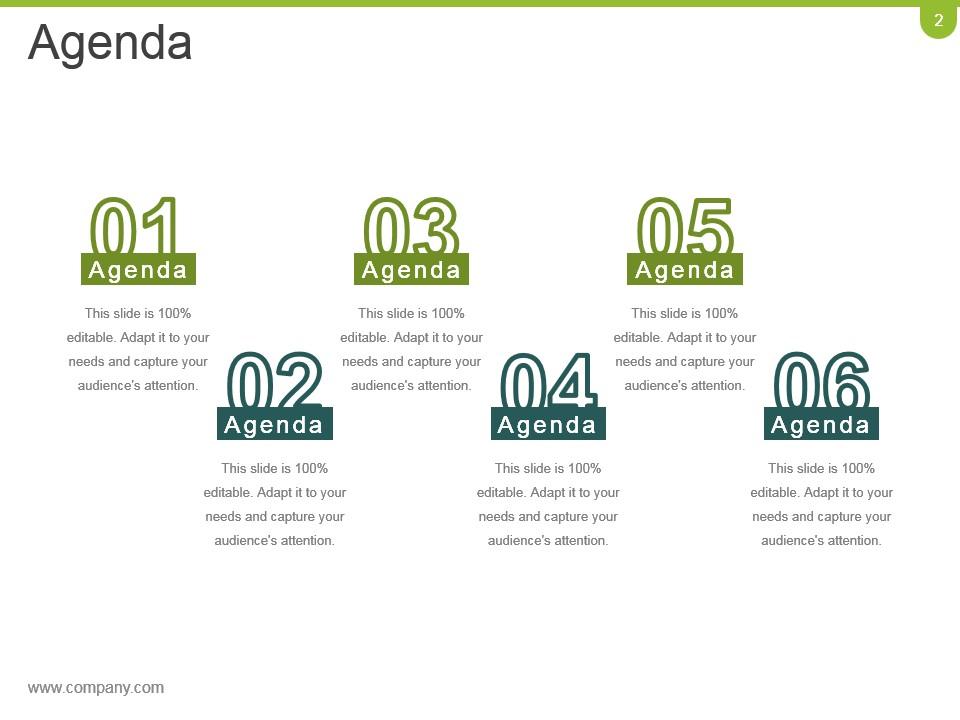
Slide 2: This is an Agenda slide. State your agendas here.
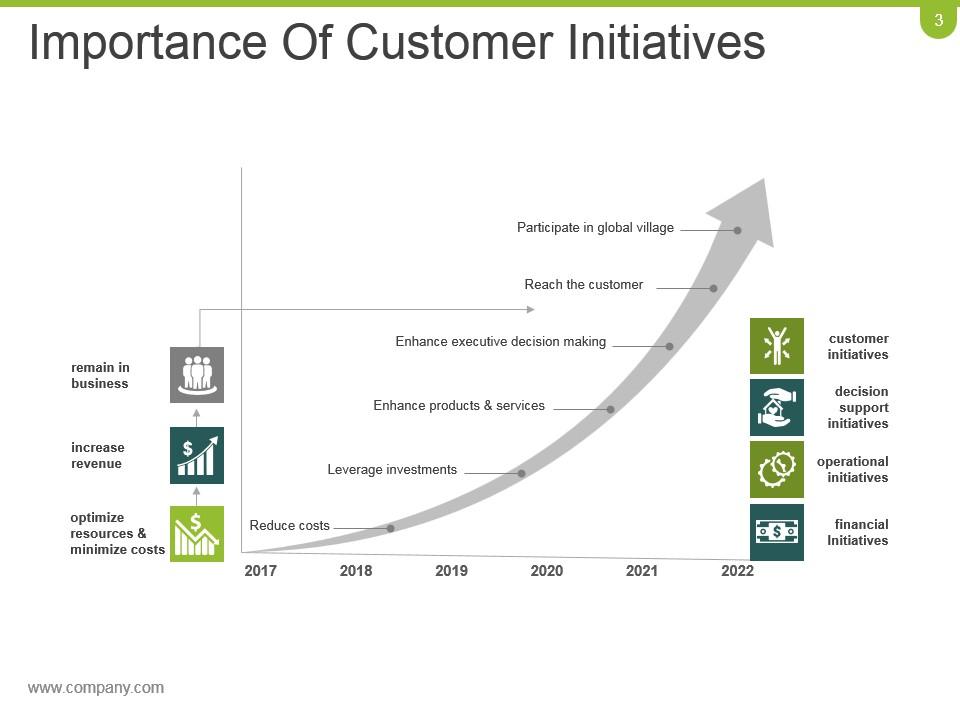
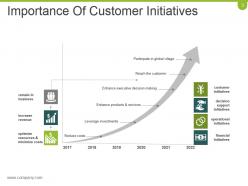
Slide 3: This slide states the Importance Of Customer Initiatives in a graph form.
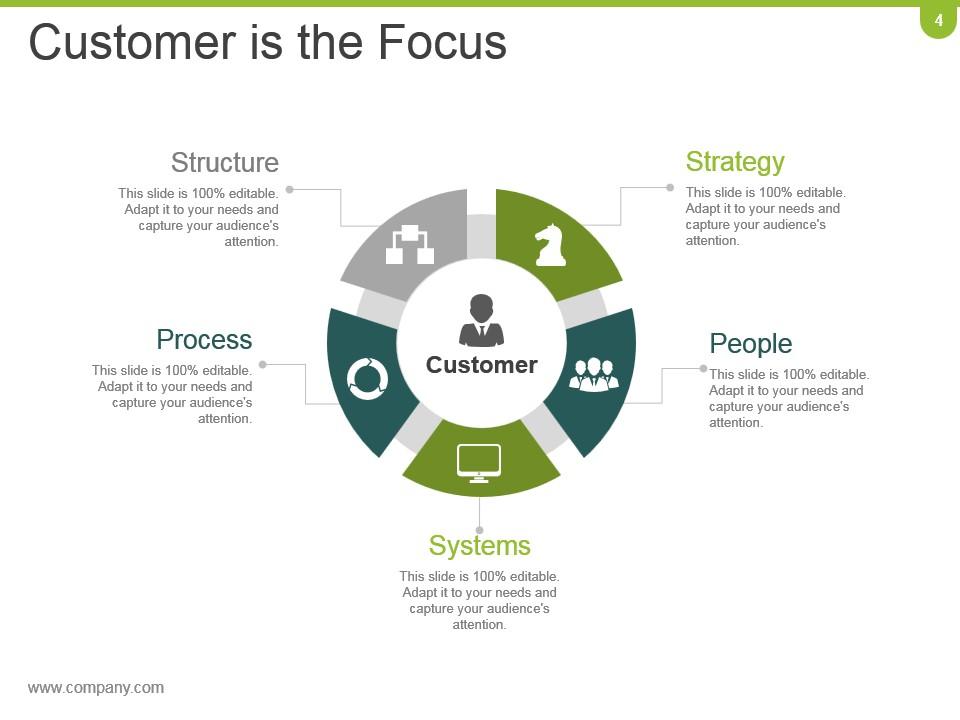
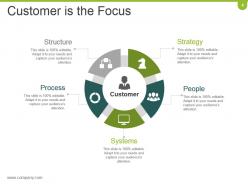
Slide 4: This slide showcases Customer is the Focus in a circular image form. Use it to showcase- Process, People, Strategy, Structure, Systems, Customer.
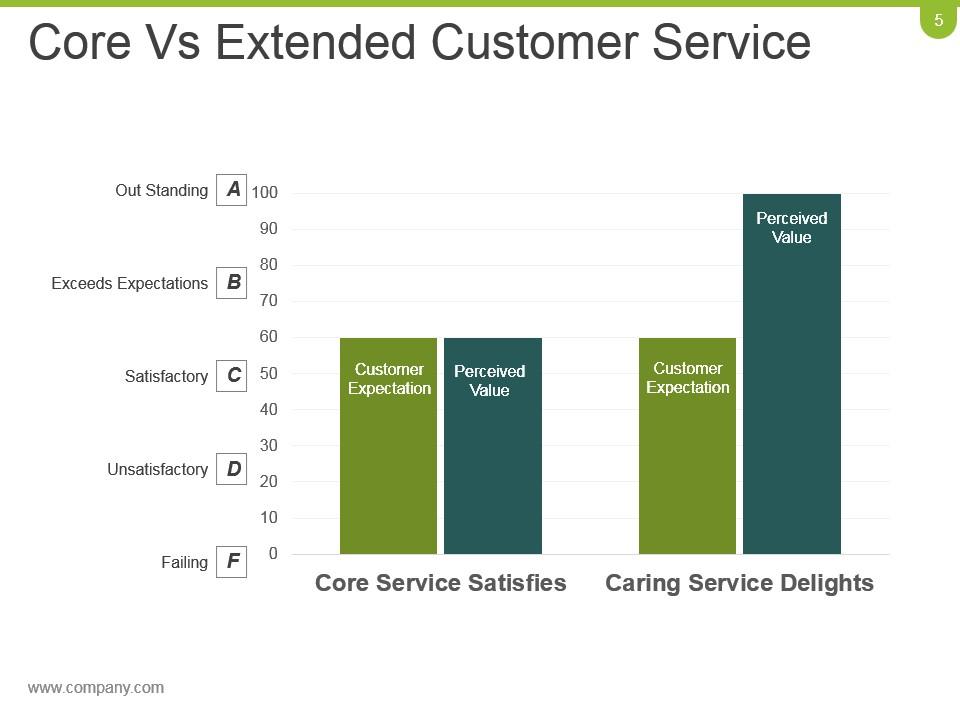
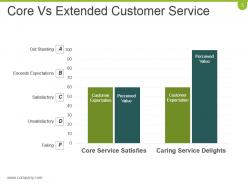
Slide 5: This is Core Vs Extended Customer Service slide in a graph form. It shows Customer Expectation, Perceived Value, Customer Expectation, Perceived Value.
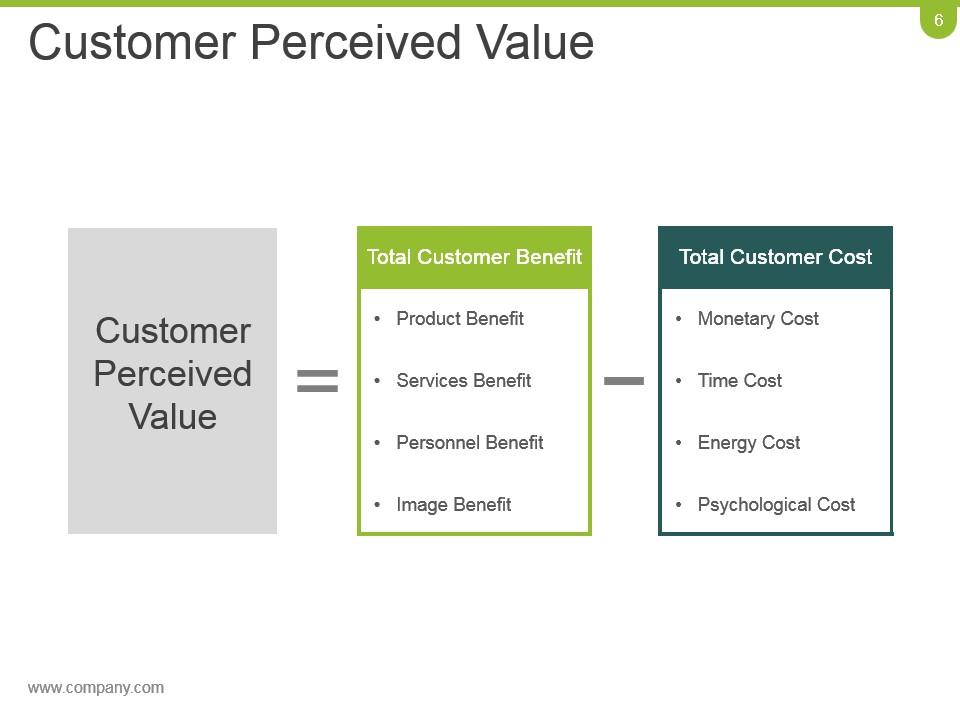
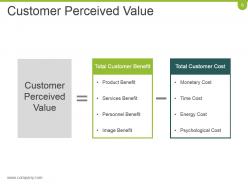
Slide 6: This slide showcases Customer Perceived Value with Total Customer Benefit and Total Customer Cost.
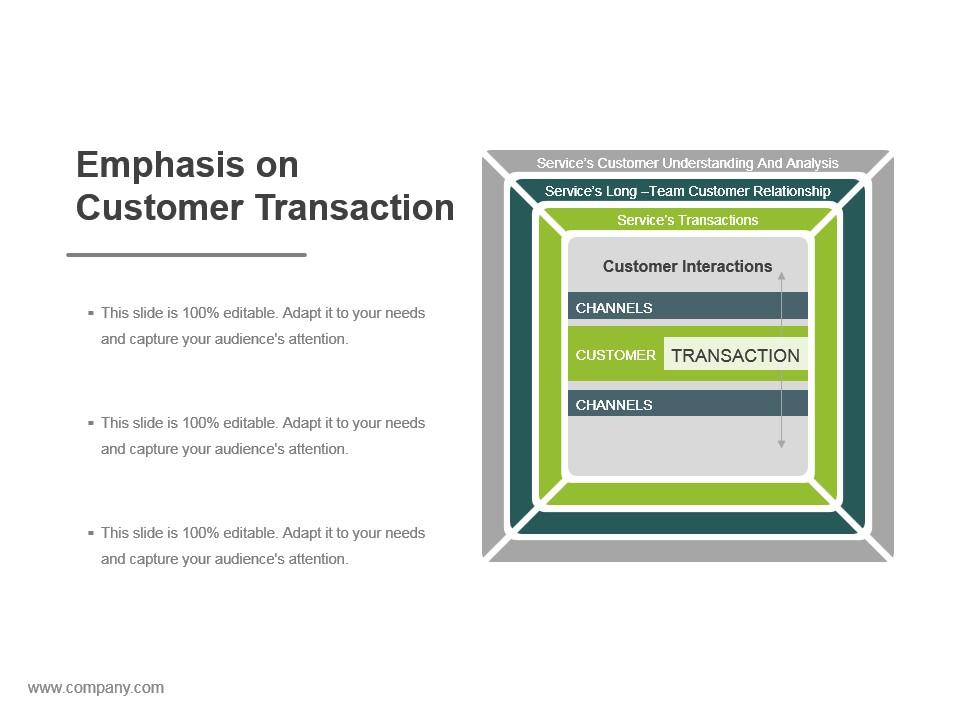
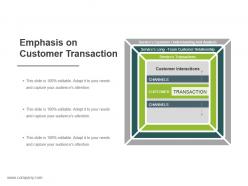
Slide 7: This slide presents Emphasis on Customer Transaction with text boxes.
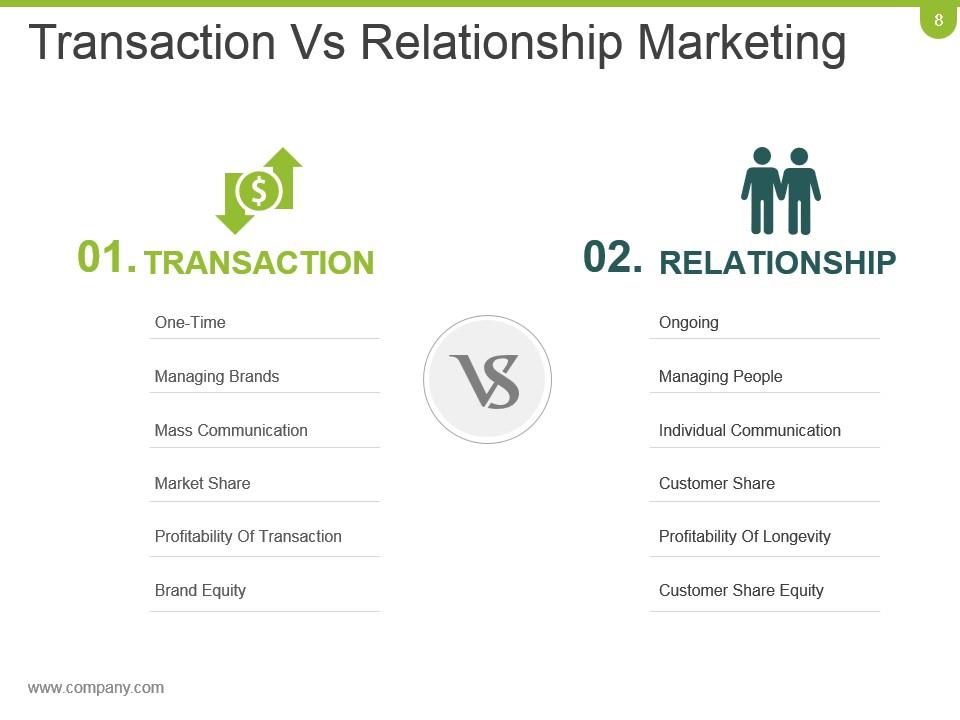
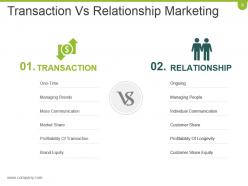
Slide 8: This is Transaction Vs Relationship Marketing slide. Use it to state a comparison between the two.
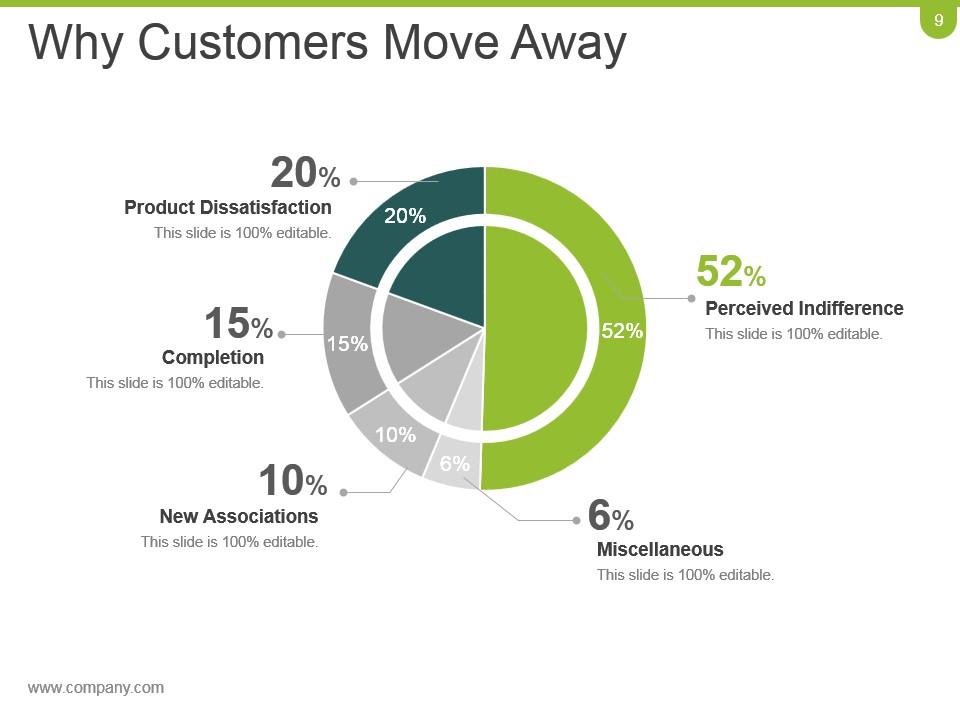
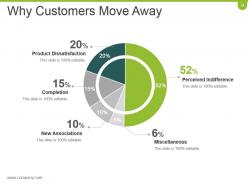
Slide 9: This slide states Why Customers Move Away in a circular form. Some of the reasons are- Perceived Indifference, Miscellaneous, New Associations, Completion, Product Dissatisfaction.
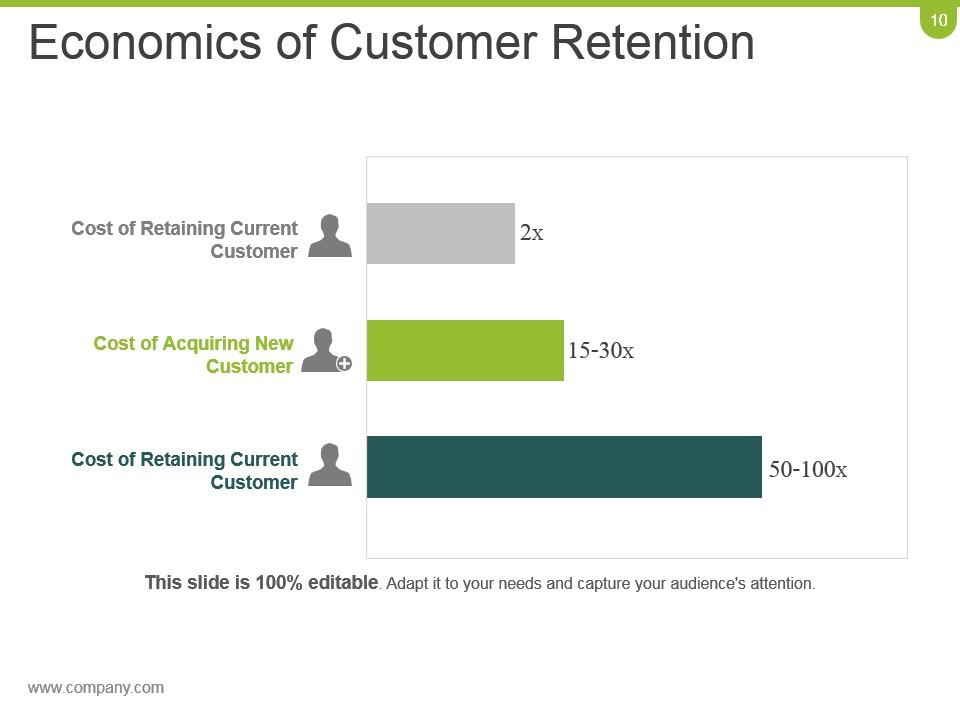
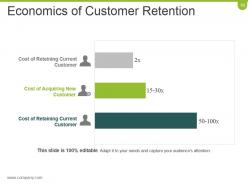
Slide 10: This slide showcases Economics of Customer Retention with- Cost of Retaining Current Customer, Cost of Acquiring New Customer, Cost of Retaining Current Customer.
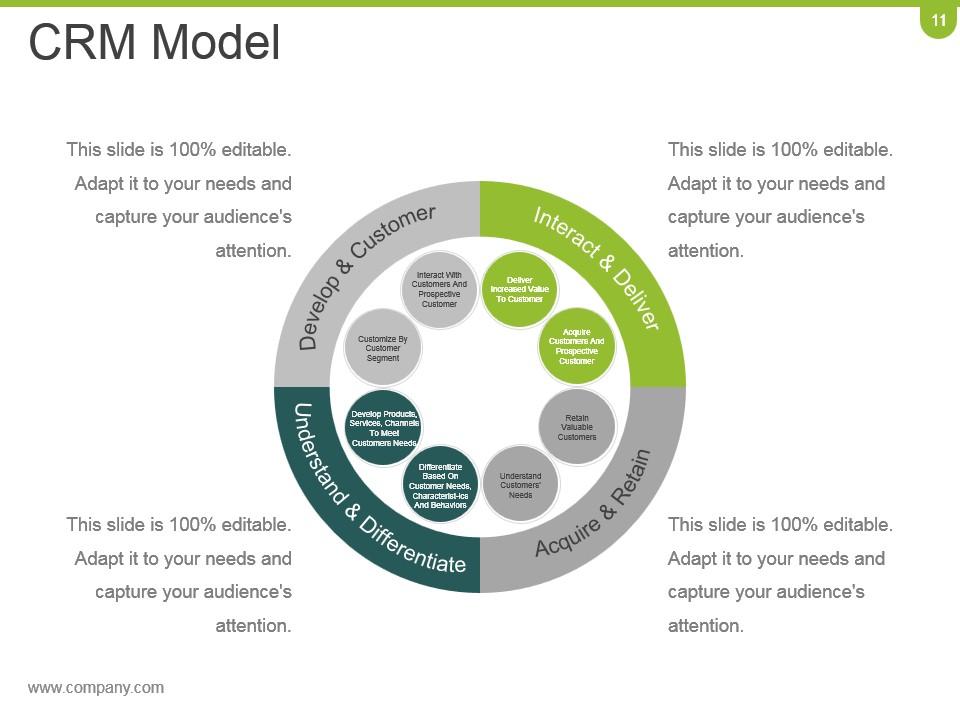
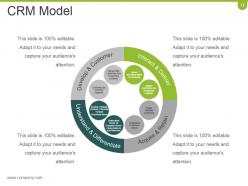
Slide 11: This slide showcases CRM Model in a circular form. Its features are- Interact & Deliver, Develop & Customer, Understand & Differentiate, Acquire & Retain.
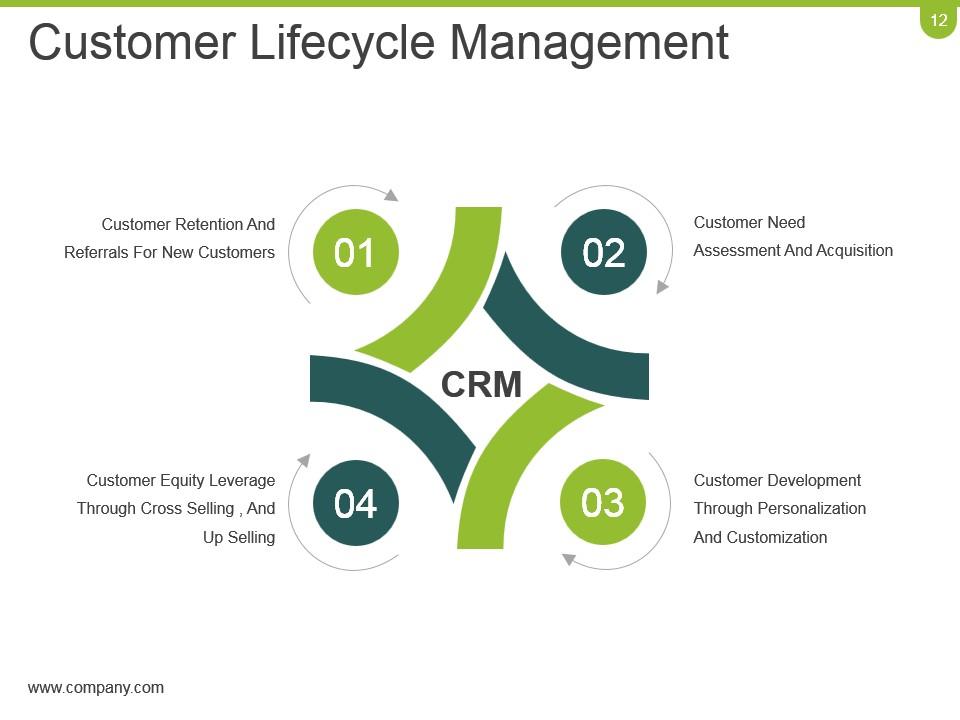
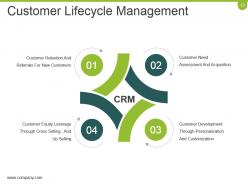
Slide 12: This slide showcases Customer Lifecycle Management with- Customer Retention And Referrals For New Customers, Customer Need Assessment And Acquisition, Customer Development Through Personalization And Customization, Customer Equity Leverage Through Cross Selling, And Up Selling.
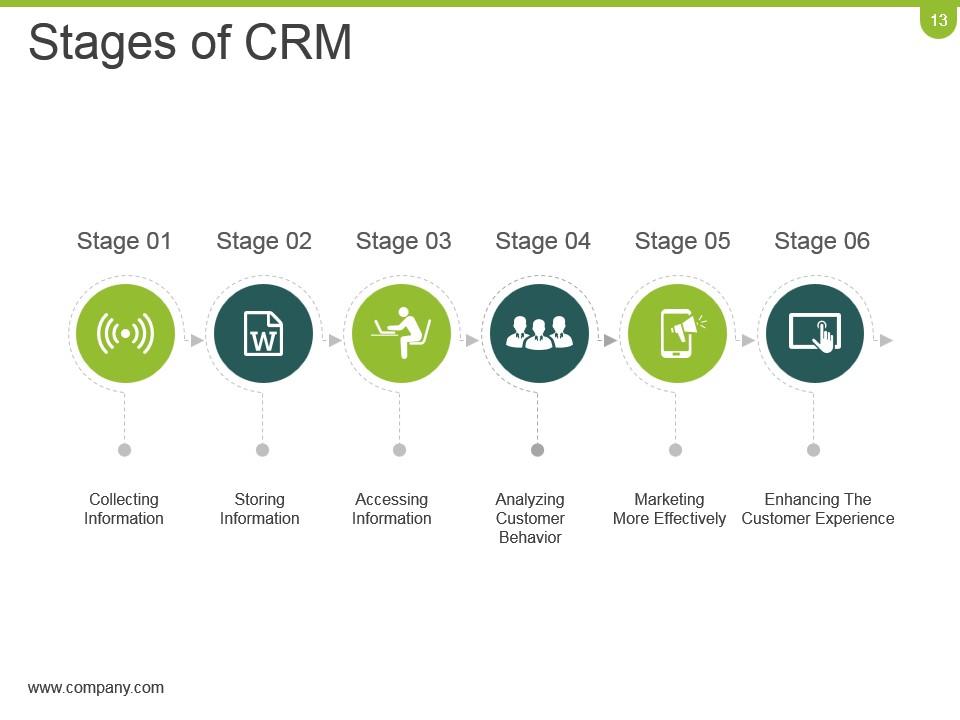
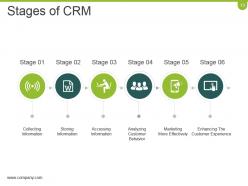
Slide 13: This slide showcases Stages of CRM. These stages are- Collecting Information, Storing Information, Accessing Information, Analyzing Customer Behavior, Marketing More Effectively, Enhancing The Customer Experience.
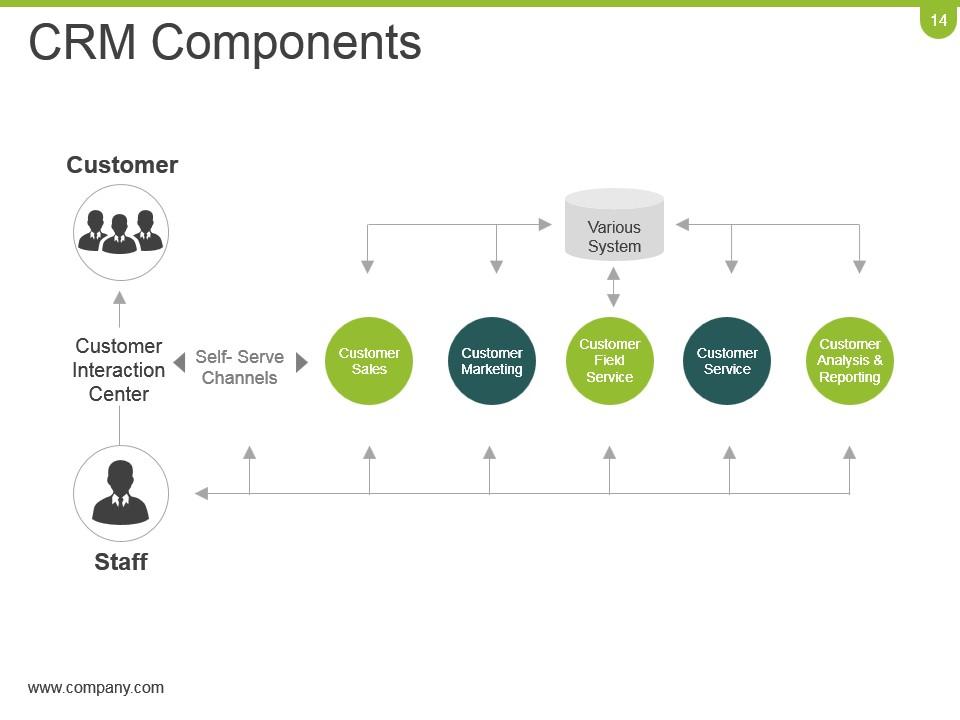
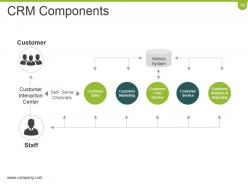
Slide 14: This slide states CRM Components with its Various System. These are- Customer Sales, Customer Marketing, Customer Field Service, Customer Service, Customer Analysis & Reporting.
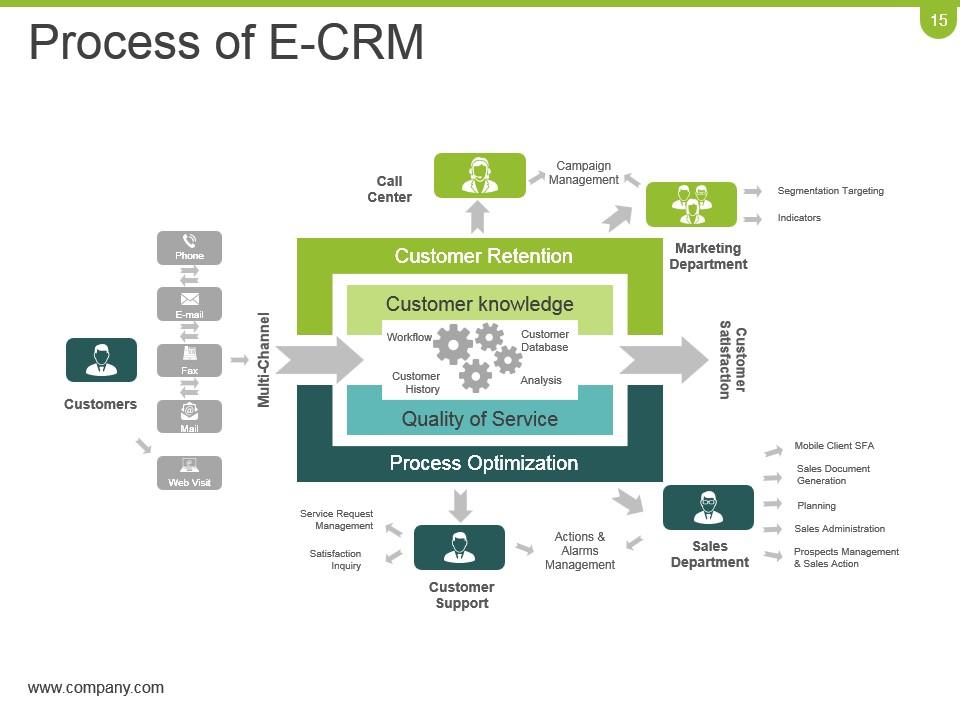
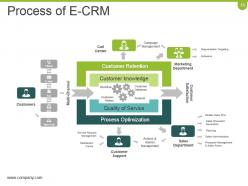
Slide 15: This slide showcases the Process of E-CRM. Use it as per your requirement.
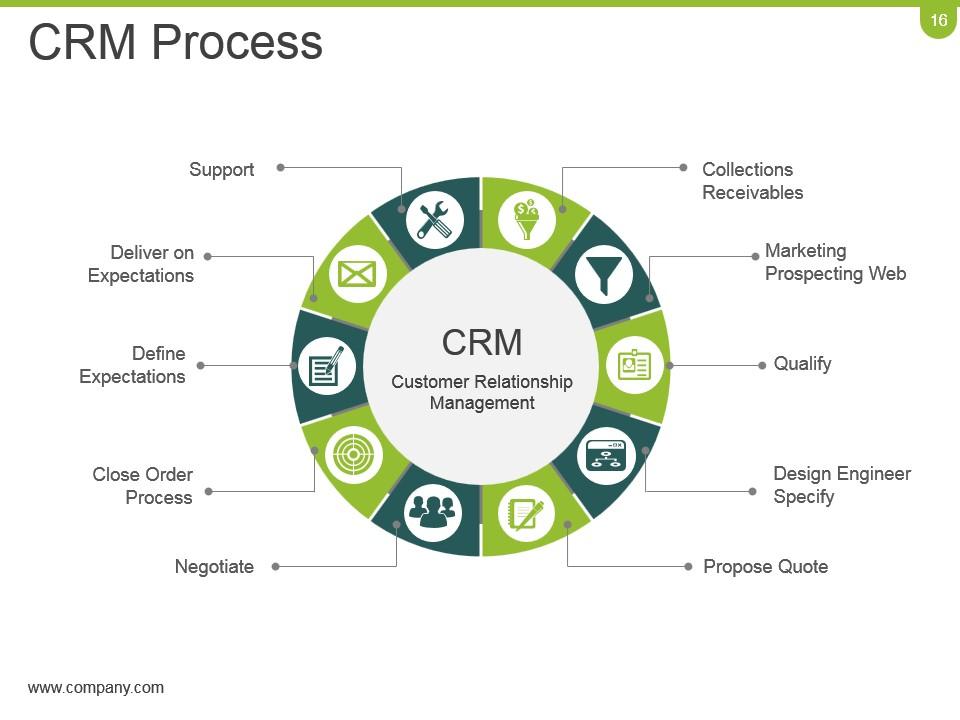
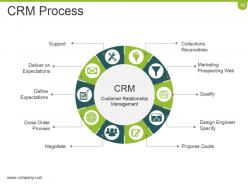
Slide 16: This slide showcases CRM Process of Customer Relationship Management in a circular form. Its aspects are as follows- Marketing Prospecting Web, Qualify, Design Engineer Specify, Propose Quote, Collections Receivables, Deliver on Expectations, Define Expectations, Close Order Process, Negotiate, Support,
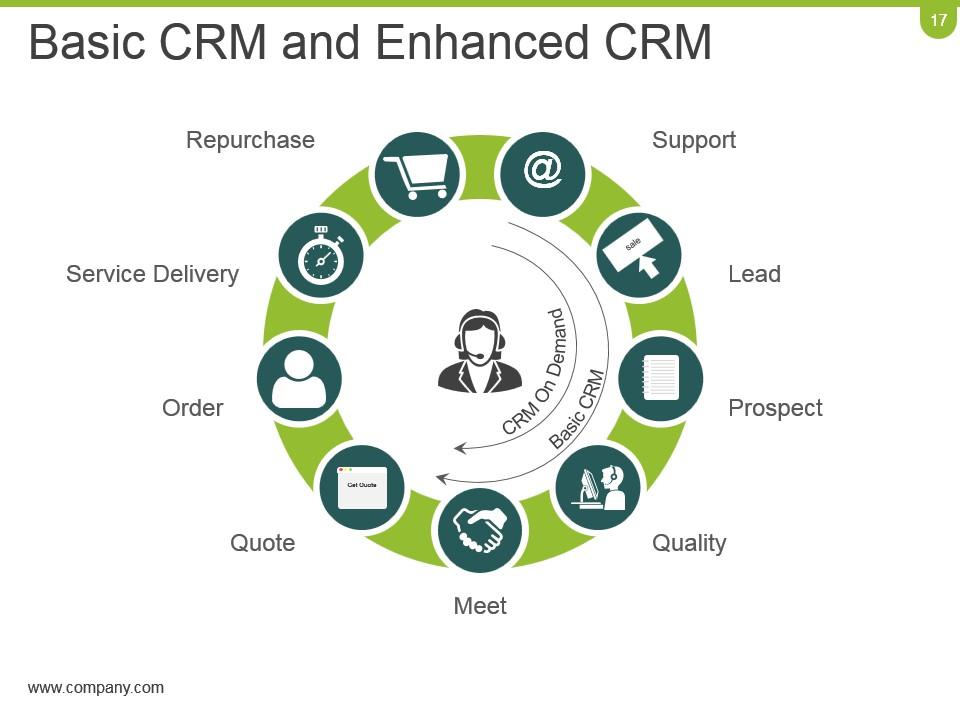
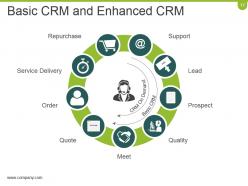
Slide 17: This slide states Basic CRM and Enhanced CRM in a circular form with icon imagery. Its features are- Support, Lead, Prospect, Quality, Repurchase, Service Delivery, Order, Quote, Meet.
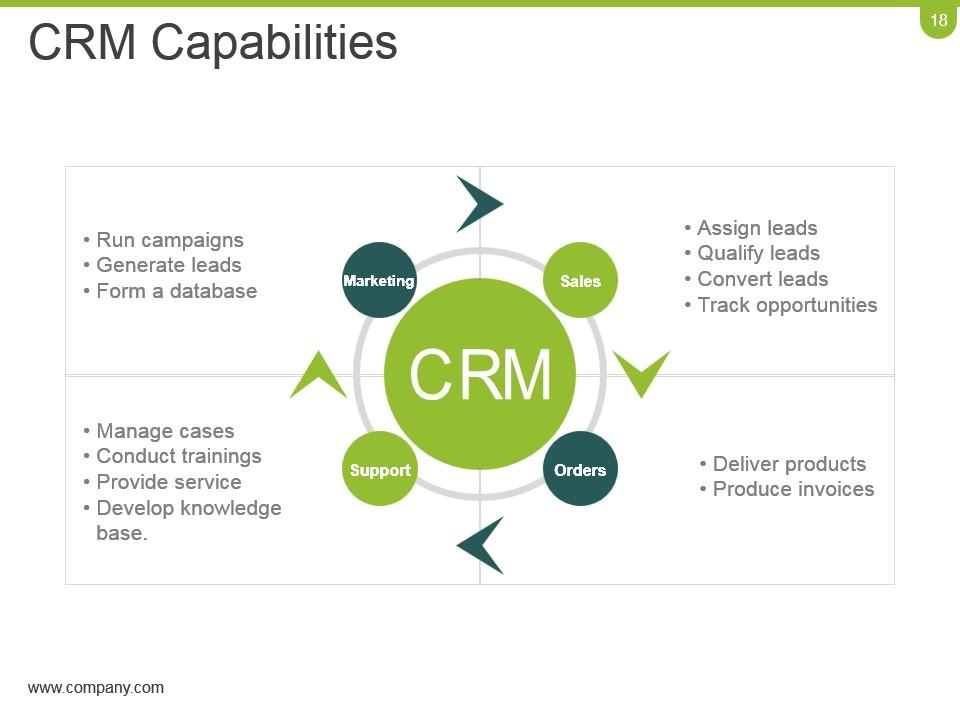
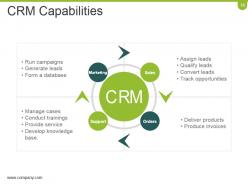
Slide 18: This slide showcases CRM Capabilities with respect to- Support, Orders, Marketing, Sales.
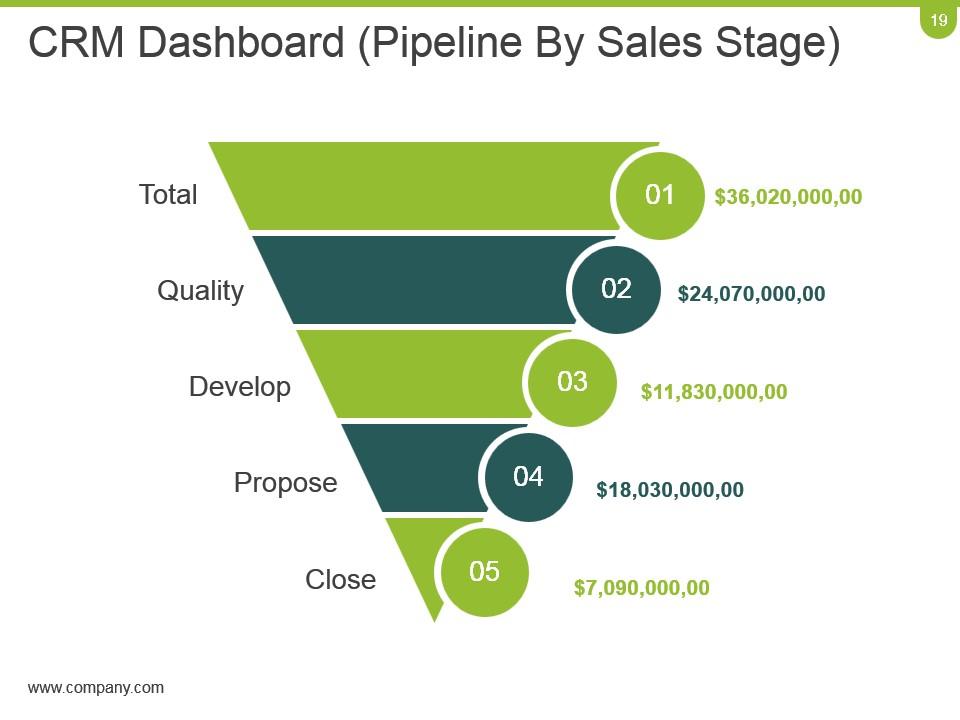
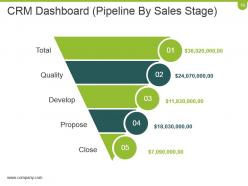
Slide 19: This slide showcases CRM Dashboard (Pipeline By Sales Stage) in a funnel form.
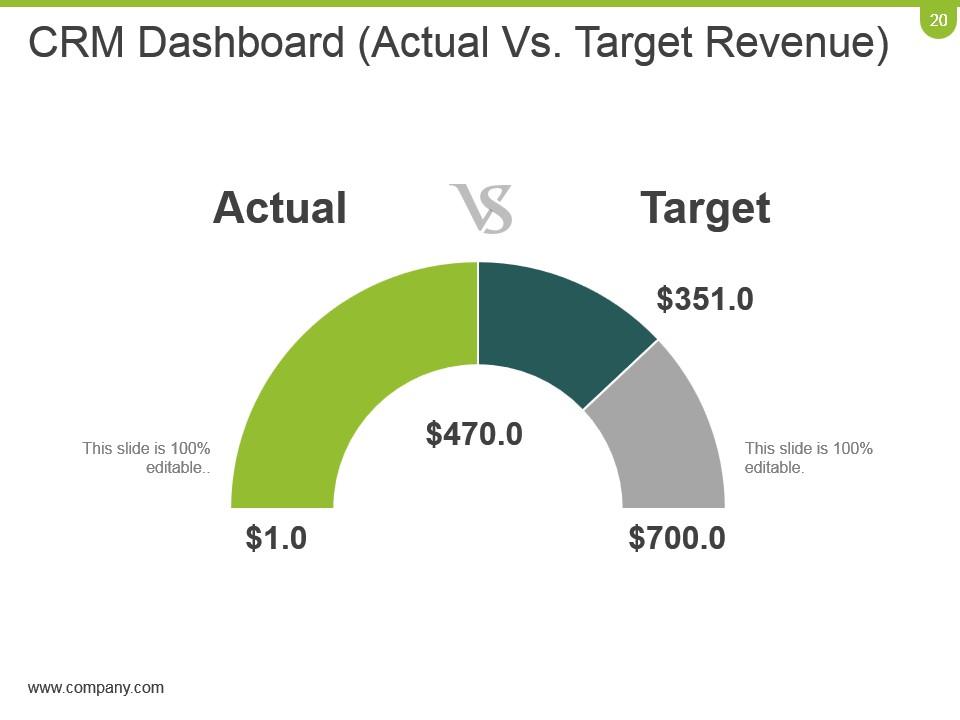
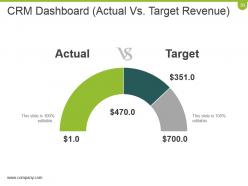
Slide 20: This slide also shows a CRM Dashboard to state a comparison between Actual and Target Revenue.
Slide 21: This is a Coffee break slide. You can change the slide content as per need.
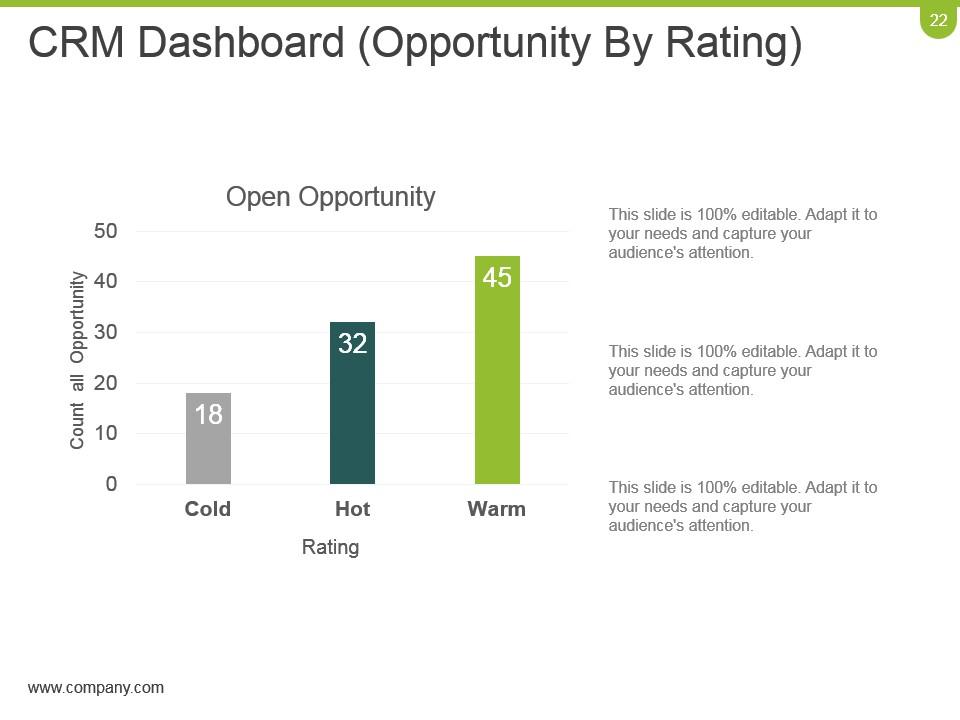
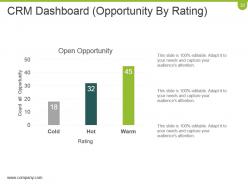
Slide 22: This slide showcases CRM Dashboard (Opportunity By Rating) in a bar graph form with Cold, Warm and Hot parameters.
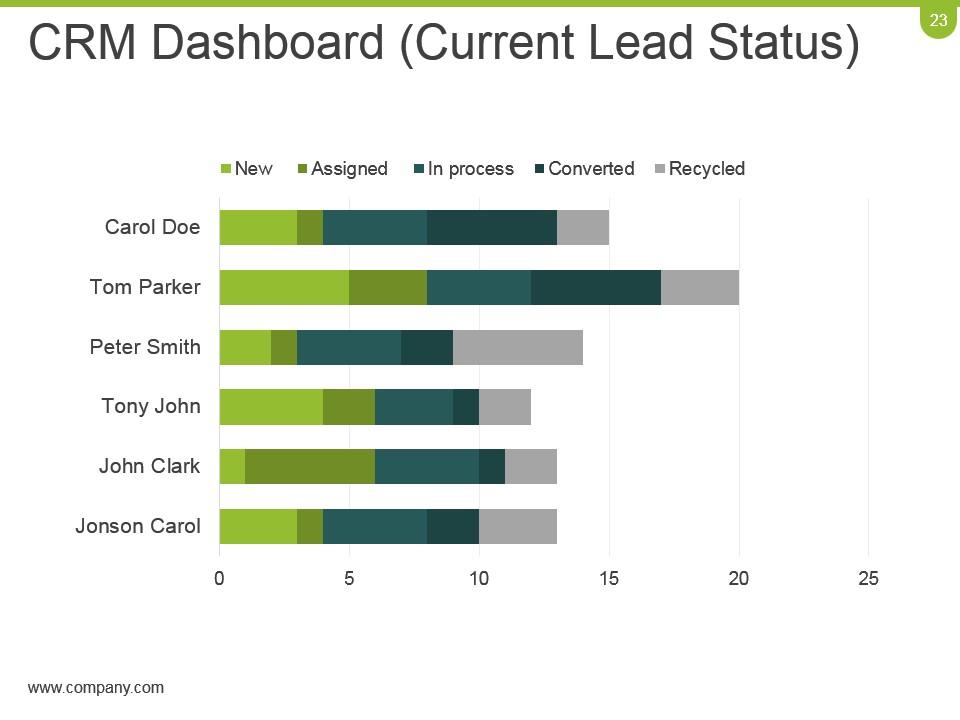
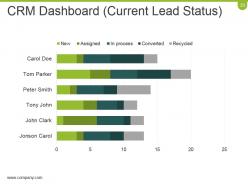
Slide 23: This slide showcases CRM Dashboard (Current Lead Status) in a bar graph/ chart form.
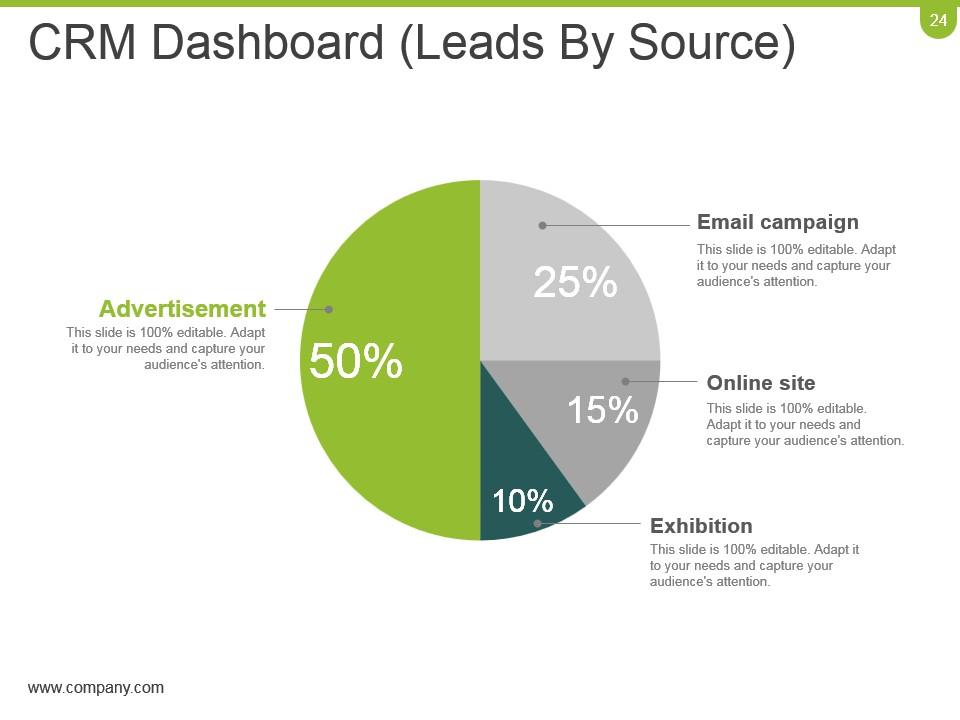
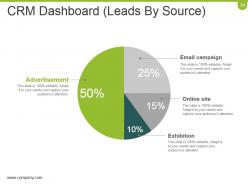
Slide 24: This slide showcases CRM Dashboard (Leads By Source) in a pie chart form showing- Advertisement, Email campaign, Online site, Exhibition.
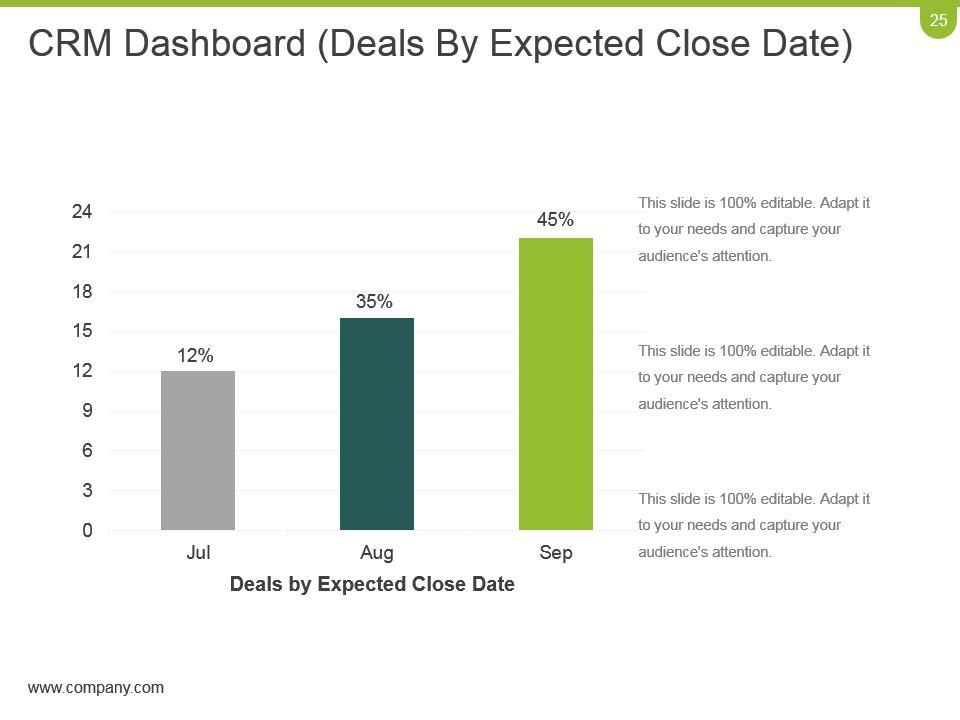
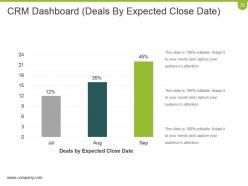
Slide 25: This slide showcases CRM Dashboard (Deals By Expected Close Date) in a bar chart/ graph form.
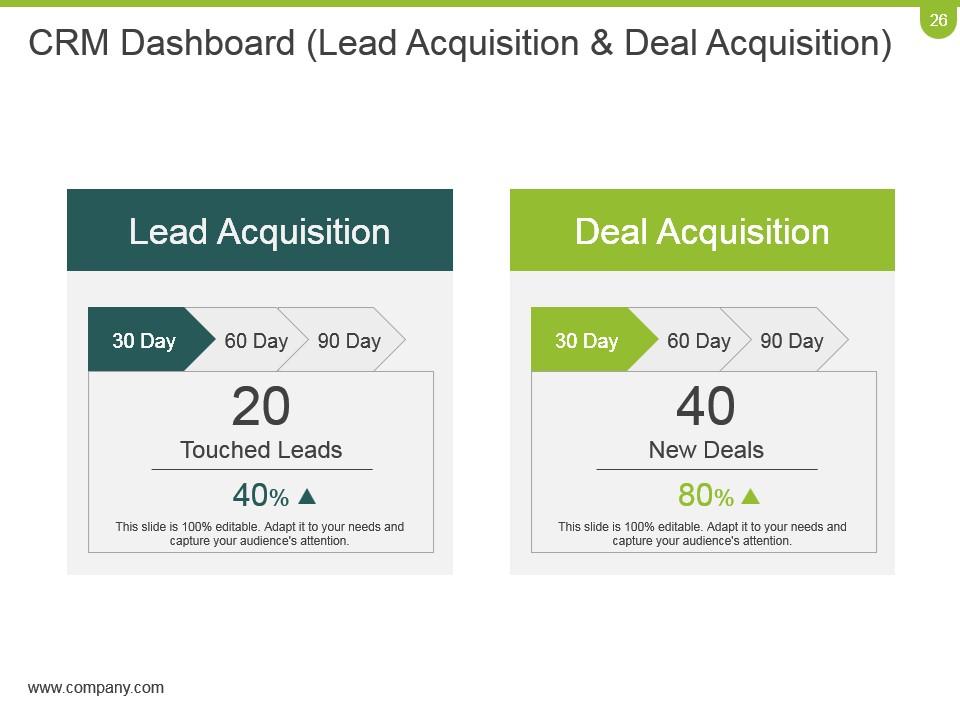
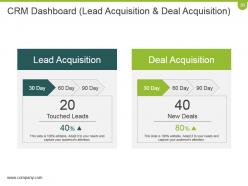
Slide 26: This slide showcases CRM Dashboard (Lead Acquisition & Deal Acquisition). Use it to state Lead Acquisition and Deal Acquisition.
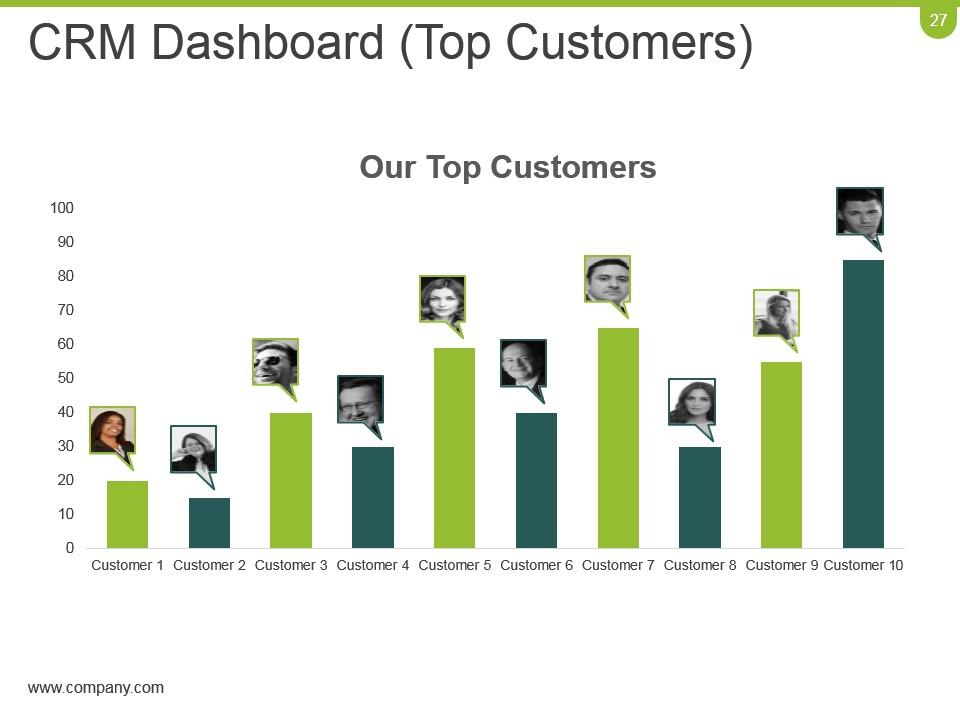
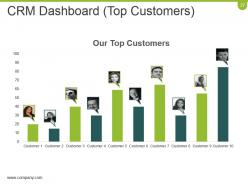
Slide 27: This slide showcases CRM Dashboard (Top Customers) in a bar chart/ graph image form. Use it to state your Top Customers.
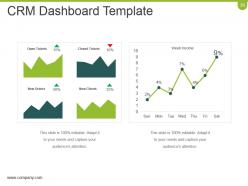
Slide 28: This slide displays CRM Dashboard Template in charts and graphs.
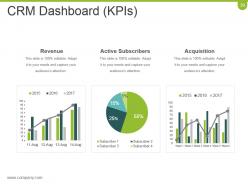
Slide 29: This slide displays CRM Dashboard (KPIs) in charts and graphs. Use it to show- Active Subscribers, Revenue, Acquisition.
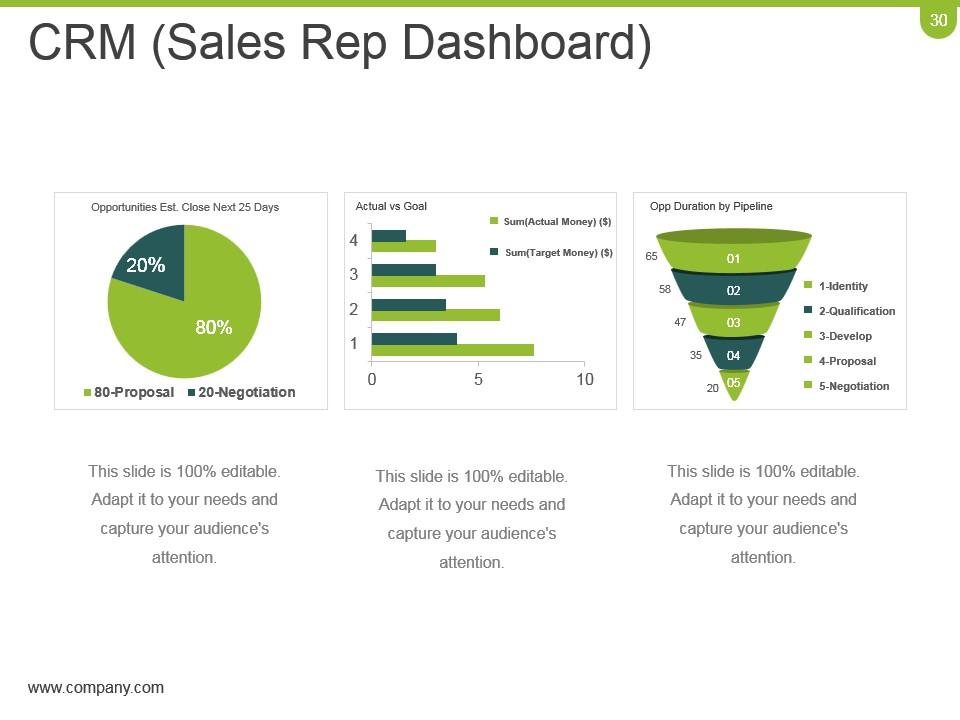
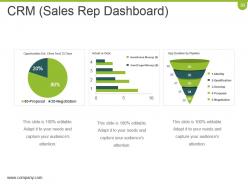
Slide 30: This slide showcases CRM (Sales Rep Dashboard) in charts and graphs.
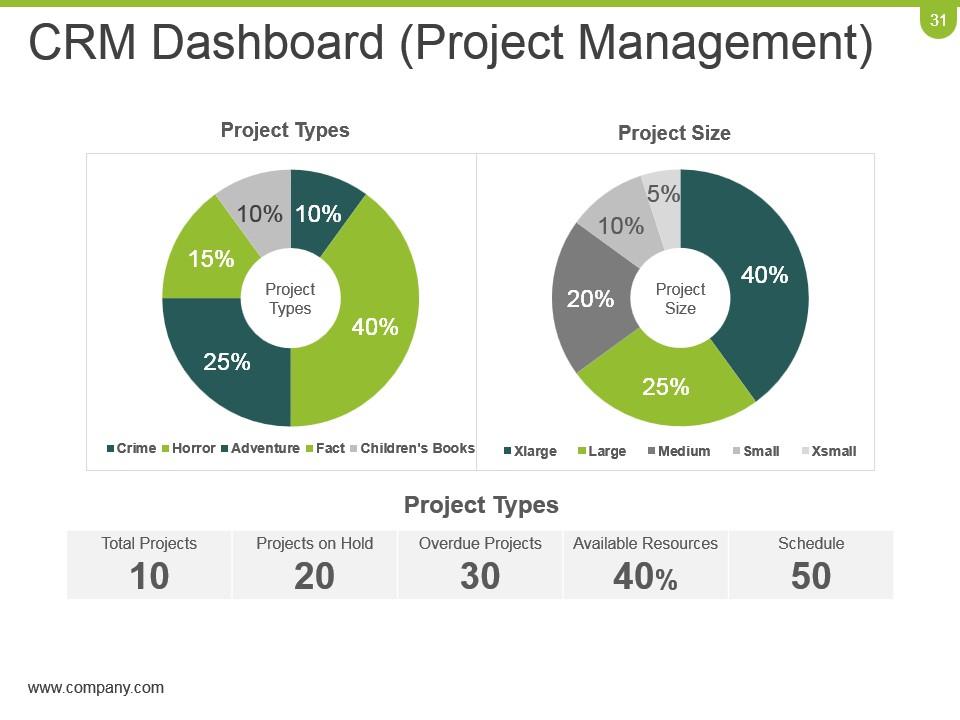
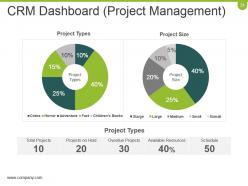
Slide 31: This slide showcases CRM Dashboard (Project Management) in a pie chart/ graph form.
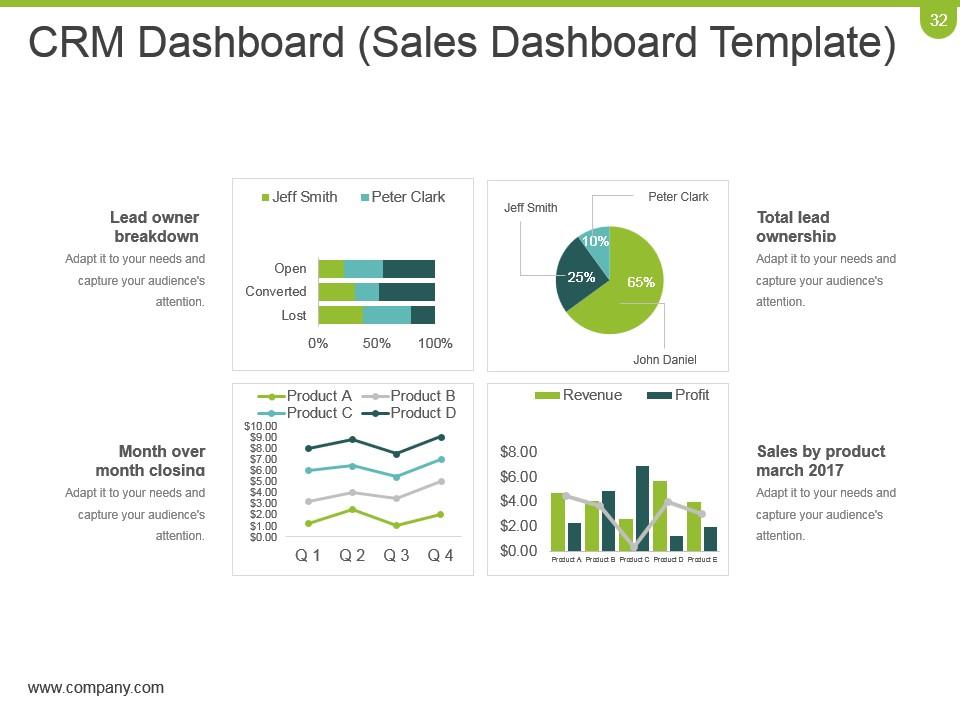
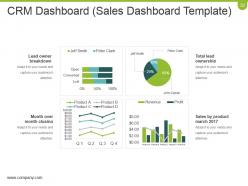
Slide 32: This slide showcases CRM Dashboard (Sales Dashboard Template) in charts and graphs. Use it to present Sales.
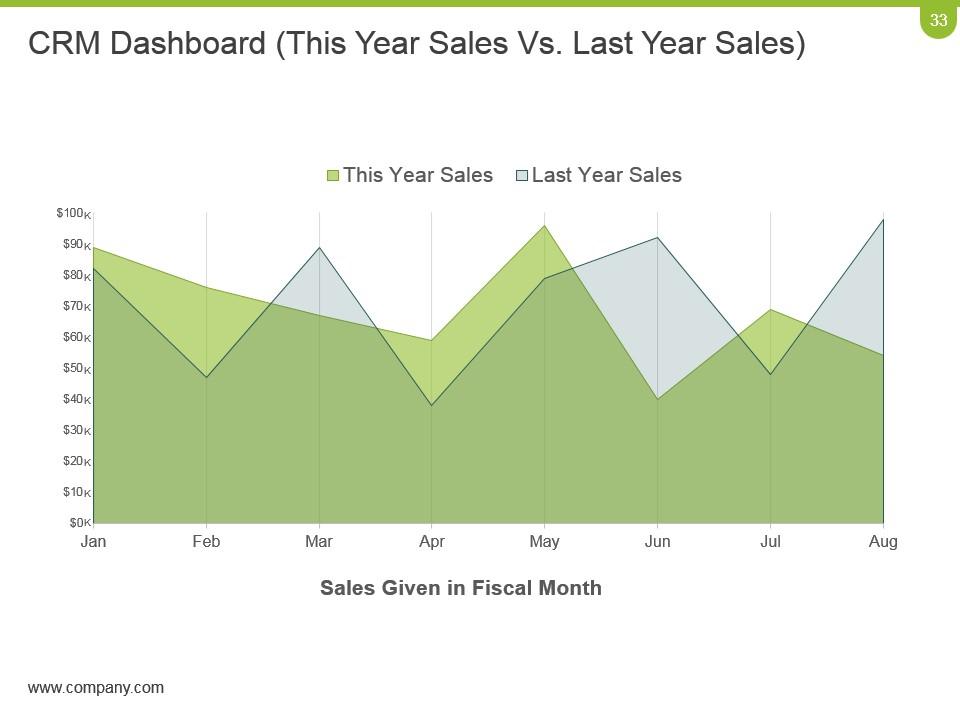
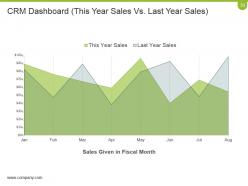
Slide 33: This slide shows CRM Dashboard in a line chart/ graph form. Use it to present This Year Sales and last Year Sales.
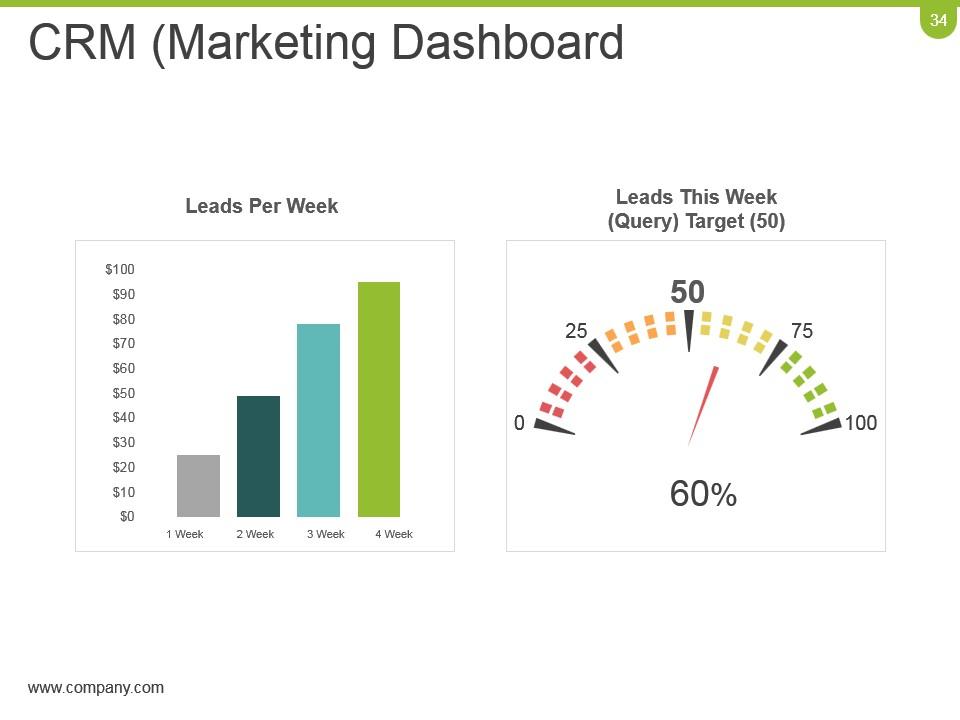
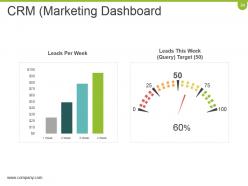
Slide 34: This slide showcases CRM (Marketing Dashboard). Use it to present- Leads This Week (Query) Target (50), Leads Per Week.
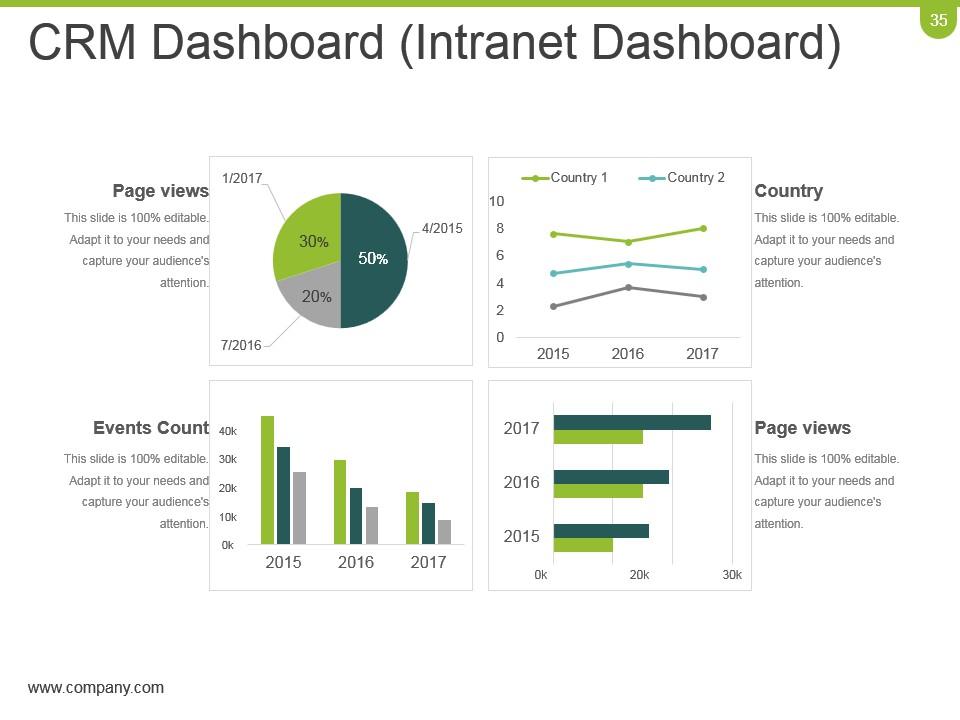
Slide 35: This slide showcases CRM Dashboard (Intranet Dashboard) in charts and graphs.
Slide 36: This slide is titled Bar Chart to move forward. Use it as per requirement.
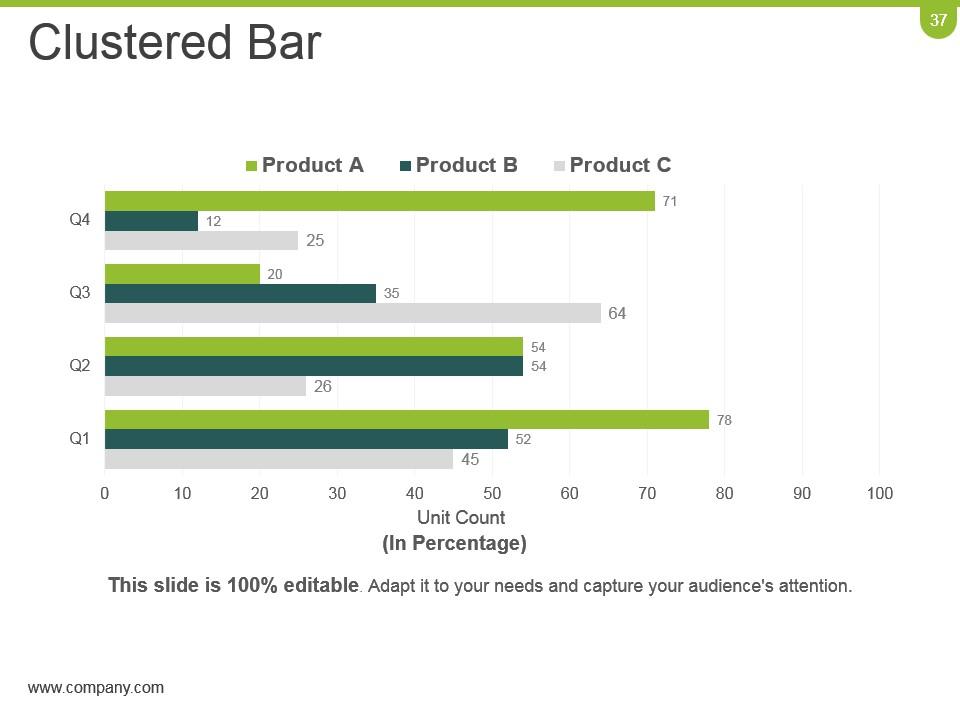
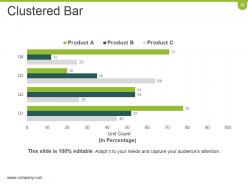
Slide 37: This is a Clustered Bar graph slide to show product/ entity comparison, specifications etc.
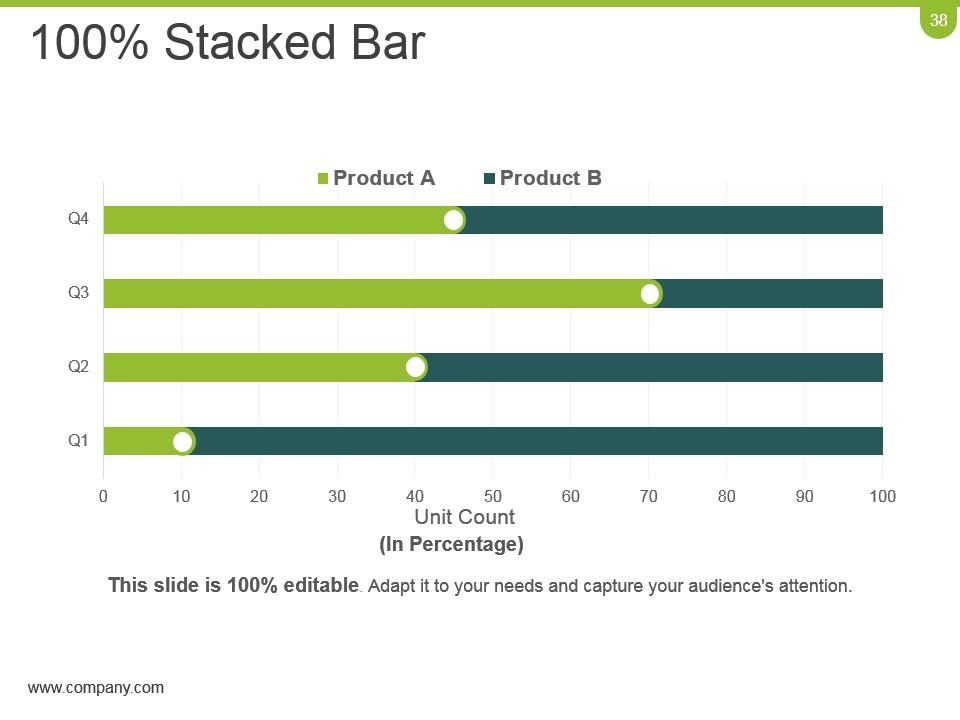
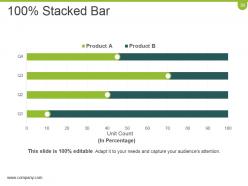
Slide 38: This slide shows 100% Stacked Bar chart/ graph. You can compare your products with this graph.
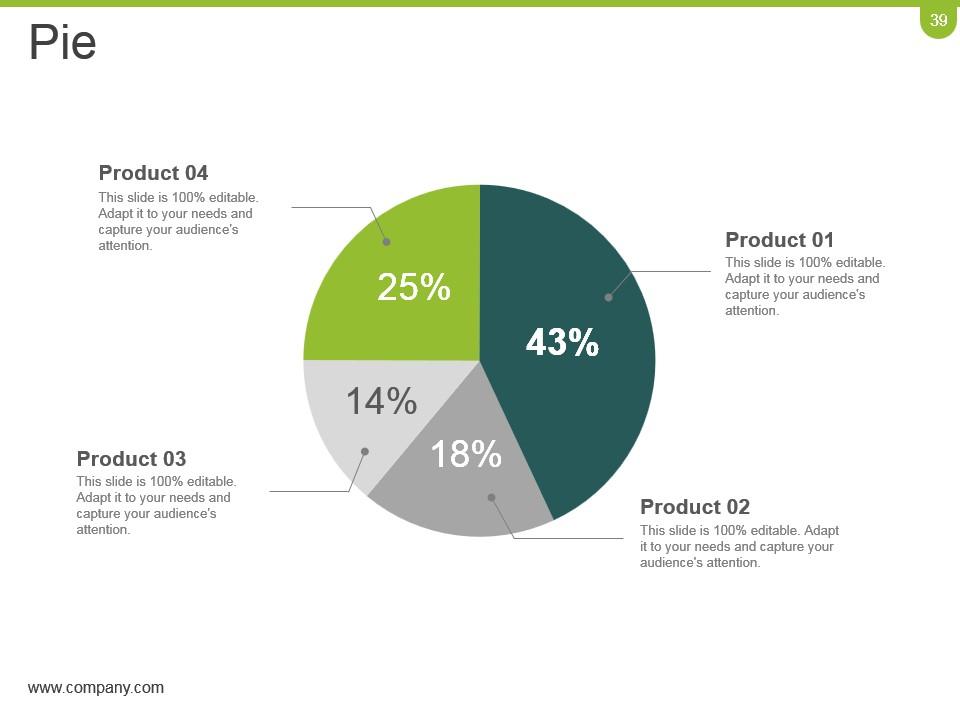
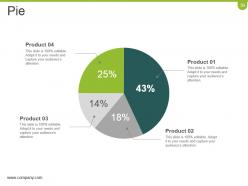
Slide 39: This is a Pie Chart slide to show product/ entity comparison, specifications etc.
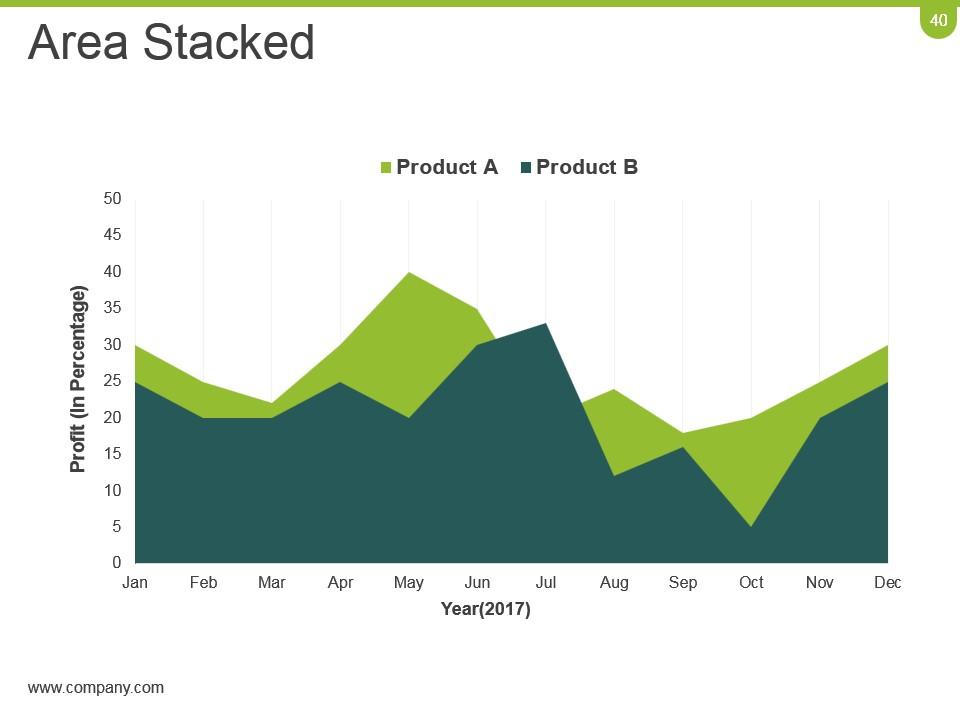
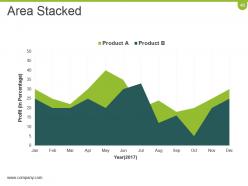
Slide 40: This is Area Stacked chart/ graph slide to show product/entity comparison, specifications etc.
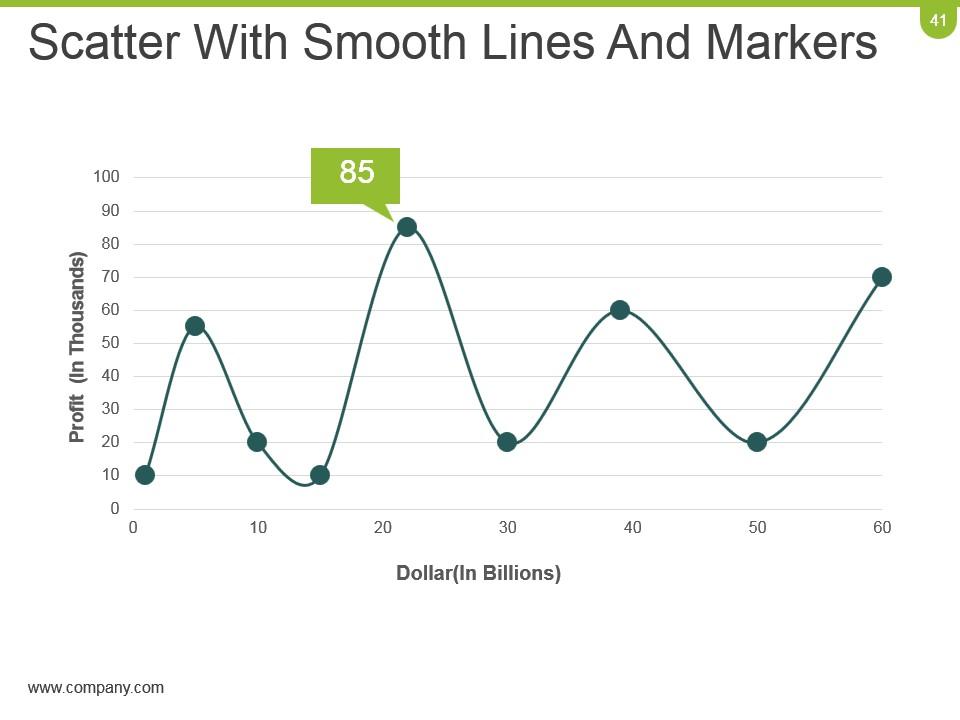
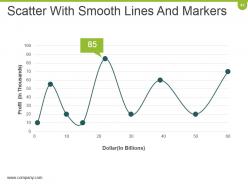
Slide 41: This is Scatter With Smooth Lines And Markers slide to show product/ entity comparison, specifications etc.
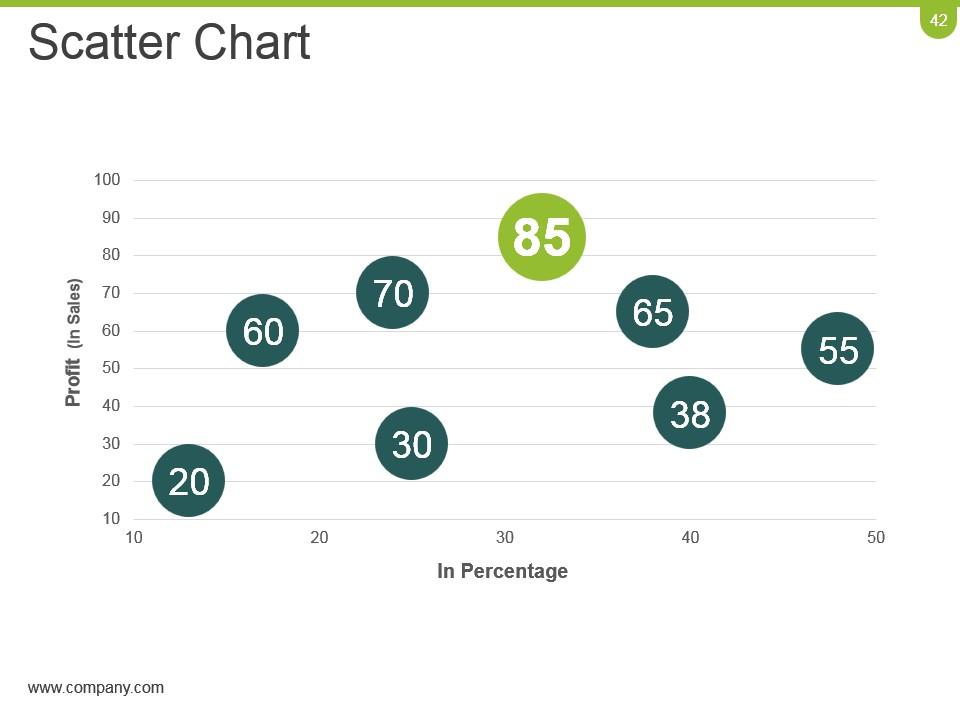
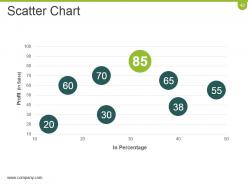
Slide 42: This is a Scatter Chart to present product/ entity comparison, specifications etc.
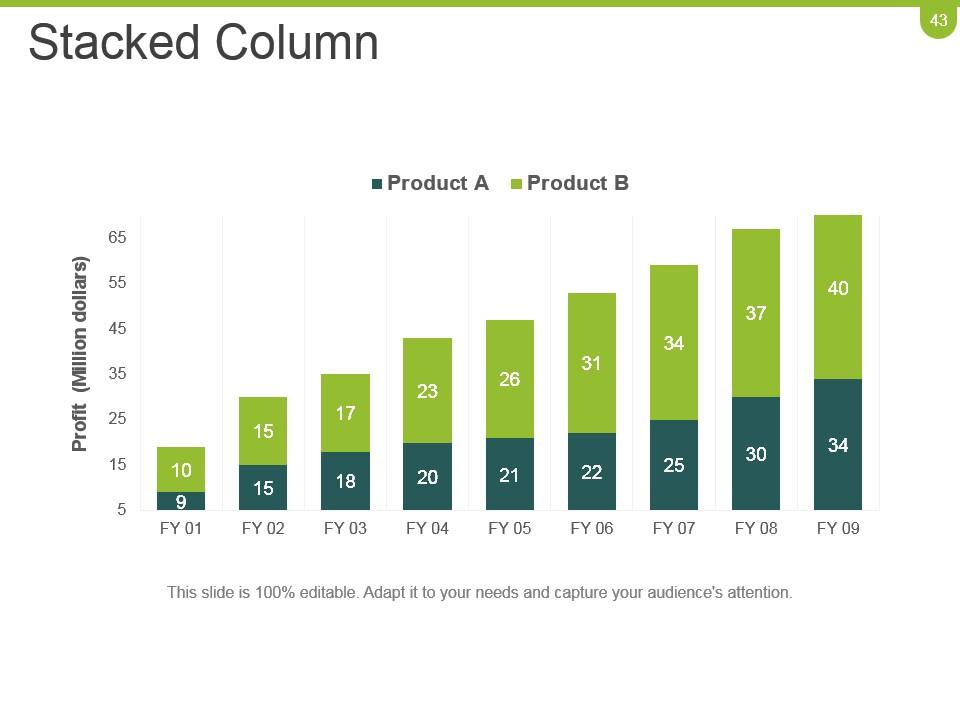
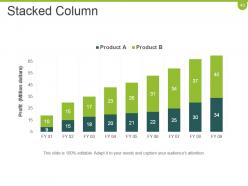
Slide 43: This is a Stacked Column graph slide to show product/entity comparison, specifications etc.
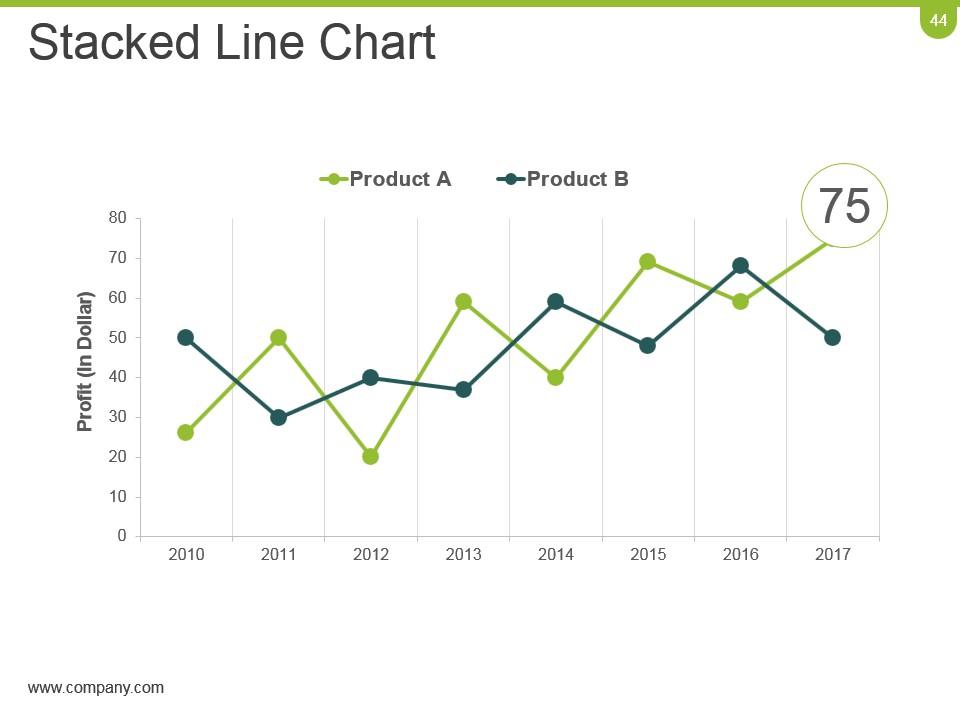
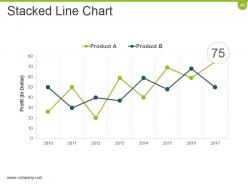
Slide 44: This is a Stacked Line Chart slide to show product/ entity comparison, specifications etc.
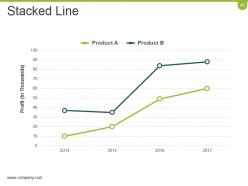
Slide 45: This slide presents Stacked Line graph to show product/ entity growth, comparison etc.
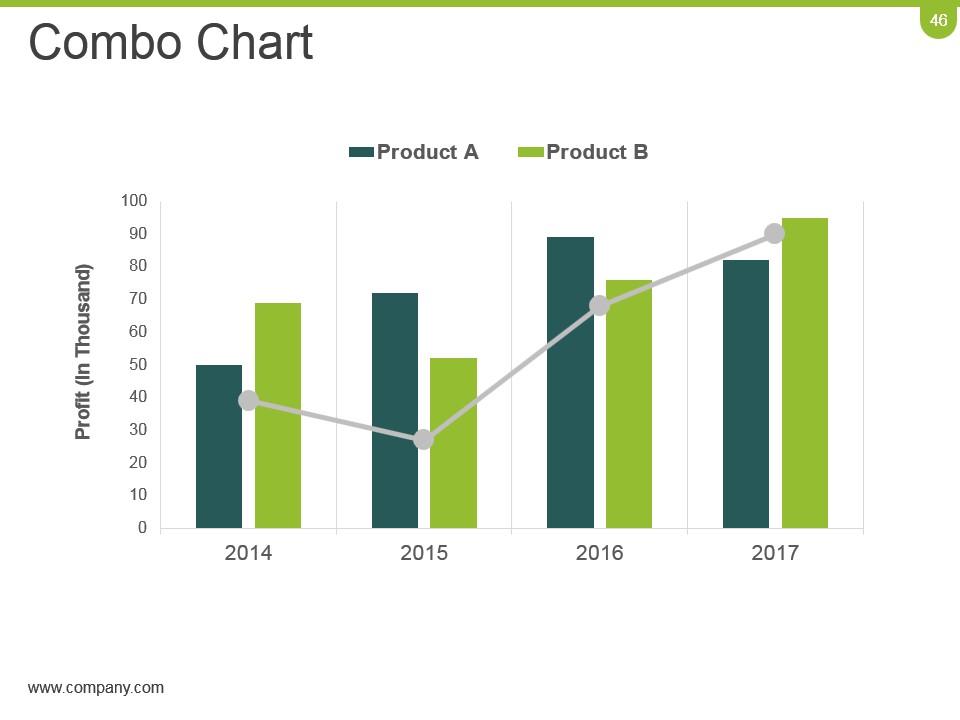
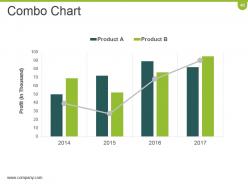
Slide 46: This is a Combo Chart slide to show information, comparison specifications etc.
Slide 47: This slide is titled Additional Slides to move forward. You can change the slide content as per need.
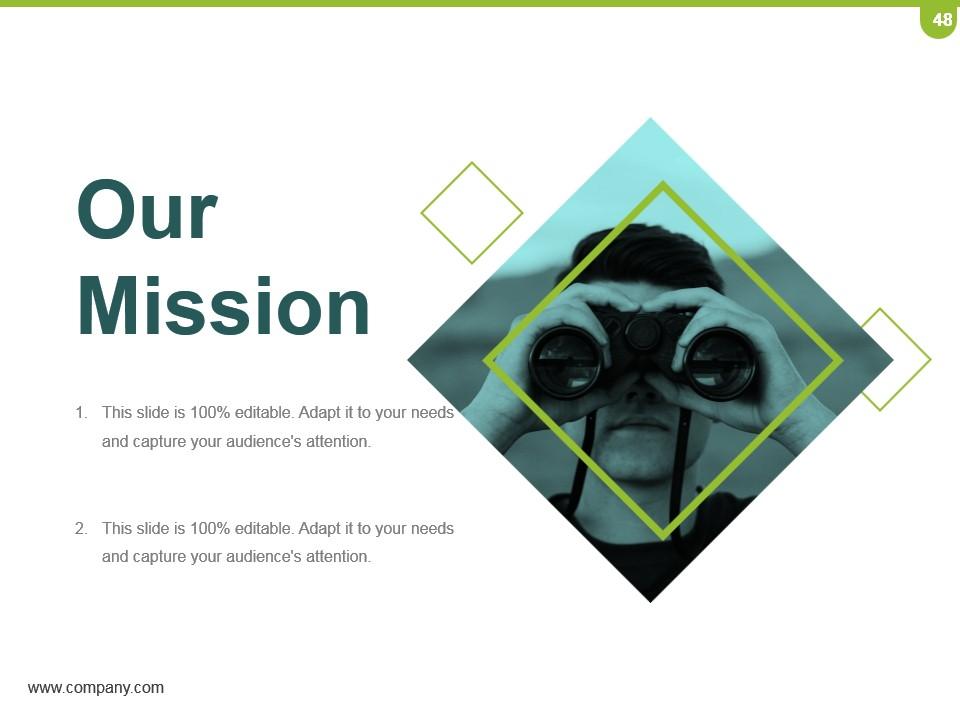
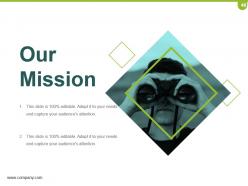
Slide 48: This slide showcases Our Mission. State your mission, goals etc.
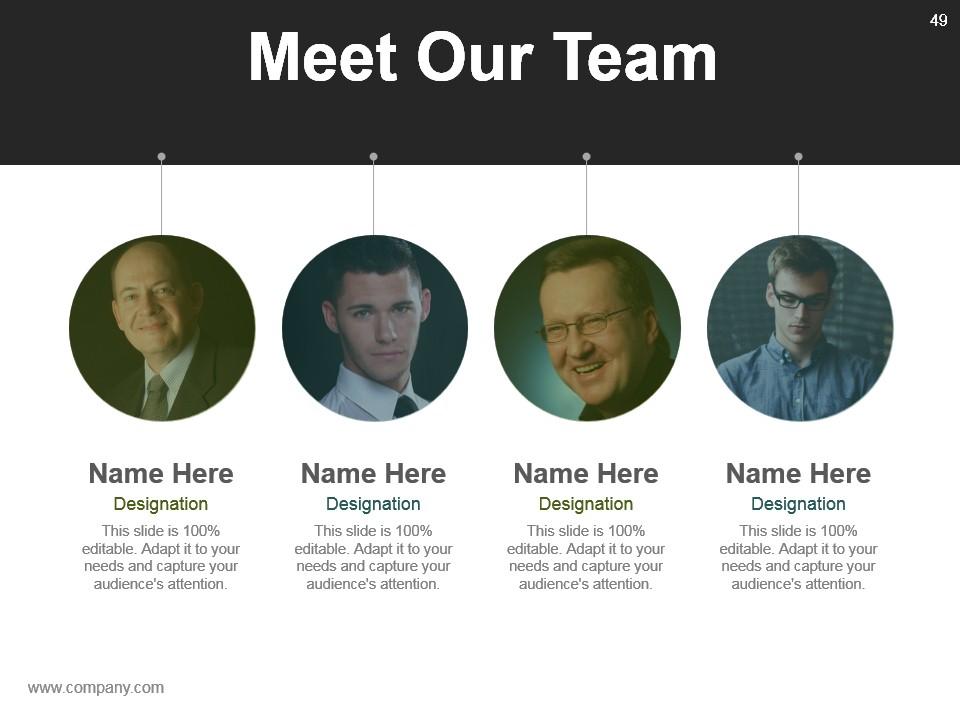
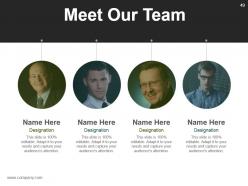
Slide 49: This slide showcases Meet Our team with name, designation and image boxes.
Slide 50: This is an About Us slide. State team/ company specifications here.
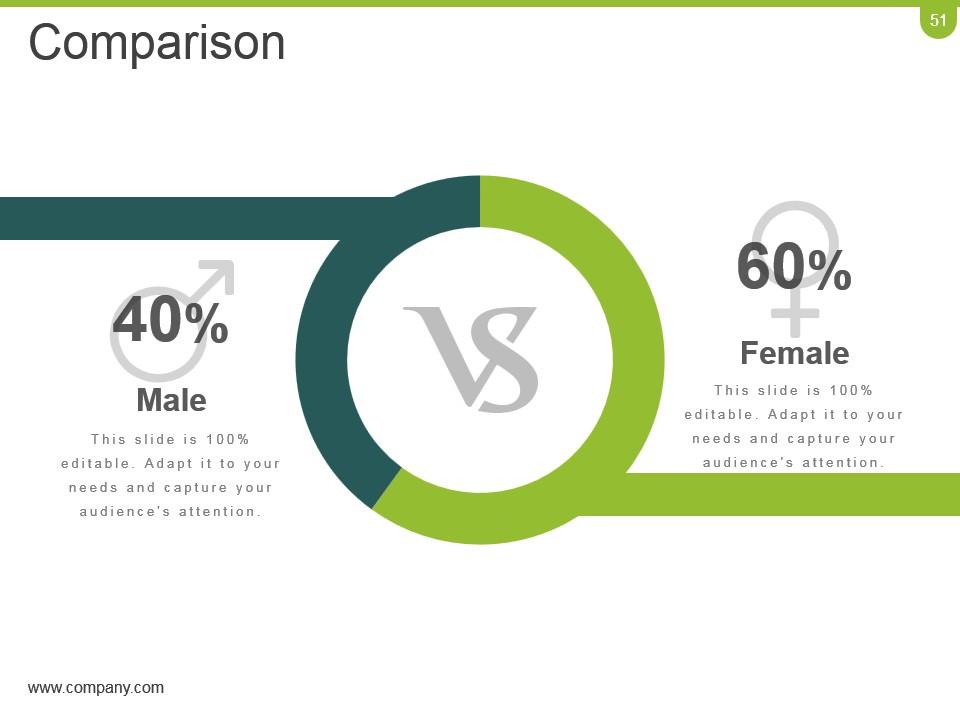
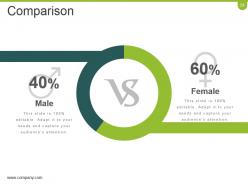
Slide 51: This is a Comparison slide. You can compare the male and female ratio in it.
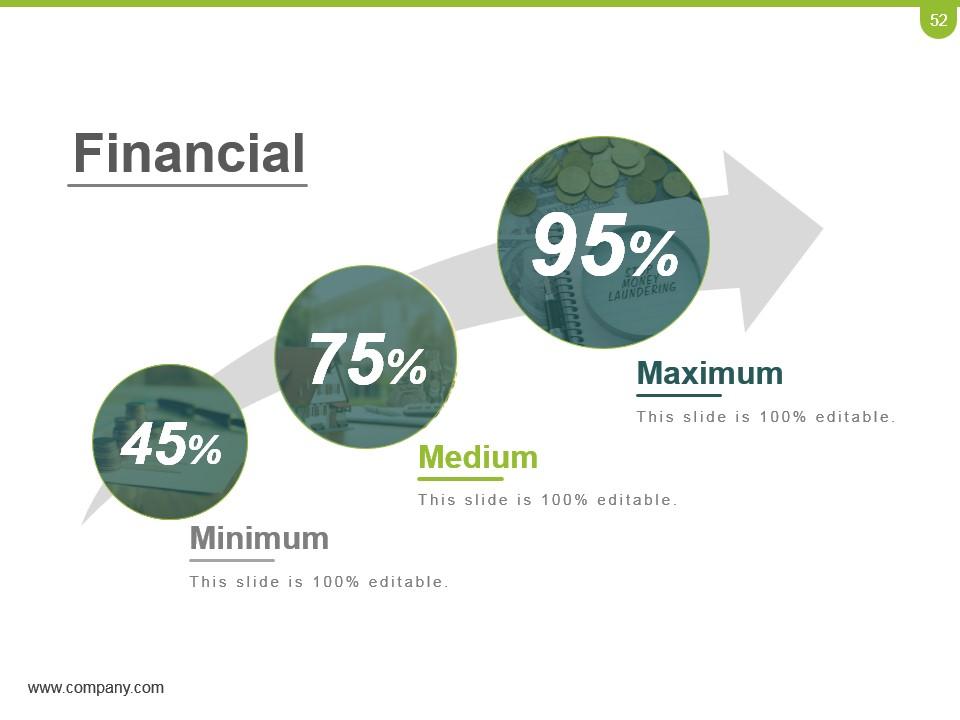
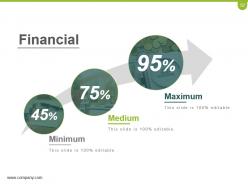
Slide 52: This slide presents Financial scores to display.
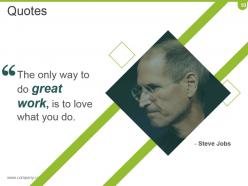
Slide 53: This is a Quotes slide to convey company/ organization message, beliefs etc. You may change the slide content as per need.
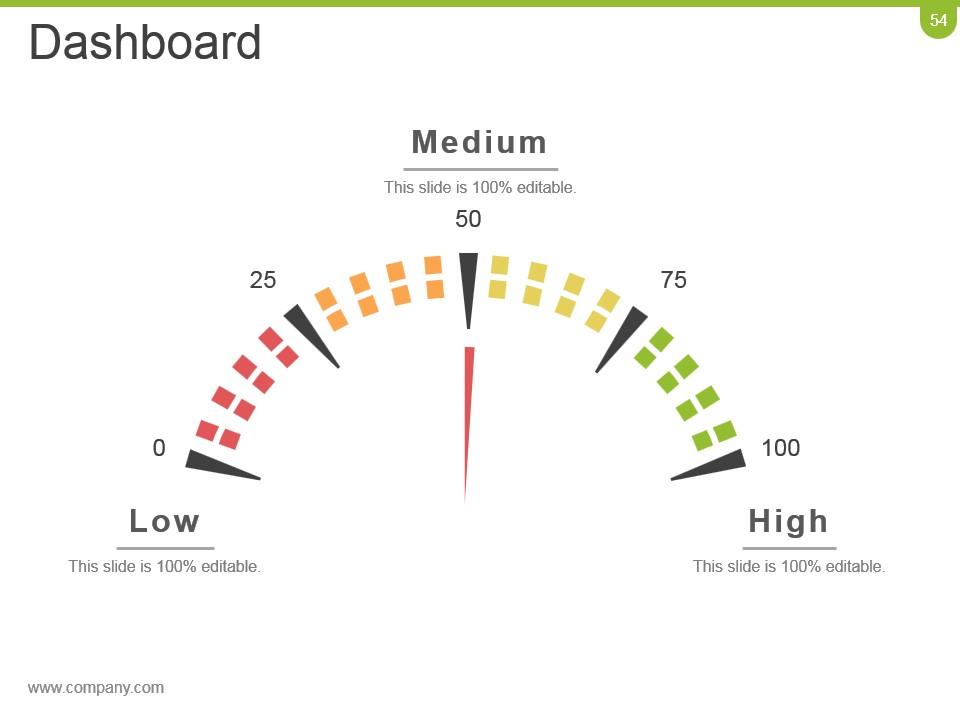
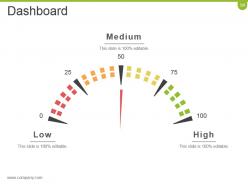
Slide 54: This is a Dashboard slide to state Low, Medium and High aspects, KPIs, metrics etc.
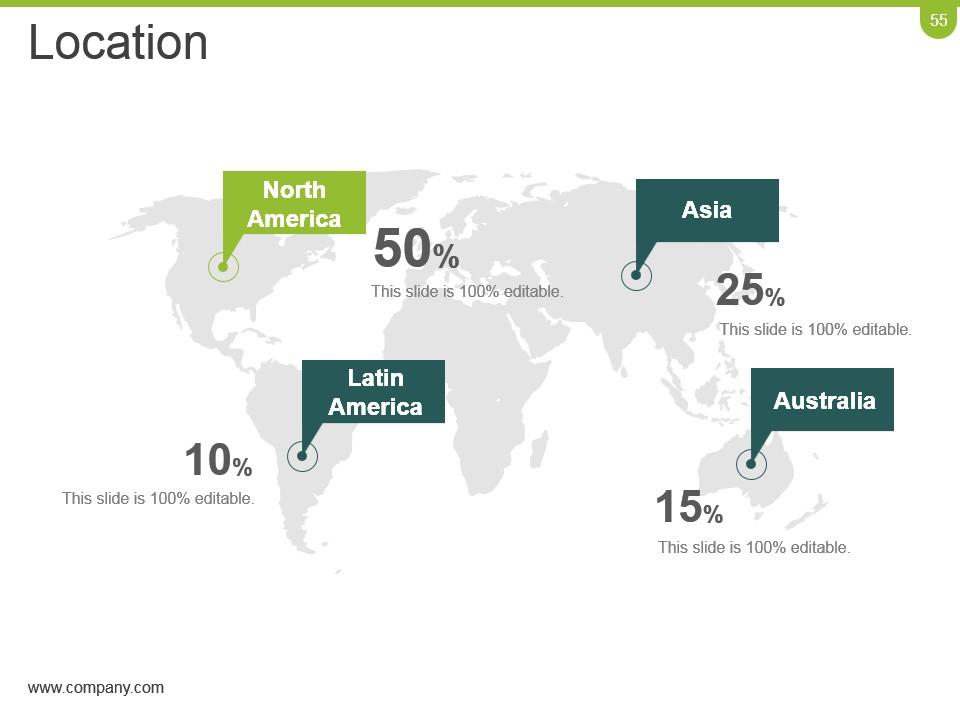
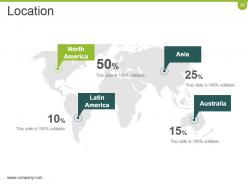
Slide 55: This is a Location slide to show global segregation, presence etc. on a world map image and text boxes to make it explicit.
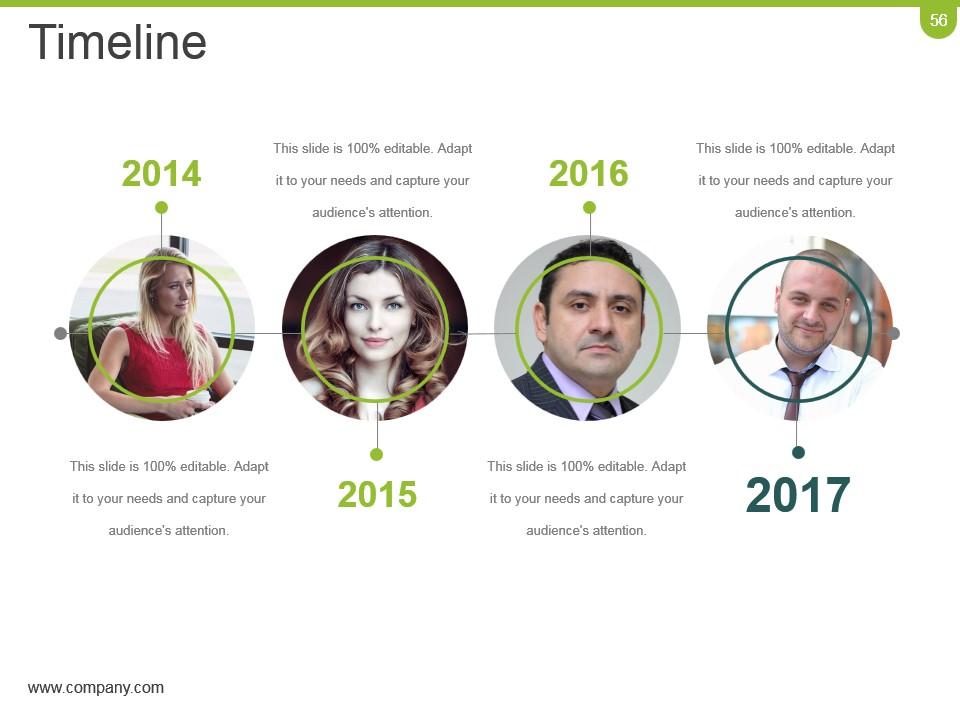
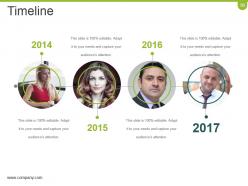
Slide 56: This is a Timeline slide to present important dates, journey, evolution, milestones etc.
Slide 57: This slide displays Post It Notes to show reminders, important notes etc.
Slide 58: This slide presents a Newspaper image with text boxes to flash company news, position etc.
Slide 59: This is a Puzzle image slide to show information, specifications etc.
Slide 60: This is a Target image slide to show targets, goals, information, specifications etc.
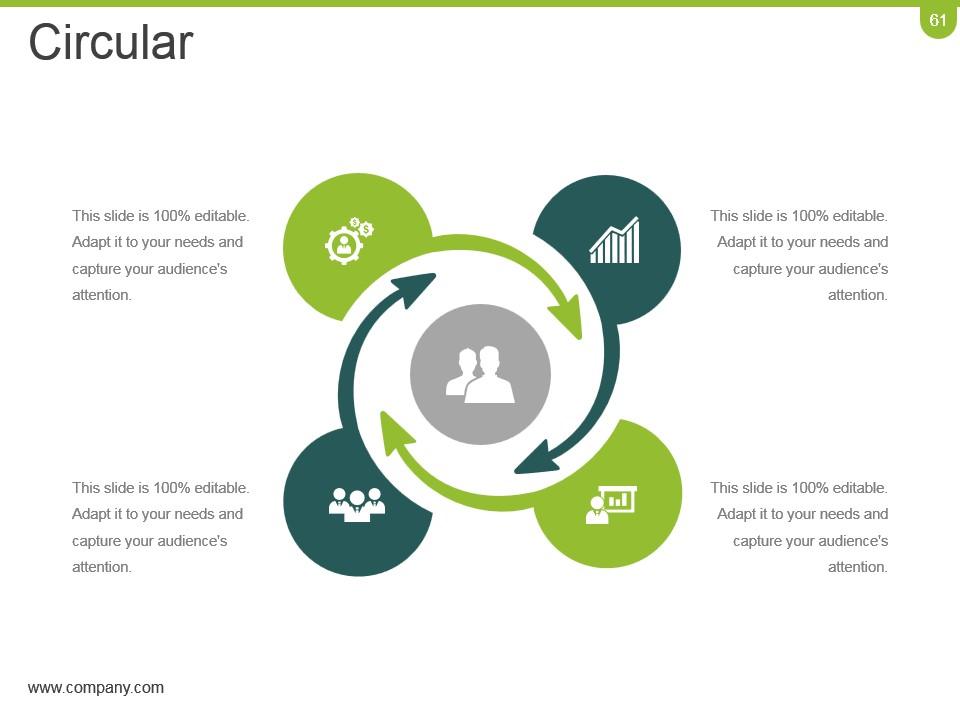
Slide 61: This is a Circular image slide. State information, specifications etc. here.
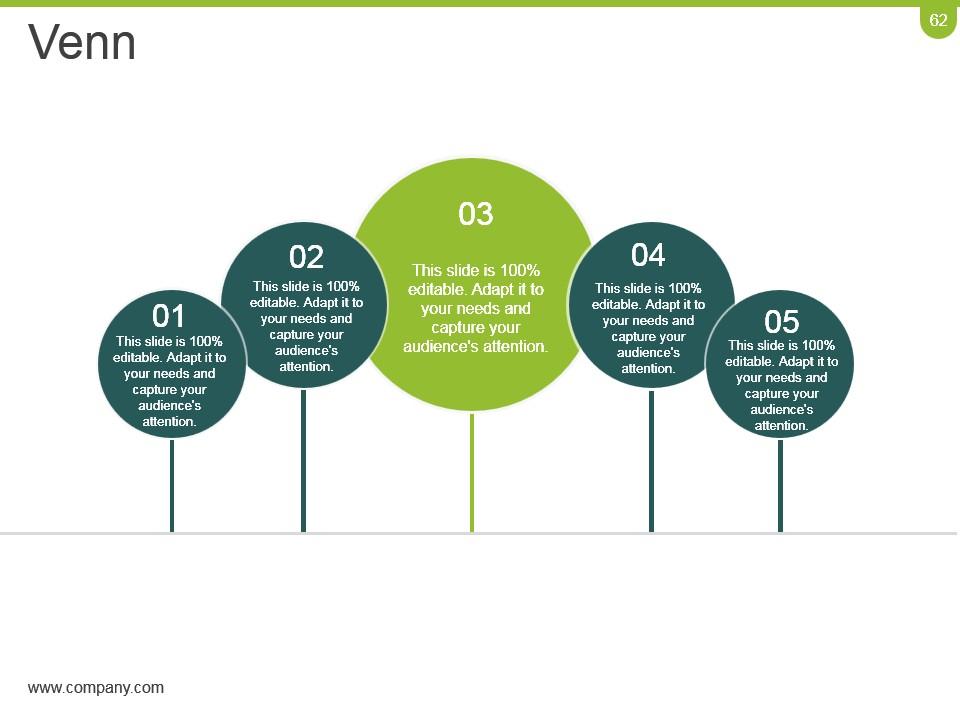
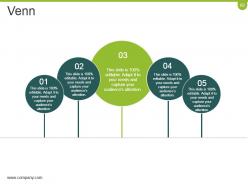
Slide 62: This slide shows a Venn diagram image with text boxes. State information etc. here.
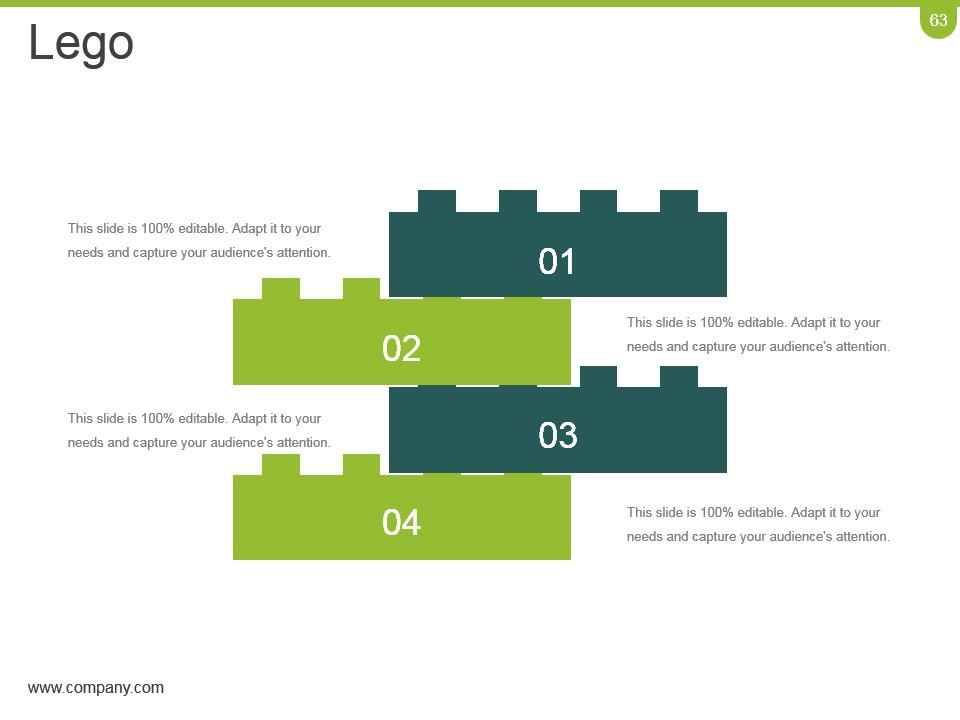
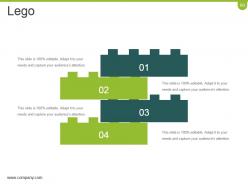
Slide 63: This is a Lego image slide. State information, specifications etc. here.
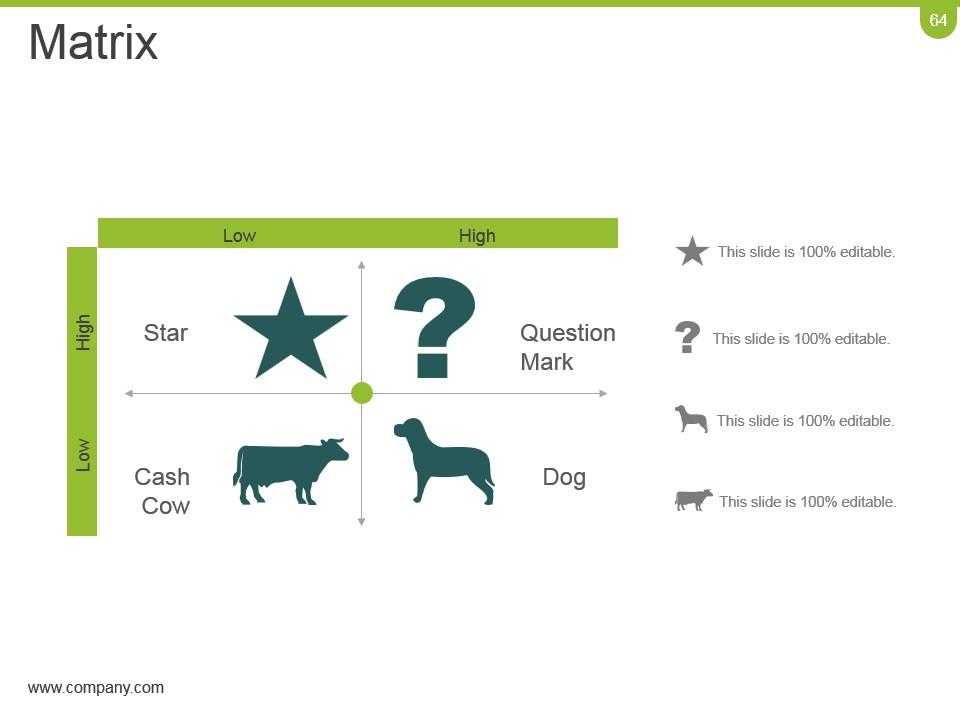
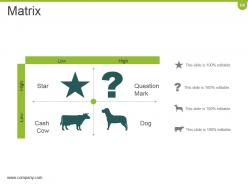
Slide 64: This is a Matrix slide to show segmentation, information, specifications etc.
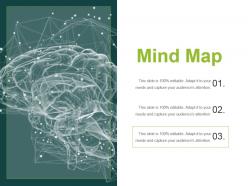
Slide 65: This is a Mind Map image slide to show segmentation, information, specifications etc.
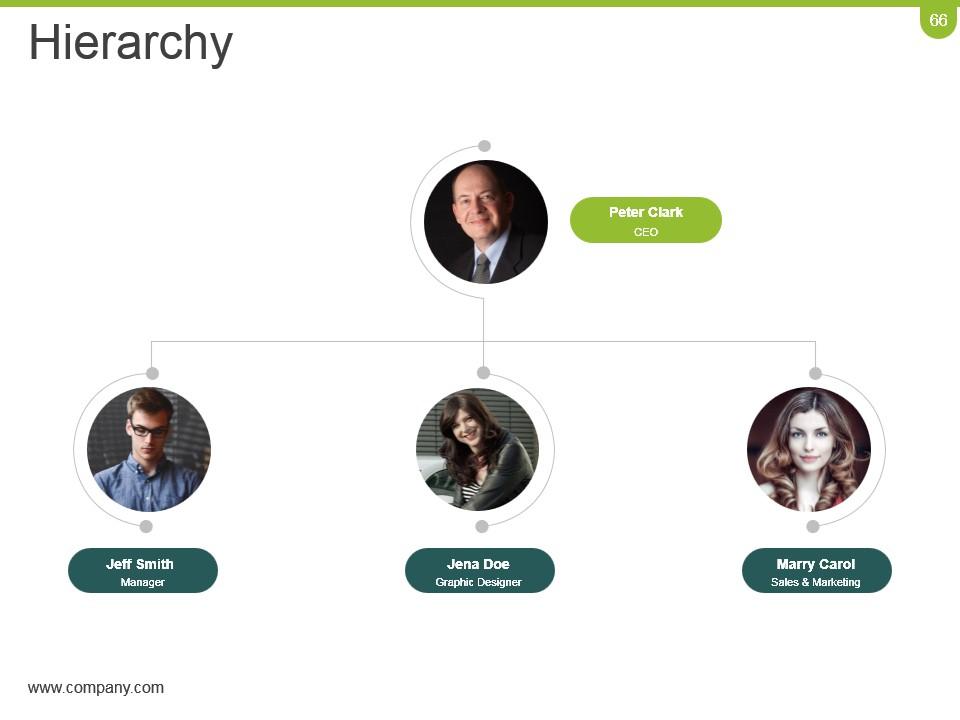
Slide 66: This is a Hierarchy slide to show information, organization structural specifications etc.
Slide 67: This is a Bulb Or Idea image slide to show information, innovative aspects etc.
Slide 68: This is a Magnifying glass image slide to show information, scoping aspects etc.
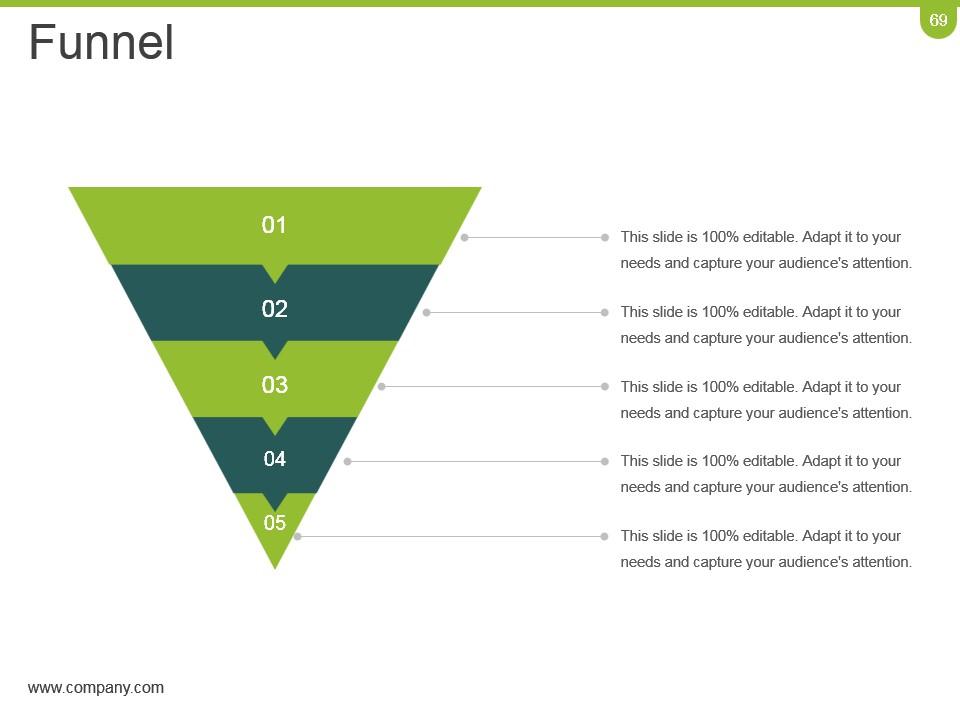
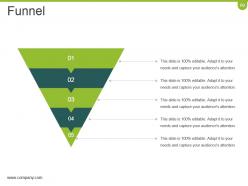
Slide 69: This is a Funnel image slide to show information, funneling aspects, specifications etc.
Slide 70: This is a Thank You slide with Address# street number, city, state, Contact Numbers, Email Address.
Crm Planning And Implementation Procedures And Practices Powerpoint Presentation Slides with all 70 slides:
Compete confidently with our Crm Planning And Implementation Procedures And Practices Powerpoint Presentation Slides. They ensure you become a front-runner.
-
Very unique, user-friendly presentation interface.
-
Amazing product with appealing content and design.
