


Customer Conversion Strategy Powerpoint Presentation Slides
If you are looking for a strategy to improve the conversion rates, our content-ready customer conversion strategy PowerPoint presentation slides will come in handy. The client conversion presentation diagrams cover segmentation, targeting audience, CA strategies, costing, customer, acquisition channels, loyalty framework, conversion marketing, customer retention strategies, along with many graphs and pie-charts. Although, your website has started showing a good amount of traffic, yet you are unable to convert leads into sales. The most prominent reason could be a bad customer acquisition strategy. This lead conversion PPT presentation will help you convert customers into sales. Apart from this, the ideas presented in these PowerPoint templates also throws a light on purchase, lead management, consumer conversion, sales conversion, and other conversion methods. No matter how good your present conversion rates are, there is always a scope for improvement. So, download our fully customizable customer conversion strategy PowerPoint presentation slides that give a thorough action plan to increase sales.Our Customer Conversion Strategy Powerpoint Presentation Slides are ideal for informal gatherings. They facilitate impromptu discussion.







































You must be logged in to download this presentation.


Do you want to remove this product from your favourites?
 Impress your
 audience
 100%
100% Editable
 Save Hours
 of Time
PowerPoint presentation slides
Edit these PowerPoint slides as you wish. The deck contains 77 slides with in-depth research work. Instantly download any slide using single click of your mouse. Supports mobile, PC, laptop and other screen types. Google Slides compatibility available. Customer Support for Premium members. Can be utilized by Sales representatives, business leaders, marketers, and many more.This is a one stage process. The stages in this process are customer acquisition, customer conversion strategy, sales strategy, lead generation.

People who downloaded this PowerPoint presentation also viewed the following :
Content of this Powerpoint Presentation
Slide 1: This slide introduces Customer Conversion Strategy. State Your company name and begin.
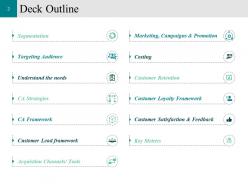
Slide 2: This slide shows Deck Outline with these as mentioned- Targeting Audience, CA Strategies, CA Framework, Customer Lead framework, Marketing, Campaigns & Promotion, Costing, Customer Retention, Customer Loyalty Framework, Customer Satisfaction & Feedback, Key Metrics, Segmentation, Understand the needs, Acquistion Channels/ Tools.
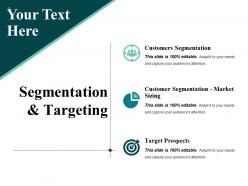
Slide 3: This slide showcases Segmentation & Targeting and we have listed cetain parameter, you can use as such or alter as per requirement- Customers Segmentation, Customer Segmentation - Market Sizing, Target Prospects.
Slide 4: This slide showcases Customer Segmentation. We have classified customer segments into four basic categories; you can fill in the details as per the requirements
Slide 5: This slide shows Customer Segmentation – Market Sizing. It is a framework indicating all the key aspects of customer acquisition Segmentation. You can edit the steps and numbers based on your requirement
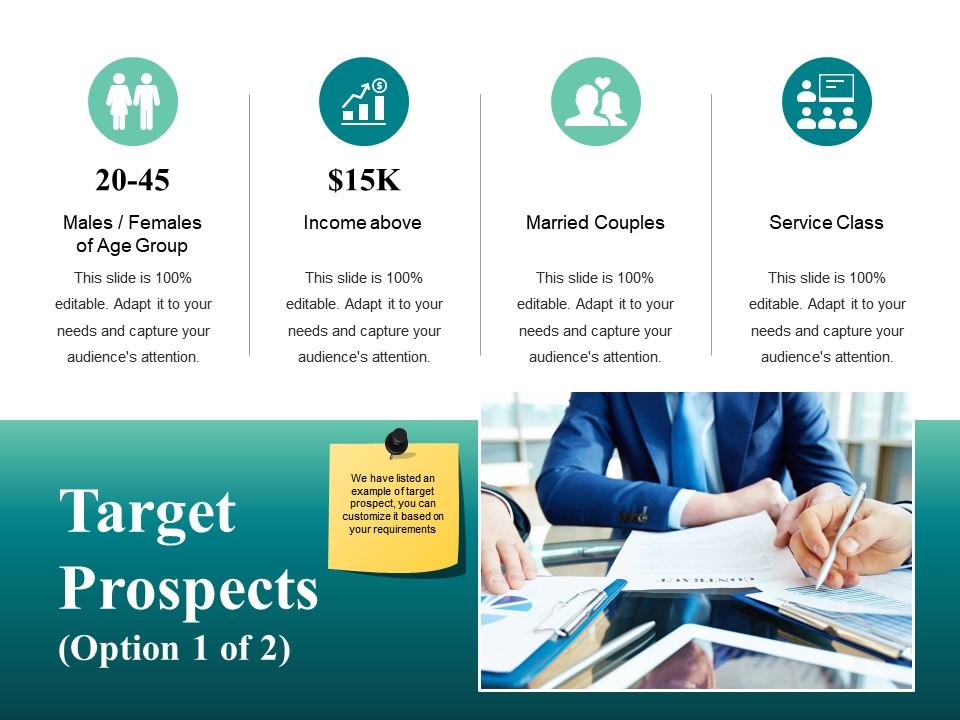
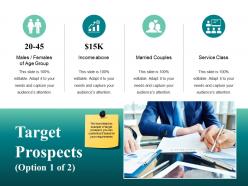
Slide 6: This slide displays Target Prospects .We have listed an example of target prospect, you can customize it based on your requirements
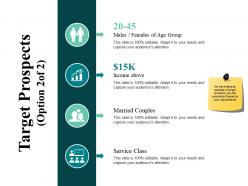
Slide 7: This slide is continution of Target Prospects . We have listed an example of target prospect, you can customize it based on your requirements
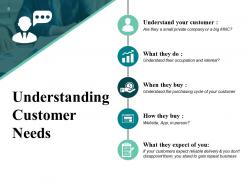
Slide 8: This slide displays Understanding Customer Needs Understand your customer, What they do, When they buy , How they buy If your customers expect reliable delivery & you don't disappoint them, you stand to gain repeat business
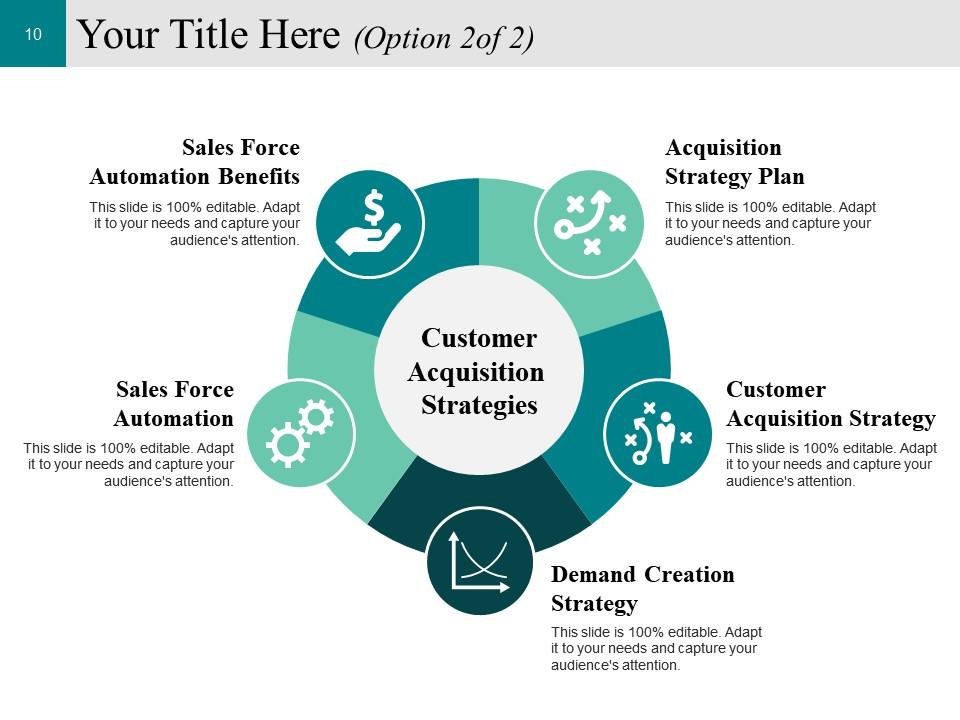
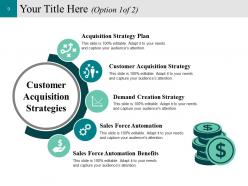
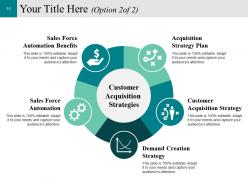
Slide 9: This slide presents Customer Acquisition Strategies with five different factors are- Acquisition Strategy Plan, Customer Acquisition Strategy, Demand Creation Strategy, Sales Force Automation, Sales Force Automation Benefits.
Slide 10: This slide shows Customer Acquisition Strategies- Acquisition Strategy Plan, Customer Acquisition Strategy, Demand Creation Strategy, Sales Force Automation, Sales Force Automation Benefits.
Slide 11: This slide shows Acquisition Strategy Plan with these categories- Driving Traffic, Nurturing, Conversion, Sales.
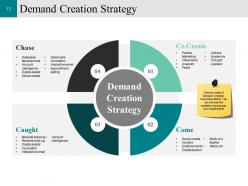
Slide 12: This slide displays Demand Creation strategy. Various ways of Demand Creation have been listed. You can choose the suitable ways as per your requirement
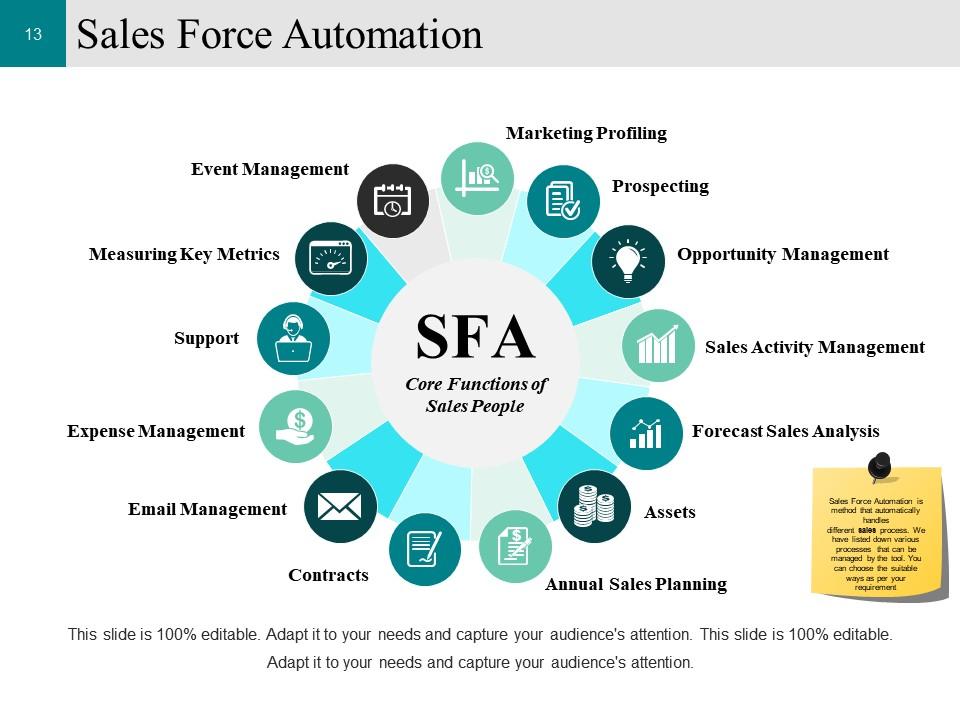
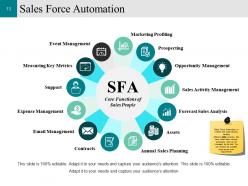
Slide 13: This slide shows Sales Force Automation. Sales Force Automation is method that automatically handles different sales process. We have listed down various processes that can be managed by the tool. You can choose the suitable ways as per your requirement
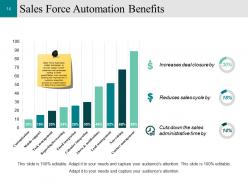
Slide 14: This slide displays Sales Force Automation Benefits. Sales Force Automation enable businesses to provide support to their customers and employees leading to faster growth.Below is an example showing the improvement in customer acquisition process by implementation of Sales Force Automation
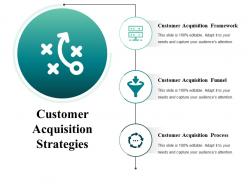
Slide 15: This slide presents Customer Acquisition Strategies and those are as follows- Customer Acquisition Process, Customer Acquisition Framework, Customer Acquisition Funnel.
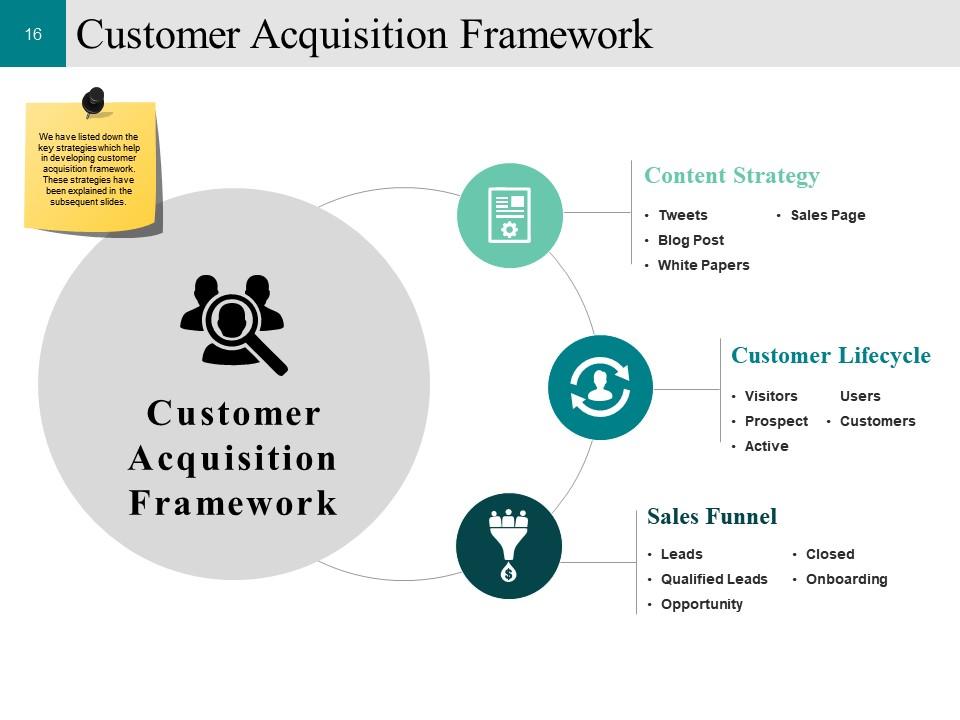
Slide 16: This slide shows Customer Acquisition Framework. We have listed down the key strategies which help in developing customer acquisition framework. These strategies have been explained in the subsequent slides.
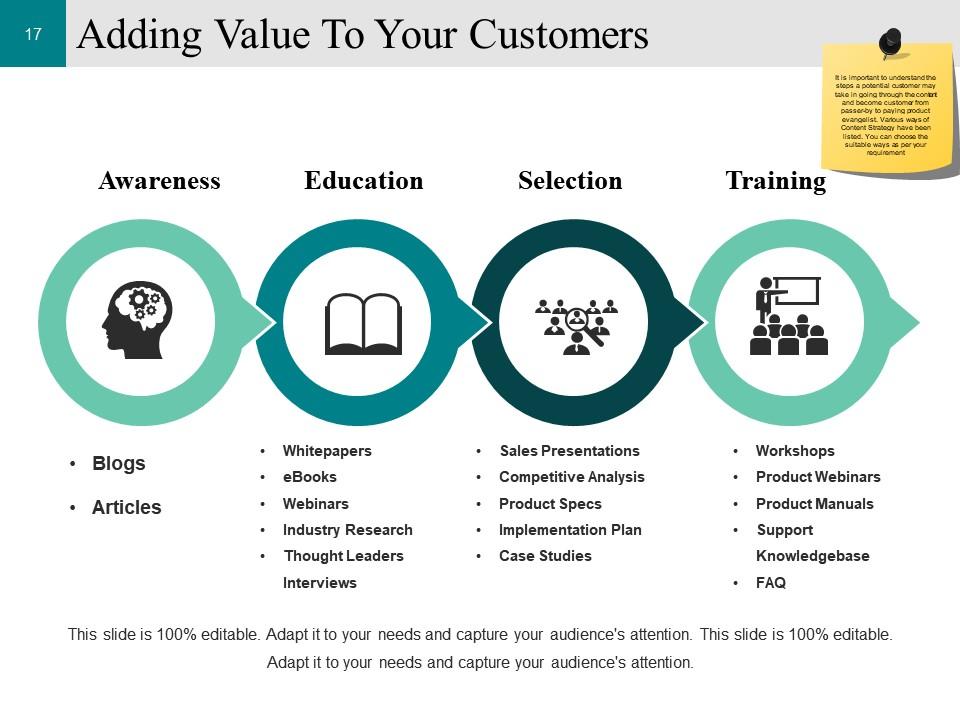
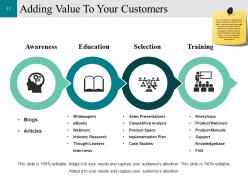
Slide 17: This slide presents Adding Value To Your Customers . It is important to understand the steps a potential customer may take in going through the content and become customer from passer-by to paying product evangelist. Various ways of Content Strategy have been listed. You can choose the suitable ways as per your requirement
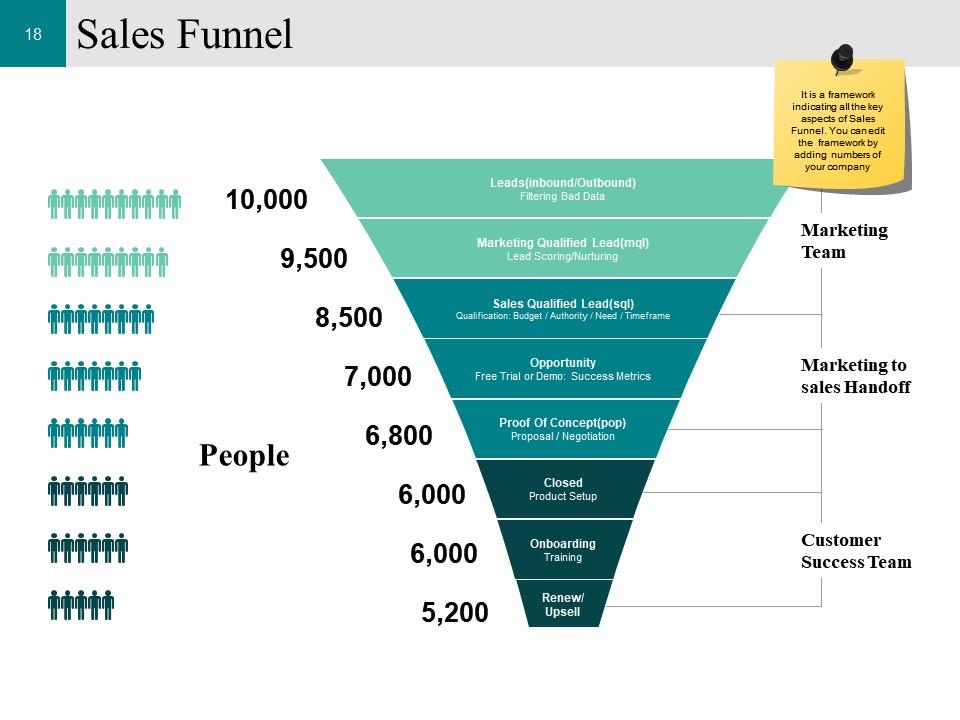
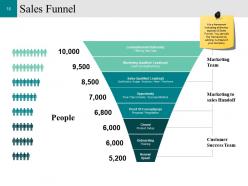
Slide 18: This slide presents Sales Funnel. It is a framework indicating all the key aspects of Sales Funnel. You can edit the framework by adding numbers of your company
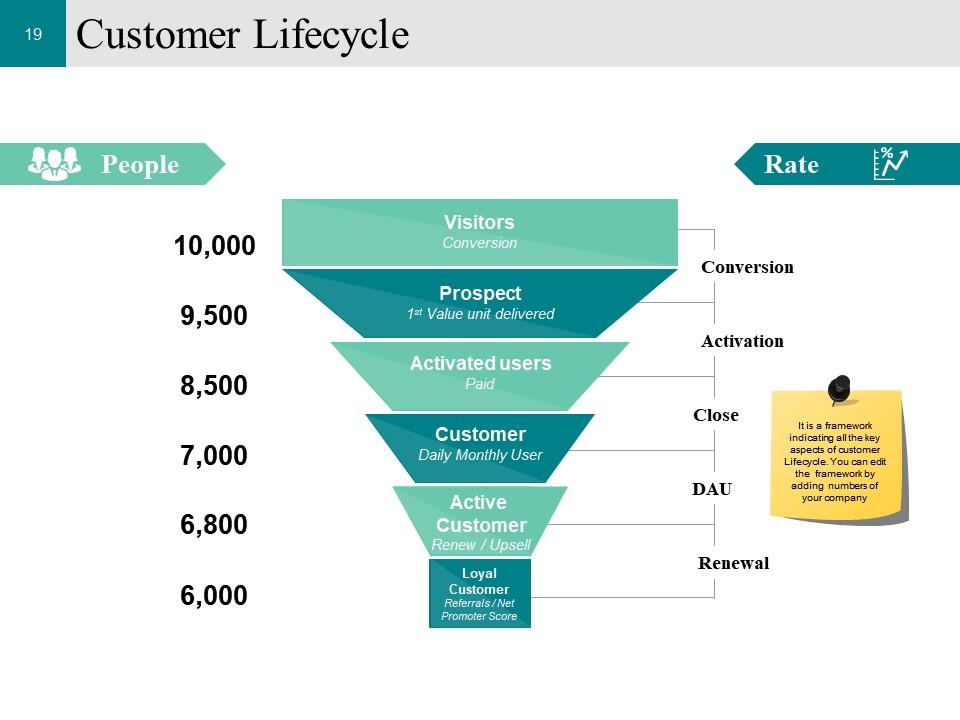
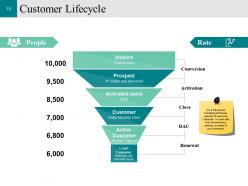
Slide 19: This slide showcases Customer Lifecycle. It is a framework indicating all the key aspects of customer Lifecycle. You can edit the framework by adding numbers of your company.
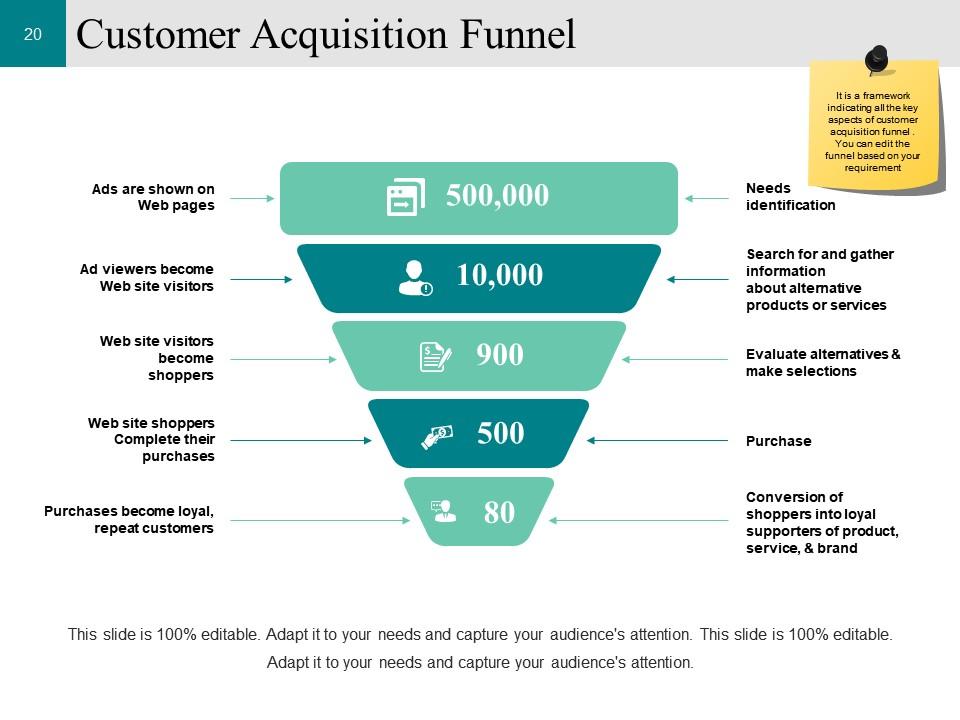
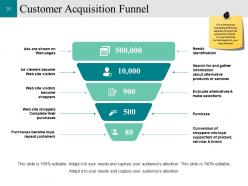
Slide 20: This slide presents Customer Acquisition Funnel and also framework indicating all the key aspects of customer acquisition funnel . You can edit the funnel based on your requirement.
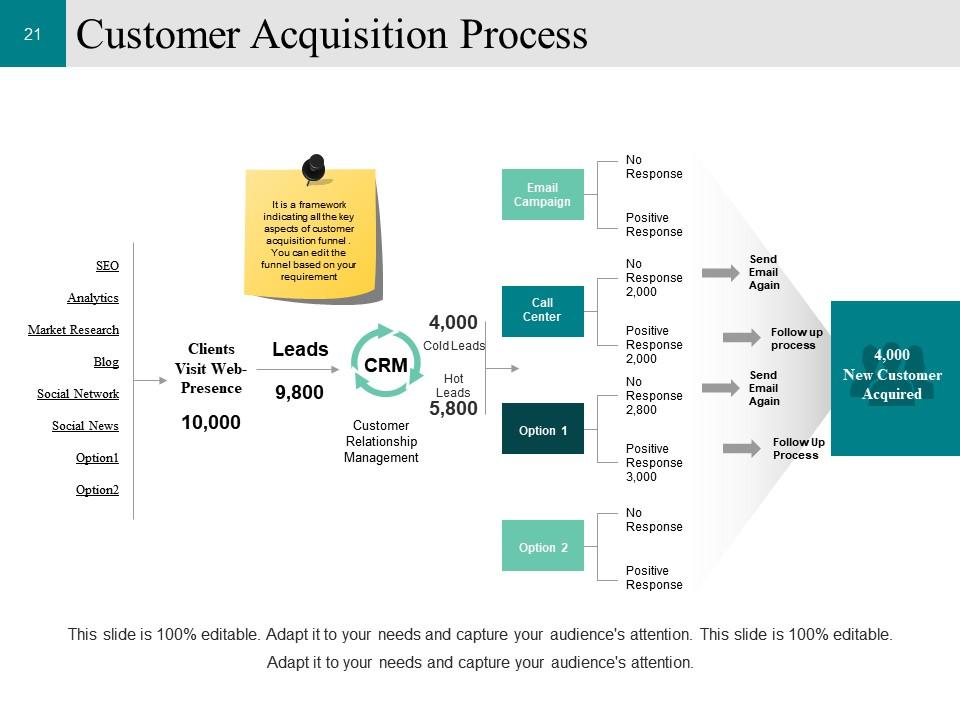
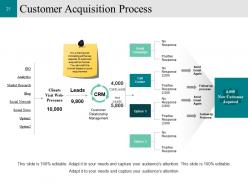
Slide 21: This slide displays Customer Acquisition Process. It is a framework indicating all the key aspects of customer acquisition funnel . You can edit the funnel based on your requirement.
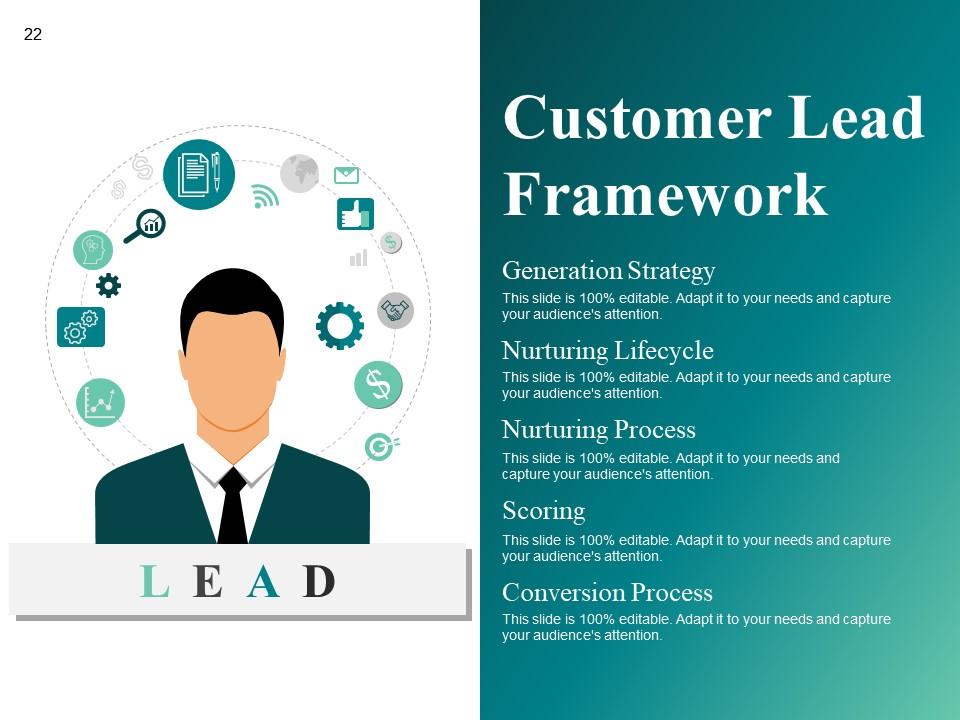
Slide 22: This slide showcases LEAD Generation Strategy, Nurturing Lifecycle, Nurturing Process, Conversion Process, Scoring, Customer Lead Framework.
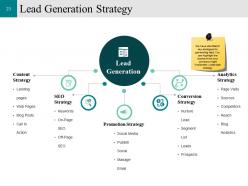
Slide 23: This slide displays Lead Generation Strategy. We have identified 5 key strategies for generating lead. You can highlight the tactics which your company might implement, under each strategy.
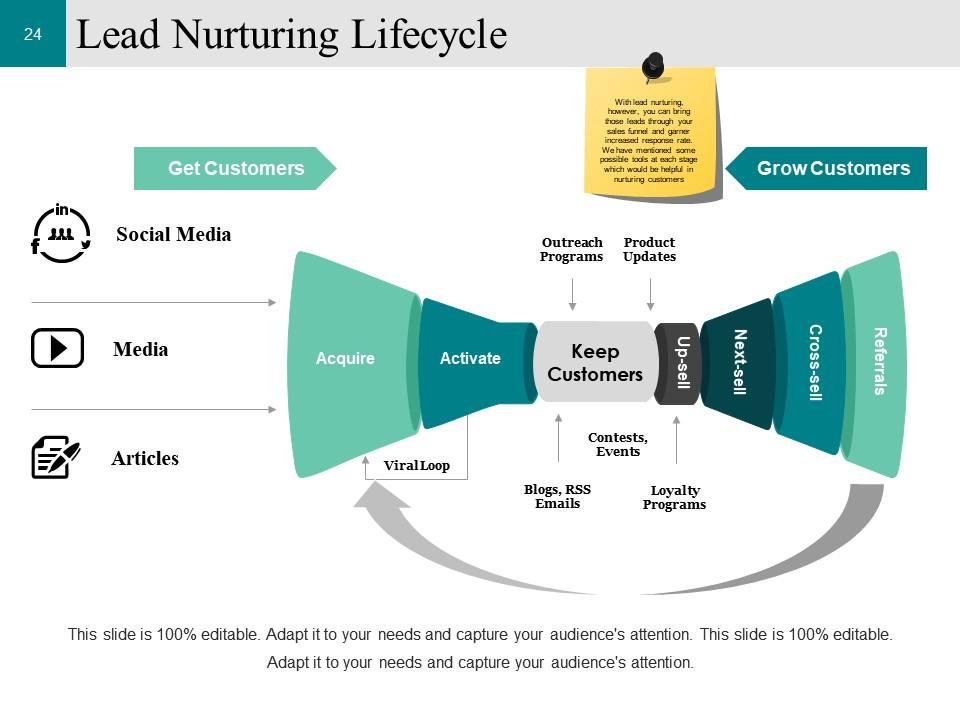
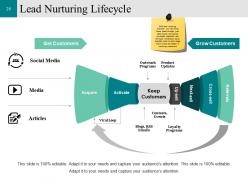
Slide 24: This slide showcases Lead Nurturing Lifecycle. With lead nurturing, however, you can bring those leads through your sales funnel and garner increased response rate. We have mentioned some possible tools at each stage which would be helpful in nurturing customers.
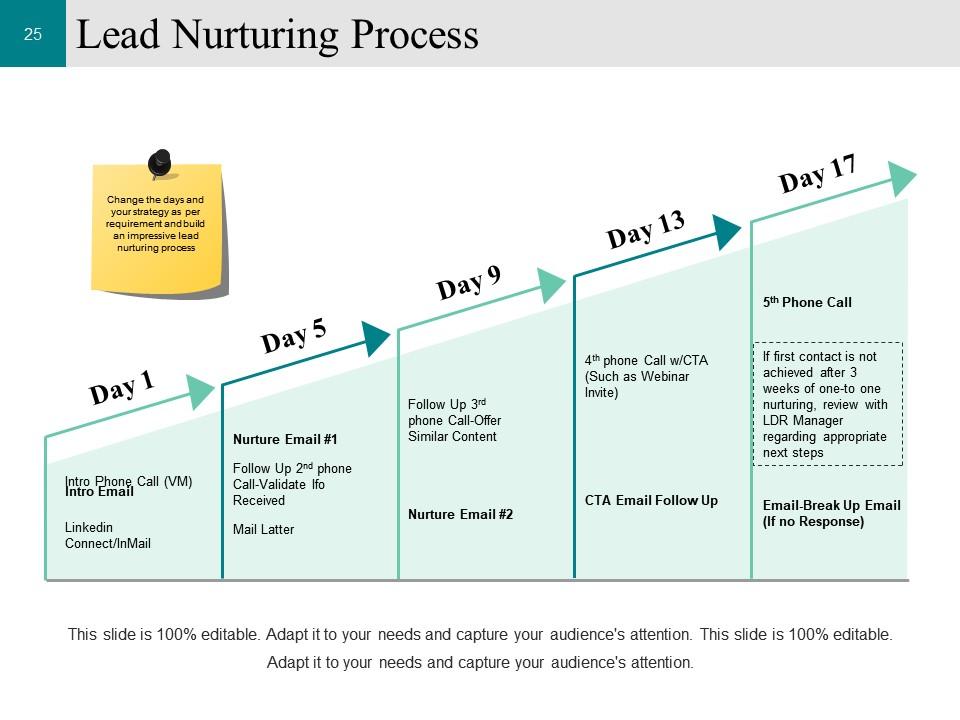
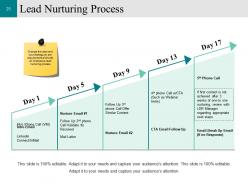
Slide 25: This slide shows Lead Nurturing Process. Change the days and your strategy as per requirement and build an impressive lead nurturing process.
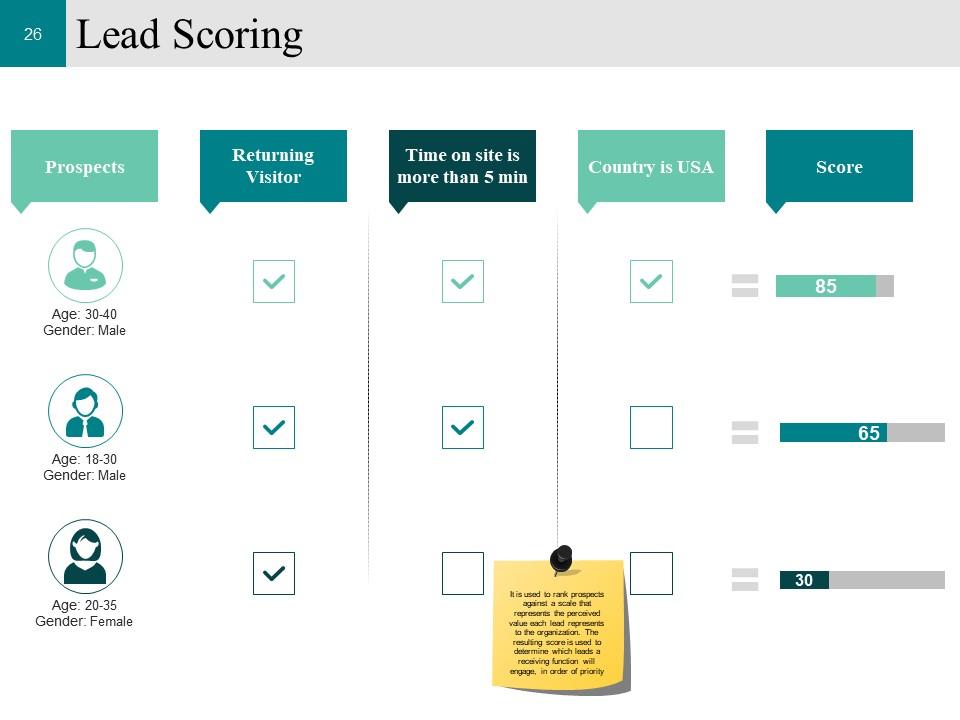
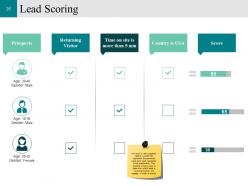
Slide 26: This slide displays Lead Scoring. It is used to rank prospects against a scale that represents the perceived value each lead represents to the organization. The resulting score is used to determine which leads a receiving function will engage, in order of priority.
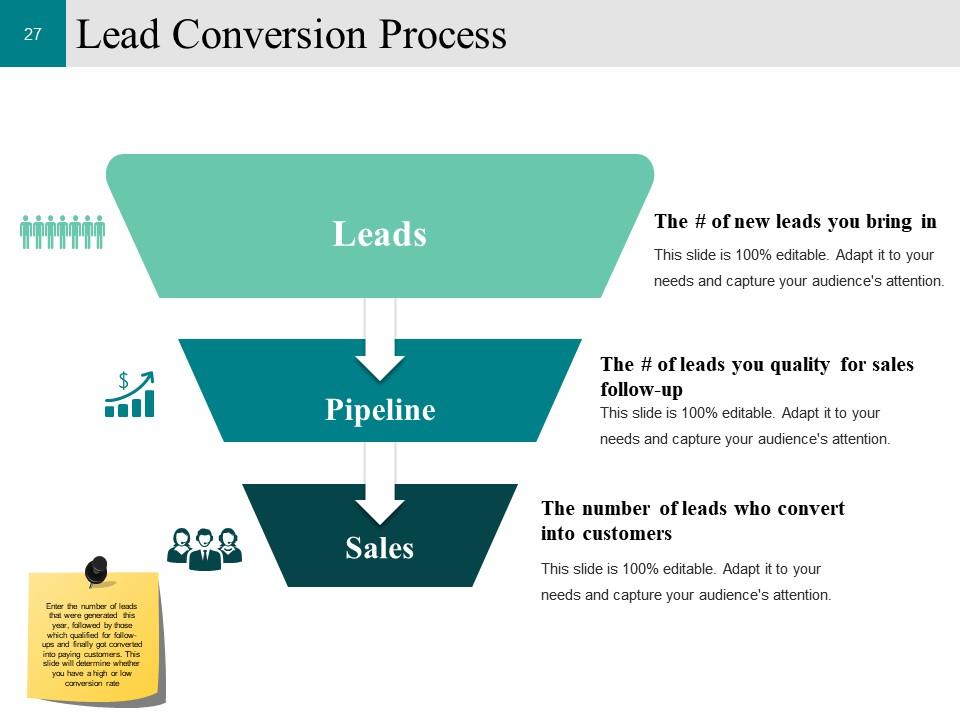
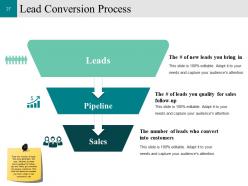
Slide 27: This slide showcases Lead Conversion Process. Enter the number of leads that were generated this year, followed by those which qualified for follow-ups and finally got converted into paying customers. This slide will determine whether you have a high or low conversion rate .
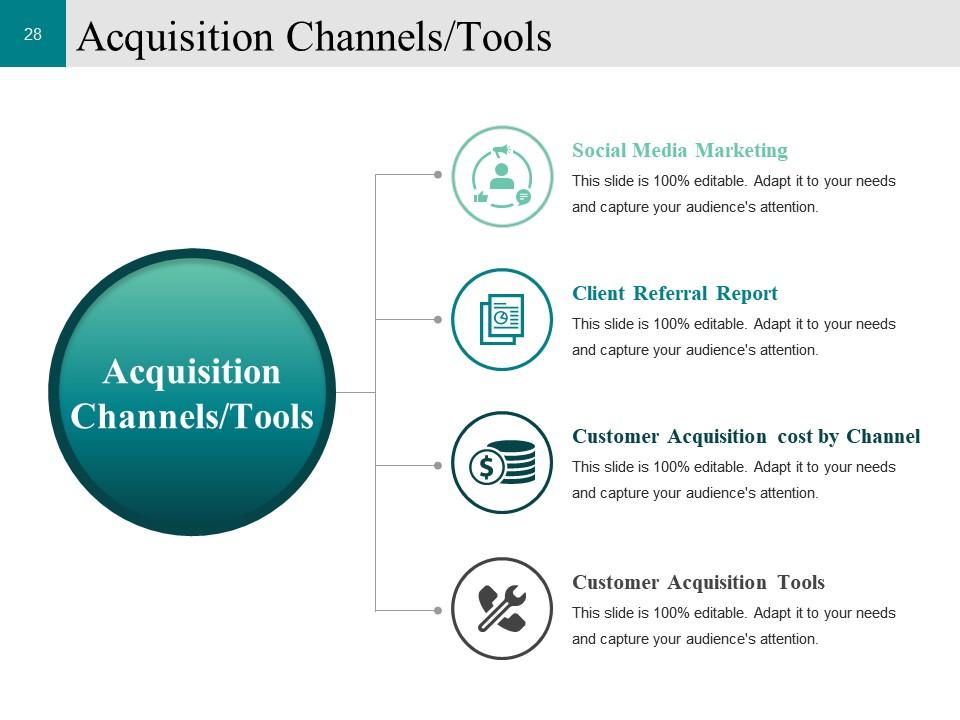
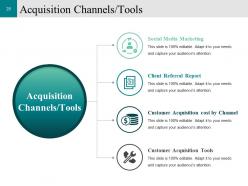
Slide 28: This slide displays Acquisition Channels/Tools. Enter the channels as per your need.
Slide 29: This slide showcases Customer Acquisition Tools as shows- Social Media, PR, Blogging, Customer Case Studies, Webinar/Virtual Events, Search, E-newsletters, Whitepaper, Display/Ad Banner, Mobile, Video Portals, Custom Publishing, Email, Microsites, Below are the most commonly customer acquisition tools which are sorted based on effectiveness. Modify this graph as per your requirement .
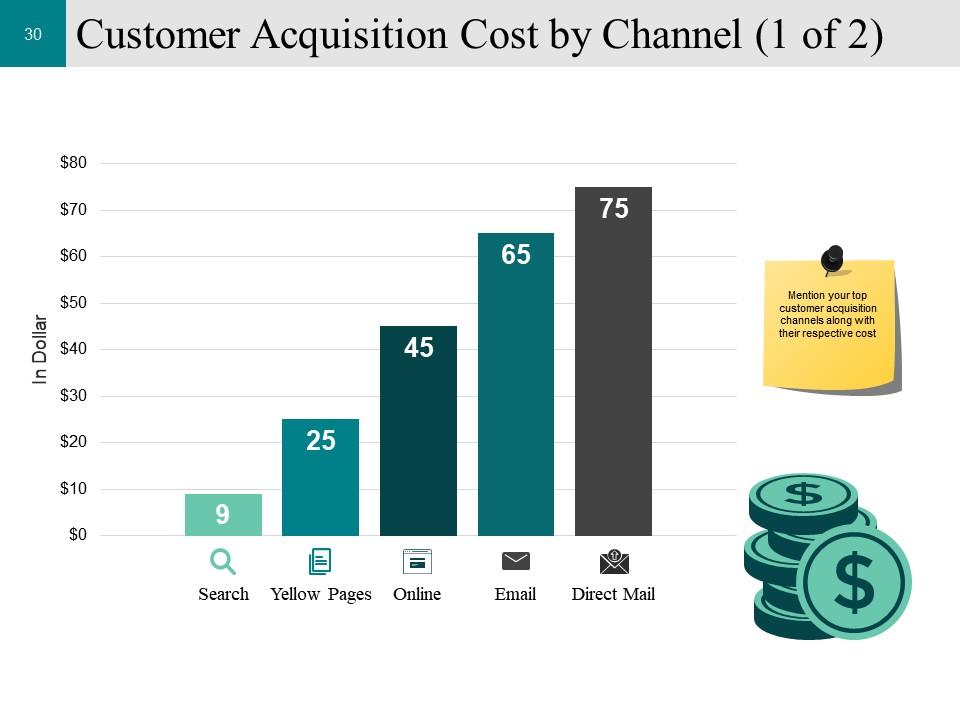
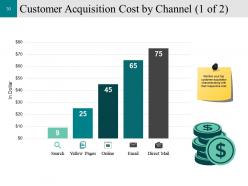
Slide 30: This slide shows Customer Acquisition Cost by Channel and can be distributed as- Search, Online, Email, Direct Mail, Yellow Pages, In Dollar, Mention your top customer acquisition channels along with their respective cost.
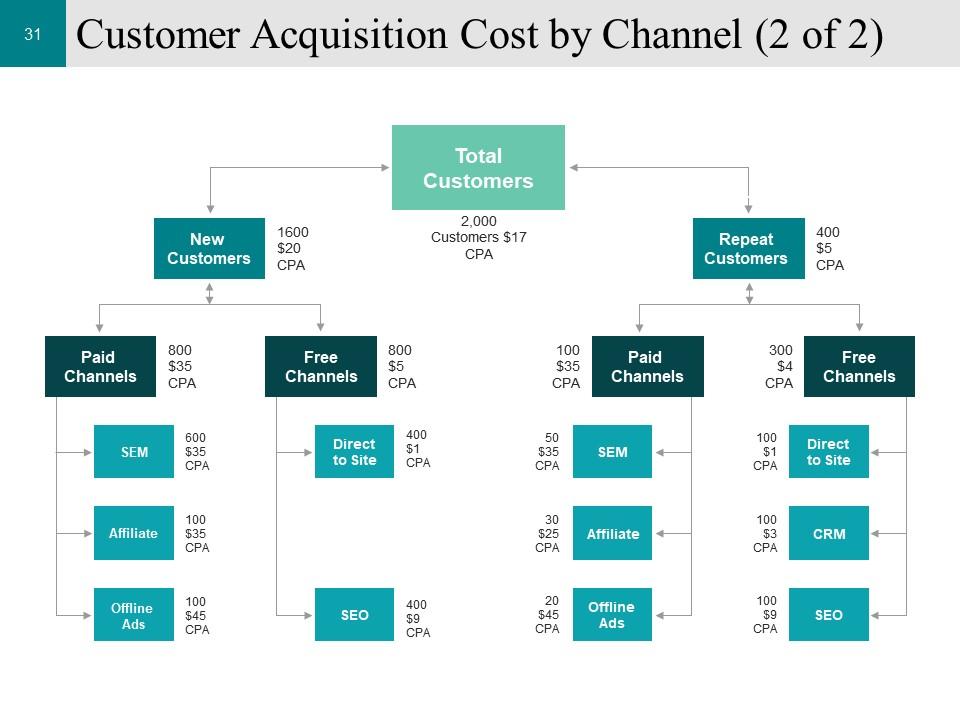
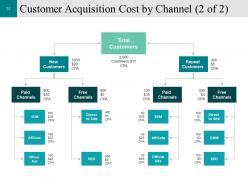
Slide 31: This slide displays Customer Acquisition Cost by Channel . You can add your information and alter.
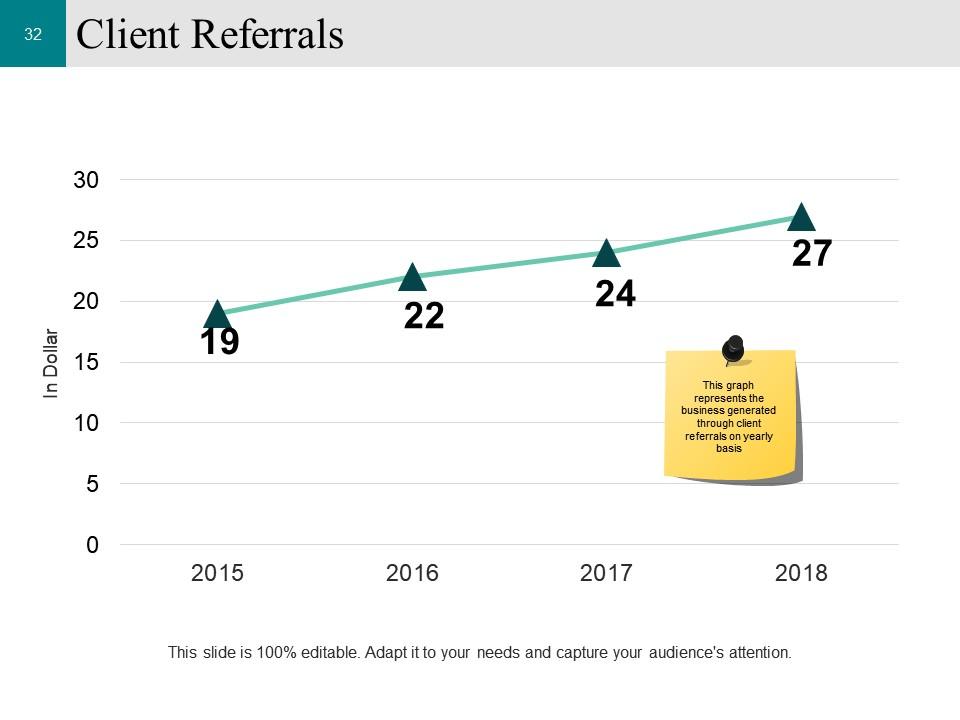
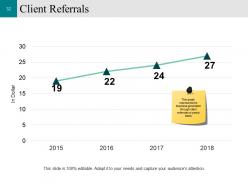
Slide 32: This slide presents Client Referrals. This graph represents the business generated through client referrals on yearly basis.
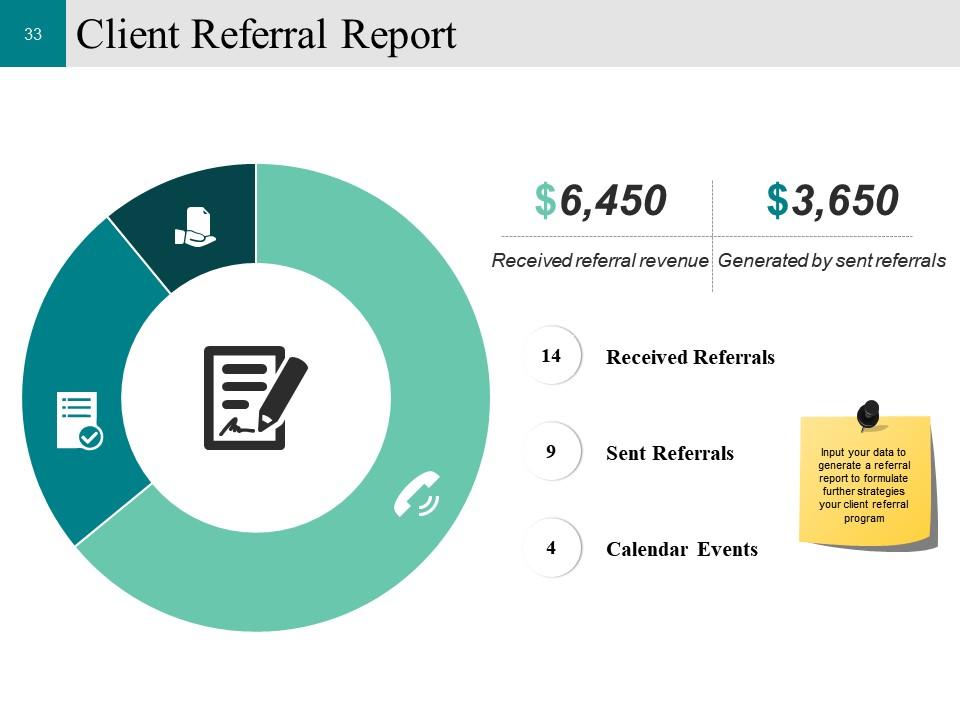
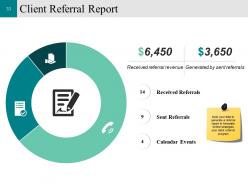
Slide 33: This slide displays Client Referral Report. Input your data to generate a referral report to formulate further strategies your client referral program.
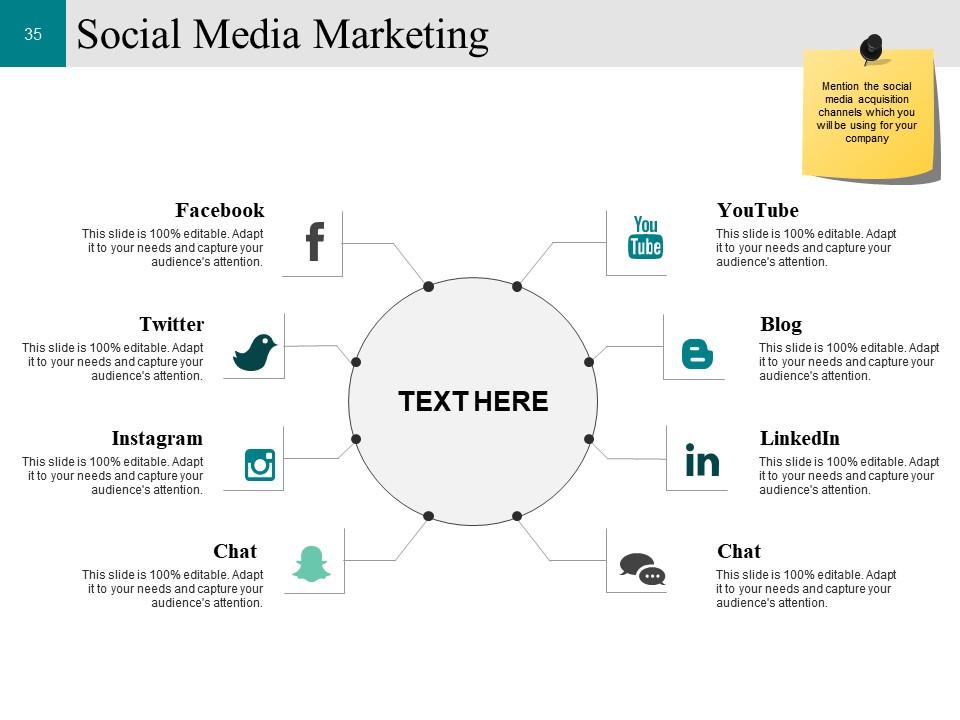
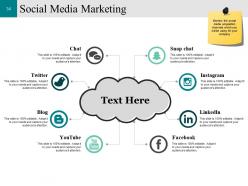
Slide 34: This slide displays Social Media Marketing . Mention the social media acquisition channels which you will be using for your company .
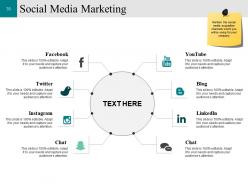
Slide 35: This slide is about Social Media Marketing YouTube, Blog, LinkedIn, Chat, Twitter, Facebook, Mention the social media acquisition channels which you will be using for your company .
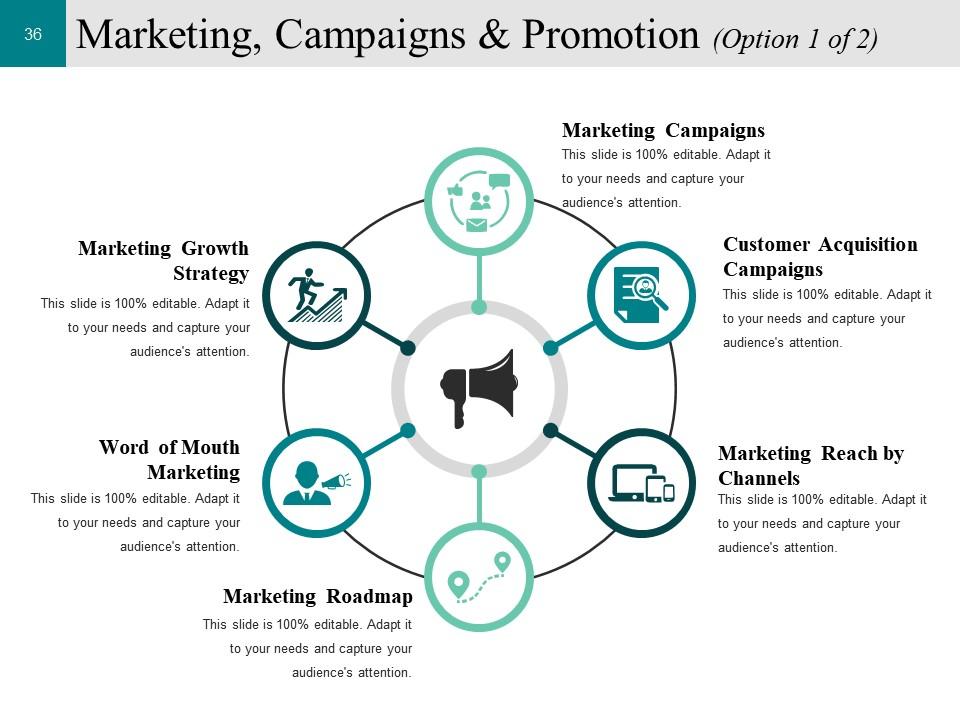
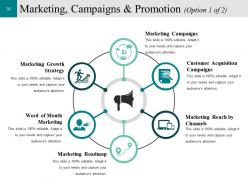
Slide 36: This slide displays Marketing, Campaigns & Promotion . We have mentioned some of parameters- Marketing Campaigns, Customer Acquisition Campaigns, Marketing Reach by Channels, Marketing Roadmap, Word of Mouth Marketing, Marketing Growth Strategy.
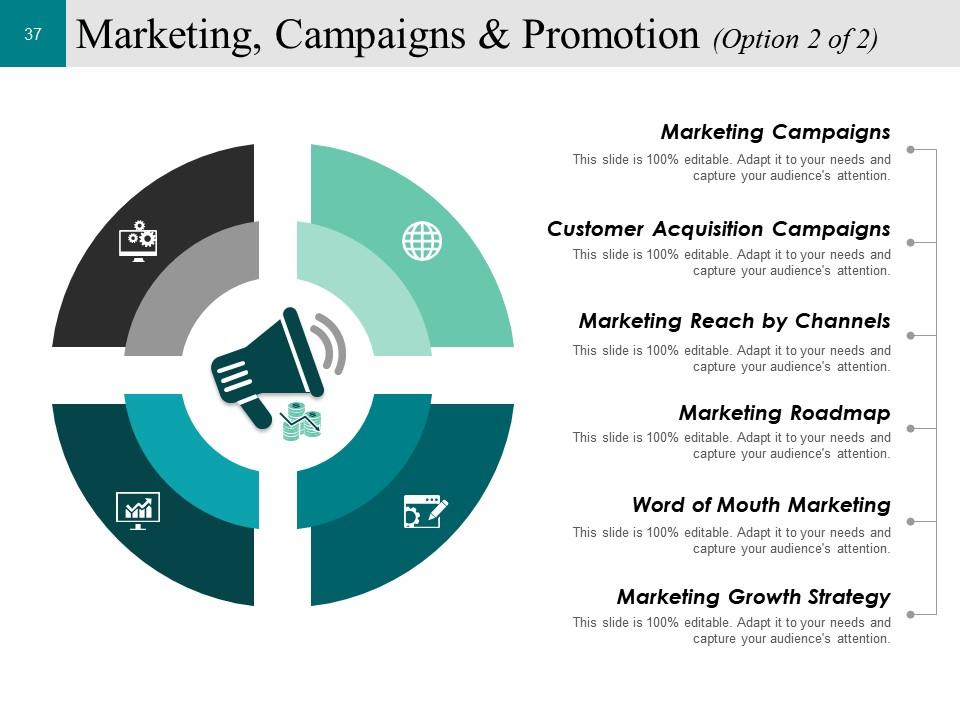
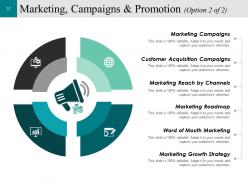
Slide 37: This slide is continution of Marketing, Campaigns & Promotion .You can use this and add your data.
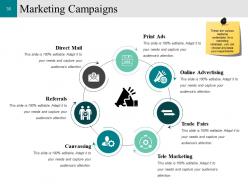
Slide 38: This slide presents Marketing Campaigns . These are various mediums undertaken for a marketing campaign, you can choose any basis your requirements.
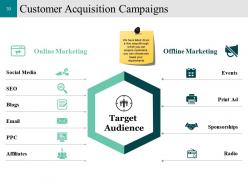
Slide 39: This slide showcases Customer Acquisition Campaigns. We have listed down a few ways through which you can acquire customers, you can choose any basis your requirements.
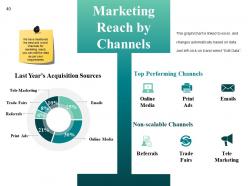
Slide 40: This slide displays Marketing Reach by Channels. We have mentioned the best and worst channels for marketing reach, you can edit the data as per your requirements .
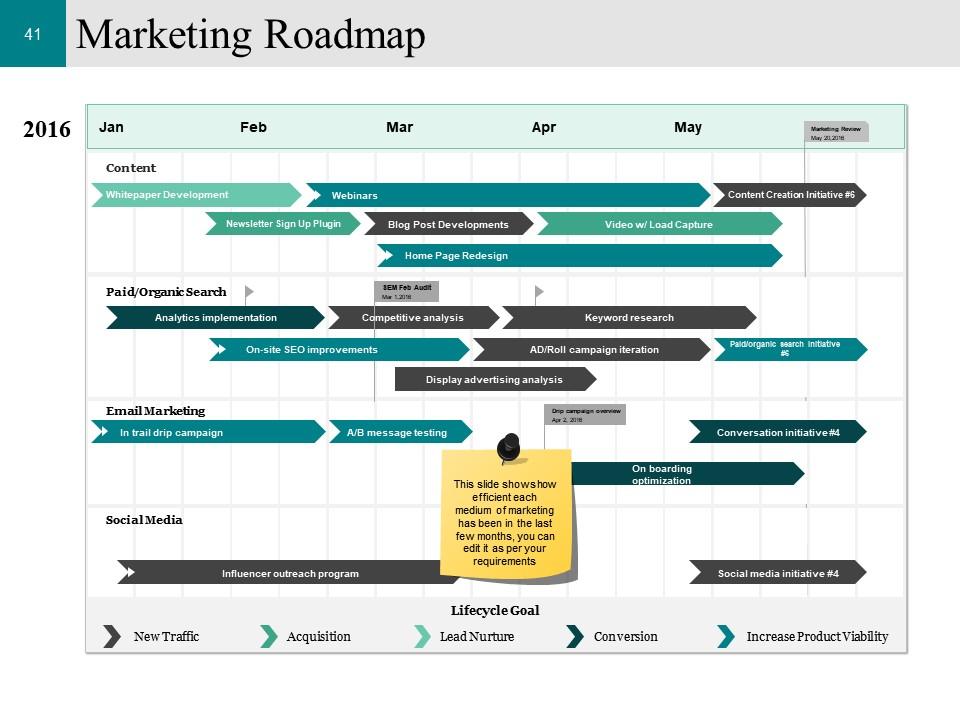
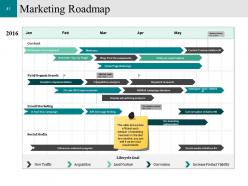
Slide 41: This slide displays Marketing Roadmap. This slide shows how efficient each medium of marketing has been in the last few months, you can edit it as per your requirements.
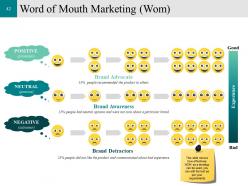
Slide 42: This slide presents Word of Mouth Marketing (Wom). This slide shows how effectively WOM as a strategy can be used, you can edit the text as per your requirements.
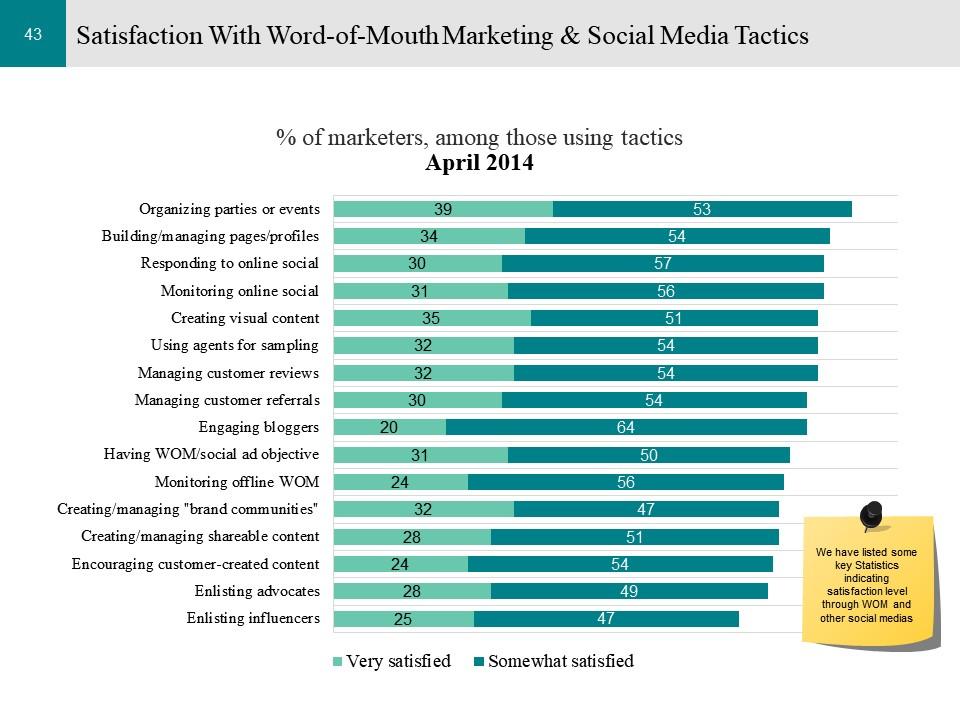
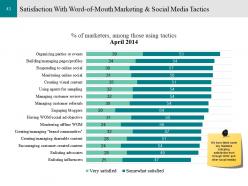
Slide 43: This slide displays Satisfaction With Word-of-Mouth Marketing & Social Media Tactics . We have listed some key Statistics indicating satisfaction level through WOM and other social media.
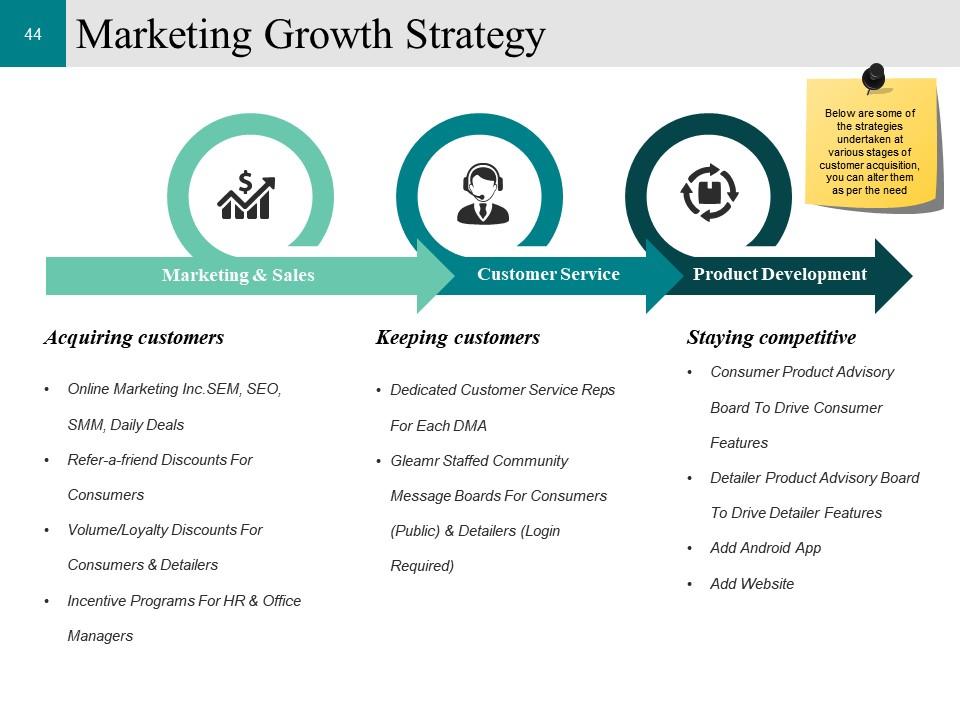
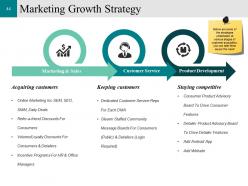
Slide 44: This slide presents Marketing Growth Strategy . These slides are some of the strategies undertaken at various stages of customer acquisition, you can alter them as per the need .
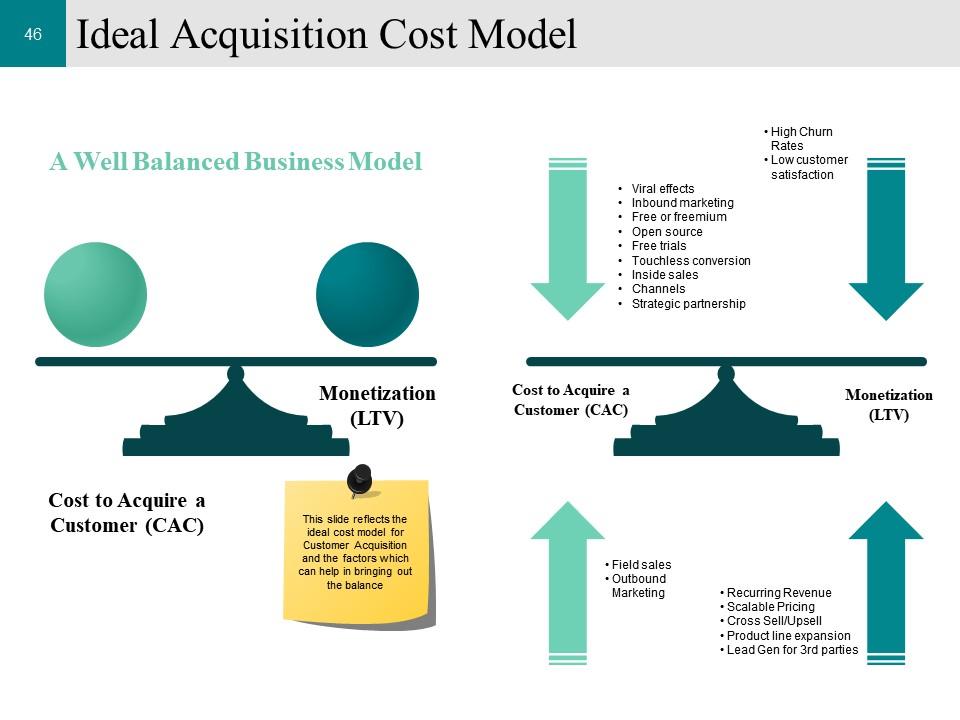
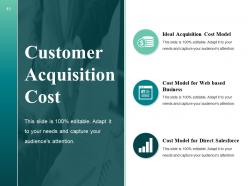
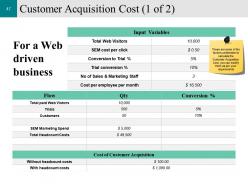
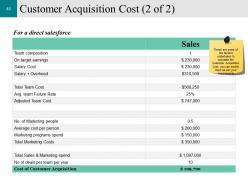
Slide 45: This slide showcases Customer Acquisition Cost. And also this includes- Ideal Acquisition Cost Model, Cost Model for Web based Business, Cost Model for Direct Salesforce.
Slide 46: This is an Ideal Acquisition Cost Model . This slide reflects the ideal cost model for Customer Acquisition and the factors which can help in bringing out the balance.
Slide 47: This slide displays Customer Acquisition Cost. These are some of the factors undertaken to calculate the Customer Acquisition Cost, you can modify them as per your requirements .
Slide 48: This is a continuation Customer Acquisition Cost. These are some of the factors undertaken to calculate the Customer Acquisition Cost, you can modify them as per your requirements.
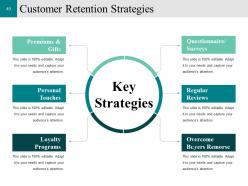
Slide 49: This slide showcases Customer Retention Strategies that includes Key Strategies. Listed are some of the strategies- Premiums & Gifts, Personal Touches, Loyalty Programs, Overcome Buyers Remorse, Regular Reviews, Questionnaire/ Surveys.
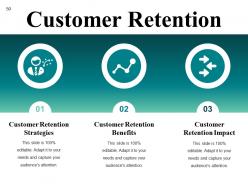
Slide 50: This slide shows Customer Retention. It also includes - Customer Retention Strategies, Customer Retention Benefits, Customer Retention Impact.
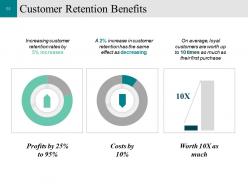
Slide 51: This slide displays Customer Retention Benefits. We have mentioned few of them.
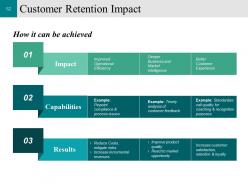
Slide 52: This slide showcases Customer Retention Impact. We have mentioned three factors- Impact, Capabilities, Results.
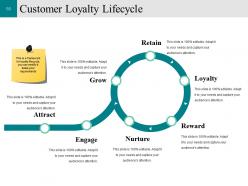
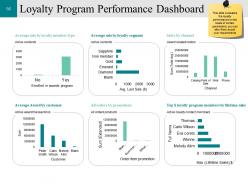
Slide 53: This slide displays Customer Loyalty which further includes- Customer Loyalty Lifecycle, Loyalty Program Performance Dashboard.
Slide 54: This slide showcases Customer Loyalty which further involves- Customer Loyalty Lifecycle Loyalty Program Performance Dashboard
Slide 55: This slide shows Customer Loyalty Lifecycle.This is a framework for loyalty lifecycle, you can modify it basis your requirements
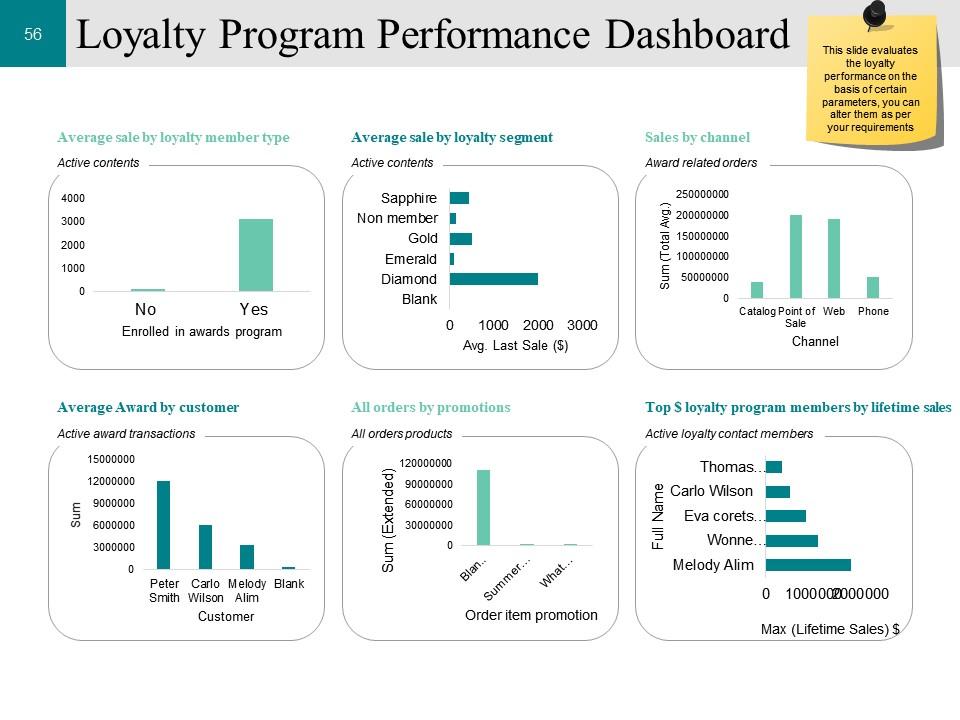
Slide 56: This slide presents Loyalty Program Performance Dashboard. This slide evaluates the loyalty performance on the basis of certain parameters, you can alter them as per your requirements
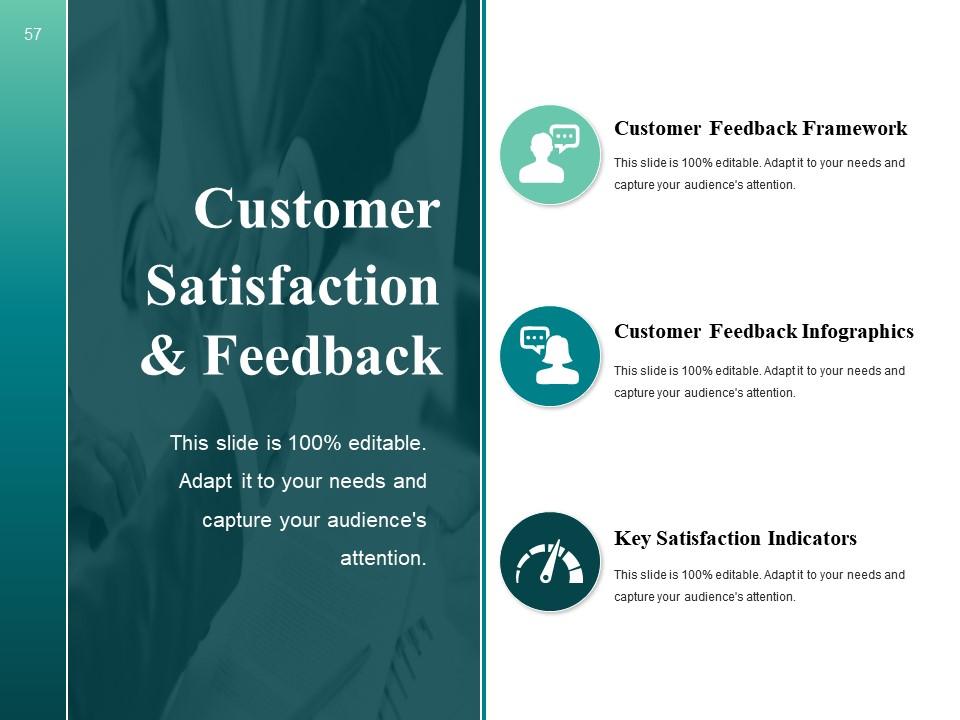
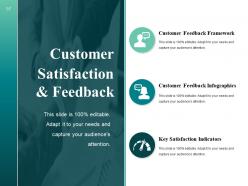
Slide 57: This slide shows Customer Satisfaction & Feedback these three main categories- Customer Feedback Framework, Customer Feedback Infographics, Key Satisfaction Indicators.
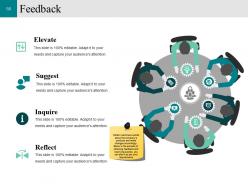
Slide 58: This slide presents Feedback which includes- Elevate, Suggest, Reflect Obtain customers opinion about the company’s products and make changes accordingly. Below is the process of obtaining feedback and resolving queries, you can alter it as per your requirements
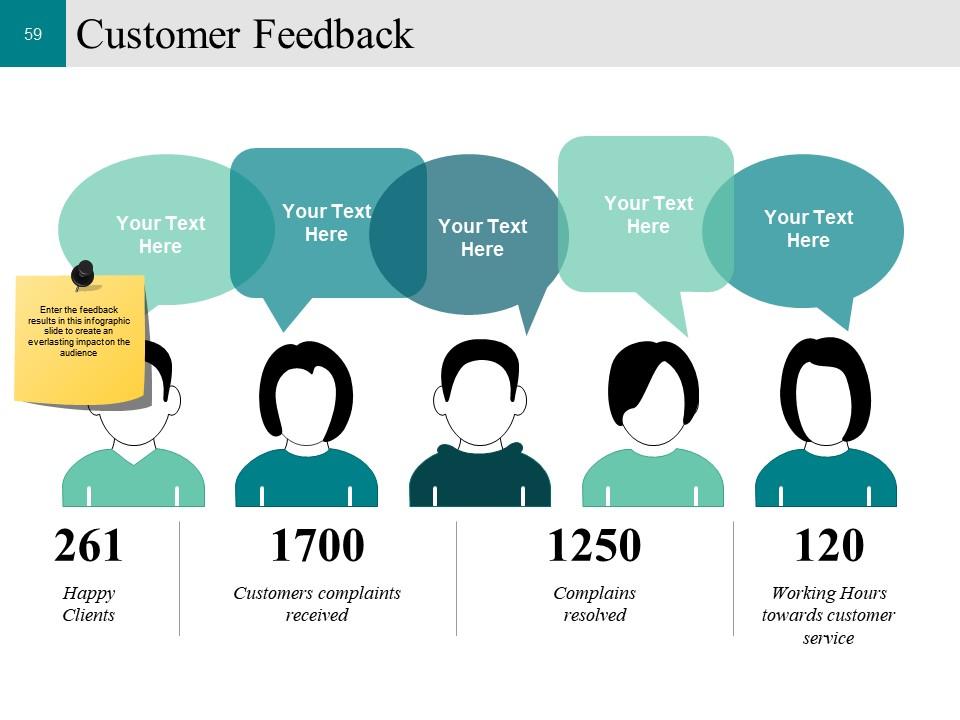
Slide 59: This slide displays Customer Feedback. Enter the feedback results in this infographic slide to create an everlasting impact on the audience
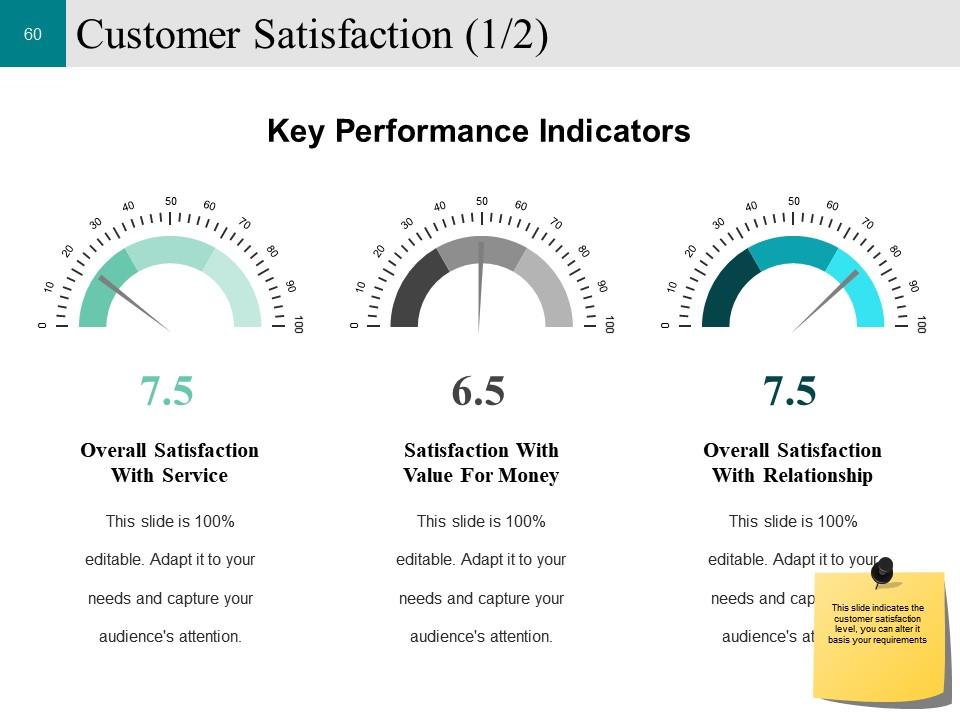
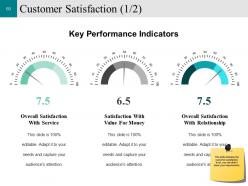
Slide 60: This slide presents Customer Satisfaction. This slide indicates the customer satisfaction level, you can alter it basis your requirements.
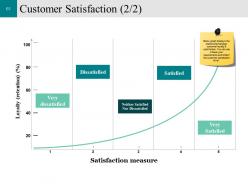
Slide 61: This slide showcases Customer Satisfaction .Below graph displays the relationship between customer loyalty & satisfaction. You can use it basis your requirements and reflect the customer satisfaction level.
Slide 62: This slide displays Key Metrics. Monitor the performance on the basis of below mentioned parameters, you can alter them as per your requirements.
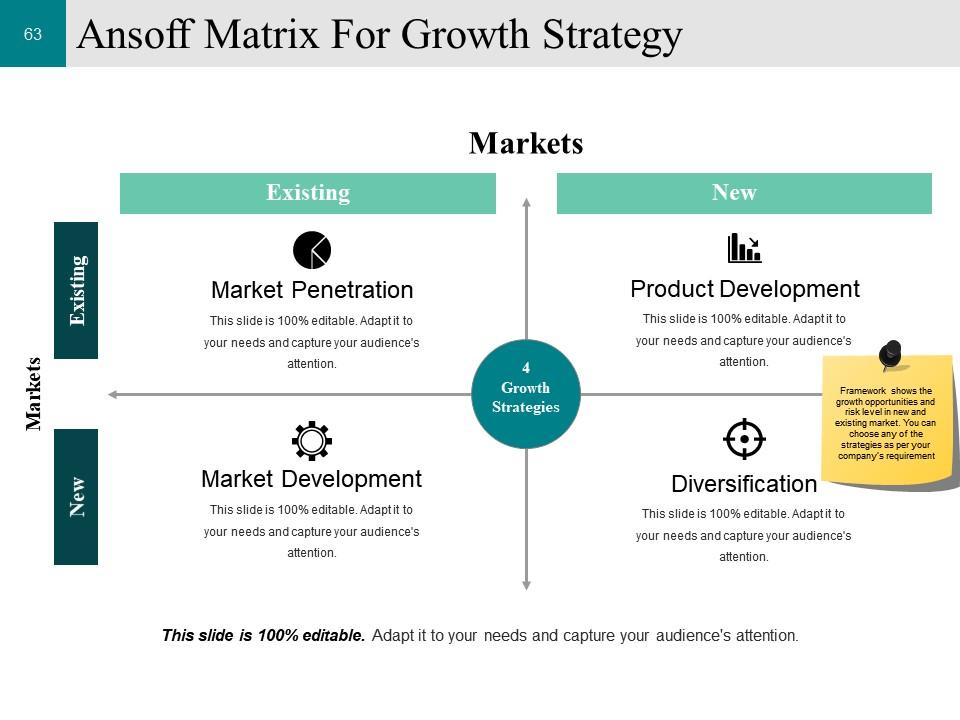
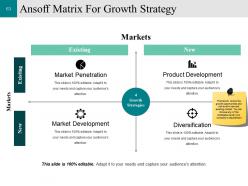
Slide 63: This slide showcases Ansoff Matrix For Growth Strategy- Product Development, Diversification, Market Development, Market Penetration. Framework shows the growth opportunities and risk level in new and existing market. You can choose any of the strategies as per your company’s requirement
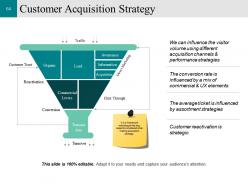
Slide 64: This slide shows Customer Acquisition Strategy. It is a framework indicating all the key aspects considered while making acquisition strategy.
Slide 65: This is a Coffee Break slide to halt. You may change it as per requirement.
Slide 66: This slide is titled Charts & Graphs to move forward.
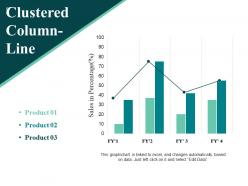
Slide 67: This slide showcases Clustered Column-Line for comparing and visualize in graph with four financial year.
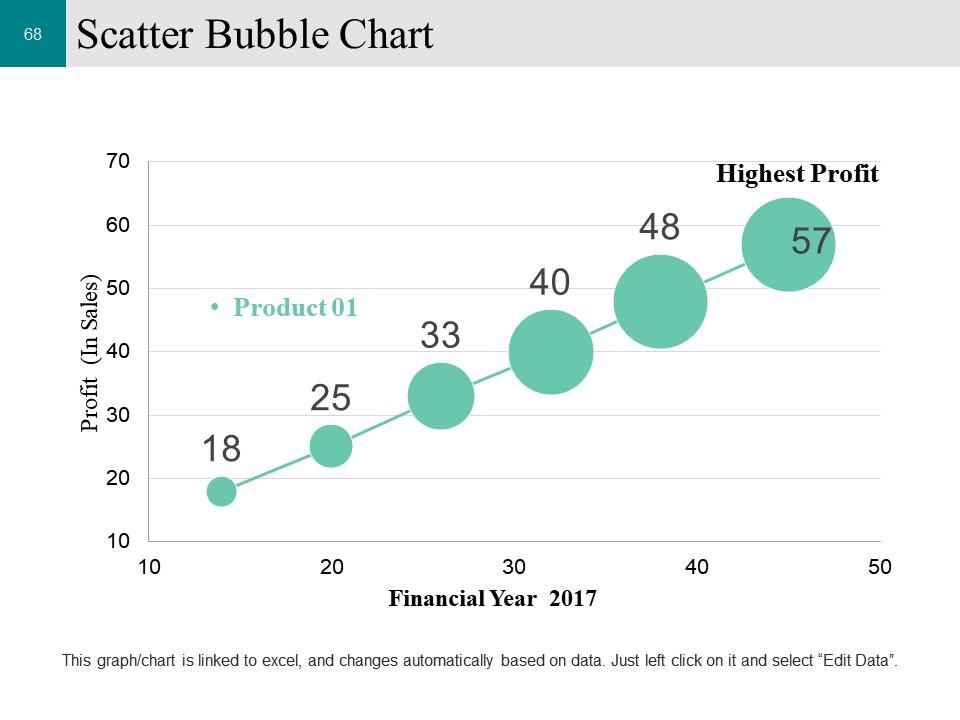
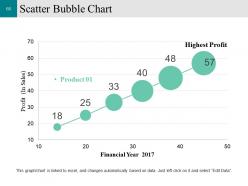
Slide 68: This slide presents a Competitive Analysis Bubble Chart for product specifications to show.
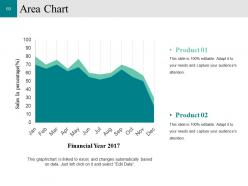
Slide 69: This is an Area Chart slide for product/entity comparison.
Slide 70: This slide is titled Additional Slides to move forward.
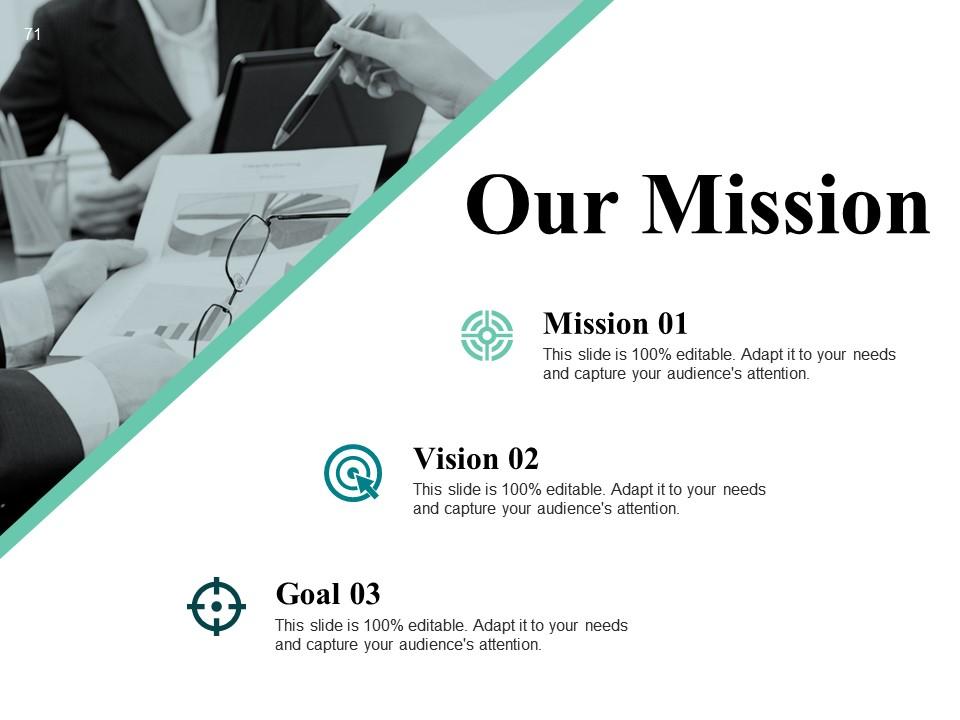
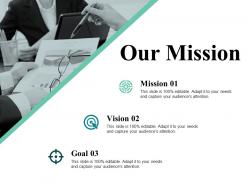
Slide 71: This slide represents Our Mission. State your mission, goals etc.
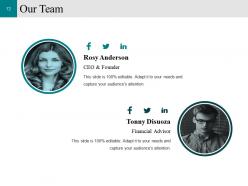
Slide 72: This slide showcases Our Team with Name and Designation to fill.
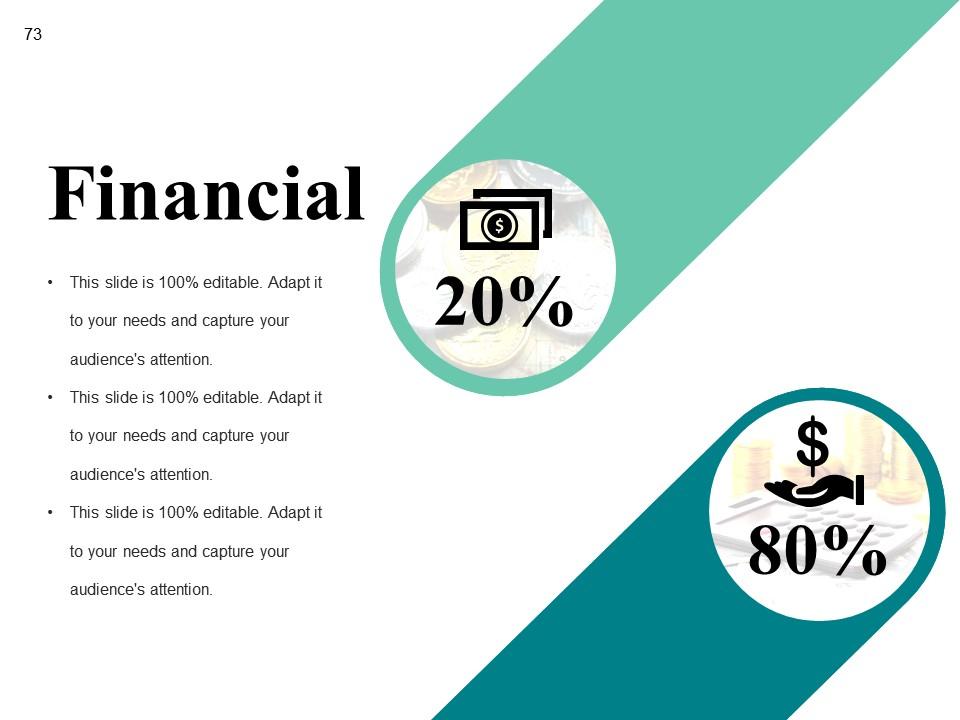
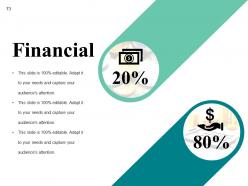
Slide 73: State your Financial score in this slide with relevant imagery and text.
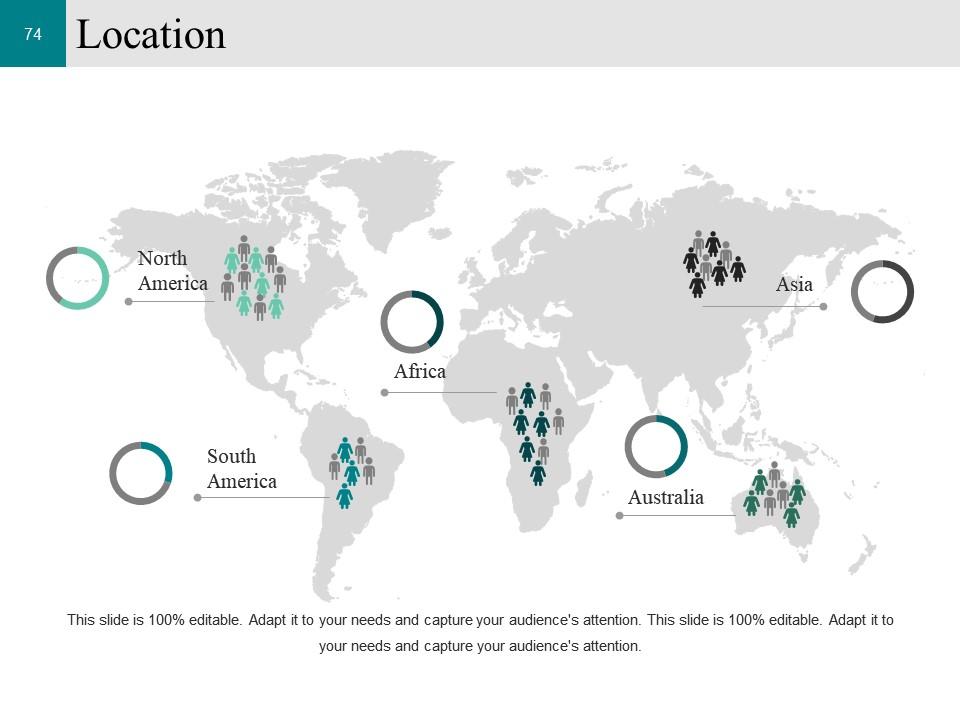
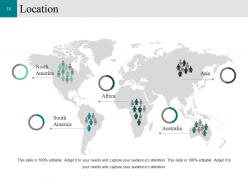
Slide 74: This is a Location slide to show global growth, presence etc. on world map.
Slide 75: This slide shows Target image with text boxes.
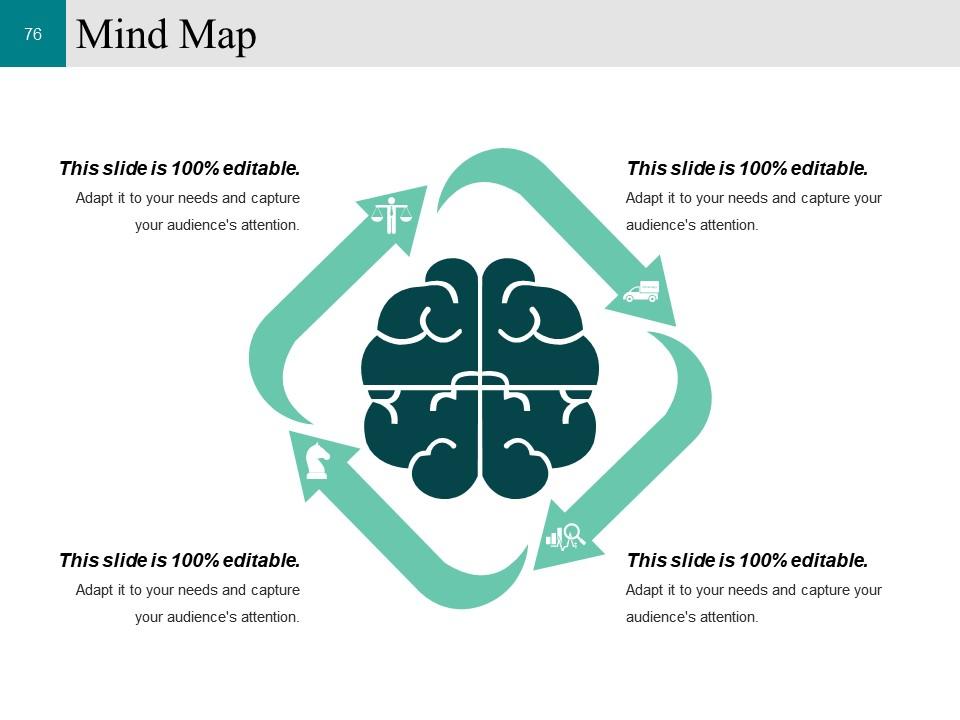
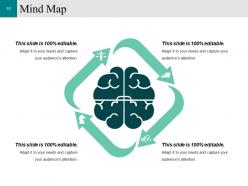
Slide 76: This slide shows a Mind map for representing entities.
Slide 77: This is a Thank You image slide with Address, Email and Contact number.
Customer Conversion Strategy Powerpoint Presentation Slides with all 77 slides:
Handle the audience with our Customer Conversion Strategy Powerpoint Presentation Slides. Get them eating out of your hands.
-
Very well designed and informative templates.
-
Appreciate the research and its presentable format.
