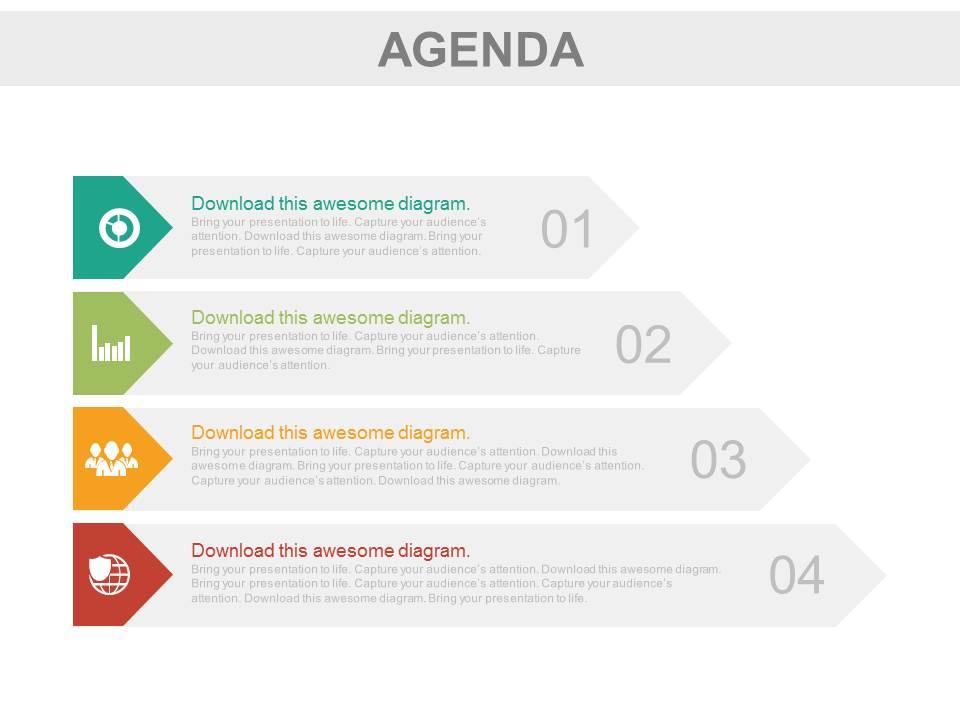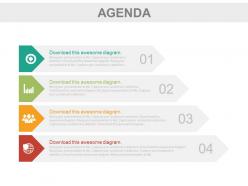
Cuatro etiquetas para la representación de la agenda de negocios. Diapositivas de PowerPoint

Rating:
90%
Four tags for business agenda representation powerpoint slides
Slide 1 of 4
Favourites Favourites

Try Before you Buy Download Free Sample Product

Audience Impress Your
Audience
Editable 100%
Editable
Time Save Hours
of Time
The Biggest Sale is ending soon in
0
0
:
0
0
:
0
0
Rating:
90%

Características de estas diapositivas de presentación de PowerPoint:

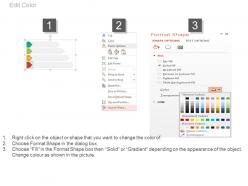
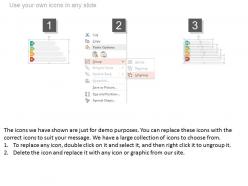
La diapositiva PPT es compatible con la diapositiva de Google. Alta resolución. El estilo y el tamaño de la fuente se pueden modificar e ingresar fácilmente en el gráfico de presentación. El icono PPT es fácil de corregir y editar. La diapositiva de presentación es beneficiosa para las micro, pequeñas y medianas empresas de gestión de servicios de TI y también para el personal académico. La presentación de PowerPoint es compatible con las versiones de Microsoft 2010 y 2013.

FAQs for Four tags for business agenda

Oh this is actually pretty simple! You need three things: an action word, the specific topic, and what you're trying to get out of it. So instead of "budget discussion" write "DECIDE: Q4 budget allocation." Way clearer, right? When people scan through later they'll know exactly what mindset they needed. I always add timing for quick stuff too - like "REVIEW: 15min client feedback." Honestly, most people write terrible agenda items that tell you nothing. Your tags become the roadmap, so make them specific enough that someone could understand the point without reading everything else.

Oh man, agenda tags are super helpful! Basically you just label each section - like "Decision," "Discussion," or "Update." People instantly know if they need to vote on something, brainstorm, or just listen. Without them, meetings feel like everyone's wandering around lost, not sure if they should speak up or take notes. I started doing this last year and honestly? Night and day difference. Just throw a simple one-word tag next to each agenda item. Your team will actually stay focused instead of that glazed-over look we all know too well.

Okay so agenda tags are honestly a game-changer for meetings. You basically assign time blocks to different topics - like "5-min update" or "decision needed." Trust me, I learned this the hard way after running way too many meetings that just... wandered. Tags force you to actually think about timing upfront. When you're running late (which happens), you can quickly see what's urgent versus what can wait. The brainstorm stuff? That can probably get moved. Start with maybe 3-4 simple categories and you'll actually finish meetings when you're supposed to. Your future self will thank you.

Honestly, short and punchy tags are your best friend here - stuff like "DECISION NEEDED" or "BUDGET REVIEW" instead of rambling descriptions. I used to bury important stuff in long agenda items and people would just glaze over. All caps or brackets work great for consistency. Your team should be able to scan the whole thing in like 10 seconds and immediately know what needs their brain power versus what's just FYI stuff. Color-coding is clutch if you can swing it on whatever platform you're using. Maybe test out your format with a few people first? What looks obvious to you might not jump out to them.

Biggest mistake? Super vague tags like "important" or "discussion" - they're basically useless when you're searching later. Also don't write a whole paragraph describing every detail. Be specific but short: "Q3-budget-review" beats just "meeting" any day. Oh, and pick ONE way to name things! I learned this the hard way - mixing "HR" and "human-resources" just makes everything a mess. Consistency matters way more than you'd think. Test it first though. Try your system on like 3-4 agendas before you tag everything, trust me.

Dude, agenda tags are game changers for presentations. They're like breadcrumbs for your audience - people can actually follow where you're going instead of getting lost halfway through. I always use stuff like "Problem," "Solution," "Next Steps" because it keeps everyone on track. Your audience will ask way better questions too since they can point to specific sections. Oh, and their note-taking gets so much better when they can organize around your tags. Honestly, most presenters skip this step and wonder why people look confused. Try color-coding them next time - makes a huge difference.

Start with tags that actually match what your company cares about - stuff like "Q4-revenue" or "customer-retention." The tricky part? Getting everyone to use them consistently. You can't just tell people to do it because the boss said so - they need to understand why it helps *them*. Once your team starts tagging meetings and projects, they can filter everything and actually see how their daily work connects to the big picture. Honestly, it's kinda magical when it clicks. Way fewer confused meetings where everyone's like "wait, what are we even doing here?" Short sentences mixed with longer ones make this flow better, don't you think?

Honestly, just use Canva - you'll knock this out in like 10 minutes. They've got a bunch of business card templates that work perfectly for agenda tags. If you're already comfortable with Adobe stuff, InDesign gives you way more control, but it's pretty much overkill for something this simple. PowerPoint actually does a decent job too, which sounds weird but it works. I've even seen people make basic ones in Google Docs when they're desperate. But seriously, start with Canva. The templates look professional and you don't need any design skills.

Your agenda tags should match the vibe of your meeting, honestly. Slide presentations work best with short, punchy tags - think "DECISION" or "UPDATE." Workshops give you more room to be descriptive, like "brainstorming session." Board meetings? They eat up formal language like "strategic review" (eye roll, but whatever works). Virtual meetings are tricky - people's attention spans are shot online, so you need super specific tags to keep them engaged. The fancier the room, the fancier your language should be. Also consider your time limits when deciding how detailed to get.

Break down your tags by who's actually using them. Executives want the big picture stuff - "ROI impact" or "competitive advantage." Department heads care more about "resource allocation" and timeline stuff. Go granular though, seriously - people love being able to filter out the noise. Set up role-based hierarchies so finance can jump straight to budget items while tech folks find implementation details. Oh and definitely test these with real users first before you push it company-wide. Nothing worse than tags that sound good in theory but nobody actually searches for.

Dude, agenda tags are a total game changer for post-meeting chaos. You can filter stuff instantly - like click "urgent" or "Sarah's tasks" and boom, there's everything you need. No more scrolling through random notes trying to remember what the hell we actually decided on. I started doing this thing where I tag items beforehand as "action," "decision," or just "FYI" and honestly? It makes writing follow-up emails so much less painful. Takes like two seconds but saves you from that nightmare where important stuff gets buried. Your future self will definitely appreciate it when you're not frantically texting people asking what they were supposed to do.

So everyone's doing clickable agenda tags now - you can jump between sections instead of staring at boring bullet points. Visual stuff is huge too, like color coding and icons to make everything easier to scan. Real-time updates are finally a thing (thank god). People want personalized views where they can filter by what matters to them. Honestly, just start with the clickable navigation - it'll save you from those awkward "wait, go back" moments. Plus it actually keeps people awake during your presentation, which is half the battle these days.

Colors actually work really well for agenda tags - people respond to them without even thinking about it. Red's perfect for urgent stuff since it naturally grabs attention. Blue feels calmer and trustworthy, so it's good for regular business items. Green works for anything money-related or decisions where you want that "go" feeling. I've watched teams get surprisingly worked up over their color systems, but honestly? It makes a difference. Yellow signals either caution or fresh ideas, depending on context. Purple usually screams creativity or big-picture thinking. Once you assign consistent colors to different agenda types, your team will start processing things way faster. They'll just know what they're looking at instantly.

Your agenda tags need to match your brand - same colors, fonts, logo placement, all that stuff. It's actually one of the first things people notice and touch at your event. Mismatched designs honestly just look amateur, even if everything else is perfectly planned. I've seen it happen and it's cringy. People subconsciously judge your whole company based on these tiny details, so you want everything cohesive across your materials. Sounds picky but it really does build that professional credibility you're going for.

Getting feedback on your agenda tags is a game changer - you'll actually see what works and what doesn't. I thought mine were super clear until people started telling me otherwise! Look for patterns in the responses. Are folks getting lost between sections? Does one part feel too rushed? Quick surveys work great for this stuff. You can literally just ask "did the agenda flow make sense?" after your next presentation. The responses might surprise you (they did for me). Use what you learn to tweak your approach next time.

Ratings and Reviews

90% of 100
Review Form
Write a review
Most Relevant Reviews
  1. 100%

    by Cory Reynolds

    Presentation Design is very nice, good work with the content as well.
  2. 80%

    by Michael Clark

    The content is very helpful from business point of view.

2 Item(s)

per page: