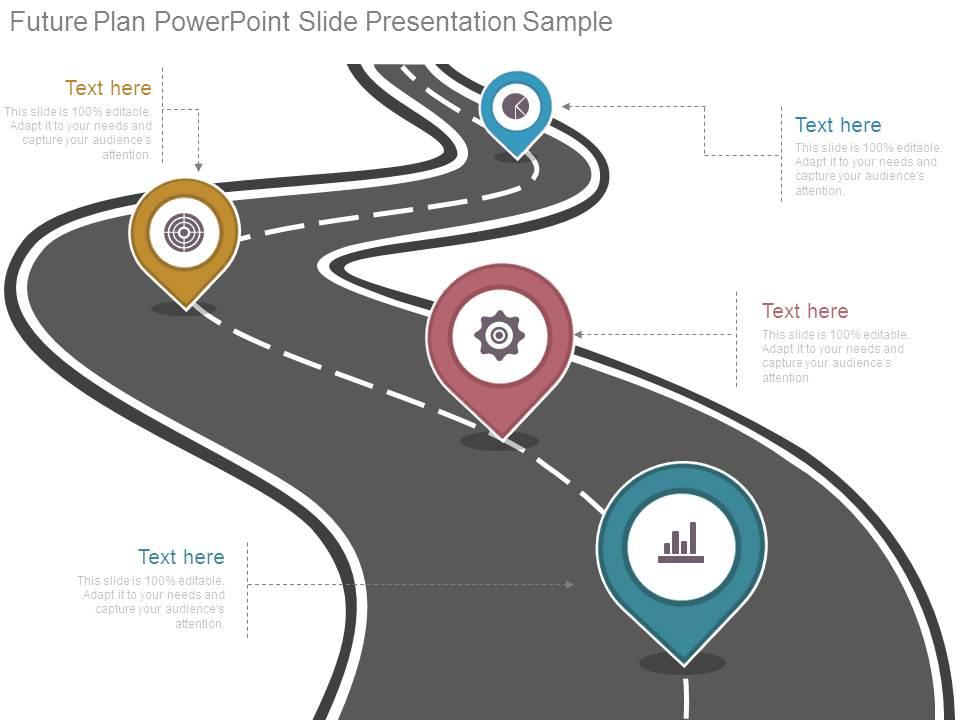
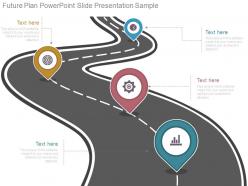
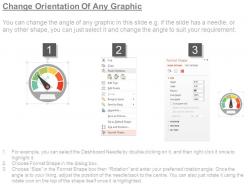
Future plan powerpoint slide presentation sample
Try Before you Buy Download Free Sample Product
Audience
Editable
of Time
With design targeted at the international presentation community these Future Plan Powerpoint Slide Presentation Sample are ideal for presentations. Thousands of designs to choose from.
People who downloaded this PowerPoint presentation also viewed the following :
Future plan powerpoint slide presentation sample with all 7 slides:
Attract the brightest with our Future Plan Powerpoint Slide Presentation Sample. They will bring the best to your door.
FAQs for Future plan powerpoint
So I've been noticing three huge shifts lately - interactive stuff is everywhere, data storytelling is king, and everyone's going super minimal. Instead of just presenting AT people, try adding polls or clickable elements. Makes such a difference. AI tools are getting ridiculously good at churning out visuals too (which honestly freaks me out a little). Oh, and don't sleep on sustainability messaging - it's basically required now. Start small though. Try Mentimeter for quick polls, or just add way more white space. Trust me on this one.
Dude, the presentation game is about to get crazy. AI can whip up polls and quizzes on the spot based on what you're talking about. AR/VR lets people actually walk around inside your charts - honestly sounds a bit gimmicky but could be cool. Voice tech means no more awkward pauses during Q&A. Machine learning will read the room and adjust your slides if people look bored. There's even biometric stuff that'll tell you when you're losing them. My advice? Start messing around with basic interactive tools now so you're not scrambling later.
Honestly, storytelling is what'll make or break your presentations going forward. People remember stories, not boring data dumps - like, what presentations from last year actually stuck with you? Probably the ones with good narratives. Your plans become way more convincing when you frame them as a journey with real characters and challenges. Don't ditch the data though. Just wrap it in story structure so it actually sticks in people's heads. Try building a narrative arc next time and see how much more engaged everyone gets.
Dude, you gotta make your presentations way more interactive. Live polls, Q&A breaks, those audience response tools - anything to get people actually engaged instead of zoned out. Nobody wants to sit through 20 minutes of straight talking anymore (honestly, who ever did?). Tell stories with real examples they can connect with. Break longer stuff into smaller chunks so people can actually follow along. Oh, and if you're doing hybrid events, make sure remote people aren't just forgotten afterthoughts. Try adding just one interactive thing to your next presentation and see what happens.
Honestly, going digital is your best bet here - ditch the printed handouts and just use QR codes instead. Cloud tools are a lifesaver too since nobody wants those giant PowerPoint files clogging their inbox (seriously, we've all been there). I'd start by reusing old slide templates whenever possible rather than rebuilding everything from scratch. For in-person stuff, maybe encourage carpooling or offer a virtual option? Don't try to overhaul everything at once though. Pick one or two changes that actually feel doable - sustainability only works if it becomes second nature.
Okay so VR and AR are gonna flip presentations on their head. Like, forget boring slide decks - you'll literally walk people through 3D stuff they can actually touch and mess around with. I saw a demo last month and it was wild. Your audience becomes part of the whole thing instead of just sitting there zoning out. Plus the tech isn't crazy expensive anymore, which is nice. Honestly, I'd start playing with basic AR apps now because this stuff's gonna be everywhere soon. Way better than watching someone click through PowerPoint slides for an hour.
Yeah, static sites are basically dead at this point - everyone wants stuff that actually responds to them. Those old leather textures and cheesy drop shadows? Thank god that's finally dying out. Mobile-first is non-negotiable now, desktop-first will just make you look outdated. Oh, and Flash is obviously ancient history lol. People's attention spans are shot, so long boring text blocks won't cut it anymore. You want micro-interactions, stuff that adapts to how users behave. Honestly, if your site doesn't feel personalized and dynamic, you're already behind.
Honestly, data viz is getting way more interactive these days. Real-time updates, AR stuff, AI that changes complexity based on who's looking - it's pretty wild. Static pie charts are basically extinct now (thank god). People want stories with their data, not just numbers thrown at them. Voice integration is huge too - imagine asking your chart questions out loud. Oh, and everything's getting personalized. Instead of generic dashboards, it's more like "here's what this actually means for YOU." I'd mess around with Tableau or Power BI if I were you. Get familiar before everyone else catches on.
Digital storytelling is where you should start - people want interactive, visual stuff now. The tech side is massive since you're dealing with multiple platforms, VR tools, and AI presentation software. Change happens so fast it's honestly ridiculous. But here's the thing - emotional intelligence matters more than ever when you're connecting through screens. You need different energy for each format. Data literacy is becoming a must-have too because audiences expect real-time insights, not just your take on things. My advice? Mess around with new presentation tools for like 15 minutes weekly. Keeps you sharp.
Honestly, just think about barriers before they become problems - way easier than fixing stuff later. Start with contrast and readable fonts, then add alt text for images. Captions on videos are clutch, and speaking clearly benefits literally everyone anyway. I always send materials ahead of time now because people appreciate the heads up. Also skip the industry jargon - half the room probably doesn't know what you're talking about anyway. Oh, and actually include diverse voices in your content, not just as an afterthought. Don't overwhelm yourself though. Pick like two things to focus on per presentation and build from there.
Honestly, ditch PowerPoint if you can. Canva's super easy for making stuff look clean and modern. Prezi does those cool zoom-in presentations that actually keep people interested - way better than clicking through boring slides. Google Slides works too, especially if you need to collaborate with others. The real game-changer though? Make it interactive. Add polls, clickable stuff, videos - anything so your audience isn't just sitting there zoning out. I'd probably start with Canva since it's not intimidating, then maybe try Genially if you want to get fancy. Just pick whatever doesn't stress you out and go from there.
Honestly, mobile presentations are gonna change everything. No more "let me get back to my office and email you that deck" - you can pitch ideas or run client meetings from anywhere now. Touch controls and voice commands make it feel way more natural, like you're just having a conversation with visuals. I'm already seeing shorter, interactive presentations instead of those brutal 50-slide marathons (thank god). The whole remote work thing isn't going anywhere, so you should probably start getting comfortable presenting from your phone. It's weird at first but you get used to it pretty quick.
Here's what works for me: stick to 3-7 main points max because people's brains just can't handle more than that. Stories and testimonials are gold - way better than drowning them in stats. Put your biggest stuff at the start and end since the middle part always gets forgotten (learned that the hard way). Oh, and figure out what's bugging your audience most, then show how you're gonna fix it. Honestly, half the presentations I see completely miss this. The primacy-recency thing is real too - first and last impressions stick while everything else becomes a blur.
Look, skip the doom and gloom stuff - people are tired of hearing about problems without solutions. Use real examples and data that actually show what's working. Those marathon slide presentations? Total death trap. Make it interactive instead. Your audience needs to see exactly how they fit into fixing this mess, not just feel guilty about it. I always try to make everything super local - like, what can YOU do in YOUR neighborhood? Global stuff just makes people shut down. Oh and here's the key part - always end with specific actions they can start tomorrow. Otherwise they'll just leave feeling motivated for about 5 minutes.
Honestly, social media's already changing how we present stuff and it's not slowing down. People want everything bite-sized now - even in boring meetings, attention spans are basically Instagram-story length. TikTok really messed with our brains, didn't it? Your presentations will definitely need more interaction built in. Think real-time polls, stuff people can actually share afterward. You'll probably end up designing content that works both for the live audience and as clips later. The trick is making complicated ideas punchy right away. No more slow builds - hit them fast or lose them.
-
Great experience, I would definitely use your services further.
-
Illustrative design with editable content. Exceptional value for money. Highly pleased with the product.

-
Very well designed and informative templates.
-
Illustrative design with editable content. Exceptional value for money. Highly pleased with the product.