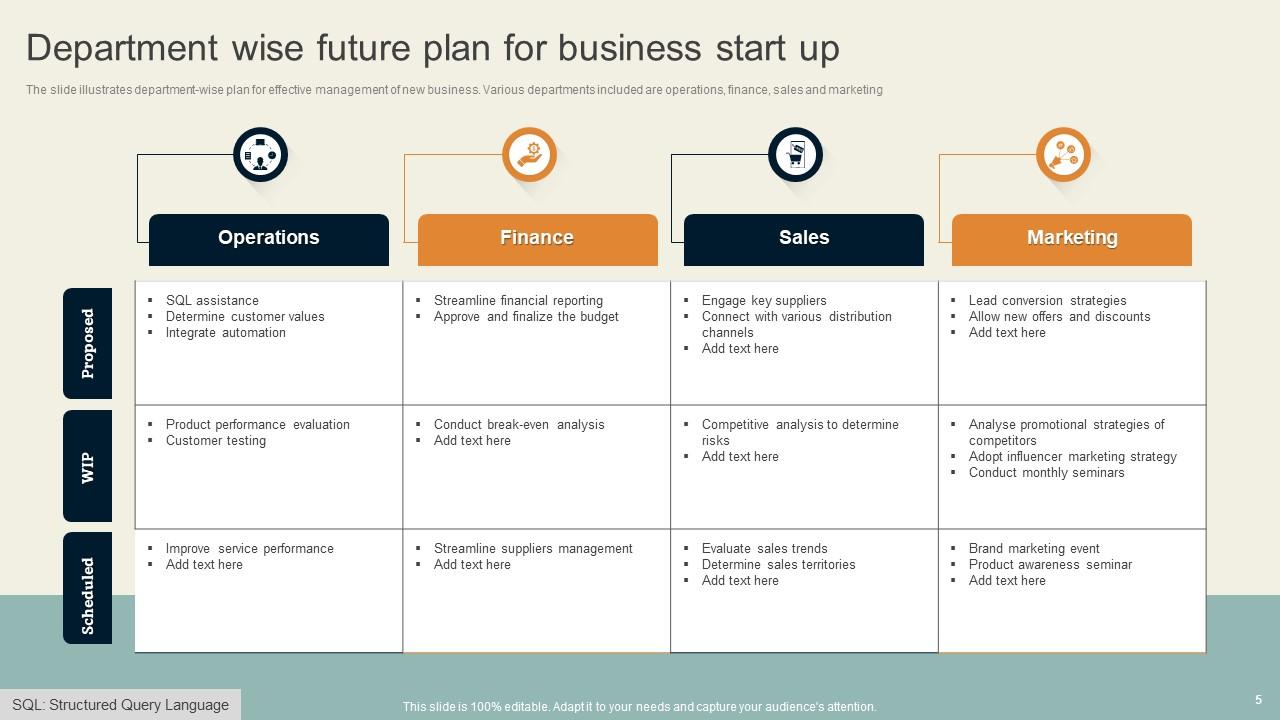
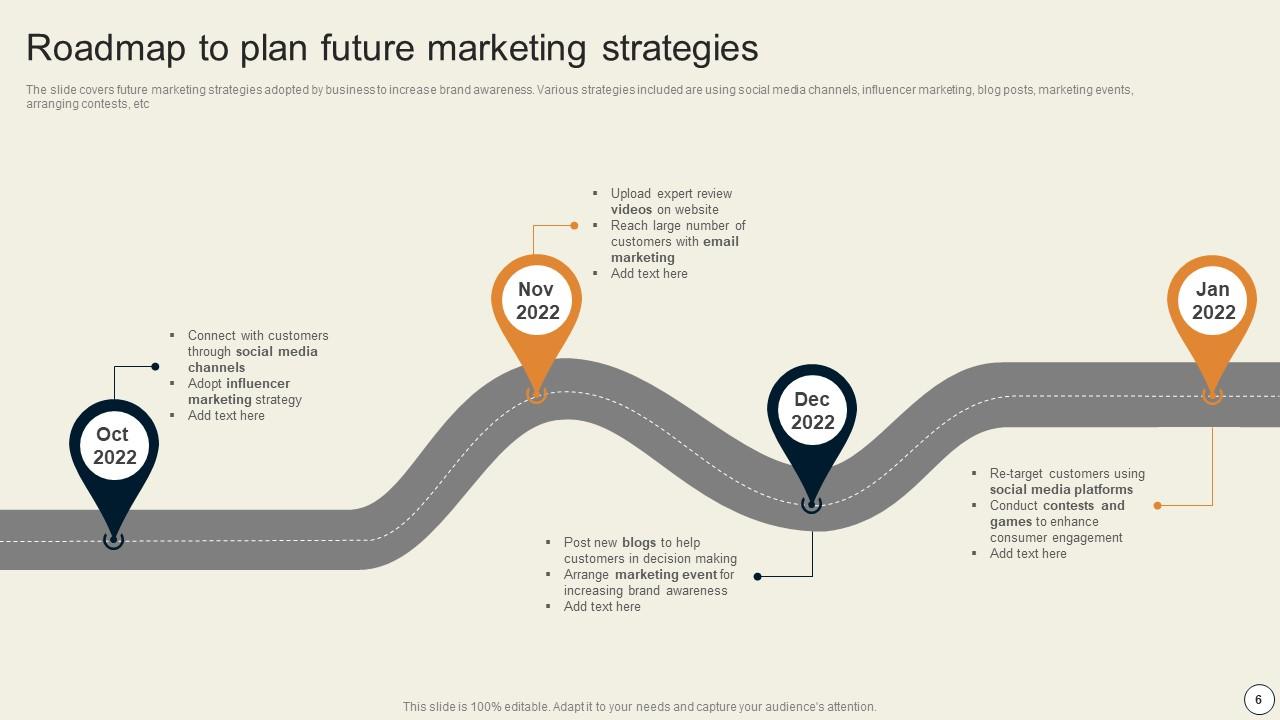
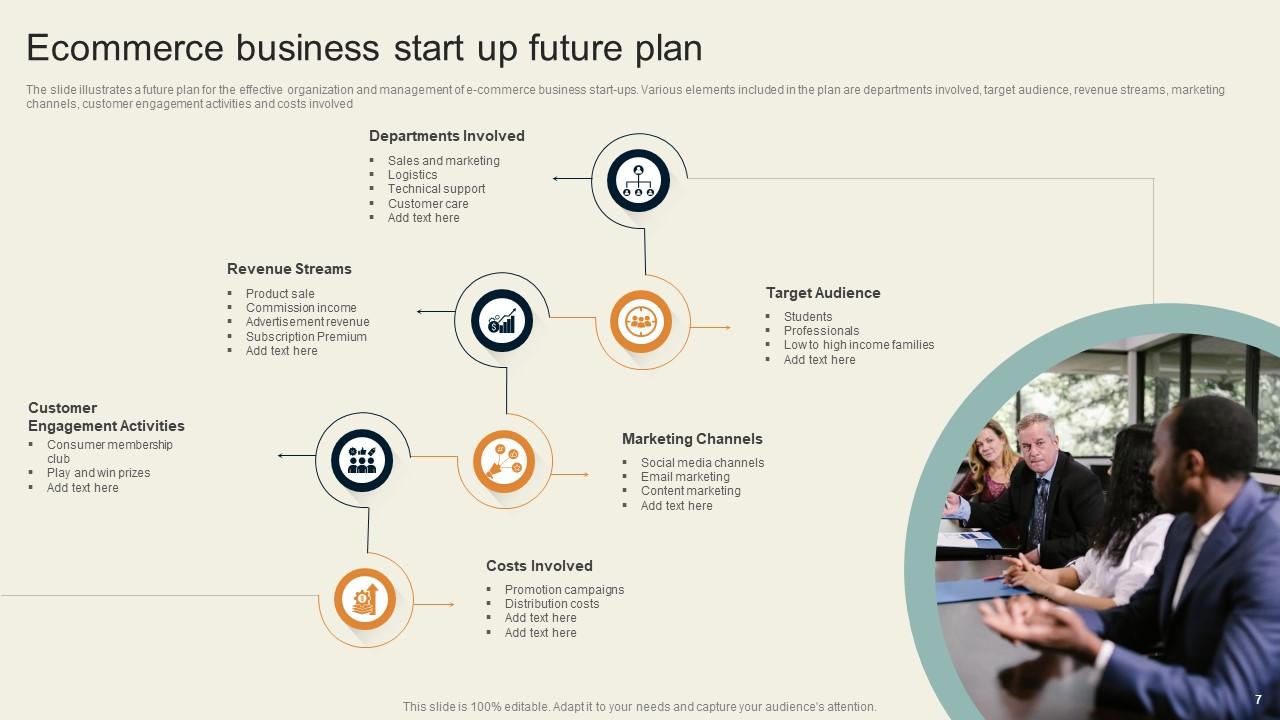
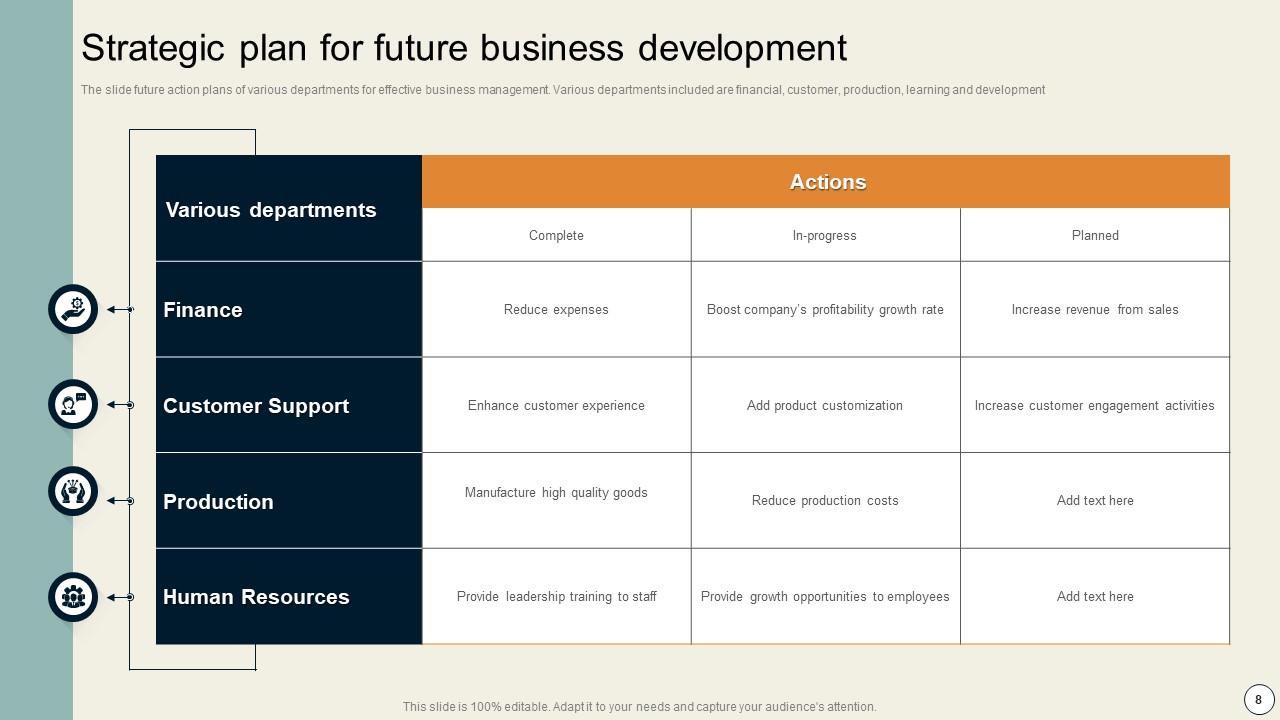
Future Plans Powerpoint Ppt Template Bundles
Try Before you Buy Download Free Sample Product
Audience
Editable
of Time
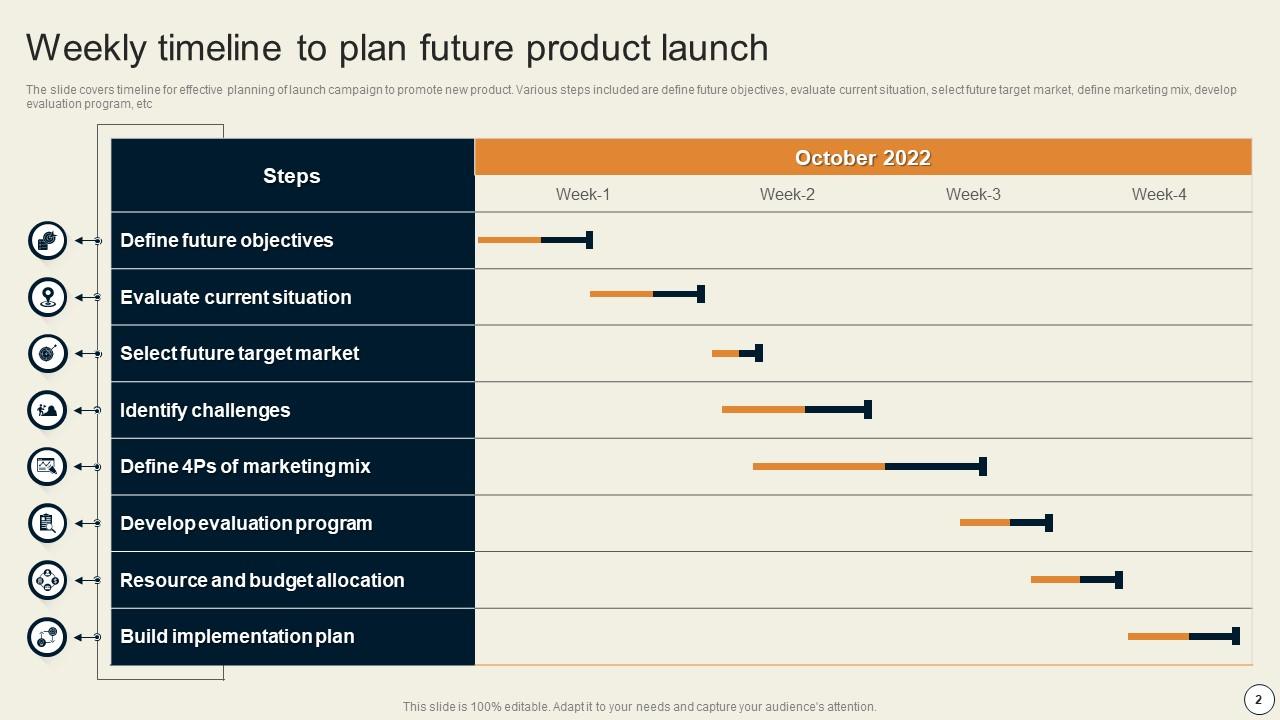
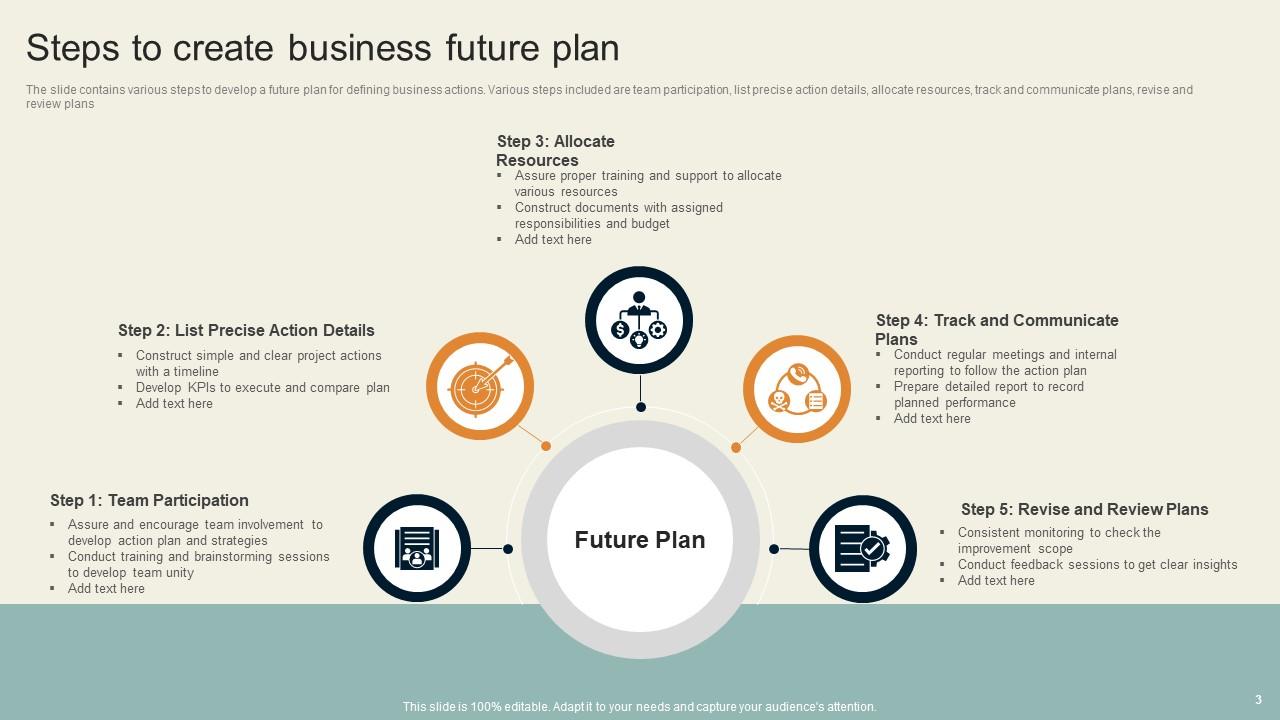
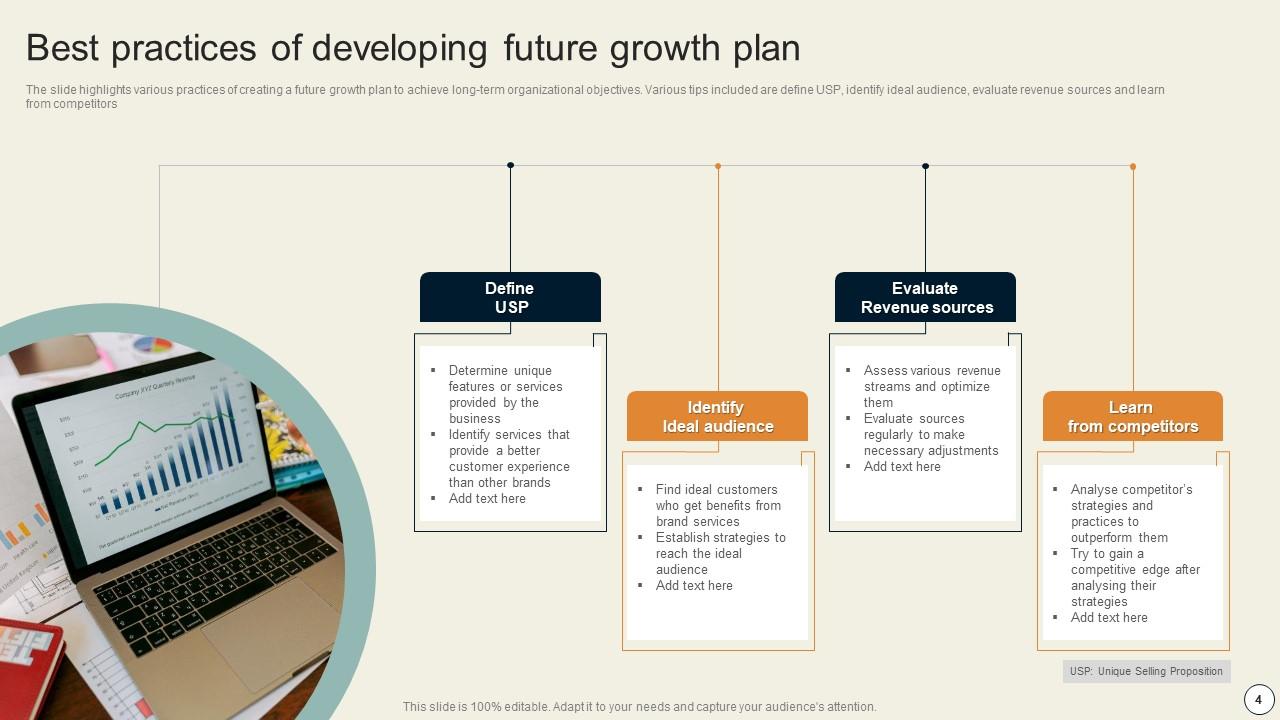
Our Future Plans Powerpoint Ppt Template Bundles are topically designed to provide an attractive backdrop to any subject. Use them to look like a presentation pro.
People who downloaded this PowerPoint presentation also viewed the following :
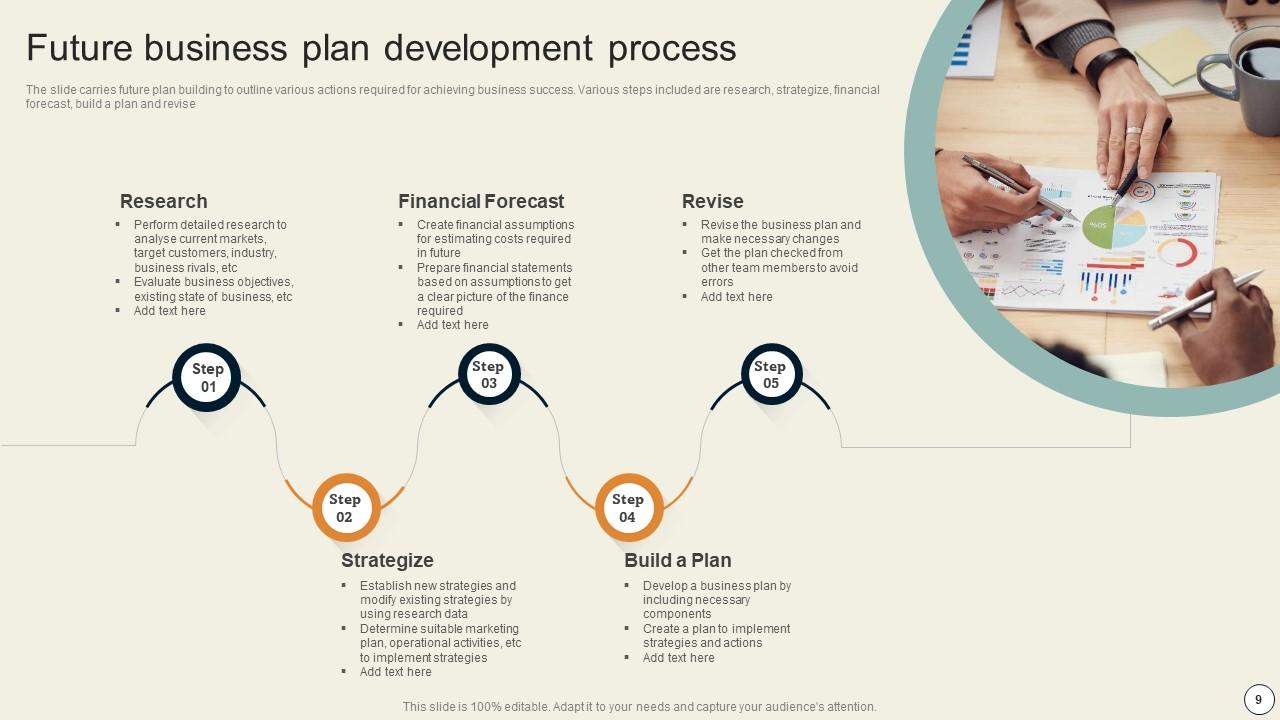
Future Plans Powerpoint Ppt Template Bundles with all 17 slides:
Use our Future Plans Powerpoint Ppt Template Bundles to effectively help you save your valuable time. They are readymade to fit into any presentation structure.
FAQs for Future Plans Powerpoint
So for your template, definitely include a timeline with actual dates/milestones - not just "Q2" nonsense. Budget and team needs are obvious but don't forget dependencies (like what has to happen before you can even start). I always mess this up but add a risks section too - bosses eat that stuff up. Your objectives need numbers attached so you can actually tell if you succeeded later. Oh and make sure everything connects back to whatever the company cares about this quarter. Keep milestones realistic though - nothing worse than overpromising on week one.
Honestly, visuals are a game changer for planning templates. Your brain processes images way faster than text anyway, so why make it harder on yourself? I'd start with color-coding different goal types - super simple but makes a huge difference. Progress bars for hitting milestones are clutch too. Charts help you actually see if you're making progress or just spinning your wheels. When you show stakeholders something visual instead of boring bullet points, they'll actually remember what you're talking about. Even my boss pays attention when there's color involved lol. Don't overcomplicate it though - just adding some basic visual elements will get people way more engaged.
Here's the thing - the best future planning templates don't get bogged down in industry jargon. They focus on the basics that work everywhere: goals, timelines, resources, success metrics. Super adaptable stuff. Planning a new curriculum? Same core structure as rolling out medical software, honestly. What I love about good templates is they make you think about stakeholders and potential roadblocks without being prescriptive about it. They ask the right "what" and "when" questions but let you fill in the specifics. Oh, and they should definitely include space for measuring outcomes - that's huge regardless of what field you're in.
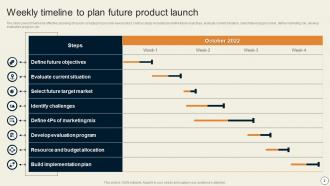
Dude, timeline visuals are game-changers for future planning templates. Your stakeholders won't have to wade through endless bullet points anymore - they'll actually see what's happening when. Dependencies and milestones become super obvious instead of buried in text. I've watched meetings completely flip from people asking "wait, when's this due?" to actually talking through real issues. Color-coding different teams makes it even better, though that might be overkill depending on your crowd. Bottom line: visual roadmaps help people spot bottlenecks and conflicts way faster than traditional formats.
Honestly, visual stuff is a game changer for goals. Progress bars are satisfying as hell - there's something about filling those up that just hits different. Try timeline formats with key dates marked out, or even a simple roadmap thing. I always color-code mine by category (work, personal, money stuff) because I'm weirdly organized like that. Oh, and breaking big goals into smaller "sprints" with mini-deadlines actually works. The trick is finding something you'll genuinely want to check regularly instead of forgetting it exists in some random folder.
Cultural stuff totally changes how you design those templates. Some audiences want the big picture strategy, others need every tactical detail spelled out. Timing's weird too - certain cultures are way more chill about deadlines while others freak if you're five minutes late. Colors can mess you up in unexpected ways (red = danger vs. prosperity depending where you are). Communication style matters huge - direct feedback cultures vs. indirect ones will react completely different to your progress tracking. Honestly, modular templates work best so you can swap sections per region. Always run it by local teammates first though.
Colors totally mess with people's heads when they're planning stuff. Blue makes everything feel stable and trustworthy - great for big life goals. Green screams growth and progress. Red gets people moving but honestly? It can stress them out if you go overboard. I made that mistake once lol. Yellow's amazing for creative sections since it just makes people feel optimistic. Don't just throw random pretty colors together though. Pick one main color for your headers, then use something complementary for highlights or action steps. Consistency is everything.
Basically, you gotta make different versions for different people. Executives just want the big picture stuff - like strategic wins and outcomes. But your actual team? They need all the nitty-gritty details and action steps. I learned this the hard way when I sent a super technical plan to leadership once - total disaster lol. Anyway, figure out who you're writing for first. Investors care about money and timelines. Dev teams want to know about resources and milestones. Same info, just packaged differently. Make 2-3 versions and test them out. Trust me, it's worth the extra work.
So if you're a startup, track stuff like user growth, monthly revenue, how fast you're burning cash, and runway left. More established companies? Focus on profit margins, keeping market share, customer lifetime value - that operational stuff. I swear, startups get obsessed with vanity metrics that look good but don't mean anything. Cash flow is literally all that matters when you're starting out. Early stage needs proof your product actually works and can grow. Mature businesses need to show they're running efficiently and staying competitive. Pick like 3-5 metrics that actually matter for where you're at right now.
Dude, storytelling totally changes the game with future plans templates. Nobody wants to read boring bullet points like "Q3: Launch product, Q4: Scale operations." That's just a glorified to-do list. Paint the actual journey instead - where you started, what obstacles you'll hit, the win you're chasing. It's honestly like comparing a grocery list to watching an adventure movie. People get hooked when there's real stakes involved. Your audience will actually care about the outcome instead of skimming through another bland timeline. Structure it like a problem-solution story next time. Way more memorable.
Definitely set up individual brainstorming sections first - stops the loud people from taking over immediately. You'll want way more time than you think between each part because these things drag on forever. Skip generic questions like "what's next?" and get specific: "name one Q2 goal." Create separate buckets for short-term vs long-term stuff so people don't mix quarterly targets with their wildest dreams. Oh, and add a "parking lot" for random ideas that pop up. Send the template out a day early so your team actually thinks beforehand instead of winging it.
Honestly, those templates just give you a solid way to organize your thoughts when planning long-term stuff. You can break down huge goals into actual steps instead of just daydreaming about them. I've watched so many teams spin their wheels in meetings because everything stays too vague - templates force you to get specific about timelines and what you actually need. Plus stakeholders love seeing a clear path from where you are now to where you're headed. Oh, and they're great for spotting problems before they bite you. Start simple with like a 5-year one and work backwards from there.
Honestly, I'd start with whatever you're already comfortable with - Word or Google Docs are solid for basic templates. Notion's been a game-changer for me though, especially if you want linked sections and database stuff. Oh, and Canva's actually pretty decent for visual planning now (who knew?). Timeline stuff works better in Miro or Figma. Don't overthink it - just pick one and see how it feels. You can always switch later if it's not working for your planning style.
Oh man, you should totally try future plans templates for your remote team! They're like having a common language when everyone's spread across different time zones. No more hunting through random Slack messages or trying to decode someone's messy planning notes. Templates force people to be clear about deadlines, who's doing what, and what depends on what else - super helpful when you can't just walk over and ask questions. I'd start with just one template that everyone uses for quarterly stuff. Trust me, it makes such a difference when you can't physically be in the same room.
Honestly? Most people make their templates way too rigid. You'll want flexibility since everyone's at different career stages. I've literally seen 20-page templates that are just insane - nobody fills those out properly. Be specific with your prompts too. Instead of "describe your goals," ask about 6-month or 2-year targets. Way more useful. Oh, and definitely include sections for obstacles and backup plans. People always forget the realistic stuff and only plan for when everything goes perfectly. Test it with a few friends first - they'll catch the confusing parts you missed.
-
This PowerPoint layout is very helpful from a business point of view, and it's visually stunning too! I'm so happy with this product because it has helped me understand and deliver great presentations.Â
-
If you have visited their site and failed to find the products, try reaching the customer service because it will be the case that you didn't use the search bar well.