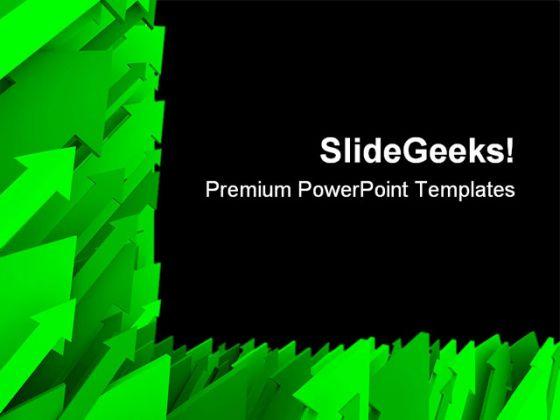
Green arrow background powerpoint templates and powerpoint backgrounds 0611
Try Before you Buy Download Free Sample Product
Audience
Editable
of Time
Add drama to your thoughts with our Green Arrow Background PowerPoint Templates And PowerPoint Backgrounds 0611. Your ideas will take centrestage.
People who downloaded this PowerPoint presentation also viewed the following :
Green arrow background powerpoint templates and powerpoint backgrounds 0611 with all 3 slides:
Broker the contract with our Green Arrow Background PowerPoint Templates And PowerPoint Backgrounds 0611. Your audience will find your arguments very persuasive.
FAQs for Green arrow background powerpoint templates and
Green arrow background PowerPoint templates feature dynamic directional elements, gradient color schemes, clean geometric designs, strategic white space utilization, and subtle texture overlays that create visual depth. These design elements work together by guiding audience attention naturally, reinforcing themes of growth and progress, and maintaining professional aesthetics, with many presenters finding that the upward arrow symbolism enhances message impact while ensuring content readability.
Green arrow backgrounds enhance presentation effectiveness by creating visual momentum, reinforcing directional messaging, symbolizing growth and progress, and maintaining audience focus on key points. These designs particularly benefit business presentations showcasing quarterly results, strategic initiatives, or process improvements, with many presenters finding that the upward visual cues subconsciously reinforce positive messaging while streamlining information flow.
Green arrow background templates are best suited for business growth presentations, financial reports, strategic planning sessions, sales performance reviews, and project milestone updates. These templates work particularly well for quarterly business reviews, investment pitches, and process improvement presentations, with many organizations finding that the upward arrow imagery reinforces positive momentum and achievement messaging.
Green arrow designs particularly benefit marketing agencies, financial services, healthcare organizations, and consulting firms that need to showcase growth trajectories, performance improvements, and strategic progress. These visual elements prove especially effective in sectors like renewable energy, technology startups, and educational institutions, where demonstrating upward momentum, process advancement, and positive outcomes directly supports their messaging goals and enhances stakeholder confidence.
Green arrow psychology leverages green's associations with growth, progress, and positive movement, while arrows naturally suggest direction and advancement. These visual elements combine to create powerful psychological cues that enhance audience engagement, with many organizations finding that green directional graphics increase comprehension rates and reinforce messages about expansion, success, and forward momentum.
Green arrow backgrounds can be incorporated through subtle transparency overlays, directional flow guides that complement slide transitions, corner accent elements, section dividers, and progress indicators. These design approaches enhance visual storytelling by creating cohesive navigation pathways, emphasizing key growth metrics, and maintaining professional aesthetics, with many presenters finding that strategic arrow placement ultimately delivers stronger audience engagement while preserving content readability and focus.
**INPUT**: Can green arrow templates be customized for corporate branding, and if so, what are some best practices? **OUTPUT**: Green arrow templates can be extensively customized for corporate branding through color scheme alignment, logo integration, font consistency, layout modifications, and messaging personalization. Best practices include maintaining visual hierarchy while incorporating brand colors, ensuring arrow directions support your narrative flow, and balancing corporate elements with the template's directional impact, ultimately delivering presentations that reinforce brand identity while guiding audience attention strategically.
**INPUT**: What design elements should be considered when selecting a green arrow background for a PowerPoint presentation? **OUTPUT**: Key design elements include arrow direction and intensity, contrast levels with text content, color saturation balance, visual hierarchy flow, and brand alignment consistency. These elements streamline audience engagement by enhancing readability, guiding attention strategically, and maintaining professional aesthetics, with many presenters finding that subtle gradients and directional emphasis ultimately deliver stronger message retention and visual impact. *Word count: 58 words*
Green arrow backgrounds enhance engagement by creating strong directional focus, visual progression, and growth symbolism that resonates with business audiences. These templates outperform static designs by guiding viewer attention through content flow, reinforcing positive messaging, and delivering subconscious associations with success and forward momentum, ultimately creating more compelling presentations than traditional neutral backgrounds.
Common misconceptions include believing green arrows are only suitable for financial growth presentations, that they appear unprofessional in formal settings, or that they limit color scheme flexibility. However, green arrows effectively communicate progress, direction, and positive outcomes across diverse industries like healthcare improvements, environmental initiatives, and operational efficiency projects, while complementing various design palettes when strategically implemented.
Presenters can effectively use animations with green arrow backgrounds by timing movements to emphasize key progression points, using fade-in effects to reveal sequential steps, and coordinating arrow directions with content flow. These animated elements enhance narrative structure by guiding audience attention through logical sequences, creating visual momentum that reinforces growth stories, and ultimately delivering more engaging presentations that improve comprehension and retention rates.
**INPUT**: Are there particular fonts or text styles that pair well with green arrow backgrounds? **OUTPUT**: Fonts that complement green arrow backgrounds include clean sans-serifs like Calibri, Arial, and Montserrat, bold options like Impact or Bebas Neue for headers, and modern choices like Lato or Open Sans. These typography selections enhance readability while maintaining professional aesthetics, with many presenters finding that contrasting white or dark text against green arrows creates visual hierarchy, ultimately delivering impactful presentations that guide audience attention effectively. **Word count: 60 words**
**INPUT**: What tools or software can be used to create unique green arrow backgrounds from scratch? **OUTPUT**: Popular design software for creating custom green arrow backgrounds include Adobe Illustrator, Canva, PowerPoint's built-in design tools, Photoshop, and Figma. These platforms enable designers to craft professional visuals through vector graphics, gradient effects, and layering techniques, with many organizations finding that custom backgrounds enhance brand consistency and presentation impact across their business communications. [Word count: 56 words]
Green arrow templates effectively communicate progress and growth by providing clear visual metaphors that instantly convey upward momentum, achievement trajectories, and positive business outcomes. These templates enhance presentations across sectors like financial services reporting quarterly gains, retail showcasing sales increases, and manufacturing demonstrating productivity improvements, ultimately delivering more persuasive storytelling and stronger stakeholder engagement.
Modern arrow motif trends in PowerPoint include gradient overlays, minimalist geometric designs, animated directional flows, layered transparency effects, and integrated iconography. These design approaches enhance visual storytelling by creating dynamic movement, emphasizing key progression points, and streamlining complex process communications, with many organizations finding that strategic arrow integration ultimately delivers clearer audience engagement and more compelling presentation outcomes.
-
Helpful product design for delivering presentation.
-
Presentation Design is very nice, good work with the content as well.