

Introduce Yourself Cover Letter Powerpoint Presentation Slides






Try Before you Buy Download Free Sample Product
 Impress Your
 Audience
 100%
100% Editable
 Save Hours
 of Time


Display an informative set of data with our introduce yourself cover letter PowerPoint presentation slides. This present oneself PPT deck puts up an informative agenda for you that includes multiple areas like own SWOT, skill set, qualifications, and a lot more. Authorizes you to note down all your personal characteristics, this introduce yourself PowerPoint layout makes sure you are not missing out on any of your necessary information. By assimilating this introducing oneself PPT bundle, you can not only clearly represent your career milestones but your future goals in a very impressive manner as well. Exhibiting your strengths, weaknesses, opportunities, and threats, this broaching yourself creative PowerPoint set also assists you in presenting your achievements and training throughout your period of employment. This PPT bundle leaves a long lasting impression on the viewer. This submitting yourself creative PPT set displays your collection of hobbies and language skills to make you stand out in your particular field of work. Download our self introduction PPT immediately to make your presentation an exceptional one.
People who downloaded this PowerPoint presentation also viewed the following :
Content of this Powerpoint Presentation
Slide 1: This slide presents Introduce Yourself Cover Letter. State your company name and proceed.
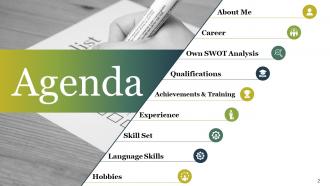
Slide 2: This is an Agenda slide showing- Career, Own SWOT Analysis, Qualifications, Achievements & Training, Experience, Skill Set, Language Skills, About Me, Hobbies.
Slide 3: This is an About Me (Option 1 of 2) slide with imagery and text boxes. Introduce yourself in brief here.
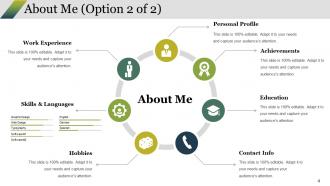
Slide 4: This is an About Me (Option 2 of 2) slide showing- Personal Profile, Education, Achievements, Work Experience, Contact Info, Hobbies, Skills & Languages.
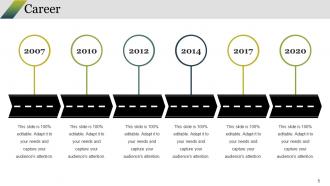
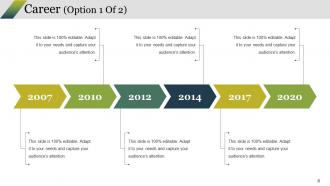
Slide 5: This slide showcases Career in a timeline form to show career aspects.
Slide 6: This is another slide presenting Career in a timeline form to state career aspects etc.
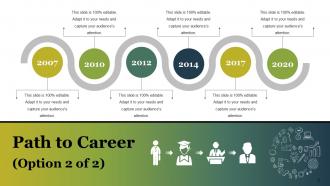
Slide 7: This slide displays Path to Career timeline with imagery and text boxes to fill.
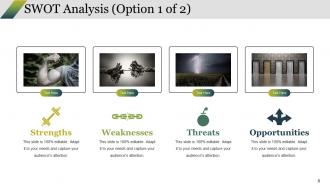
Slide 8: This is a SWOT Analysis slide to state strengths, weaknesses etc.
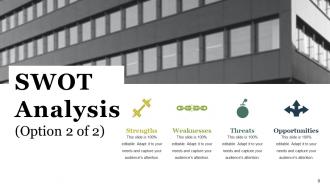
Slide 9: This slide also presents SWOT Analysis with strengths, threats etc. to state.
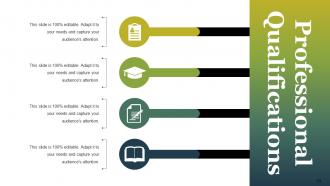
Slide 10: This is Professional Qualifications slide with icon imagery and text boxes. Use it to state your qualifications.
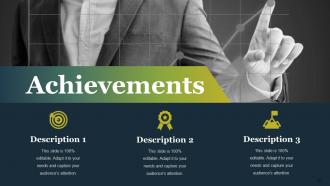
Slide 11: This slide displays Achievements with their description and text boxes to fill.
Slide 12: This slide showcases Training aspects with descriptions and icon imagery.
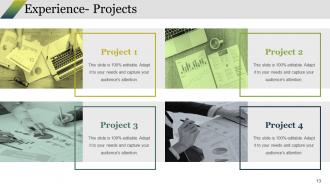
Slide 13: This slide showcases Experience- Projects. State them here.
Slide 14: This is a Case Study slide to state- Challenge, Solution, Results.
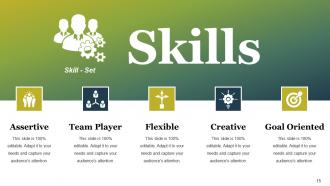
Slide 15: This is Skills slide showcasing your Skills -Set like- Team Player, Assertive, Flexible, Creative, Goal Oriented.
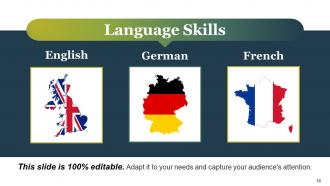
Slide 16: This is Language Skills slide with different country maps (in which fluency is achieved) imagery to state.
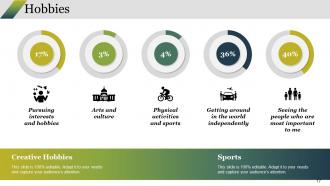
Slide 17: This slide shows Hobbies taking the following as examples- Pursuing interests and hobbies, Physical activities and sports, Arts and culture, Seeing the people who are most important to me, Getting around in the world independently. You can use the same or add your own.
Slide 18: This is a Coffee break slide to halt. Alter/ modify content as per need.
Slide 19: This is Introduce Yourself Icon Slide. Add/ remove icons as per need.
Slide 20: This is also Introduce Yourself Icon Slide. Use icons as per your requirement.
Slide 21: This slide is titled Charts And Graphs to move forward. Alter/ modify content as per need.
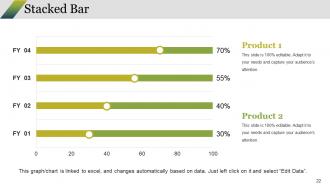
Slide 22: This is a Stacked Bar Chart slide to present product/ entity comparison, specifications etc.
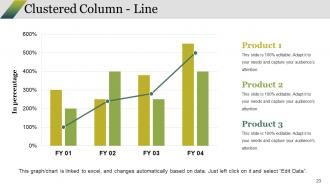
Slide 23: This is a Clustered Column - Line slide to present product/ entity comparison, specifications etc.
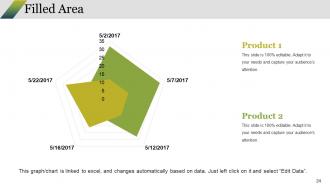
Slide 24: This is a Filled Area chart slide to present product/ entity comparison, specifications etc.
Slide 25: This slide is titled Additional Slides. You can change the slide content as per your needs.
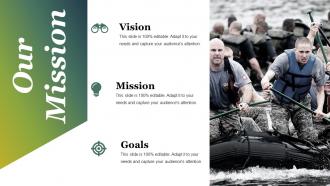
Slide 26: This Our Mission slide. State company mission and vision here.
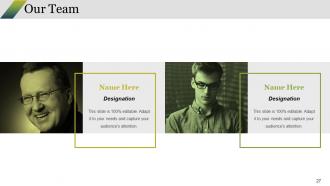
Slide 27: This slide presents Our Team with name and designation to specify.
Slide 28: This is an About Us slide. State team/ company specifications here.
Slide 29: This is Our Goal slide to state.
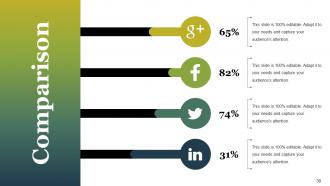
Slide 30: This is a Comparison slide for comparing entities/ products etc.
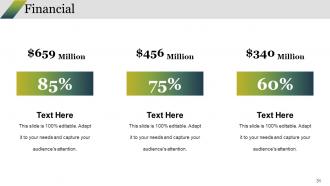
Slide 31: This slide shows Financial score. State financial aspects here.
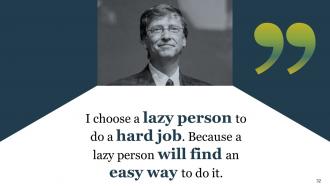
Slide 32: This is a Business Quotes slide to convey company's message, beliefs etc.
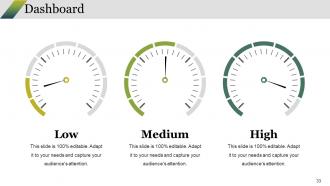
Slide 33: This is Dashboard slide to show information in percentages etc.
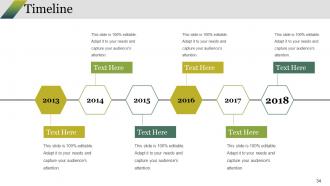
Slide 34: This slide presents a Timeline to show growth, milestones etc.
Slide 35: This is Target Achievement slide. State your targets, achievements etc. here.
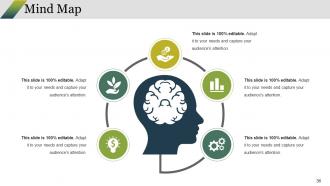
Slide 36: This is a Mind Map image slide to show behavioral segmentation, information or anything relative.
Slide 37: This is a Bulb or Idea slide to state a new idea or highlight specifications/ information etc.
Slide 38: This slide shows a Magnifying glass with text boxes.
Slide 39: This is a Thank You slide with Address# street number, city, state, Contact Number, Email Address.
Introduce Yourself Cover Letter Powerpoint Presentation Slides with all 39 slides:
Convert the grind into an enjoyable experience with our Introduce Yourself Cover Letter Powerpoint Presentation Slides. It injects a feeling of fun.




FAQs for Introduce Yourself Cover Letter
Okay so formatting is actually pretty important - use something clean like Arial or Times New Roman, keep your margins consistent. Put your contact stuff at the top obviously. One page max, trust me on this. Nobody's reading past that anyway. Make sure you're not cramming everything together - white space helps a lot. Oh and match whatever header you used on your resume so it all looks like it goes together. You can bold your name and maybe headers but don't get all fancy with it. Save as PDF too so it doesn't look weird when they open it.
Look, when recruiters are blazing through stacks of applications, good design actually matters. Use consistent fonts and give your text some breathing room - nobody wants to read a cramped mess. Bold headers help break things up, and maybe add a subtle color that matches your resume? I'm talking clean and professional here, not some Pinterest explosion. Short sentences work. Then mix in longer ones that flow naturally when you're explaining your key points. The whole thing should guide their eyes to what's important without screaming "look at me!" Oh, and definitely check how it prints - sometimes colors look weird on paper.
Honestly, just go with black text on white or cream paper - you can't mess that up. Navy blue headers look nice if you want something extra, but don't get crazy with it. I've watched people use bright colors thinking it shows they're creative or whatever, but hiring managers mostly just want to read your stuff easily. Gray works for less important info too. Look, your words matter way more than making everything look like a rainbow. Save the wild colors for actual design portfolios. Keep it simple and put your energy into writing something that doesn't suck instead.
Look at what industry you're targeting first. Creative fields like design or marketing? Go ahead and use some color or interesting fonts - they actually want to see your style. But if you're going for finance or law, stick with boring traditional layouts because that's what they expect. Tech companies are somewhere in between - clean and modern works well there. Honestly, the best trick is checking out the company's website to see their vibe, then match that energy. Just don't go so crazy that those automated screening systems can't read your cover letter properly.
Typography can make or break your cover letter honestly. Clean fonts like Arial or Calibri work best - 11-12pt size with normal spacing between paragraphs. I made the mistake once of using some "creative" font thinking it'd stand out, but it just looked unprofessional. Hiring managers don't want to work harder to read your stuff. Keep margins at 1 inch and stay consistent with formatting. Short sentences help. If they're squinting at weird spacing or fancy fonts, they'll just grab the next application instead. Make their life easier and they'll actually read what you wrote.
Honestly, infographics can be a game-changer for cover letters. They help you pop out from all those boring text blocks everyone else sends. Charts showing your wins, career timelines, skill bars - way better than droning on in paragraphs about the same stuff. You'll make complex info super easy to scan, plus show off some creative chops. Just don't make it look like someone vomited rainbow graphics everywhere, you know? Keep it clean and actually relevant to what they're hiring for. Oh, and definitely have a plain text backup ready since some companies' systems are stuck in 2005.
Dude, biggest mistakes? Using those boring generic templates - they're so obvious. Also proofread like crazy because typos make you look sloppy. Don't just rehash your whole resume either, that's pointless. Make it about what you can do for THEM, not what you want from the job. Oh and customize each one! I know it's annoying but mention something specific about their company. Takes like 5 minutes to look them up. Skip the desperate begging tone too - nobody wants to hire someone who sounds needy. Just be professional but not robotic, you know?
Pick 2-3 skills that actually match what they want. Then write a paragraph for each with real examples - not just "I'm good at project management" but like that launch you coordinated with 15 people under budget. Yeah, it feels repetitive since it's all on your resume, but this connects the dots for them. Numbers are your friend here (boosted sales 20%, led team of 8). Honestly, hiring managers eat that stuff up. The trick is pulling examples that mirror their job posting exactly. Makes their job easier when you spell it out.
Honestly, just use whatever you're comfortable with - Canva's got solid templates if you want it to look polished. Google Docs works fine too since most managers only care about what you're actually saying anyway. Word's obviously an option. I'd avoid getting too creative unless you're in like a design field or something, then maybe try Figma or PowerPoint. Just don't go crazy with fonts that look weird. Oh and definitely save as PDF so nothing gets messed up when they open it. Keep it simple and make sure those automated systems can actually read it.
Okay so think of your cover letter like a mini-story with a problem, how you tackled it, and what happened. Pick something specific you dealt with, walk them through your solution, then hit them with the results. Numbers work great here - "boosted sales 30%" sounds way better than vague stuff about "improving things." Just make sure it actually connects to what they're looking for. I mean, your epic tale about surviving finals week probably won't help unless you're applying to Red Bull or something. Keep it punchy and relevant - they don't have all day to read your novel.
Hook them right away - maybe mention a specific win or why their company caught your eye. Then hit the meat: 2-3 solid examples that actually match what they need. Don't just copy-paste your resume (I see this mistake constantly). Break it into short chunks so it's easy to scan. Honestly, most people ramble way too much in cover letters. Wrap up by showing you're genuinely interested and suggest what's next, like "I'd love to chat about how my marketing experience could help you break into those new markets."
Yeah, definitely match your resume and cover letter - same fonts, colors, header, all that stuff. I learned this the hard way when I used two totally different templates once and it looked super sloppy. Your header especially should be identical on both. Even weird details like how you format bullet points matter more than you'd think. Honestly, some hiring managers are pretty picky about this stuff. You want them to instantly know both documents are yours without checking the name. It's like creating your own little brand package, which sounds cheesy but actually works.
Skip the boring "I'm writing to apply" opening - jump straight into something that grabs them. Got numbers? Use them. "Boosted sales by 30%" sounds way better than "I'm good at sales." Keep your paragraphs short since recruiters are basically speed-reading through hundreds of these things. Oh, and definitely steal some phrases from their job posting (but don't make it super obvious). For the ending, sound confident instead of desperate. "I'd love to chat about how I can help" beats the whole "I hope you'll consider me" vibe. Honestly, just write it like you're talking to someone, not writing a term paper.
Okay so here's the thing - hiring managers care way more about whether you'll actually fit in and solve their daily headaches. They're picturing you at the desk next to them. Recruiters though? They're speed-dating your resume against like 50 other people. Show them clear career growth and numbers they can brag about to clients. Honestly, recruiters skim everything super fast. Same basic info works for both, but hiring managers want to see you'll mesh with the team culture. Recruiters just need proof you're not a waste of their time. Always figure out who you're writing to first!
Start with something that shows you actually looked them up - forget the boring "I'm applying for..." stuff. Lead with your best accomplishment or why their mission clicks with you. Honestly, most people just blast the same generic letter everywhere and it's so obvious. Keep paragraphs short so it's easy to scan. The whole point is proving you want *this* job, not just any random position. Oh, and don't be wishy-washy at the end - ask for an interview or next steps. Clean formatting helps too.
-
I discovered this website through a google search, the services matched my needs perfectly and the pricing was very reasonable. I was thrilled with the product and the customer service. I will definitely use their slides again for my presentations and recommend them to other colleagues.
-
Editable templates with innovative design and color combination.