Multiple Project Progress Status Report Template

Rating:
90%
Multiple Project Progress Status Report Template
Slide 1 of 6
Favourites Favourites

Try Before you Buy Download Free Sample Product

Audience Impress Your
Audience
Editable 100%
Editable
Time Save Hours
of Time
The Biggest Sale is ending soon in
0
0
:
0
0
:
0
0
Rating:
90%
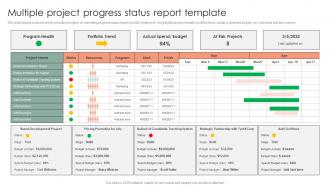
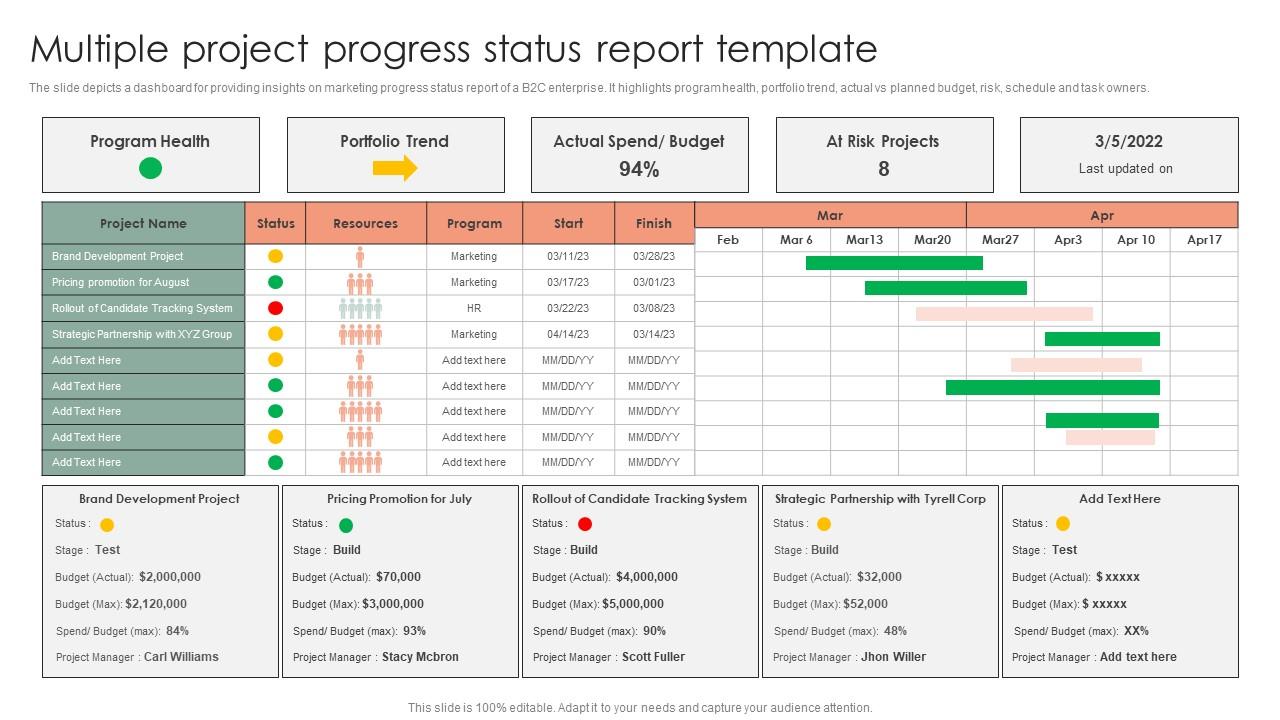
The slide depicts a dashboard for providing insights on marketing progress status report of a B2C enterprise. It highlights program health, portfolio trend, actual vs planned budget, risk, schedule and task owners. Presenting our well structured Multiple Project Progress Status Report Template. The topics discussed in this slide are Marketing, Dashboard, Portfolio. This is an instantly available PowerPoint presentation that can be edited conveniently. Download it right away and captivate your audience.
FAQs for Multiple Project Progress

Your status report should hit five key things: progress on milestones, budget updates, risks/blockers, recent wins, and what's next. Start with an executive summary - honestly saves everyone from reading the whole thing. Call out anything needing decisions upfront since that's what stakeholders actually care about. Don't sugarcoat the risks, but pair them with solutions. Oh, and throw in specific dates for deliverables so people aren't constantly asking "when's this due?" Trust me, it'll cut down on follow-up emails.

Honestly? Weekly's usually the sweet spot for most projects. But it really depends - if you're dealing with something fast-paced or risky, you might need twice a week or even daily updates during crunch time. Long-term stuff can probably handle bi-weekly reports without anyone getting cranky. Start with weekly and see how people react. If they're constantly asking "hey, what's the status on X?" between reports, bump it up. If their eyes glaze over during meetings... well, maybe dial it back. I learned this the hard way on my last project - was sending daily updates and people stopped reading them entirely.

Okay so first thing - create a simple template with sections like "Progress This Week," "Milestones Coming Up," and "Issues/Blockers." Bullet points are your friend here, way easier to scan than dense paragraphs. Put the most important stuff right at the top because executives will literally skim for 20 seconds max. Color-code anything that's behind schedule so it pops out. Don't say "almost done" - give them actual percentages and dates. Honestly, the whole thing should be digestible in under 30 seconds. Quick test: show it to someone who doesn't know the project. If they're lost, you need to simplify more.

Just be straight up about what could go wrong - don't hide it in the fluff. I make a whole "Risks" section with three things: what it is, odds of happening, and how we're tackling it. Skip the corporate jargon too. "The vendor will probably be late" beats "potential delivery timeline challenges" any day. Color-coding helps a ton - red/yellow/green so bosses can skim fast. Oh, and if you say there aren't any risks? Nobody's gonna believe your next report. Every project has something that could blow up. Always throw in your backup plan and what you're doing next for each risk.

Okay so definitely track completion percentage, budget burn, and timeline stuff - that's your holy trinity right there. Milestone updates since last time are key, plus any scope changes that messed with your plans. Risk flags matter too, especially the ones that could blow up later. Honestly? Stakeholders eat up those red/yellow/green indicators even though they're pretty basic. Team metrics like velocity help if you've got them. Charts over paragraphs every time - nobody's reading walls of text. Oh and don't forget deliverables completed, that one's obvious but people skip it.

Dude, charts and graphs are total game changers for project updates. Nobody wants to wade through paragraphs of status reports - I mean, who has time for that? But show a simple bar chart of completion rates or a red/green dashboard? Suddenly everyone gets it instantly. Line charts work great for tracking progress over time, pie charts break down budgets nicely. I swear executives perk up the moment you ditch the text walls. Plus you'll actually catch problems faster when everything's visual - patterns just jump out at you that you'd totally miss otherwise. Start basic though.

Honestly, getting feedback from stakeholders will totally change how you write status reports. Ask them what info actually helps them make decisions - some want the big picture stuff, others need all those boring details. I'd send a quick survey after a few reports asking what's useful and what's just fluff. You'll be shocked how much better your reports get. Different people care about completely different things, so you've got to adjust what you're sharing. Trust me, it's way better than guessing what they want to hear about.

Just think about what each group actually needs, you know? Executives want the big picture stuff - budget, timeline, major risks, decisions they gotta make. Keep it visual with those dashboard things and color coding. Your team though? They need all the nitty-gritty details - specific tasks, what's blocking them, resources, technical stuff. Trust me, execs will zone out if you dump too much detail on them. But your team can't do jack without the specifics. Honestly just ask both groups what info they actually find useful in these reports.

Honestly, I'd check if your current project tool (Jira, Asana, whatever) has decent reporting first - might save you time. If not, Power BI or Tableau are solid choices for auto-updating dashboards. Google Data Studio works too if budget's tight. The whole point is connecting directly to your data so you're not doing manual updates every week. I learned that the hard way once. Pick something that actually talks to your existing tools though. Otherwise you'll just create more work for yourself. Start simple and add fancy stuff later.

Track three things for each unresolved issue: what's broken, who's fixing it, and when. I always make a separate "Open Issues" section - way easier for people to find. Bullet points work better than paragraphs (trust me on this one). Explain how each problem might mess with your timeline or deliverables since that's what the bosses actually care about. Don't forget to mention what you're doing to fix it and what's blocking you. Tables are great too if you've got multiple issues floating around.

Honestly, just be straight up about it - don't try to hide delays because that always bites you later. Explain what went wrong and how much extra time you actually need. The trick is having a real plan to fix things, not just crossing your fingers and hoping it works out (learned that one the hard way). Show them specific steps you're taking to catch up. Maybe mention if you need different resources or scope changes too. I know it sucks to deliver bad news, but stakeholders respect honesty way more than sugar-coated BS. They'll actually help you problem-solve if you're upfront about it.

Just be straight up with the numbers - show what you actually spent vs what you budgeted. If there's a big difference (like 5-10% or more), explain why. Don't try to hide the bad stuff or use fancy corporate language - I've watched PMs do this and it always bites them later. Show the root cause, what you're doing to fix it, and when things should be back on track. Charts help too since people can see the problem instantly. Oh, and always bring solutions when you're presenting problems. Stakeholders want to know you're handling it, not just complaining about it.

Honestly, just stick to three things: where you're at with milestones, what's blocking you, and next week's plan. Don't bog people down with every tiny detail - only flag stuff that affects other teams or needs the boss's attention. I always put the red flags up front because that's what sparks the real conversations anyway. Group your updates by workstream so it's not just a random list of tasks. Keep each point short and sweet. The whole point is giving people enough info to actually make decisions without drowning them in project weeds, you know?

Oh man, this is such a real thing! Some cultures will straight-up tell you when stuff's broken, but others? They'll dance around problems like they're made of glass. I've learned that "small delays" usually means someone's drowning but doesn't want to admit it. Plus you've got people from hierarchical backgrounds who won't say anything unless their boss gives them the green light first. Time zones suck obviously, but honestly the communication styles trip you up way more. Best thing is just being super clear about what details you actually need upfront and making it safe for people to be honest.

Impact and urgency should drive your escalation decisions. Critical path blockers? Go straight to your sponsor or steering committee. Medium stuff gets 24-48 hours with your manager first before moving up the chain. Honestly, I've watched people sit on issues hoping they'll fix themselves - they won't. When you escalate, document the problem, business impact, what you've already tried, plus your recommended fix. Always set a deadline like "need your input by Friday." This approach makes you a problem-solver instead of just someone who dumps issues on leadership.

Ratings and Reviews

90% of 100
Review Form
Write a review
Most Relevant Reviews
  1. 100%

    by Alexander Ramirez

    Loved the fact that SlideTeam provides clean, high-definition, and professional PowerPoint products. 
  2. 80%

    by Derek Mills

    Stunning collection! With a wide variety of options available, I was able to find a perfect slide for my presentation. Thank you, SlideTeam!

2 Item(s)

per page: