

Operations Status Report Powerpoint PPT Template Bundles




Try Before you Buy Download Free Sample Product
 Impress Your
 Audience
 100%
100% Editable
 Save Hours
 of Time


Our Operations Status Report Powerpoint PPT Template Bundles are topically designed to provide an attractive backdrop to any subject. Use them to look like a presentation pro.
People who downloaded this PowerPoint presentation also viewed the following :
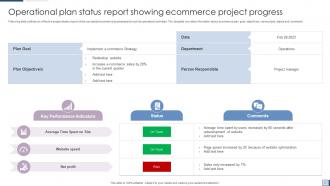
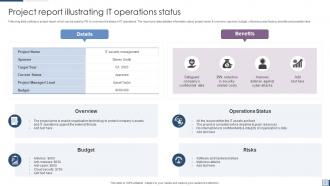
Operations Status Report Powerpoint PPT Template Bundles with all 19 slides:
Use our Operations Status Report Powerpoint PPT Template Bundles to effectively help you save your valuable time. They are readymade to fit into any presentation structure.
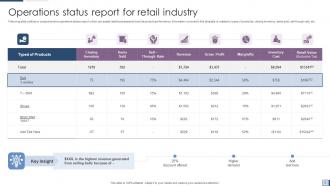
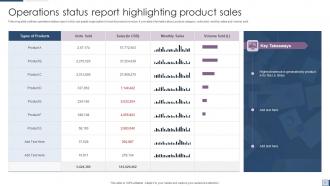
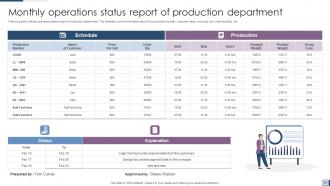
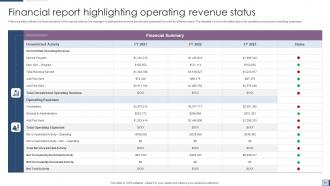






FAQs for Operations Status Report Powerpoint
Start with the basics - uptime, response times, error rates. Those are your bread and butter. Capacity utilization and throughput matter too, plus any SLA stuff you're tracking. Oh, and don't skip the human metrics like incident counts and resolution times. Customer satisfaction scores if you've got them. Honestly, I think the narrative section is clutch because raw numbers just sit there looking pretty but tell you nothing. Always compare against targets or last quarter's data. Leadership wants to see trends, not just snapshots. Focus on what your stakeholders actually care about though.
Dude, visual aids are a game changer for ops reports. Nobody wants to read through walls of text anymore. Charts instantly show if your delivery times are getting better or tanking over the quarter. When you're tracking multiple KPIs, graphs make everything so much clearer. Bar charts are perfect for comparing different teams or regions - executives eat this up because they can spot trends without the headache of parsing through data paragraphs. Start with your 2-3 most important metrics though. Don't go chart-crazy right away.
Ugh, the worst part is chasing people down for data when they're swamped with their own stuff. Everyone tracks things differently too, which is honestly such a pain. What's worked for me - set up automated dashboards if you can, and give people simple templates to fill out. Game changer, seriously. Also hit people up like 3-4 days early instead of waiting until the last minute. I learned that one the hard way! Calendar reminders help tons. Oh and being nice to your data sources goes way further than you'd think.
Weekly updates work for most people, but it really depends on your situation. If you're managing critical stuff or high-pressure projects, you might need daily check-ins. I've found that consistency matters more than frequency though - pick whatever schedule works and stick with it. People get annoyed when they don't know when to expect updates. Start with weekly and see how it goes. Your stakeholders will definitely let you know if they want more or less communication. Honestly, I'd rather get one solid weekly update than random sporadic ones throughout the week.
Honestly, stakeholder feedback changes everything about your ops reports. Ask people what metrics they actually want to see - not what you assume they need. I made this mistake early on and spent hours on reports that literally nobody opened. Send out a quick survey after your next one asking what sections were useful and what sucked. Their answers help you figure out which KPIs to focus on and how much detail to include. Most people want way less info than you think, but presented better. Oh, and don't be afraid to completely restructure based on what they tell you - it's worth it.
Honestly, start with whatever hits your business hardest - downtime, customer complaints, anything that messes with revenue. We totally screwed this up last quarter by burying a major database issue under boring maintenance stuff. Nobody saw it coming. Group similar problems together and make the urgent things pop visually. Your stakeholders will actually read it if you lead with customer impact and money stuff first. Oh, and dump all the routine operational junk at the bottom where it belongs.
Start with the scariest risks - don't sugarcoat the odds or how bad things could get. Red/yellow/green coding works great since execs love scanning stuff quickly. Always show what you're actually doing about each problem, not just listing disasters waiting to happen. Oh, and assign owners to everything or nothing gets done. Skip the technical jargon completely - just tell them straight up what's broken. Give real dates for when shit might hit the fan and when your fixes will work. Most crucial part? Call out anything where you need their money or political muscle to solve it.
Dude, dashboard tools like Tableau or Power BI are game-changers for this stuff. They pull real-time data automatically instead of you hunting down numbers from every department. Monday.com works great for project tracking too. The setup takes some work upfront - not gonna lie about that part. But once it's running? You barely touch it. I'd start by listing out what metrics you always report on, then find tools that can grab that data for you. Way better than spending hours copy-pasting spreadsheets. You'll actually have time to think about what the numbers mean.
Automate data collection whenever you can - way less room for screw-ups. Always double-check your numbers against multiple sources before you hit publish. Trust me, I learned this after posting completely bogus uptime stats last quarter, ugh. Set up validation checks that run regularly. Make sure everyone knows who owns what data (saves so much confusion later). Get someone else to review everything, especially calculations and trends. Oh, and document where your data comes from and how you calculated stuff. When executives start grilling you about numbers, you'll be glad you did.
Different industries track totally different stuff in their ops reports. Manufacturing cares about production numbers, downtime, quality issues - the basics that affect getting products out the door. Healthcare's all about patient flow, staffing, compliance (makes sense since people's lives depend on it). Tech companies watch system uptime and deployment rates like hawks. Retail tracks inventory and sales performance. Honestly, the trick is figuring out what actually moves the needle for your business first, then build your report around those specific metrics that help you make real decisions.
Keep it "business casual" - professional but not stuffy. Write so both the CEO and front-line managers get it without scratching their heads. Skip jargon unless you explain it first, and please, no corporate speak that makes everyone's eyes glaze over. Nobody wants to read about "synergistic optimizations" on Monday morning. Be straight with people about what's working and what isn't. Put your main point first in each section - busy execs will thank you since they can skim the highlights. Then add your details after. Honestly, stakeholders just want the real story and your plan to fix whatever's broken.
Your operations reports are sitting there full of useful stuff if you actually look at them. Track what keeps popping up - same bottlenecks, performance issues, resource problems happening every month. Most people just file these things and never touch them again, which is honestly pretty dumb. Set up quarterly sessions where your team actually digs through the patterns and figures out why things keep breaking. I always try to pull at least three improvement ideas from each report. The "why" questions are where you'll find the good stuff. Short bursts work better than marathon analysis sessions too.
Look, your ops report is only useful if you actually *do* something with it. Start with whatever's broken right now - those can't sit around waiting. Then go after the process stuff where things are getting stuck or slowed down. Oh, and don't forget preventive fixes for problems that keep showing up. I'd grab maybe 2-3 of the biggest wins and get them moving this week. Make sure someone owns each one with real deadlines. Way too many teams just stick these reports in a folder somewhere and call it done.
Don't just present the report and call it done - that's how stuff gets ignored. Set up a real meeting where people can actually discuss it. Send the report out first so they're not seeing it for the first time in the room. Then have an actual conversation about what this means for how you all work. Honestly, the nodding-and-forgetting thing happens way too often. Make sure you walk out with specific action items and who's doing what. Check back in a week or two because that's when you'll see if people are really on board.
Watch out for any personal info that needs scrubbing - employee names, customer data, that kind of stuff. Industries like healthcare and finance are super strict about this, so check what rules apply to you. Also think about data retention since these reports stick around forever. I totally messed this up once and got called out during an audit - not fun! Oh, and if it's going to outside people, definitely loop in your legal team first. Better safe than sorry, especially with all the crazy privacy laws these days.
-
The service is fast, and I could access any presentation after buying the subscription. I don’t think I’ll ever have to worry about a presentation in my life.
-
Wonderful templates design to use in business meetings.