


Parallel Processing Architecture Powerpoint Presentation Slides
Parallel Processing can help computers execute code more efficiently, saving time and money. It does so by sorting through big data faster than ever. Check out our professionally designed template on Parallel Processing Architecture that briefly explains the topic and its importance. It also contains its architecture, its differences from serial Processing, and various types. Our Parallel Processing deck covers its principles, significance, and business advantages. The PPPT also mentions the architecture of parallel Processing and the hardware allowing parallel Processing. Lastly, our Parallel Computing module includes applications for parallel Processing in various fields, like research, science, and agriculture. A timetable, a roadmap, and a dashboard are incorporated into it. Download this 100 percent editable presentation and get access to our highly researched and skillfully designed product.
Parallel Processing can help computers execute code more efficiently, saving time and money. It does so by sorting through ..



















-

- Google Slides is a new FREE Presentation software from Google.
- All our content is 100% compatible with Google Slides.
- Just download our designs, and upload them to Google Slides and they will work automatically.
- Amaze your audience with SlideTeam and Google Slides.
-

Want Changes to This PPT Slide? Check out our Presentation Design Services
-

- WideScreen Aspect ratio is becoming a very popular format. When you download this product, the downloaded ZIP will contain this product in both standard and widescreen format.
-

- Some older products that we have may only be in standard format, but they can easily be converted to widescreen.
- To do this, please open the SlideTeam product in Powerpoint, and go to
- Design ( On the top bar) -> Page Setup -> and select "On-screen Show (16:9)” in the drop down for "Slides Sized for".
- The slide or theme will change to widescreen, and all graphics will adjust automatically. You can similarly convert our content to any other desired screen aspect ratio.
Compatible With Google Slides

Get This In WideScreen
You must be logged in to download this presentation.


Do you want to remove this product from your favourites?
PowerPoint presentation slides
Deliver this complete deck to your team members and other collaborators. Encompassed with stylized slides presenting various concepts, this Parallel Processing Architecture Powerpoint Presentation Slides is the best tool you can utilize. Personalize its content and graphics to make it unique and thought-provoking. All the fourty nine slides are editable and modifiable, so feel free to adjust them to your business setting. The font, color, and other components also come in an editable format making this PPT design the best choice for your next presentation. So, download now.

People who downloaded this PowerPoint presentation also viewed the following :
Content of this Powerpoint Presentation
Slide 1: This slide introduces Parallel Processing Architecture. Commence by stating Your Company Name.
Slide 2: This slide depicts the Agenda of the presentation.
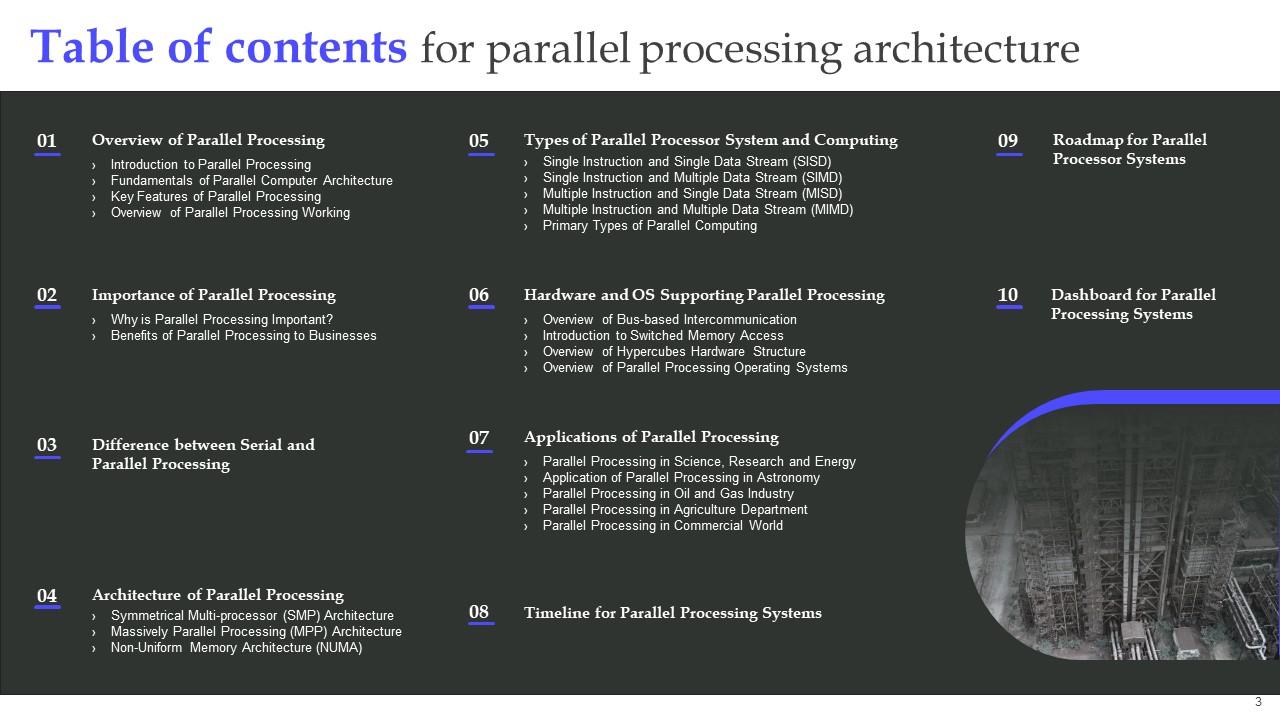
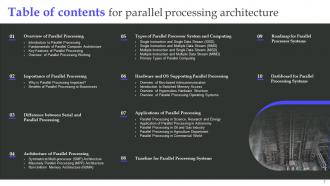
Slide 3: This slide elucidates the Table of contents.
Slide 4: This slide highlights the Title for the Topics to be covered further.
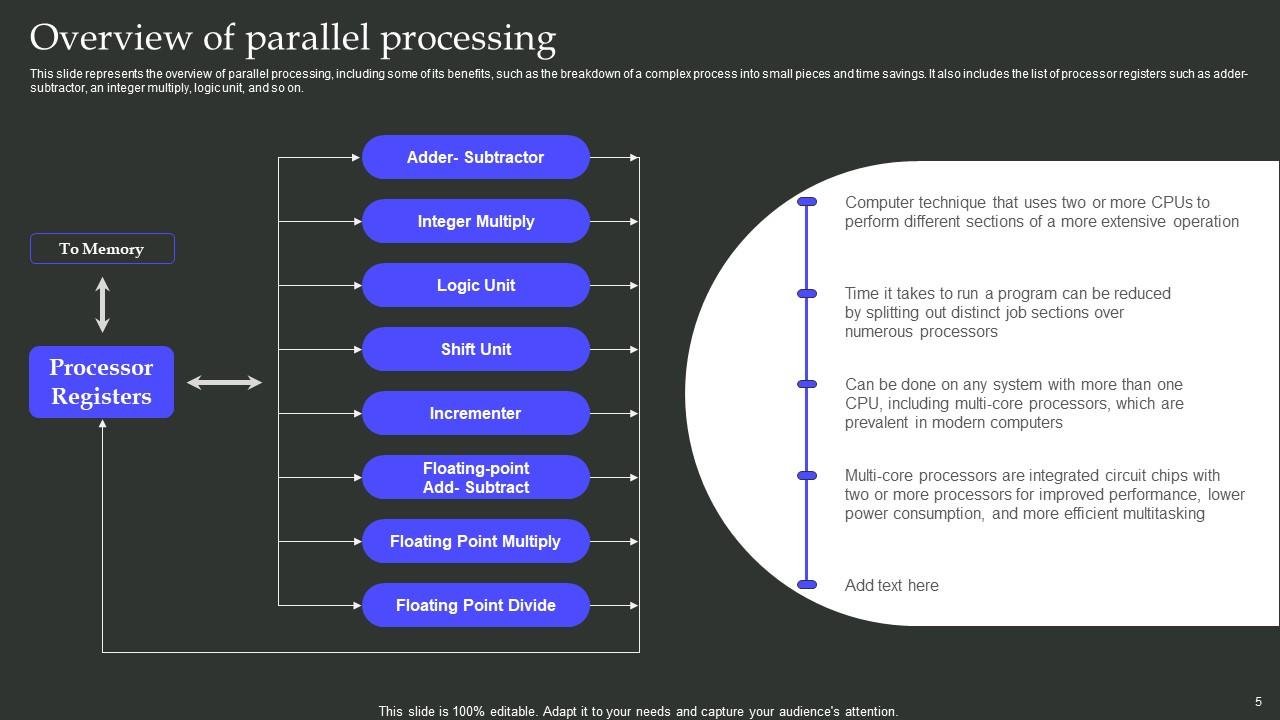
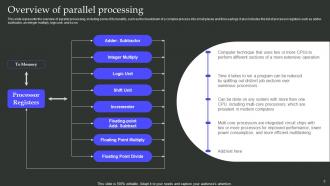
Slide 5: This slide represents the overview of parallel processing, including some of its benefits, such as the breakdown of a complex process into small pieces and time savings.
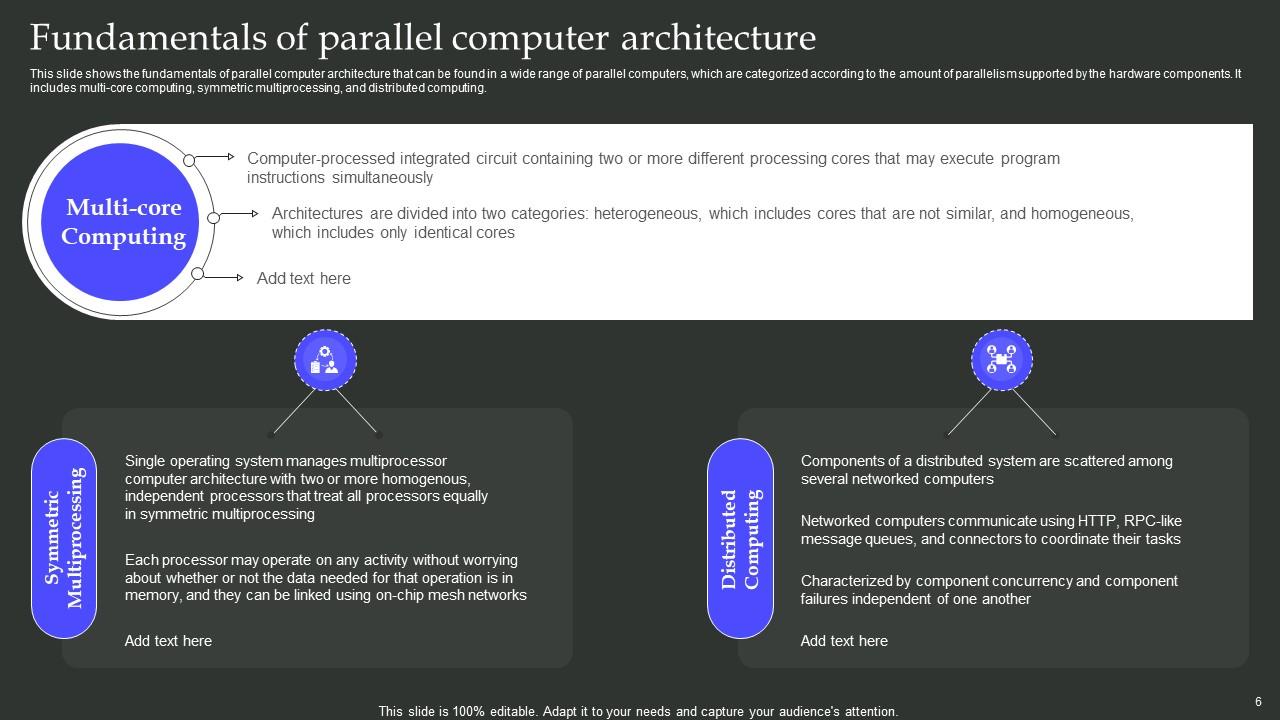
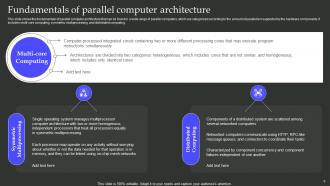
Slide 6: This slide shows the fundamentals of parallel computer architecture that can be found in a wide range of parallel computers, which are categorized according to the amount of parallelism supported by the hardware components.
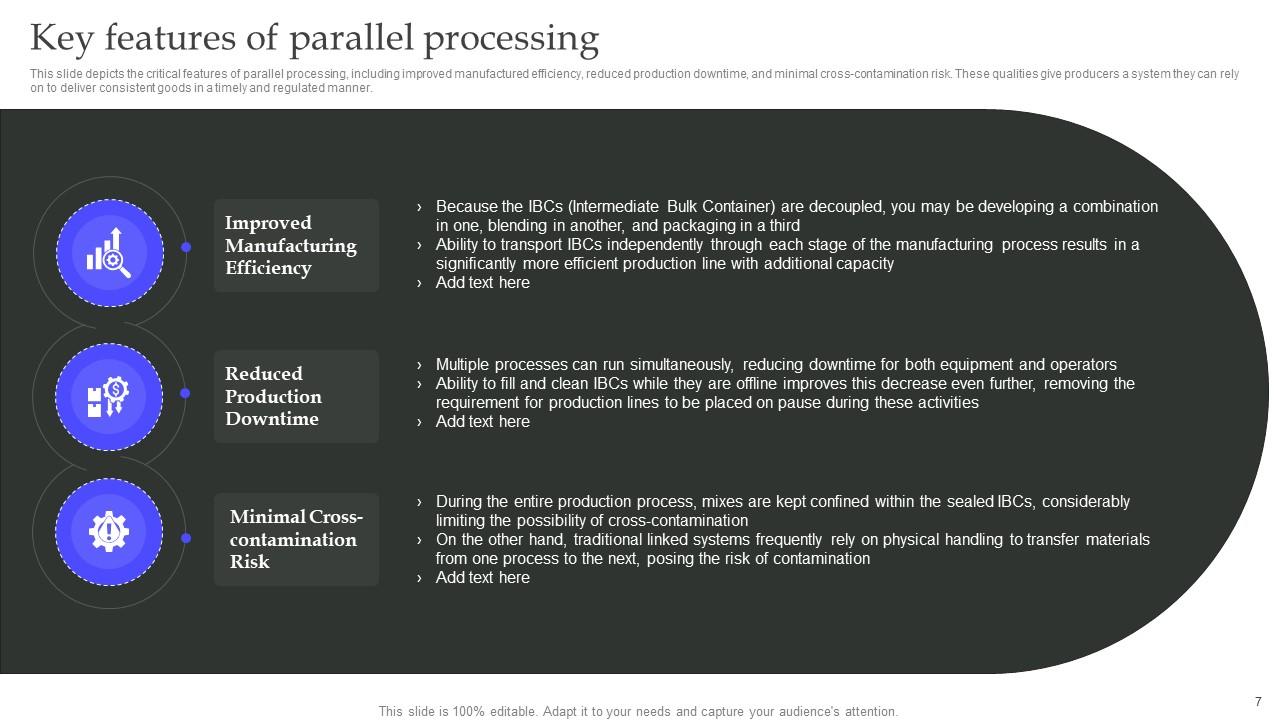
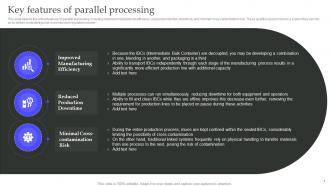
Slide 7: This slide depicts the critical features of parallel processing, including improved manufactured efficiency, reduced production downtime, and minimal cross-contamination risk.
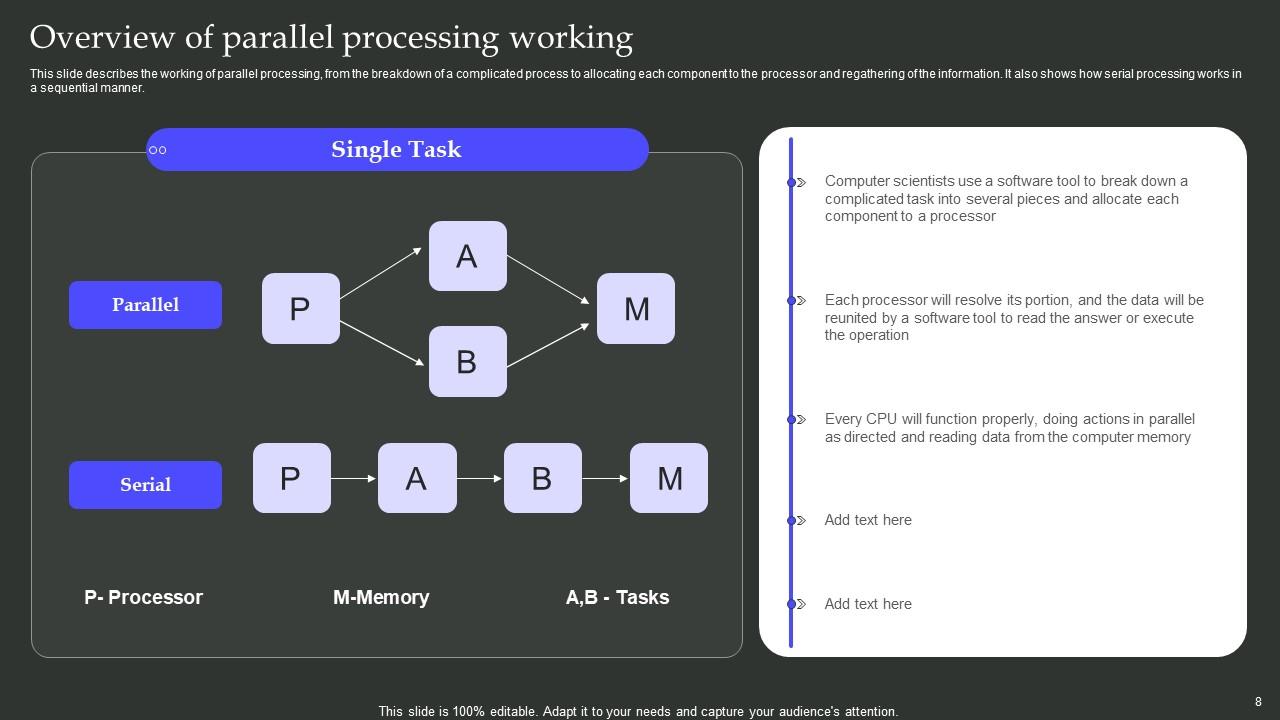
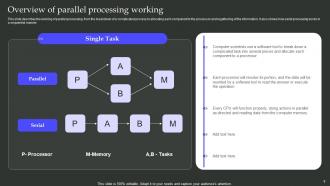
Slide 8: This slide describes the working of parallel processing, from the breakdown of a complicated process to allocating each component to the processor and regathering of the information.
Slide 9: This slide reveals the Heading for the Contents to be discussed next.
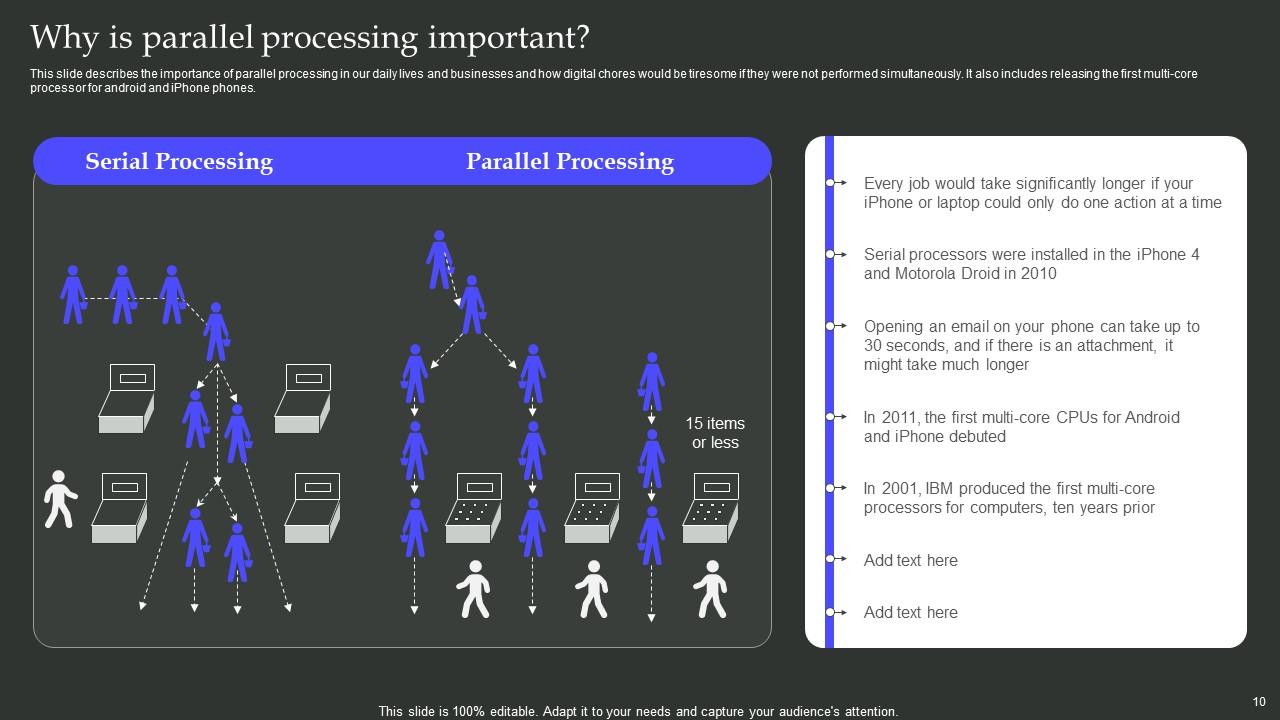
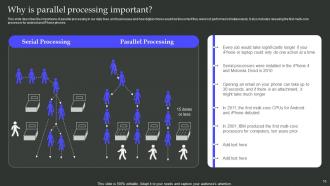
Slide 10: This slide states the importance of parallel processing in our daily lives and businesses and how digital chores would be tiresome if they were not performed simultaneously.
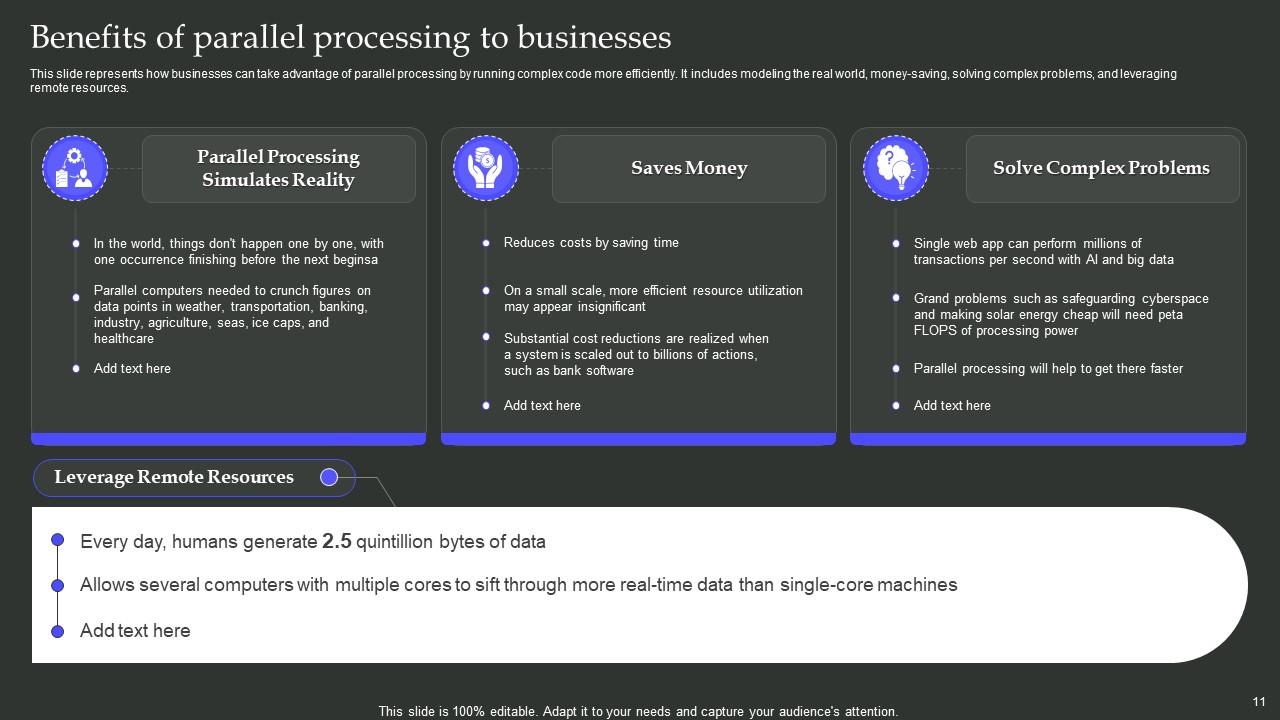
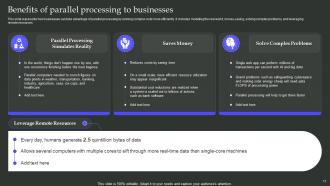
Slide 11: This slide presents how businesses can take advantage of parallel processing by running complex code more efficiently.
Slide 12: This slide states the Title for the Ideas to be covered in the upcoming template.
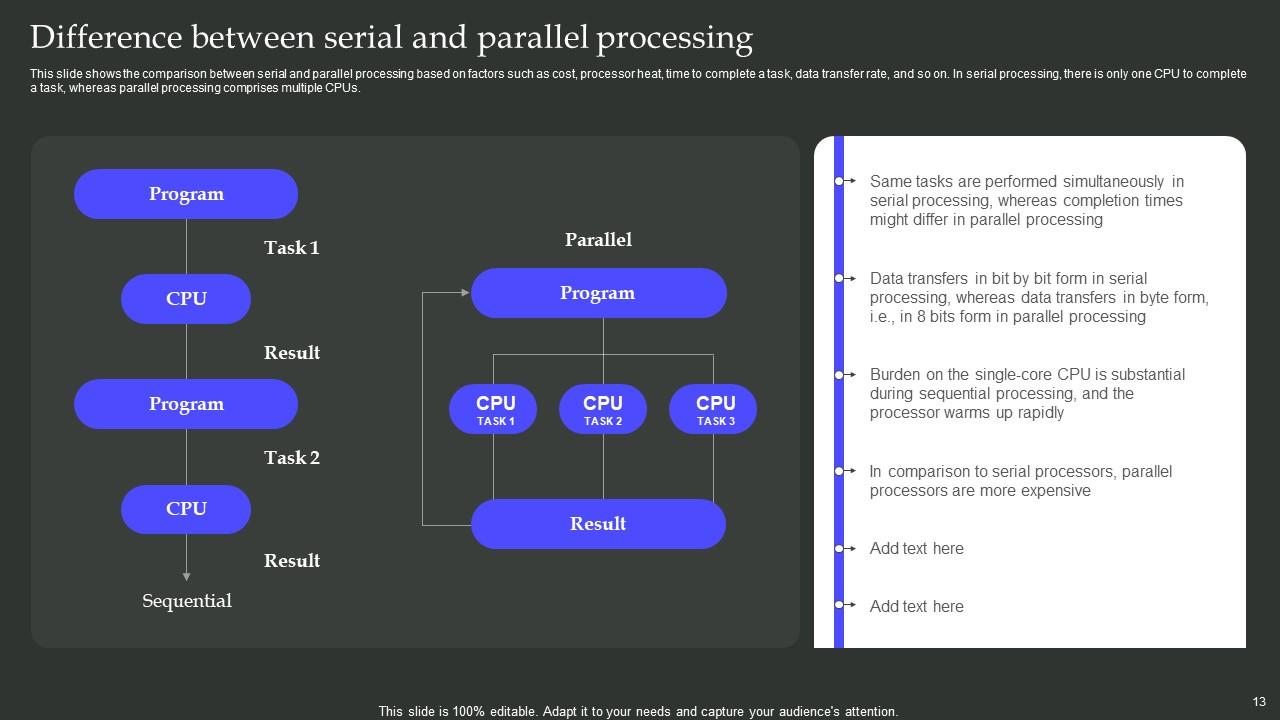
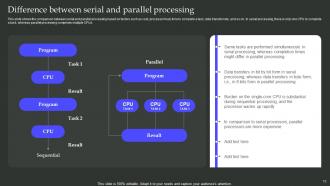
Slide 13: This slide shows the comparison between serial and parallel processing based on factors such as cost, processor heat, time to complete a task, and so on.
Slide 14: This slide displays the Heading for the Components to be discussed in the forth-coming template.
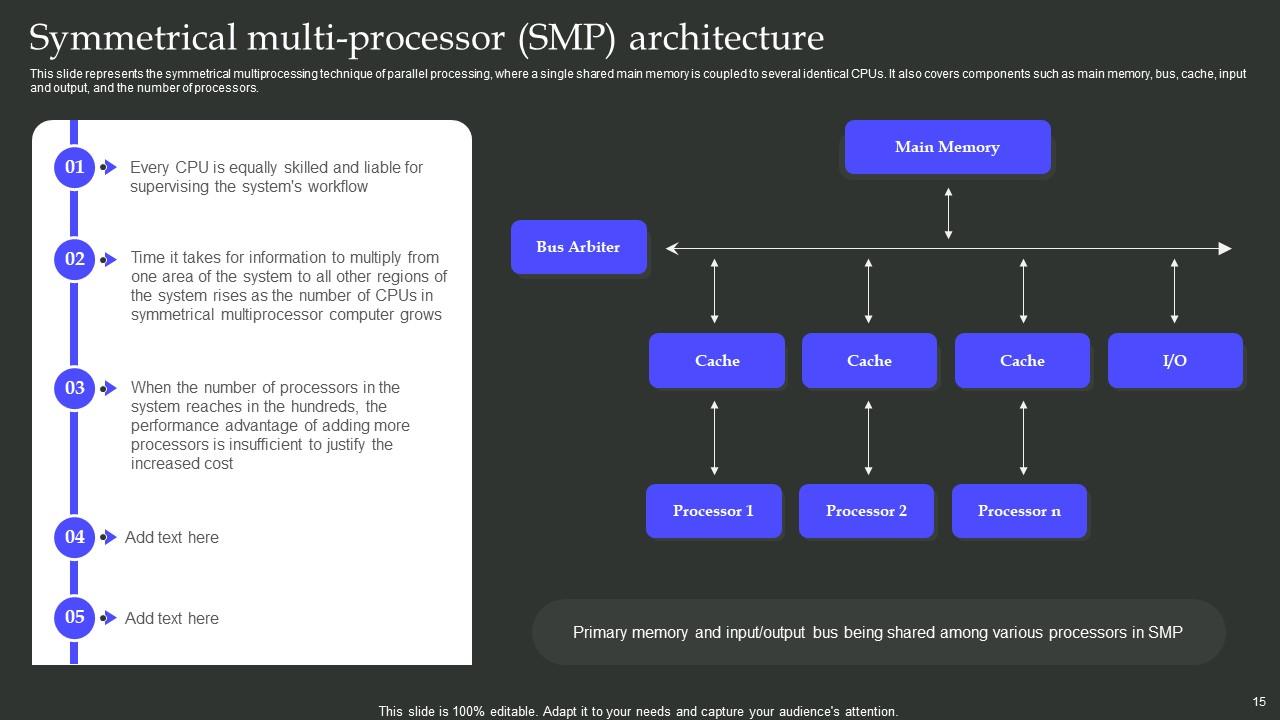
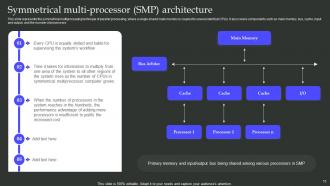
Slide 15: This slide represents the symmetrical multiprocessing technique of parallel processing, where a single shared main memory is coupled to several identical CPUs.
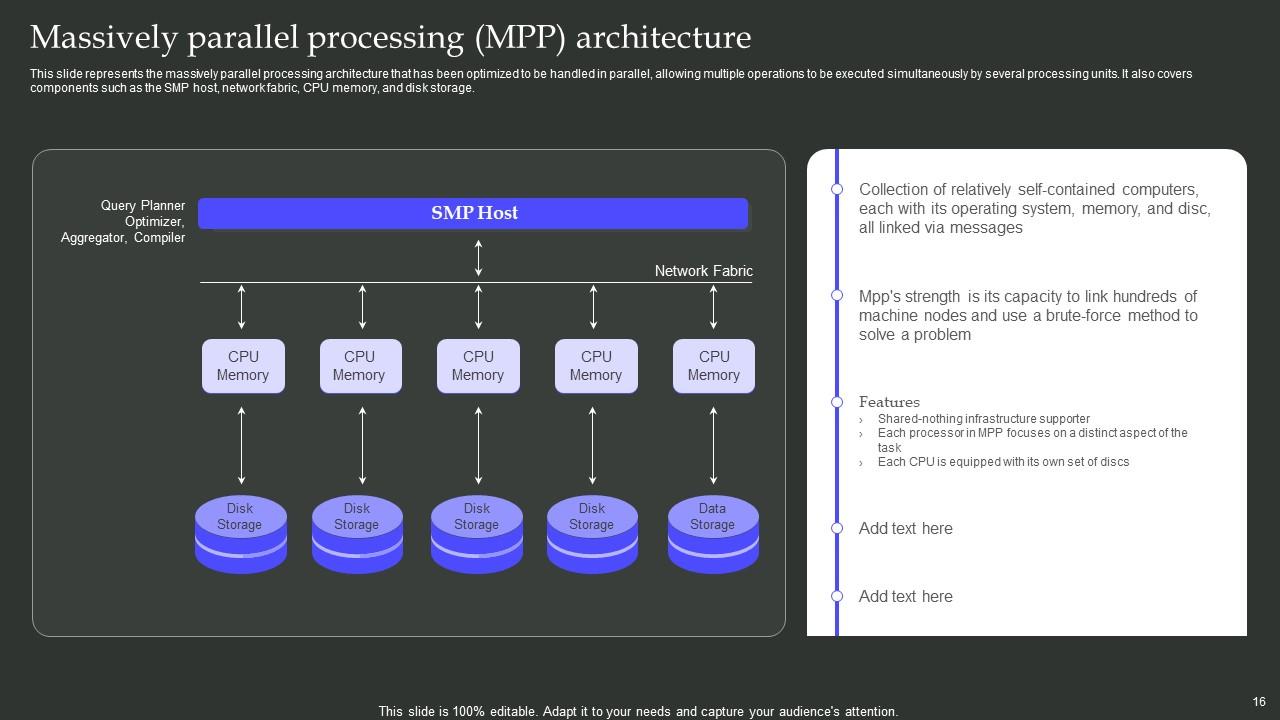
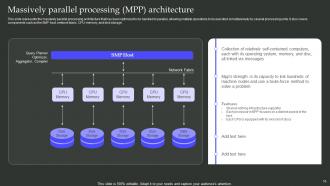
Slide 16: This slide highlights the massively parallel processing architecture that has been optimized to be handled in parallel, allowing multiple operations to be executed simultaneously by several processing units.
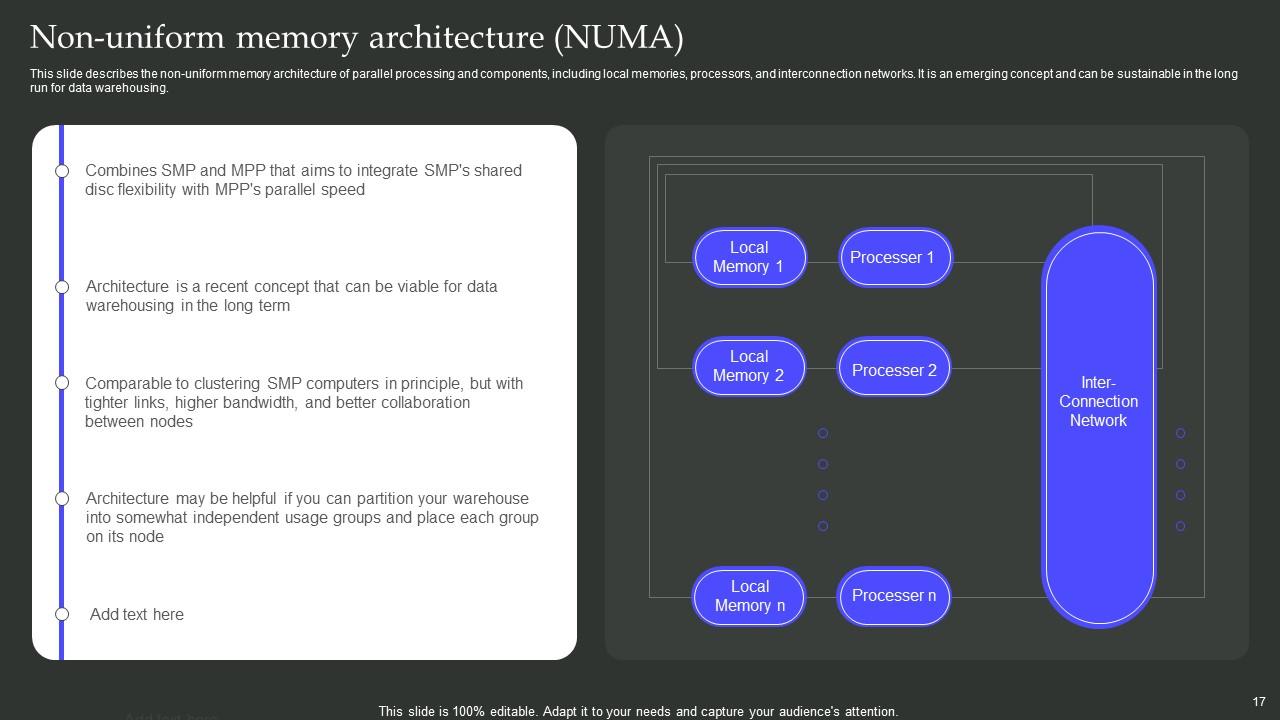
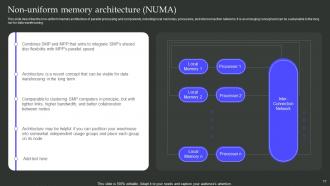
Slide 17: This slide describes the non-uniform memory architecture of parallel processing and components, including local memories, processors, and interconnection networks.
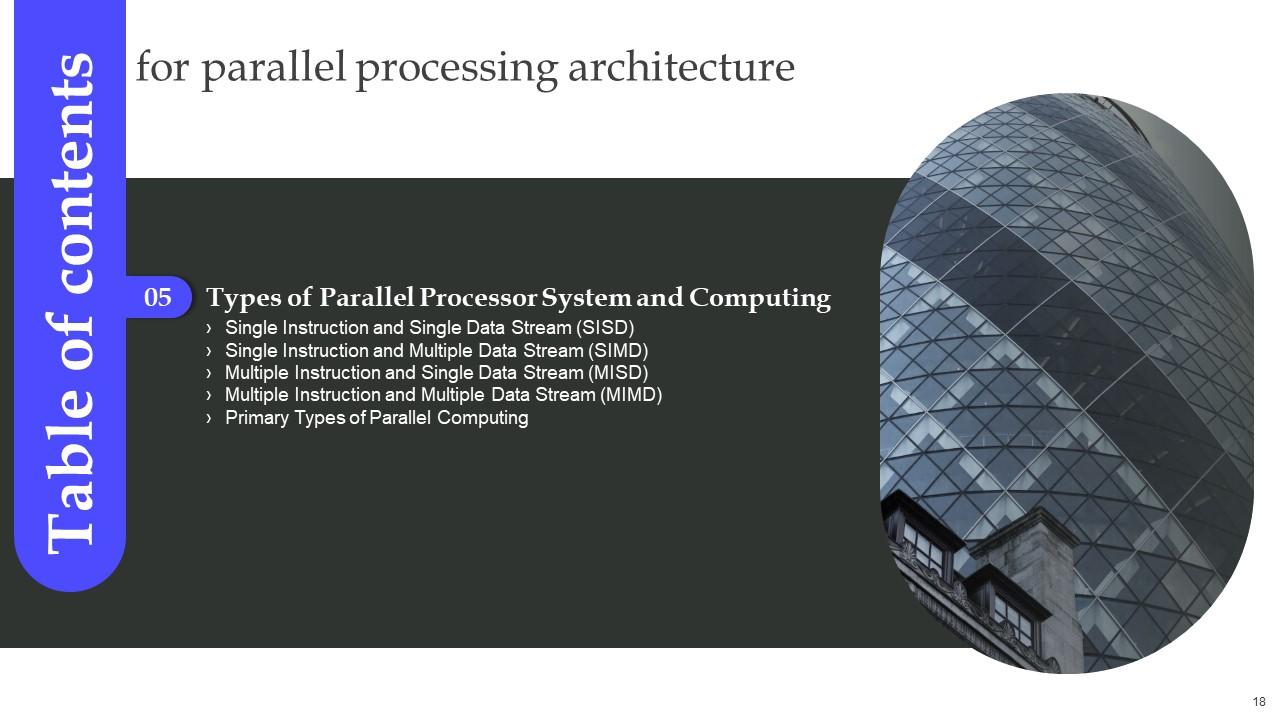
Slide 18: This slide elucidates the Heading for the Ideas to be discussed further.
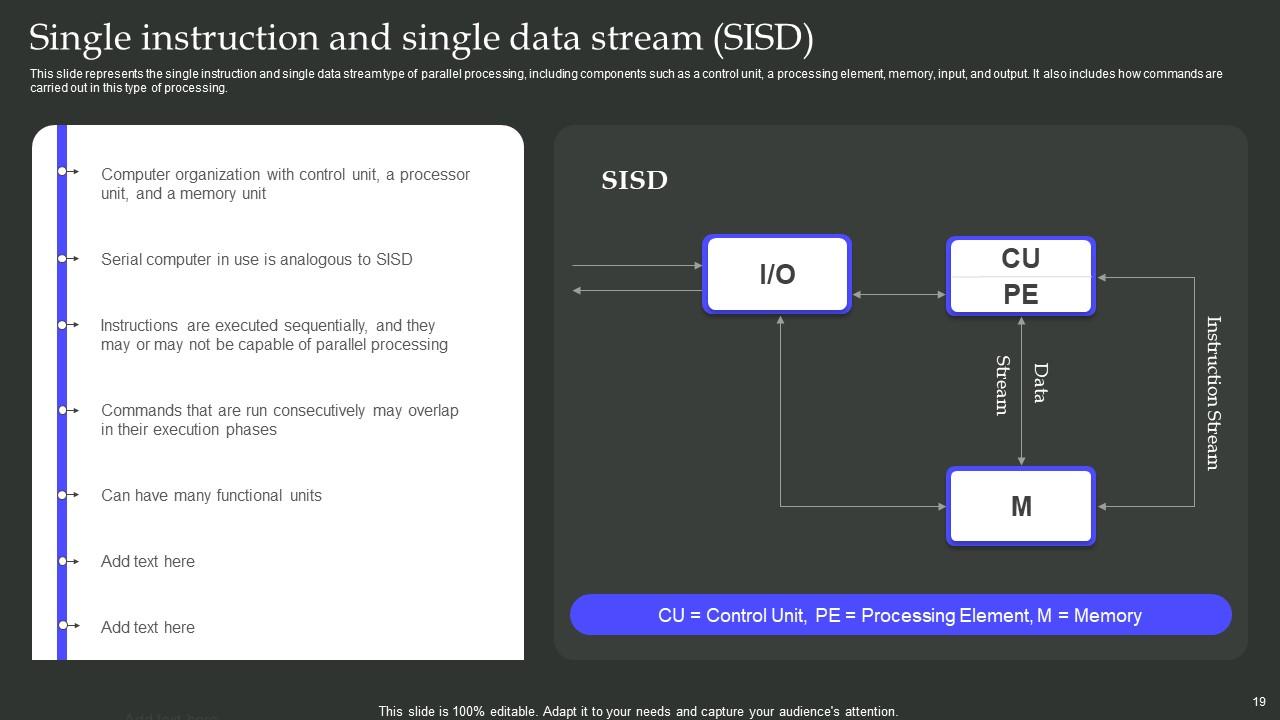
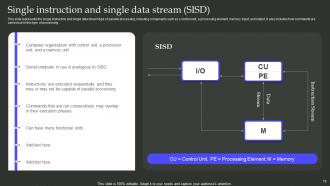
Slide 19: This slide incoporates the single instruction and single data stream type of parallel processing, including components such as a control unit, a processing element, memory, input, and output.
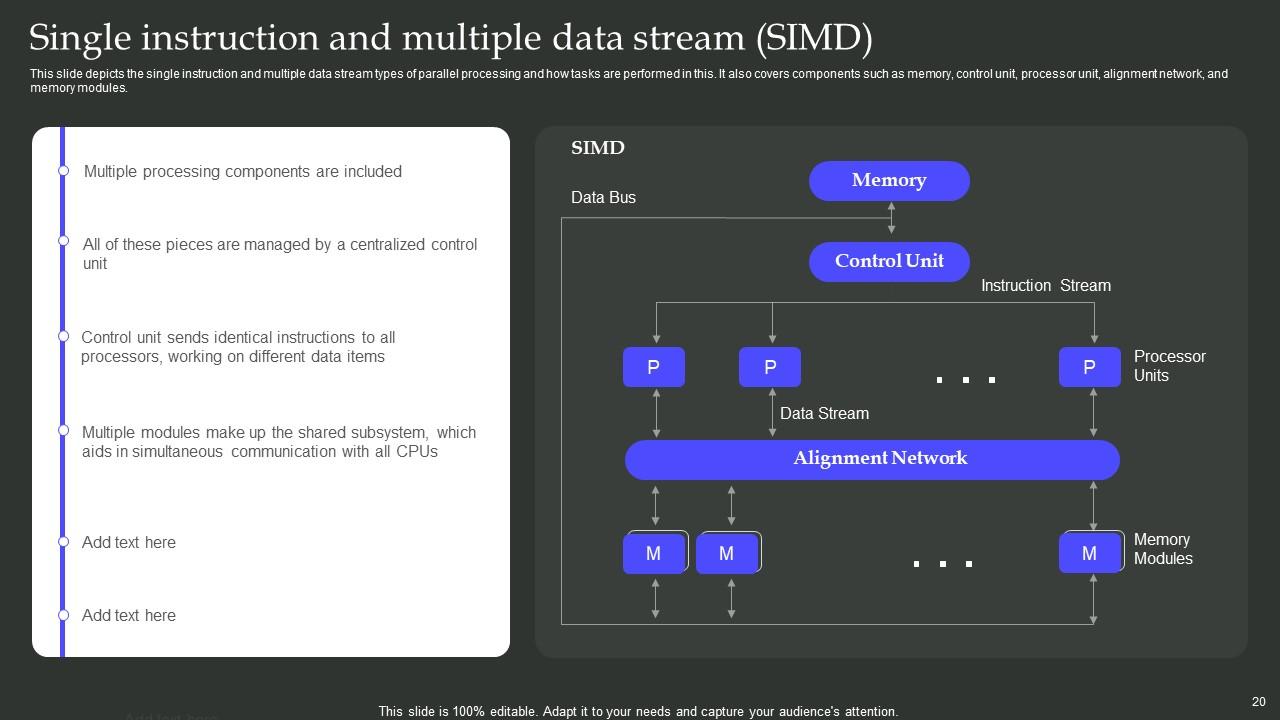
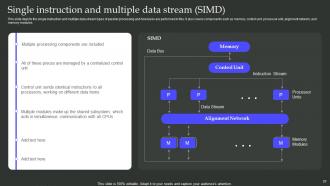
Slide 20: This slide depicts the single instruction and multiple data stream types of parallel processing and how tasks are performed in this.
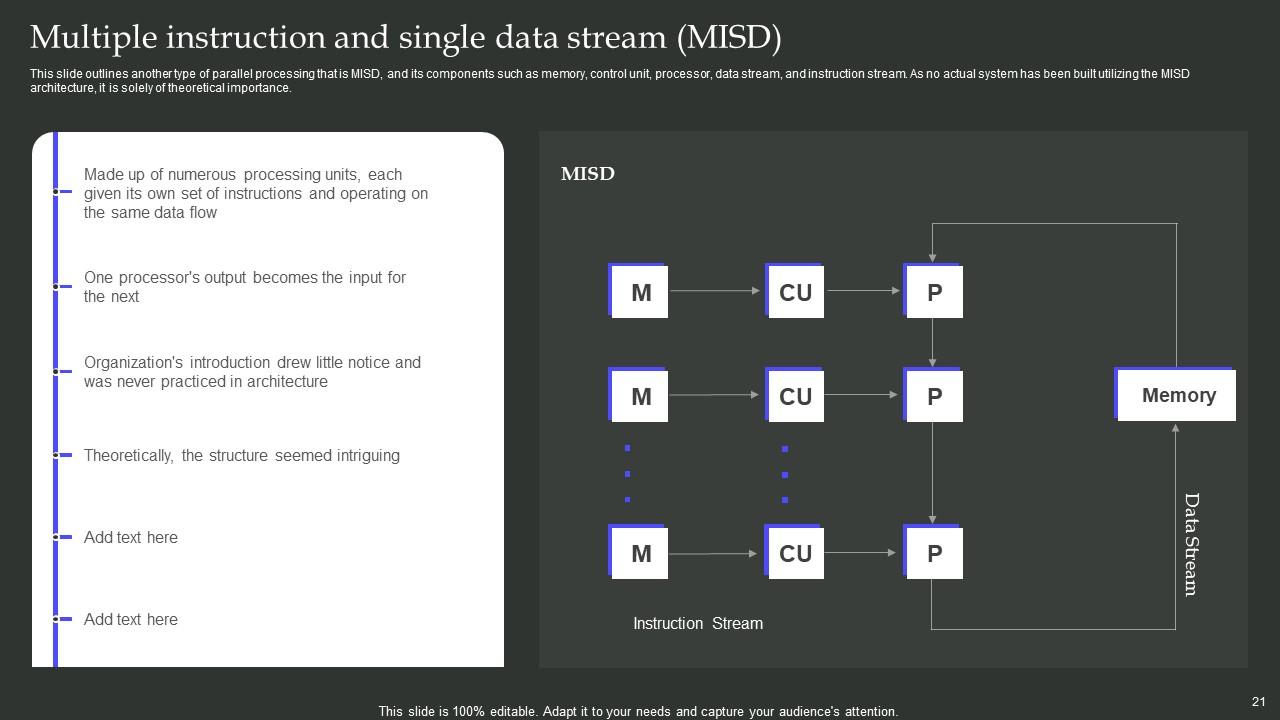
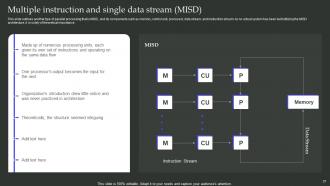
Slide 21: This slide outlines another type of parallel processing that is MISD, and its components such as memory, control unit, processor, data stream, and instruction stream.
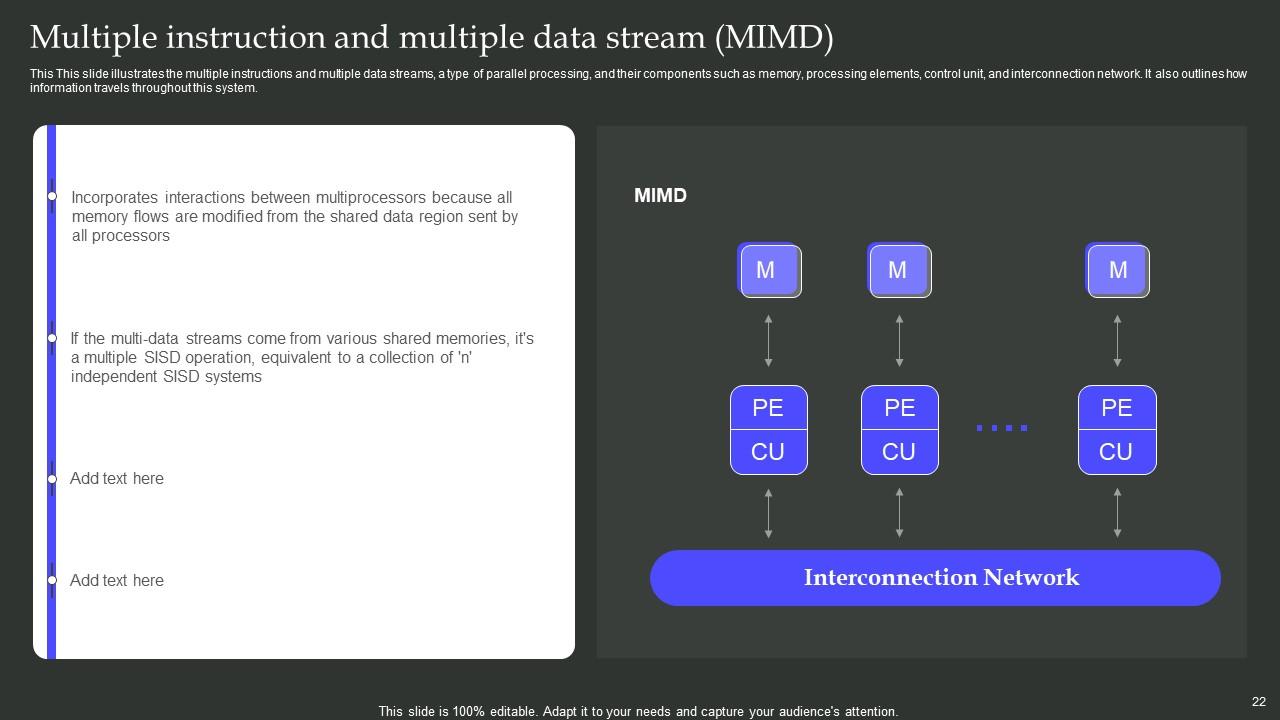
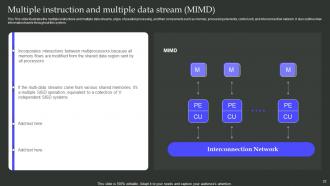
Slide 22: This This slide illustrates the multiple instructions and multiple data streams, a type of parallel processing, and their components like memory, processing elements, control unit, etc.
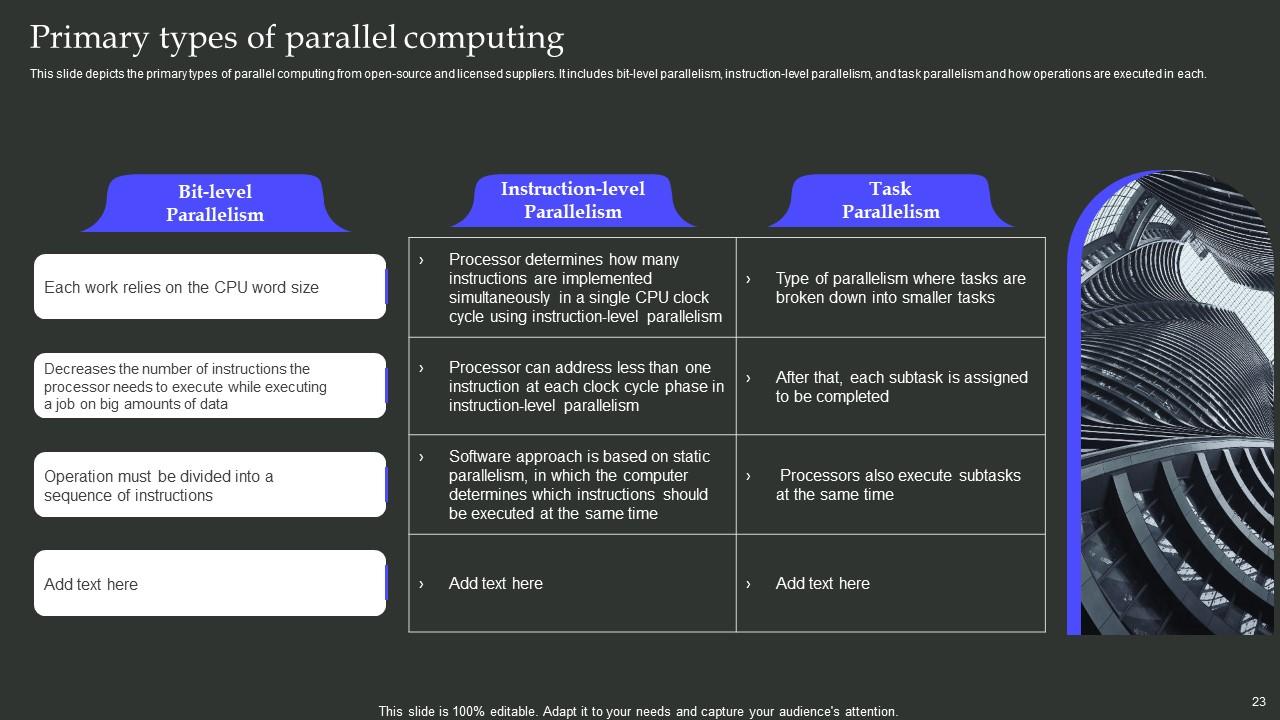
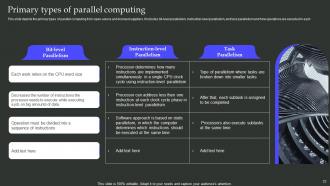
Slide 23: This slide showcases the primary types of parallel computing from open-source and licensed suppliers.
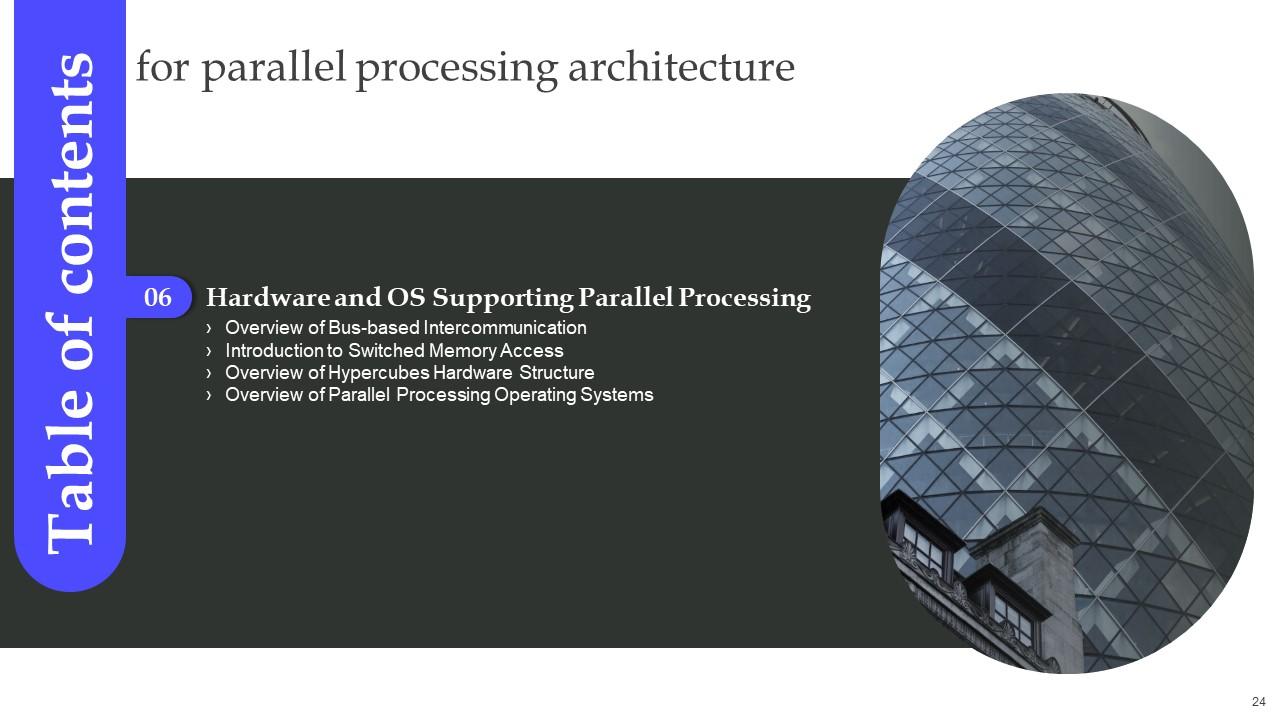
Slide 24: This slide indicates the Title for the Components to be discussed next.
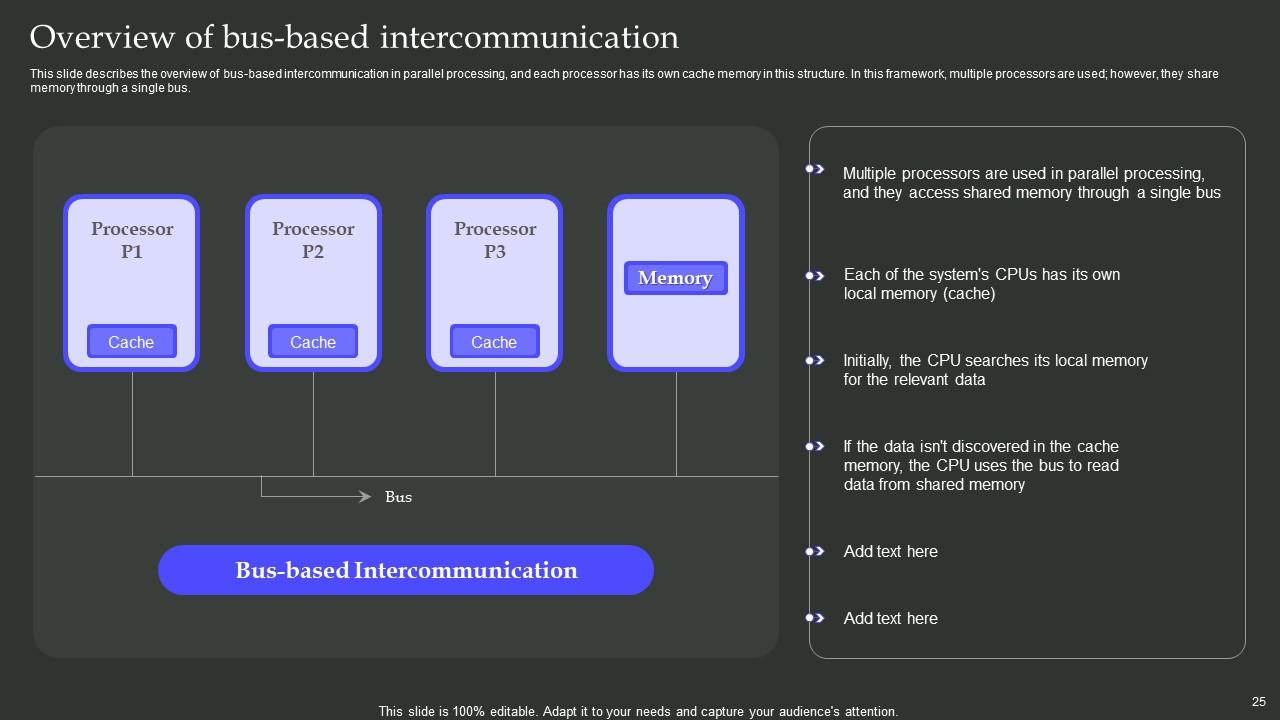
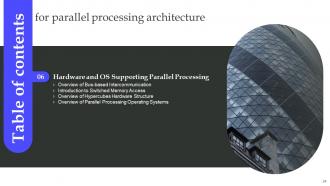
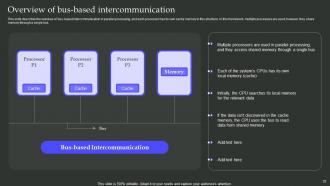
Slide 25: This slide describes the overview of bus-based intercommunication in parallel processing, and each processor has its own cache memory in this structure.
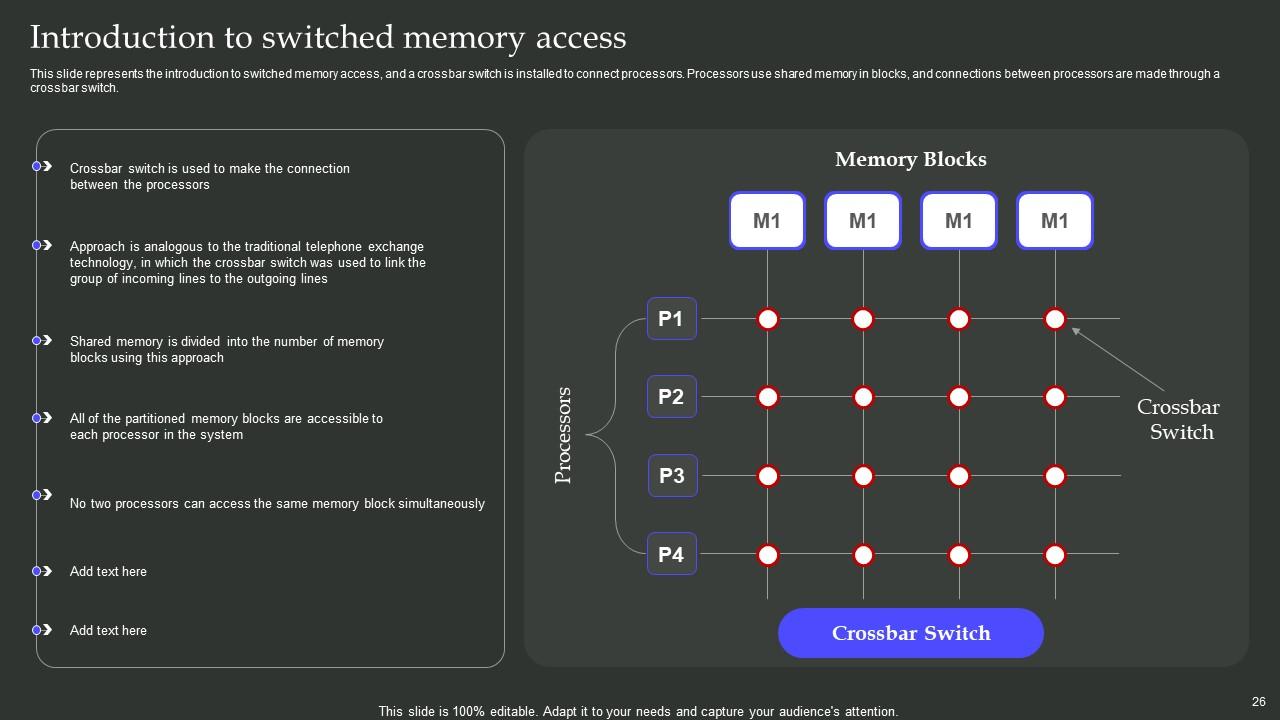
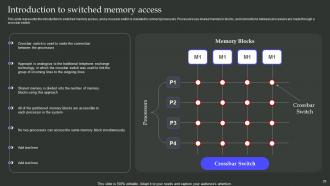
Slide 26: This slide represents the introduction to switched memory access, and a crossbar switch is installed to connect processors.
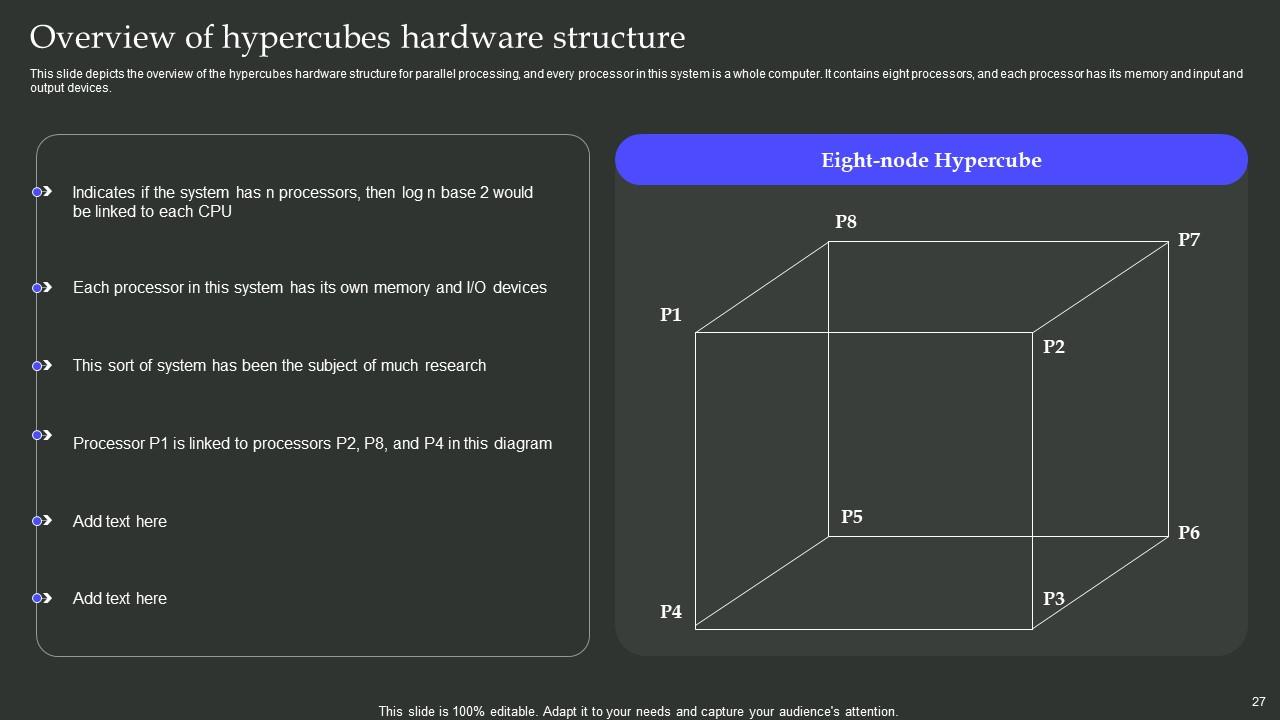
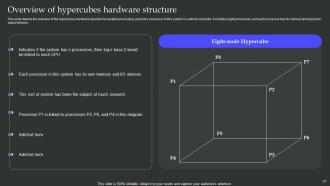
Slide 27: This slide depicts the overview of the hypercubes hardware structure for parallel processing, and every processor in this system is a whole computer.
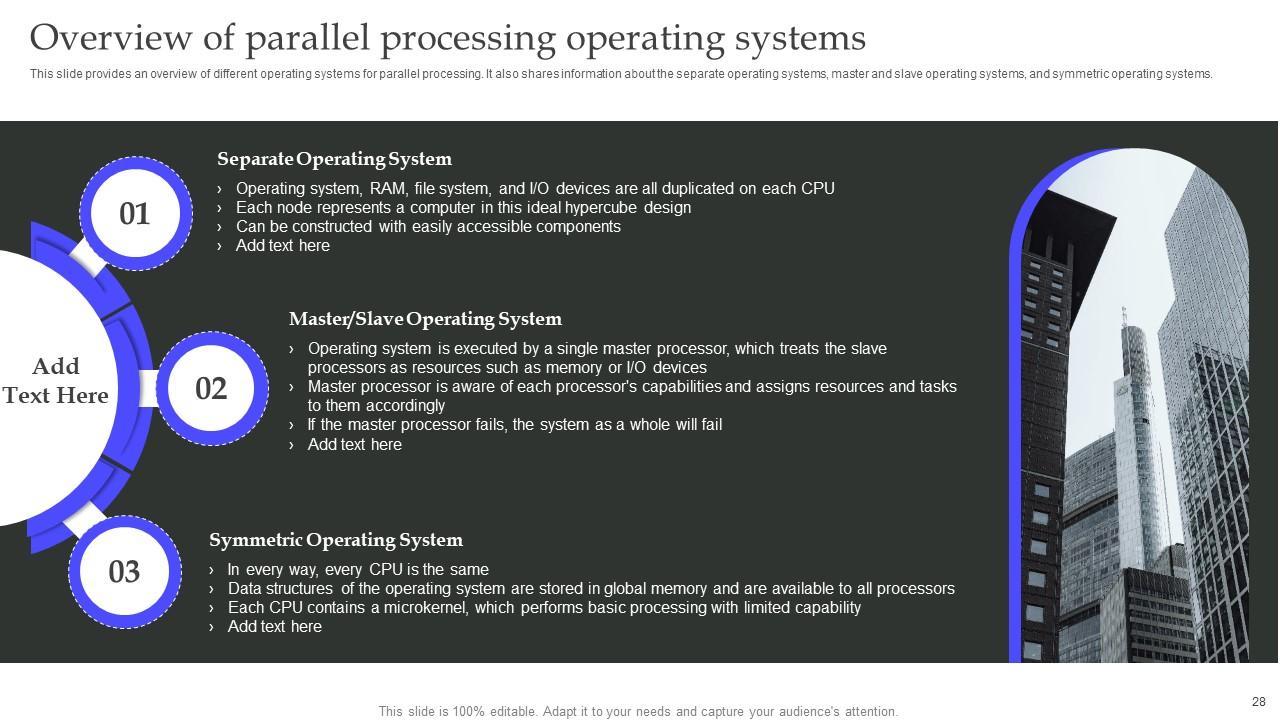
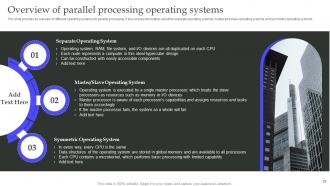
Slide 28: This slide provides an overview of different operating systems for parallel processing.
Slide 29: This slide shows the Heading for the Topics to be covered in the upcoming template.
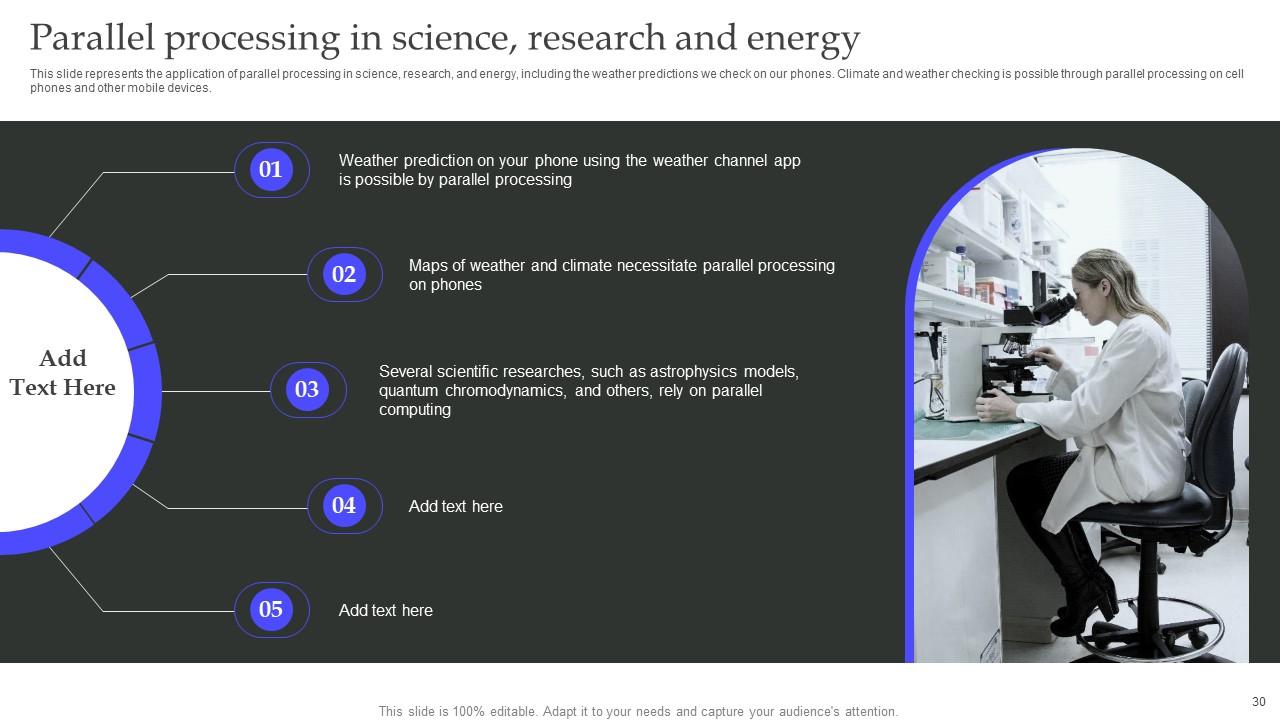
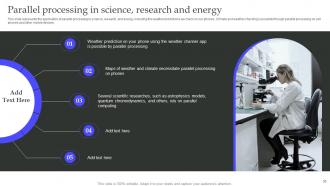
Slide 30: This slide talks about the Parallel processing in science, research and energy.
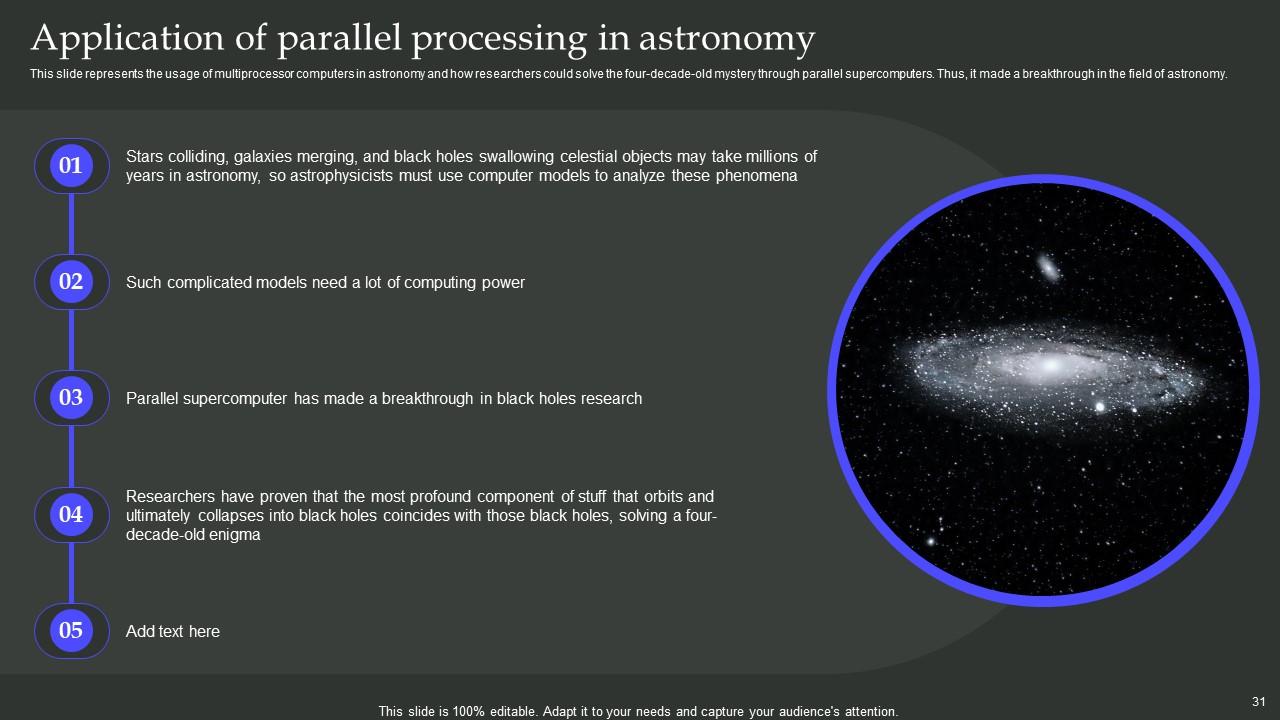
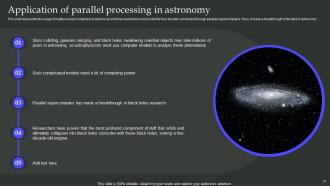
Slide 31: This slide presents the usage of multiprocessor computers in astronomy and how researchers could solve the four-decade-old mystery through parallel supercomputers.
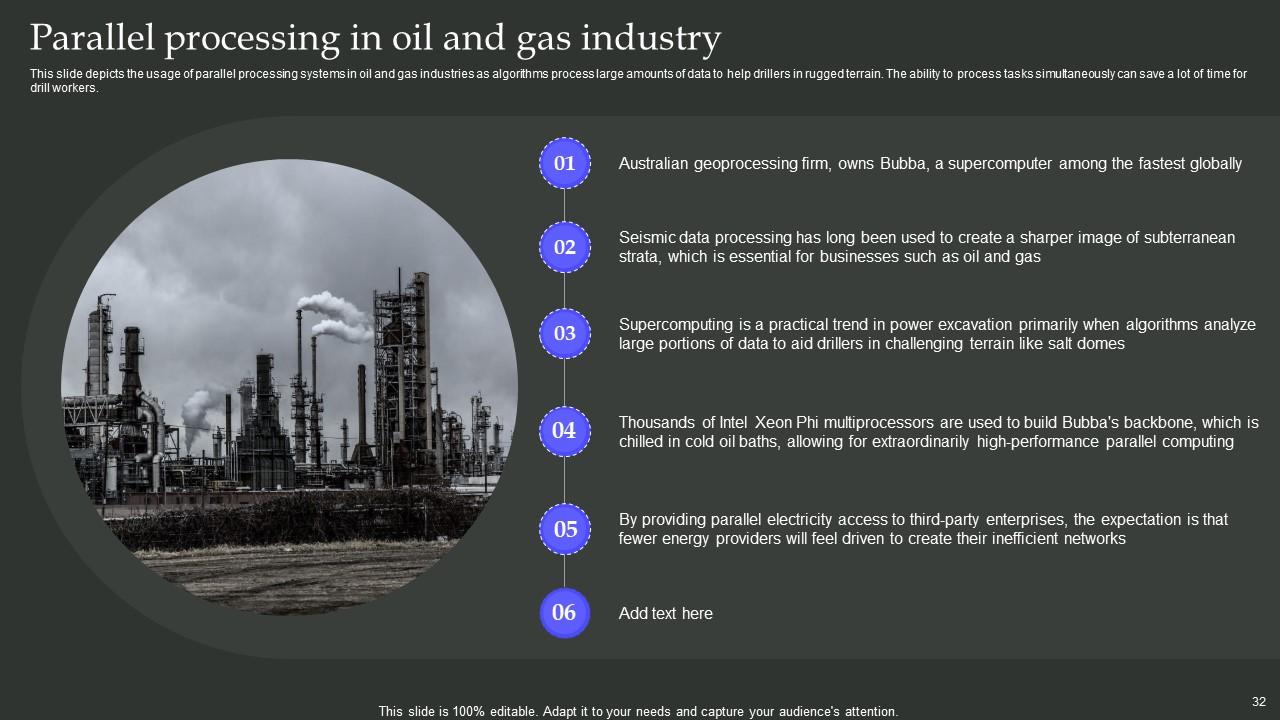
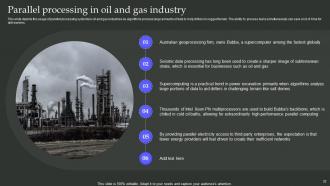
Slide 32: This slide depicts the usage of parallel processing systems in oil and gas industries as algorithms process large amounts of data to help drillers in rugged terrain.
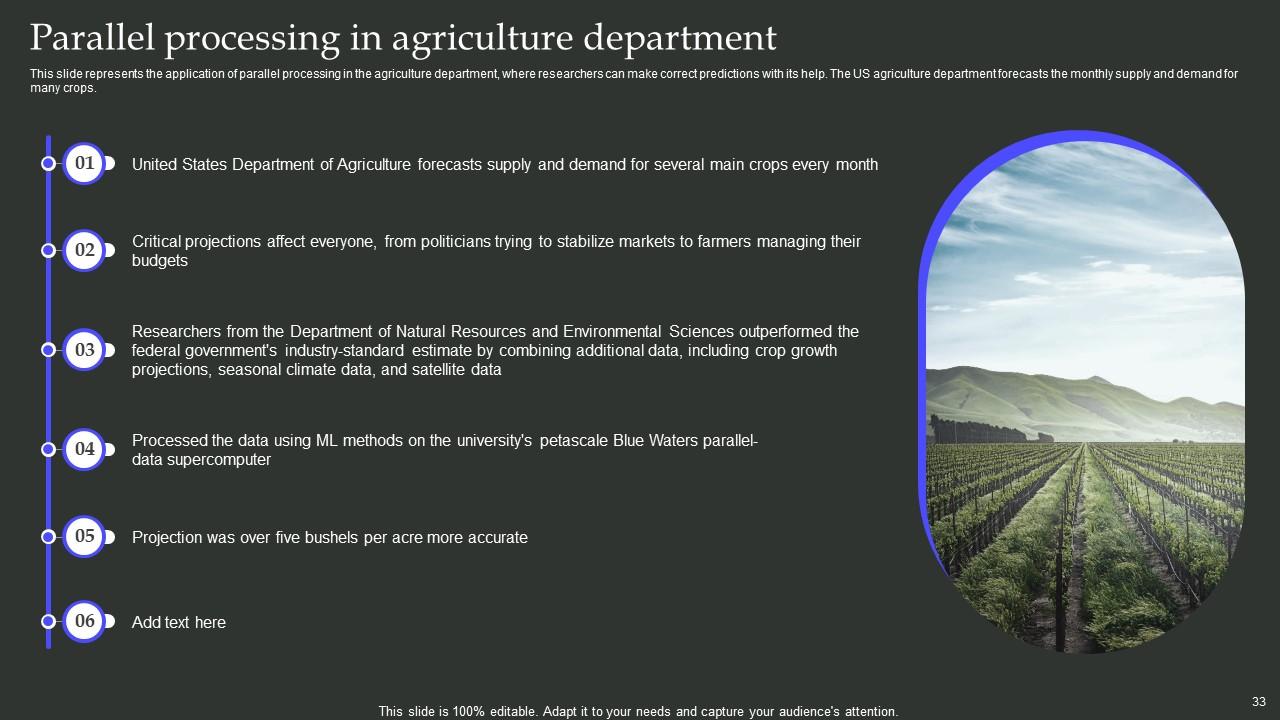
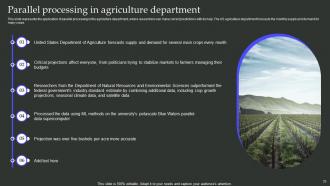
Slide 33: This slide deals with the application of parallel processing in the agriculture department, where researchers can make correct predictions with its help.
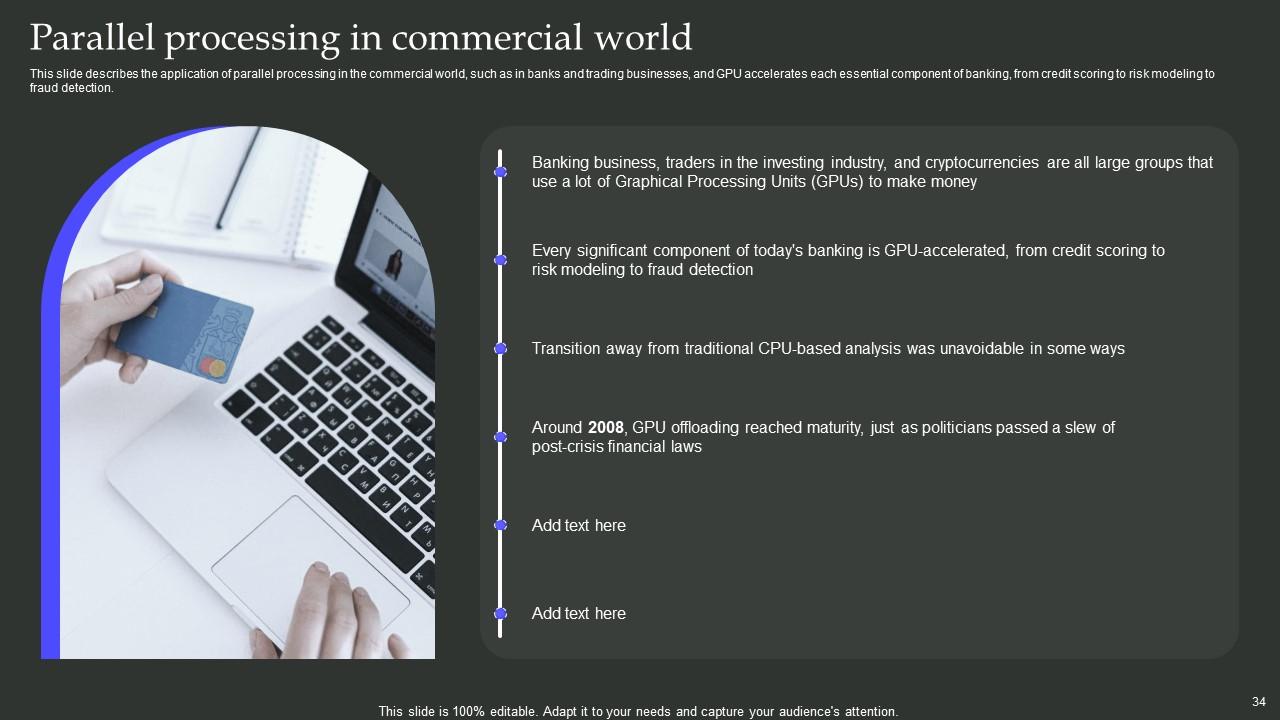
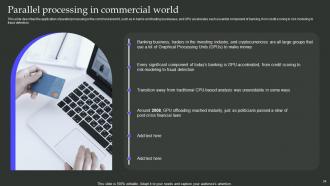
Slide 34: This slide describes the application of parallel processing in the commercial world.
Slide 35: This slide mentions the Title for the Topics to be discussed next.
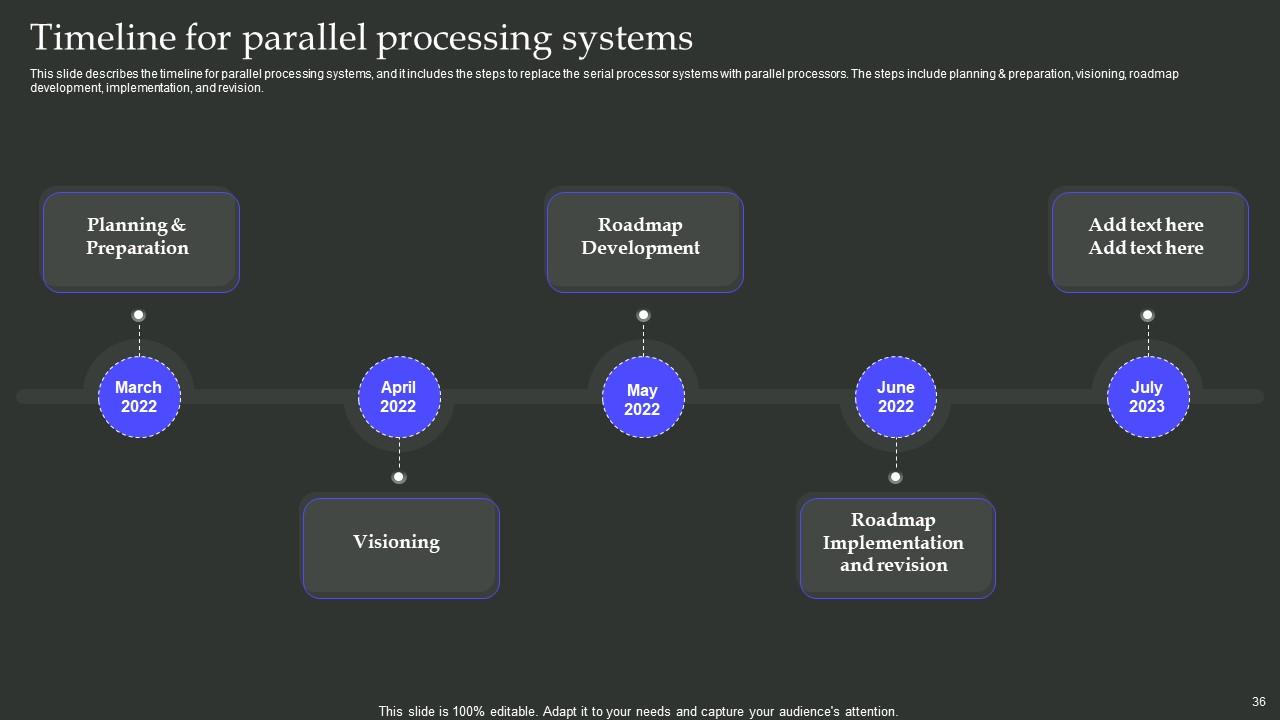
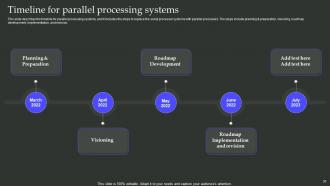
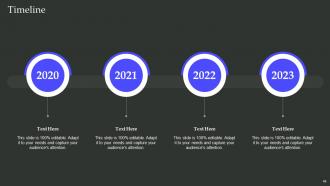
Slide 36: This slide illustrates the timeline for parallel processing systems, and it includes the steps to replace the serial processor systems with parallel processors.
Slide 37: This slide showcases the Heading for the Contents to be covered in the upcoming template.
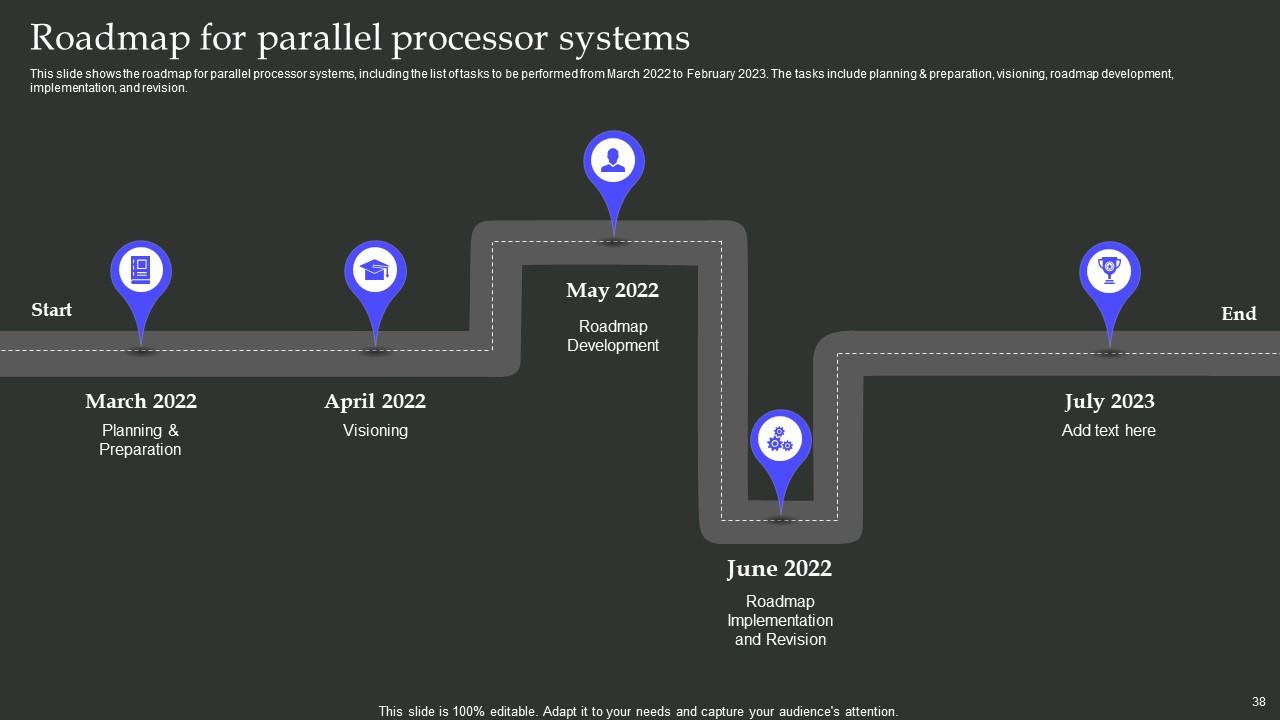
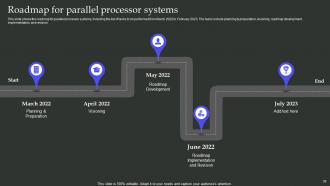
Slide 38: This slide shows the roadmap for parallel processor systems, including the list of tasks to be performed from March 2022 to February 2023.
Slide 39: This slide elucidates the Title for the Topics to be covered further.
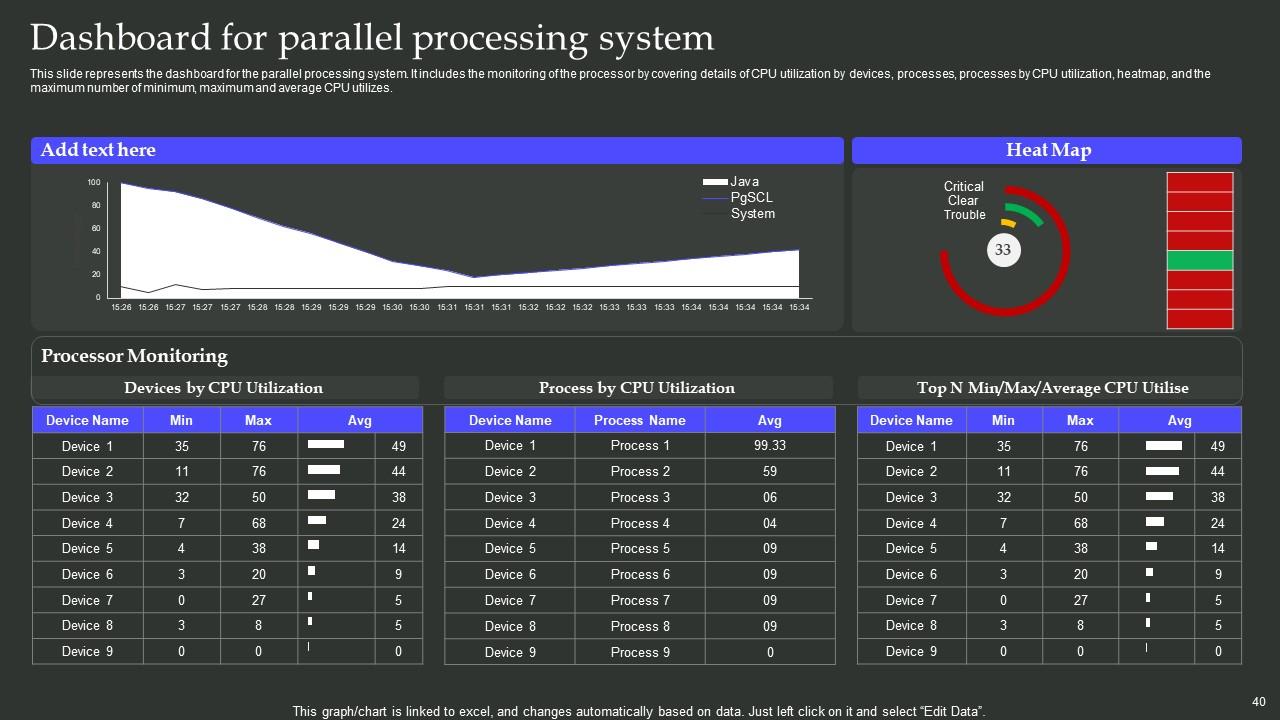
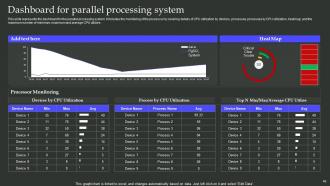
Slide 40: This slide represents the dashboard for the parallel processing system.
Slide 41: This is the Icons slide containing all the Icons used in the plan.
Slide 42: The purpose of this slide is to depict some Additional information.
Slide 43: This is Our team slide. State the information related to your team members here.
Slide 44: This slide contains the Post it notes for reminders and deadines.
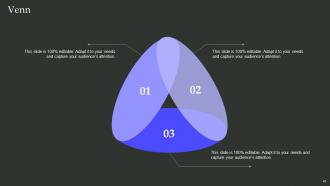
Slide 45: This is the slide showcasing the Venn Diagram.
Slide 46: This slide elucidates the Company's Mind map.
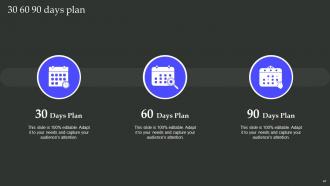
Slide 47: This is the 30 60 90 days plan for efficient planning.
Slide 48: This slide depicts the Organization's Timeline.
Slide 49: This is the Thank You slide for acknowledgement.
Parallel Processing Architecture Powerpoint Presentation Slides with all 54 slides:
Use our Parallel Processing Architecture Powerpoint Presentation Slides to effectively help you save your valuable time. They are readymade to fit into any presentation structure.
FAQs
Parallel processing has benefits such as breaking down a complex process into small pieces and saving time.
The critical features of parallel processing include improved manufacturing efficiency, reduced production downtime, and minimal cross-contamination risk.
The different types of parallel processing include symmetrical multiprocessing, massively parallel processing, non-uniform memory architecture, single instruction single data stream, single instruction multiple data stream, multiple instruction multiple data stream, etc.
Parallel processing is applied in different industries such as science, research, energy, oil and gas, agriculture, and the commercial world.
Parallel processing has applications in science, research, energy, oil and gas industries, agriculture, and commercial industries.
-
Best Representation of topics, really appreciable.
-
Awesomely designed templates, Easy to understand.
