


Project Execution Powerpoint Presentation Slides
Are you thinking to craft a good PPT on project execution? Not to worry! We have come up with the project execution PowerPoint presentation slides that will help you build up your key program deliverables. Using our project presentation ppt designs, you can promote your business plan by specifying project quality management, work plan, etc. Furthermore, these control execution PPT graphics have been incorporated by highly qualified designers & with extensive research. Furthermore, our project development presentation illustrations cover all the related templates such as project progress summary, issues management, line chart, clustered column chart and many more. What more do you expect? In addition to this, execution plan PowerPoint designs can also be used for similar topics such as program documentation, execution plan, earned value management, risk analysis matrix, resource allocation, critical path method, product benefit realization, program charter, and responsibility assignment matrix. So without wasting your time, just grab our PowerPoint Visuals. Evaluate concepts with our Project Execution Powerpoint Presentation Slides. Be able to assess the depth behind it.












You must be logged in to download this presentation.


Do you want to remove this product from your favourites?
PowerPoint presentation slides
These slides are quickly downloadable. Our templates are 100% editable. It consists of 30 slides and comprises of all the relevant information. We have used high-resolution PPT designs. Compatible slide layout. Our graphics will be displayed in standard and widescreen. These visuals are 100% risk-free. It can be used by the project team, promoter, marketing, manager, and businessman. The stages in this process are project execution, project implementation, project management.

People who downloaded this PowerPoint presentation also viewed the following :
Content of this Powerpoint Presentation
Slide 1: This slide introduces Project Execution with respective imagery.
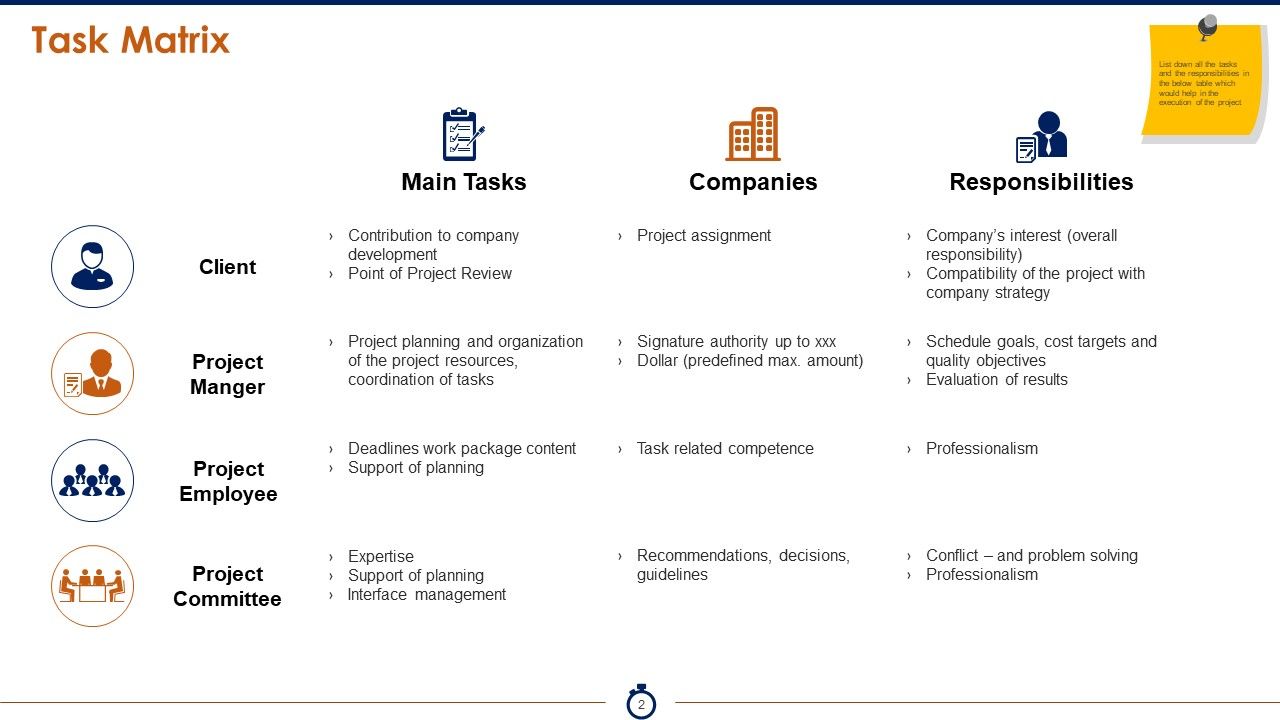
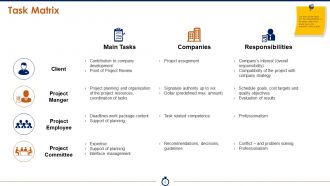
Slide 2: This slide presents a Task Matrix with the following headings:- Main Tasks- Responsibilities- Companies. Client: (Contribution to company development, Point of Project Review, Company’s interest (overall responsibility), Compatibility of the project with company strategy, Project assignment). Project Manger: {(Project planning and organization of the project resources, coordination of tasks, Schedule goals, cost targets and quality objectives, Evaluation of results, Signature authority up to xxx, Dollar (predefined max. amount)}. Project Employee: Deadlines work package content, Support of planning, Professionalism, Task related competence, Project Committee: Expertise, Support of planning, Interface management, Conflict – and problem solving, Professionalism, Recommendations, decisions, guidelines. List down all the tasks and the responsibilities in the below table which would help in the execution of the project
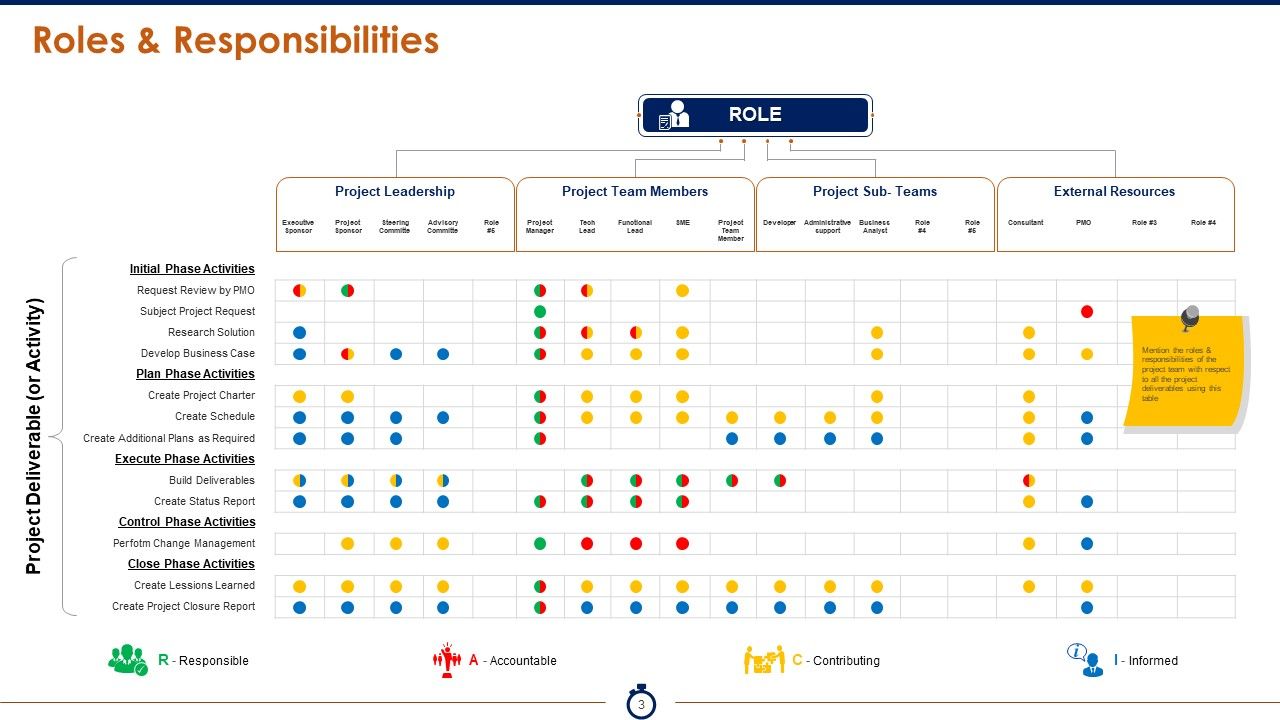
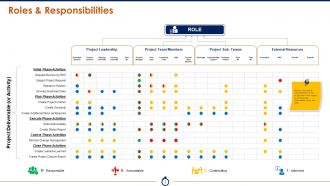
Slide 3: This is a RACI Roles & Responsibilities Matrix with the following sub headings- Project Leadership (Executive Sponsor, Project Sponsor, Steering Committe, Advisory Committe). Project Team Members (Project Manager Tech Lead Functional Lead SME). Project Sub- Teams (Developer Administrative support Business Analyst). External Resources: (Consultant PMO). Project Deliverables include- Initial Phase Activities*(Request Review by PMO, Subject Project Request, Research Solution, Develop Business Case). Plan Phase Activities*(Create Project Charter, Create Schedule, Create Additional Plans as Required). Execute Phase Activities*(Build Deliverables, Create Status Report). Control Phase Activities *(Perform Change Management). Close Phase Activities*(Create Lessions LearnedCreate Project Closure Report).
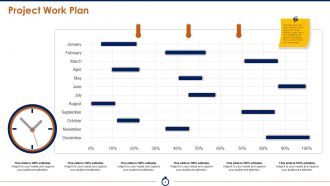
Slide 4: This slide covers the entire Project work plan of the project split across different months and also highlights the degree of completion.
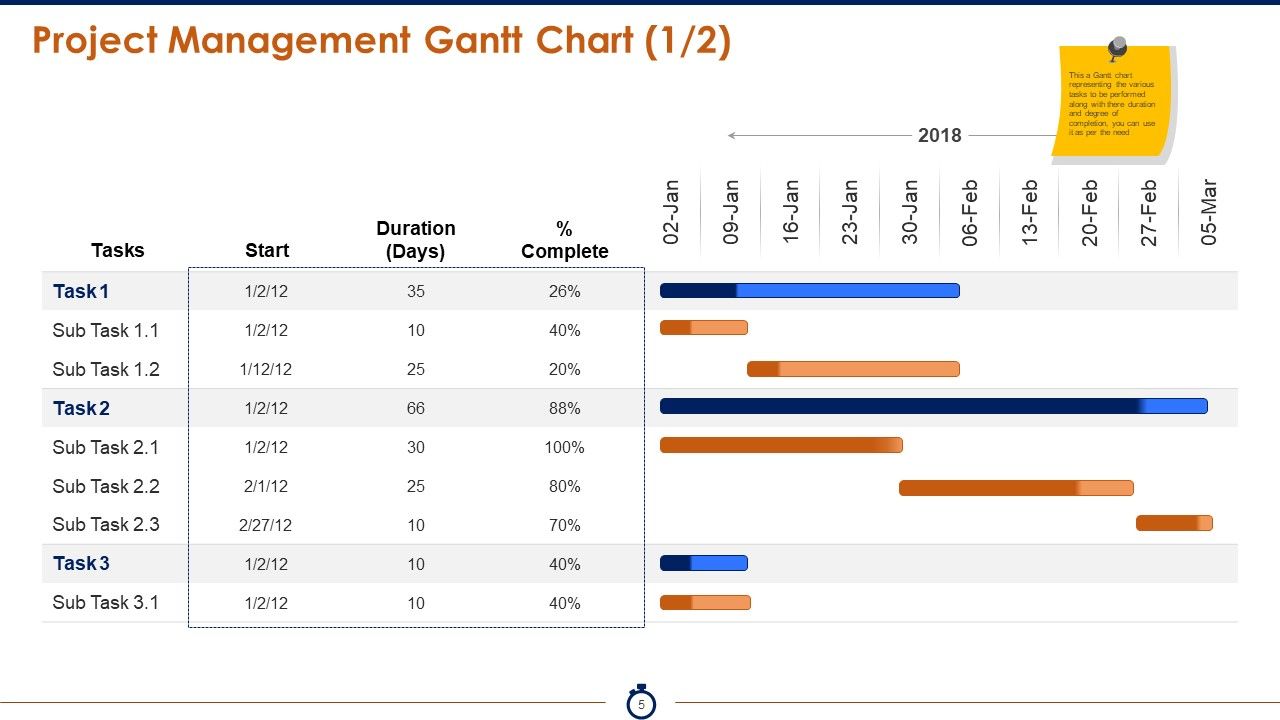
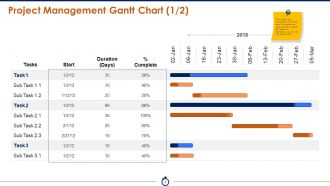
Slide 5: This slide shows a Gantt chart representing the various tasks to be performed along with their duration and degree of completion.
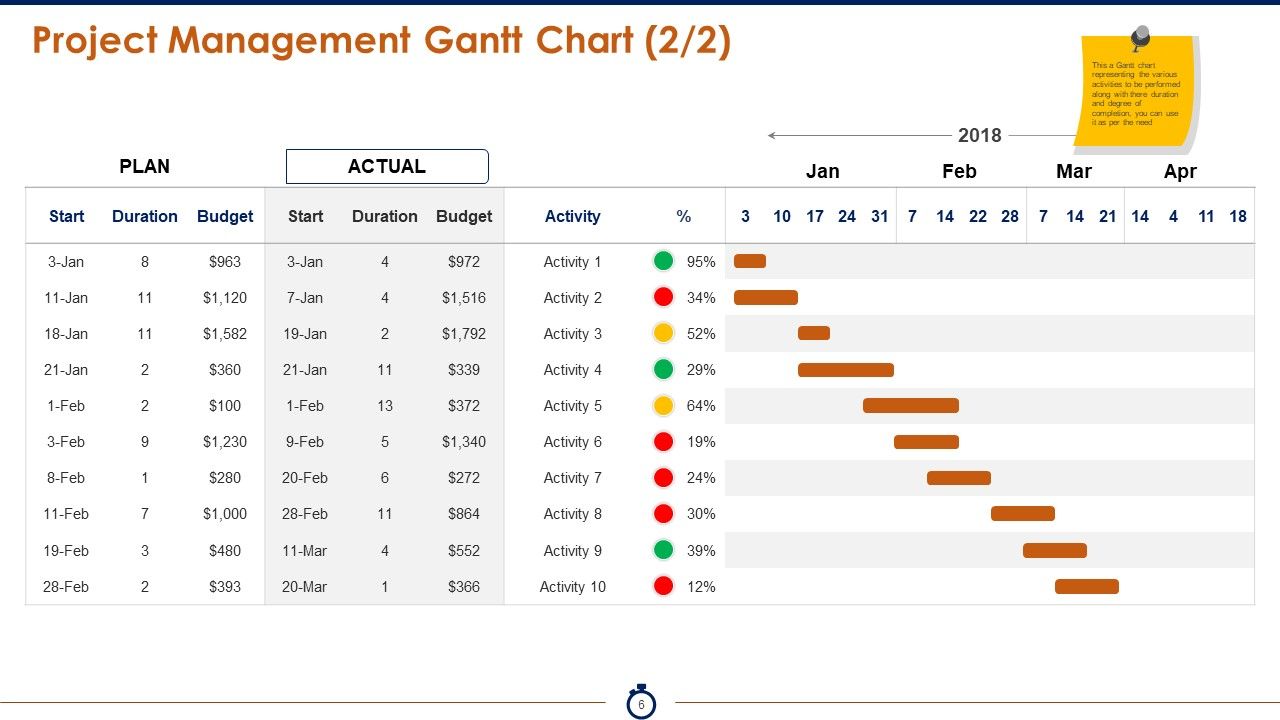
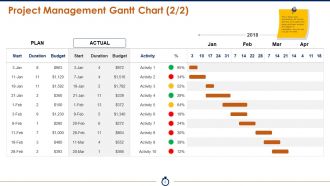
Slide 6: This is another slide of Gantt chart representing the various activities to be performed along with their duration and degree of completion.
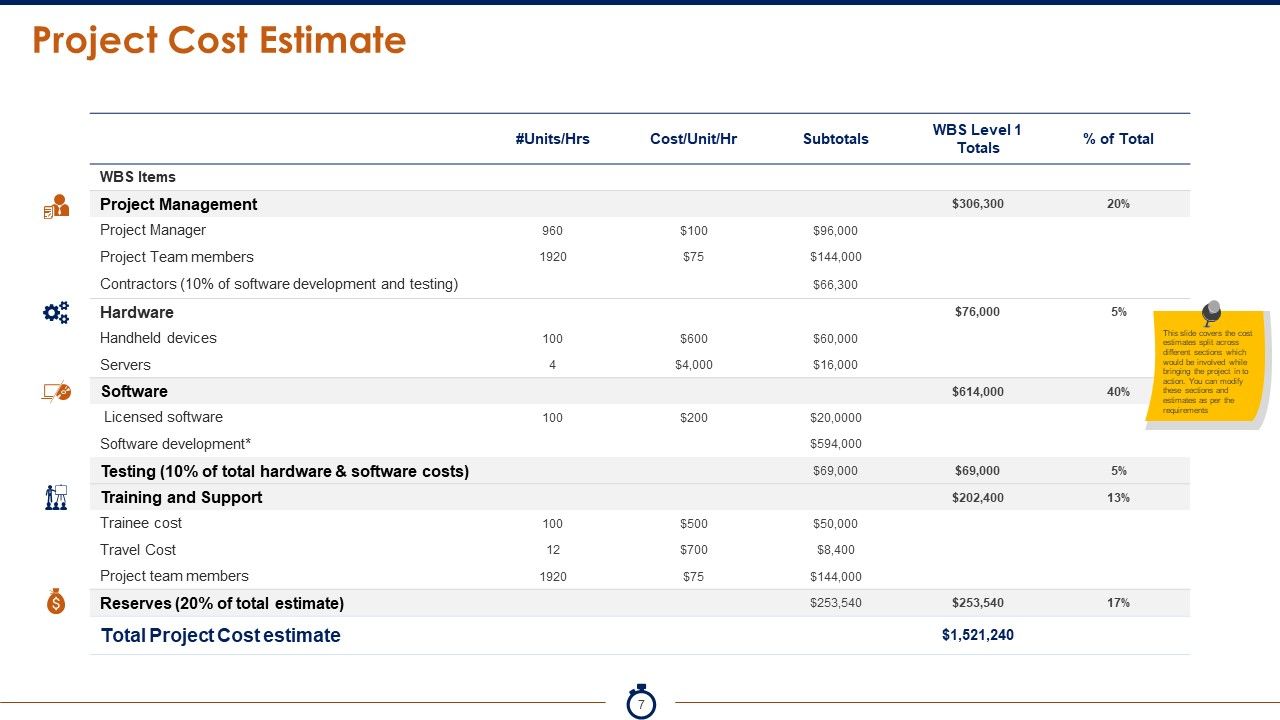
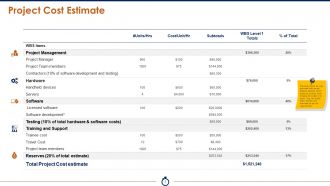
Slide 7: This slide covers the Project Cost Estimate split across different sections which would be involved while bringing the project into action.
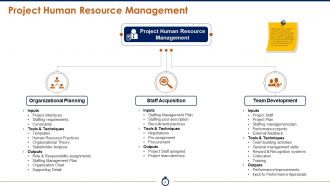
Slide 8: HR Management is critically important in ensuring the proper execution of the project. We have listed down the key tasks of the HR management and how they would be helping in the project execution. This slide presents Project Human Resource Management with the following subheadings- 1: Operational Planning:- a: Inputs- (Project interfaces, Staffing requirements, Constraints). b: Tools & Techniques (Templates, Human Resource Practices, Organizational Theory, Stakeholder Analysis). c: Outputs (Role & Responsibility assignments, Staffing Management Plan, Organization Chart, Supporting Detail). 2: Staff Acquisition:- a: Inputs- (Staffing Management Plan, Staffing pool description, Recruitment practices). b: Tools & Techniques- (Negotiations, Pro-assignment, Procurement). c: Outputs- (Project Staff assigned, Project team directory). 3: Team Development:- a: Inputs- (Project Staff, Project Plan, Staffing management plan, Performance reports, External feedback). b: Tools & Techniques (Team building activities, General management skills, Reward & Recognition systems, Collocation, Training). c: Outputs- (Performance Improvements, Input to Performance Appraisals).
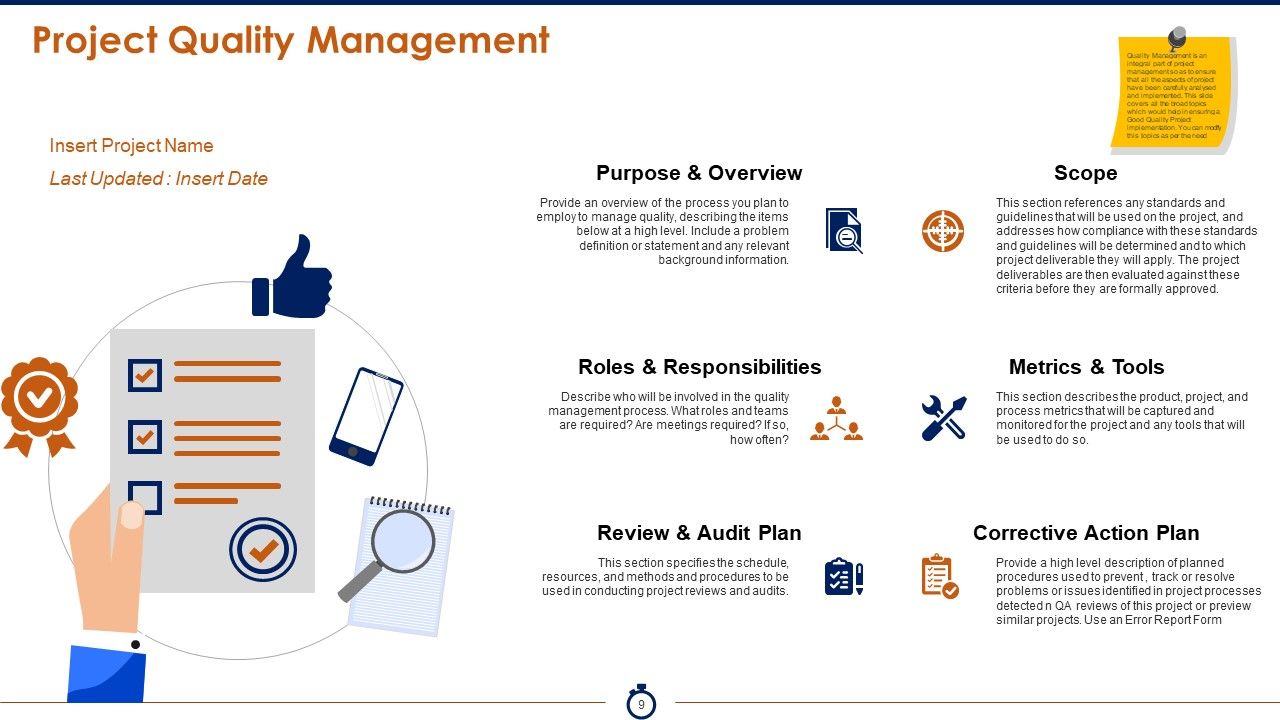
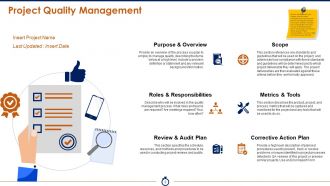
Slide 9: This slide presents Project Quality Management with the following subheadings. 1: Purpose & Overview (Provide an overview of the process you plan to employ to manage quality, describing the items below at a high level. Include a problem definition or statement and any relevant background information). 2: Scope (This section references any standards and guidelines that will be used on the project, and addresses how compliance with these standards and guidelines will be determined and to which project deliverable they will apply. The project deliverables are then evaluated against these criteria before they are formally approved). 3: Roles & Responsibilities (Describe who will be involved in the quality management process. What roles and teams are required? Are meetings required? If so, how often?). 4: Metrics & Tools (This section describes the product, project, and process metrics that will be captured and monitored for the project and any tools that will be used to do so). 5: Review & Audit Plan (This section specifies the schedule, resources, and methods and procedures to be used in conducting project reviews and audits). 6: Corrective Action Plan (Provide a high level description of planned procedures used to prevent , track or resolve problems or issues identified in project processes detected in QA reviews of this project or preview similar projects. Use an Error Report Form). Quality Management is an integral part of project management so as to ensure that all the aspects of project have been carefully analysed and implemented. This slide covers all the broad topics which would help in ensuring a Good Quality Project implementation.
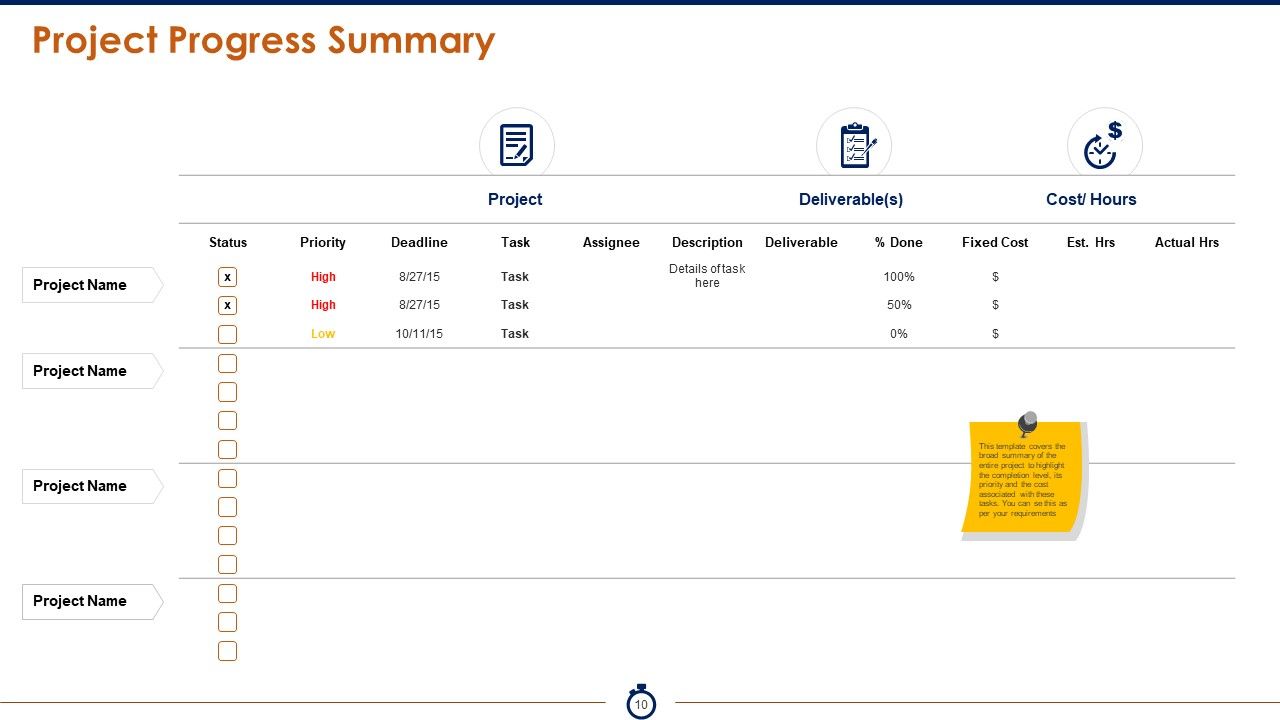
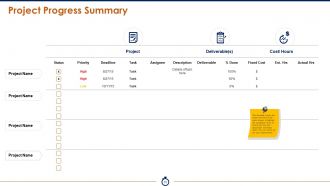
Slide 10: This slide showcases Project Progress Summary. It covers the broad summary of the entire project to highlight the completion level, its priority and the cost associated with these tasks.
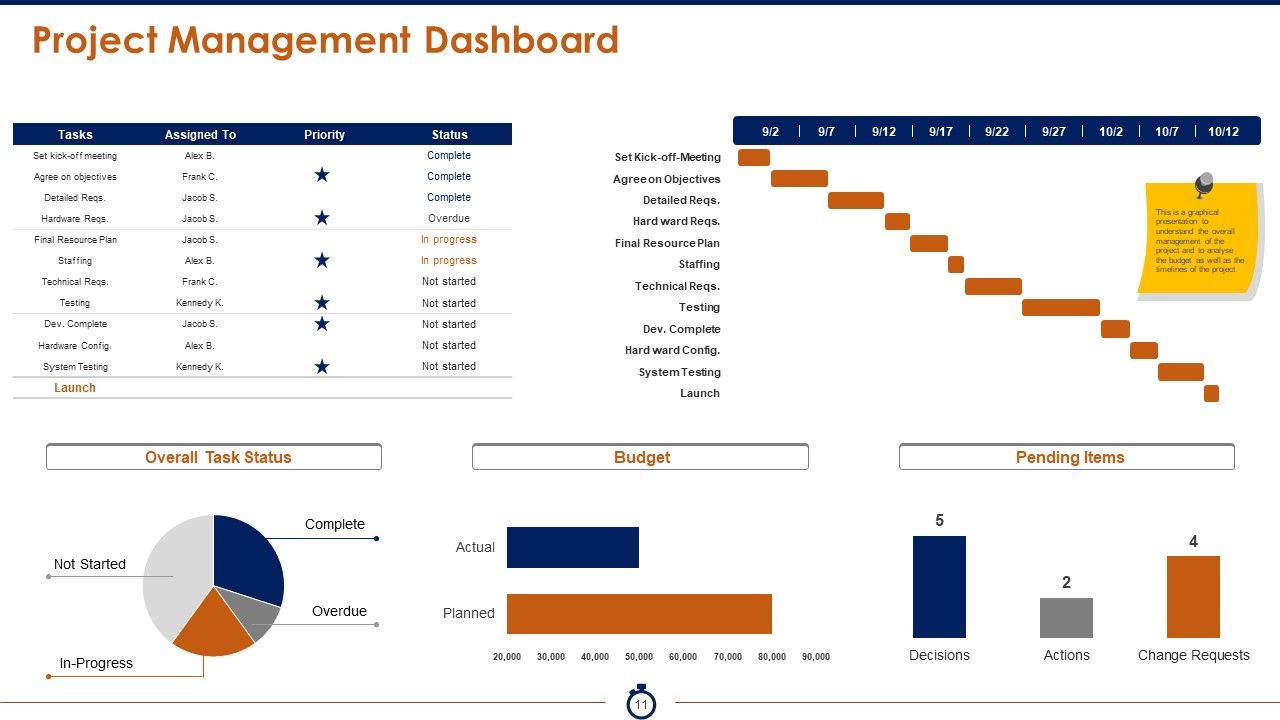
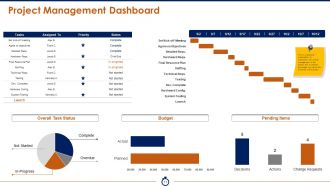
Slide 11: This slide presents Project Management Dashboard. It is a graphical presentation to understand the overall management of the project and to analyse the budget as well as the timelines of the project. The major sub headings include: Set Kick-off-Meeting, Agree on Objectives, Detailed Requirements, Hard ward Requirements, Final Resource Plan, Staffing, Technical Reqs., Testing, Dev. Complete, Hard ward Config., System Testing, Launch, Complete, Overdue, In-Progress, Not Started, Overall Task Status, Budget, Pending Items).
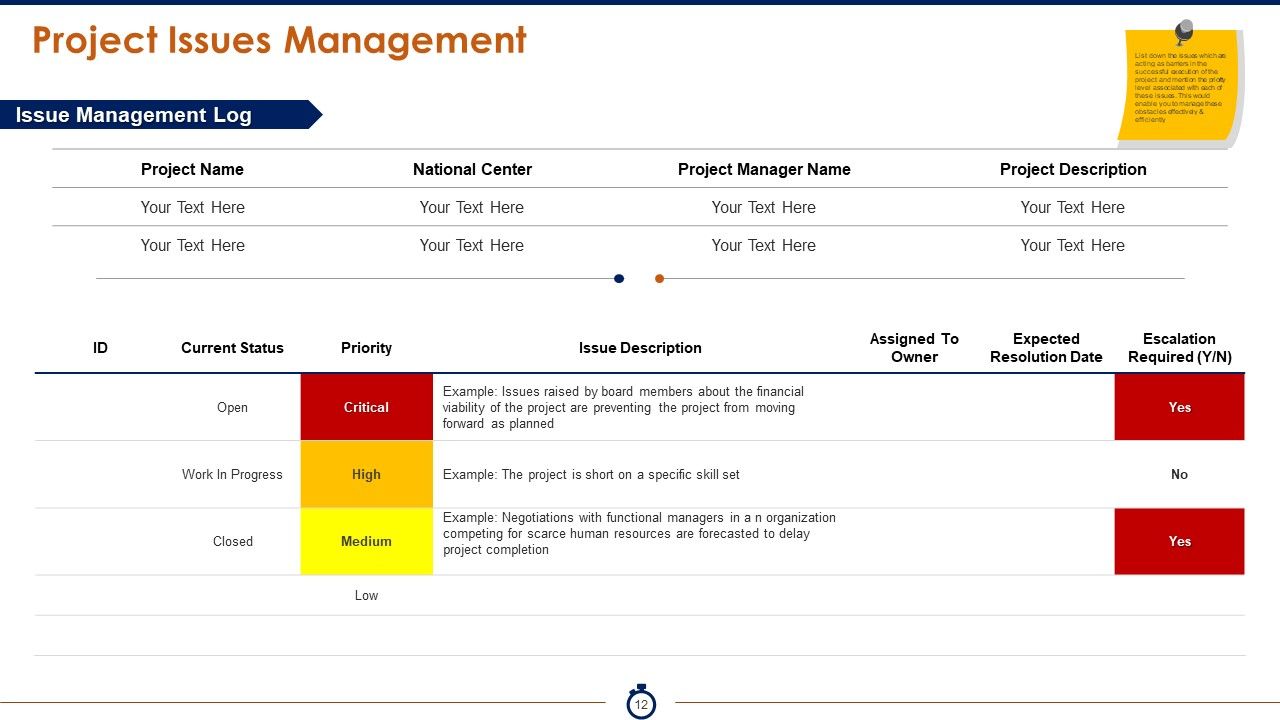
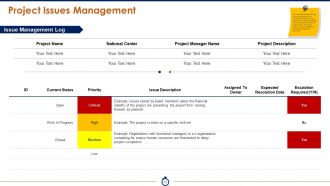
Slide 12: Thi slide presents Project Issues Management showing Issue Management Log with name, description and status to be measured. List down the issues which are acting as barriers in the successful execution of the project and mention the priority level associated with each of these issues. This would enable you to manage these obstacles effectively & efficiently.
Slide 13: This slide is titled Graph & charts to proceed forward.
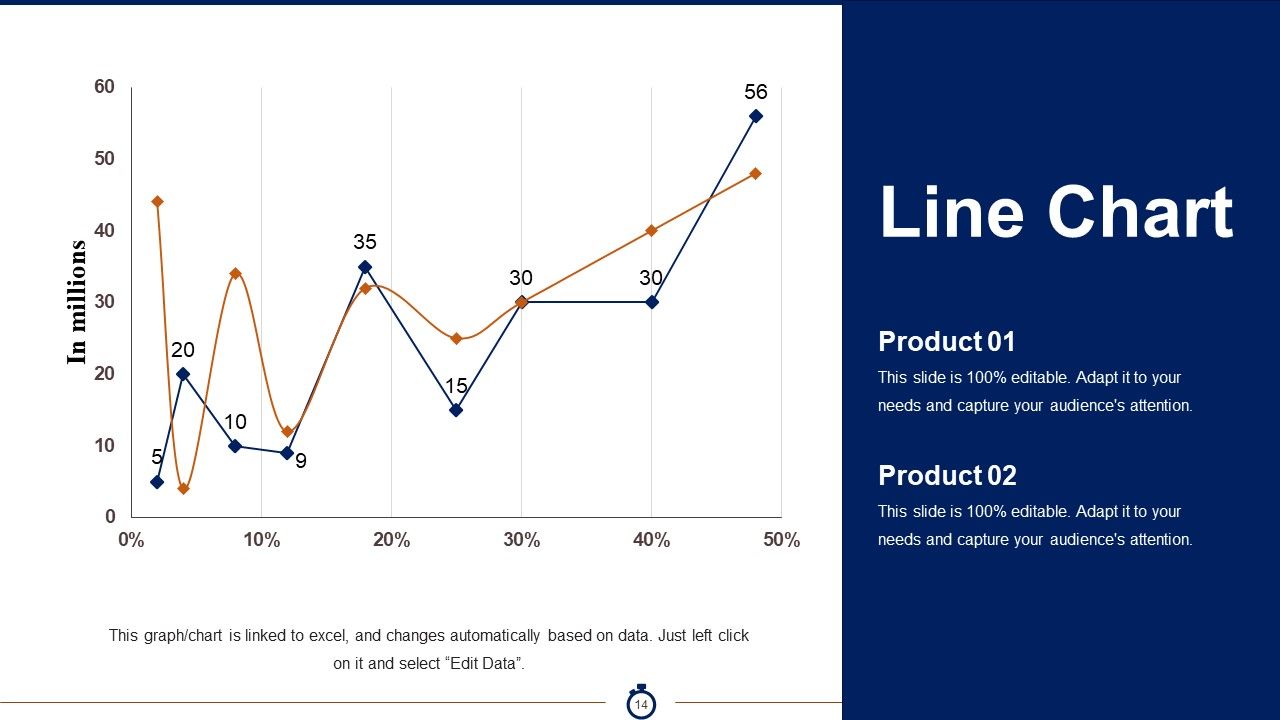
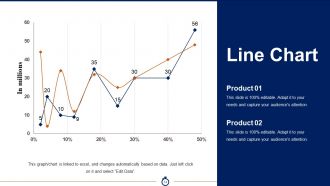
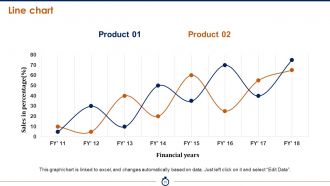
Slide 14: This slide displays a Line Chart for two product comparsion.
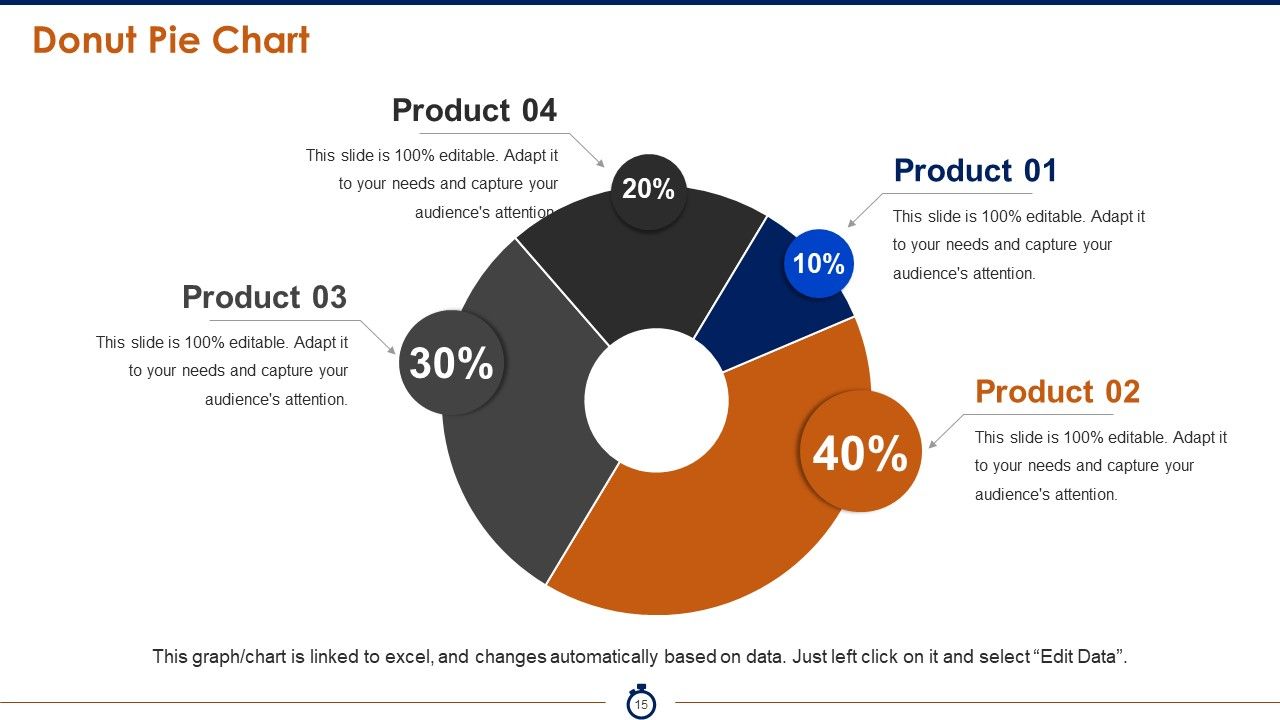
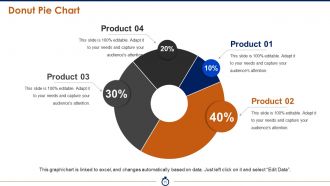
Slide 15: This is Donut Pie Chart slide to show comparison of different products, entities etc.
Slide 16: This is another Line chart slide for showcasing product growth, comparison etc.
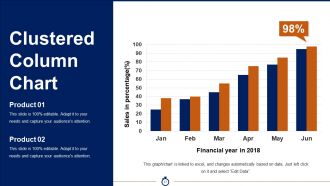
Slide 17: This slide shows a Clustered Column Chart for calculating sales, etc. for a particular time period.
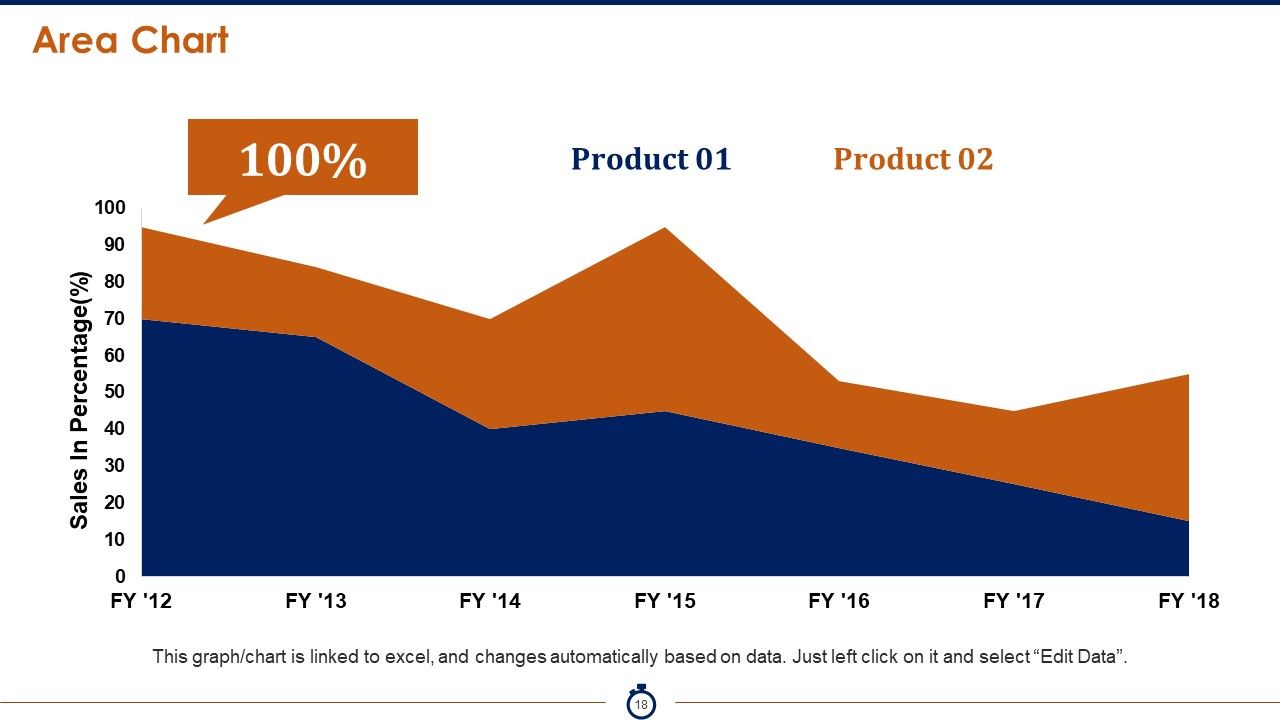
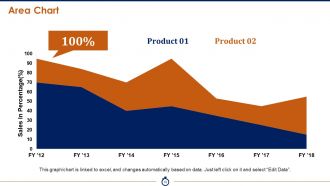
Slide 18: This is an Area Chart for two product comparison etc.
Slide 19: This is a Coffee Time break slide to halt.
Slide 20: This slide is titled Additional slides to proceed forward.
Slide 21: This is an About Us slide to state about your team, company, etc.
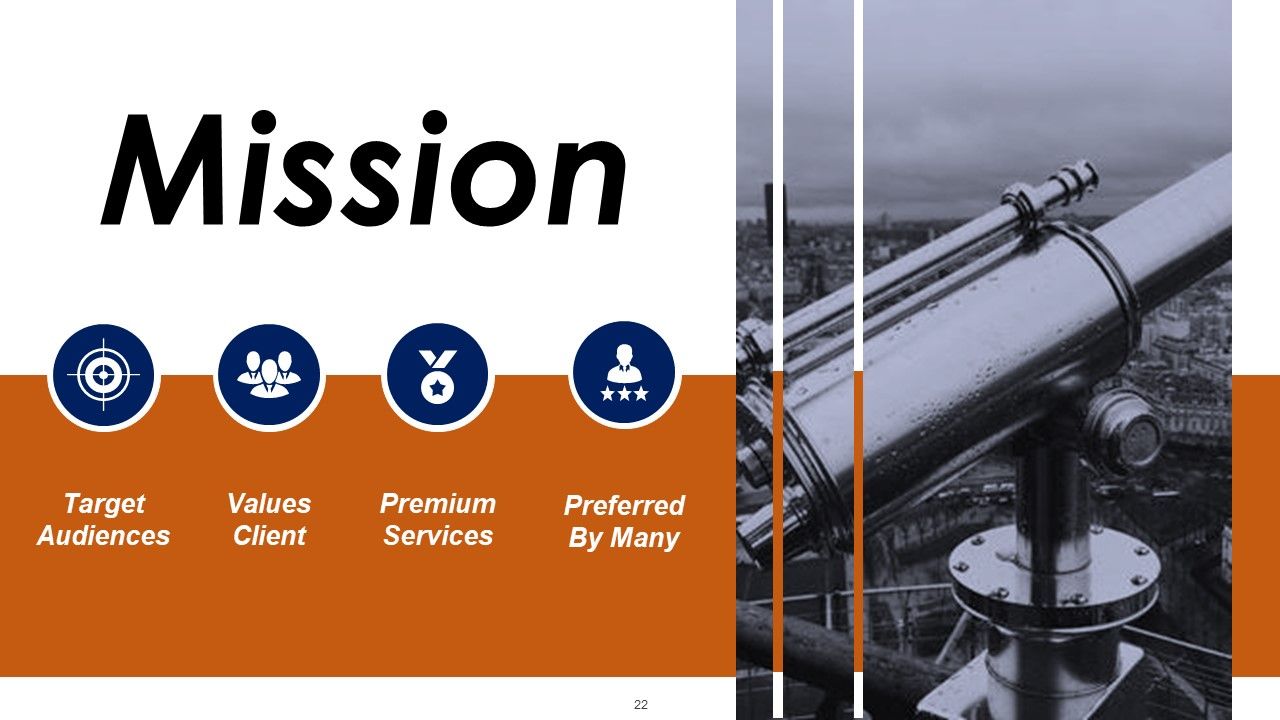
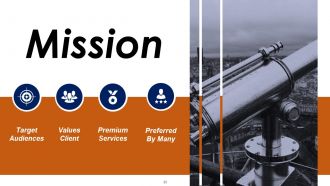
Slide 22: This is a Mission slide which shows- Mission, Target Audiences, Values Client, Premium Services, Preferred By Many as exmaples to showcase about company mission, values etc.
Slide 23: This is an Our Team slide with name and designation to show.
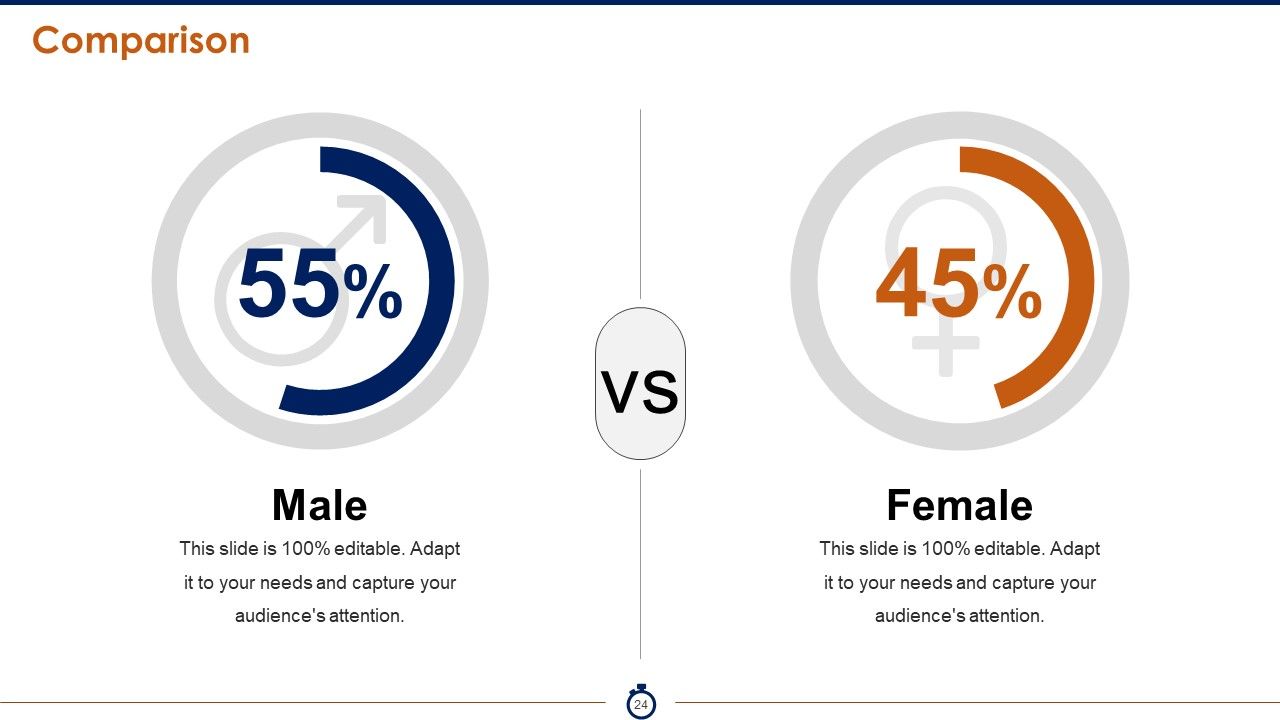
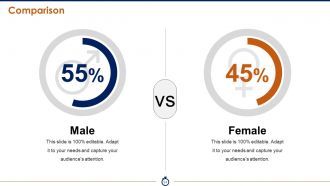
Slide 24: This is a Comparison slide between male and females as an example.
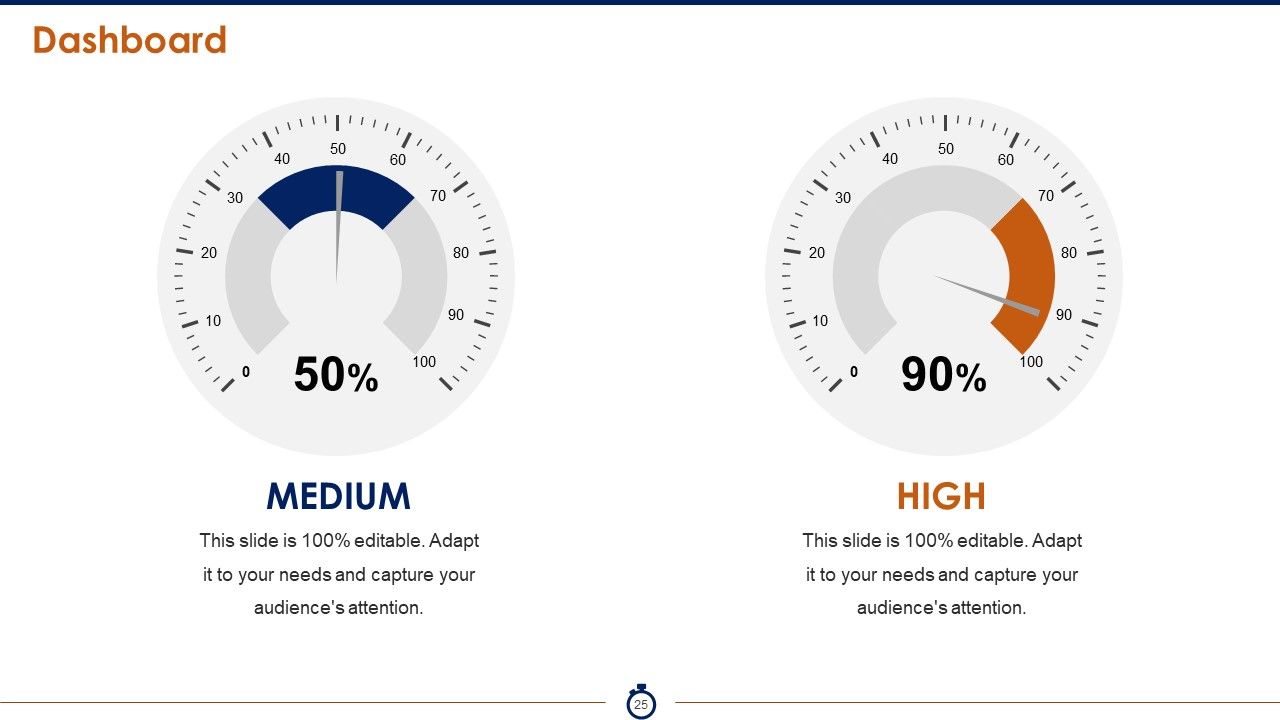
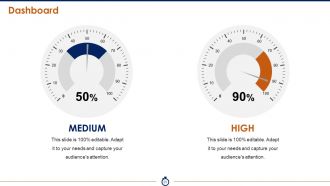
Slide 25: This is a Dashboard slide with Medium and High as parameters to present.
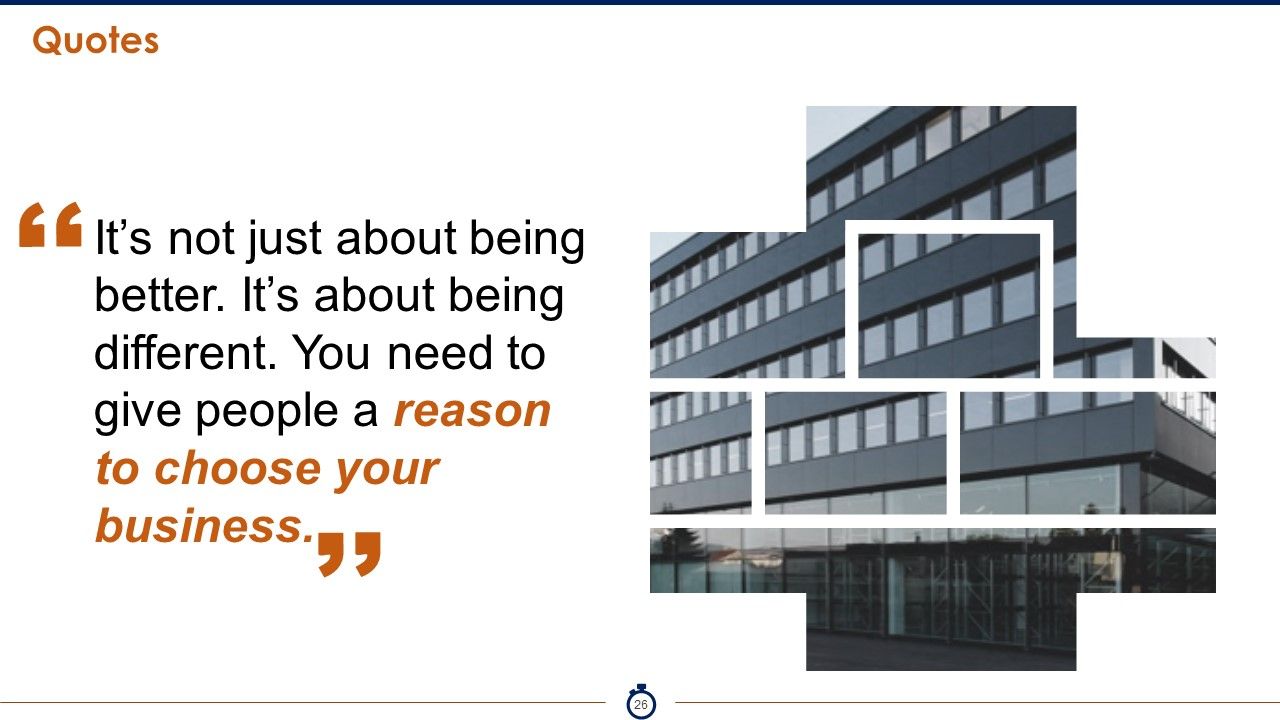
Slide 26: This is a Quotes slides to show anything to highlight or conveyed.
Slide 27: This is an Our Target slide. State your targets here.
Slide 28: This is a Silhouettes slides with text boxes. State information etc. here.
Slide 29: This is a Mind Map slide to show information, specifications etc.
Slide 30: This is a Thank you slide with Address# street number, city, state, Contact Numbers, Email Address.
Project Execution Powerpoint Presentation Slides with all 30 slides:
Our Project Execution Powerpoint Presentation Slides generate good business. They guarantee continuous cash flow.
-
Illustrative design with editable content. Exceptional value for money. Highly pleased with the product.
-
Very unique and reliable designs.
