Risk scorecard powerpoint presentation slides
Try Before you Buy Download Free Sample Product
Audience
Editable
of Time
Download Risk Scorecard PowerPoint Presentation Slides to showcase planned methods of risk mitigation. This risk assessment process PowerPoint complete deck includes content ready slides such as risk management lifecycle, types of risks, risk categories, stakeholder’s management and engagement, risk appetite and tolerance, procedure, risk management plan, risk identification, risk register, risk assessment, risk analysis, risk response plan, risk response matrix, risk control matrix, risk items tracking, tools and practices and more. Get your audience focus on risk impact & profitability analysis, risk mitigations strategies, qualitative and quantitative risk analysis, etc. All slides are easy to customize. Users can edit these templates as per their requirements. Furthermore, the scorecard for risk management PPT slides can also be used for related topics such as enterprise risk management, threat management process, project risk management plan and many more. Demonstrate risk evaluation methods using corporate risk scorecard Presentation layout. Avoid inordinate delays with our Risk Scorecard Powerpoint Presentation Slides. Get it done in the allotted duration.
People who downloaded this PowerPoint presentation also viewed the following :
Content of this Powerpoint Presentation
Slide 1: This slide introduces Risk Scorecard. State the name of your company and proceed.
Slide 2: This is an Agenda slide. Showcase your company agendas in a professional manner here.
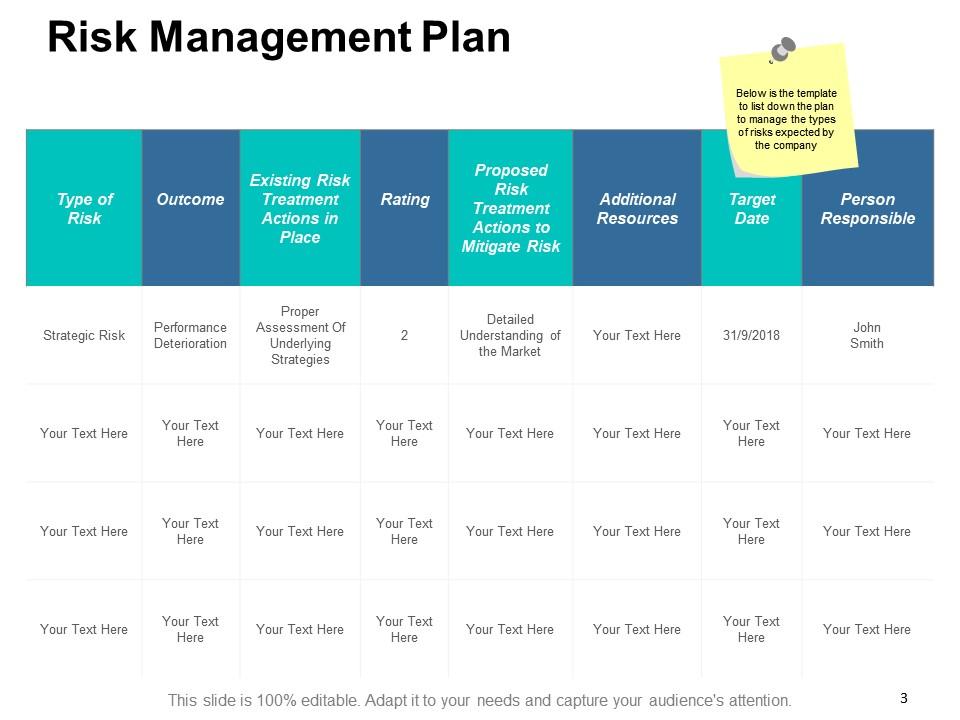
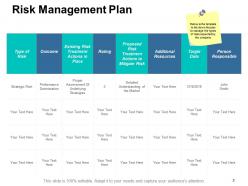
Slide 3: This slide shows Risk Management Plan table to list down the plan to manage the types of risks expected by the company.
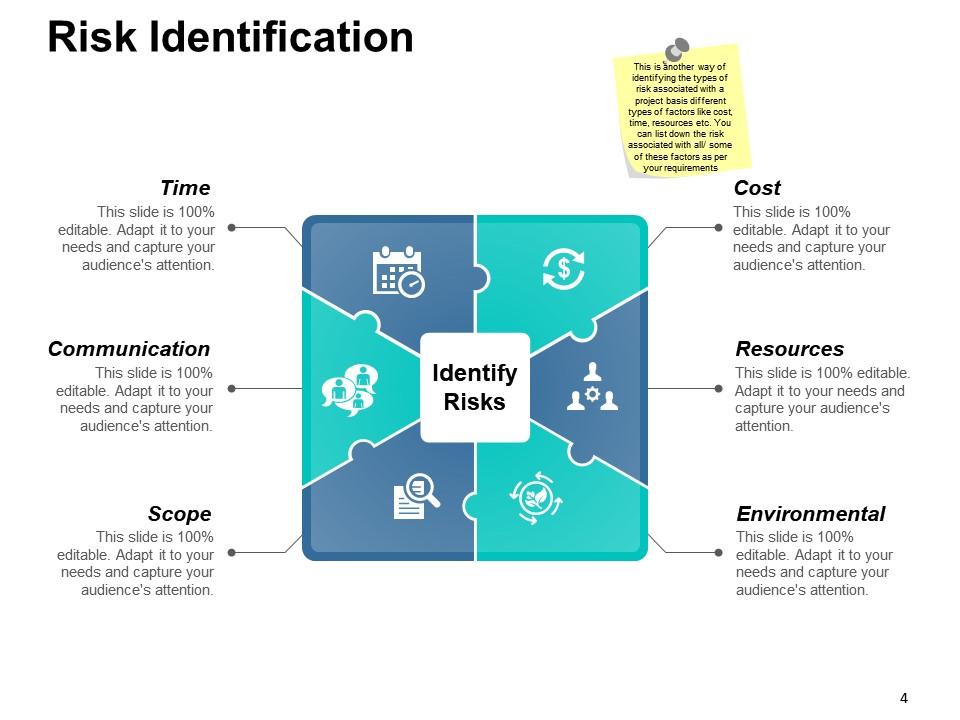
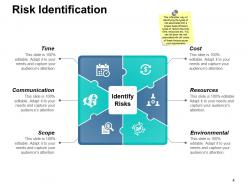
Slide 4: This slide helps in Risk Identification with respect to the following factors- Cost, Resources, Environmental, Time, Communication, Scope. You can list down the risk associated with all/ some of these factors as per your requirements.
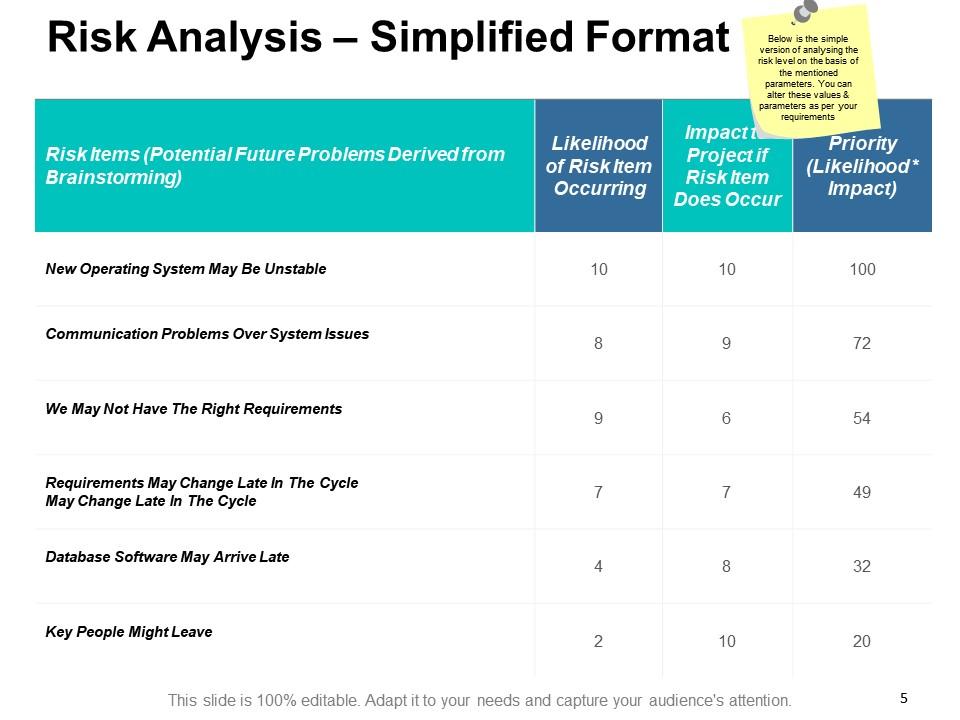
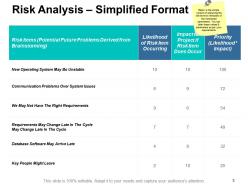
Slide 5: This slide presents Risk Analysis in a Simplified Format. It shows a simple version of analysing the risk level on the basis of the mentioned parameters. You can alter these values & parameters as per your requirements.
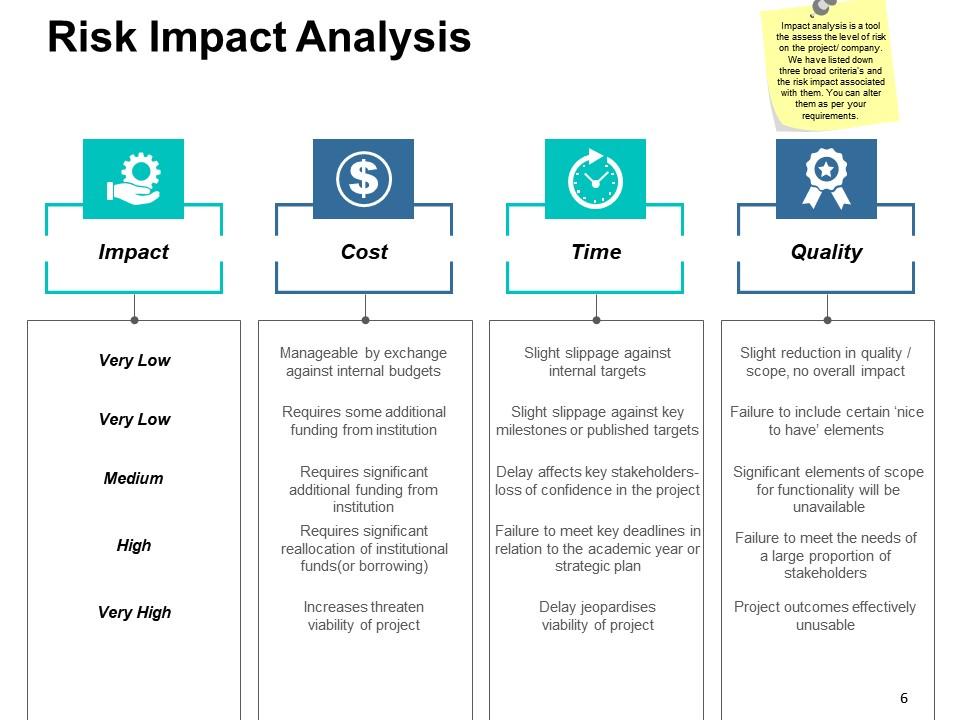
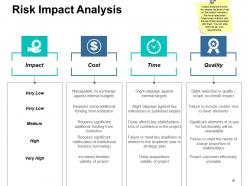
Slide 6: This slide shows Risk Impact Analysis. Impact analysis is a tool to assess the level of risk on the project/ company. We have listed down three broad criteria's and the risk impact associated with them. You can alter them as per your requirements.
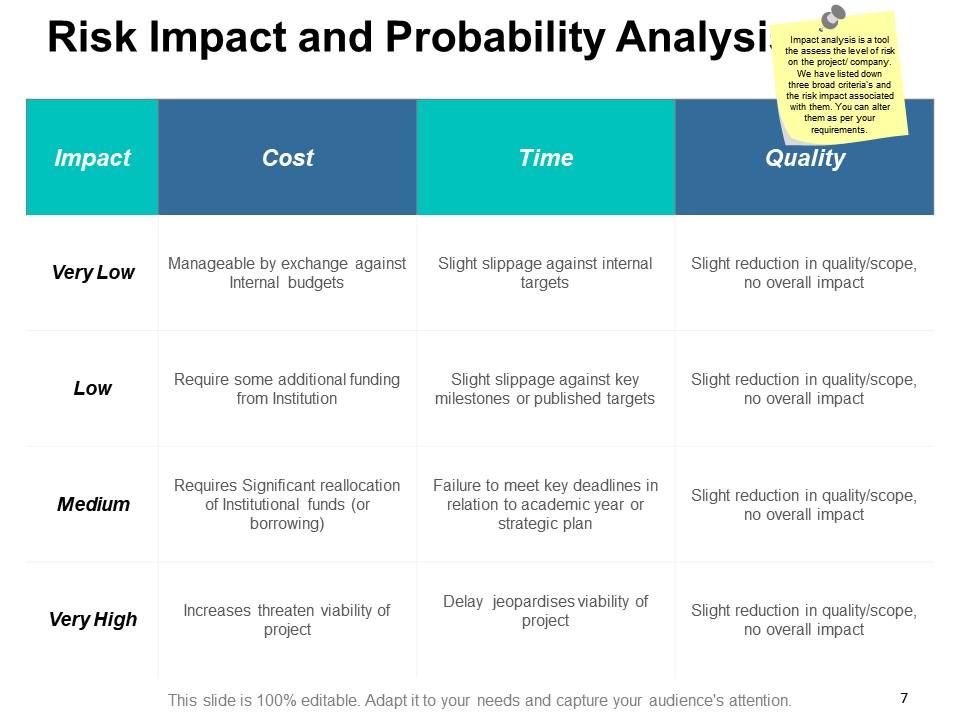
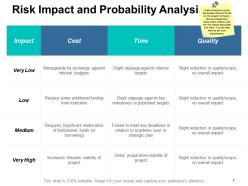
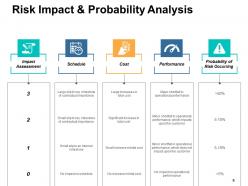
Slide 7: This slide presents Risk Impact and Probability Analysis. We have listed down three broad criteria's and the risk impact associated with them which can be altered as per your requirements.
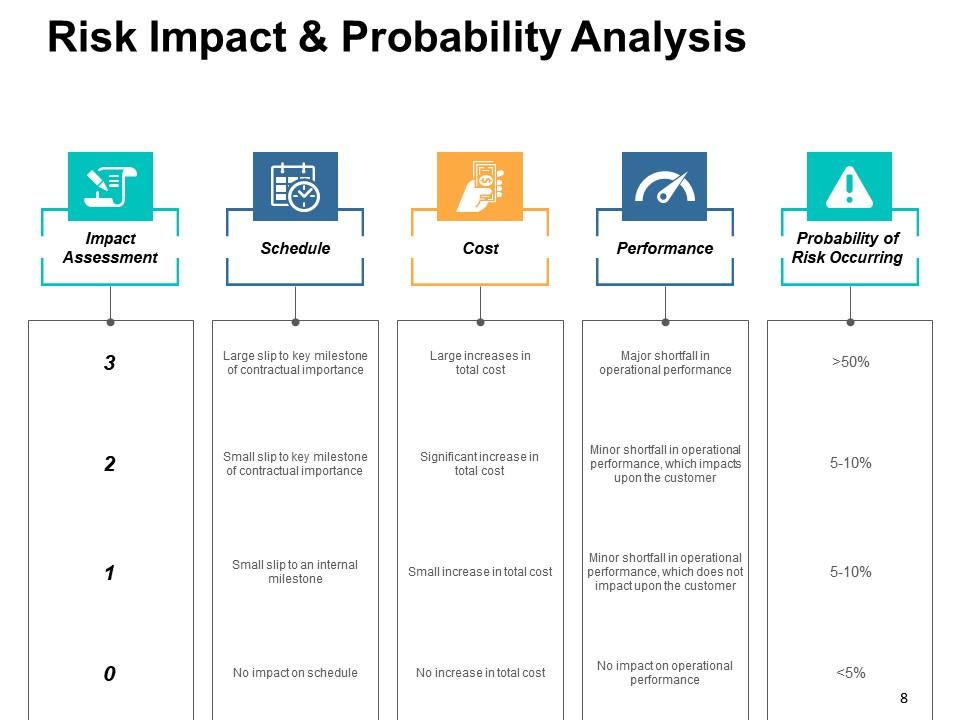
Slide 8: This slide also shows Risk Impact & Probability Analysis.
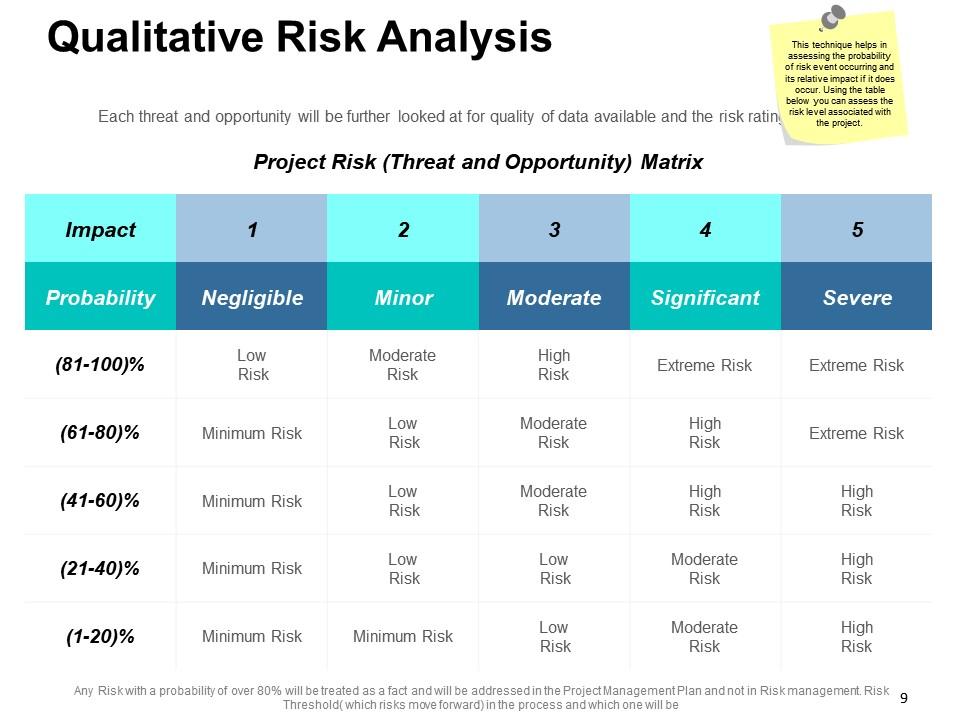
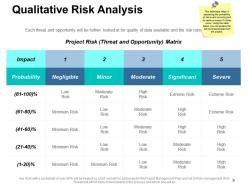
Slide 9: This slide explains Qualitative Risk Analysis technique.This technique helps in assessing the probability of risk event occurring and its relative impact if it does occur. Using the table you can assess the risk level associated with the project.
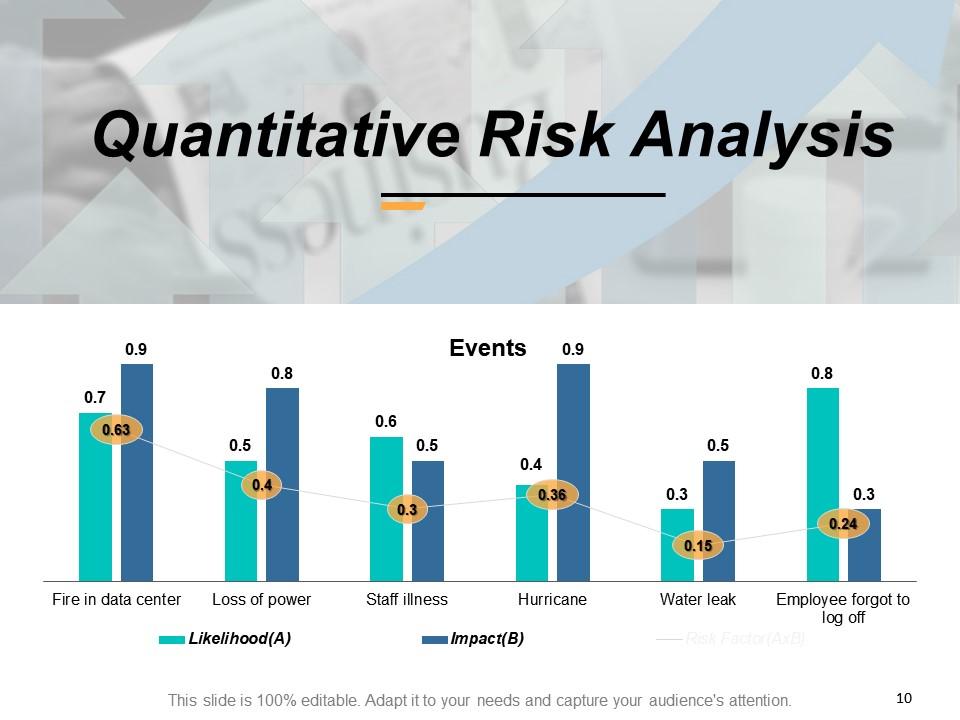
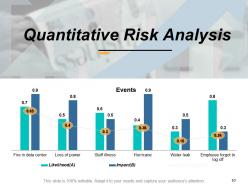
Slide 10: This slide presents Quantitative Risk Analysis graphically.
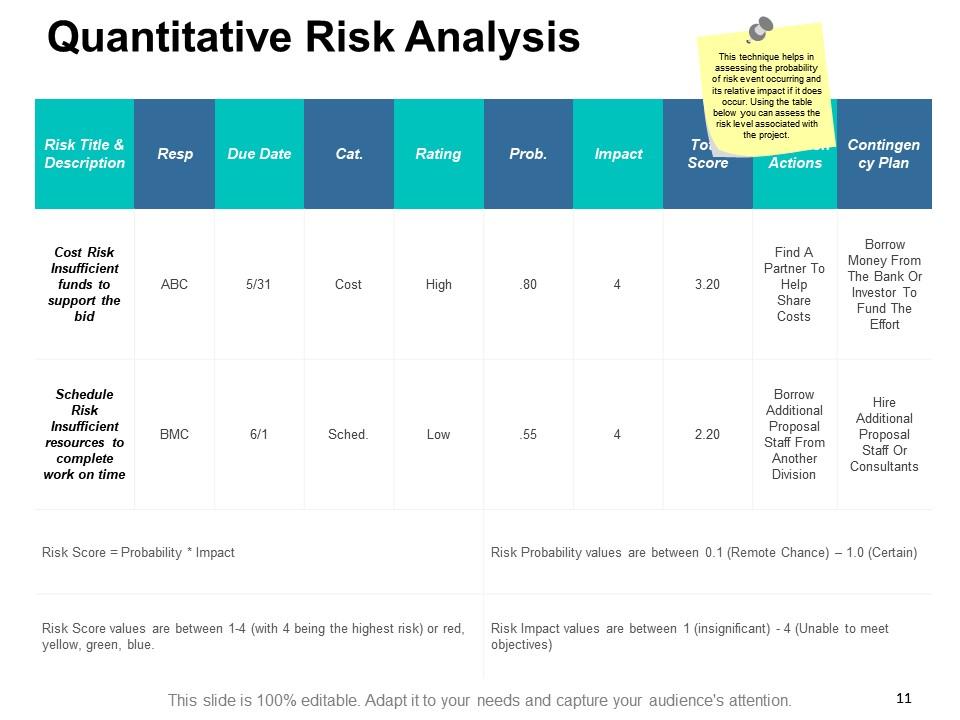
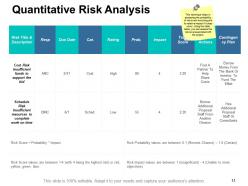
Slide 11: This is another slide showing Quantitative Risk Analysis. This technique helps in assessing the probability of risk event occurring and its relative impact if it does occur. Using the table given you can assess the risk level associated with the project.
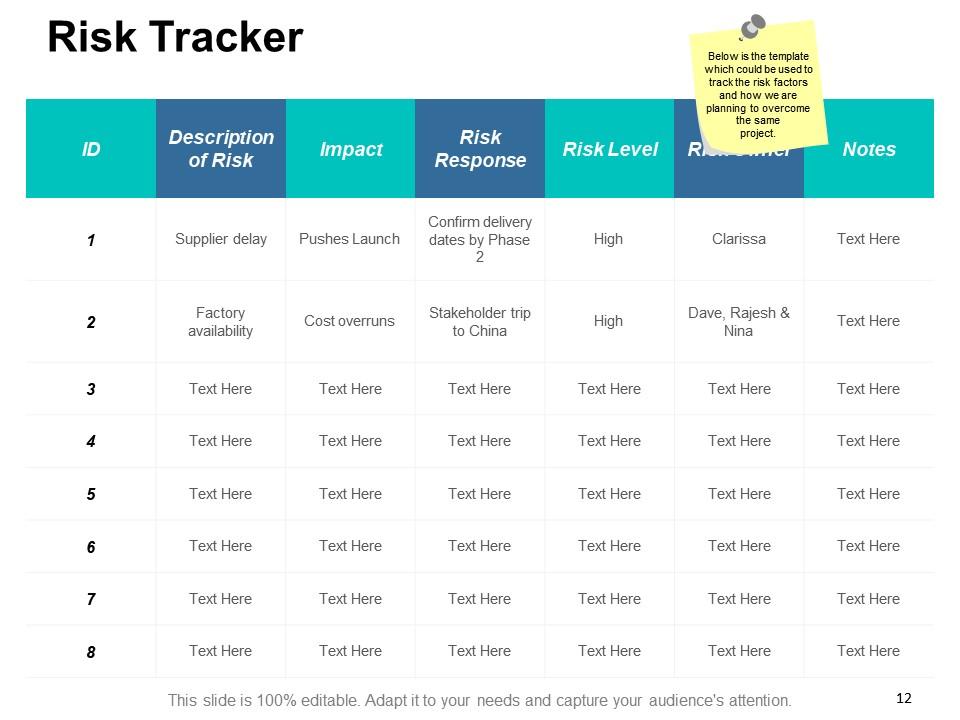
Slide 12: This is a template showing Risk Tracker which could be used to track the risk factors and how we are planning to overcome the same.
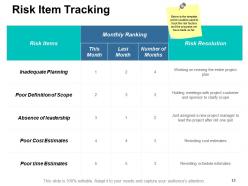
Slide 13: This slide shows Risk Item Tracking. It could be used to track the risk factors and the progress made so far.
Slide 14: This slide is titled Additional Slides to move forward. You can change the slide content as per need.
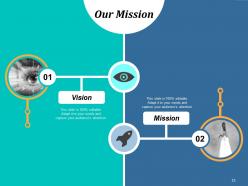
Slide 15: This is Our Mission slide. State your mission and vision aspects here.
Slide 16: This an About Us slide. State your company heads, leaders, visionaries here.
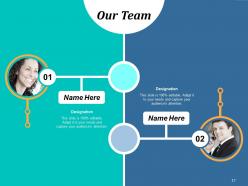
Slide 17: This slide presents Our Team with name and designation.
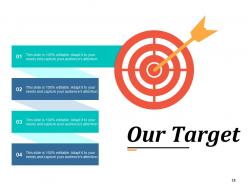
Slide 18: This slide displays Our Target with relevant imagery.
Slide 19: This slide shows a Quote by Van Gogh. Put a quote here or anything you want to state.
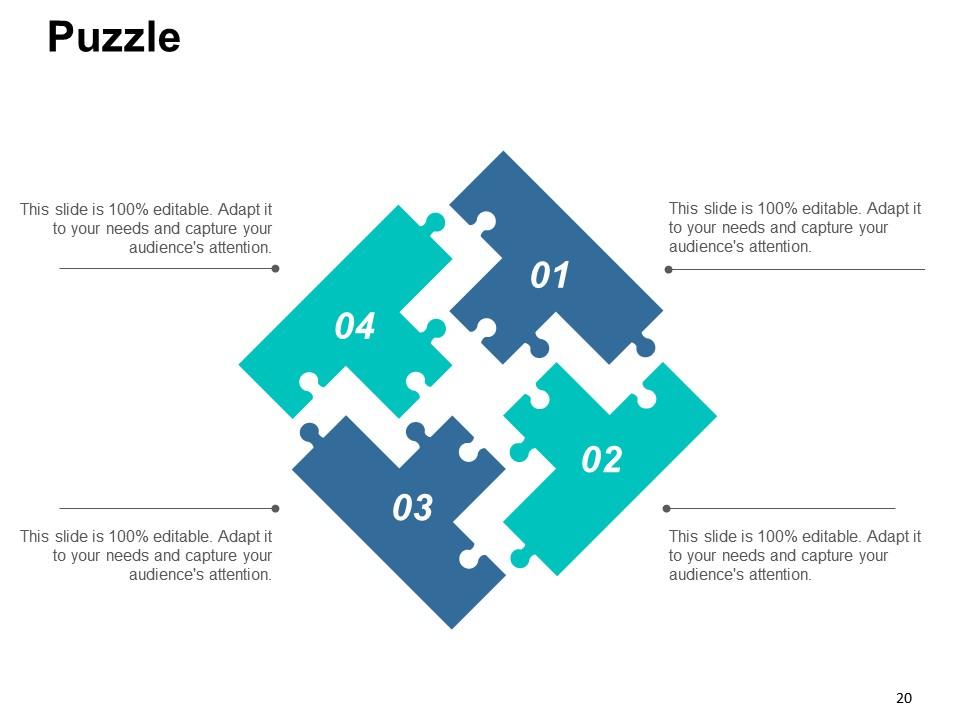
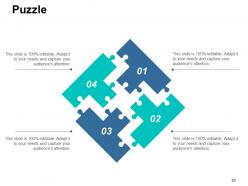
Slide 20: This is a Puzzle pieces image slide to show information, specifications etc.
Slide 21: This is a Magnifying Glass image slide to show information, specifications etc.
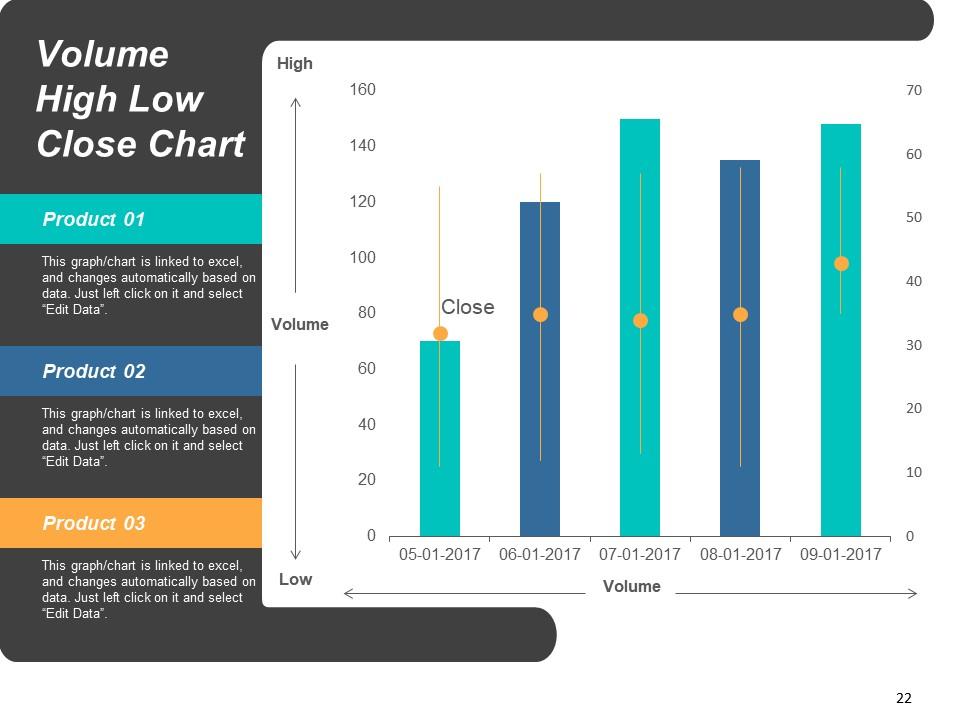
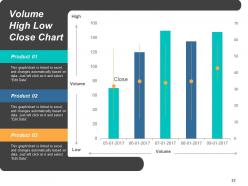
Slide 22: This is a Volume High Low Close Chart slide to show product/ entity comparison, specifications etc.
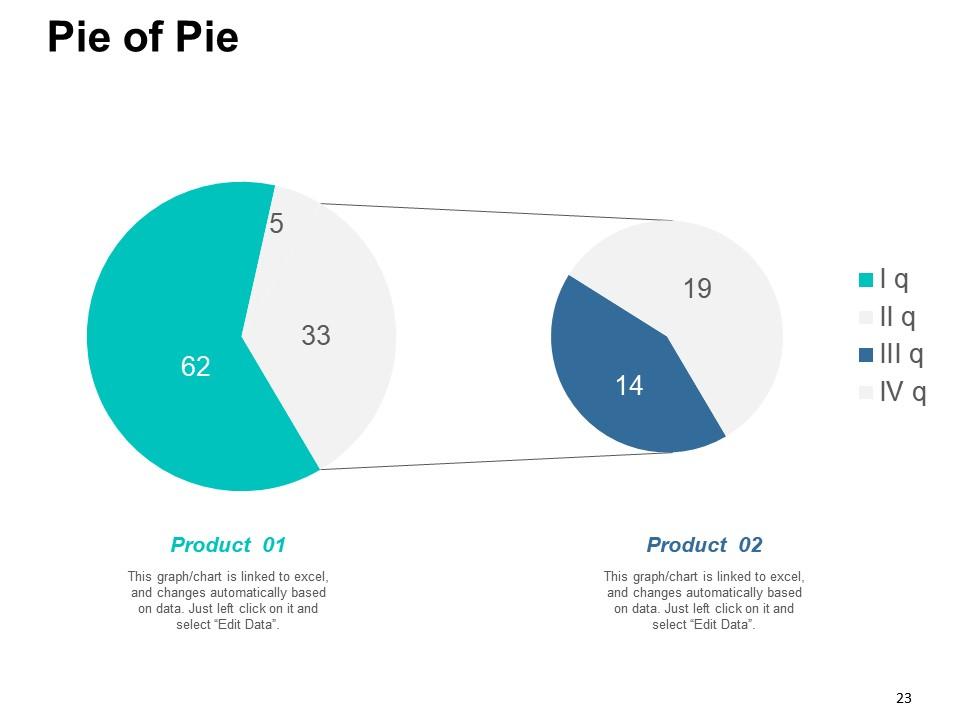
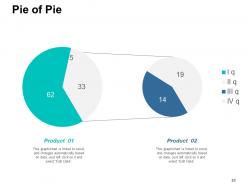
Slide 23: This slide showcases a Pie Of Pie chart to display the growth of two competitive products.
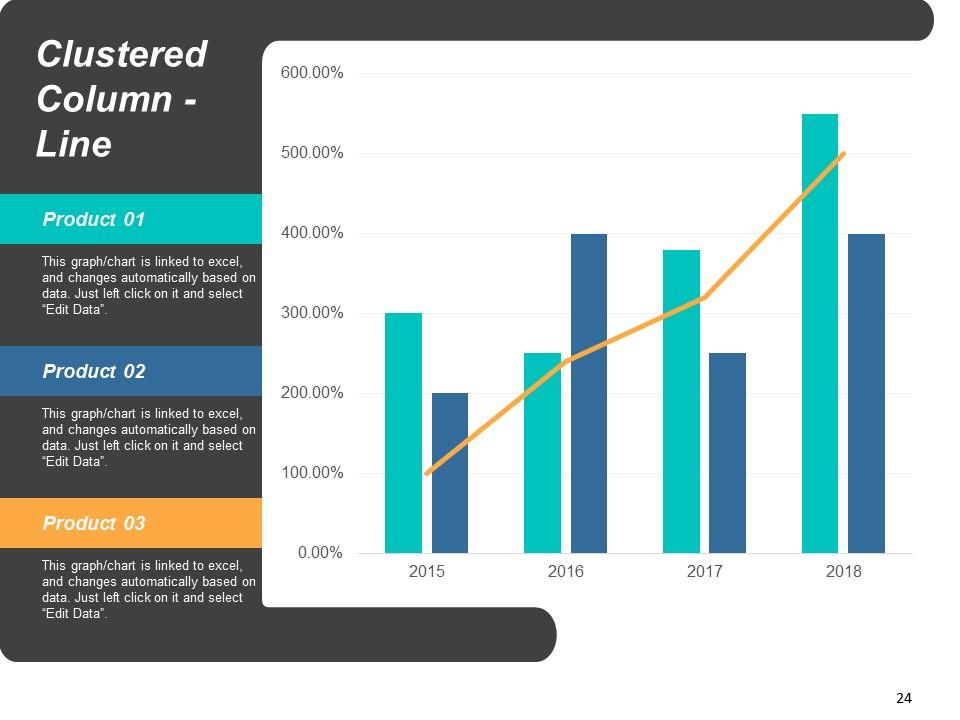
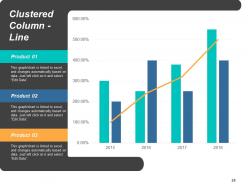
Slide 24: This is a Clustered Column - Line slide to present product/ entity comparison, specifications etc.
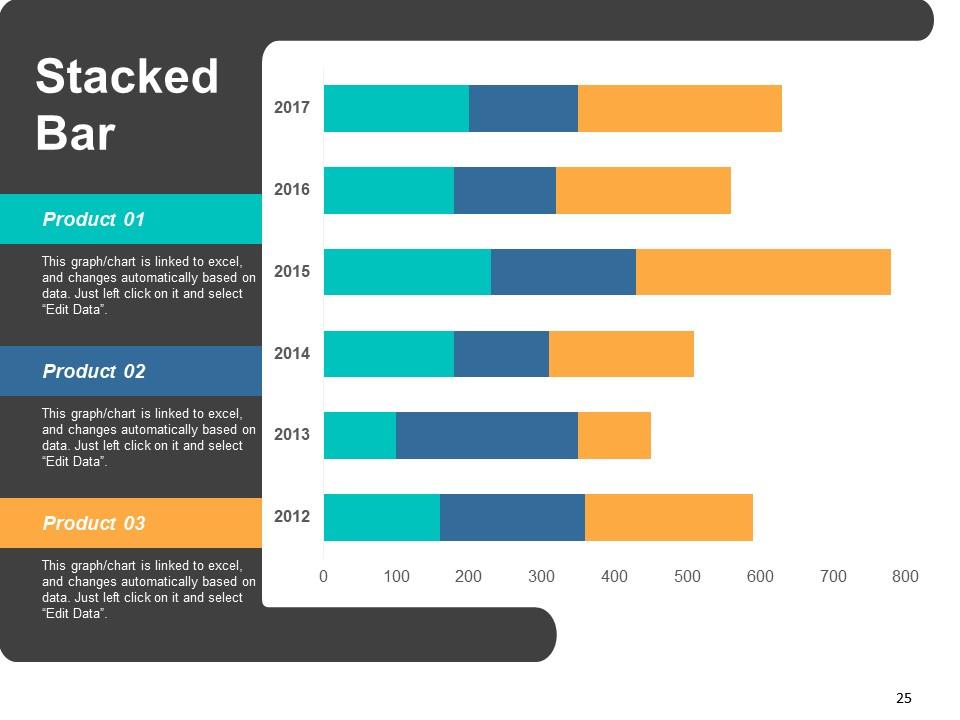
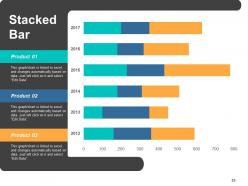
Slide 25: This is a Stacked Bar chart slide to present product/ entity comparison, specifications etc.
Slide 26: This is a Thank You slide with Address# Street Number, City, Email Address, Contact Numbers.
Risk scorecard powerpoint presentation slides with all 26 slides:
Get among the admired with our Risk Scorecard Powerpoint Presentation Slides. Folks will clamor for your expert advice.
FAQs for Risk scorecard
So a risk scorecard is basically your company's danger dashboard - shows all the big risks and how bad they might be. Most use color codes or numbers to rate stuff like operational, financial, compliance risks. Each one gets a description, likelihood rating, potential damage, and whose job it is to deal with it. Honestly, the best ones flow from company-wide threats down to department-specific problems. You'll see current mitigation status too. Update it regularly though - I've seen too many of these things become expensive paperweights that nobody actually uses for decisions.
Start with a basic framework then tweak it for your specific industry. Healthcare companies should focus heavily on compliance and patient safety stuff. Tech companies? Cybersecurity and protecting IP matters way more. Most templates are pretty useless until you customize the scoring and thresholds - honestly, the generic ones don't help much. Talk to your department heads about what keeps them up at night. Also check what your competitors are tracking if you can figure that out. The weighting is where you'll make the biggest difference.
So you'll want the basics covered - risk exposure levels, probability scores, impact assessments, and where you're at with mitigation for each risk. Financial impact matters too, like potential losses and what it'll cost to fix things. Most scorecards track risk velocity (how fast stuff is changing) and residual risk after you've put controls in place. Compliance ratings are pretty standard. Some places go overboard with heat maps and fancy trend indicators, though honestly half the time those just make things more confusing. Oh, and this is key - make sure it actually aligns with what your stakeholders give a damn about, otherwise you'll have beautiful dashboards that sit there collecting digital dust.
So basically, a risk scorecard shows you all your company's threats ranked by how bad they'd be and how likely they are to happen. Way better than just guessing or drowning in random spreadsheets, you know? You get actual data to figure out where to spend your time and money. Honestly, mine has saved my butt so many times when explaining decisions to the boss. You can spot what needs fixing right now versus what you can just keep an eye on. My advice? Pick your top 3 risks from it and start there - don't try to tackle everything at once.
Look, data analysis is what actually makes your risk scorecard worth something instead of just being eye candy. Without solid analysis, you're basically flying blind - can't spot patterns or catch emerging risks before they bite you. I've watched way too many teams build these gorgeous dashboards that completely miss obvious warning signs because nobody dug into the numbers properly. Good analysis helps you figure out if your scoring makes sense, whether your fixes are working, and when you need to recalibrate everything. Start by checking what data you're pulling and make sure you're tracking the right stuff consistently.
Honestly, it's like having a cheat sheet for figuring out which fires to put out first. You map out risks by how likely they are vs how bad they'd mess things up. Instead of panicking about everything at once (been there), you focus on the scary stuff that might actually happen. Short punchy ones work great. The cool part? When your boss asks why you're spending money on X instead of Y, you've got actual reasons instead of just going "uh, gut feeling?" It's basically triage but for business headaches - deal with the bleeding patient before the papercut.
Honestly, most teams mess up by trying to track everything right away instead of just focusing on what'll actually hurt the business. Bad data is your biggest enemy here - if your sources suck, your whole scorecard becomes useless pretty quick. Getting leadership on board early is huge too, otherwise you're just building something nobody will use. Oh, and don't forget to actually review and update your metrics regularly - I've seen so many scorecards become totally irrelevant because people set them up once and never touched them again. My advice? Start with maybe 5-7 key risks you can actually measure well.
Quarterly updates work for most companies, but it really depends on your industry. Fast-moving sectors or heavy regulatory stuff? You'll probably need monthly check-ins. The worst thing is making calls based on outdated risk info from months ago - been there, not fun. Set up a calendar reminder to stay on track. Also update it whenever something major happens or a new risk pops up. I'd start with every three months and see how it goes. You can always adjust based on what's actually happening in your business.
Oh man, risk scorecards are seriously useful! They turn all that messy spreadsheet data into something visual that people can actually wrap their heads around. Color-coding works great - red, yellow, green type stuff. Your executives won't zone out anymore during meetings (trust me on this one). Different departments finally speak the same language instead of talking past each other. You can track how things change over time too, which is pretty cool for showing you're actually making progress. I'd start small - just grab your biggest risks first and make a simple template you can update without wanting to pull your hair out.
Honestly, tech makes risk scorecards way more useful than those old static spreadsheets. Your data updates automatically instead of you having to refresh everything manually - which is a godsend. Machine learning spots weird patterns you'd totally miss, and the visual stuff actually makes sense now. Heat maps and interactive charts beat staring at endless rows of numbers any day. AI can even predict what's coming next based on trends and external data. Oh, and definitely set up alerts for your main risk thresholds so you're not babysitting the dashboard 24/7.
So basically, you've got to check what rules your industry follows first. Financial companies deal with Basel III - that stuff controls how they measure credit and operational risks. Healthcare? HIPAA drives their data privacy scorecards. Energy companies follow NERC-CIP for cyber stuff. Here's the thing though - these aren't just guidelines. They actually tell you HOW to score things, when to report, even which risk factors matter most. Honestly it can get pretty overwhelming at first! But once you map out your specific requirements, building the scorecard becomes way more straightforward. Start there and work backwards.
Yeah, they definitely integrate with other stuff! Most scorecards have APIs or connectors for GRC platforms, incident management, audit tools - even basic things like SharePoint. Setup's usually a headache at first though, not gonna lie. The trick is getting your data to flow between systems so you're not updating everything twice (been there, it sucks). I'd start by figuring out what tools you're already using, then see where the scorecard makes sense. Oh, and make sure the data stays consistent across everything - that's probably the most important part.
Start with your biggest risks first - the ones that could actually hurt your business. Simple metrics work best; I've seen companies drown in spreadsheets that nobody looks at. Get different teams involved so you catch things you might miss on your own. Someone needs to own each risk area, otherwise it just becomes everyone's problem (which means nobody's problem). The real trick is actually using this stuff to make decisions. Set up monthly check-ins and keep tweaking it as things change. Don't let it turn into another dead document sitting somewhere.
Real-time data is a game changer for risk scorecards. You're actually seeing what's happening now instead of stale info from weeks ago. Think about it - would you check last month's traffic report before driving to work? Same logic applies here. Automated feeds let you catch problems early before they blow up into disasters. Your team will actually trust the scorecard when they know it's current. I learned this the hard way at my last job tbh. Set up those data feeds so you're not stuck manually updating spreadsheets like it's 1995.
Risk scorecards are everywhere if you know where to look. JPMorgan tracks credit and market risks with real-time dashboards. Healthcare systems use them for patient safety - probably preventing way more disasters than we hear about. Manufacturing companies monitor supply chain issues and equipment breakdowns. Microsoft even has them for cybersecurity stuff. The pattern I've noticed? Most stick to 5-7 key metrics with simple red/yellow/green signals. Nothing too fancy. Check out your competitors' public risk reports first - they're usually required to publish the basics anyway, so it's free intel.
No Reviews