


Roadmap with multiple icons success achievement flat powerpoint design




Try Before you Buy Download Free Sample Product
 Impress Your
 Audience
 100%
100% Editable
 Save Hours
 of Time


Are you fed up with the failure? Are you not getting the path to success? If yes, then don’t worry. To help you out we have come up with roadmap with success achievement PowerPoint presentation which will lead you to lay the foundation for the prosperous business. Our incomparable presentation templates decipher you the concept of success and achievement. Apart from this, our PPT slides deal with strategic management which helps to cope with changing environment. Best part is that our beautiful Presentation graphics define SWOT analysis which makes a difference in how well the business grows. It will let you know the threats and opportunities which play a decisive role in getting success. Above and all you can download the PPT templates that focuses on what’s important for the development of business and widen your knowledge. Don’t wait now. Just click on our roadmap powerpoint templates and leave a noteworthy remark on the target audience. Our experts are available to help you. Heighten the anticipation with our Roadmap With Multiple Icons Success Achievement Flat PowerPoint Design. Give them a glimpse of the glory ahead.
People who downloaded this PowerPoint presentation also viewed the following :
Content of this Powerpoint Presentation
Description:
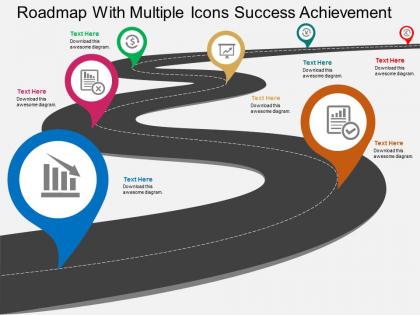
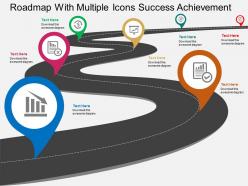
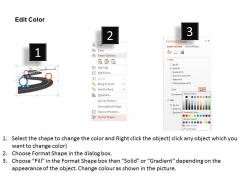
The image depicts a PowerPoint slide titled "Roadmap With Multiple Icons Success Achievement," which is designed to illustrate a strategic journey or progression towards success. The graphic is a stylized road with a winding path, marked by a series of colorful location pins containing different icons, symbolizing various milestones or checkpoints along the route to achievement.
Each pin on the roadmap features an icon representing different business metrics or objectives:
The first pin, marked with a bar chart icon, suggests a focus on growth metrics, such as sales or revenue increases.
The second pin, featuring a document icon, could denote reaching a milestone related to documentation, such as completing a business plan or achieving a certification.
The third pin, with a dollar sign, indicates a financial goal, possibly profit milestones or funding achievements.
The fourth pin displays a gear icon, which might represent operational efficiency or the implementation of new processes.
The fifth pin, with a checkmark, signifies the accomplishment of a set goal or project completion.
Use Cases:
The ""Roadmap With Multiple Icons Success Achievement"" slide is a flexible tool that can be customized for use across many industries. Here are examples of how it might be applied:
1. Technology and Software Development:
Use: To depict product development milestones, software release schedules, or feature rollouts.
Presenter: Product Manager or Development Team Lead.
Audience: Software development team, stakeholders, investors.
2. Marketing and Advertising:
Use: For outlining campaign timelines, launch dates for promotions, or tracking metrics of marketing success.
Presenter: Marketing Director or Campaign Manager.
Audience: Marketing team, executive management, clients.
3. Construction and Infrastructure:
Use: To show project phases from design and planning through to construction and final inspection.
Presenter: Project Manager or Construction Manager.
Audience: Contractors, architects, government agencies, investors.
4. Healthcare and Pharmaceutical:
Use: To present the phases of clinical trials, drug development, or rollout of healthcare services.
Presenter: Clinical Research Coordinator or Healthcare Administrator.
Audience: Research teams, regulatory bodies, healthcare staff, stakeholders.
5. Financial Services:
Use: For illustrating financial planning, reporting periods, or compliance milestones.
Presenter: Chief Financial Officer or Compliance Officer.
Audience: Department heads, auditors, regulatory compliance teams.
6. Education:
Use: To demonstrate curriculum development, institutional growth plans, or accreditation processes.
Presenter: Academic Dean or Program Coordinator.
Audience: Faculty members, accreditation bodies, educational administrators.
7. Manufacturing:
Use: To visualize product development cycles, manufacturing scaling, or market expansion.
Presenter: Operations Manager or Product Line Manager.
Audience: Production teams, supply chain partners, business unit heads.
Roadmap with multiple icons success achievement flat powerpoint design with all 4 slides:
Our Roadmap With Multiple Icons Success Achievement Flat Powerpoint Design are neat and clean. Give your thoughts a clear run.
FAQs for Roadmap with multiple icons success achievement
Honestly, you need five things to make a roadmap that actually works. Start with clear objectives - what are you trying to accomplish? Then map out your deliverables and when stuff needs to be done (build in extra time because everything takes longer than expected). Figure out who's doing what and how you'll measure success. Dependencies are huge too - like what's blocking other work from moving forward. I always make mine visual since it'll definitely change a million times. Oh, and separate your must-haves from nice-to-haves upfront or you'll waste time on random features nobody needs.
Dude, visual templates are a game changer for roadmaps. They help you organize stuff consistently instead of creating some unreadable mess. Color coding and clear timelines guide people to what actually matters - the key milestones and dependencies. I swear, half the roadmaps I see look like someone just vomited information everywhere. Templates force you to cut the fluff and focus on priorities. Oh, and they make stakeholders happy since they can quickly grasp what's happening. Just grab a simple timeline or swimlane template first, then tweak it based on what your team needs to see.
Honestly, most people just throw everything they can think of into their roadmap - instant credibility killer. Keep dates vague after the next quarter because, let's be real, predicting dev timelines is basically impossible. Focus on business goals, not whatever shiny features your team is obsessing over this week. Your roadmap isn't a contract carved in marble either. Pick 3-5 real priorities max and build in buffer time. Trust me, random urgent stuff will pop up and wreck your perfect plan anyway.
Yeah, companies totally tweak their roadmaps based on what actually moves the needle for them. Tech folks are obsessed with sprints and feature drops. Manufacturing? They're all about supply chain stuff and production timelines. Healthcare is rough - everything revolves around getting regulatory approval, which honestly takes forever. Financial companies build theirs around compliance deadlines and risk management. You basically need to figure out what makes or breaks success in your industry first. Then shape your framework around that. I'd start by checking what competitors are tracking - gives you a solid baseline to work from.
User feedback is honestly everything for roadmaps. Without it, you're just guessing what people want. Collect it however you can - support tickets, interviews, surveys, usage data. I've watched so many teams build features nobody asked for because they never bothered checking with actual users first. Pretty painful to watch, tbh. The hard part is balancing what users say against your tech limits and business needs. Sort feedback into themes, then figure out what actually matters most. Don't just build everything people request - you'll go crazy trying.
Your roadmap is like the team's GPS - shows everyone where you're going and why their work actually matters. Use it to sort out who needs what from whom and when things will realistically happen. Marketing can't keep promising stuff that engineering hasn't even looked at yet (seriously, this happens way too much). Make it visual so product, design, engineering, sales - basically everyone - can see how their priorities fit together. I'd set up regular check-ins with the cross-functional leads. Keeps everyone aligned when priorities inevitably shift around.
Check your roadmap weekly if you can - monthly at bare minimum. Things change way too fast to wait longer than that. When big blockers hit or scope shifts? Update it right away, don't wait around. I learned this the hard way when stakeholders got blindsided by changes they heard through office gossip instead of from me. Document why you made changes and keep old versions so you can see how wrong your original estimates were (spoiler: they're always wrong). Schedule regular reviews now or you'll keep putting it off. Treat it like a Google doc, not carved stone.
Yeah, totally throw the Gantt chart into your roadmap presentation! I usually do it after covering the big picture stuff - like once you've explained the "what" and "why," then hit them with the detailed timeline. Shows all the dependencies and resource allocation, which honestly makes everything feel way more legit and doable. Just don't go crazy with every little task or people's eyes will glaze over. Stick to major deliverables. The Gantt gives stakeholders that nitty-gritty breakdown they're always bugging you for anyway. Strategy first, execution details second - that's the move.
Track both leading stuff (sprint velocity, feature completion) and lagging outcomes like user adoption and revenue. Most teams drown themselves in metrics though - honestly it's such a waste. Pick maybe 3-5 that actually matter to your stakeholders. You want delivery progress AND proof you're building the right thing. Short sentences work better for updates. Don't forget customer satisfaction scores since execs love those. Just update everything regularly so people stay on the same page about where things stand.
Honestly, bring people in from day one instead of surprising them later. Figure out who's actually affected by this stuff - not just the obvious ones. Those workshop sessions where everyone argues about priorities? Pure gold. Way better than boring surveys nobody fills out properly. Check in with them regularly and actually show how you used their feedback. Otherwise they'll think you ignored them completely. Oh, and don't just present the finished thing - that's the worst. Make them feel like they're building it with you. Trust me, you'll get way less pushback later if they feel ownership over the decisions.
Oh man, there's so much you can do! Subway maps are honestly my favorite - make each product line a different train route. Gets everyone hyped in meetings for some reason. Story maps work well too, showing user journeys next to your releases. Kanban boards if you're doing agile stuff. Interactive timelines are cool but take forever to build. For quick wins, try now-next-later with swimlanes for different teams. I've seen people get way too fancy with these, but honestly just pick whatever clicks with how your stakeholders think about the work.
Think of roadmaps as turning your fuzzy strategy into something concrete people can actually follow. Those high-level planning sessions? They're great but super vague. Roadmaps fix that mess by showing what happens when and who's doing it. You'll spot problems before they blow up - like resource conflicts or missing dependencies. Honestly, the best part is making everything feel doable instead of this massive overwhelming thing. I'd start with your big milestones first, then just work backwards to figure out the steps. Makes the whole process way less intimidating.
So basically short-term roadmaps are your next 3-6 months - concrete features, actual deadlines, who's doing what. Pretty locked down stuff. Long-term is more like "here's our general direction for the next year or two" with big themes instead of specific deliverables. Way less certainty there, which honestly makes sense since you'll learn things that change everything. Short-term feels like detailed sprint planning while long-term is more strategic vision stuff. Oh and definitely review that long-term roadmap every quarter - I've seen too many teams stick with outdated plans way too long.
Dude, just get a decent roadmap tool - it'll save you so much time. ProductPlan and Roadmunk are solid, or even those smart PowerPoint templates work. No more manually updating slides every damn week (seriously, who has time for that?). The cool thing is these sync with whatever you're already using - Jira, Asana, whatever. Your stakeholders can check stuff whenever they want instead of bugging you. I'd start with something that plays nice with your current setup. You'll probably save like 5+ hours a month, and your roadmaps won't be outdated the second you share them.
Yeah timing's everything in product work. Miss your milestone dates and suddenly marketing has nothing to promote, sales is overpromising, and other engineering teams are just sitting there waiting on you. I learned this the hard way once - it's not fun. When you set those dates, you're basically making promises to the whole org about when stuff will be ready. Be realistic from the start though. Pad your estimates a little and call out risks early so you can adjust expectations before everything falls apart. Way better than scrambling later.
-
Great resource
-
perfect
-
Perfect
-
Thankyou. Excellent design and easy to edit.
-
Nice
-
Great
-
Excellent desingn, thank you...
-
nice
-
Designs have enough space to add content.
-
Excellent design and quick turnaround.
-
Page:
- You're currently reading page 1
- Page 2
-
