


Sales business review agenda powerpoint presentation slides






Try Before you Buy Download Free Sample Product
 Impress Your
 Audience
 100%
100% Editable
 Save Hours
 of Time


Are you looking for a quick way to complete your sales review PPT presentation and have a tight deadline to meet? Then do not worry. As we have Sales Business Review Agenda PowerPoint Presentation Slides which will help you in presenting sales review data in an engaging manner. With this Monthly Sales Review Meeting Ppt PowerPoint slide deck sample sales team can showcase their selling results as well as can also put emphasis on sales plans to hit the targets. There are slides like agenda, quarterly summary, sales cycle, weekly sales summary, sales revenue by product, key sales performance metrics, quarter track record, opportunity timeline and score, next quarter deals, VOC, win-loss review, key sales initiatives, current quarter portfolio, sales kpi tracker and many more. Apart from this, our PowerPoint show helps sales managers to cast spotlight on current position of the company and ongoing sales data. In short, this Sales Quarterly Business Review Template PPT model proves handy for sales managers to maximize the performance of their team. So just download Sales Business Review Agenda PowerPoint Presentation Slides and present your presentation in a way that will surely impress the top management. Give your brilliant ideas the appropriate backdrop with our Sales Business Review Agenda Complete Powerpoint Deck With Slides. You will acquire the ideal balance.
People who downloaded this PowerPoint presentation also viewed the following :
Content of this Powerpoint Presentation
Slide 1: This is an introductory slide for Sales Business Review Agenda. State your company name and begin.
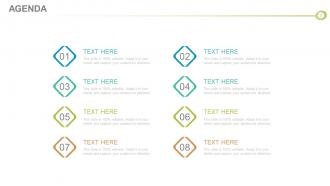
Slide 2: This is an Agenda slide. State company agendas here.
Slide 3: This slide presents Quaterly Pipeline Summary in a funnel infographic. Its stages are- Discovery, Pre-Qualification, Qualification, Solution Design, Evaluation, Decision, Negotiation, Closed.
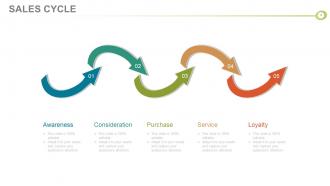
Slide 4: This slide displays Sales Cycle in arrow flow chart form. The stages in this cycle are- Service, Loyalty, Awareness, Consideration, Purchase.
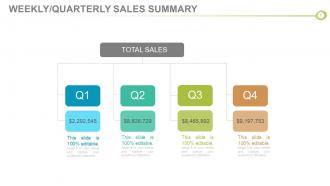
Slide 5: This slide presents Weekly/Quaterly Sales Summary in a flow chart form.
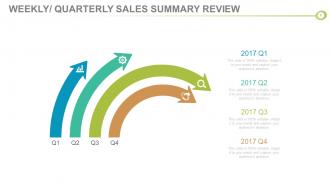
Slide 6: This slide states Weekly/Quaterly Sales Summary Review with arrow imagery and text boxes.
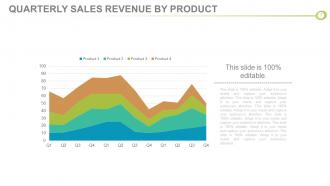
Slide 7: This slide showcases Quarterly Sales Revenue By Product graph with text boxes to state.
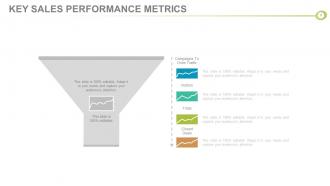
Slide 8: This slide presents Key Sales Performance Metrics with funnel imagery and text boxes to fill.
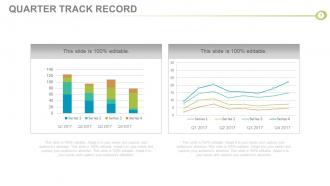
Slide 9: This slide presents Quarter Track Record in charts and graphs.
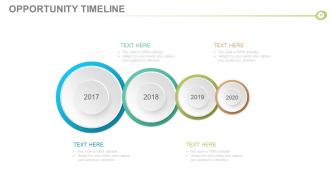
Slide 10: This is an Opportunity Timeline slide. Present important milestones, growth etc. here.
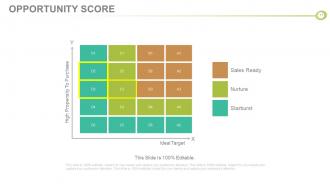
Slide 11: This slide presents Opportunity Score in a matrix form.
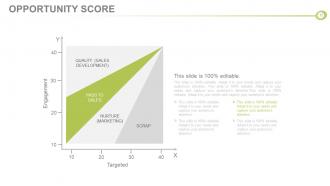
Slide 12: This slide presents Opportunity Score in a graph form. Put relevant data here.
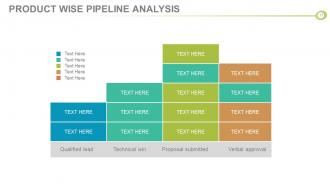
Slide 13: This slide states Product Wise Pipeline Analysis with text boxes.
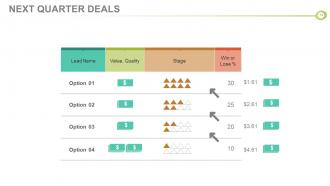
Slide 14: This slide showcases Next Quarter Deals with the following sub headings- Lead Name, Value, Quality, Stage, Win or Lose %.
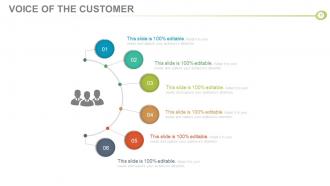
Slide 15: This is Voice Of The Customer slide. Present it here.
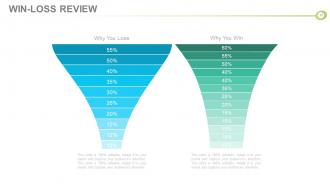
Slide 16: This slide presents Win-Loss Review in a funnel image form. State resons for Why You Win and Why You Lose here.
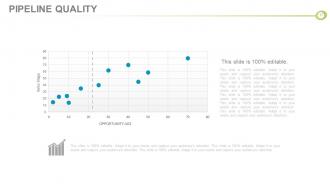
Slide 17: This slide states Pipeline Quality in a bubble chart/ graph form.
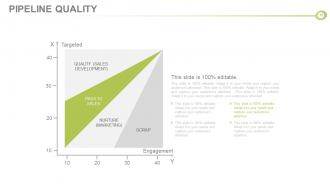
Slide 18: This slide also states Pipeline Quality in a graph/ chart form. Use as per your need.
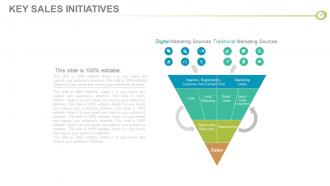
Slide 19: This slide states Key Sales Initiatives with respect to Digital Marketing Sources and Traditional Marketing Sources. It also has various levels which can be modified or altered as per need.
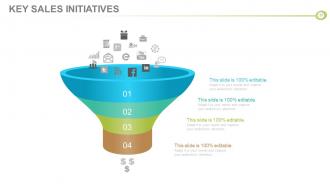
Slide 20: This is another slide showing Key Sales Initiatives in a funnel form.
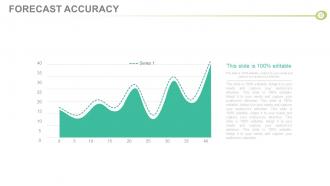
Slide 21: This slide presents Forecast Accuracy in a graph form.
Slide 22: This is also Forecast Accuracy slide in a graph form.
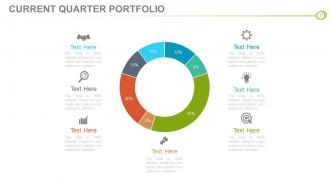
Slide 23: This slide showcases Current Quarter Portfolio in a circular form with icon imagery. Use it as per your requirement.
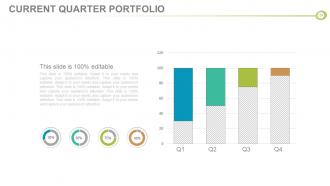
Slide 24: This slide also presents Current Quarter Portfolio in charts and graphs. Use it to show relevant information.
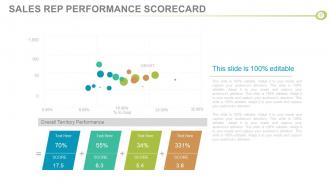
Slide 25: This slide showcases Sales Rep Performance Scorecard in a bubble graph/ chart form. Use it to showcase your sales rep performance scores.
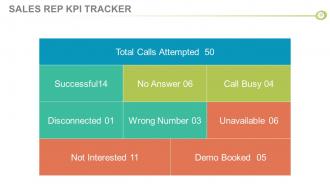
Slide 26: This slide showcases Sales Rep KPI Tracker.
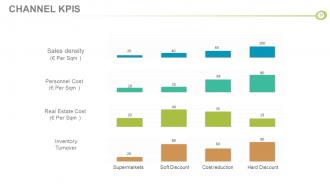
Slide 27: This slide states Channel KPIS in people silhouttes.
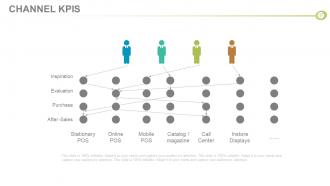
Slide 28: This is also Channel KPIS slide to state.
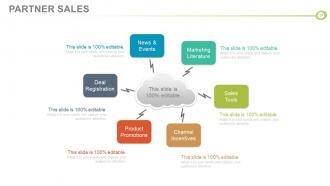
Slide 29: This slide displays Partner Sales with the following- Marketing Literature, Sales Tools, Channel Incentives, Product Promotions, Deal Registration, News & Events.
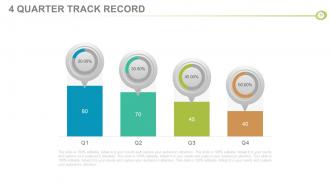
Slide 30: This slide states 4 Quarter Track Record in percentage.
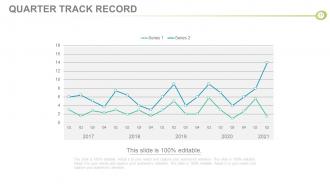
Slide 31: This slide showcases Quarter Track Record in a line graph/ chart form.
Slide 32: This is Partner Score Card slide showing TALENT SCORECARD. Use it to state partner name, job title etc.
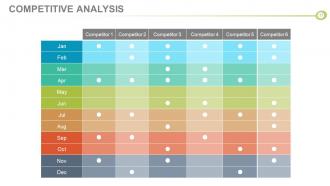
Slide 33: This slide presents Competitive analysis in a tabular form.
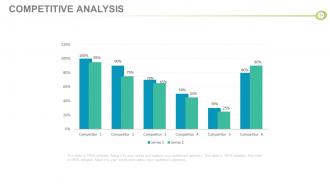
Slide 34: This slide also shows Competitive analysis in a bar graph/ chart form.
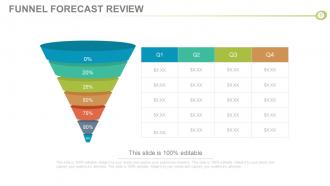
Slide 35: This slide presents Funnel Forecast Review with funnel imagery.
Slide 36: This slide also states Funnel Forecast Review in a bar graph/ chart form.
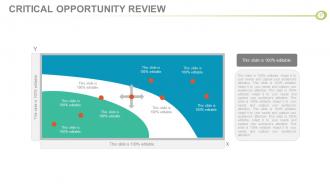
Slide 37: This is Critical Opportunity Review slide to state.
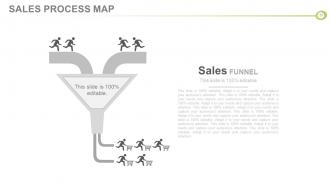
Slide 38: This slide showcases Sales Process Map with creative Sales Funnel imagery.
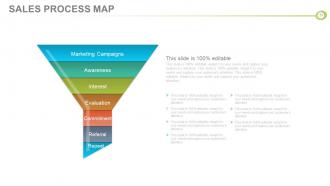
Slide 39: This slide also presents Sales Process Map in a funnel form with he following levels- Marketing Campaigns, Awareness, Interest, Evaluation, Commitment, Referral, Repeat.
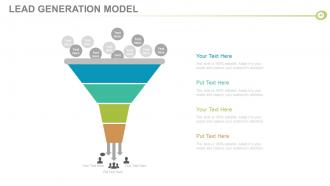
Slide 40: This slide showcases Lead Generation Model with a funnel imagery and text boxes.
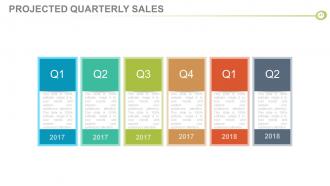
Slide 41: This slide is titled Projected Quarterly Sales to present the stats of your quaterly sales.
Slide 42: This is also Projected Quarterly Sales slide with icon imagery to state.
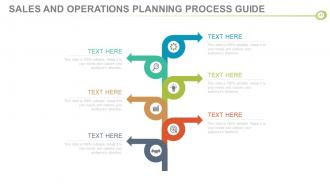
Slide 43: This slide displays Sales And Operations Planning Process Guide in a creative flow diagram form.
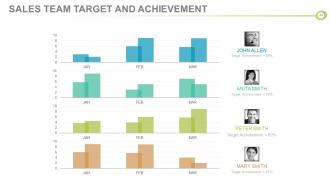
Slide 44: This slide states Sales Team Target And Achievement in a bar graph/ chart image form.
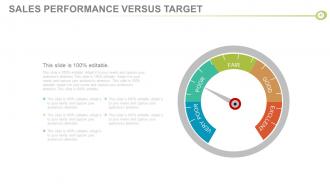
Slide 45: This is Sales Performance Versus Target slide. Put relevant comparing data here for analysis.
Slide 46: This slide is titled Additional Slides to move forward. You may alter/modify the slide content as per need.
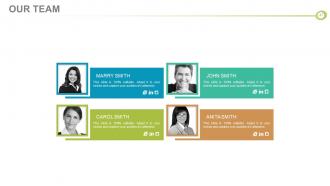
Slide 47: This is Our Team slide. Mention name, designation etc. here.
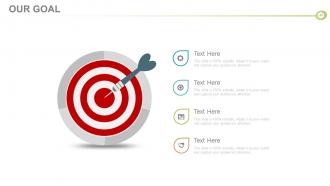
Slide 48: This slide presents Our Goal with target imagery. State your goals here.
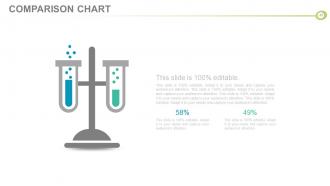
Slide 49: This is a COMPARISON CHART slide. Put relevant comparing data here to state.
Slide 50: This is a Dashboard slide to state metrics, kpis etc.
Slide 51: This is a Timeline slide. State milestones, highlights, evolution etc. here.
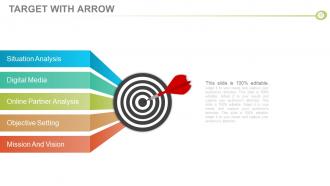
Slide 52: Situation Analysis Digital Media Online Partner Analysis Objective Setting Mission And Vision This slide is 100% editable. Adapt it to your needs and capture your audience's attention. This slide is 100% editable. Adapt it to your needs and capture your audience's attention. This slide is 100% editable. Adapt it to your needs and capture your audience's attention. This slide is 100% editable. Adapt it to your needs and capture your audience's attention. This is Target With Arrow image slide showing- Situation Analysis, Digital Media, Online Partner Analysis, Objective Setting, Mission And Vision.
Slide 53: This is a Venn diagram image slide to show information, specifications etc.
Slide 54: This is a Mind map image slide to show information, specifications etc.
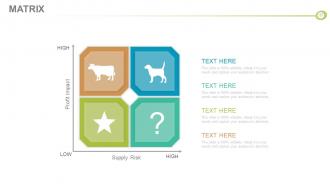
Slide 55: This is a Matrix slide to show information, specifications etc.
Slide 56: This is a Bulb & Idea image slide to show ideas, innovative information etc.
Slide 57: This slide displays a Magnifying Glass with icon imagery.
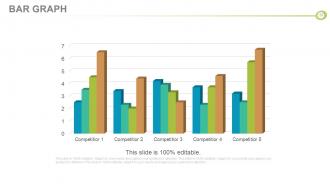
Slide 58: This is a Bar Graph image slide to show product comparison, growth etc.
Slide 59: This is a Thank You slide with Address# street number, city, state, Contact Numbers, Email Address.
Sales business review agenda powerpoint presentation slides with all 59 slides:
Improve conditions in the community through our Sales Business Review Agenda Complete Powerpoint Deck With Slides. Encourage contributions for a common cause.







FAQs for Sales business review agenda
Focus on the big four metrics: revenue vs targets, pipeline health/velocity, win rates, and customer acquisition costs. Average deal size matters too - shows deal quality better than most realize. Activity stuff like calls and meetings are solid leading indicators, so track those. Retention and expansion revenue from current customers? That's usually your most profitable growth right there. Oh, and whatever dashboard you build, make it simple enough that you're not squinting at some overcomplicated mess every morning. Those spreadsheet disasters help nobody.
Honestly, charts and graphs are a game changer for sales data - way better than making people stare at endless spreadsheets. Bar charts work great when you're comparing different territories. Line graphs? Perfect for showing trends over time. Heat maps are my current obsession for geographic stuff (maybe I'm weird but they just look so clean). For market share breakdowns, pie charts do the trick. Just don't randomly throw data into whatever chart looks pretty. Match your visual to the actual story you're telling. Oh, and keep them simple - cluttered charts are worse than no charts.
Honestly, the worst thing teams do is just dump a bunch of raw numbers without explaining what they mean. Like, why should anyone care about those conversion rates if you don't tell the story behind them? Also don't cherry-pick only good news or bad news - show the real picture. Generic templates are trash too, btw. You need to focus on metrics that actually matter to your specific situation. Oh and start prepping early! I've seen too many people scramble last minute and miss obvious trends that would've been super helpful for decision-making.
Monthly is definitely the way to go for most sales teams. Weekly feels like overkill - your reps will start hiding from you lol. Quarterly? Way too long, problems just pile up. One month gives you solid data to see what's actually happening without micromanaging everyone. High-velocity stuff or end-of-quarter chaos might need bi-weekly check-ins temporarily, but that's the exception. Honestly, I've seen teams try to get fancy with the timing, but monthly just works. Start there and tweak it if your team's different - though most aren't.
Honestly, you can't wing a Sales Business Review solo - it'll backfire every time. Get your whole team involved because everyone sees different pieces of the puzzle. Your reps know what's actually happening with customers day-to-day. Managers have the bigger strategic view, and support teams? They'll tell you where all the operational stuff is falling apart. I've watched way too many reviews where one person just talks the whole time and misses obvious problems. When everyone chips in, your action items are actually useful and people will buy into them. Just don't let the loudest person steamroll everyone else.
Look, clean data is everything here - you can't forecast with outdated junk. Grab your conversion rates, deal sizes, and cycle lengths from the CRM. Check if your team's actually updating opportunity stages properly (they probably aren't, but whatever). Factor in seasonal stuff too if it applies to your business. When you present, give them three scenarios instead of one magic number - best case, realistic, worst case. Leadership loves options and it covers your ass when things go sideways. Oh, and always mention how confident you are in each number plus what assumptions you're making. Saves awkward questions later.
Honestly, the secret is making them DO stuff instead of just sitting there. Ask direct questions, throw in live polls, have them crunch numbers with you. I've watched too many people drone through slides while everyone scrolls Instagram! Start with a crazy stat or story that grabs them. Then when things get heavy, pause for quick discussions. Your visuals should spark debate - not just look pretty. Oh, and don't save questions till the end. Let them jump in throughout. Give them real decisions to wrestle with together. Makes all the difference.
Your sales history is literally the best predictor you've got for future planning. I'd pull at least 12-18 months of data - anything less and you're just looking at noise. Break it down by product, region, time periods, that stuff. You'll start seeing which products are duds, seasonal patterns, what's actually making money. Honestly, trying to plan without this data is pretty much guessing. Use what you find to shift resources around, maybe tweak pricing. Oh, and grab two years if you can - gives you way better context for your review.
Okay so for sales reviews, definitely go with Salesforce or HubSpot as your main data hub - they automatically track everything which is clutch. Tableau and Power BI are solid for building those impressive dashboards (though honestly, sometimes I think we get a bit dashboard-crazy). If your data isn't massive, Excel or Sheets work fine too. Most CRMs have pretty decent built-in reporting for quick daily stuff. The real trick is making sure your tools actually integrate well together. Otherwise you'll be copy-pasting data all day and that's just soul-crushing. Start with whatever plays nicest with your current CRM setup.
Start by digging into what your review actually showed you - pipeline problems, weird win/loss trends, territory stuff not working. Pick the biggest pain points first. Honestly, don't sleep on what your reps are telling you either - sometimes their gut feeling about prospects is worth more than the spreadsheet data. Use everything to tweak your messaging or maybe shift resources to whatever's actually converting. Oh and set up those quarterly check-ins or you'll forget to track if any of this actually moved the needle. Most people skip that part but it's huge.
Dude, turn those boring spreadsheets into actual stories people give a damn about. Like when you lost that huge client - what happened? What'd you learn? Numbers by themselves are just... numbers. But wrap them in a story and suddenly people remember why that 30% drop mattered and what caused it. Your brain loves stories way more than raw data (mine definitely does). Try this: take each big metric and build a little story around it. What went wrong, what went right, what you figured out. Makes your next review so much more interesting than just rattling off percentages.
Honestly, you've gotta map your sales metrics back to what your company actually wants to achieve. Like if they're pushing into new markets, focus your team on landing customers in those regions instead of chasing random revenue numbers. I've watched so many sales teams get obsessed with metrics that look good on paper but don't really matter. Check your pipeline activities and territory setups quarterly - not just once a year during planning season. Make sure everything connects to leadership's real priorities. Those alignment conversations are clutch, trust me.
Dude, tell them the story, not just data. Lead with your biggest takeaway - what's the ONE thing they need to know? Then hit 3-4 points with actual customer examples. I swear, half these meetings turn into death-by-PowerPoint because someone's reading spreadsheets out loud. Keep slides visual, dump the detailed numbers in an appendix. Oh and here's the key part - don't just point out problems. Come with solutions and tell them who's doing what next. They should leave knowing what happened and your plan to fix it.
Look, just be upfront about what didn't work but don't dwell on it too much. Focus way more on what you learned and your game plan going forward. Nobody wants to sit through someone making excuses for 20 minutes - I've been there and it's brutal. Get specific with numbers when you can, like "lost 3 deals to pricing pushback, so now we're building a better competitive analysis tool." The key is pairing each problem with how you're gonna fix it next time. Shows you can actually bounce back from stuff instead of just complaining about it.
Honestly, customer feedback is what makes your Sales Business Review actually useful instead of just a bunch of charts. You're getting the real story behind the numbers - like why Q3 tanked or what's driving those win rates. Support tickets, surveys, direct calls... all that stuff reveals patterns you'd totally miss otherwise. It's wild how often the data tells one story but customers are saying something completely different. Just don't only look at feedback from your happy customers (they're not the whole picture). The messy, honest feedback is usually where the gold is.
-
Commendable slides with attractive designs. Extremely pleased with the fact that they are easy to modify. Great work!
-
Informative presentations that are easily editable.