


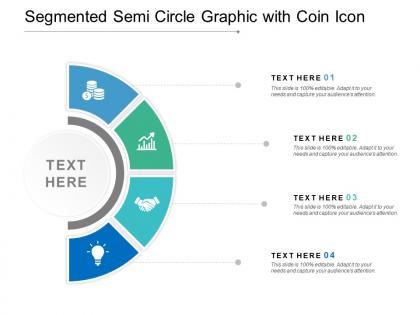
Segmented semi circle graphic with coin icon




Try Before you Buy Download Free Sample Product
 Impress Your
 Audience
 100%
100% Editable
 Save Hours
 of Time


Elaborate on the feline grace of the big cats with our Segmented Semi Circle Graphic With Coin Icon. Campaign against their extinction.
People who downloaded this PowerPoint presentation also viewed the following :
Segmented semi circle graphic with coin icon with all 5 slides:
Appreciate the brave with our Segmented Semi Circle Graphic With Coin Icon. Highlight their courageous deeds.
FAQs for Segmented semi circle graphic
So you're thinking about semicircle charts? They're great when you want something cooler-looking than boring pie charts. Perfect for dashboards since they don't take up as much vertical space - I've noticed execs really dig the modern look. Best with like 3-7 categories max, anything more gets messy. Survey results, budgets, that kind of percentage stuff works well. Mobile layouts love them too since they're compact. Oh, and make sure the segments aren't tiny or people can't read the labels. Nothing worse than squinting at a chart, you know?
So semicircle charts beat regular pie charts, especially with multiple data points. You get way more room along that curved edge for clean labels. People can actually compare the segments better since they're all sitting on the same baseline - honestly makes such a difference. Takes up less screen space too, which is nice. The straight edge thing really works - our brains just process proportions better when they fan out from a flat line instead of being scattered around a full circle. Works best with like 4-7 categories, anything more gets messy.
Honestly, semicircle charts are perfect when you need to show parts of a whole but don't have much space. Budget breakdowns, survey results, demographics - that kind of stuff. Way better than pie charts for dashboards since they're more compact. Plus you can actually fit labels underneath without everything looking cramped. I use them all the time at work. Just don't go crazy with segments though - like 5 or 6 max, otherwise it looks like a hot mess. They're especially good for hierarchical data too.
Colors totally make or break semicircle charts. Green = good stuff like growth, red = problems or drops, blue for neutral data. I swear I've watched people completely miss the point because someone used red for positive results - it's wild how much that matters! Warm colors (orange, yellow) grab attention for your main segments. Cool colors fade back. Oh and definitely keep meanings consistent across all your charts, otherwise people get confused. Maybe run it by someone else first? Sometimes what makes sense to you doesn't translate.
Put labels right on the big segments first - they've got room. Smaller slices need those pointer lines or they'll be impossible to read. Always keep text horizontal though, because sideways labels are honestly the worst. If segments are super thin, just throw in a legend on the side instead of cramming text everywhere. I usually go largest to smallest when placing everything. Oh and stay consistent with where you put labels - mixing styles looks messy. The whole point is making each slice clearly identifiable without turning your chart into visual chaos.
Dude, semicircle charts are perfect for this! They naturally guide people's eyes from one section to the next - way less overwhelming than those intimidating full pie charts (I honestly think it's the shape that does it). You can literally point to each slice while telling your story, like having a built-in roadmap. Breaking complex stuff into chunks makes everything way easier to follow and remember. Oh, and definitely number your segments or use color gradients - it really helps people track the sequence. Trust me, your audience will actually stay engaged instead of zoning out.
Honestly? Start with Excel if you've got it - just make a regular pie chart and tweak it to show half. Google Sheets works too. Tableau and Power BI are solid if you need fancy interactive stuff, but they're overkill for basic charts. D3.js gives you total control but you'll need to code it yourself (which is kinda fun if you're into that). The semicircle thing trips people up more than it should. Quick hack: make your pie chart first, then just crop it or mess with the formatting until it looks right. Way easier than starting from scratch.
Oh totally! Sequential segment animations work best - where each piece draws in one after another. Looks super clean that way. D3.js or Chart.js can handle this pretty easily, or you could even use CSS if you're feeling ambitious. Hover effects are nice too, like segments that pop out slightly when you mouse over them. Honestly the sequential reveal thing is kinda addictive to watch. Way better than dumping all the data on someone at once. You can also rotate the whole chart but that might be overkill depending on your audience.
Don't cram like 8+ segments in there - 5-7 max or it gets messy. Colors that look too similar will drive people crazy trying to figure out what's what. Labels are crucial, obviously. I've seen so many pie charts where the slices are ridiculously thin and you can barely see them. Your data should actually add up to a whole, which sounds obvious but you'd be surprised. Oh, and start with your biggest slice at the top-left, then go clockwise - it just looks cleaner that way. Honestly? Show it to someone else first. If they squint or look confused, you'll know to fix it.
Honestly, segmentation will make or break your semicircle chart. Keep it to 3-7 segments tops - anything more and people's eyes just glaze over (trust me on this one). Group your smaller stuff under "Other" if each piece is under 5%. Size order works best for comparison. But here's the thing - your segments need to actually make sense together. Like, would someone glance at it and immediately get what you're showing them? If you're squinting at it trying to figure out the story, your audience definitely will be too. Sometimes I'll stare at mine for way too long before realizing I need to regroup things.
Dude, semicircle charts are clutch for business stuff. Way less space than regular pie charts but you still get the same info across. The clean look makes your presentation seem way more professional - executives eat that minimalist vibe up. They're also solid when you want to emphasize your biggest data points since the semicircle naturally makes those larger segments pop more. Oh, and they're perfect when you're cramming a ton of slides together. Honestly much better than trying to squeeze a full circle chart into a tiny corner. I'd go with these whenever you're presenting to higher-ups or just need more room on your slides.
Oh man, this stuff gets tricky fast! Western readers scan left-to-right but Arabic/Hebrew readers go the opposite way, so they'll prioritize different segments. Red screams "danger" to us but means good luck in Chinese culture - honestly had no idea how much that mattered until I screwed up a presentation once. Some cultures expect clockwise flow, others prefer counterclockwise. My advice? Stick with boring neutral colors and slap clear labels on everything. Test it with actual people from your target areas first though - you'll catch weird stuff you never thought of.
So you'd use a segmented semicircle when you need to break down multiple categories instead of just showing one number. Like if a regular semicircle shows "75% complete," a segmented one could show how that 75% splits between different teams or regions. It's basically pie chart logic but in semicircle shape - way cleaner looking honestly. Perfect for stuff like "here's our Q3 revenue by department" where you want that nice curved visual but still need all the category breakdowns. Regular semicircles are cool for single metrics, but segmented ones let you tell a more complete story with your data.
Honestly, interactive semicircle charts are so much better than those boring static ones. Your users can hover over segments to see exact percentages or click to filter specific data - way more engaging. People love exploring stuff at their own pace instead of getting hit with everything at once. Start simple with hover effects showing detailed values. Maybe add tooltips with extra context if you're feeling fancy. The click-to-filter thing is pretty sweet too since viewers can focus on whatever matters to them. Trust me, once you go interactive you won't want to go back.
Honestly, font choice can make or break these charts. You're dealing with curved spaces and cramped areas, so sans-serif is your best bet - Arial, Helvetica, that kind of thing. They stay crisp when you size them down. Script fonts? Don't even think about it, they'll look terrible. I learned that the hard way on a project last year. Keep it simple with one font family and just play with sizes or bold/regular weights. Otherwise your labels will fight with the actual chart for attention, which defeats the whole point.
No Reviews