


Six Sigma it Powerpoint-Präsentationsfolien
Six Sigma ist eine datengesteuerte Methodik, die aus Tools und Prozessen zur Definition und Bewertung jedes Schritts besteht; Außerdem skizziert es Strategien zur Steigerung des Endgewinns, zur Steigerung der Effizienz in einer Unternehmensstruktur und zur Verbesserung der Prozessqualität. Diese PowerPoint-Präsentation gibt einen kurzen Überblick über die aktuelle Situation in der Organisation und bestehende Probleme, um die Notwendigkeit von Six Sigma zu verstehen. In dieser Six Sigma-PowerPoint-Präsentation haben wir einen Überblick über Six Sigma, seine Vorteile für das Unternehmen und die Prinzipien, auf denen es basiert, gegeben. Darüber hinaus enthält diese Six-Sigma-Vorlage ARMI und einen Kommunikationsplan, eine Priorisierungsmatrix und eine RACI-Matrix für das Projektmanagement. Darüber hinaus bietet dieses PPT den Implementierungsprozess, einschließlich einer Checkliste, eines Schulungsplans für Mitarbeiter im Unternehmen und eines geschätzten Budgets. Schließlich umfasst dieses Six-Sigma-Deck einen 30-60-90-Tage-Plan, eine Roadmap, ein Dashboard und die Auswirkungen der Six-Sigma-Implementierung auf das Unternehmen. Laden Sie unsere zu 100 Prozent bearbeitbare und anpassbare Vorlage herunter, die auch mit Google Slides kompatibel ist.












































You must be logged in to download this presentation.


Do you want to remove this product from your favourites?
 Impress your
 audience
 100%
100% Editable
 Save Hours
 of Time
Merkmale dieser PowerPoint-Präsentationsfolien :
Stellen Sie eine informative PPT zu verschiedenen Themen bereit, indem Sie diese Six Sigma IT Powerpoint-Präsentationsfolien verwenden. Dieses Deck konzentriert sich auf bewährte Branchenpraktiken und setzt diese um, wodurch das Thema aus der Vogelperspektive betrachtet wird. Umfasst von neunundfünfzig Folien, die mit hochwertigen Bildern und Grafiken entworfen wurden, ist dieses Deck ein komplettes Paket zum Verwenden und Herunterladen. Alle Folien, die in diesem Deck angeboten werden, unterliegen unzähligen Änderungen und machen Sie so zu einem Profi im Liefern und Erziehen. Sie können die Farbe der Grafik, des Hintergrunds oder alles andere nach Ihren Bedürfnissen und Anforderungen ändern. Aufgrund seines anpassbaren Layouts eignet es sich für jede Branche.

People who downloaded this PowerPoint presentation also viewed the following :
Inhalt dieser Powerpoint-Präsentation
Folie 1 : Diese Folie stellt Six Sigma (IT) vor. Geben Sie Ihren Firmennamen an und beginnen Sie.
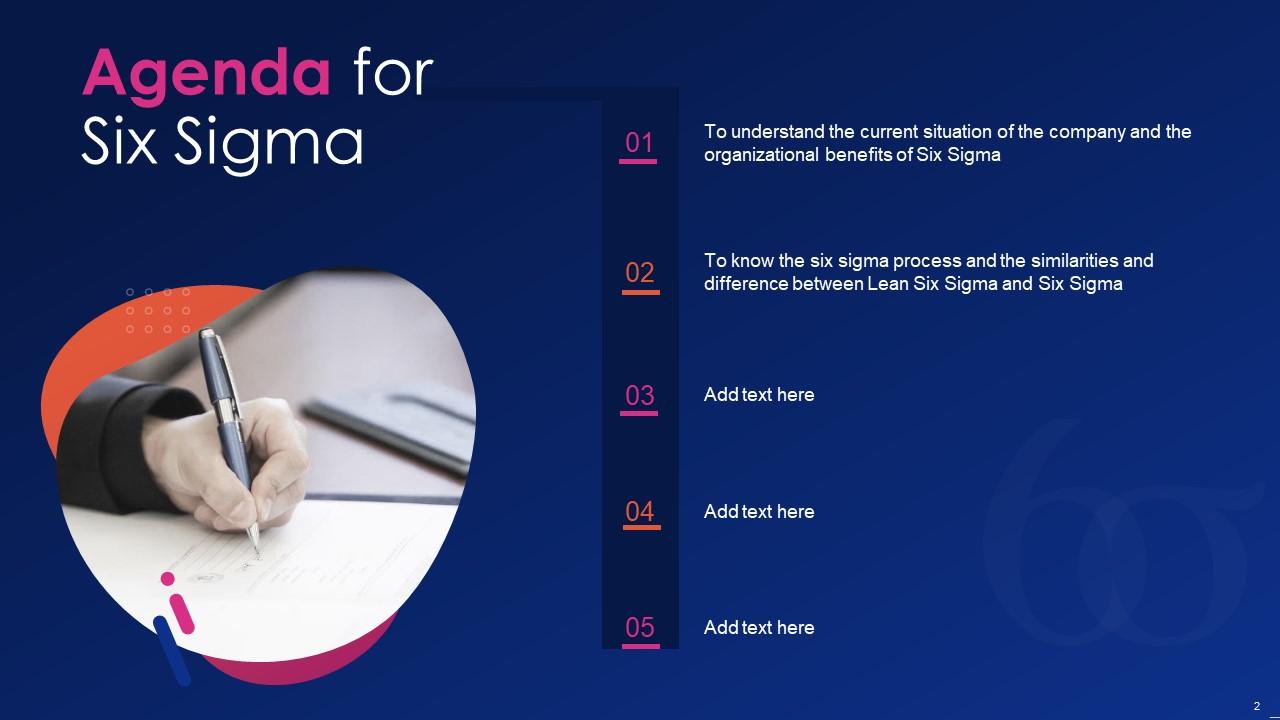
Folie 2 : Dies ist eine Agenda-Folie. Geben Sie hier Ihre Agenden an.
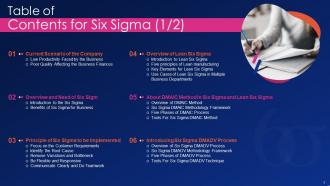
Folie 3 : Diese Folie zeigt das Inhaltsverzeichnis für die Präsentation.
Folie 4 : Dies ist eine weitere Folie, die das Inhaltsverzeichnis der Präsentation fortsetzt.
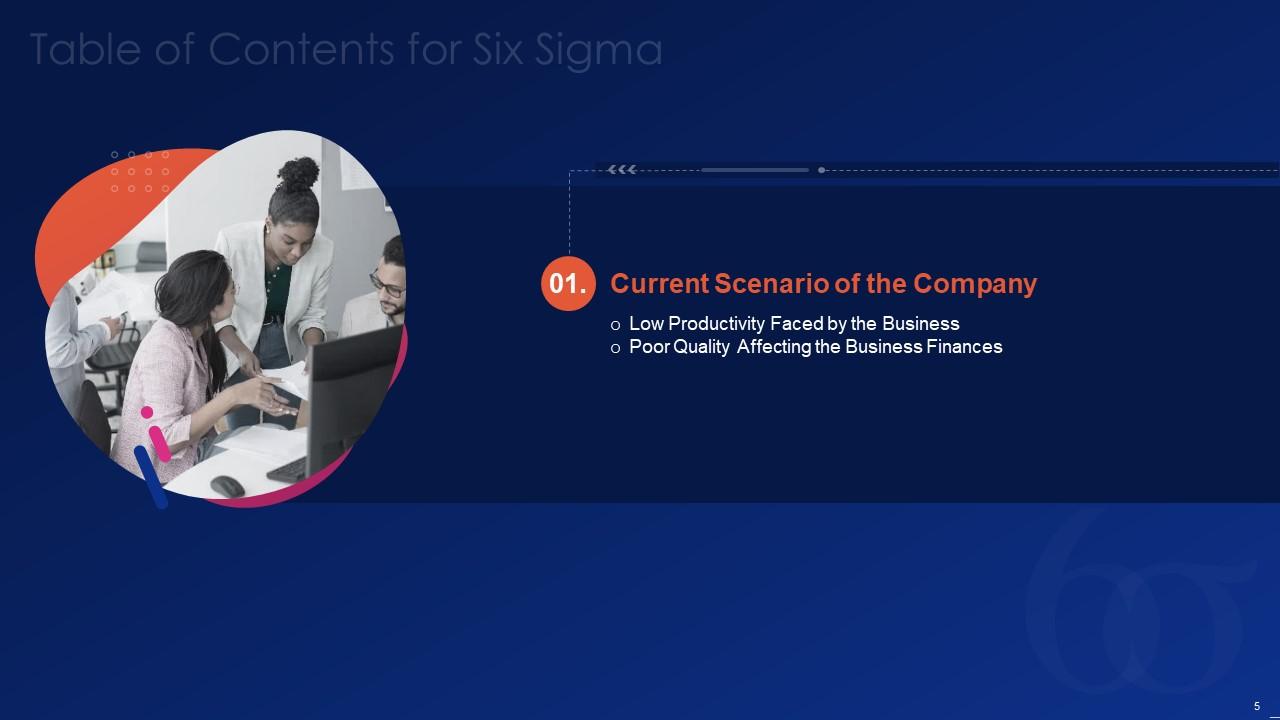
Folie 5 : Diese Folie hebt Titel für Themen hervor, die als nächstes in der Vorlage behandelt werden sollen.
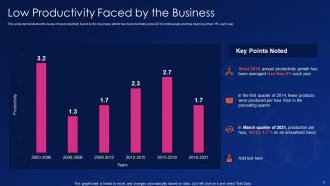
Folie 6 : Diese Folie zeigt die niedrige Produktivität, mit der das Unternehmen konfrontiert ist.
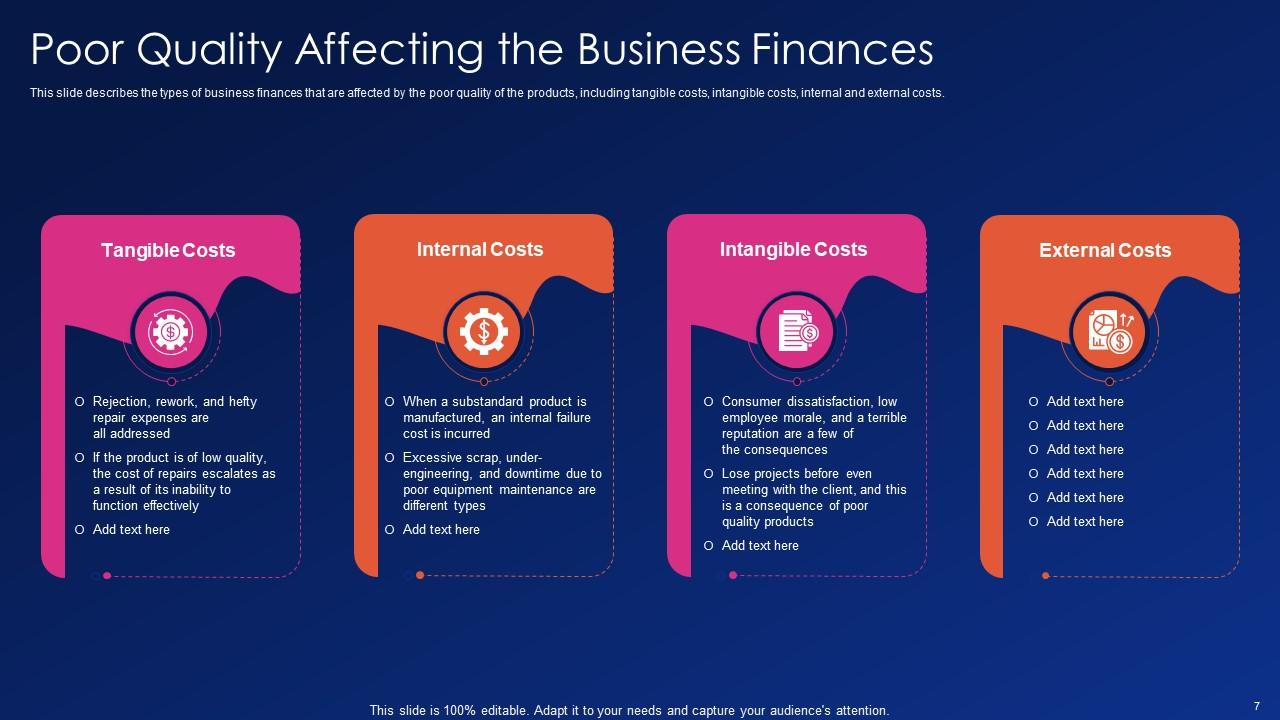
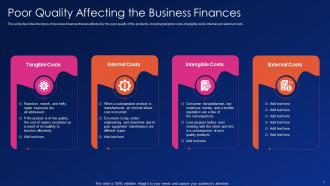
Folie 7 : Diese Folie zeigt schlechte Qualität, die sich auf die Unternehmensfinanzen auswirkt.
Folie 8 : Diese Folie hebt Titel für Themen hervor, die als nächstes in der Vorlage behandelt werden sollen.
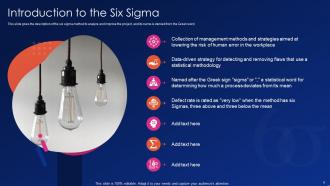
Folie 9 : Diese Folie beschreibt die Six-Sigma-Methode zur Analyse und Verbesserung des Projekts.
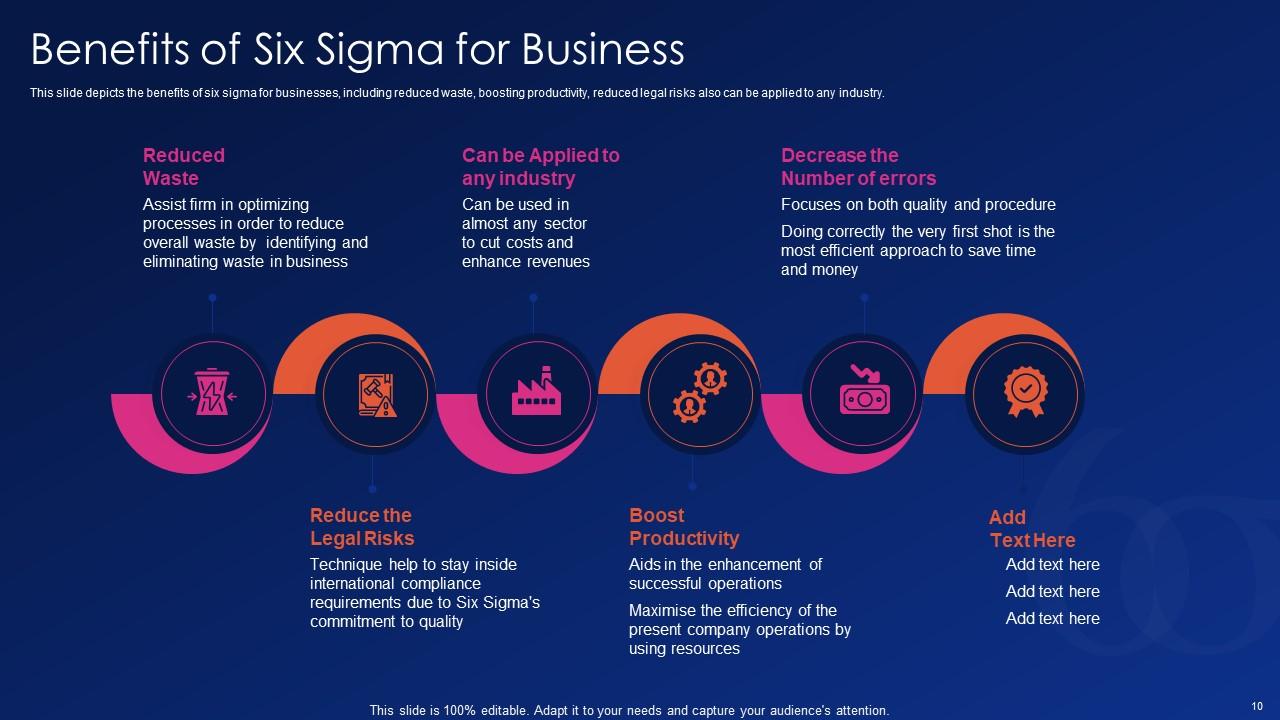
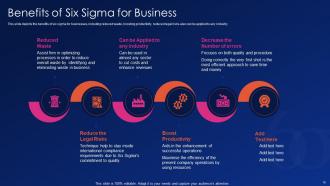
Folie 10 : Diese Folie zeigt die Vorteile von Six Sigma für Unternehmen, darunter weniger Verschwendung, Steigerung der Produktivität, geringere rechtliche Risiken usw.
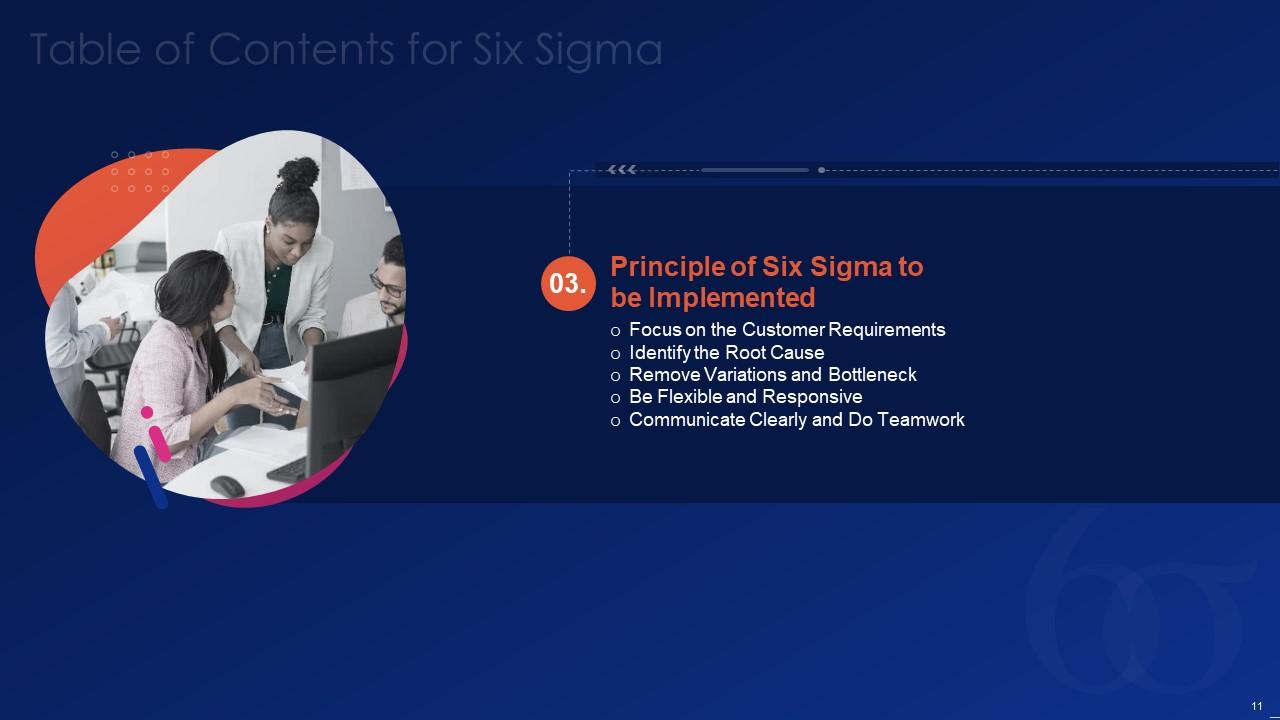
Folie 11 : Diese Folie hebt Titel für Themen hervor, die als nächstes in der Vorlage behandelt werden sollen.
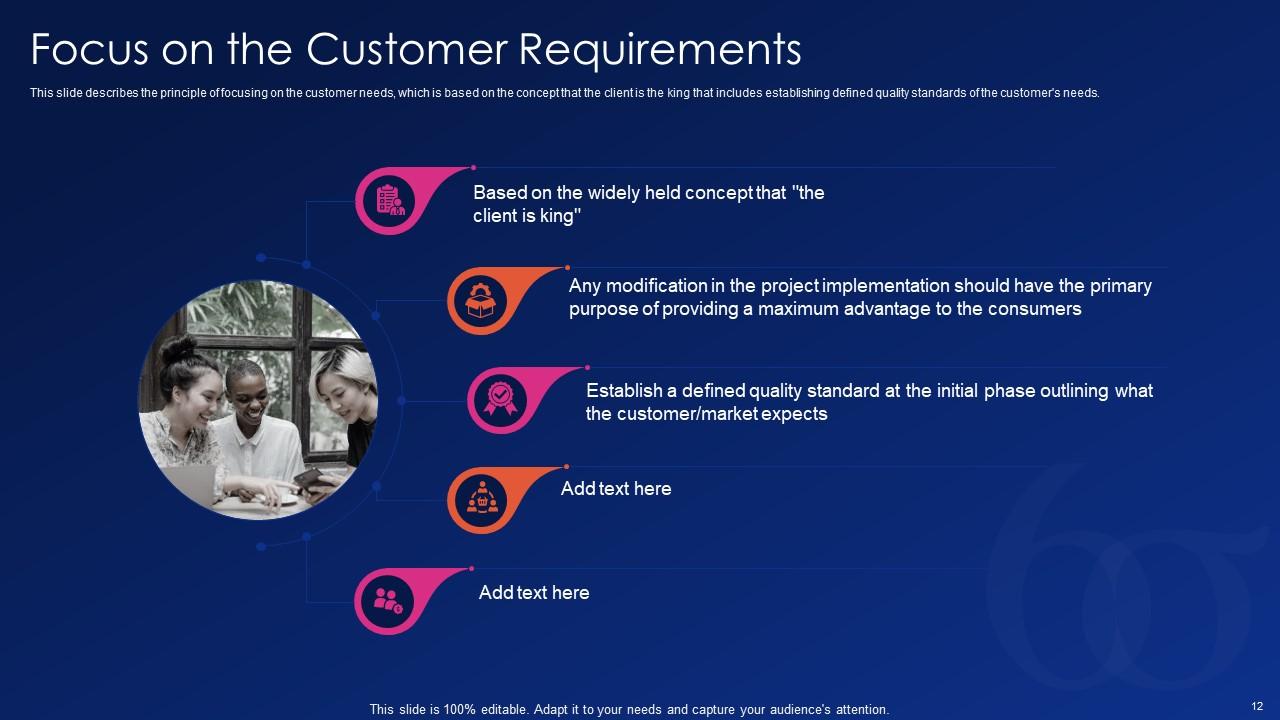
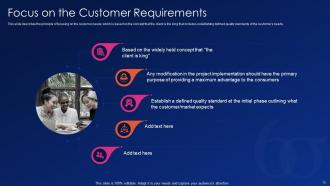
Folie 12 : Diese Folie beschreibt das Prinzip der Fokussierung auf die Kundenbedürfnisse.
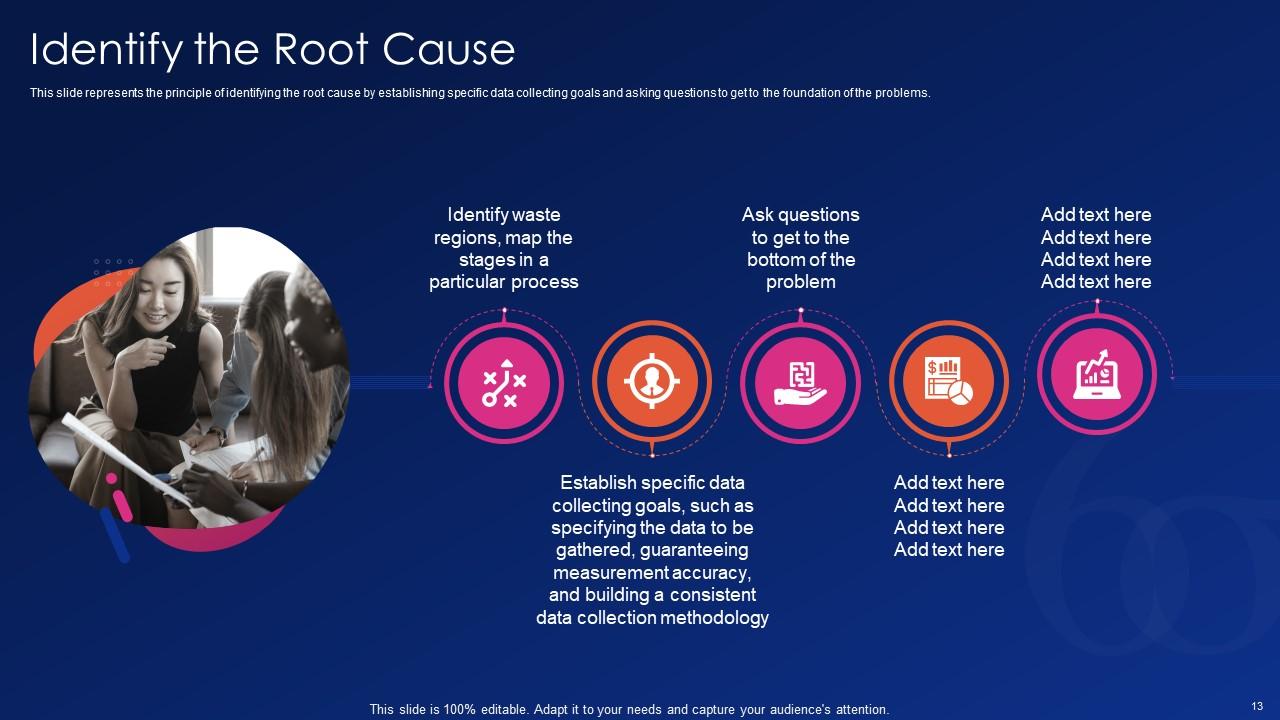
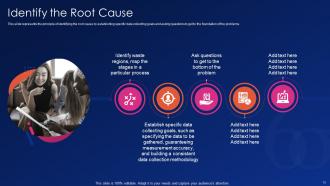
Folie 13 : Diese Folie stellt das Prinzip dar, die Grundursache zu identifizieren, indem spezifische Datenerfassungsziele festgelegt werden.
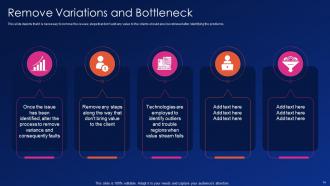
Folie 14 : Diese Folie zeigt, dass es notwendig ist, die Probleme/Schritte zu entfernen, die keinen Mehrwert bringen.
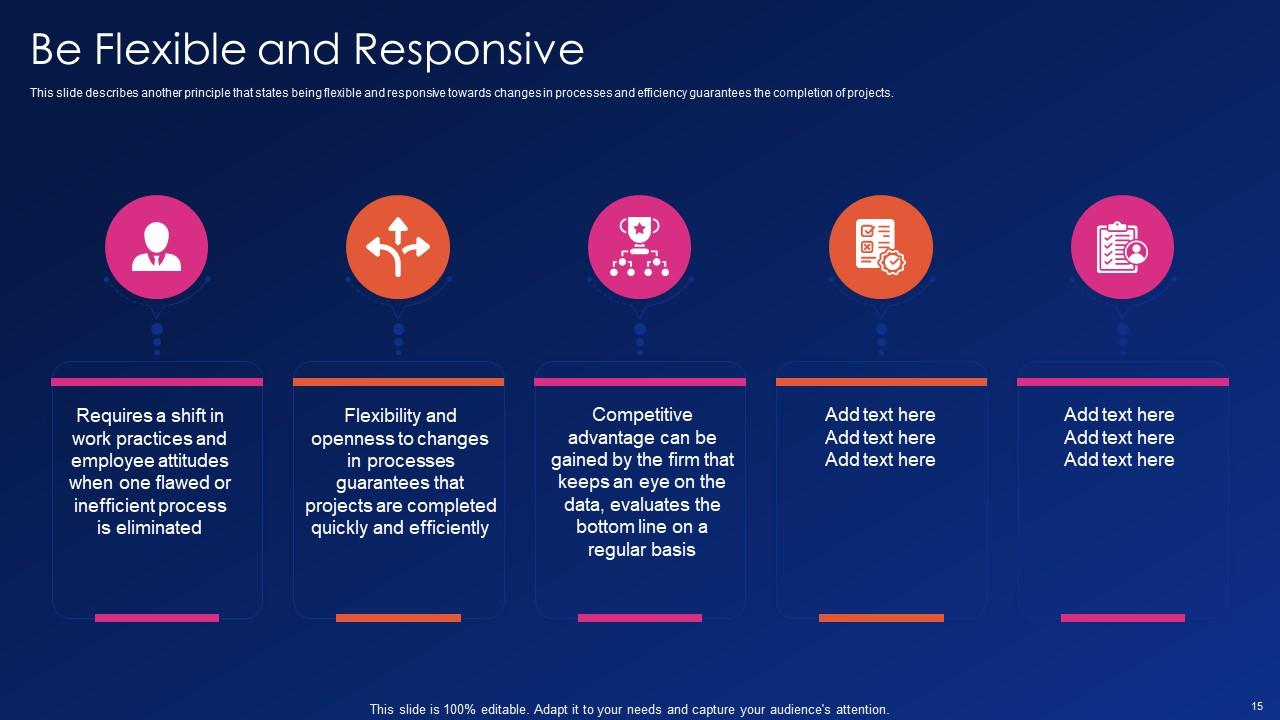
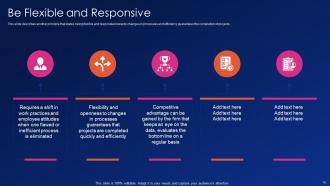
Folie 15 : Diese Folie beschreibt ein weiteres Prinzip, das besagt, flexibel und reaktionsschnell auf Änderungen in Prozessen zu sein.
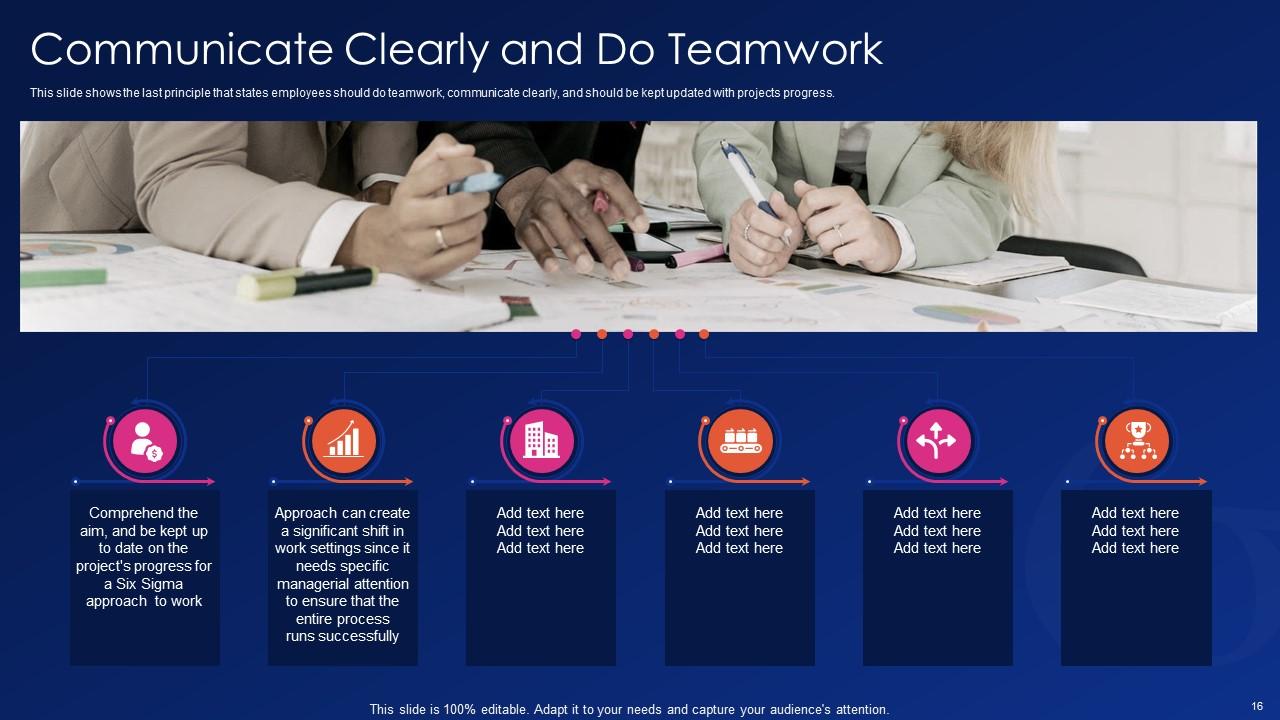
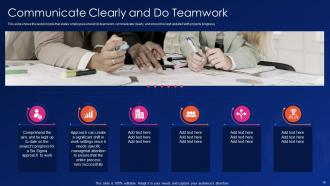
Folie 16 : Diese Folie zeigt das letzte Prinzip, das besagt, dass Mitarbeiter Teamarbeit leisten, klar kommunizieren und auf dem Laufenden gehalten werden sollten.
Folie 17 : Diese Folie hebt Titel für Themen hervor, die als nächstes in der Vorlage behandelt werden sollen.
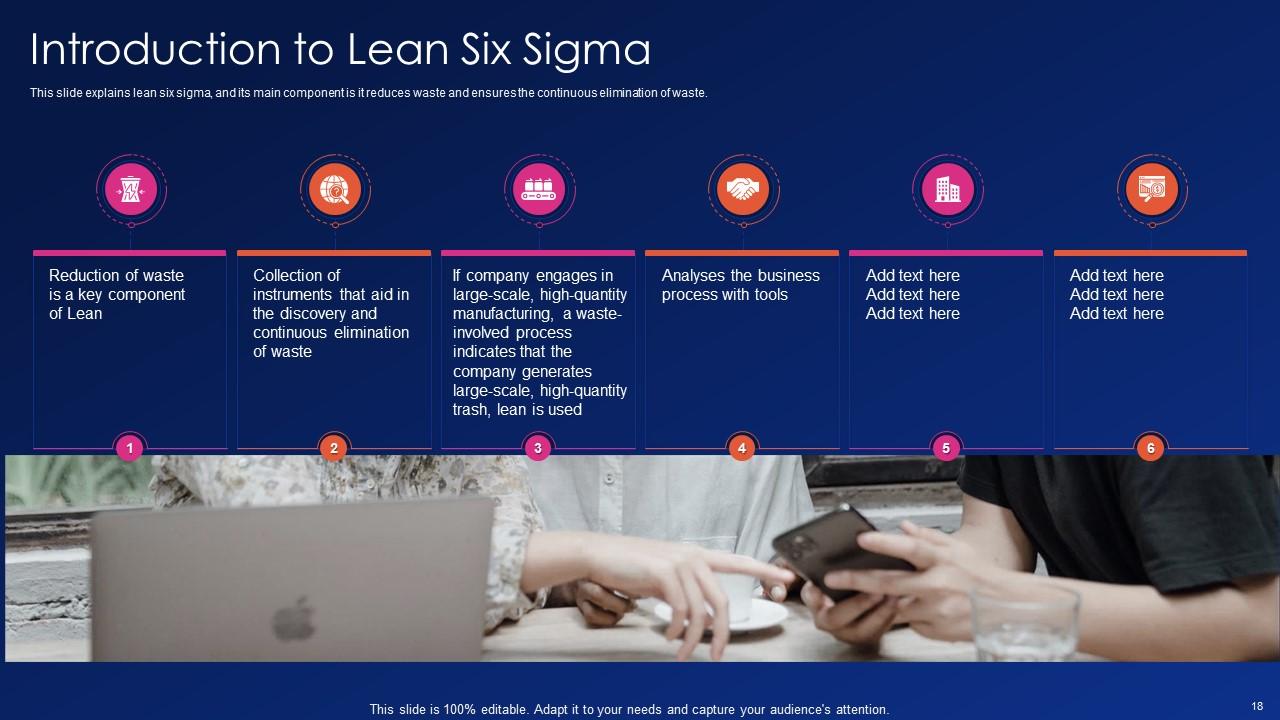
Folie 18 : Diese Folie erklärt Lean Six Sigma und seine Hauptkomponente, da es Verschwendung reduziert und die kontinuierliche Eliminierung von Verschwendung sicherstellt.
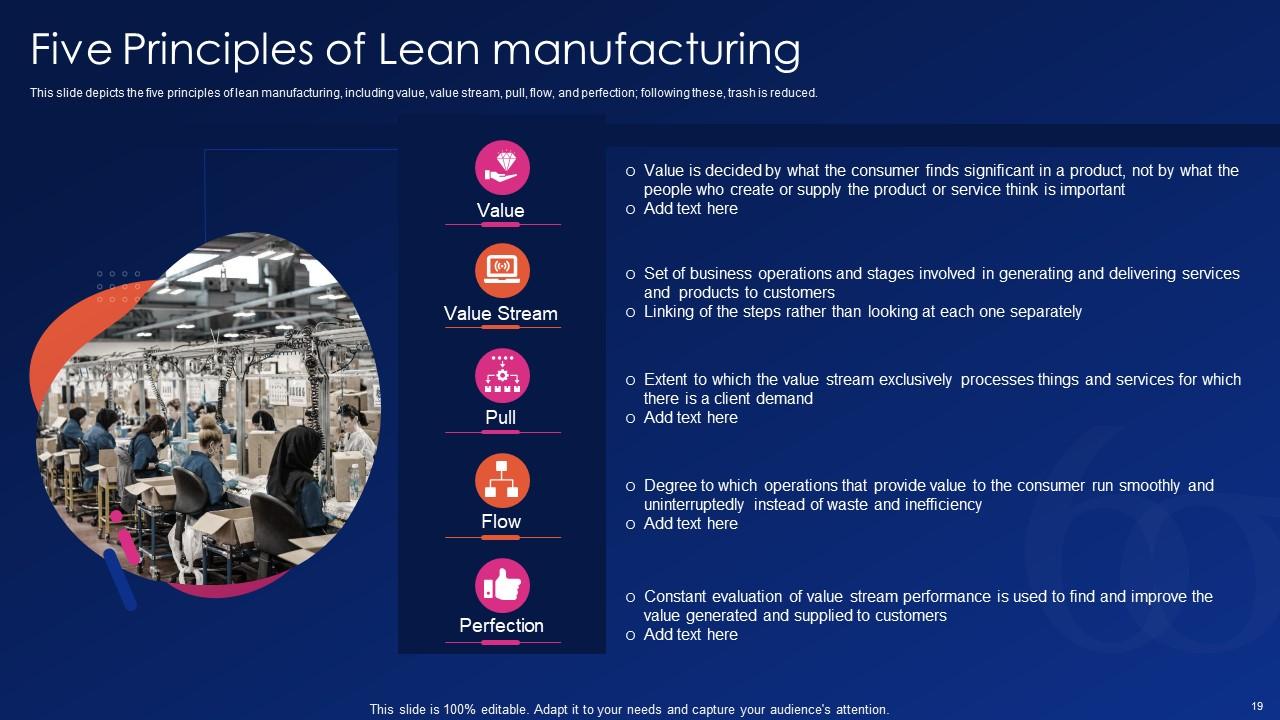
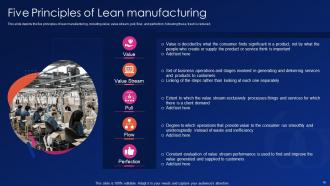
Folie 19 : Diese Folie zeigt die fünf Prinzipien der schlanken Fertigung, einschließlich Wert, Wertstrom, Pull usw.
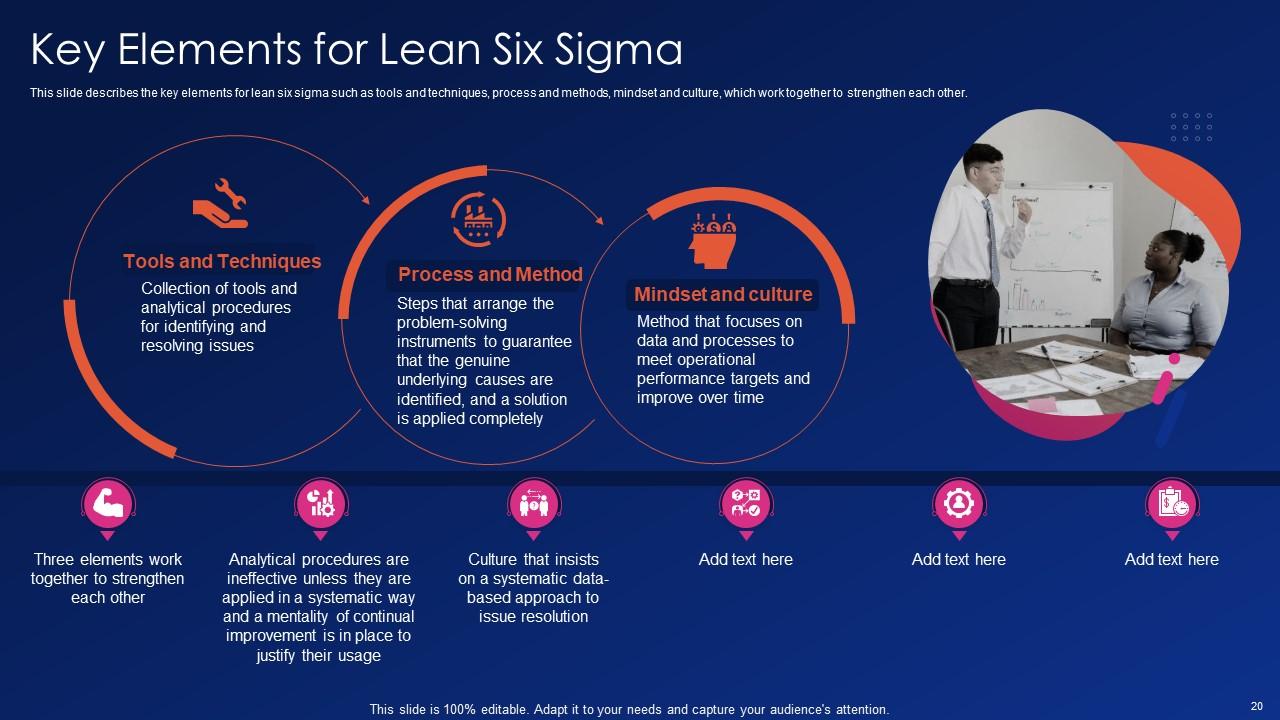
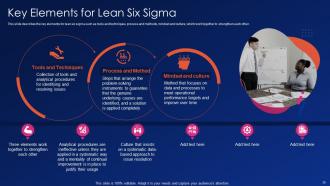
Folie 20 : Diese Folie beschreibt die Schlüsselelemente für Lean Six Sigma wie Tools & Techniken, Prozesse und Methoden.
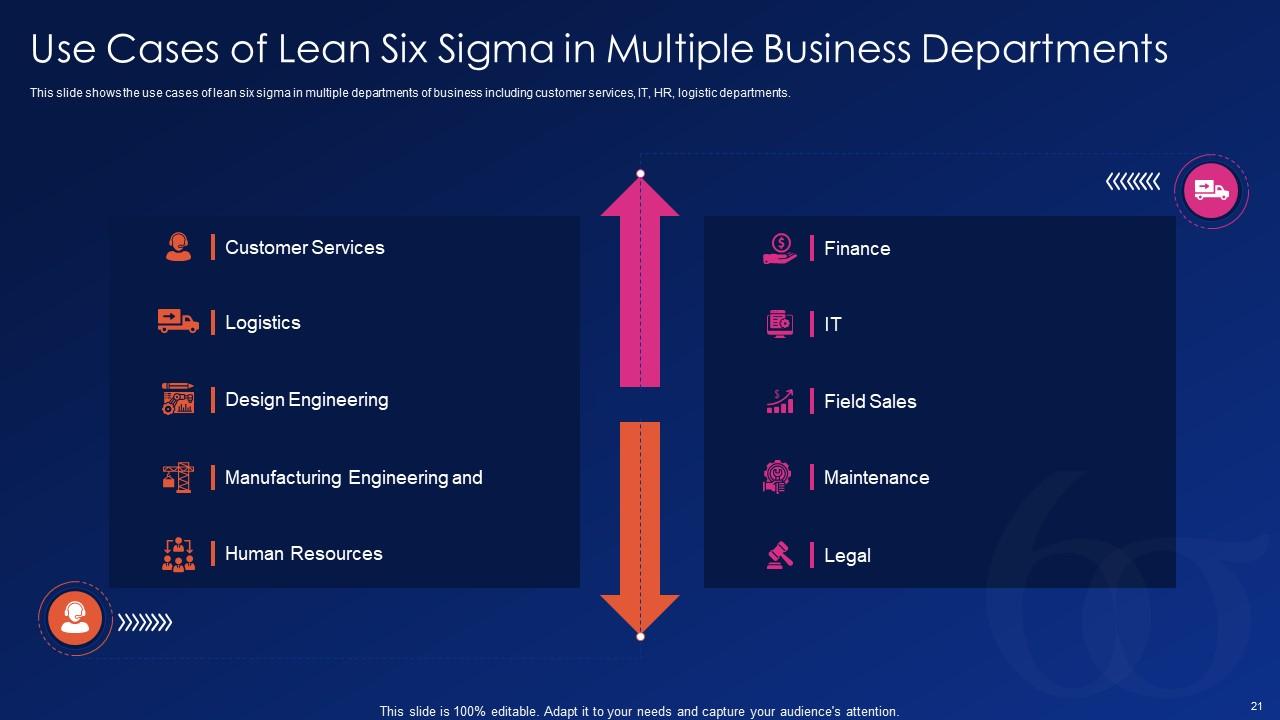
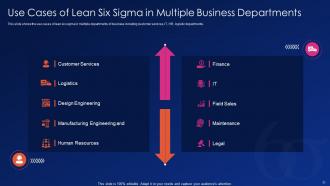
Folie 21 : Diese Folie zeigt Anwendungsfälle von Lean Six Sigma in mehreren Geschäftsbereichen.
Folie 22 : Diese Folie hebt Titel für Themen hervor, die als nächstes in der Vorlage behandelt werden sollen.
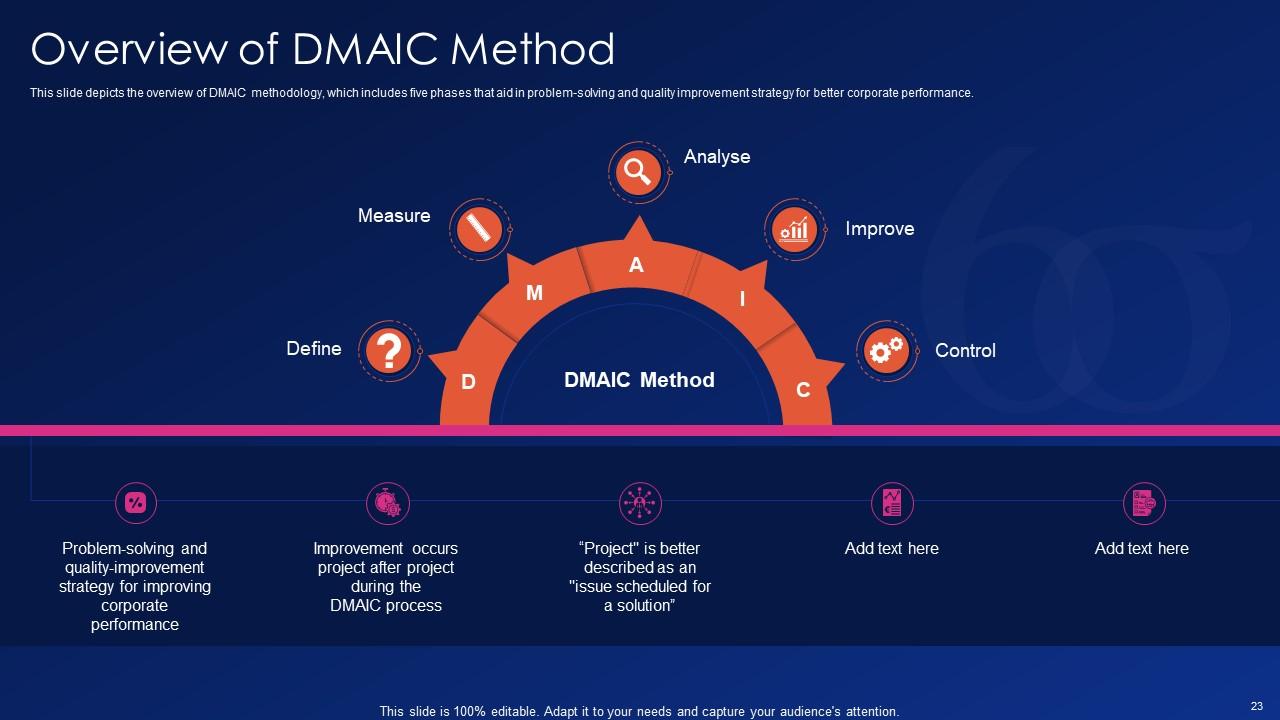
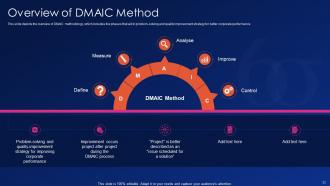
Folie 23 : Diese Folie gibt einen Überblick über die DMAIC-Methodik, die fünf Phasen umfasst, die bei der Problemlösung und Qualitätsverbesserungsstrategie helfen.
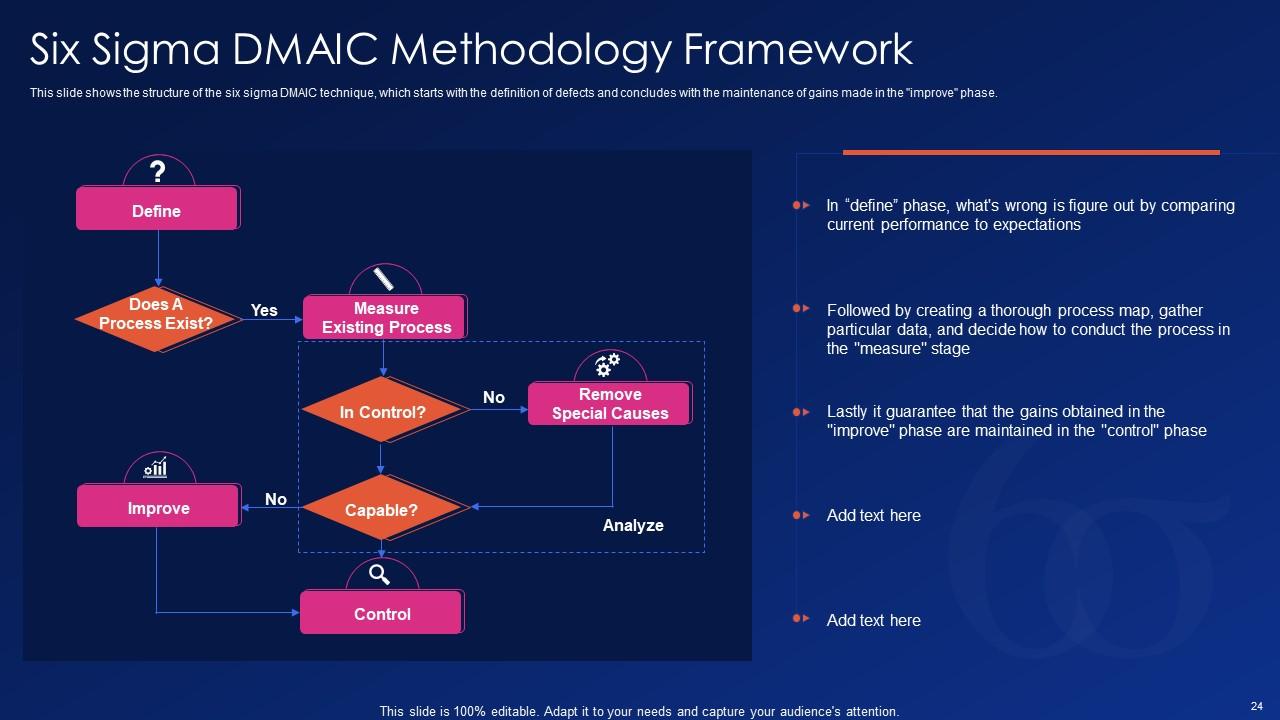
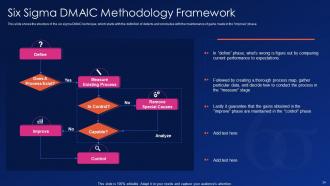
Folie 24 : Diese Folie zeigt das Six Sigma DMAIC Methodology Framework.
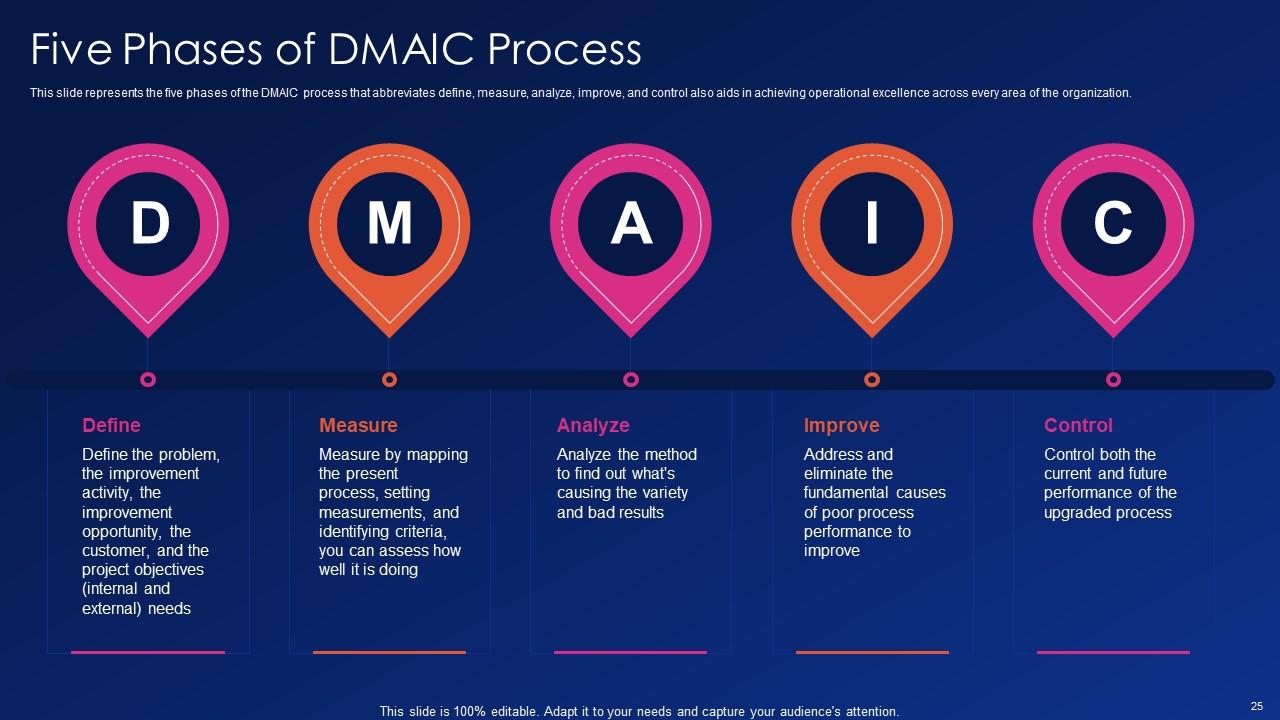
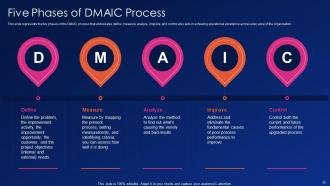
Folie 25 : Diese Folie stellt die fünf Phasen des DMAIC-Prozesses dar, der mit Definieren, Messen, Analysieren, Verbessern und Kontrollieren abgekürzt wird.
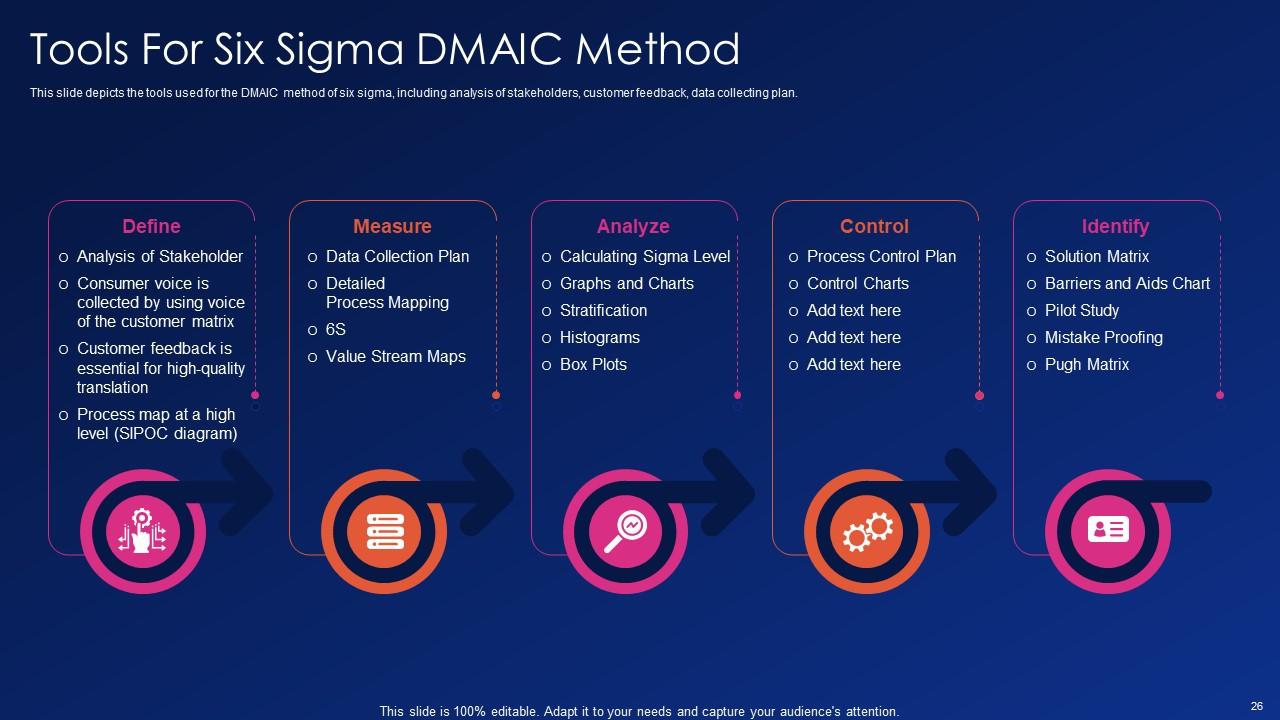
Folie 26 : Diese Folie zeigt die Tools, die für die DMAIC-Methode von Six Sigma verwendet werden, einschließlich der Analyse von Stakeholdern, Kundenfeedback, Datenerfassungsplan.
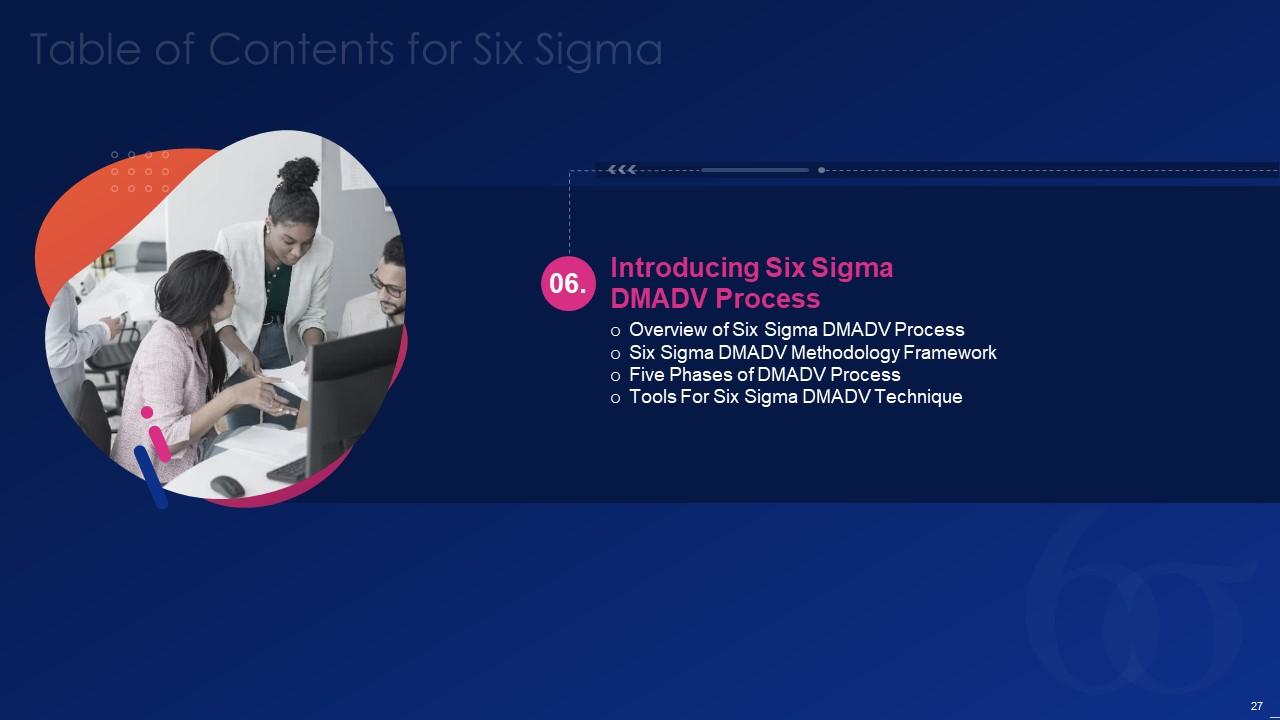
Folie 27 : Diese Folie hebt Titel für Themen hervor, die als nächstes in der Vorlage behandelt werden sollen.
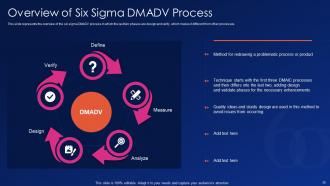
Folie 28 : Diese Folie gibt einen Überblick über den Sechs-Sigma-DMADV-Prozess, in dem die letzten beiden Phasen Design und Verifizierung sind.
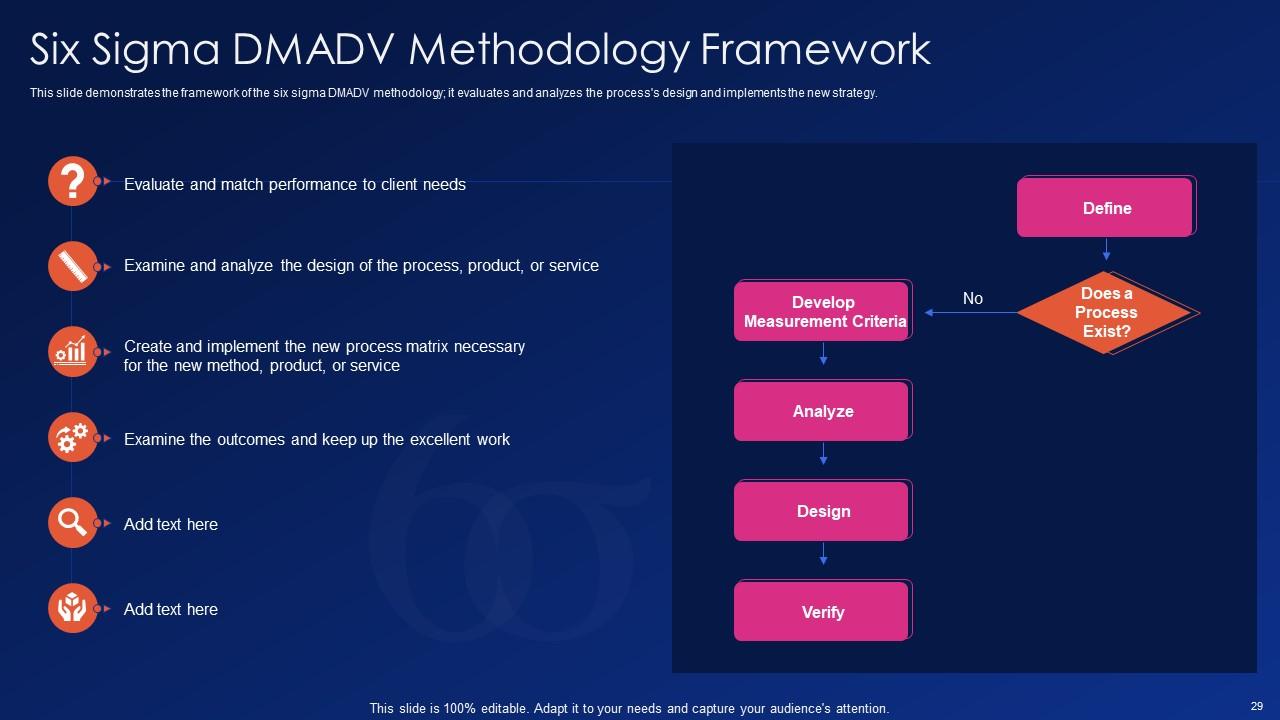
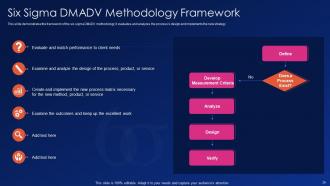
Folie 29 : Diese Folie demonstriert den Rahmen der Six-Sigma-DMADV-Methodik.
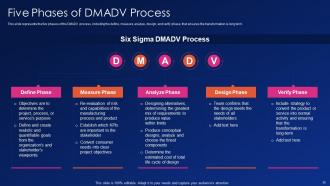
Folie 30 : Diese Folie stellt die fünf Phasen des DMADV-Prozesses dar, einschließlich Definieren, Messen, Analysieren usw.
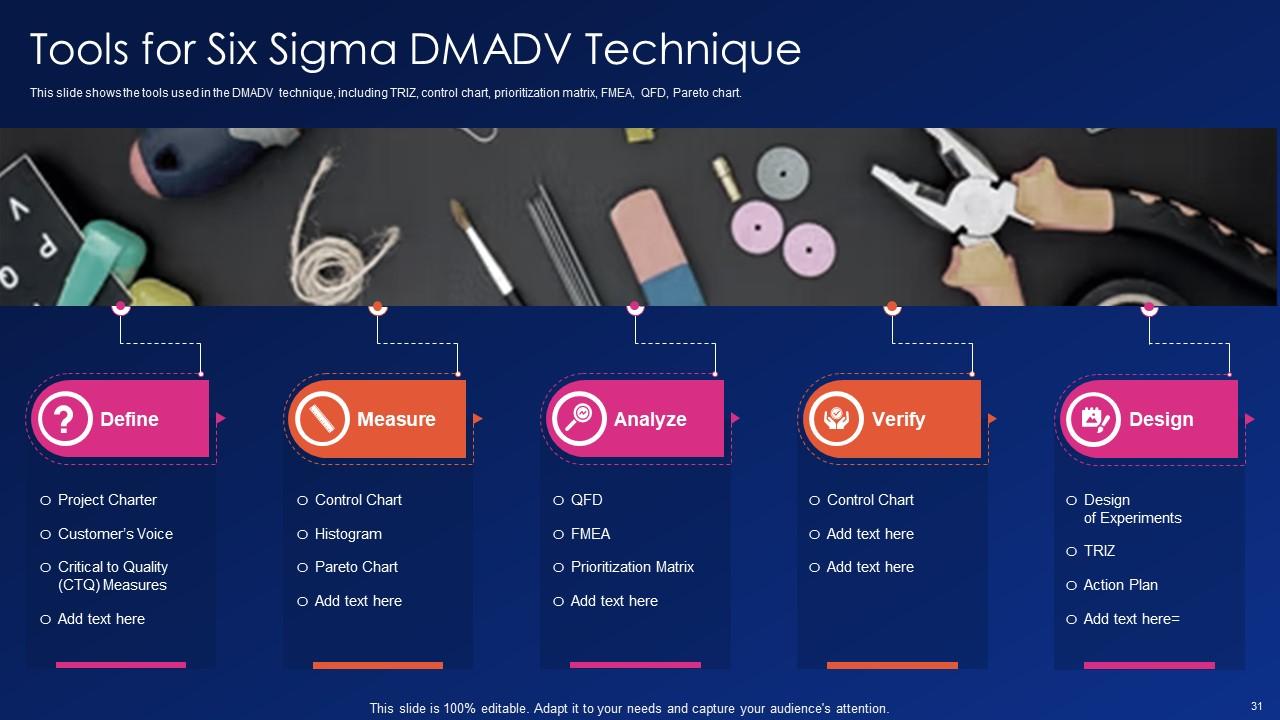
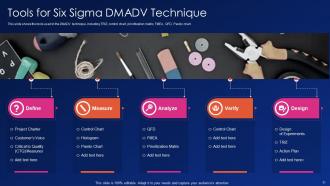
Folie 31 : Diese Folie zeigt Tools für die Six Sigma DMADV-Technik.
Folie 32 : Diese Folie hebt Titel für Themen hervor, die als nächstes in der Vorlage behandelt werden sollen.
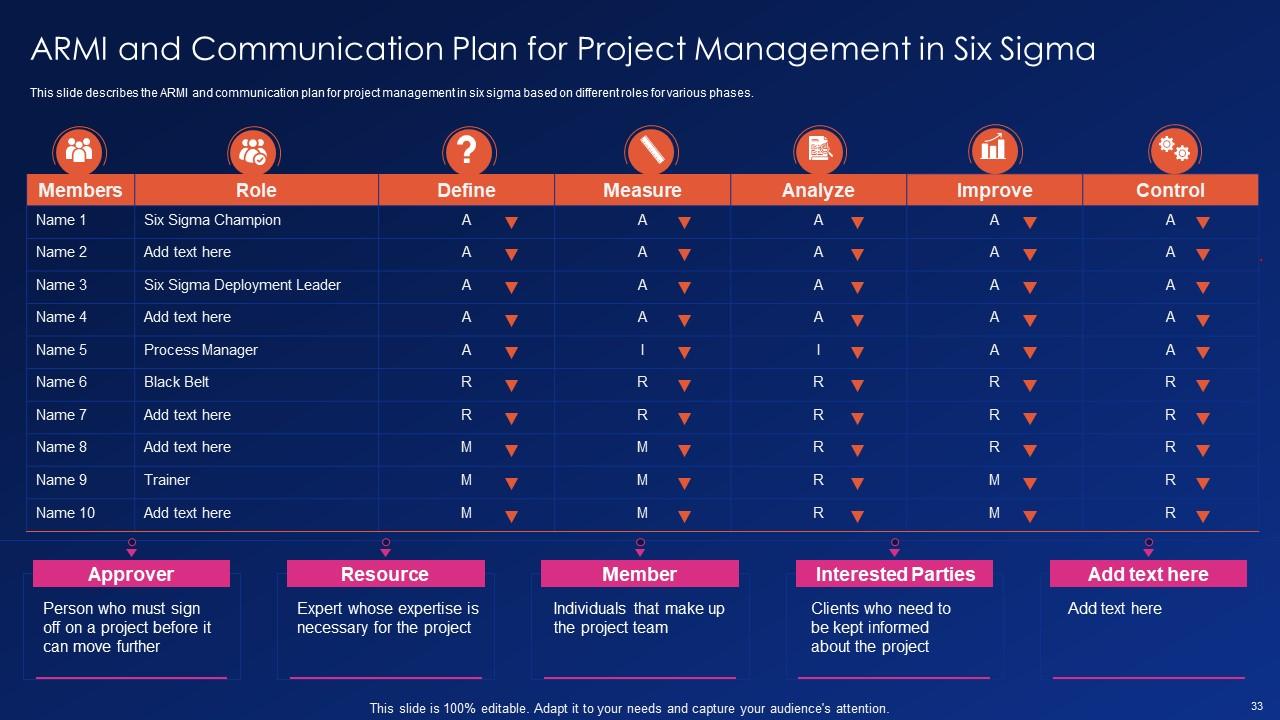
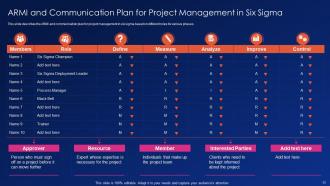
Folie 33 : Diese Folie präsentiert ARMI und den Kommunikationsplan für das Projektmanagement in Six Sigma.
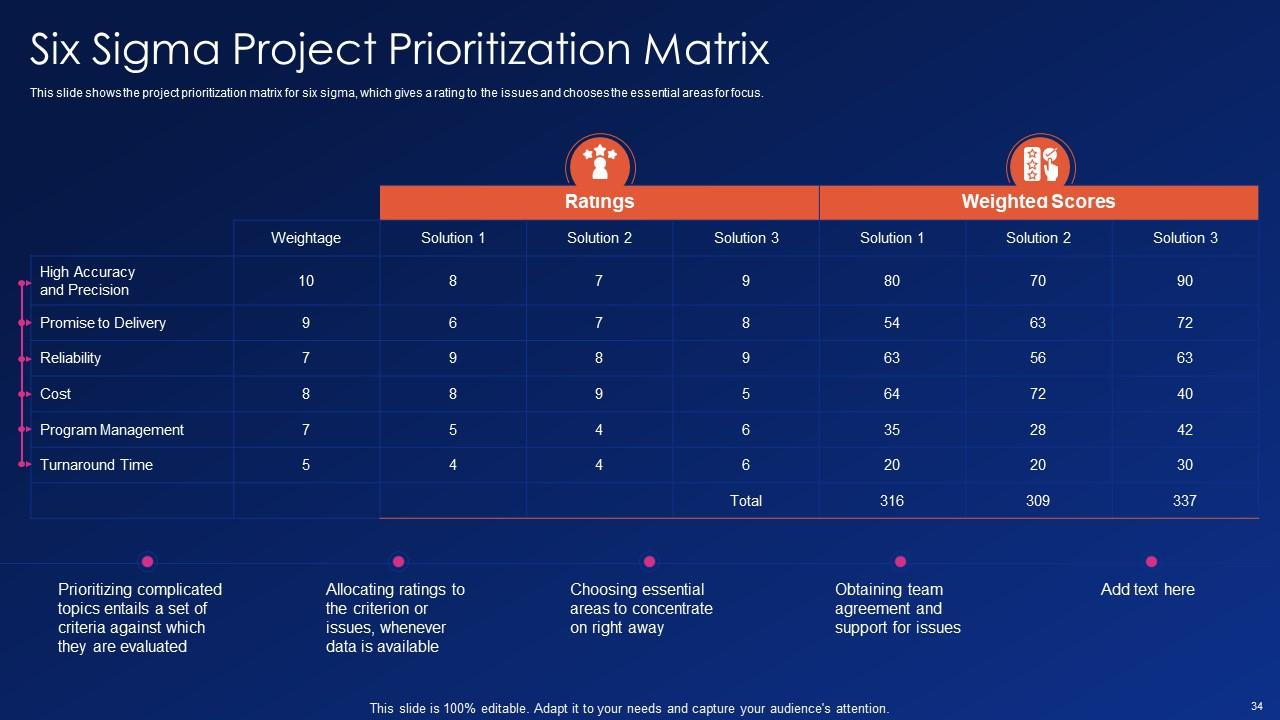
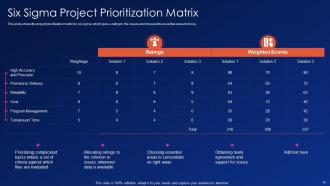
Folie 34 : Diese Folie zeigt die Priorisierungsmatrix für Six-Sigma-Projekte.
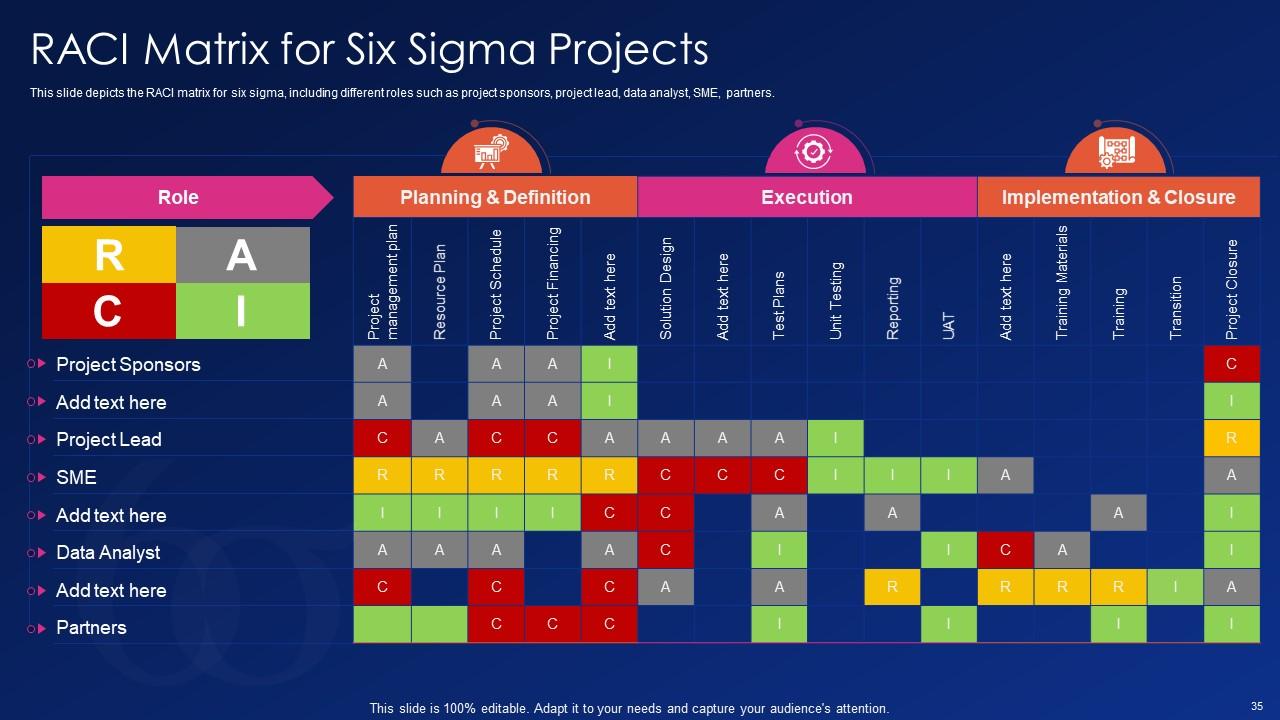
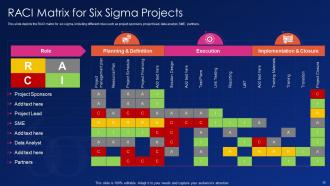
Folie 35 : Diese Folie zeigt die RACI-Matrix für Six Sigma, einschließlich verschiedener Rollen wie Projektsponsoren, Projektleiter, Datenanalyst usw.
Folie 36 : Diese Folie hebt Titel für Themen hervor, die als nächstes in der Vorlage behandelt werden sollen.
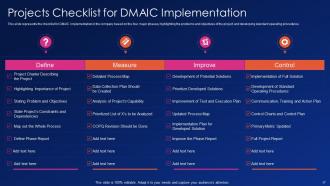
Folie 37 : Diese Folie stellt die Projekt-Checkliste für die DMAIC-Implementierung dar.
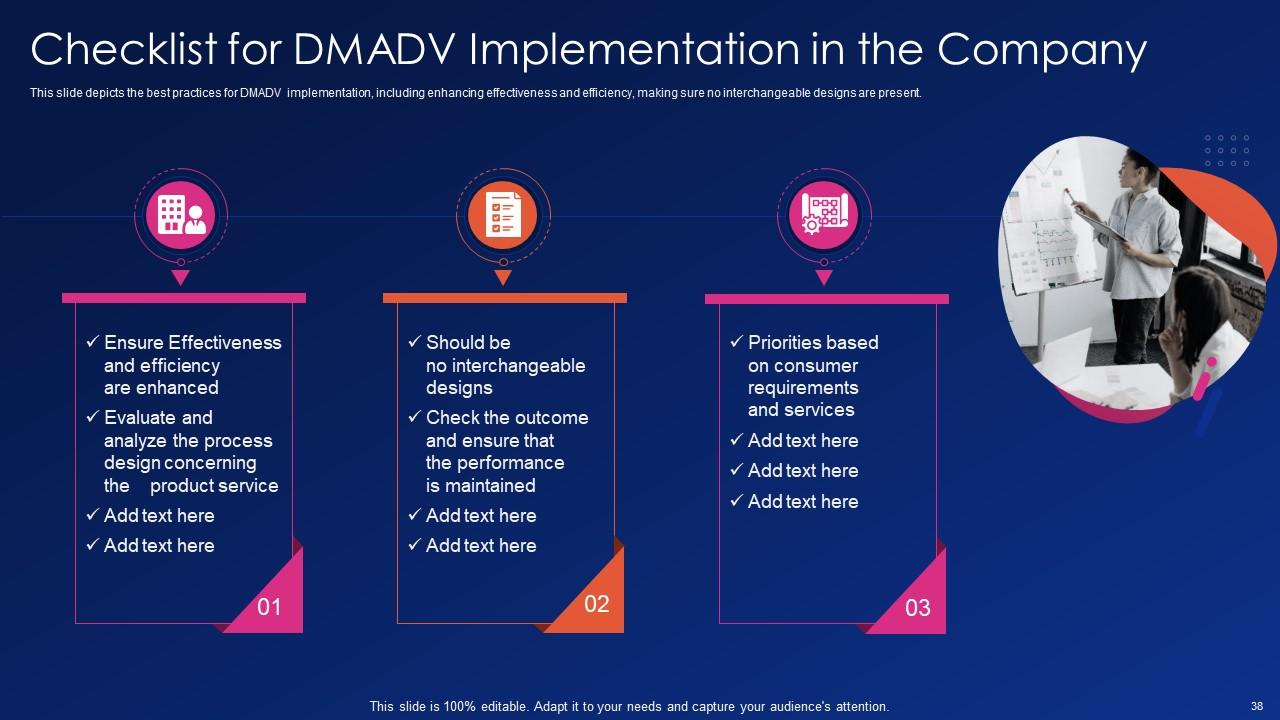
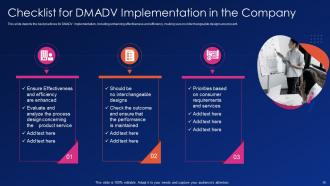
Folie 38 : Diese Folie zeigt die Checkliste für die DMADV-Implementierung im Unternehmen.
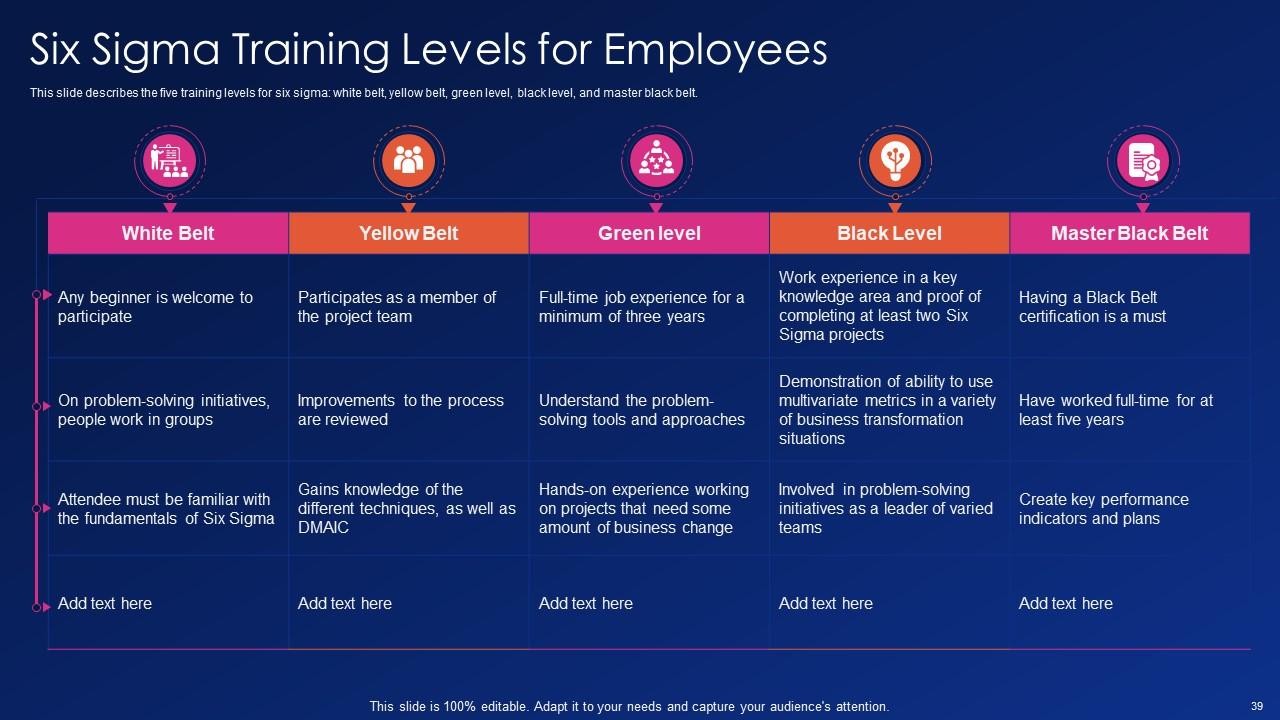
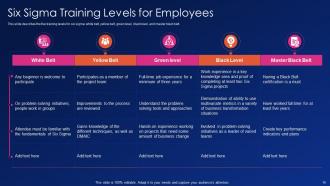
Folie 39 : Diese Folie beschreibt die fünf Trainingsstufen für Six Sigma: Weißgurt, Gelbgurt, Grünstufe usw.
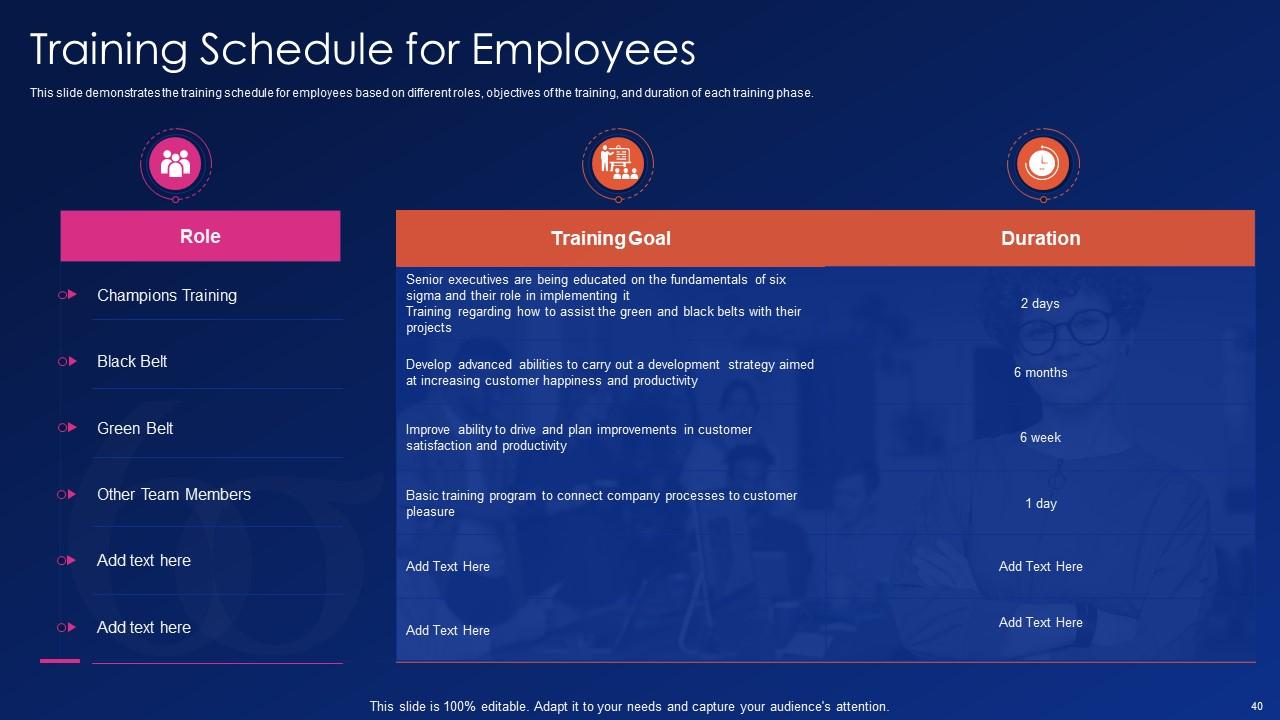
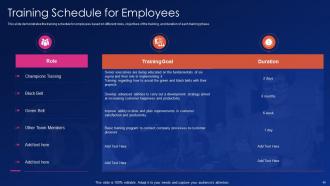
Folie 40 : Diese Folie zeigt den Schulungsplan für Mitarbeiter basierend auf verschiedenen Rollen, Schulungszielen und der Dauer jeder Schulungsphase.
Folie 41 : Diese Folie hebt Titel für Themen hervor, die als nächstes in der Vorlage behandelt werden sollen.
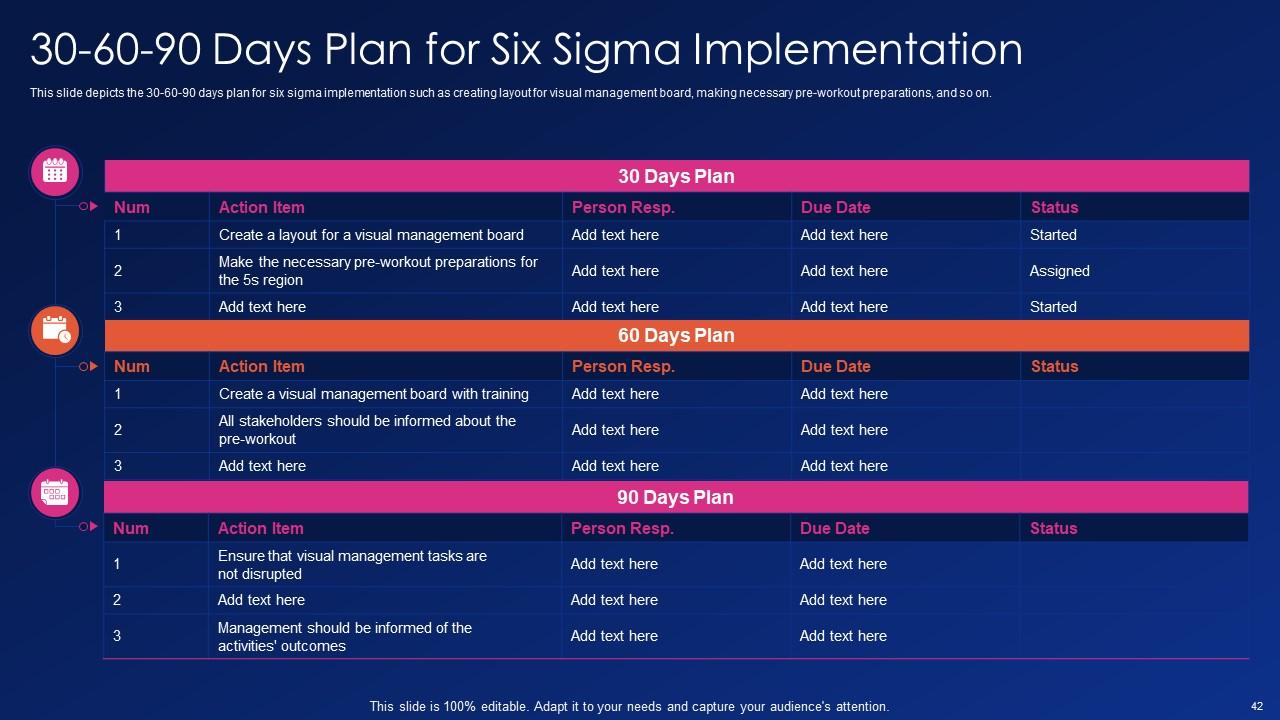
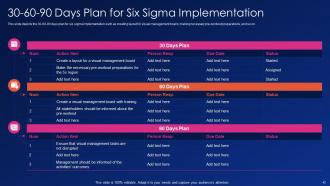
Folie 42 : Diese Folie zeigt den 30-60-90-Tage-Plan für die Implementierung von Six Sigma.
Folie 43 : Diese Folie hebt Titel für Themen hervor, die als nächstes in der Vorlage behandelt werden sollen.
Folie 44 : Diese Folie zeigt den halbjährlichen Fahrplan für die Six Sigma-Implementierung.
Folie 45 : Diese Folie hebt Titel für Themen hervor, die als nächstes in der Vorlage behandelt werden sollen.
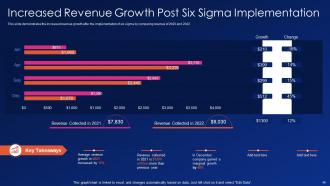
Folie 46 : Diese Folie zeigt das erhöhte Umsatzwachstum nach der Implementierung von Six Sigma.
Folie 47 : Diese Folie hebt Titel für Themen hervor, die als nächstes in der Vorlage behandelt werden sollen.
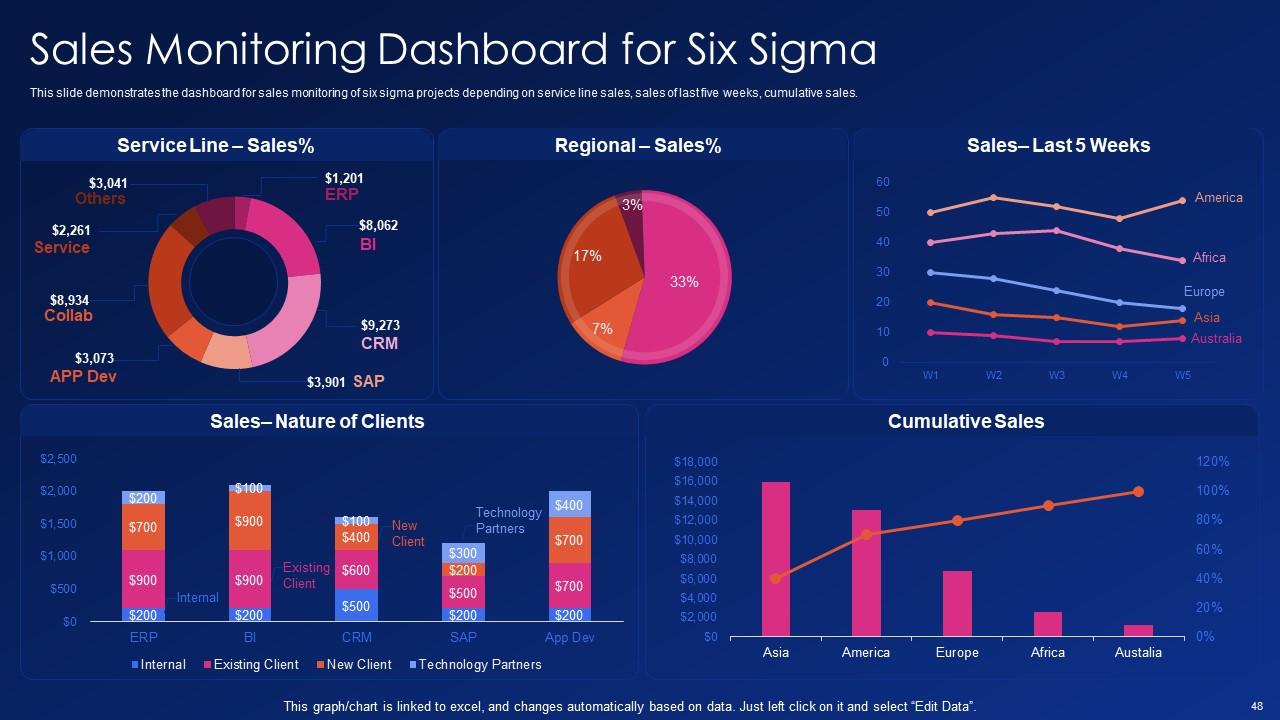
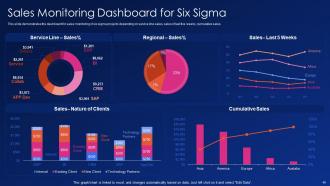
Folie 48 : Diese Folie zeigt das Dashboard für die Vertriebsüberwachung von Six-Sigma-Projekten.
Folie 49 : Diese Folie zeigt Icons für Six Sigma (IT).
Folie 50 : Diese Folie trägt den Titel „Zusätzliche Folien“, um voranzukommen.
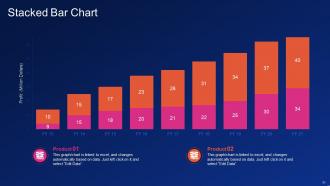
Folie 51 : Diese Folie stellt ein gestapeltes Balkendiagramm mit zwei Produktvergleichen dar.
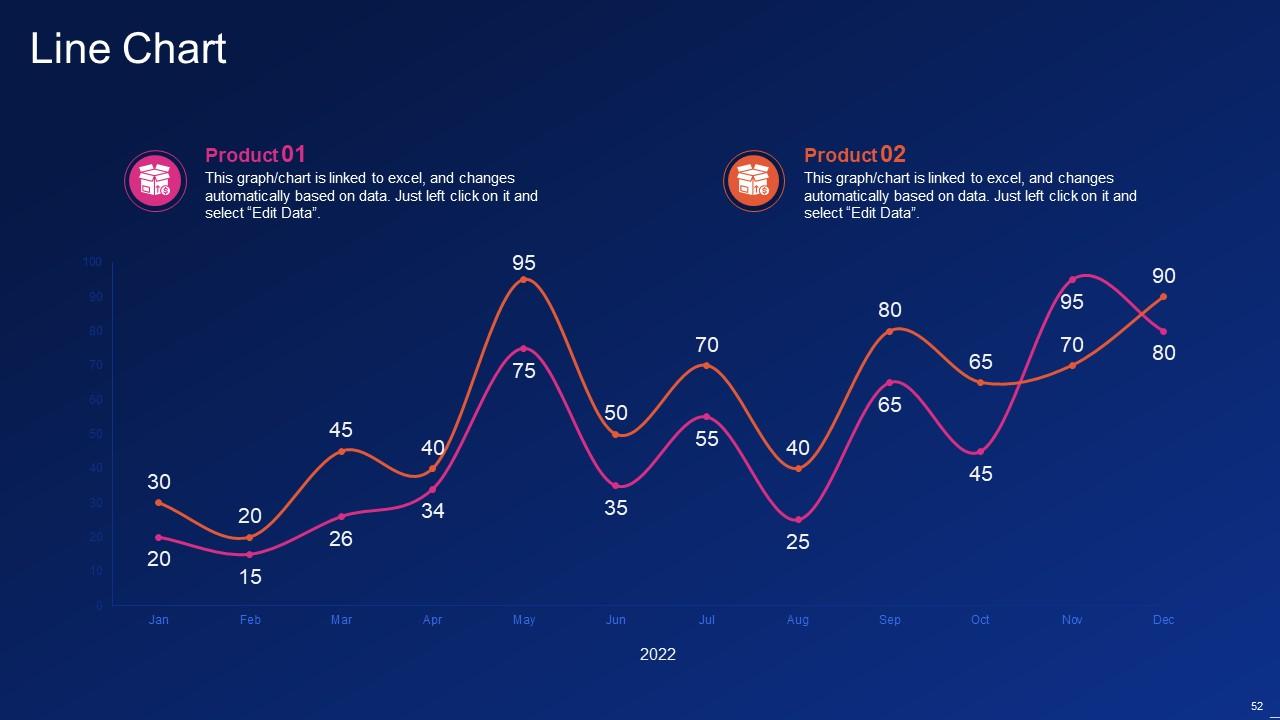
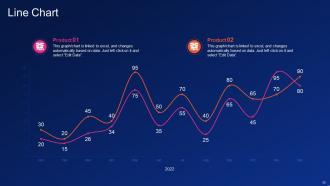
Folie 52 : Diese Folie beschreibt das Liniendiagramm mit zwei Produktvergleichen.
Folie 53 : Dies ist die Folie „Über uns“, um Unternehmensspezifikationen usw. anzuzeigen.
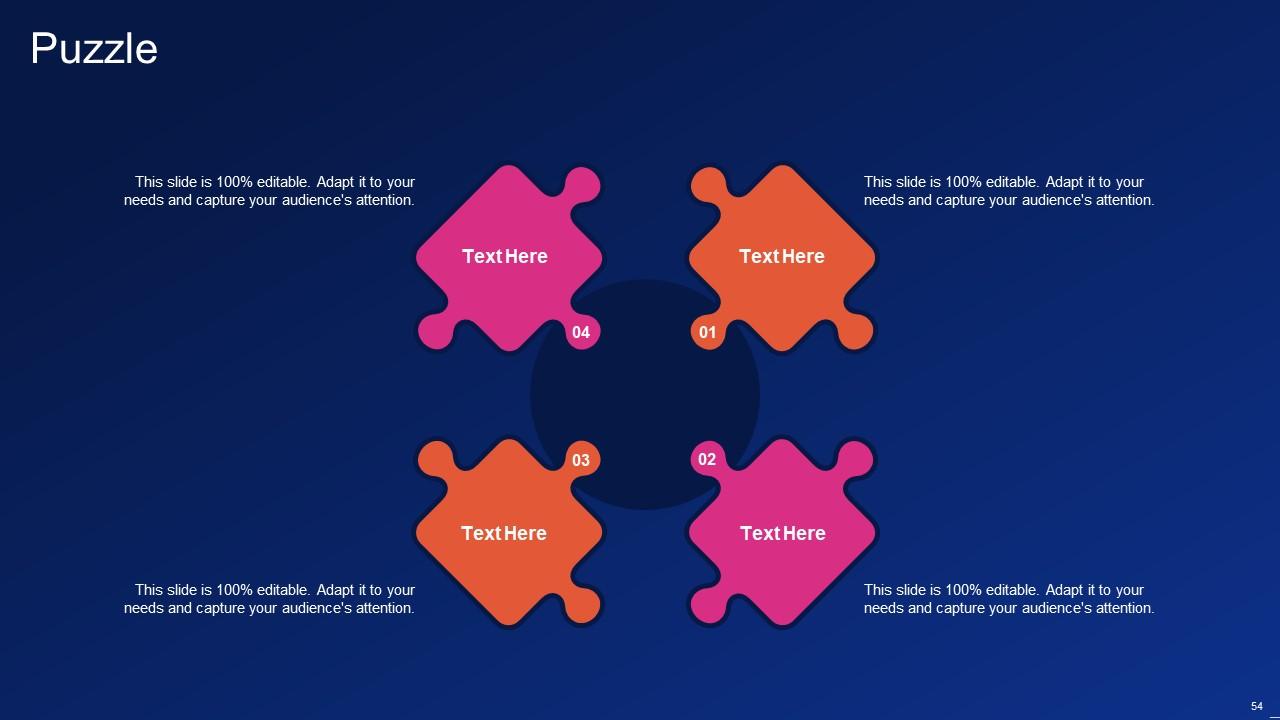
Folie 54 : Diese Folie enthält ein Puzzle mit zugehörigen Symbolen und Text.
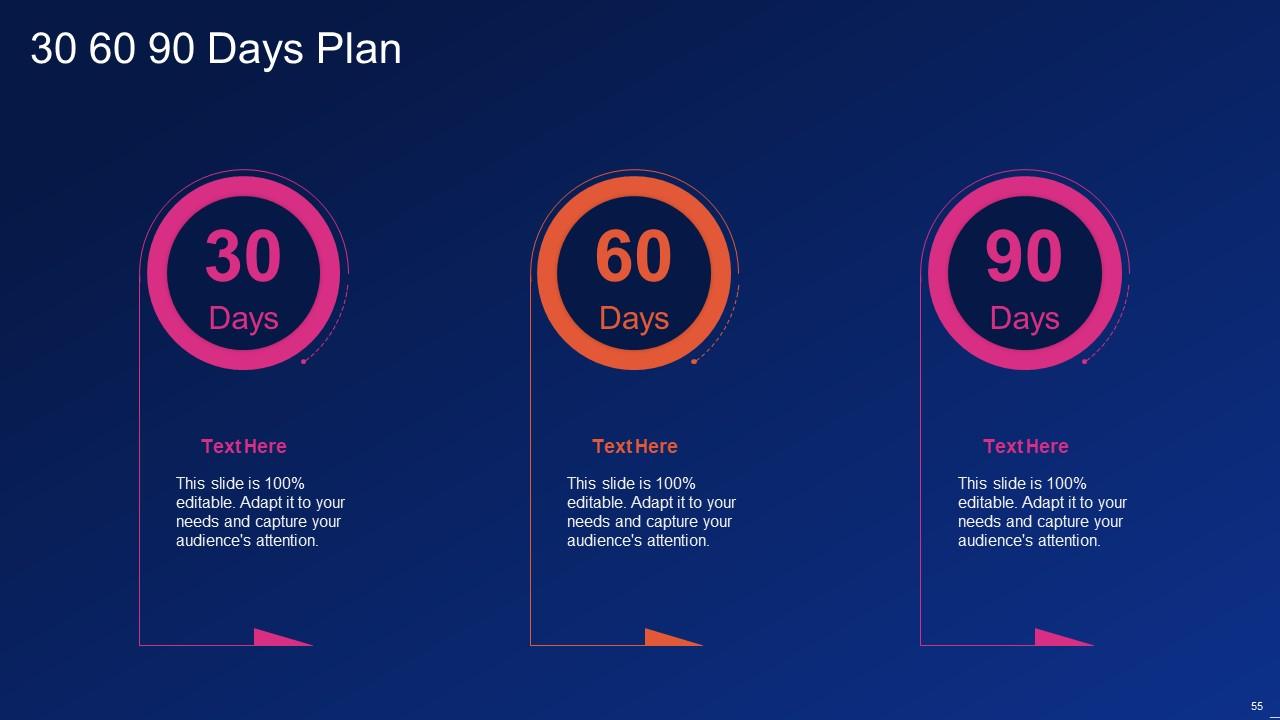
Folie 55 : Diese Folie enthält einen 30-60-90-Tage-Plan mit Textfeldern.
Folie 56 : Diese Folie zeigt Mind Map mit verwandten Bildern.
Folie 57 : Dies ist unsere Zielfolie. Geben Sie hier Ihre Ziele an.
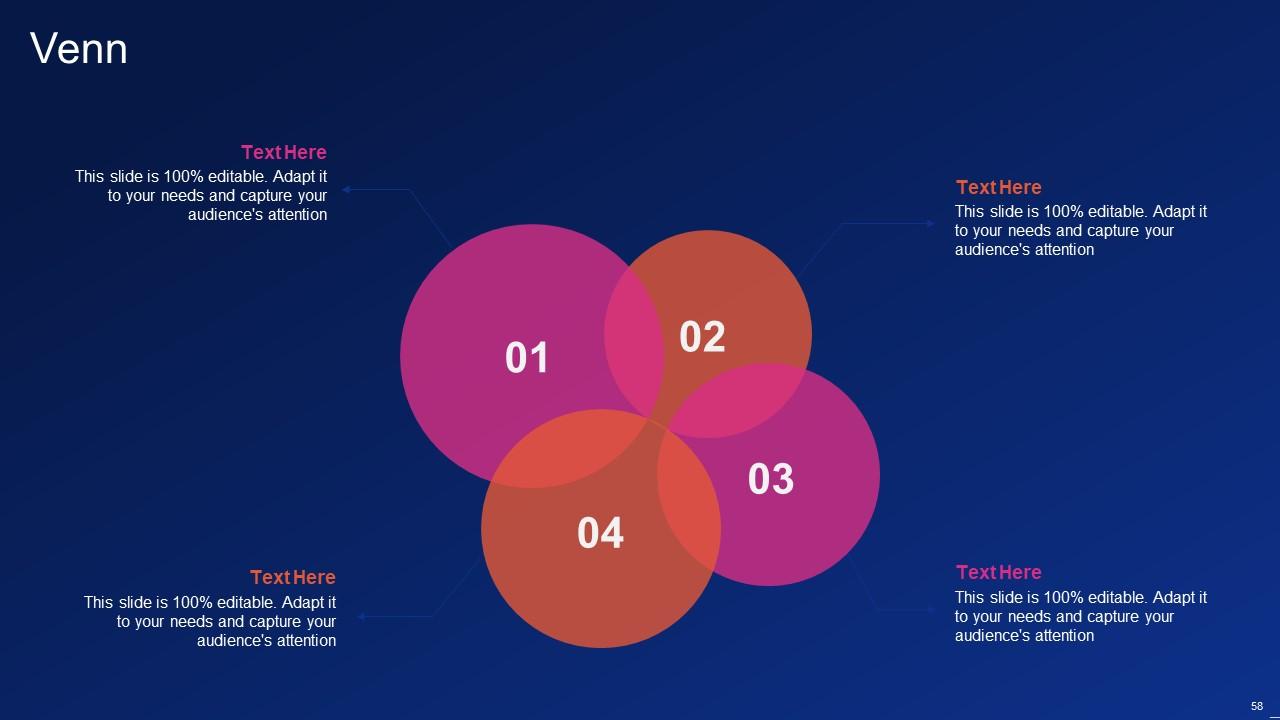
Folie 58 : Diese Folie zeigt ein Venn-Diagramm mit Textfeldern.
Folie 59 : Dies ist eine Dankeschön-Folie mit Adresse, Kontaktnummern und E-Mail-Adresse.
Six sigma it Powerpoint-Präsentationsfolien mit allen 64 Folien:
Verwenden Sie unsere Six Sigma IT Powerpoint-Präsentationsfolien, um effektiv dabei zu helfen, Ihre wertvolle Zeit zu sparen. Sie sind gebrauchsfertig und passen in jede Präsentationsstruktur.
FAQs
The six sigma method is a data-driven approach to process improvement that focuses on identifying and removing sources of variation and waste in business processes. Some benefits of implementing six sigma include reduced waste, improved productivity, reduced legal risks, and increased customer satisfaction.
The principles of six sigma include focusing on customer needs, identifying the root cause of problems through data collection, removing steps that don't add value, being flexible and responsive to process changes, and promoting teamwork and clear communication among employees.
Lean six sigma is a combination of the six sigma methodology and lean manufacturing principles, which focus on reducing waste and ensuring continuous process improvement. The key elements of lean six sigma include tools and techniques, process, and methods.
The DMAIC methodology is a problem-solving and quality improvement strategy used in six sigma. It consists of five phases: define, measure, analyze, improve, and control. Tools used in the DMAIC method include analysis of stakeholders, customer feedback, and data collection plans.
Project management tools used in six sigma include the Six Sigma Project Prioritization Matrix, the RACI matrix (which defines project roles and responsibilities), and the ARMI and Communication Plan (which outlines the project's approach, resources, management, and implementation plan). There is also a project checklist available for DMAIC implementation.
-
Excellent Designs.
-
Enough space for editing and adding your own content.
