

Social Engineering In Cyber Security Training Ppt




Try Before you Buy Download Free Sample Product
 Impress Your
 Audience
 100%
100% Editable
 Save Hours
 of Time


This set of PPT slides covers social engineering that uses psychological manipulation to mislead users into making security mistakes or giving away sensitive personal information. It includes its life cycle and techniques that hackers deploy to carry out such attacks.
People who downloaded this PowerPoint presentation also viewed the following :
Content of this Powerpoint Presentation
Slide 2
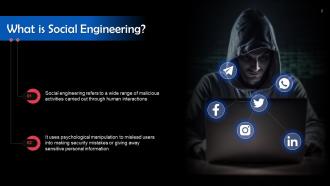
This slide gives an overview of social engineering cyber attacks. Social engineering is used to describe a wide range of malicious activities carried out through human interactions.
Slide 3
This slide depicts the social engineering lifecycle. The steps are as follows: Prepare, infiltrate, exploit the victim, and disengage.
Slide 4
This slide lists types of social engineering techniques. These are baiting, pretexting, scareware, phishing, watering hole attacks, and access tailgating.
Slide 5
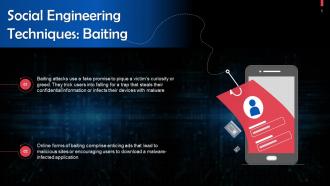
This slide talks about baiting, a social engineering technique. Baiting attacks use a fake promise to pique a victim’s curiosity or greed. They trick users into falling for a trap that steals their confidential information or inflicts their devices with malware.
Slide 6
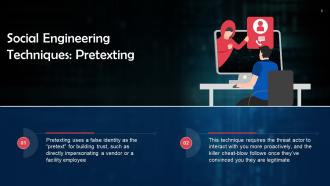
This slide discusses pretexting which is a social engineering technique. Pretexting uses a false identity as the “pretext” for building trust, such as directly impersonating a vendor or a facility employee.
Slide 7
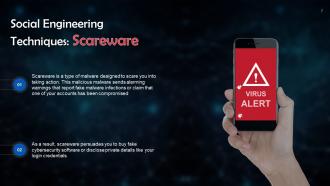
This slide talks about scareware which is a social engineering technique. Scareware is a type of malware designed to scare you into taking action. This malicious malware sends warnings that report fake malware infections or claim that one of your accounts has been compromised.
Slide 8
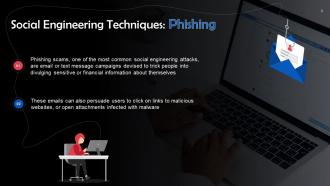
This slide revisits phishing which can be considered as a social engineering technique. Phishing scams are email or text message campaigns devised to trick people into divulging sensitive or financial information about themselves.
Slide 9
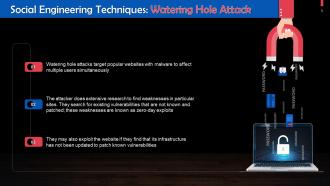
This slide talks about watering hole attacks. These attacks target popular websites with malware to affect multiple users simultaneously.
Slide 10
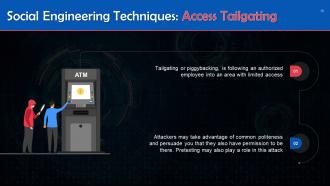
This slide gives information about access tailgating which is a social engineering technique. Tailgating, also known as piggybacking, is following an authorized employee into an area with limited access.
Slide 11
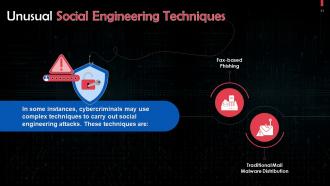
This slide highlights two unusual techniques of social engineering. These are traditional mail malware distribution and fax-based phishing.
Slide 12
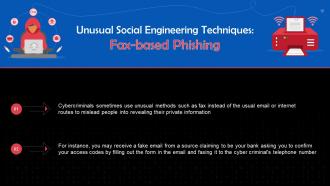
This slide talks about fax-based phishing to execute a social engineering attack. Cybercriminals sometimes use unusual methods such as fax instead of the usual email or internet routes to mislead people into revealing their private information.
Slide 13
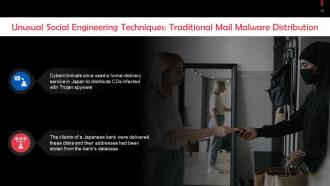
This slide discusses traditional mail malware distribution as a type of social engineering technique. Cybercriminals once used a home-delivery service in Japan to distribute CDs infected with Trojan spyware.
Slide 14
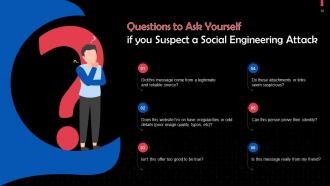
This slide highlights questions to ask yourself if you suspect a social engineering attack.
Social Engineering In Cyber Security Training Ppt with all 33 slides:
Use our Social Engineering In Cyber Security Training Ppt to effectively help you save your valuable time. They are readymade to fit into any presentation structure.













FAQs for Social Engineering In Cyber
So basically the main ones are phishing emails and pretexting - that's when they make up fake scenarios to trick you. Phone scams are everywhere now too. They'll call pretending to be IT or your boss, trying to rush you into giving passwords. USB baiting is still a thing, plus they follow people into buildings (tailgating). What really gets me is how they stalk social media first to make everything sound legit. Honestly just be suspicious of random requests, even urgent ones from people you think you know.
Skip the PowerPoint death by slides - your team needs actual practice. Monthly phishing tests work great for spotting sketchy emails asking for passwords or weird payment requests. Role-play those classic scams too, like fake IT calls or "urgent" CEO emails. Honestly, interactive stuff sticks way better than lectures. Don't blame people for falling for tests though - celebrate when they report suspicious stuff instead. Oh, and teach them to double-check requests through different channels first. Like if someone emails asking for money, call them directly to verify it's legit.
Social engineering is basically just manipulating your emotions to make you do dumb stuff. Like they'll hit you with fake urgency - "your account expires in 5 minutes!" - or pretend they're from IT to build trust. What's crazy is how well it works because we're wired to react emotionally first. Fear about security breaches? That gets people clicking sketchy links instantly. The best defense is honestly just hitting pause whenever you feel rushed or stressed by some random request. That pressure you're feeling? That's literally the point - they want you panicked so you don't think straight.
So basically, traditional hacking is all about breaking into systems - finding bugs in code, exploiting network vulnerabilities, that kind of technical stuff. Social engineering? Completely different approach. It targets people instead, using psychological tricks to get what they want. Like those fake phishing emails or someone calling pretending to be from IT asking for your password. Honestly, it's way more effective than you'd think because most people just... trust too easily? Your team needs to learn how to spot these manipulation tactics before they hand over the keys to everything.
Oh man, there's been some wild ones over the years. Kevin Mitnick back in the '80s would literally just call telecom workers and sweet-talk them into giving up access codes. The 2016 DNC hack? Started with basic spear-phishing emails. Twitter's bitcoin mess in 2020 happened because scammers called employees pretending to be IT - honestly can't believe that worked. You've probably gotten those fake bank calls about "suspicious activity" too. The crazy part is these all work the same way - they're counting on you being helpful and trusting people. Just double-check who you're actually talking to before sharing anything important.
Honestly, ditch the annual PowerPoint thing - it's pretty much worthless. You want monthly bite-sized training that actually engages people. Run fake phishing tests regularly and mix up the attack types beyond just sketchy emails. Cover stuff like pretexting and tailgating too. Leadership needs to participate since hackers love going after executives. Quick feedback when someone clicks something they shouldn't is huge. Oh, and definitely start with testing where everyone's at first - some people are way more susceptible than others. The repetition is what makes it stick, plus you'll catch way more attempts if people stay sharp.
Dude, yeah social engineering can land you in serious hot water legally. Fraud charges, identity theft, computer crimes - the whole nine yards. Courts don't give a shit if you say it was "just research" or whatever. Tricking people out of sensitive info is still fraud, period. You need written contracts and proper authorization if you're doing legit security testing. Otherwise you're risking fines and jail time. I know it sounds paranoid but get legal clearance first - trust me on this one.
Ugh, social media is basically a goldmine for scammers now. They can dig through your posts to learn about your job, who you're dating, what you're into - it's kinda creepy when you think about it. LinkedIn makes it super easy for them to pretend they're your coworker or whatever. What really gets me is how they slide into your DMs or leave comments that seem totally normal. Even fake friend requests look legit these days. I'd definitely check your privacy settings more often and don't trust random messages, even if the profile looks familiar.
These scammers are basically psychological manipulators. They'll pretend to be your boss to seem authoritative, or create fake urgent deadlines to rush you. Sometimes they do you a small "favor" first so you feel obligated to help back. They also love claiming everyone else already complied with whatever they're asking. Honestly, the rapport-building thing is what gets most people - they'll chat you up first to seem trustworthy. It works because we make snap decisions when stressed. Your brain just shortcuts to "this seems legit." Best move? Pause whenever someone you didn't expect contacts you demanding quick action. Always double-check through another method.
Honestly, tech is kinda a double-edged sword here. Hackers can use AI to make scary-good deepfakes and super targeted phishing emails based on your Instagram posts or whatever. But we've got decent weapons too - multi-factor auth, solid email filters, those training programs that test if people fall for fake attacks. I'd definitely invest in automated threat detection stuff. Oh, and keep your security tools updated regularly (boring but necessary). Best combo is good tech plus getting everyone on your team to actually think about security. Short sentences mixed with longer ones feel more natural, don't you think?
Scammers totally adapt their tactics based on where you're from. Like, in cultures that value family ties, they'll play the "help your cousin" angle. More individualistic places? They go after your personal goals or pretend to be authority figures. Some cultures are naturally suspicious when random "bank reps" call, while others just go along with it. Language formality matters too - what works in one region flops in another. That classic Nigerian prince scam? Yeah, it's way more effective in certain parts of the world. If you're doing security training globally, you've gotta tailor it to these differences or it won't stick.
Honestly, the biggest thing is when someone's pushing you to act super fast - scammers hate when you have time to think. Weird email addresses are dead giveaways too. Also watch for people asking info they should already know, or trying to butter you up with compliments. I swear, some of these guys think flattery works on everyone. They'll also try to stop you from double-checking their identity through normal channels. Short version: if something feels off, just call back using a number you trust. Better safe than sorry, right?
Honestly, start with social engineering tests - get ethical hackers to try phishing your employees or calling them with fake stories to get info. Most companies are genuinely surprised how easy it is to fool people. Run employee surveys about security awareness too. Check who actually has access to sensitive data and whether your verification processes work (spoiler: they probably don't). Also review your policies for handling info requests - a lot of them are pretty outdated. The whole point? Better to test your "human firewall" yourself before the real criminals do it for you.
Run those fake phishing tests monthly - trust me, people hate getting caught so they actually pay attention after that. Set up quarterly training sessions and make security part of onboarding from day one. Your leadership team has to walk the walk though, because nobody listens to "do as I say, not as I do." Quick team check-ins work better than long emails tbh. Track your click-through rates to see if it's working. Oh, and create clear reporting procedures so people know what to do when something looks sketchy.
Phishing is like the starter move for most cyber attacks - they send fake emails or texts trying to steal your login info or get you to click sketchy links. It's honestly wild how convincing some of these emails look now. The real problem? Once they're in, that's often how bigger stuff like ransomware starts. Unlike technical hacks that go after software bugs, this targets people directly. Since it's easy to send thousands of fake emails at once, attackers love it. Best thing you can do is train everyone to spot the warning signs and always double-check weird requests by calling or texting the person separately.
-
Very unique, user-friendly presentation interface.
-
Very well designed and informative templates.