


Sr human hand with circle of icons flat powerpoint design





Try Before you Buy Download Free Sample Product
 Impress Your
 Audience
 100%
100% Editable
 Save Hours
 of Time


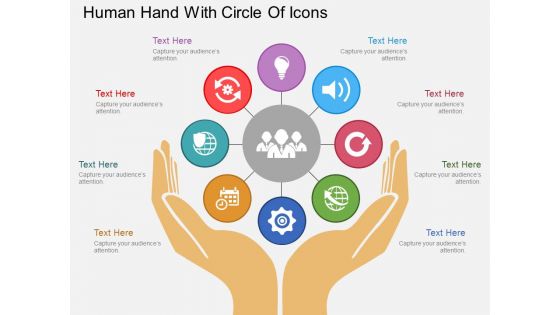
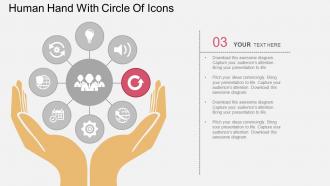
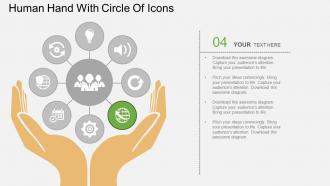
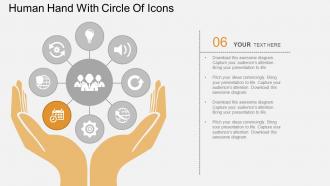
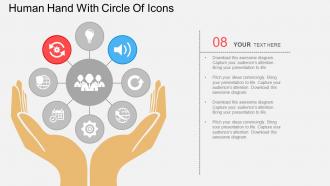
Introducing our exclusive and exquisite sr human hand with circle of icons flat PPT diagram which has been designed by our selected team members those who possess expertise in creating extraordinary templates. The concept of team management that is associated with sales and marketing field can be systematically displayed in these presentation slides. The icons and images utilised in the creation of these amazing layouts are of high quality to impress the audience. As it is a fact that memorising visuals Is much easier than words, therefore keeping this in mind our experts have made use of these unique icons and symbols for better understanding and easy memorising. Apart from this, numerous aspects of teamwork can be easily displayed on a single slide due to the ample space that is being offered by these spacious illustrations. These extremely worthy and deserving backgrounds can be all yours by simply clicking download. Gain an eminent status with our Sr Human Hand With Circle Of Icons Flat Powerpoint Design. They add to the aura of your presence.
People who downloaded this PowerPoint presentation also viewed the following :
Sr human hand with circle of icons flat powerpoint design with all 12 slides:
Our Sr Human Hand With Circle Of Icons Flat Powerpoint Design give correct consideration to each aspect. You will acquire the desired balance.


FAQs for Sr human hand with circle of icons
Keep your hand icons super simple - clean lines, no weird finger details that'll just look messy from far away. High contrast is key, so white on dark or dark on light backgrounds. Make them way bigger than seems normal because projectors are honestly terrible at showing small stuff clearly. I'd go with slightly exaggerated proportions too, especially for pointing gestures or thumbs up. The fancy detailed ones might look cool up close but they're useless if people can't tell what you're trying to show from the back of the room. Test everything in presentation mode first - trust me on this one.
Dude, hand icons are seriously underrated! They explain stuff way faster than writing it all out. Like, a pointing finger directs people's eyes exactly where you want them to look. Thumbs up/down? Instant feedback without any confusion. What's cool is that everyone understands hand gestures - doesn't matter what language they speak. Plus hands make abstract ideas feel more real somehow. I always thought generic arrows were fine, but honestly? Swapping them for actual hand gestures makes designs way more engaging. Try it next time you're stuck explaining something complicated.
Dude, healthcare companies are obsessed with hand icons - they're always pointing at body parts or showing procedures. Tech presentations use them constantly too for touchscreen stuff and user demos. Education materials love the step-by-step hand gestures. Honestly, some decks go way overboard with them (looking at you, every medical PowerPoint ever). But they actually work pretty well for showing processes. If you're in any of those fields, definitely grab a good set. They're super handy - pun totally intended.
Oh man, this is such a minefield! Thumbs up seems totally harmless but it's actually offensive in parts of the Middle East. The OK sign? Also problematic in some places. Even pointing with your finger is considered super rude in certain cultures - honestly had no idea about that one until recently. Peace signs and open palm gestures can be tricky too. If you're going global, I'd probably stick to really boring, neutral stuff or actually test your icons with people from different backgrounds. You don't want to accidentally insult half your users, you know?
Hand icons work great for CTAs and stuff you actually want people to click or swipe. Just don't go crazy with them - nobody wants their presentation looking like a cheesy infomercial. Match your design style and colors obviously. Skip pointing at basic things like headlines where a simple arrow does the job better. Oh, and be careful with gestures since some can be weird culturally. Stick with open palms or basic pointing. Honestly, I'd preview the whole thing once you're done to make sure you're not creating visual chaos instead of helping people focus.
Hand icons work really well as visual counters - each one can represent like 10 people for survey data or workforce stats. Pretty useful for percentages too, where you fill in some hands and leave others outlined to show completion rates. I've noticed the coolest infographics actually use different gestures (thumbs up, pointing, peace signs) to sort data into categories. Just keep your ratios the same throughout and don't forget a legend. Oh, and group them in fives or tens so people can count quickly without getting lost.
Honestly? Flat and outline styles are everywhere right now - they're kinda taking over most apps. Flat ones look super clean and modern, perfect if you're going minimalist. Outline hands are my go-to though because they work at literally any size. Then you've got realistic ones with actual skin tones and details - those hit different emotionally. Gestural icons are cool for showing movement or action, way more expressive. I'd probably go outline for versatility or realistic if you want that emotional punch. Really depends on your vibe and where you're using them.
Honestly, accessibility rules will make your hand icons way better for everyone. Don't go crazy with tiny details - they just turn into mush when you shrink them down. Bold outlines work best. Also, that contrast thing is huge - I've sat through so many presentations where pale gray hands basically vanished against white backgrounds. Super annoying. Make sure they're readable when small, and yeah, throw in alt text if you can. Oh, and test them on your phone or whatever before you present. Sometimes what looks great on your laptop screen is completely different on other devices.
Definitely go with vector tools - Illustrator or Figma are my go-tos, but Inkscape works great if you want something free. I've actually been surprised by what people pull off in Canva lately using just their basic shapes. Start with simple geometric forms for the palm and fingers, then polish it up. Not feeling confident about drawing freehand? Totally fine - just find a royalty-free hand photo and trace over it as your base. Oh, and export as SVG so it doesn't get pixelated when you scale it. Trust me on that one!
Oh totally! Hand icons work so well because they scream "human touch" - perfect for healthcare, nonprofits, even tech companies trying not to look soulless. Think about it - handshakes, helping hands, they're literally everywhere in branding. Service businesses especially love them since people want to know there's an actual person behind the company, not just some algorithm. Just make sure the style fits though. Like, a minimalist tech startup can't use the same chunky hand icon as a local daycare, you know? What kind of vibe are you going for with yours?
Honestly, it's such a small thing but it makes a huge difference. When you mix up your hand icons with different skin tones, people actually feel like you're talking to *them* specifically. I learned this the hard way after using all those generic light hands in a presentation once - super cringey moment. Different ages and abilities work too, not just skin tone. Yeah, it seems minor but psychologically it hits different when someone sees themselves represented. Your audience stays way more engaged. Just swap out those boring default pointing hands next time you're making slides. Takes like two seconds but changes everything.
Dude, be super careful with gestures - thumbs up and pointing can actually offend people in certain cultures. Stick with open palms for global stuff. Don't go crazy cramming a bunch of hand icons everywhere (I've seen some truly chaotic designs lol). Match the vibe too - like, don't use a clenched fist for something about being gentle. Test them small since fingers get blobby and weird at tiny sizes. Oh, and keep the style consistent with your other icons. Honestly, when you're stuck just go with a classic open hand or simple finger tap gesture.
Honestly, those animated hand icons are clutch for presentations! They naturally draw your eye to whatever you're highlighting - way better than just using bullet points everywhere. I love using them for step-by-step stuff or when you want people to focus on specific data. The movement breaks up those text-heavy slides that make everyone zone out. You can do simple pointing gestures, maybe some clapping for emphasis, or use them as transitions between sections. Just don't go overboard with it (learned that the hard way). They make everything feel less corporate and more engaging.
Honestly, the biggest thing right now is way more skin tones and accessibility options - finally! Gestures are getting super specific too, like actual pinch-to-zoom motions instead of boring pointing fingers. 3D effects are everywhere (some look pretty cheesy tbh). Smart designers are making them contextual - shopping apps show hands holding cards, that kind of thing. Oh and they're scaling better across devices now. You'll want versatile ones that don't look weird when tiny. Test them on different screens first though!
Honestly, user feedback is everything when you're tweaking hand icons. Just ask people straight up - "what do you think this gesture means?" You'll be shocked how often your "obvious" pointing finger looks like a peace sign to someone else. Cultural stuff you never even considered will come up too. Quick usability tests work great for this. I've watched designers fall in love with these clever concepts that completely whoosh over users' heads. Track which icons confuse people most, then either make them simpler or try different versions. Don't roll anything out without testing it first - saves you so much headache later.
-
Colors used are bright and distinctive.
-
Visually stunning presentation, love the content.