Staff Meeting Powerpoint Ppt Template Bundles
Try Before you Buy Download Free Sample Product
Audience
Editable
of Time
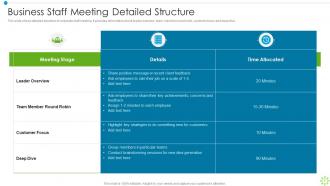
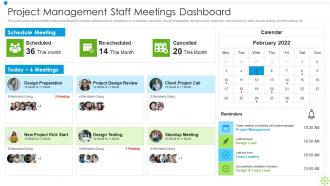
Our Staff Meeting Powerpoint Ppt Template Bundles are topically designed to provide an attractive backdrop to any subject. Use them to look like a presentation pro.
People who downloaded this PowerPoint presentation also viewed the following :
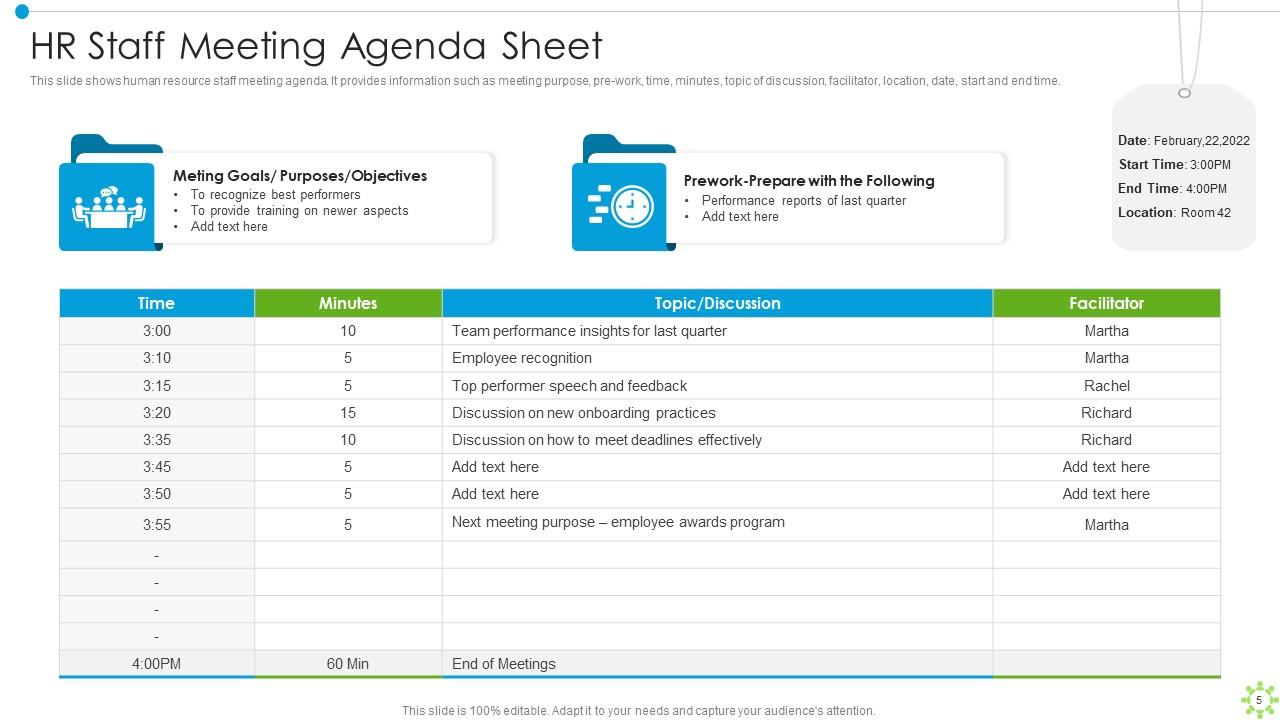
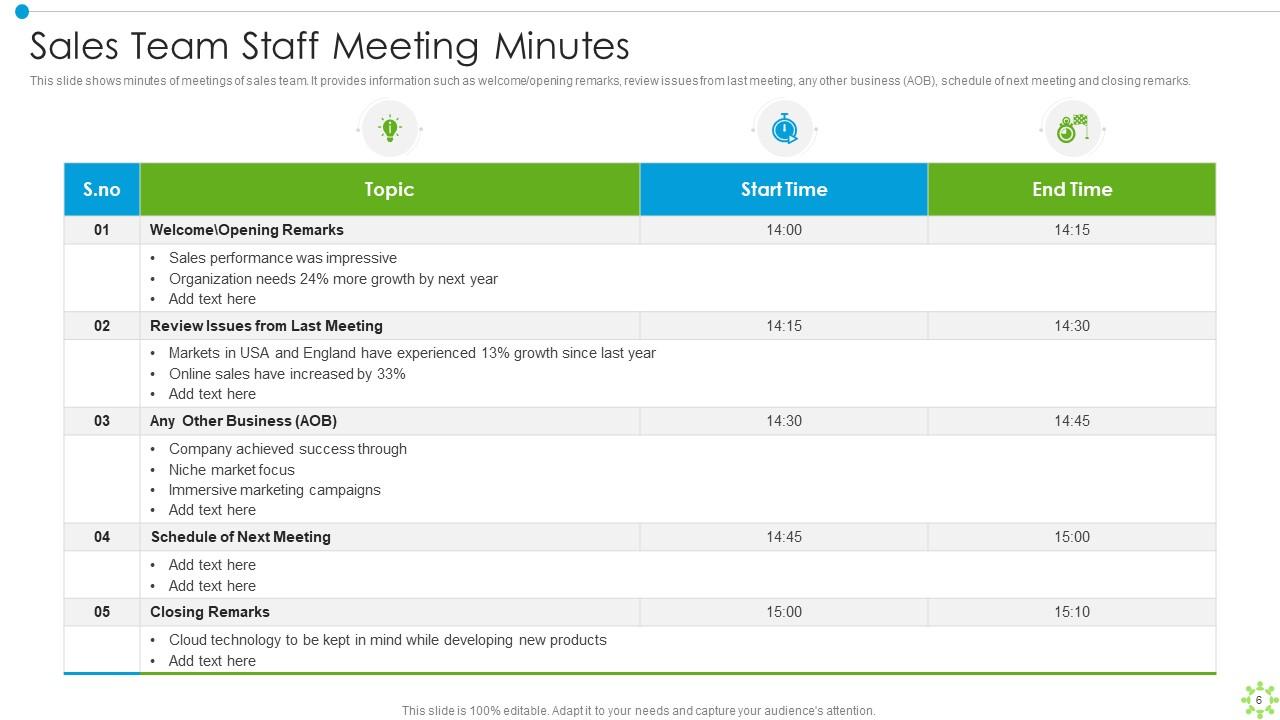
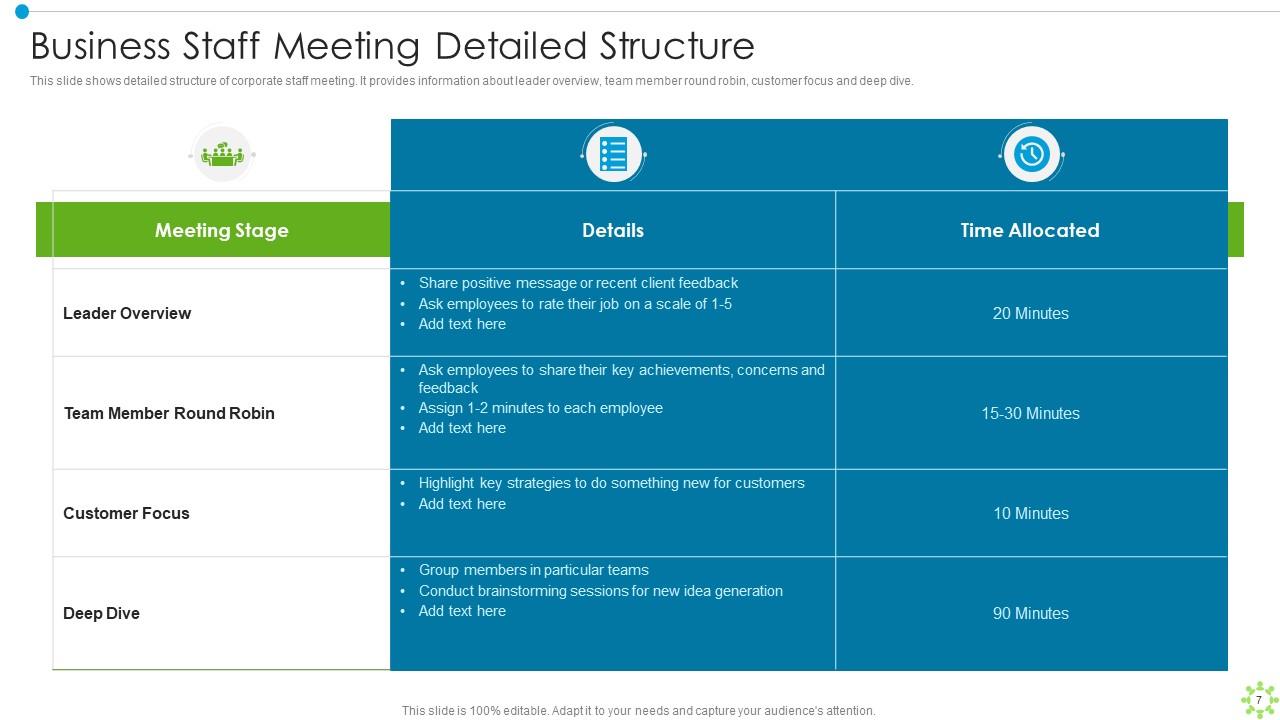
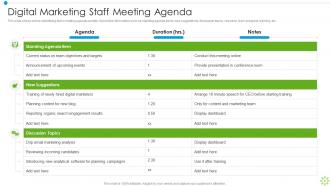
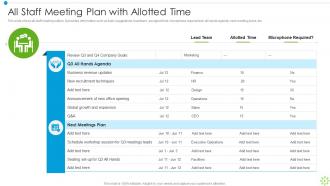
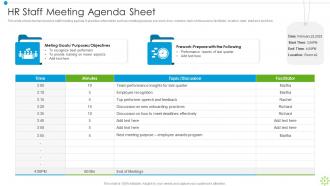
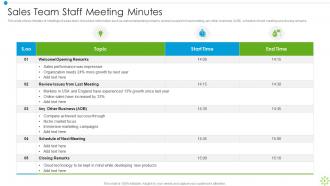
Staff Meeting Powerpoint Ppt Template Bundles with all 16 slides:
Use our Staff Meeting Powerpoint Ppt Template Bundles to effectively help you save your valuable time. They are readymade to fit into any presentation structure.
FAQs for Staff Meeting Powerpoint
So I'd definitely include a clear agenda with time slots - trust me, that's what actually keeps people from rambling forever. Also add a section for following up on last meeting's action items, plus any announcements or updates. The discussion topics should be stuff that genuinely needs everyone's input (not just things you could've emailed). Oh, and make sure someone's assigned to each agenda item so people show up prepared. Leave room for new business at the end. I always capture action items and assign owners before wrapping up - otherwise nothing gets done. Start basic and adjust based on how your team rolls.
Honestly, customizable templates are a game changer for meetings. You can tweak colors, fonts, layouts - even throw your logo on there so everything looks cohesive. The cool part is adjusting sections based on what you're doing. Need action item trackers for project stuff? Done. Want brainstorming space for creative sessions? Easy. Your team gets used to the same layout, which actually makes everything run way smoother. I'd probably start with just 2-3 changes that'll make the biggest difference - don't go crazy with it right away.
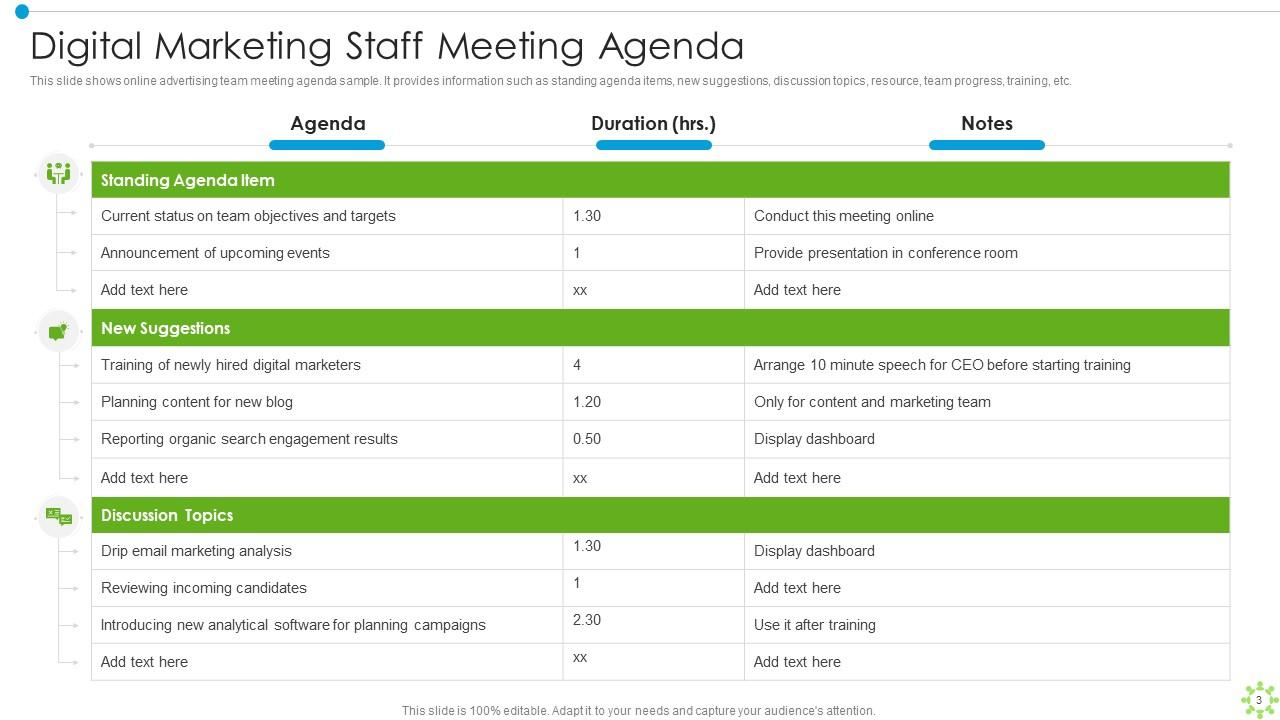
Honestly, agendas are a game-changer for meetings. No more of those endless tangents where you're somehow debating coffee brands for an hour (why does this always happen?). Everyone shows up knowing what to expect and actually brings the right stuff. You'll blow through topics way faster since there's a clear roadmap. Important things won't get buried or forgotten until next week either. Your team will love the predictability too - they can prep mentally instead of walking in blind. Just grab a basic template and throw time estimates on each item. You'll be shocked how much more gets done.
Honestly, templates are a game changer for meetings. Your team shows up more prepared when they know what's coming. You'll save time not scrambling to figure out the agenda - probably like 10 minutes right there. Important stuff doesn't get forgotten, and the quiet people on your team have a better shot at jumping in. Oh, and everything gets documented the same way each time, so tasks don't just vanish into thin air. I'm telling you, even a basic agenda template makes such a difference. Your meetings will actually get stuff done instead of being those painful "this could've been an email" situations.
Honestly, I'd go with PowerPoint first - they've got tons of meeting templates already built in. Super easy to tweak the agenda slides and action item stuff. If your team's already using Google Workspace though, Google Slides might be easier since everyone can jump in and edit at the same time. That real-time thing is actually pretty handy when people need to add their updates. Oh, and Canva's not bad either these days, though it's more about making things look pretty than actual business stuff. I'd probably just stick with whatever your team already uses for sharing files and try out a couple templates from there.
Oh totally! Visual stuff makes such a huge difference in meetings. Nobody wants to stare at walls of text - your brain just shuts off, you know? I'd start with basic things like bullet points, some color coding, maybe throw in a few icons. Makes it so much easier to follow along. Honestly, we've all sat through those painful meetings where someone's just reading off a boring document. When you've got clean sections and actual visual hierarchy, people actually look up from their phones lol. Even just adding some spacing and formatting to whatever template you're using now will help. You'll see the difference right away.
Honestly, follow-up sections are game-changers for staff meetings. Without them, you'll keep rehashing the same stuff every week - been there, done that, super annoying. Basically you track who's doing what, deadlines, and how things are progressing from last time. It's where accountability actually happens instead of just talking about it. Nothing slips through the cracks this way. Pro tip though - cover this part early in your meeting. If you wait until the end, people start checking out and you'll rush through everything important.
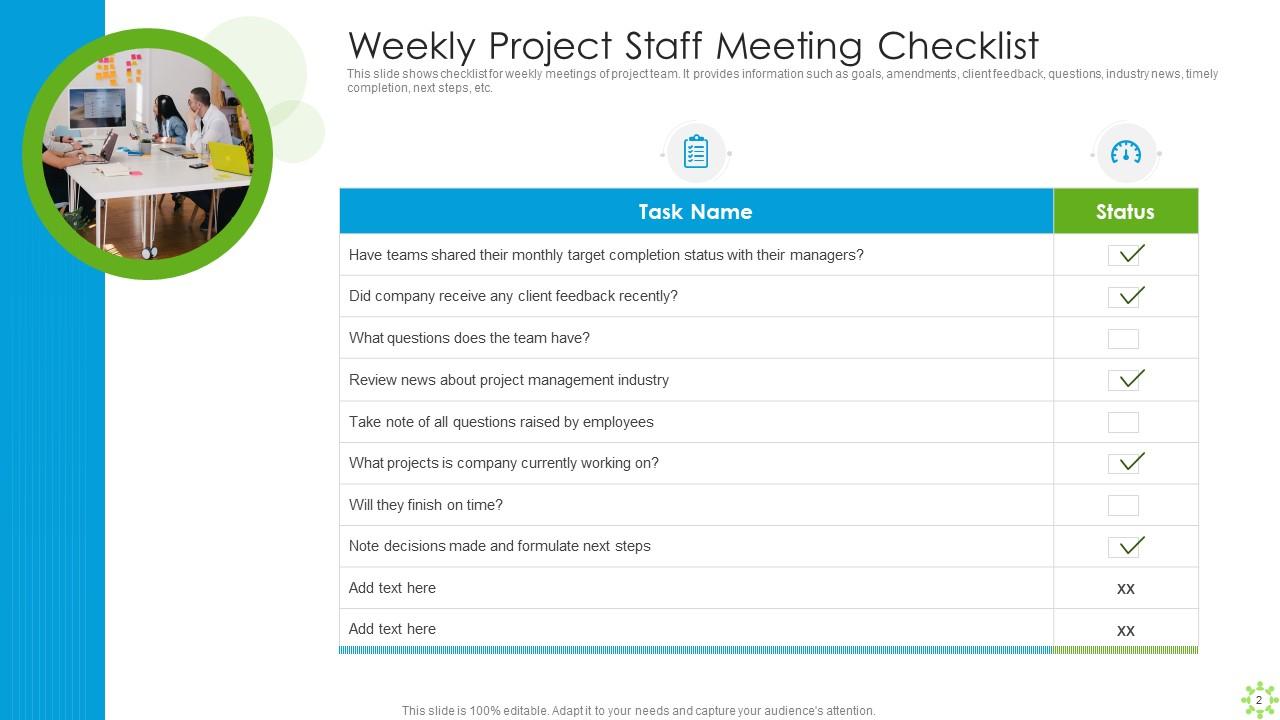
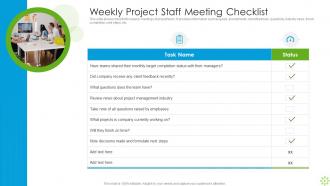
Dude, templates are a game changer for this stuff. I used to scribble random notes and lose half of them - what a mess. Now I just set up columns for the task, who's doing it, and when it's due. Everyone knows exactly where to find their assignments instead of hunting through messy notes. Oh, and definitely add a status column! People can update you before the next meeting so you're not playing catch-up. The best part? You can just copy action items forward to track what actually got done. Honestly saves me so much headache.
So here's what works - send agendas early so people can think stuff through beforehand. Some folks just need that prep time, you know? Add anonymous polls or chat options for the quiet ones. Oh and definitely rotate who's running different parts instead of having one person dominate the whole thing. Time zones are annoying but worth figuring out if you're remote. Don't save all questions for the end either - sprinkle them throughout. I really like doing those "start/stop/keep" rounds to get everyone talking. The whole point is making people feel safe to actually speak up rather than just sitting there silently.
Honestly, templates are a lifesaver for remote meetings if you set them up right. I always throw in dedicated time for people to just chat and catch up first - otherwise it feels super robotic. Breakout rooms help too, plus you've gotta rotate who's talking so it's not always the same three people dominating. The game-changer though? Having async parts where people can drop thoughts beforehand or follow up after. Super helpful for different time zones. Oh, and don't forget the basic stuff like tech setup instructions because someone's always having audio issues. Use polls or shared docs to keep everyone engaged instead of just listening.
Honestly, start with timing - are you wrapping up when you planned to? I'd also watch if people actually speak up during each agenda item or just sit there scrolling their phones. The big one though? Check if action items from last week actually got done. Otherwise you're just talking in circles, which drives me crazy. Maybe survey everyone monthly about whether the format's helping them stay in the loop. Oh, and see if you're making real decisions instead of just... discussing things forever. Pick two of these to track consistently. Your template should evolve based on what's actually working.
Honestly, I'd check them monthly if your team changes a lot, but quarterly works fine otherwise. Three months is usually enough time to spot what's actually working vs what's just wasting everyone's time. Watch for agenda items that always get skipped - that's your red flag right there. Also notice when discussions run way over what you planned. I always forget to do this stuff so definitely set a calendar reminder. Oh and ask your team what they think! They'll tell you real quick what feels pointless. Some meetings just have too much fluff anyway.
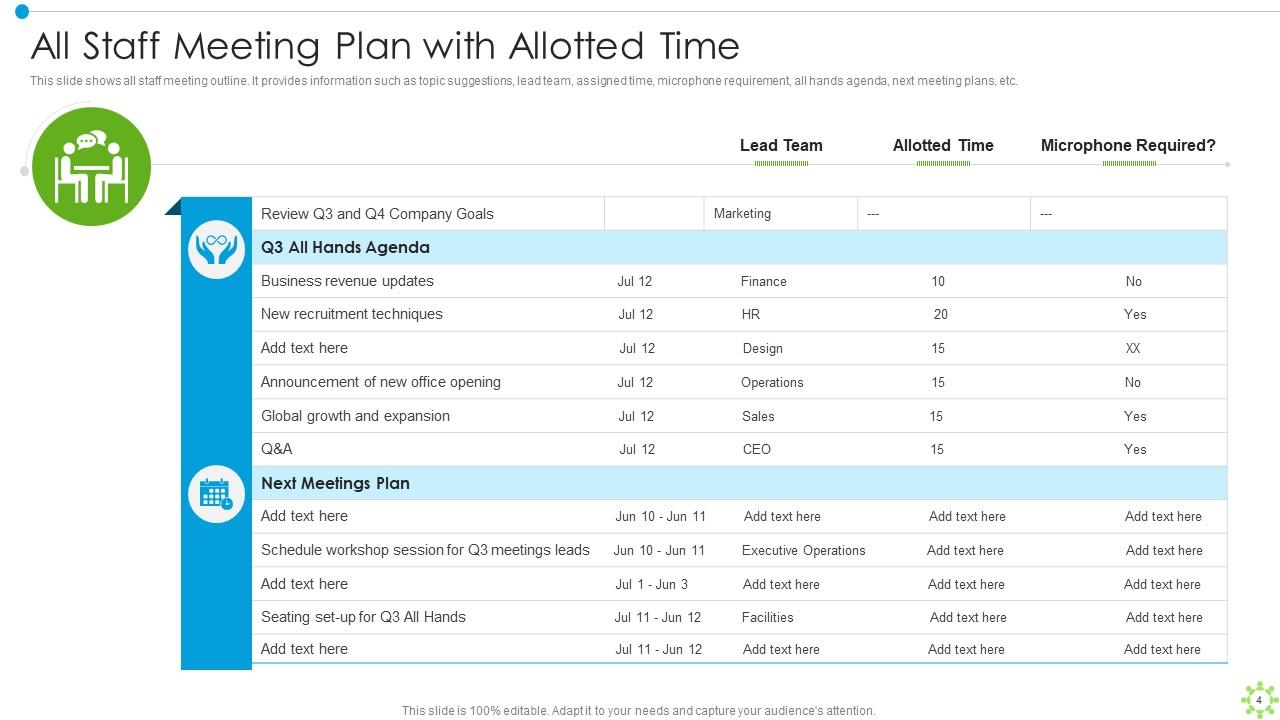
Honestly, it depends on how many people you're dealing with. Small teams? Keep it super casual - just throw together a basic agenda with topics and action items. Everyone talks anyway when there's only 3-5 of you. But once you get to 8+ people, things get messy fast. That's when you need time limits for each topic, assign who's speaking when, and add a "parking lot" for random stuff that always derails meetings (trust me on this one). Really big groups need someone taking notes and watching the clock. More people = more rules, basically.
Honestly, templates are a game-changer for new hires. They can look at your past meetings and instantly get how things work - the flow, what gets discussed, their role in it all. It's basically a roadmap so they're not completely lost in their first meeting. When they eventually run their own meetings (which always happens faster than you think), they won't be winging it. I'd put together maybe 2-3 of your best templates with some quick notes about how your team actually operates. Way better than throwing them in the deep end.
Honestly, just put stuff on there that actually matters - like project updates with real next steps or blockers where you need everyone's brain power. Skip those painful status reports (we've all suffered through enough of those). Decisions that need group approval? Perfect for meetings. Quick wins are gold for team morale too. But here's the thing - before adding anything, ask yourself "does this really need all of us here right now?" If not, ditch it. End with solid action items so people know what they're doing. Oh and make sure there's actual discussion happening, not just one person talking at everyone.
-
Keep doing the good work guys. Surpass the needs and expectations always!!
-
I never had to worry about creating a business presentation from scratch. SlideTeam offered me professional, ready-made, and editable presentations that would have taken ages to design.